


- Robin by Atera: Atera
- ConnectWise Control Support: ConnectWise
- GoToAssist Resolve: GoToAssist Resolve
- FixMe.IT: FixMe.IT
- RemoteToPC: RemoteToPC
It’s estimated that between 25 and 30% of the U.S. workforce will likely work from home one or more days a week in 2023 and beyond. This means tech support and help desk workers, many of whom may also be working remotely, will face challenges with providing adequate support.
Because tech support teams themselves can’t be physically on site to support all of the work-from-home teams, they need access to the right tools to limit service disruption. With more companies recognizing the need to better address disaster preparedness, business continuity planning and security concerns, remote tech support has never been more in focus.
SEE: Set up or improve your business’s remote teams with this remote work policy from TechRepublic Premium.
As a result, the help desk solutions market is expected to hit $11 billion by 2023. Cloud-based remote support tools, such as the ones we’ll look at here, can help tech support teams get to the bottom of issues and provide better service to employees with less disruption.
Remote tools that help improve tech support for WFH employees
Providing effective and timely tech support to employees across an organization requires remote software or tools. These five can come in handy.
| Feature | Robin | ConnectWise Control Support | GoToAssist Resolve | FixMe.IT | RemoteToPC |
|---|---|---|---|---|---|
| Remote monitoring and management | Yes | Yes | Yes | Yes | Yes |
| Cross-platform support | Yes | Yes | Yes | No | Yes |
| Reporting and analytics | Yes | Yes | Yes | Yes | No |
| Real-time monitoring and alerts | Yes | No | No | No | Yes |
| Help desk and ticketing | Yes | Yes | Yes | No | No |
| Attended and unattended support | Yes | Yes | Yes | Yes | Yes |
| Patch management | Yes | No | No | No | No |
| Network discovery | Yes | No | No | No | No |
| Session recording | No | No | Yes | Yes | No |
| Starting price for paid tiers | $149 per technician per month, billed annually | $27 per user per month, billed annually | $40 per month, billed annually | $30 per seat per month, billed monthly | $99 per year |
Robin by Atera
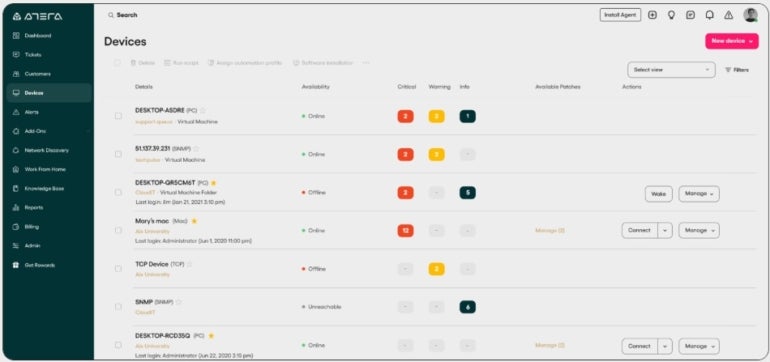
Robin is a remote access, monitoring and management tool designed for managed service providers and IT professionals (Figure A). It helps tech support teams with remote access, file transfer and multi-screen support.
Figure A
Key features of Robin
- Secure connection support to enable tech support to remotely access computers, files and applications and debug issues for any location.
- Help desk monitoring and alerts on physical and virtual networks, server and software updates, and more.
- Workstation and server IT task automation.
- Automatic patch management for Windows service pack, Office, driver, Java and other updates.
- Remote maintenance tools to uninstall applications and run scripts and many other advanced commands.
- Reporting and analytics tools to measure and track system health, IT inventory, help desk activities and licensing.
Pricing
Robin has four pricing plans for IT departments, with a 30-day free trial available for its Professional, Expert and Master tiers.
- Professional: $149 per technician per month, billed annually, or $169 per technician billed monthly.
- Expert: $169 per technician per month, billed annually, or $199 per technician billed monthly.
- Master:$199 per technician per month, billed annually, or $239 per technician billed monthly.
- Enterprise: Contact sales for pricing details.
Pros and cons
| Pros | Cons |
|---|---|
|
|
ConnectWise Control Support
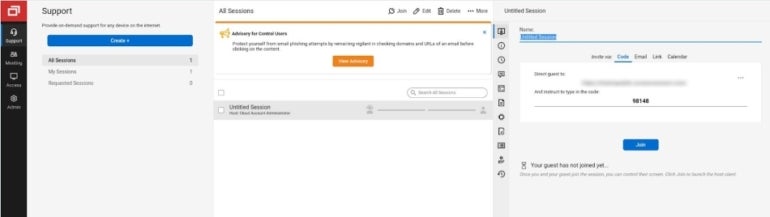
The ConnectWise Control Support solution offers IT help desk teams a fast remote desktop support tool with the ability to remotely, securely and seamlessly access, manage and support employee desktops and mobile devices from any location (Figure B).
Figure B
Key features
- ConnectWise View allows tech support to live stream with employees using their computer camera to resolve their issues in real-time.
- Control Support security ensures user authentication and allows for remote role-based security and permissions, session activity logging, video session logging, and more.
- ConnectWise Control Support enables simplified management of multiple LDAP user sources and AD directories.
- Control Support offers automatic and dynamic creation of subgroups that are easier to find.
Pricing
ConnectWise offers four pricing options for Control Support:
- Remote Support One: $27 per user per month, billed annually, or $34 per user billed monthly.
- Remote Support Standard: $42 per user per month, billed annually, or $54 per user billed monthly.
- Remote Support Premium: $52 per user per month, billed annually, or $64 per user billed monthly.
- Unattended Access: Priced per agent; contact sales for more details.
Pros and cons
| Pros | Cons |
|---|---|
|
|
GoToAssist Resolve
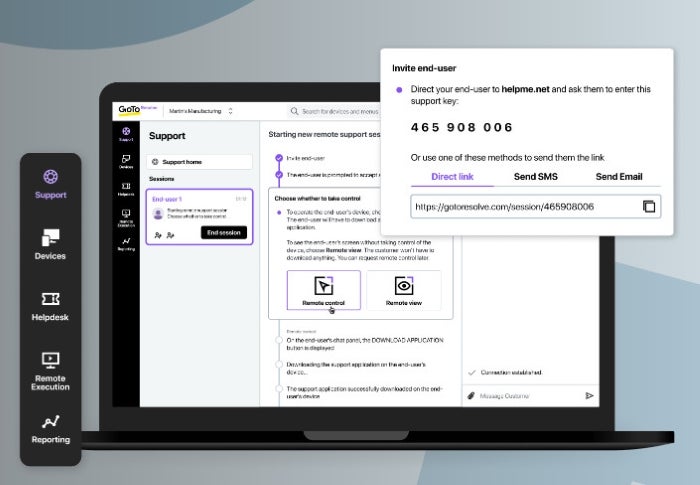
GoToAssist Resolve provides a technician (agent) console that ensures mobile remote employees have fast, unlimited, hassle-free issue resolution that helps them stay productive and focused on doing what matters (Figure C).
Figure C
Key features
- Technical support members can easily access employee hardware and software configuration information through remote diagnostics.
- As many as 15 sessions per technician can be simultaneously accessed through multi-session technical support.
- Support teams can switch and navigate between multiple customer monitors simultaneously.
- Patches, updates and more can be easily handled using secure file transfers.
- Communication with other technicians and employees is enabled through Slack.
Pricing
GoToAssist Resolve has a free plan and three paid tiers, with a 14-day free trial available for the Standard and Remote Support plans.
- Free: No cost for up to three agents and five Pro devices.
- Remote Support: $40 per month, billed annually, or $50 per month when billed monthly.
- Standard: $57 per month, billed annually, or $70 per month when billed monthly.
- Premium: Contact sales for pricing details.
Pros and cons
| Pros | Cons |
|---|---|
|
|
FixMe.IT
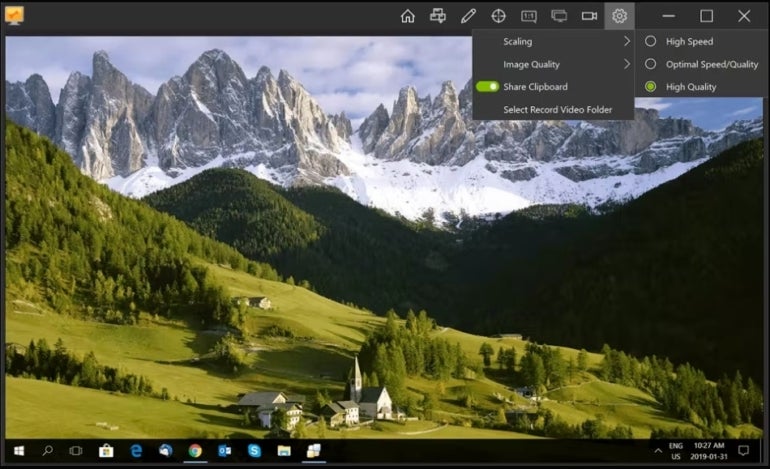
With FixMe.IT, technical support teams can assist WFH employees with issues such as configuration, logging in, file transfers and other complex technical support needs quickly, securely and from any location (Figure D).
Figure D
Key features
- Technicians and employees benefit from two-way desktop sharing for support and walk-throughs.
- File and folder transfer can be done quickly and remotely using drag-and-drop functions.
- Two-factor authentication can be enabled for increased security.
- Mass applications can be deployed using Group Policy.
- Video support sessions can be created for audit or training purposes.
Pricing
Pricing for FixMe.IT is available in a monthly plan at $30 per seat per month or an annual cost of $300 per seat.
Pros and cons
| Pros | Cons |
|---|---|
|
|
RemoteToPC
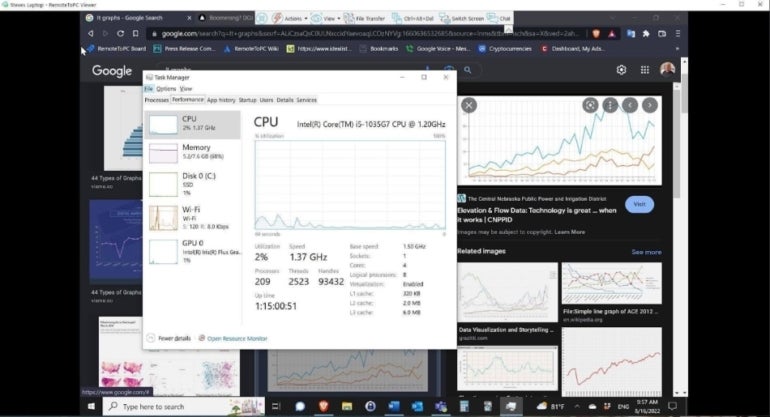
RemoteToPC is a scalable remote IT management solution that supports on-premises or WFH teams of any size (Figure E). It supports employees on the web or through smartphone access using two-factor authentication.
Figure E
Key features
- A low-impact monitoring technology allows technical support teams to keep an eye on and receive alerts about the health and metrics of all computers on a network.
- Fast 256-BIT AES + Poly 1305 AEAD modern cryptography connection between two peer devices.
- Remote printing and file transfer capabilities.
- Unlimited remote sessions.
Pricing
RemoteToPC is based on four annual plans, with a 14-day free trial available for each plan:
- Basic: $99 per year for up to 10 remote computers.
- Business: $199 per year for up to 20 computers.
- Teams: $299 per year for up to 50 computers.
- Enterprise: $399+ per year for 100+ computers.
Pros and cons
| Pros | Cons |
|---|---|
|
|
Visit RemoteToPC
Other considerations when looking for tech tools to support your workforce
It’s important to remember that the price and features aren’t the only things to consider when shopping for a tech support solution for your WFH employees. Other factors to consider include:
- Existing infrastructure and legacy system limitations.
- The size and complexities of your workforce.
- Current processes and policies.
- Vendor reputation, stability and the support they provide for their solution.
Remote support vs. on-site support
Remote tech support is virtual support that enables IT teams to help employees and customers troubleshoot issues and deliver support from a distance over the internet, without being on site. It’s as effective as traditional on-site support, and it provides some essential benefits.
For companies, remote support is cost-effective, and there’s less overhead for maintaining office space, associated costs and infrastructure. Employees also benefit by accessing 24/7 support from anywhere in the world, which decreases service disruption while improving productivity.