


Lightspeed Retail is a specialized POS system built for multi-location and high-SKU retailers that need advanced inventory tools and strong ecommerce support. It is priced higher than entry-level POS systems, but it delivers depth where complex retailers need it most.
Lightspeed fast facts
- My rating: 4.31 out of 5
- Pricing: From $89, billed annually
- Key features:
- Advanced inventory
- Built-in ecommerce
- Multi-location support
- Detailed reporting
Lightspeed stands out for retailers with thousands of SKUs, multi-store operations, or businesses that need more than basic checkout and stock counts. Its inventory engine is more capable than most POS systems in its class. It also gives you real omnichannel syncing, detailed reporting, and strong vendor catalog tools.
The tradeoff is price. Lightspeed is not the cheapest POS, but reviewers consistently point to its depth and scalability as the reason it’s often worth the cost for established retailers.
Lightspeed’s use cases
I recommend Lightspeed Retail if you:
- Manage complex, high-SKU inventory: Run detailed catalogs with variants, bundles, and special item types while keeping stock levels accurate across channels. Lightspeed’s inventory tools make it easier to organize, count, and reorder thousands of products.
- Operate multiple locations or sales channels: Share a central catalog, track transfers, and compare performance across stores and ecommerce from one back office. This is especially useful if you are moving from a single store to a small chain.
- Prioritize data-driven decisions: Use advanced reports and dashboards to monitor margins, sell-through rates, inventory aging, and staff performance. These insights help you refine purchasing, staffing, and pricing strategies.
- Sell both in-store and online: Connect your brick-and-mortar shop with an integrated ecommerce site or supported third-party platforms so inventory, orders, and customer profiles stay in sync.
- Offer rentals, repairs, or services alongside retail sales: Support use cases such as bike rentals, repair tickets, or service packages in the same system you use for product sales, instead of running separate tools.
- Want flexible hardware and payment setups: Start with an iPad and mobile card readers, then upgrade to more robust terminals as you grow. You can use Lightspeed Payments or, in many cases, connect a compatible third-party processor if that gives you better rates or terms.
Lightspeed’s pricing
Lightspeed’s pricing is divided into three plans that scale based on the depth of features you need. Each tier includes core POS and inventory tools, with higher plans unlocking advanced reporting, ecommerce capabilities, and more customization for growing or multi-location retailers. Below is a breakdown of what each plan includes and how they compare.
| Monthly pricing | |||
| Annual pricing | |||
| Free trial | |||
| Built-in Lightspeed eCommerce | |||
| Advanced sales, staff, and inventory reports | |||
| 24/7 phone support |
Lightspeed’s key features
Here are some of the Lightspeed Retail features that stand out most for me. I’ll walk through them in more detail below.
Inventory management
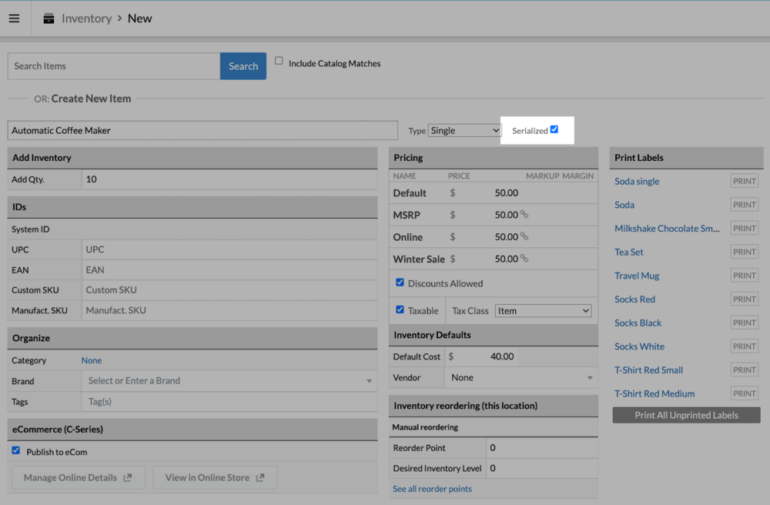
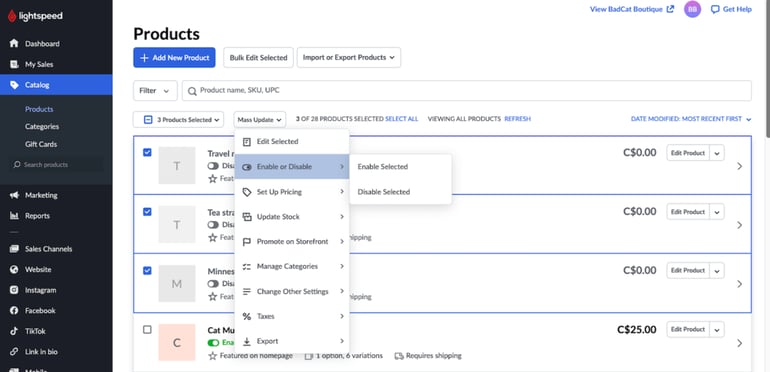
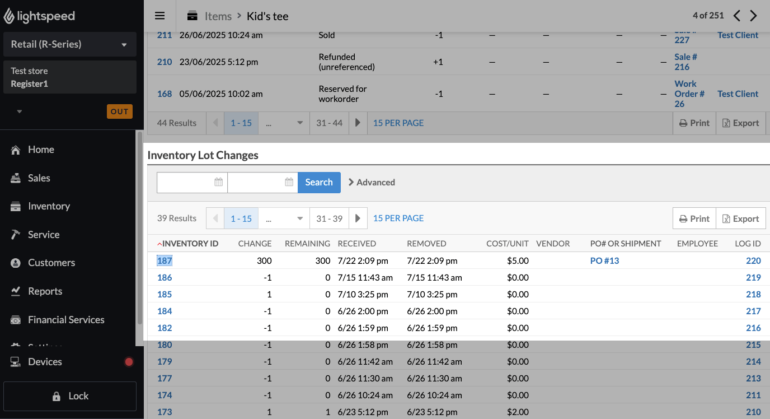
Lightspeed’s biggest strength is inventory. It supports variants, bundles, and serialized items, along with purchase orders, vendor catalogs, and custom reorder points. That combination makes it much easier to keep high-SKU catalogs accurate across multiple locations and channels. You can bulk edit products, automate reordering, and track stock movement in real time, which is something many entry-level POS systems struggle with.
Related: The 5 Best Retail POS Systems
Omnichannel and multi-location tools
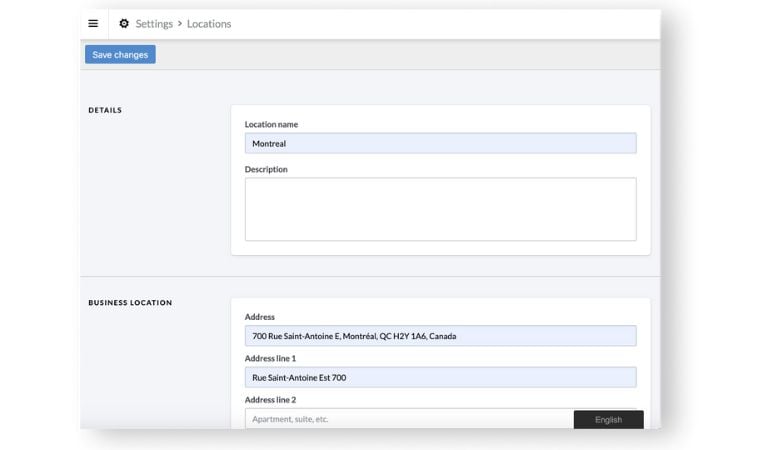
Lightspeed lets you run in-store, online, and mobile sales from a single back office. Inventory, orders, and customer profiles can sync across locations and channels so you are not manually updating separate systems. Multi-location features include centralized inventory, stock transfers, and location-level reporting, which help chains and growing retailers understand what is selling where and move stock accordingly.
Related: 6 Best Cloud Based POS Systems Reviewed
Ecommerce and integrations
You can either use Lightspeed’s own ecommerce tools or plug into platforms like Shopify, WooCommerce, and BigCommerce. Inventory syncs between your POS and online store, so you are not overselling or double-entering products. On top of that, Lightspeed connects with accounting, marketing, and other retail apps, which helps you slot it into an existing tech stack instead of rebuilding everything from scratch.
Reporting and analytics
Lightspeed offers detailed reports on sales, margins, inventory aging, staff performance, and location performance. Many of these reports are prebuilt, but you can filter and customize them to answer specific questions, such as which items drive the most profit or which stores are carrying too much slow-moving stock. Higher tiers add more advanced analytics and forecasting, which are useful for buyers and operators who want data to guide purchasing and staffing decisions.
Customer, loyalty, and staff tools
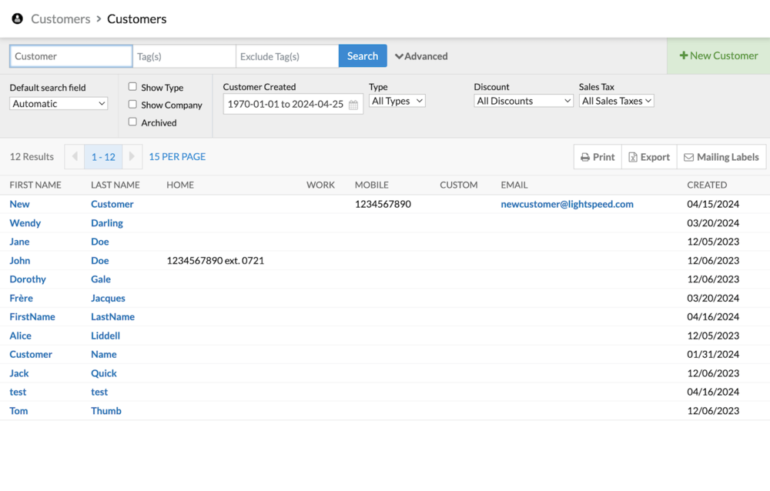
The platform includes CRM features that store customer profiles, purchase history, and contact details, plus optional loyalty tools so you can reward repeat buyers. This data feeds into marketing and reporting, helping you see who your best customers are and how often they come back. Lightspeed also includes staff management features such as role-based permissions and sales tracking, so you can control access and monitor performance without a separate system.
Hardware and payment flexibility
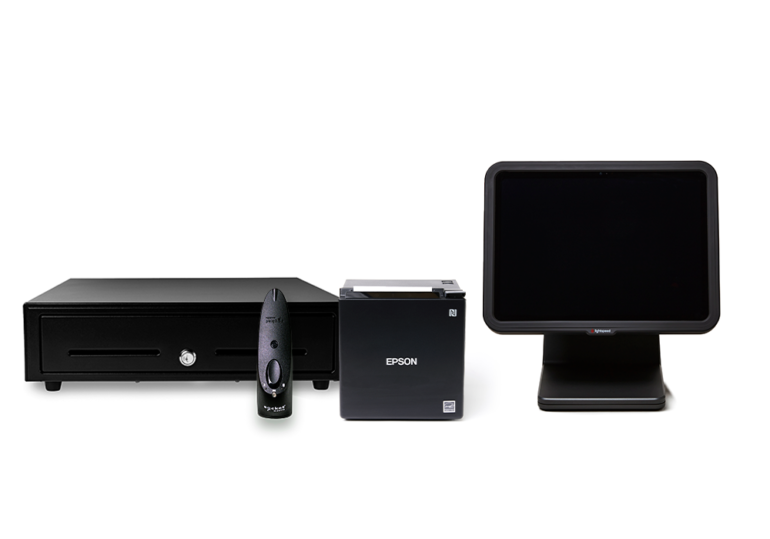
Lightspeed Retail runs on iPad and desktop setups, and supports scanners, label printers, cash drawers, and payment terminals, so retailers can start with simple hardware and upgrade as they grow. Lightspeed Payments is the default processor, but the system also integrates with selected third-party processors in some regions, which can be useful for merchants with existing contracts or specific rate requirements.
Related: The 6 Best Mobile POS Systems
Lightspeed’s pros and cons
| Pros | Cons |
|---|---|
| ✅ Industry-leading inventory management with granular controls for variations, bundles, and purchase ordering | ❌ Pricing is higher than many small-business alternatives, with monthly fees that sit above entry-level POS systems |
| ✅ Scales well for multi-location retail, with centralized control over inventory, reporting, and staff | ❌ Less suited for very small or single-location businesses with limited budgets or simple inventory needs |
| ✅ Strong ecommerce options, including Lightspeed’s own online store tools and integrations with third-party platforms | ❌ The interface and feature set can feel complex, leading to a steeper learning curve than systems like Square or Clover |
| ✅ Advanced analytics and reporting dashboards, with preset reports you can customize and visualize | ❌ Some advanced tools and better rates are locked behind higher-tier plans or add-ons |
| ✅ Includes loyalty, CRM, and staff management tools so you can run key retail workflows in one system | ❌ Customers report lengthy contract terms and a lot of red tape when trying to cancel service |
| ❌ Using third-party payment processors can add extra commission fees on top of Lightspeed’s costs |
Alternatives to Lightspeed
If Lightspeed feels too complex or too expensive for your store, several POS systems offer simpler setups, lower pricing, or stronger ecommerce or restaurant-specific features. Below is a quick comparison of how Lightspeed stacks up against Square, Shopify, and Toast based on core strengths, pricing tiers, and feature depth.
| Best for | | |||
| Monthly price | ||||
| Advanced inventory tools | ||||
| Built-in ecommerce | ||||
| Restaurant-specific features |
*Only available in higher plans or as integrations.
Square
Square is a better fit than Lightspeed for small, budget-sensitive businesses that want an all-in-one POS without a monthly software bill to start. It gives you a free core plan, simple setup, and dedicated apps for retail, restaurants, and appointment-based services, plus a free online store. Compared with Lightspeed, Square wins on price transparency, ease of use, and speedy onboarding, making it ideal for very small retailers, pop-ups, and solo operators who need to get selling quickly with minimal configuration.
Shopify
Shopify POS is designed for merchants whose priority is ecommerce and omnichannel selling. Its biggest advantage over Lightspeed is the strength of the Shopify ecommerce platform: powerful online store tools, built-in marketing, and tight sync between online and in-store sales. Shopify POS is best for retailers who already run their website on Shopify or want a unified system for selling through a website, social channels, and physical locations, with online features that go beyond what Lightspeed’s native web tools provide.
Toast
Toast is built specifically for restaurants, so it handles menus, modifiers, table service, kitchen displays, and online ordering better than Lightspeed’s retail-focused workflow. Where Lightspeed shines for complex inventory and multi-location retail, Toast is optimized for front-of-house and back-of-house restaurant operations, including tipping, coursing, and delivery integrations. It is the better choice for food trucks, cafés, quick-service, and full-service restaurants that need deep foodservice features rather than advanced retail inventory tools.
My methodology
To rate Lightspeed fairly, I used the same scoring framework I applied to the best POS systems for small businesses. Our team reviewed each system across five core areas: pricing, software features, hardware options, user experience, and reliability. Each area is broken down into a set of specific data points, which together form the total score.
To build those scores, we pulled from multiple sources: vendor documentation and marketing materials, third-party review sites, such as G2, and other aggregators, hands-on demos and free trials when available, and feedback from current and former users.
No methodology can fully capture every edge case or niche workflow, especially when you cannot live with the product in multiple environments for months at a time. The goal here is to close that gap as much as possible so you do not have to burn hours testing every POS yourself. I have done the legwork to surface where Lightspeed genuinely stands out, where it lags, and which types of businesses are most likely to get value from it.
Frequently asked questions (FAQs)
Is Lightspeed Retail good for multi-location retailers?
Yes. Its centralized stock, reporting, and permissions make it one of the better POS options for multi-store retail.
Does Lightspeed have good ecommerce features?
Lightspeed includes a built-in online store and supports integrations with Shopify, WooCommerce, and BigCommerce. Inventory sync is real-time.
Is Lightspeed too complex for small retailers?
Some small stores feel it’s more system than they need. Stores with low SKU counts or simple operations may prefer Square or Shopify POS.