


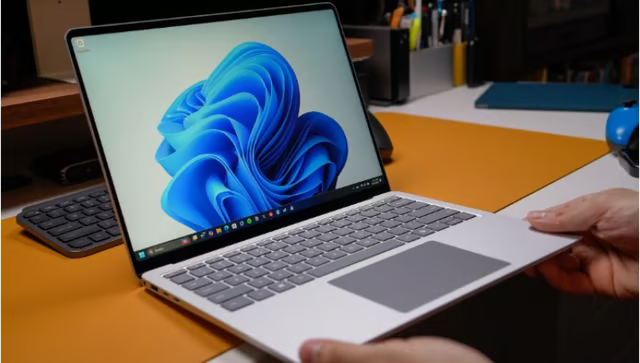
Microsoft says its latest Windows 11 improvements could make everyday tasks feel up to 20% faster, but users with just 8GB of RAM may not see the same benefits.
The company has introduced changes to memory management and interface responsiveness, targeting common actions such as opening Search, navigating the Start menu, and using File Explorer. It also aims to reduce the memory consumed by background features, potentially freeing up resources for other applications.
The 20% figure comes from Microsoft’s own testing of selected Windows interface tasks, not a blanket measurement of application performance or overall computing speed.
Separate reporting on independent testing also suggests that some of the memory-related gains may not appear on PCs with 8GB of RAM, making the distinction between Microsoft’s benchmarks and users’ everyday experience important.
For users hoping to get more life out of their existing hardware, the real question is whether those changes make a noticeable difference.
Faster memory management to benefit users
For years, 8GB of RAM was sufficient for everyday computing. But modern browsers, productivity applications, and increasingly demanding software can leave limited memory available for multitasking.
Microsoft is trying to address some of that pressure by reducing the resources Windows 11 consumes in the background.
The company says its latest Windows 11 improvements are designed to make the operating system more responsive while reducing the memory consumed by background features. Microsoft says its memory management changes can keep up to 2GB more actively used data in RAM, potentially reducing the need to retrieve information from slower storage.
Microsoft is also making Widgets load only when opened on PCs with 8GB of RAM or less, freeing up more than 200MB of memory for other tasks. While that may sound modest, reducing the resources background features consume can free up more memory for the applications users actually need, especially on systems with limited RAM.
However, better memory management doesn’t turn 8GB into 16GB, nor does it guarantee demanding applications will run smoothly.
Testing cited by The Next Web found no measurable change in memory use on one 8GB system. While that result does not rule out performance improvements elsewhere, it suggests the benefits may vary depending on the device and workload.
Google’s parallel push: optimizing android apps
Microsoft isn’t alone in pushing for more efficient software. Google is also introducing stricter memory-use requirements for Android apps distributed through Google Play, although its approach focuses on developer compliance rather than operating-system optimizations.
Both efforts reflect growing pressure to improve software performance without relying solely on hardware upgrades.
Under the new rules, apps will be assessed on how much memory they consume while running, how much memory they use for images, and whether their code has been sufficiently optimized.
Apps that repeatedly exceed the prescribed limits could lose visibility on Google Play or face restrictions on publishing updates, pressuring developers to make their software more efficient.
The difference is that Microsoft is optimizing Windows 11 itself to improve responsiveness, while Google is setting limits on how much memory individual apps can consume. Both approaches point to the same broader problem: optimize how memory is used.
Why memory efficiency matters now
Rising RAM prices are making memory efficiency more than a performance issue for PC makers and buyers. As higher hardware costs push up device prices, some consumers may hold on to their existing computers longer or buy cheaper models with less RAM, making it increasingly important for Windows to run well on limited hardware.
Microsoft also faces competition from operating systems that may appeal to users looking to get more out of their existing devices. Linux distributions are often less resource-intensive than Windows, making them attractive to people who do not depend on Windows-specific applications or services.
These factors give Microsoft a reason to improve Windows 11 beyond simply promising faster performance. If users can get a smoother experience from their current PCs, they may have less incentive to switch operating systems or replace their hardware just to overcome performance limitations.
The challenge is to deliver improvements that users can actually feel, particularly on lower-memory systems.
More Microsoft news
- Inside Microsoft’s Real-Time War Against Cybersecurity Threats
- Project Ire: Microsoft Tests AI That Autonomously Detects Malware
- Microsoft Targets ‘Critical AI Talent’ from Meta to Dominate Next AI Breakthroughs
- Windows 10 Support Ends Soon, Though Extended Security Updates Offers Are Available
What users should know
Microsoft’s performance improvements could make Windows 11 more comfortable to use on PCs with limited RAM. Still, users should not interpret the announcement as a guarantee that every computer will become noticeably faster.
The claimed 20% improvement comes from selected interface tests, and independent testing suggests the memory-related benefits may vary across systems.
Users with 8GB of RAM should still be mindful of how many resource-intensive applications they run simultaneously. Those buying a new PC should consider their workloads before settling for a lower-memory configuration just to save money.
Better memory management can reduce unnecessary resource consumption. Still, it cannot replace the extra capacity needed for demanding tasks such as video editing, virtual machines, and running AI models locally.
For existing Windows 11 users, the best measure of Microsoft’s improvements will be whether familiar tasks feel faster after the updates arrive, rather than whether a benchmark reports a 20% gain.
Other news: Google has expanded access to Gemini 4 Argon, its advanced reasoning model, for eligible paid subscribers, developers, and enterprises.