


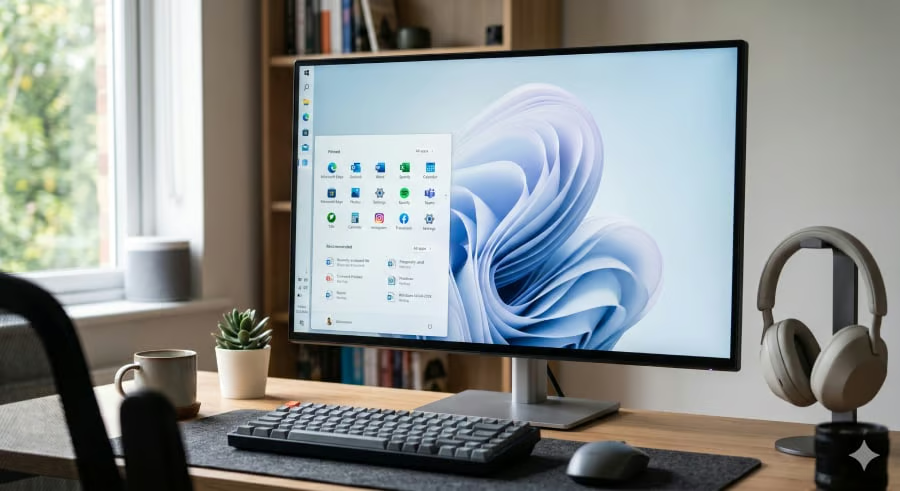
Windows Search is going back to basics— helping users find what’s already on their PC.
Microsoft is gradually rolling out a redesigned Windows Search experience that prioritizes local files, apps, folders, and settings while reducing promotional content and giving users more control over web-based results. The update also improves search accuracy, file previews, and misspelled queries.
The overhaul will also bring clearer result categories, better handling of misspelled searches, and richer previews for local files. The series of changes is rolling out gradually and reflects Microsoft’s broader effort to simplify Windows after years of criticism that Search had become cluttered with web content and promotional features.
A smarter Windows Search Box
According to Microsoft, the redesigned ranking system prioritizes local apps, files, folders, and settings over web content while introducing new controls that let users disable web and Microsoft Store results.
To access this control, users can go to Settings > Privacy & Security > Search, then toggle off the unwanted option.
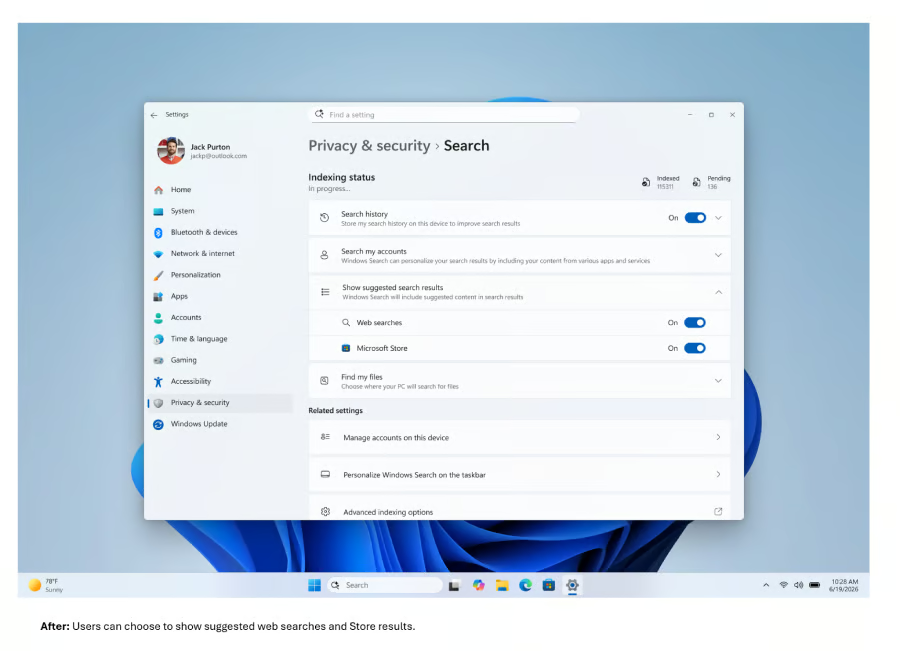
The company also improved the feature’s underlying search logic by enhancing query matching, clarifying result classifications, and providing richer file information. While each change is incremental on its own, together they aim to make Search faster to use and less dependent on Bing-powered results.
More Microsoft news
- Inside Microsoft’s Real-Time War Against Cybersecurity Threats
- Project Ire: Microsoft Tests AI That Autonomously Detects Malware
- Microsoft Targets ‘Critical AI Talent’ from Meta to Dominate Next AI Breakthroughs
- Windows 10 Support Ends Soon, Though Extended Security Updates Offers Are Available
Distractions get thrown into the bin
Another notable change is what Microsoft is choosing to leave behind. Microsoft is stripping out promotional features such as trending searches, quizzes, games, and other recommendation cards that had cluttered the Windows Search interface.
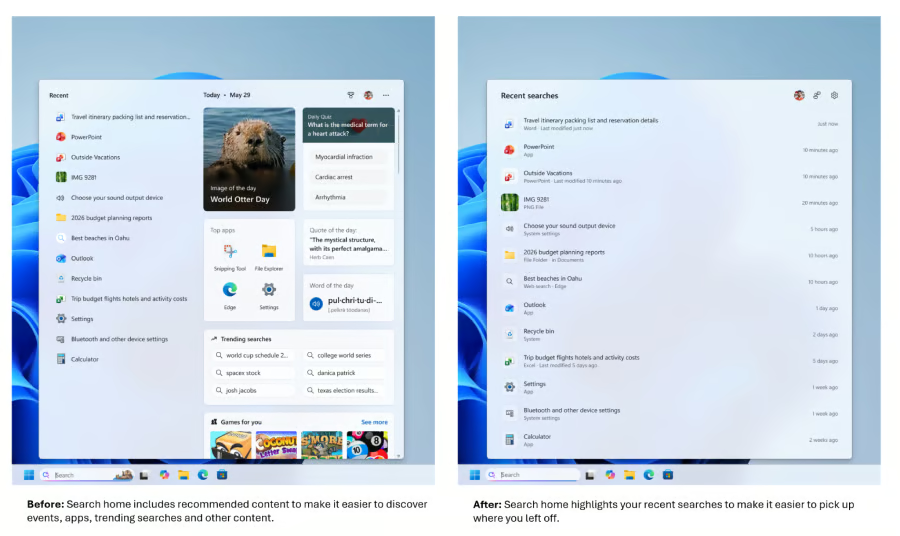
The result is a cleaner interface that keeps the focus on helping users find content rather than encouraging them to engage with Microsoft’s services or discover online content.
The changes suggest Microsoft is placing greater emphasis on usability than promoting web content inside Search.
A new Windows identity
Microsoft’s overhaul of Windows Search reflects more than a redesign of a single feature. The changes appear to be the company’s latest effort towards the promised K2. That shift has become necessary after years of criticism that Search and the entire Windows experience had become bloated and unreliable.
For everyday users, that means reaching apps, files, and settings with fewer distractions. For enterprises, a more predictable Search experience could increase productivity and save time for employees who rely on Windows Search to quickly locate documents, applications, and system tools in their daily workflows.
Expectant users should note that the rollout is being staged via the company’s Controlled Feature Rollout system so that the new features will reach testers gradually rather than all at once. Microsoft also recommends that users reboot their device to verify whether the changes are available.
More News: Microsoft now recommends installing Windows 11 security updates within three days, warning that AI is helping attackers exploit new vulnerabilities faster than ever.