



No platform is completely immune to malware — not even Android. To this end, I always recommend protection. One such solution happens to be my often-recommended solution for the Windows desktop: — Malwarebytes.
The Malwarebytes Android solution is amazingly effective and simple to use. But there could be one drawback — resource consumption. By default, Malwarebytes installs as a real-time scanner. With this set up, you might notice a hit on your battery life and responsiveness of your smartphone or tablet (depending upon the device in question). If your device seems to be less than optimal (though malware free), you might need to make use of Malwarebytes in a different fashion.
Real time vs. manual scanning
As a real-time scanner, Malwarebytes will constantly be running in the background to check for malicious code on your device. This is what (most likely) has caused your battery life or device performance to suffer. To solve that problem, you’ll want to disable the real time scanner and run Malwarebytes manually. I’ll show you how.
Disabling real time scanning
This is simple. Just follow these steps:
- Open up Malwarebytes
- Tap the overflow menu (three vertical dots in the top right corner)
- Tap Settings
- Tap to disable Real-Time Protection (Figure A)
That’s it.
Figure A

Malwarebytes running on a Verizon-branded HTC One Max.
The catch
Here’s the deal — now that you’ve disabled real-time scanning, you have to manually run the scan on your device. I highly recommend doing this at the end of each day (to ensure a clean device). To do that, follow these steps:
- Open up Malwarebytes
- Tap the SCAN button (Figure B)
- Allow the scan to complete
Figure B
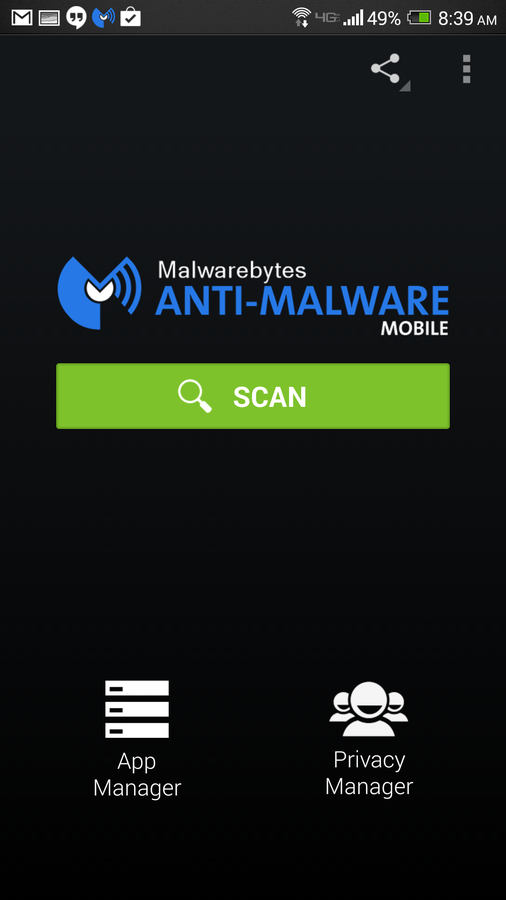
Running Malwarebytes manually.
Ideally, you should allow Malwarebytes to run as a real-time process to ensure a constant malware-free platform. But, in the event your device doesn’t perform well with this option enabled, you should use Malwarebytes as a manual scanner rather than remove it.
Android has become one of the most widespread platforms on the plant. However, that popularity comes with a price — malware. To keep your device safe, make use of a malware scanner (such as Malwarebytes).
What do you think? Does Android benefit from anti-malware software? Do you think Google is taking the right steps to prevent malware from even making it into the Play Store? Share your thoughts in the discussion thread below.