Screenshots: Expand Outlook functionality with the help of these five add-ins
Introduction
Microsoft has spent a great deal of time and\r\nresources trying to improve the Outlook interface, but the app could still use some\r\nhelp when it comes to ease-of-use features. This gallery offers a look at several add-ins that could\r\nimprove your daily interaction with the Outlook email client.
If you are a subscriber to Office 365, these add-ins will be installed into both the desktop version and the online version\r\nof the application. You need to install only once and let synchronization take\r\nits course,.
To see a complete list of all the available add-ins,\r\nlog in to Office 365 online and then click or tap the Office Store tile. You\r\ncan also get to the Office Store from the Desktop version of Outlook (it’s in\r\nthe Ribbon), but that access path is not nearly as interactive as the browser\r\nversion.
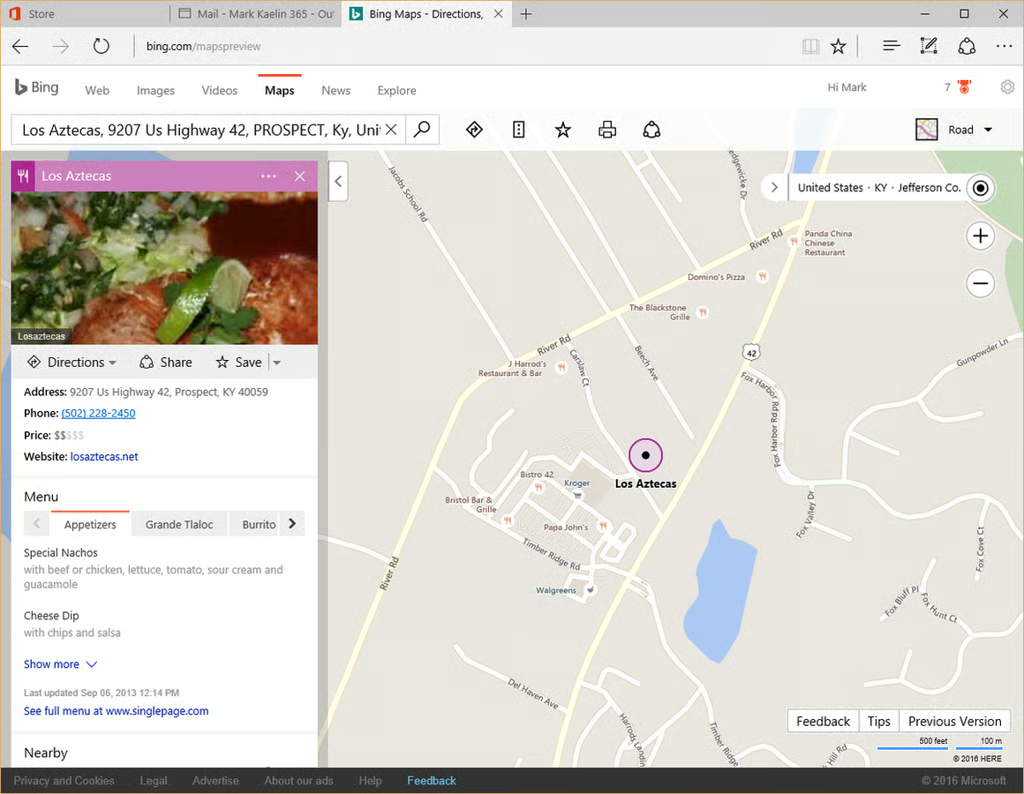
Just click the Bing Nearby icon while you are\r\ncomposing a new message or creating a meeting on the calendar and you will see a\r\ndialog box in the right-hand pane. Type in an address or the name of a\r\nrestaurant and the app will give you location choices. Click one of those\r\nchoices and the pertinent location information will be attached to the message\r\nor calendar entry automatically.
Bing Nearby is free and is produced by Microsoft\r\nas a supplement for Outlook.
FindTime
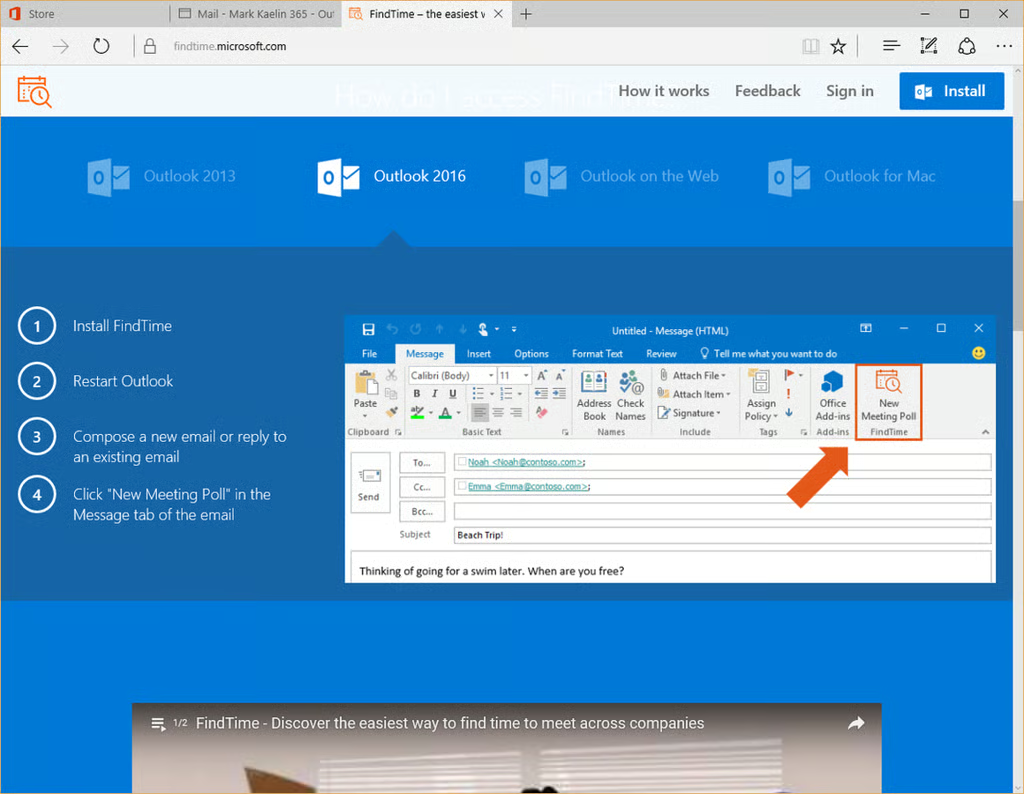
FindTime will create a polling email for you to\r\nsend to all potential meeting attendees. You can propose a meeting time or\r\nseveral times and the attendees can vote on which times they prefer. FindTime\r\nwill compile the results and determine a time that the majority of attendees\r\nprefer. Problem solved and morale boosted.
FindTime\r\nwas developed by a team at Microsoft and is a free add-in for Outlook. The\r\nservice does require that you register an account the first time you use it.
IXD Secure Mail
Collaboration with team members about a project is all well\r\nand good, but sometimes you need to email sensitive documents that should\r\nremain confidential between the parties involved. This is where an encryption\r\nadd-in for Outlook can come in handy.
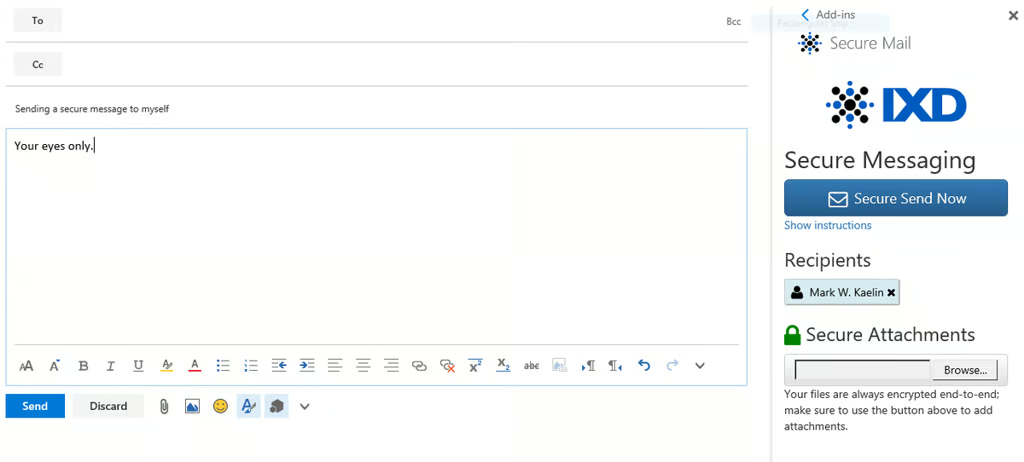
IXD Secure\r\nMail adds an extra level of encryption to an email and/or attachment to an\r\nemail all within the Outlook interface. It does this by storing those documents\r\nin an encrypted form on a cloud-based server and coordinating access based on\r\nthe information you provide.
The recipient will receive access credentials but not the\r\ndocuments themselves. They will have access to the encrypted documents for a\r\nshort period of time before the service deletes them for security’s sake.
Mark W. Kaelin has been writing and editing stories about the information technology industry, software, hardware, gaming, finance, accounting, and technology geekdom for more than 30 years.