Gallery: 10 augmented reality apps that are actually worth it - TechRepublic

Gallery: 10 augmented reality apps that are actually worth it

  • ​Wikitude World Browser

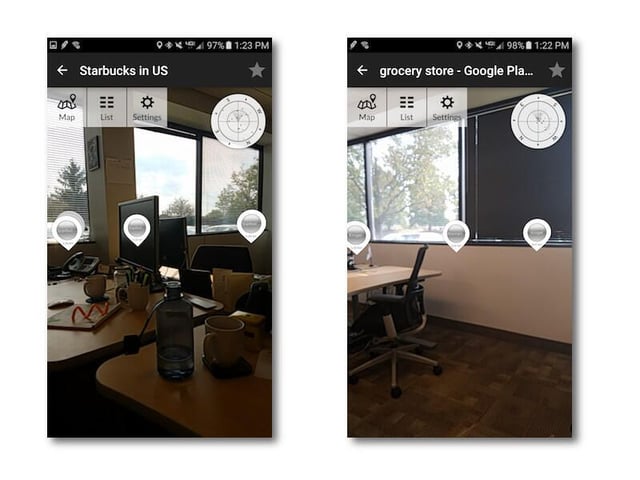
    With Wikitude you can search for locations around you and see map pins, find points of interest, and even get overlays on participating print media. It’s a handy app for those out and about on travel because it can point out things you may not find otherwise.

    Wikitude is on iOS and Android.

    Image: Brandon Vigliarolo\/TechRepublic
  • ​Spyglass

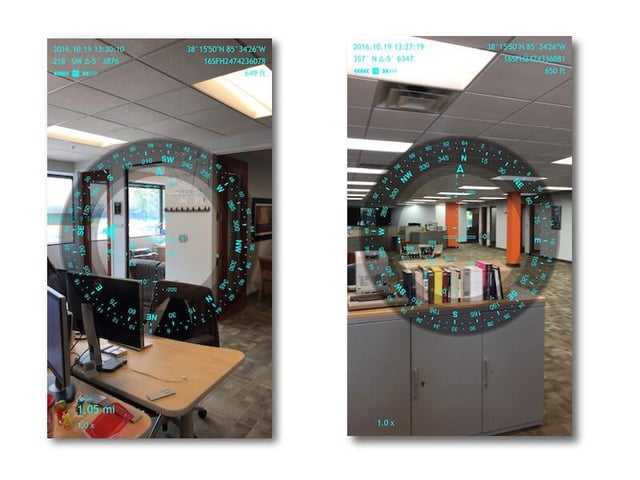
    This iOS-exclusive app mimics the head-up display of military equipment and shows a lot of info. It’s a speedometer, altimeter, rangefinder, celestial navigator, compass … you name it!

    Spyglass can be a bit overwhelming, but it’s hard to find so much info packed into one single app. It’s not free, though: You can get it 50 percent off right now for $3.99, so if you’re interested now is the time to check it out.

    Image: Brandon Vigliarolo\/TechRepublic
  • ​Augmented Car Finder

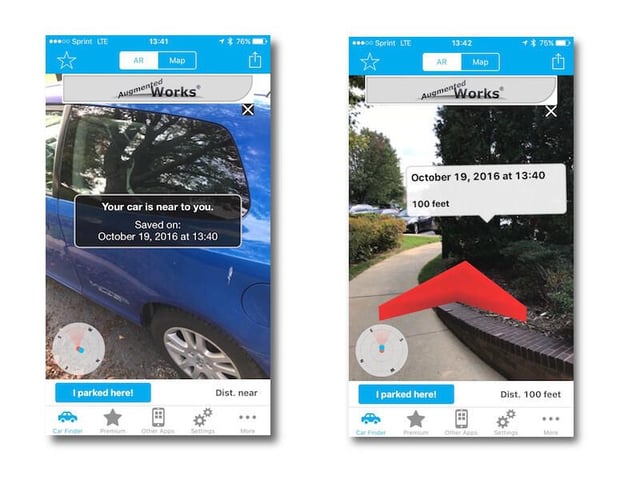
    Augmented Car Finder is simple enough: start it up when you park, tell it where you are, and it places a waypoint. Open the app if you can’t find your car and it points you right to it, including distance and direction.

    This app is only on iOS, but there are Android alternatives available.

    Image: Brandon Vigliarolo\/TechRepublic
  • ​Yelp Monocle

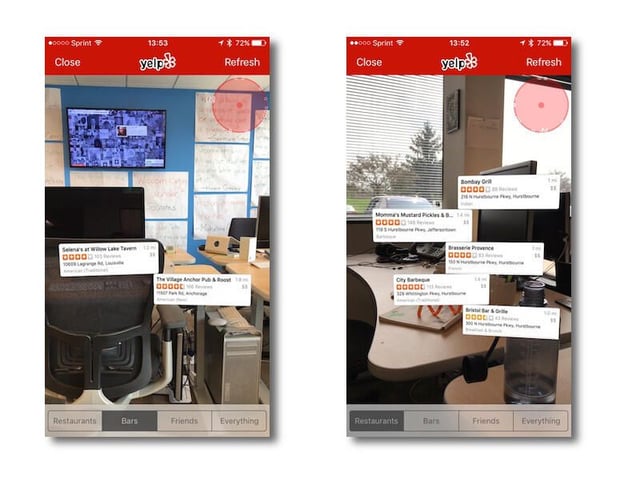
    Monocle is a hidden feature of Yelp’s mobile apps–you may have it installed and not even know it’s there! The lower right hand corner of the main Yelp screen has a More button: Tap that to open up a list of options that includes Monocle.

    Voila–your screen jumps to life with a list of nearby restaurants, bars, and the locations of your Yelp-using friends.

    Monocle is available in both the iOS and Android versions of Yelp.

    Image: Brandon Vigliarolo\/TechRepublic
  • ​Sun Seeker

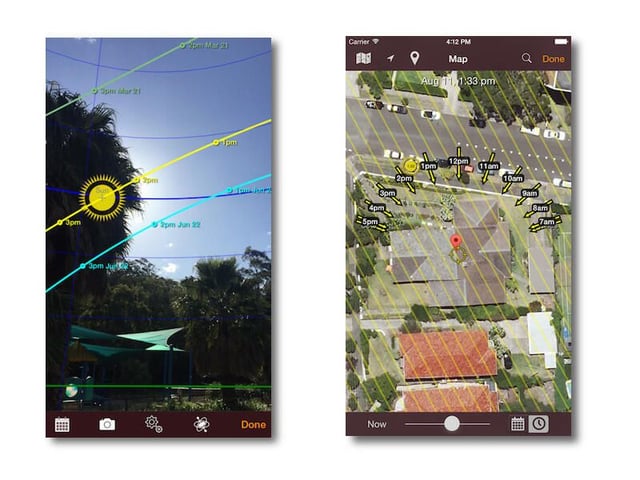
    The location of the sun throughout the day doesn’t matter to everyone, but it’s definitely an important part of plenty of jobs. Landscapers, architects, photographers, and other professionals need to know where the sun will be at certain times and dates and Sun Seeker will give you all the applicable bits of solar info you need.

    Sun Seeker is $9.99 on iOS and $7.49 on Android.

    Image: Sun Spotter
  • ​Blippar

    Google is really good at figuring out what you’re trying to search for with even the most abstract terms. If that’s still too much work for you Blippar is the app of your dreams.

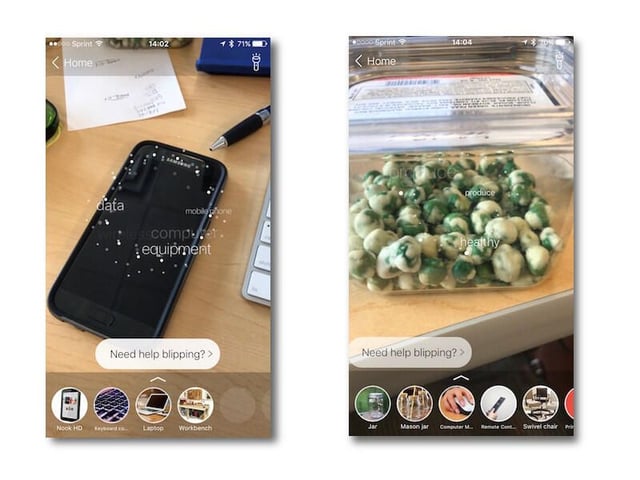
    Fire this thing up and it starts classifying objects on your camera by all sorts of qualifications: color, size, function, material, shape, and more. Once its behind-the-scenes game of 20 questions finishes up it delivers results about what it assumes the object is.

    It figured out plenty of stuff around the office, though it couldn’t quite grasp the concept of wasabi peas.

    Blippar is on iOS and Android.

    Image: Brandon Vigliarolo\/TechRepublic
  • ​iOnRoad

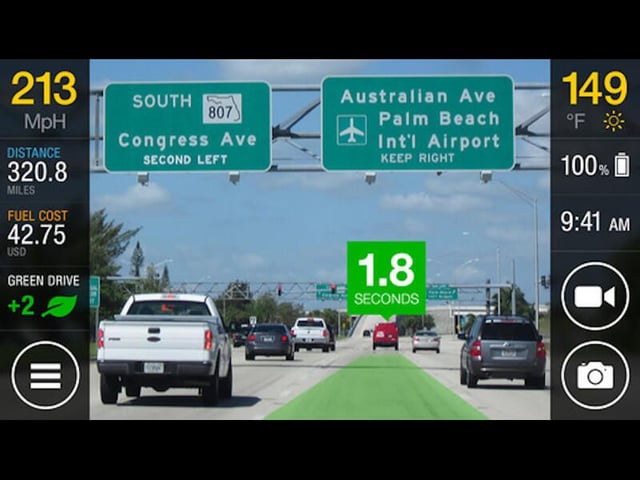
    Want to know more about your driving habits, following distance, and safety on the road? iOnRoad was made for you. All you need to do to use it is to get a windshield-mounted phone holder, turn it on, and look at your phone instead of the road.

    There’s a lot of info available in the app, and it will even warn you of impending collisions. iOnRoad is available on iOS and Android.

    Image: iOnRoad
  • ​SpotCrime

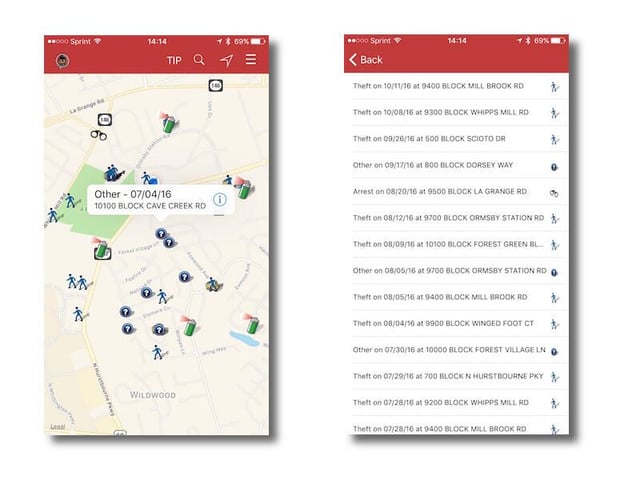
    Travelling to a new city can be challenging, especially if you don’t know which areas are safe and which aren’t. SpotCrime can help take the guesswork out of travel, at least in terms of which areas of town to avoid.

    The app displays all the local crime data for the area around you with just one drawback: clicking on a crime takes you out of the app to a webpage instead of giving you the details in the app.

    SpotCrime is free on iOS and Android.

    Image: Brandon Vigliarolo\/TechRepublic
  • augment.jpg

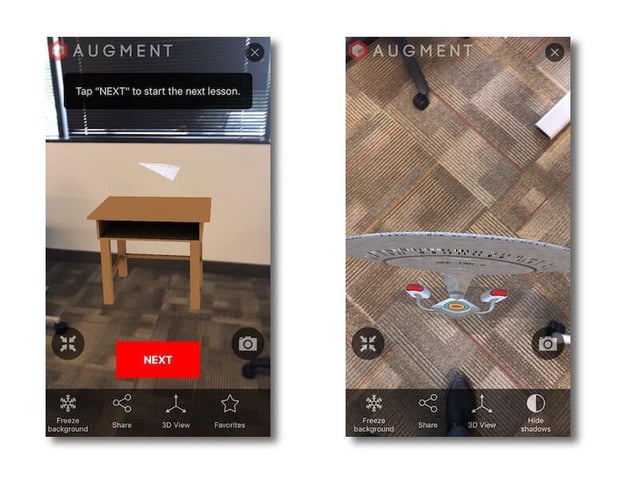
    ​Augment

    Want to take advantage of AR at your business? Augment makes it possible. Both a mobile app and a development platform, Augment allows companies to design small AR apps that can do a variety of things for consumers and B2B sales.

    The apps allow users to place 3D objects in space and then rotate, resize, and manipulate them. You can play around with it, but it also has a great business use: It gives people the chance to see how an object will fit before they purchase it.

    You can find out more about developing for Augment at the link above, or you can check out its free apps for iOS and Android.

1 of 9
Brandon Vigliarolo

Brandon is a Staff Writer for TechRepublic. He's an award-winning feature and how-to writer who previously worked as an IT professional and served as an MP in the US Army.