Raspberry Pi gift guide: The best choices for Christmas 2018 - TechRepublic

Raspberry Pi gift guide: The best choices for Christmas 2018

  • The best Pi gifts around

    More than 22 million Raspberry Pi computers have been sold, so there’s a good chance you know someone who owns a Pi or two.

    If you’re stuck deciding which Christmas gifts to buy for the Pi lover in your life, then check out our selection of the finest kits, add-ons and cases for the $35 computer.

    Image: Raspberry Pi Foundation
  • beginnersguide3d-768x1038.jpg

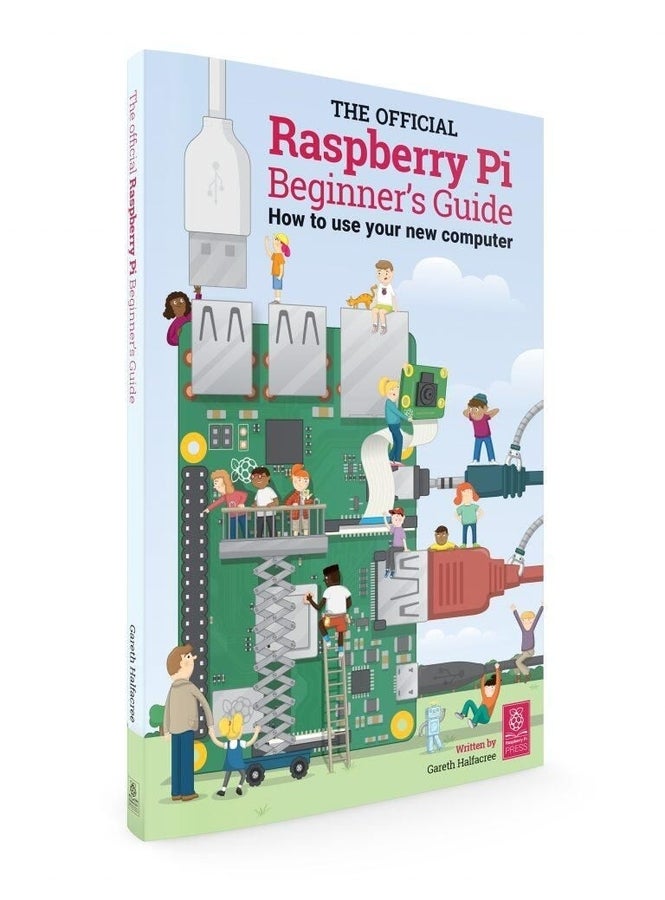
    The Raspberry Pi Official Guide

    If want to help someone get started with their Raspberry Pi, check out this official 244-page beginner’s guide, written to be intelligible no matter your level of expertise.

    Available here for \u00a310, with free shipping worldwide, as well as as a free PDF.

    Image: Raspberry Pi Foundation
  • b35352cf8783c1de8aa843e155fcae73original.jpg

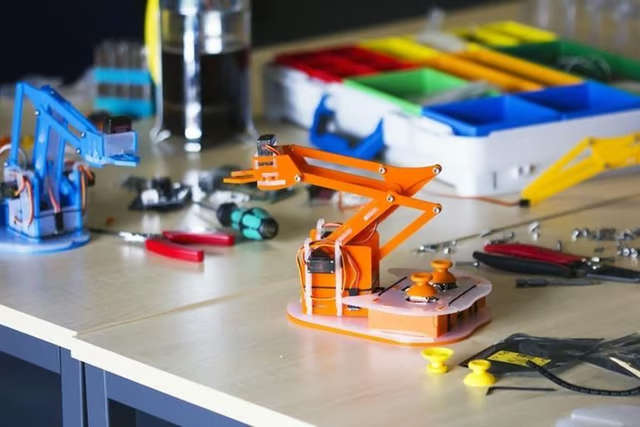
    MeArm Pi

    This Pi-powered robot arm is designed to be simple enough that kids aged 11+ can build and program it.

    The lightweight plastic arm is capable of picking up small objects such as Lego bricks. It is available as a kit, and is relatively straightforward to assemble using the included hex keys. The \u00a369.99/$87.76 arm is controlled from the Pi, either using the attached joysticks or by programming it from the Pi–with a choice of languages ranging from drag and drop programming tools like Scratch or Blockly to Python and JavaScript.

    Image: Mime Industries
  • adventuresinraspberrypi.jpg

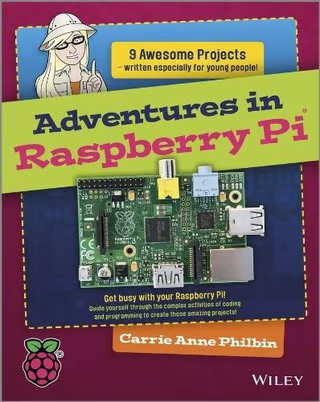
    Adventures in Raspberry Pi

    Another option if you or your children have bought a Raspberry Pi but don’t know how to get started.

    Relying heavily on graphics and screenshots to hold the reader’s interest, Adventures in Raspberry Pi walks older children (11 – 15-year-olds) through the basics of programming and tinkering with hardware, tasking readers with completing a series of projects that will see them flashing LEDs and driving motors using the Pi. It also won’t cost the earth, available for around \u00a313.92 or $25 in the US.

    Image: Carrie Anne Philbin \/ Wiley
  • carrie-anne-kit-image1024x1024.png

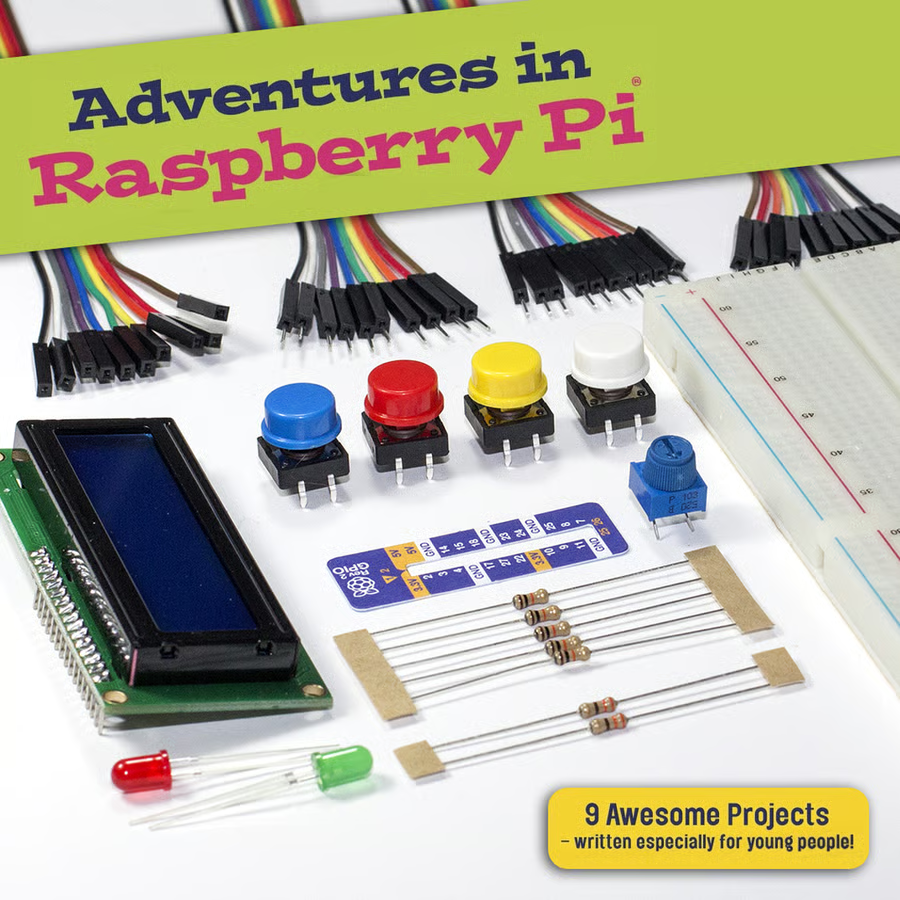
    Adventures in Raspberry Pi components

    If you’re planning to work your way through every project in the Adventures in Raspberry Pi book then this \u00a314 kit, available for $19.98 in the US, provides all the components you’ll need to complete the book’s nine tasks.

    Image: Pimoroni
  • together-16.jpg

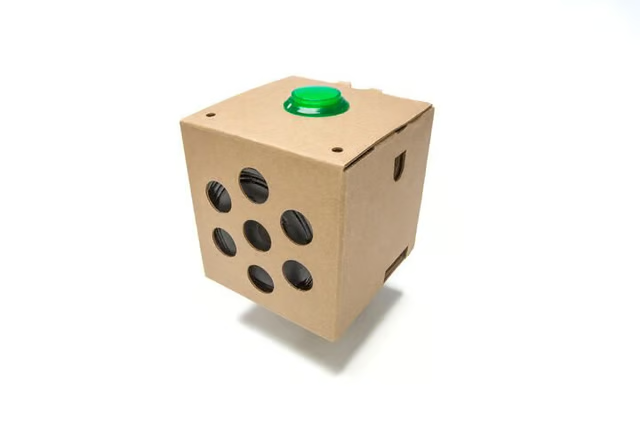
    Google AIY Voice Kit

    Want to build your own voice-controlled assistant using a Raspberry Pi? Google’s got you covered.

    The $49.99 kit can be stuck together to create a cardboard version of the Google Home smart speaker, which retails for more than $100. The finished speaker will be capable of various tasks, such as hotword detection, understanding natural language and responding to voice commands. Those with more technical know-how can broaden the speaker’s vocabulary, using Google’s open source machine learning framework TensorFlow.
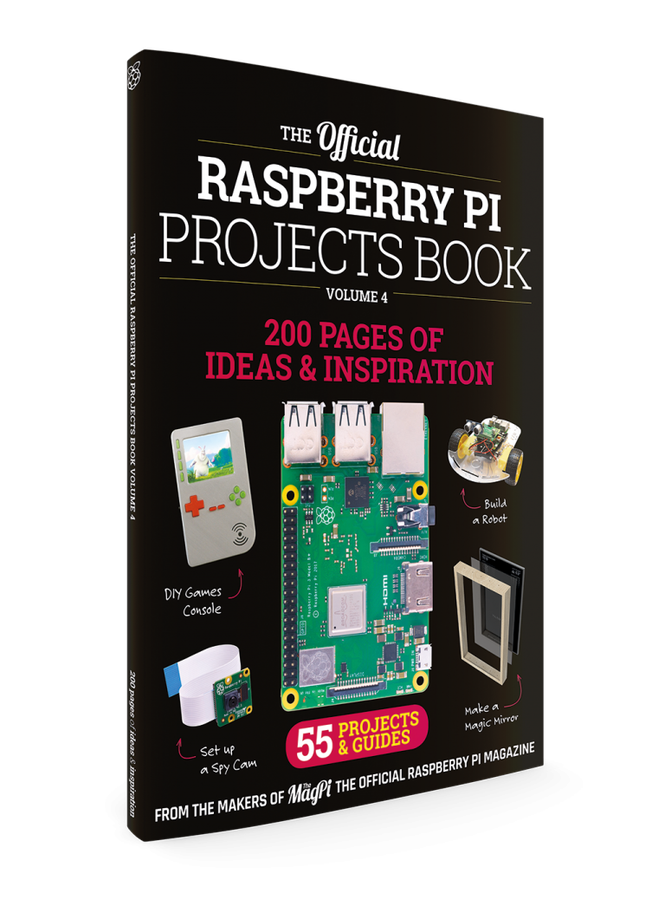
    Image: Google
  • vision-072.jpg

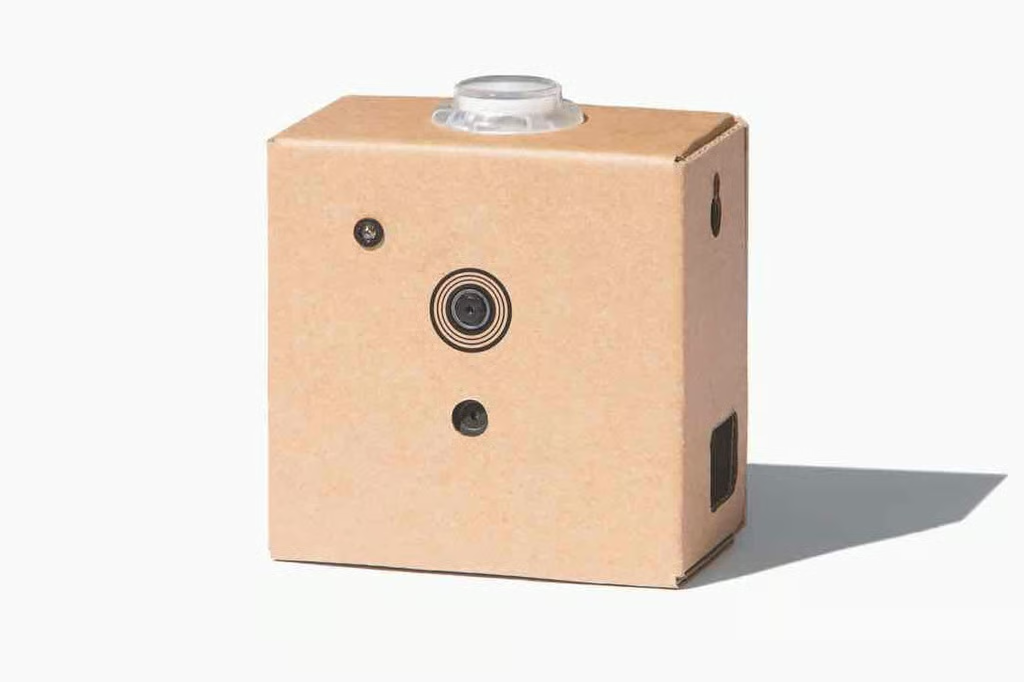
    Google AIY Vision Kit
    If you’re interested in using the Pi to spot people and objects in the real world, you could pick up Google’s AIY Vision Kit.

    Like the voice kit, this product provides all the hardware you need to carry out computer vision on the Pi, and detailed tutorials on how to set it up.

    Once ready, the kit can run various demos, including object and facial recognition.

    Available for $90 from here.

    Image: Raspberry Pi Foundation
  • ckcdetail-3rgb.jpg

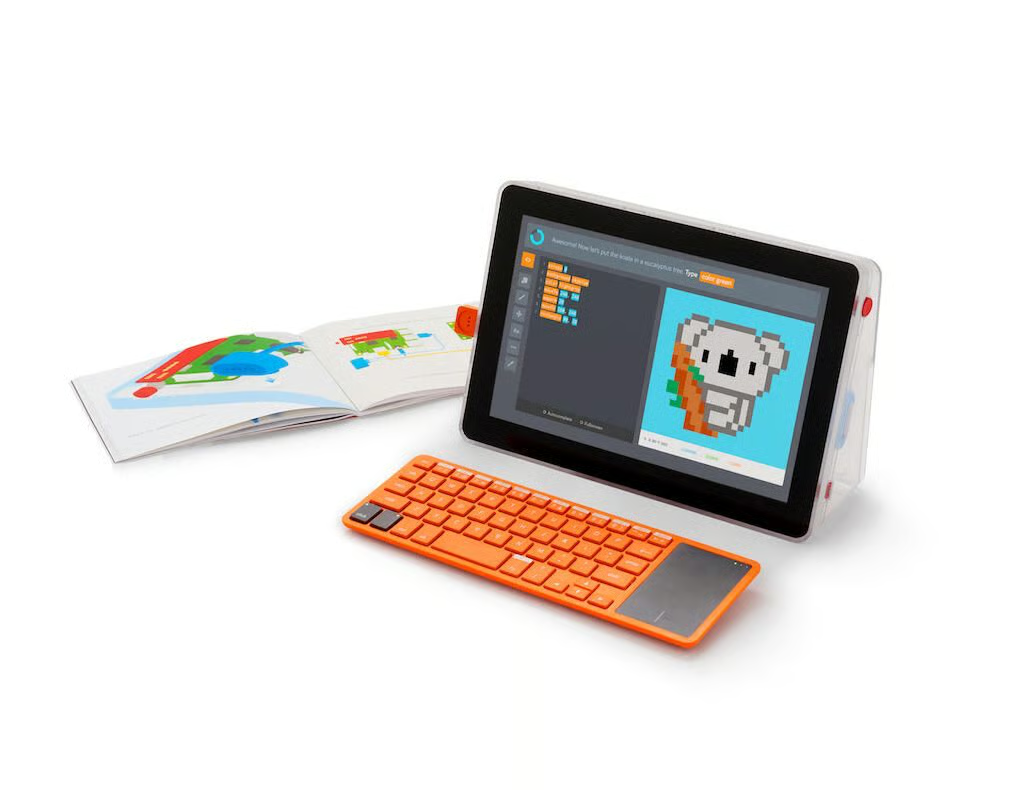
    Kano Computer Kit Touch

    If you fancy doing something a bit more ambitious with your Raspberry Pi, why not build a full-blown computer.

    The $249.99 (\u00a3229.99) Kano Computer Kit Touch is designed to make building a Pi-based, touchscreen laptop as simple as slotting together blocks of Lego.

    While the machine is described as a laptop, the finished computer is composed of a 10.1-inch HD (1920×1080) screen, which houses the computer unit, and a separate laptop-sized wireless keyboard. Designed to be usable by children from 4 upwards, the bundled software includes more than 100 coding challenges and simplifies the creation of art, music and games using code.

    Image: Kano
  • build-games.jpg

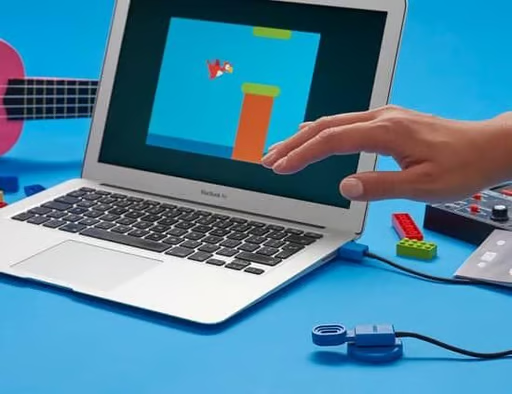
    Kano motion sensor

    A fun way to get kids started with coding, the $29.99 (\u00a329.99) Kano motion sensor provides an easy way for kids to learn how how to use sensors with the Raspberry Pi, with guides on how to set up the motion sensor, so it can be used to control games or to play virtual guitars, drums and other instruments.

    Image: Kano
  • zero-w-kits-square-11024x1024.jpg

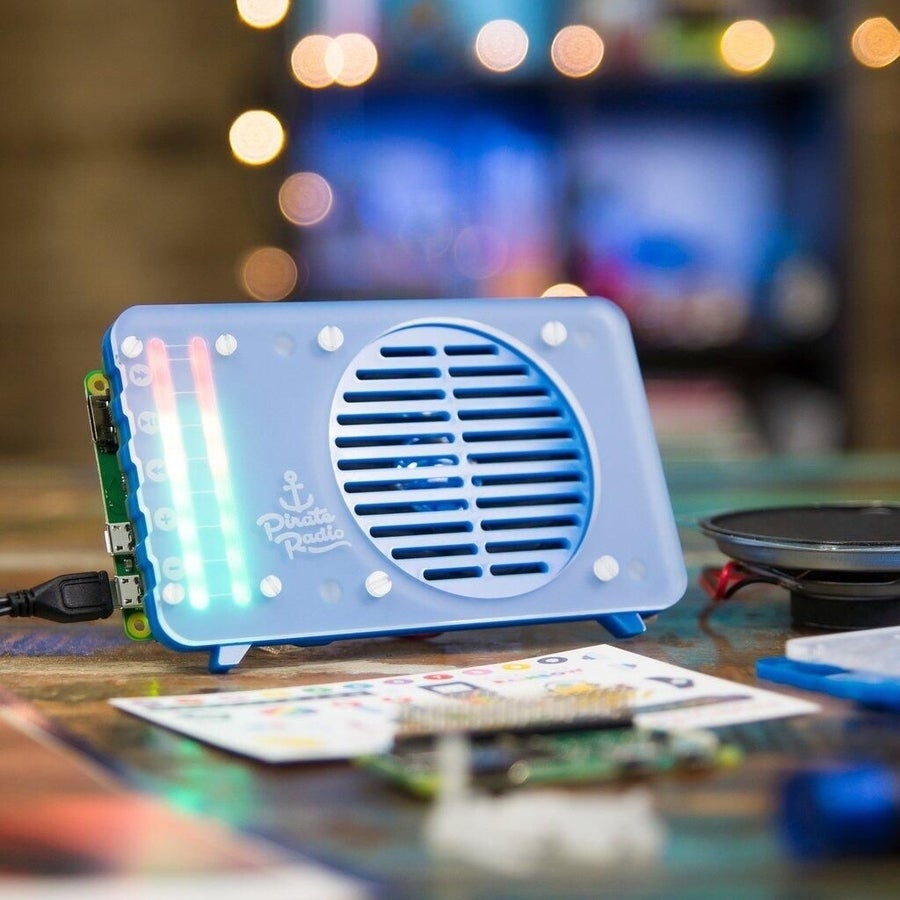
    Pimoroni Pirate Radio

    Create your own internet-connected radio powered by a Raspberry Pi Zero W, complete with a fetching aquamarine acrylic case and 5W speaker. Putting the \u00a340 ($49.95) radio together should take about 30 minutes, with only a minimum of soldering required.

    Image: Pimoroni
  • coupe2of2f012f425-8c50-43e3-92f5-7425140fbf9c1024x1024.jpg

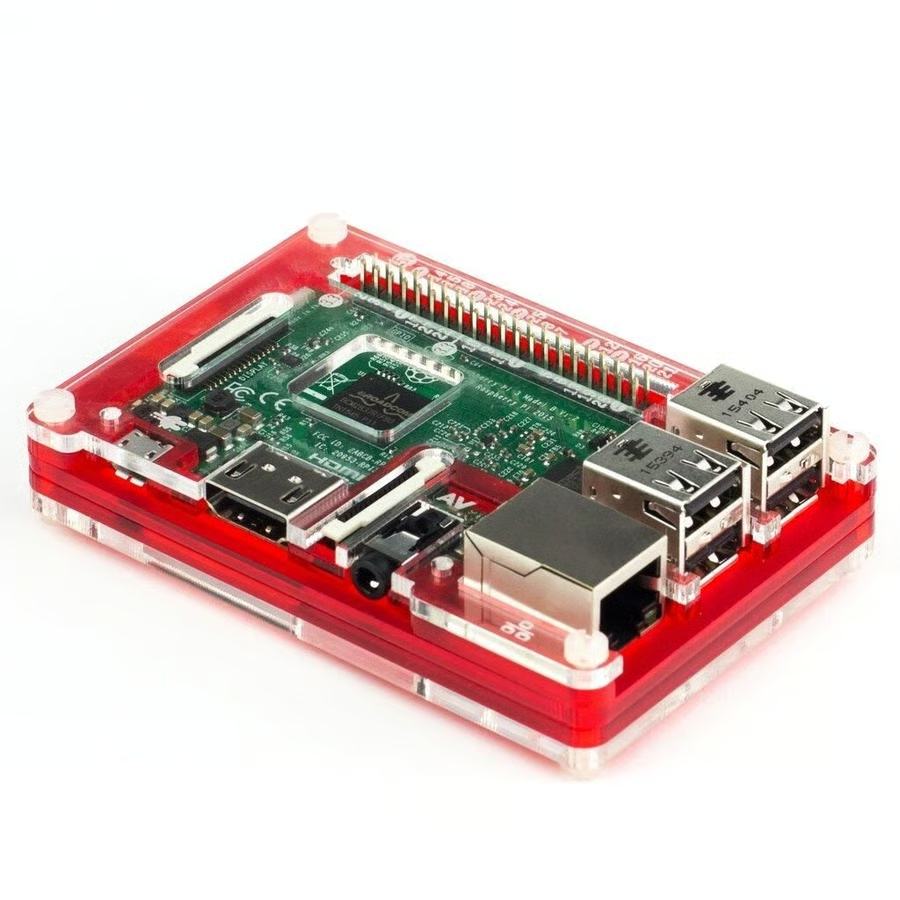
    PiBow Coupé

    This striking case is made of five layers of acrylic, with a transparent top to leave the board visible inside.

    All ports are accessible, as you’d expect, and space is left to vent heat and even to install a heatsink, for those planning to push the Pi to its limits. Available for \u00a38.50 or $11.95

    Image: Pimoroni
  • 514b76smz2l-sl15001024x1024.jpg

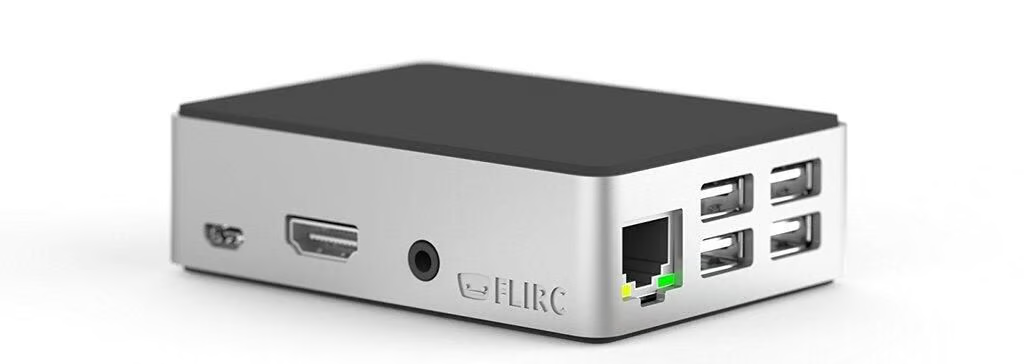
    Flirc Raspberry Pi 3 case

    For a case with a high-end finish, check out the \u00a315 / $15.95 Flirc, with an aluminium core sandwiched between two soft shells. A built-in heatsink helps to keeps the Pi cool and all of the ports and PINs remain accessible.

    Image: Flirc
  • pianohat4of41024x1024.jpg

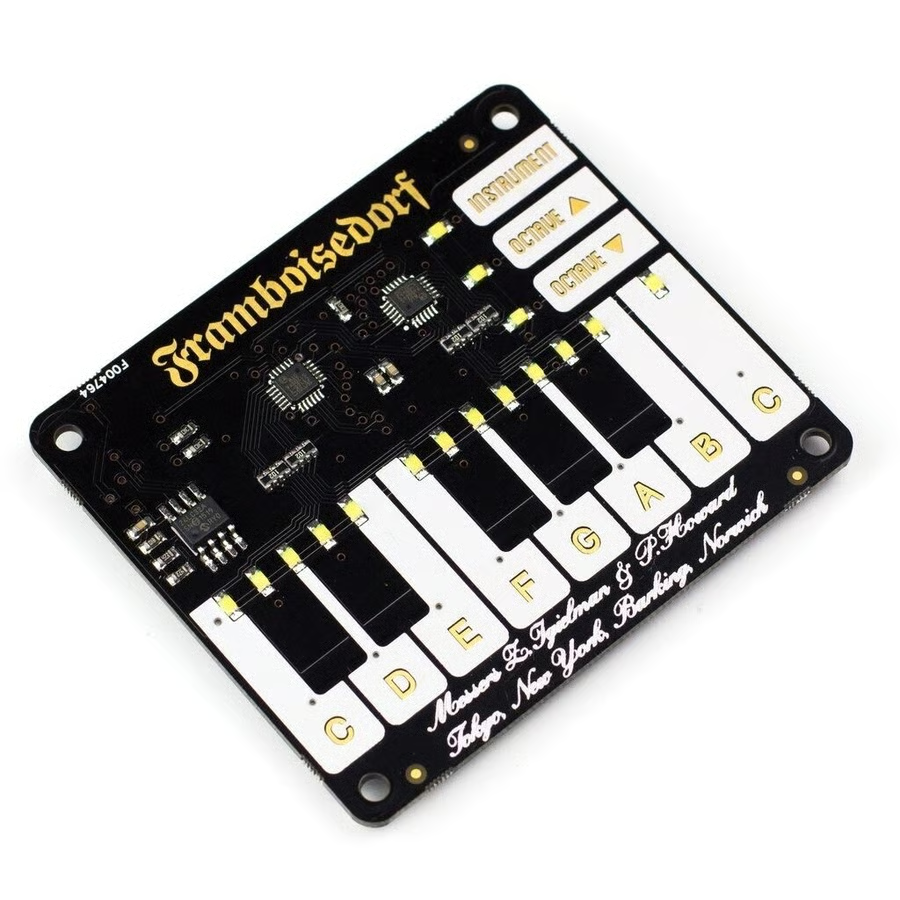
    Piano HAT

    This \u00a315 / $19.95 touch-sensitive add-on board builds a tiny piano into the top of the Pi, offering a total of 13 piano keys that can play synthesized sounds when pressed, and can even be mapped to play any sound you want, with a bit of light coding in Python.

    Image: Pimoroni
  • key01041024x1024.jpg

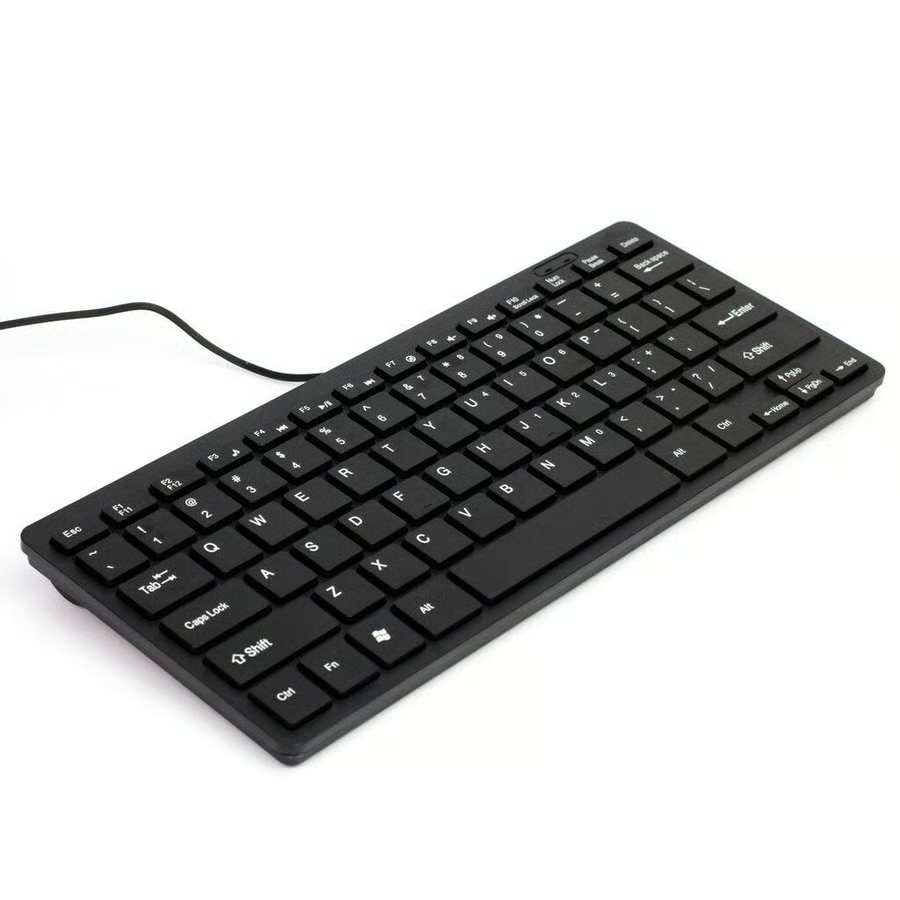
    Slim Chiclet keyboard

    While the Pi is pocket-sized, you won’t always have a keyboard to plug into it when you’re on the move. This \u00a38 compact Chiclet keyboard fits into a bag for when you’re out and about, available for $14.95 in the US.

    Image: Pimoroni
  • hyperpixel-11024x1024.png

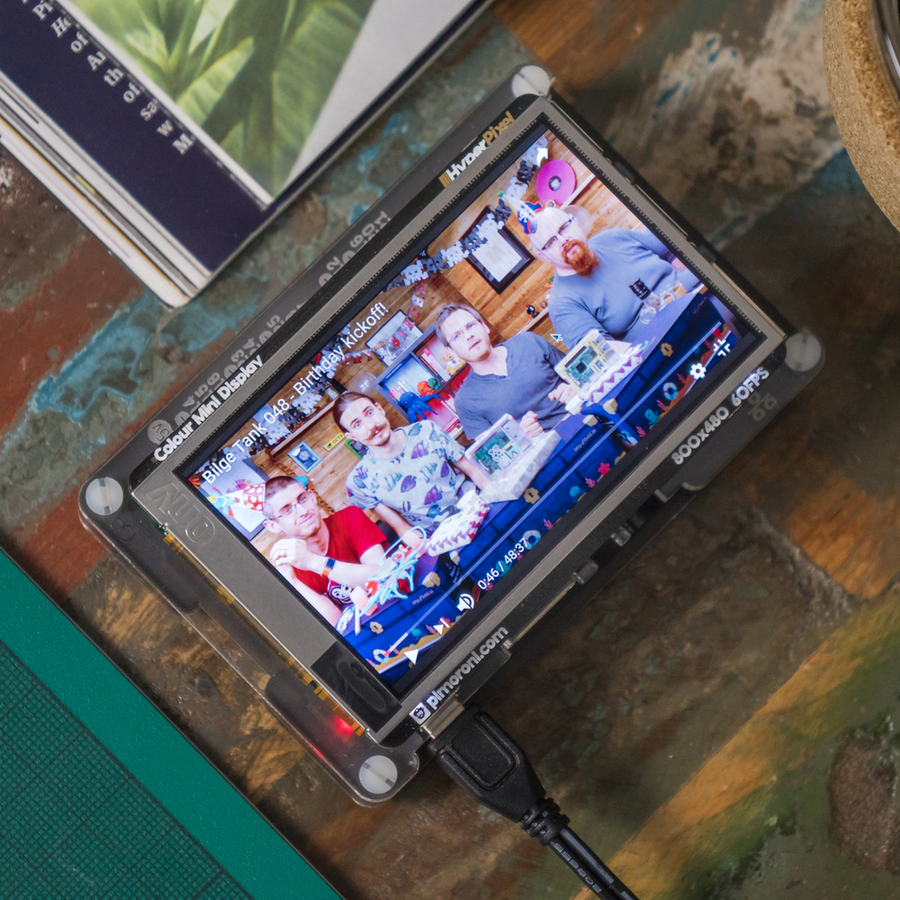
    HyperPixel

    This 3.5-inch, 800×480 resolution, colour display, with a capacitive touchscreen, is compatible with all models of the Pi, slotting neatly on top of the machine. Designed to be easy to set up, the \u00a340 screen offers a quick and easy way of using the Pi on the move, while the US it is easier to buy this slightly larger 5-inch screen.

    Image: Pimoroni
  • 3527-041024x1024.jpg

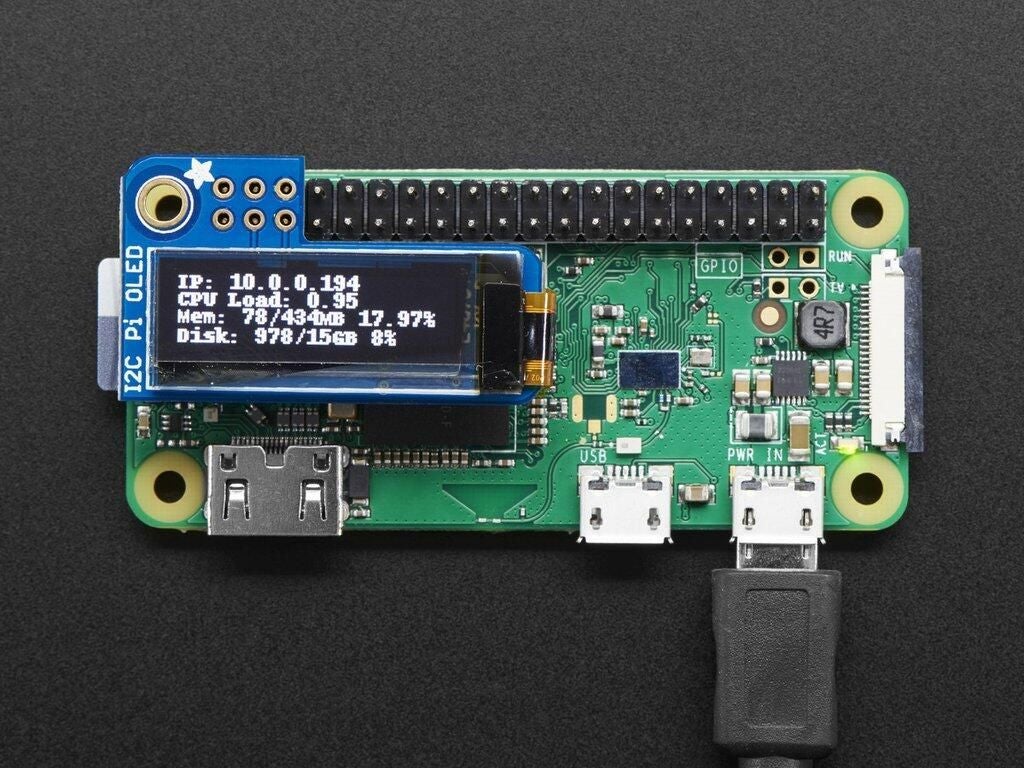
    Adafruit PiOLED

    If a full-color touchscreen is too much, this simple 128×32 resolution, monochrome OLED screen might be a good alternative. Capable of displaying about 4 lines of text, the \u00a314.10 / $14.95 display requires no backlight, reducing the power consumption.

    Image: Adafruit
  • 770a9314-1-1885x1080.jpg

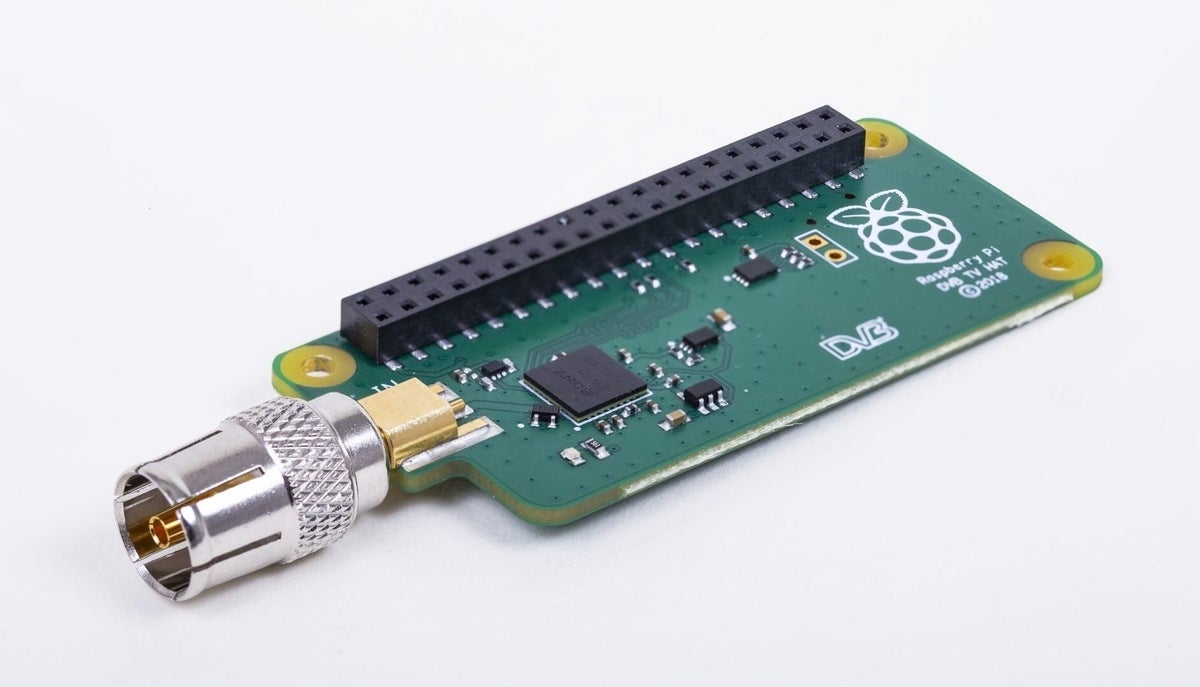
    Raspberry Pi TV Hat

    With this board, you can receive and view television on a Raspberry Pi, as well as streaming television over a network to other devices.

    The TV HAT is an add-on board for the Pi 2, 3, or 3B+, and receives DVB-T2 television broadcasts.

    The board is initially only being sold in Europe, but work is underway to meet compliance regulations in other DVB-T2 regions.

    Available here for \u00a320.

    Image: Raspberry Pi Foundation
  • 3464-001024x1024.jpg

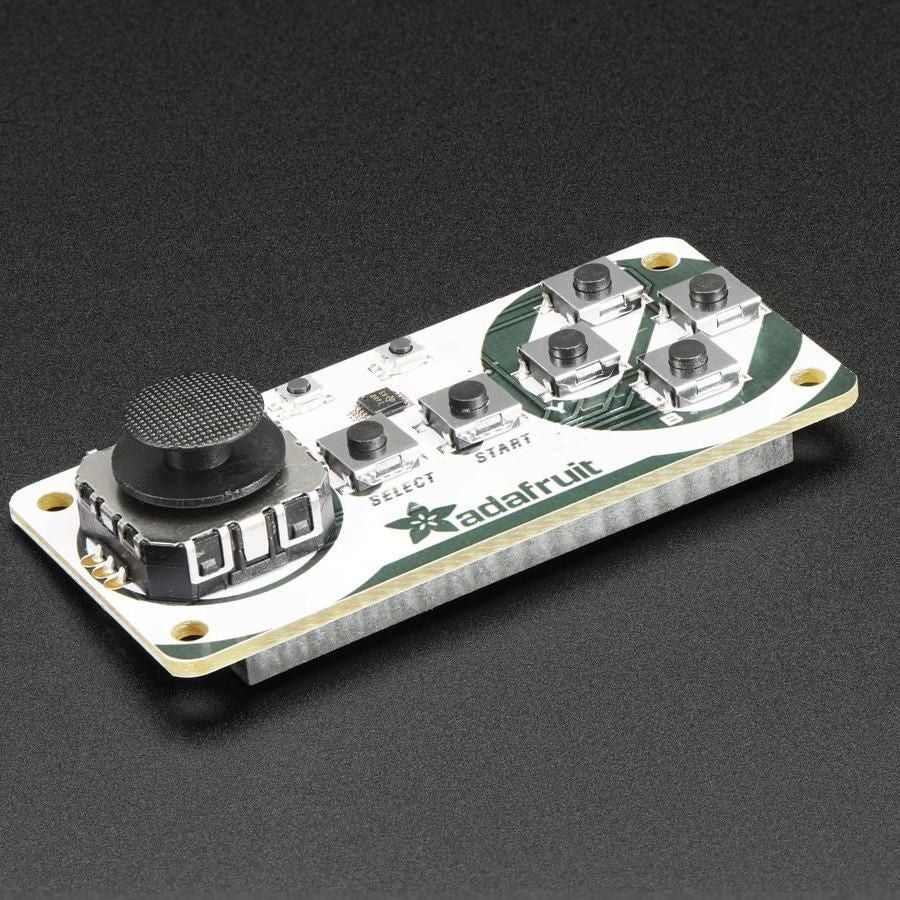
    Adafruit Joy Bonnet

    This tiny \u00a313.80 / $32.50 controller fits on top of all the Raspberry Pi Zero models, and can be used to play retro console games, such as classic NES and MAME titles, when paired up with old-skool gaming systems such as RetroPie.

    Image: Adafruit
  • console1of33808c7a7-cde8-4c94-a403-acd7652833bd1024x1024.jpg

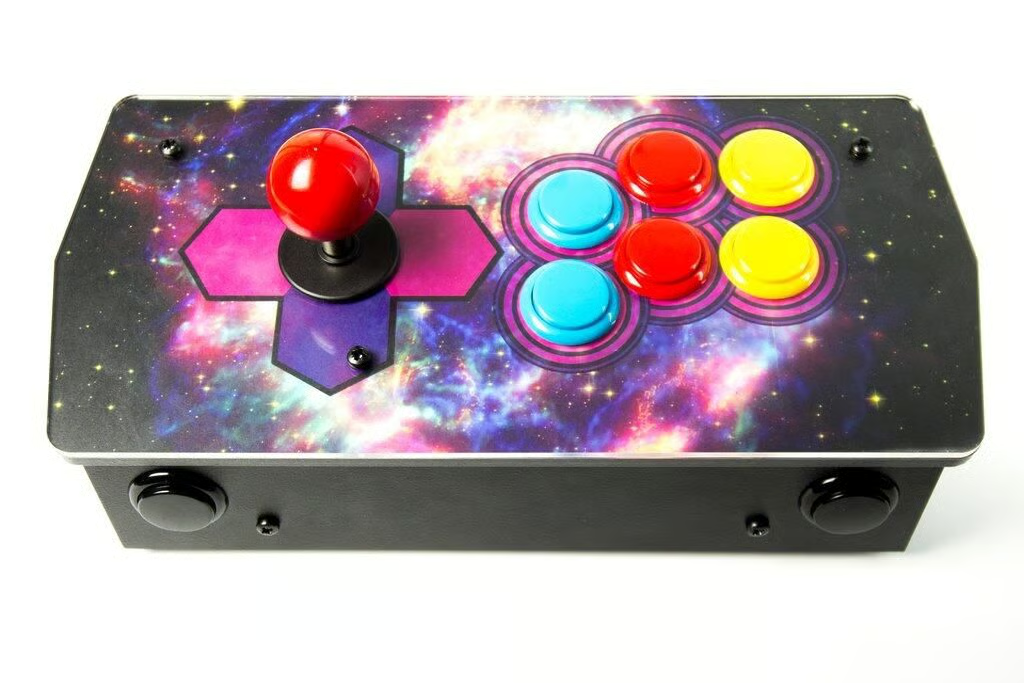
    Picade Console

    \tCapture the feel of arcades of old, minus the floors sticky from spilt drinks, with this \u00a37 9 classic controller for retro gaming on the Pi. Pair it with an emulator like RetroPie, and you’re good to go. If it’s out of stock it is available here, and if you’re based in the US and after a classic gaming system then check out the next gift on the list.

    Image: Pimoroni
  • 3272-02.jpg

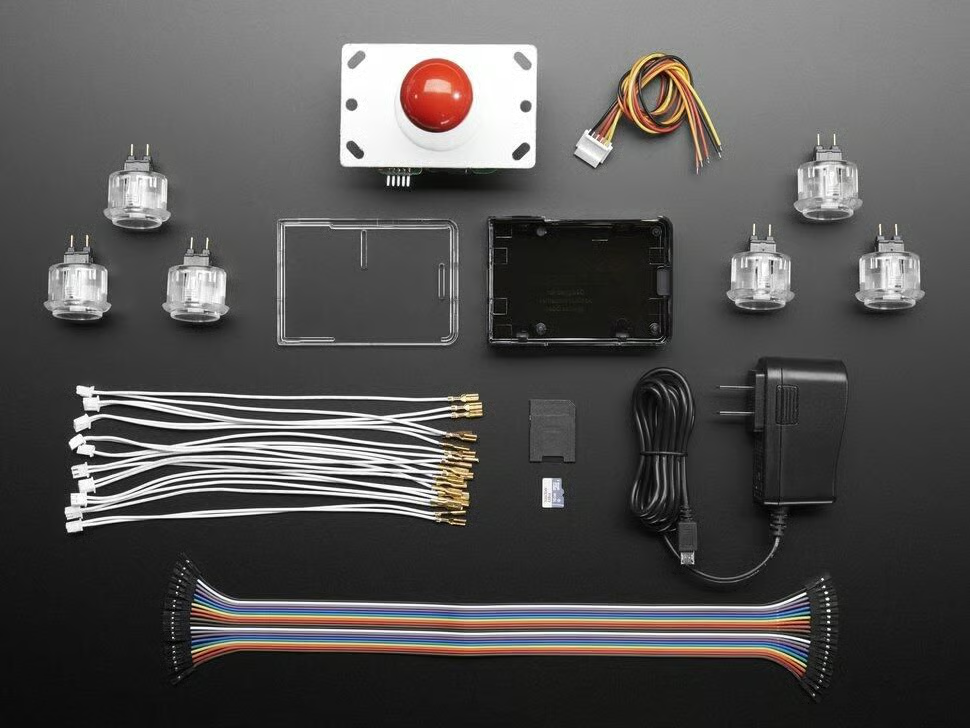
    Pi Arcade Cabinet pack

    If you’re in the US then this $59.95 Pi Arcade Cabinet Pack might suit retro gaming fans, and includes the case, the joystick, buttons and wires but not the Raspberry Pi.

    Image: Adafruit
  • sense-hat-1733x1080-1-1733x1080.jpg

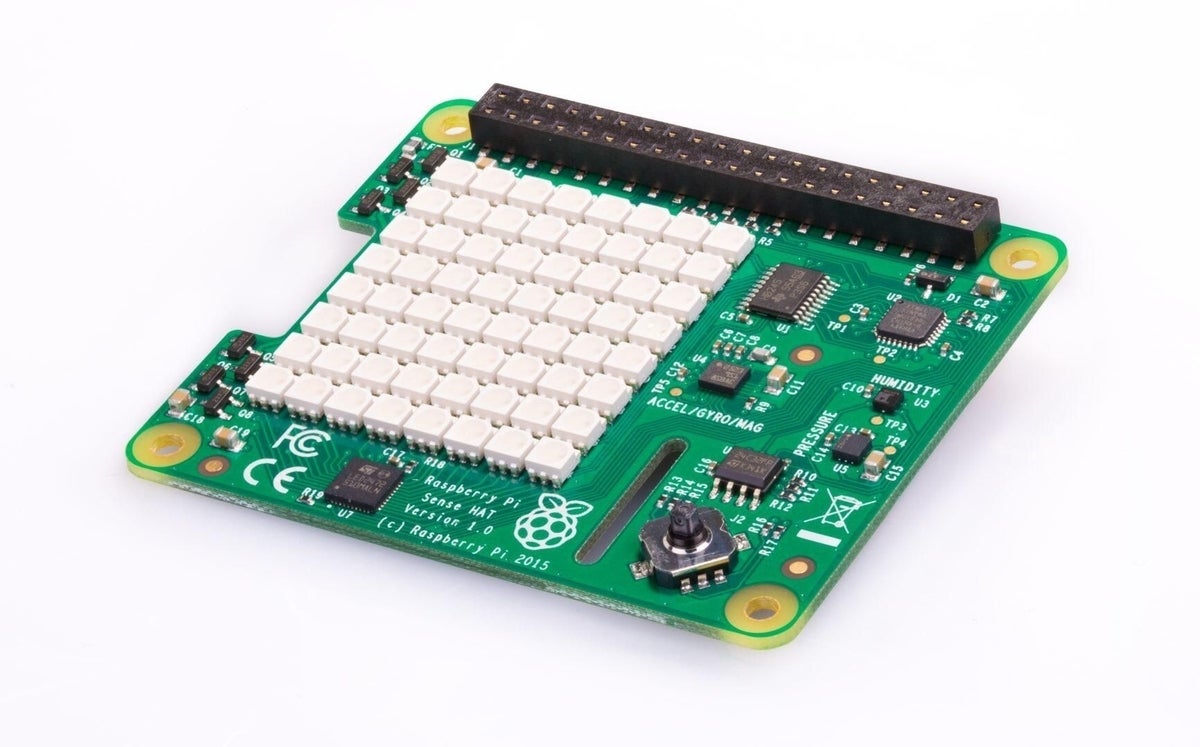
    SenseHAT

    The $40/ \u00a332 SenseHAT simplifies getting started tinkering with hardware, bundling together various sensors, a joystick and an LED matrix that the Pi can interact with.

    You’ll be able to use the SenseHAT to read data about the Pi’s orientation or how fast it’s travelling — via the accelerometer, 3D gyroscope and magnetometer — as well as to measure the surrounding pressure, humidity, and temperature.

    SenseHATs have been used with the Pi to help create various gadgets, including simple games, weather stations, and a wheeled robot, and have even travelled to the International Space Station.

    Image: Raspberry Pi Foundation
  • pi-camera-front-1-1426x1080.jpg

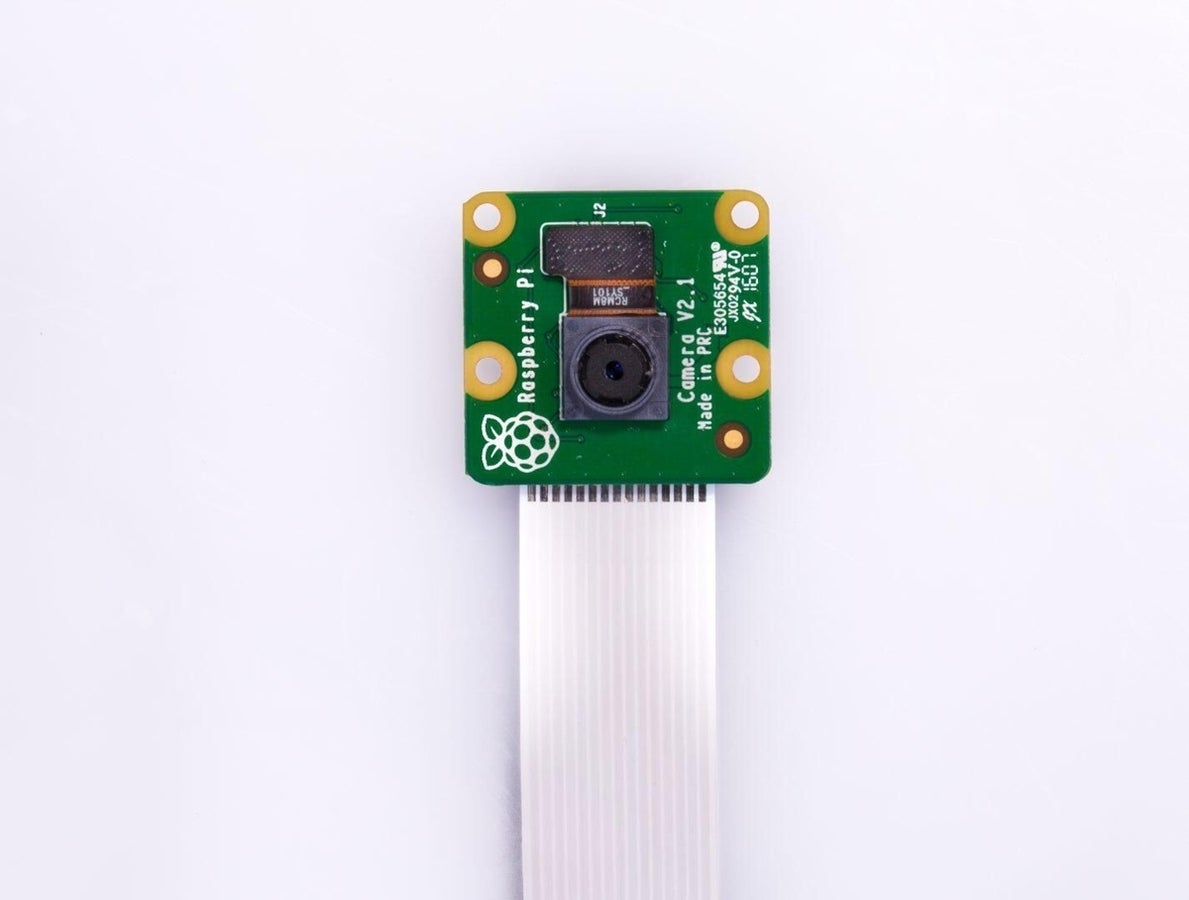
    Raspberry Pi Camera

    The official Raspberry Pi camera is capable of capturing 3280 x 2464 images, and 1080p@30FPS, 720p@60FPS, and 640x480p@90FPS video.

    Available for $40 or \u00a325.79.

    Image: Raspberry Pi Foundation
  • vlcsnap-2017-11-28-19h32m14s110.png

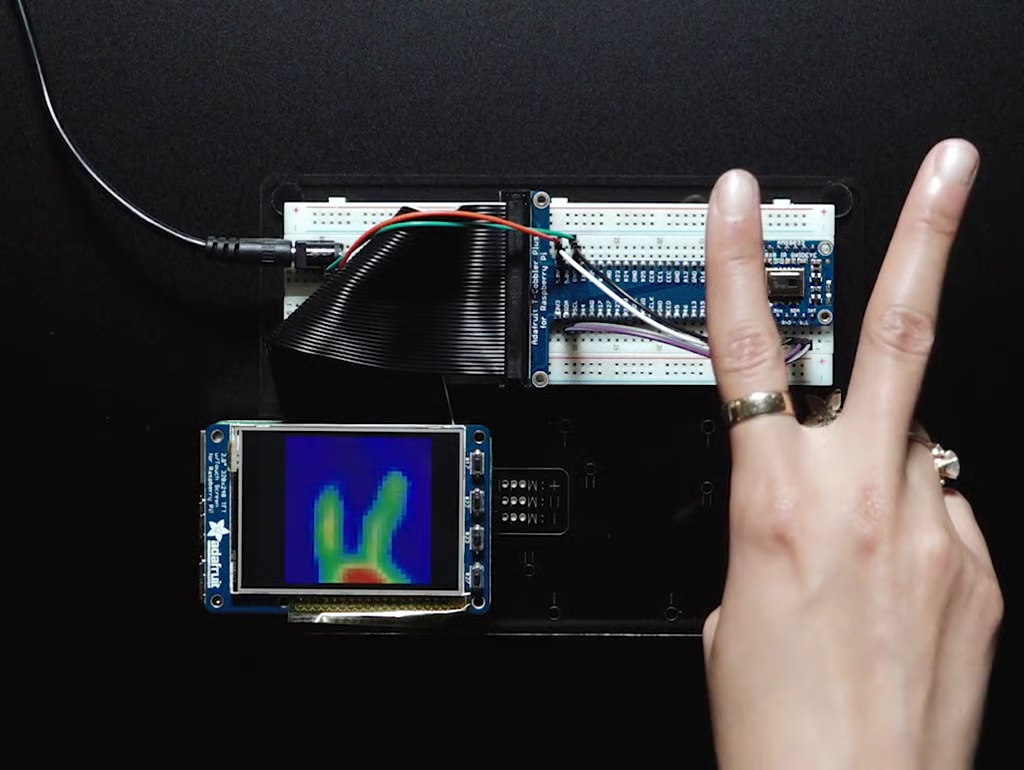
    Adafruit AMG8833 IR Thermal Camera

    Add Predator-style vision to your Pi with this \u00a337.80 / $39.95 infra-red thermal sensor, capable of detecting temperatures between 0 and 80C.

    Image: Adafruit
  • projects4-cover-mock-a-768x1038.png

    Raspberry Pi Projects Book Volume 4

    The internet is jam-packed with project ideas for the Pi, but sifting through them can be trying.

    This 200-page book cuts out the chaff and offers 55 projects and guides for Pi owners to get stuck into, ranging from building a spy camera to a magic mirror, together with full instructions.

    Available for \u00a312.99 here, with free worldwide shipping.

    Image: Raspberry Pi Foundation
  • book-of-making-volume01-002-768x1038.png

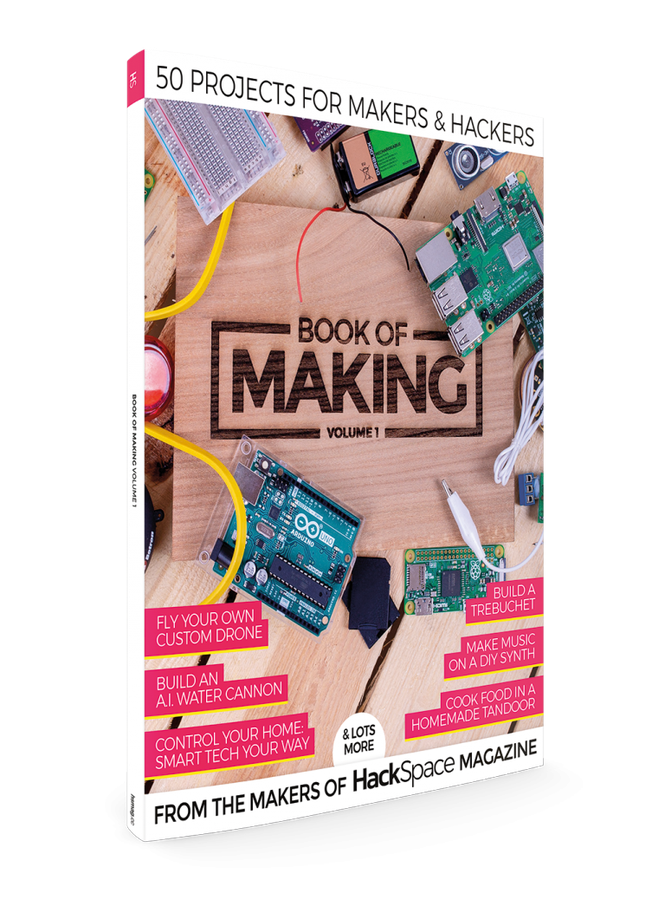
    Book of Making Volume 1

    This book, compiled by the Raspberry Pi Trading’s official HackSpace magazine, also brings together a range of great Raspberry Pi projects, but bundles a broader range of guides covering everything from building tandoori ovens to custom drones.

    Available here for \u00a312.99, with free worldwide shipping.

    Image: Raspberry Pi Foundation
  • codingblocks.png

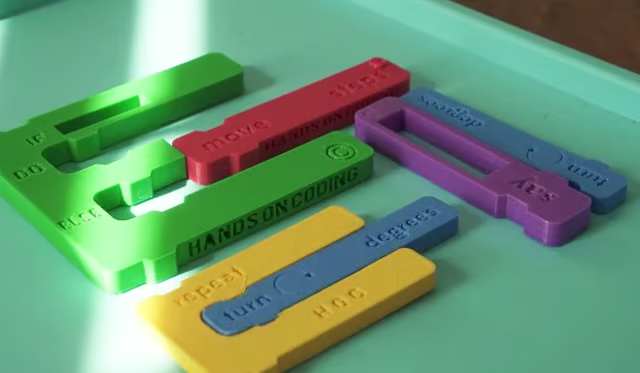
    Hands-On Coding Blocks

    A great way to make programming come alive for younger children, this takes the coding blocks from drag-and-drop programming tools available on the Pi, such as MIT’s Scratch, and turns them into physical blocks that can be pieced together into programs.

    Available for $30 for a pack of 12 blocks and instruction booklet.

    Image: Hands-On Coding
  • stspi1of41024x1024.jpg

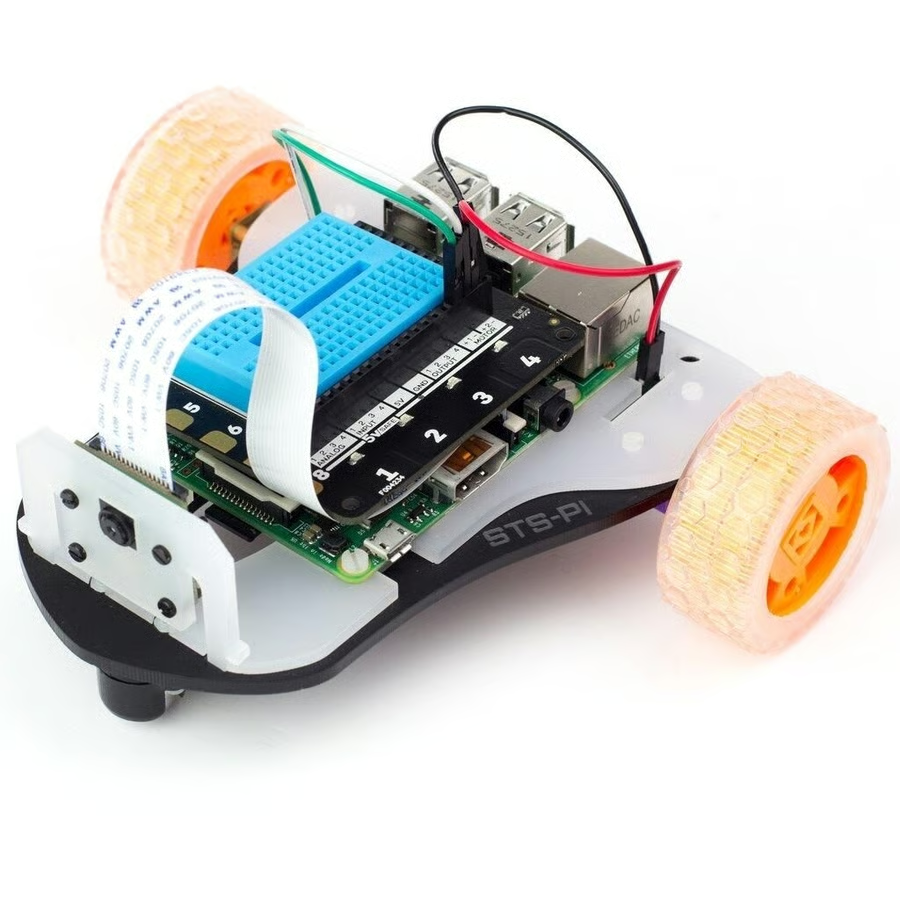
    STS-Pi

    This \u00a320 / $21.99 wheeled robot chassis can be used to build a Pi-controlled bot, with no soldering required. The bot is designed to be used with the likes of Pimoroni’s Explorer HAT Pro add-on board, which will add motor drivers, alongside a variety of inputs, outputs, LEDs, and more.

    Image: Pimoroni
  • 3462-00.jpg

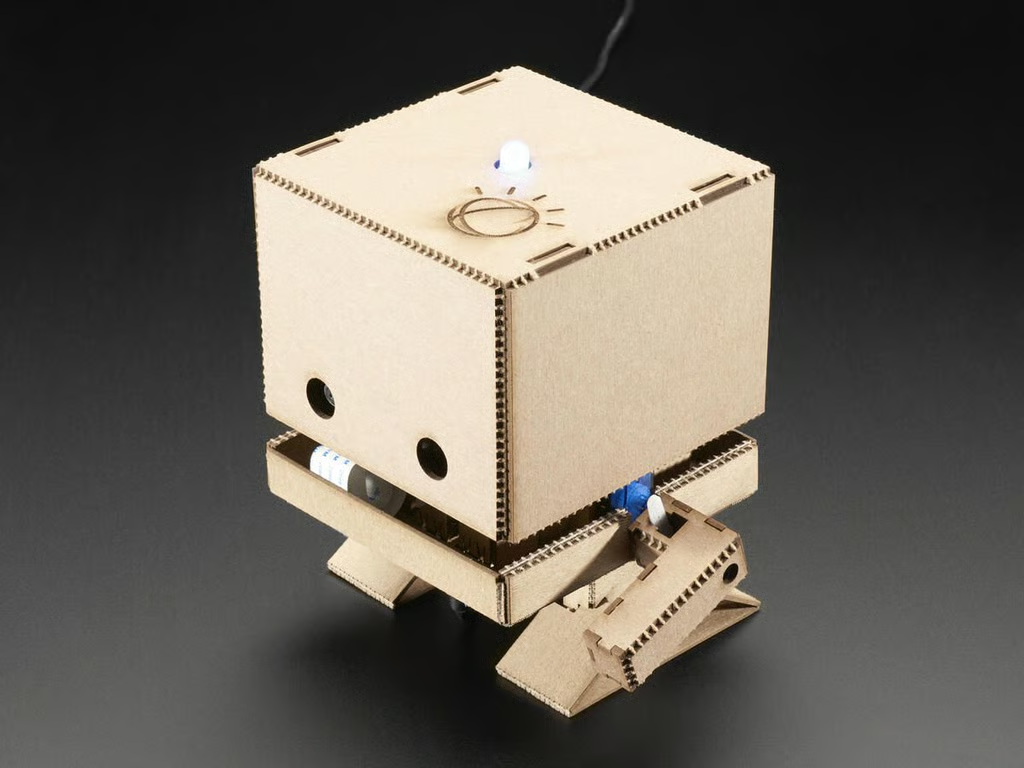
    IBM TJ Bot

    \tThis $149.95 chipboard bot from IBM might be a bit more pricey, but with a bit of coding can be taught to recognize voice commands, to talk and to wave.

    Image: IBM
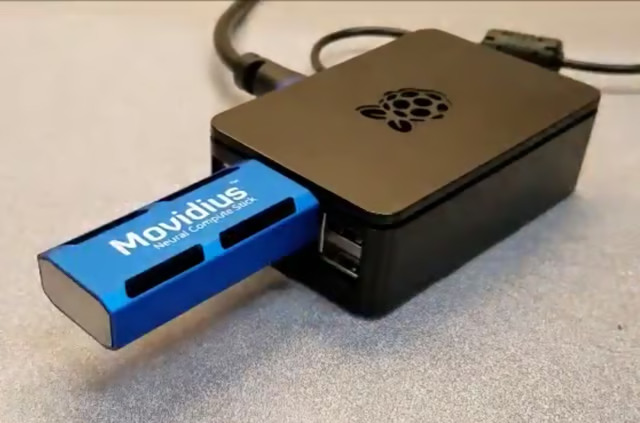
  • Intel Movidius Neural Compute Stick

    For the Pi owner who wants to experiment with cutting-edge computing, the $99 / \u00a384 Intel Movidius Neural Compute Stick plugs into the Pi via USB, and accelerates vision-recognition tasks like facial and object recognition using its 12 specialized cores.

  • 770a6339-1619x1080.jpg

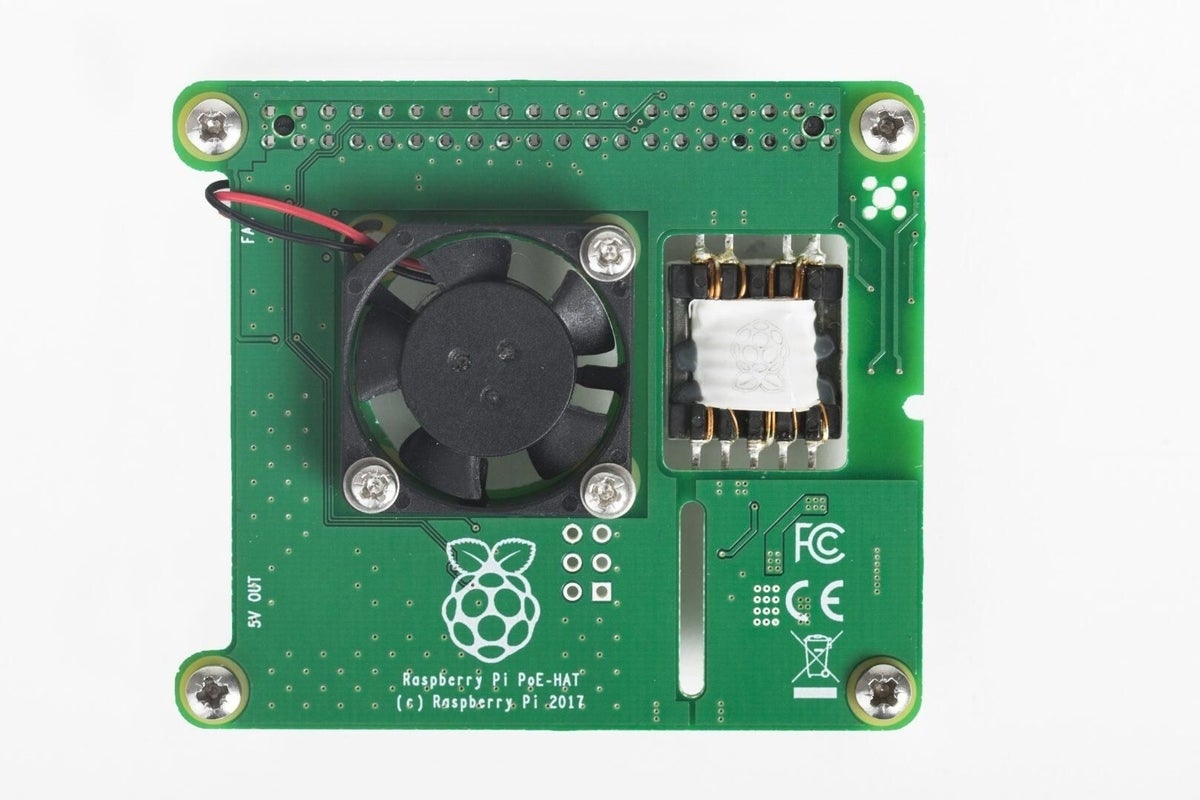
    Power Over Ethernet HAT

    The official Power over Ethernet (PoE) HAT is an add-on board that sits on top of the Raspberry Pi 3 Model B+ and allows the computer to be powered using an Ethernet connection.

    The HAT uses the 802.3af PoE standard, which allows 15W to be delivered to be the board. However, power-sourcing equipment is required on the Ethernet network, so this isn’t a present for your average Pi user.

    Available for \u00a318 here and $20.95 here.

    Image: Raspberry Pi Foundation
1 of 30
Nick Heath

Nick Heath is a computer science student and was formerly a journalist at TechRepublic and ZDNet.