Screenshots: Five command-line apps every Linux newbie needs to know - TechRepublic

Screenshots: Five command-line apps every Linux newbie needs to know

  • Intro

    Introduction

    Linux has taken over the enterprise. It runs the backbone\r\nfor many of the largest companies. It’s one of the biggest players in big data.\r\nIf you’re serious about moving up the IT ladder, at some point, you’re going to\r\nhave to know Linux.

    And although the Linux GUI tools are now as good as those\r\navailable for any other platform, some tasks will require a bit of command-line\r\nknowledge. But where do you begin? You start off where every Linux newbie should…\r\nwith what I believe are five of the most important commands for new Linux admins\r\nto learn.

    Note: This gallery is also available as an article.

    Image: iStockphoto.com/Tinatin1
  • man

    man

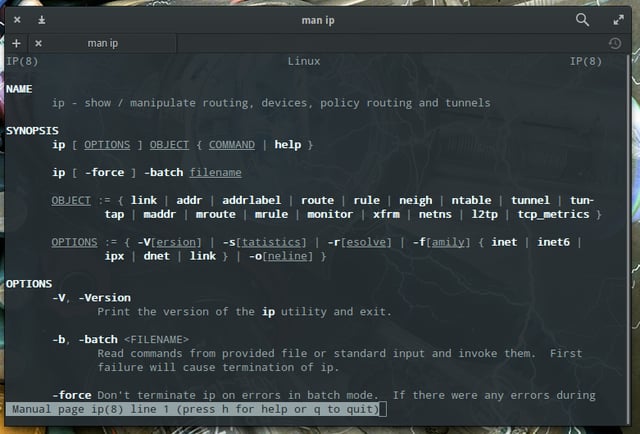
    Nearly every command on your system should have a man page,\r\nall of which are set up to follow a specific standard. You’ll get the command\r\nstructure, information about all the flags, switches, and options, command\r\nsyntax, a history of the command, and related commands. If you’ve ever hear\r\nsomeone say RTFM…consider that \u201cm\u201d to be \u201cman page.\u201d

  • ls

    ls

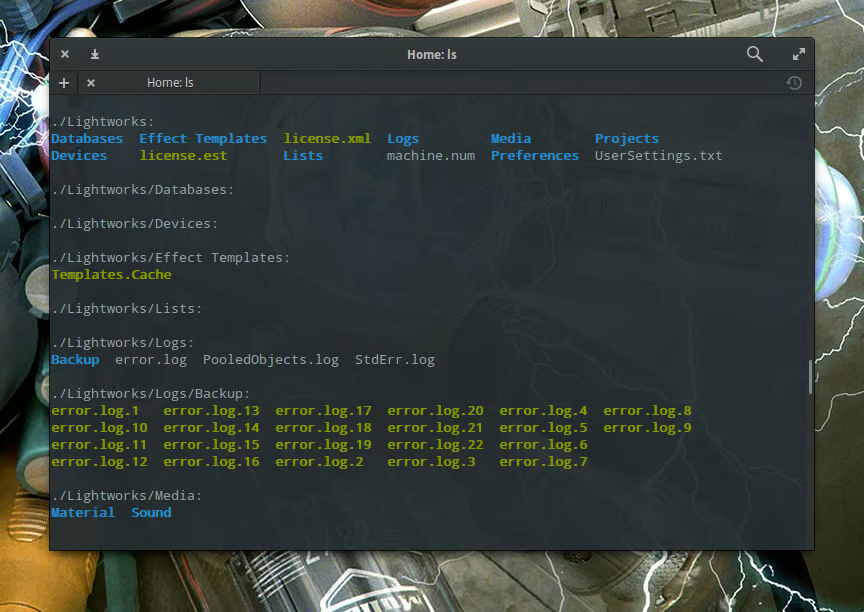
    If you want to do a recursive listing (so you can also see\r\nwhat’s tucked away within those folders), issue the command ls -R.\r\nIf you want to find out more about what ls can do for you, guess\r\nwhat…RTFM!

  • mv

    mv

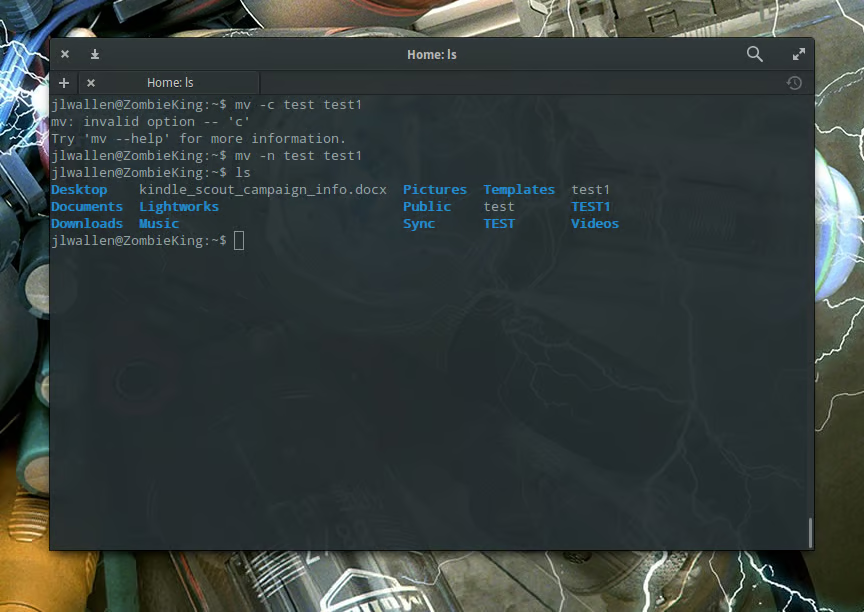
    Use this tool with caution. For instance, suppose you have\r\ntwo files: test and test1. You want to rename test\r\nand you accidentally issue the command mv test test1. This command will\r\noverwrite your existing test1 file with the contents of test.\r\nTo avoid that you can use the -n\r\noption, which will prevent mv from overwriting an existing\r\nfile. So mv -n test test1 will not overwrite test1 with test.\r\nThis is a precaution everyone should take.

  • rm

    rm

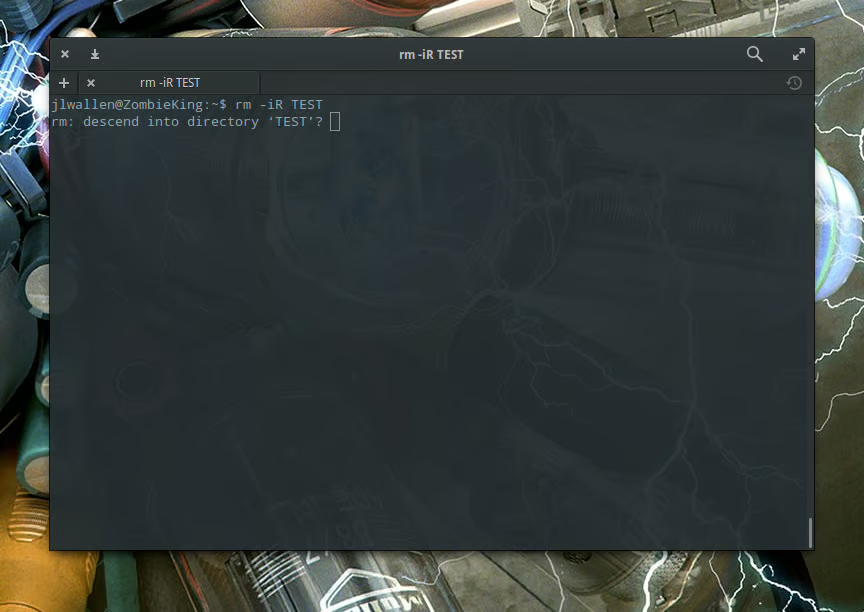
    If you need to delete a folder, you have to include the R switch\r\n(for recursive). To delete the folder TEST, you would issue the command rm\r\n-iR TEST. If you have an old Linux system about to recommissioned (and\r\nyou have all the data from the drive), you can have a little fun by issuing the\r\ncommand rm -rf / as the root user (or using sudo) and watch the entire\r\ncontents of the machine vanish before your eyes. Don’t do this. Really… don’t.

  • grep

    grep

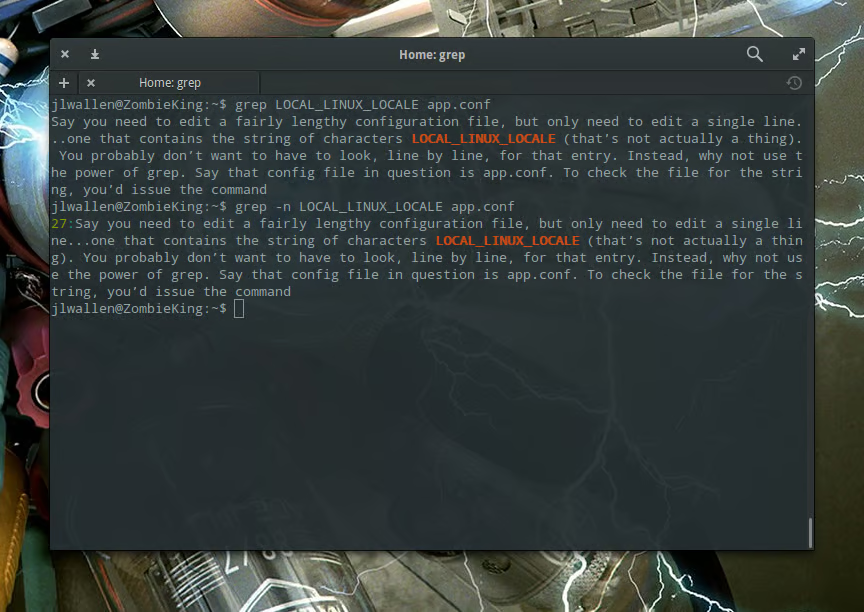
    Suppose that config file is named app.conf. To check the\r\nfile for the string, you could issue the command grep LOCAL_LINUX_LOCALE app.conf.\r\nThe results would list the string, highlighted for easy spotting. And what if you\r\nneeded to know the exact line number that contains the string? Just add the -n\r\nswitch, and it will print out the line number:

    grep -n LOCAL_LINUX_LOCALE app.conf

1 of 6
Jack Wallen

Jack Wallen is an award-winning writer for TechRepublic, The New Stack, and Linux New Media. He's covered a variety of topics for over twenty years and is an avid promoter of open source. For more news about Jack Wallen, visit his website jackwallen.com.