Screenshots: Five easy-to-use tools to handle encryption on Linux - TechRepublic

Screenshots: Five easy-to-use tools to handle encryption on Linux

  • Introduction

    If you think data is more precious than ever, you should\r\ncertainly consider its security to be a priority. And with more and more\r\nbusinesses working with multiple platforms, you have to be prepared to work\r\nwith encryption on just about every business-ready operating system available. Including\r\nLinux. Fortunately, you have plenty of encryption-ready tools to choose from.

    But which tools should you be looking at? If you open up,\r\nsay, the Ubuntu Software Center, you’ll find the majority of tools available\r\n(under the “encryption” search results) to be nothing more than\r\nlibraries to resolve dependencies. Dig a bit deeper, though, and you’ll find everything\r\nyou need for easy-to-use encryption. I’ve uncovered five such tools for\r\nencryption on the Linux platform.

    Note: This gallery is also available as an article.

    Image: iStockphoto.com/ChrisBoswell

    Image: iStock/Christopher Boswell
  • GnuPG

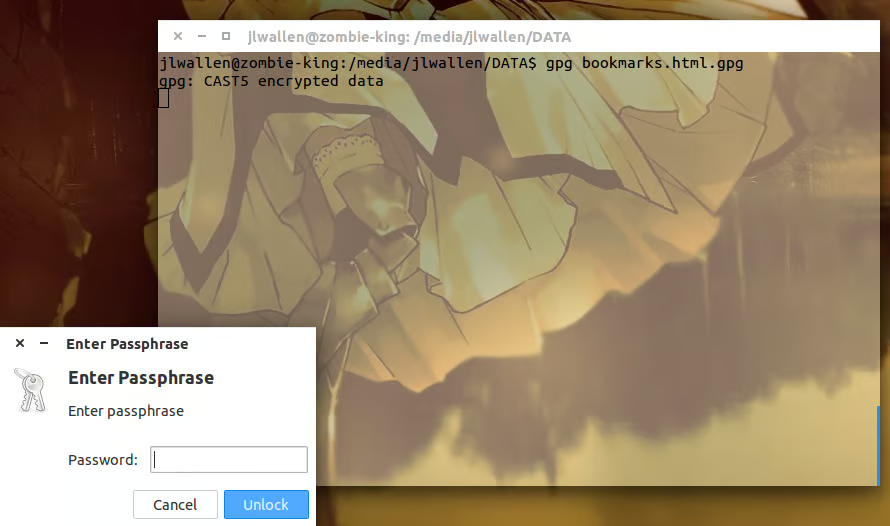
    GnuPG

    The command to encrypt a file is:

    gpg -c filename

    where filename is\r\nthe name of the file to encrypt. The encryption will attach a .gpg extension to\r\nthe file.

    To decrypt a file, the command is

    gpg filename.gpg

    This is the easiest, fastest way to encrypt files (even though you do\r\nhave to touch the command line).

  • VeraCrypt

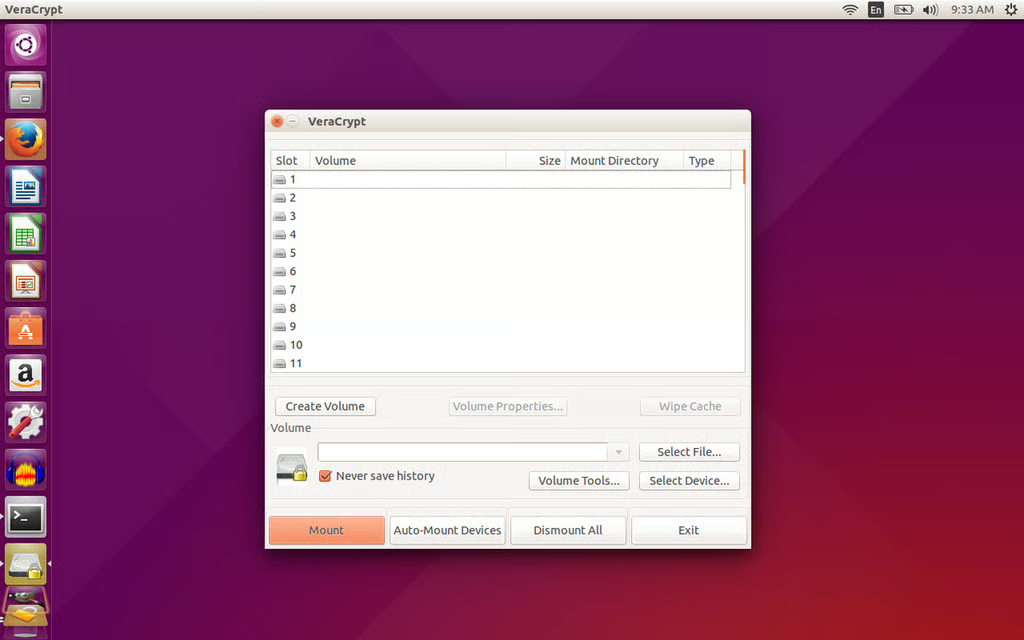
    VeraCrypt

    VeraCrypt is an enhanced version of TrueCrypt\r\nthat works on a much more secure level. How much more secure? Well, TrueCrypt\r\nuses PBKDF2-RIPEMD160 with 1,000 iterations—and VeraCrypt uses 327,661\r\niterations. The GUI for VeraCrypt is simple to use and walks you through the\r\nentire process of creating encrypted containers.

  • VeraCrypt

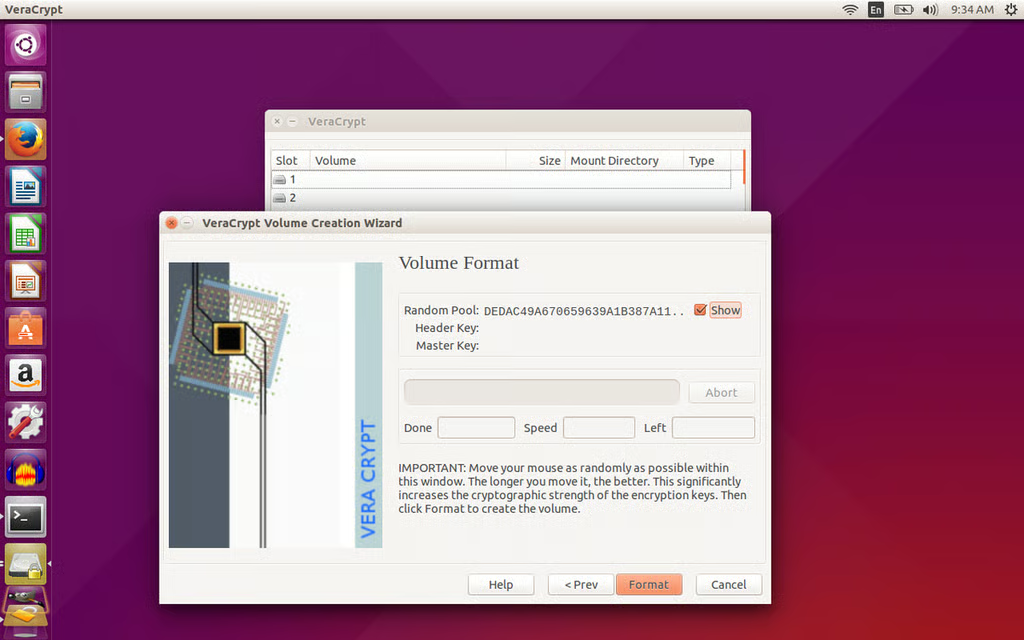
    VeraCrypt

    One caveat: The creation, encryption, mounting, and\r\ndecryption of containers take a bit of time. But the added time is worth the\r\nextra security. VeraCrypt can load containers created by TrueCrypt and convert\r\nTrueCrypt containers to the VeraCrypt format.

  • KGpg

    KGpg

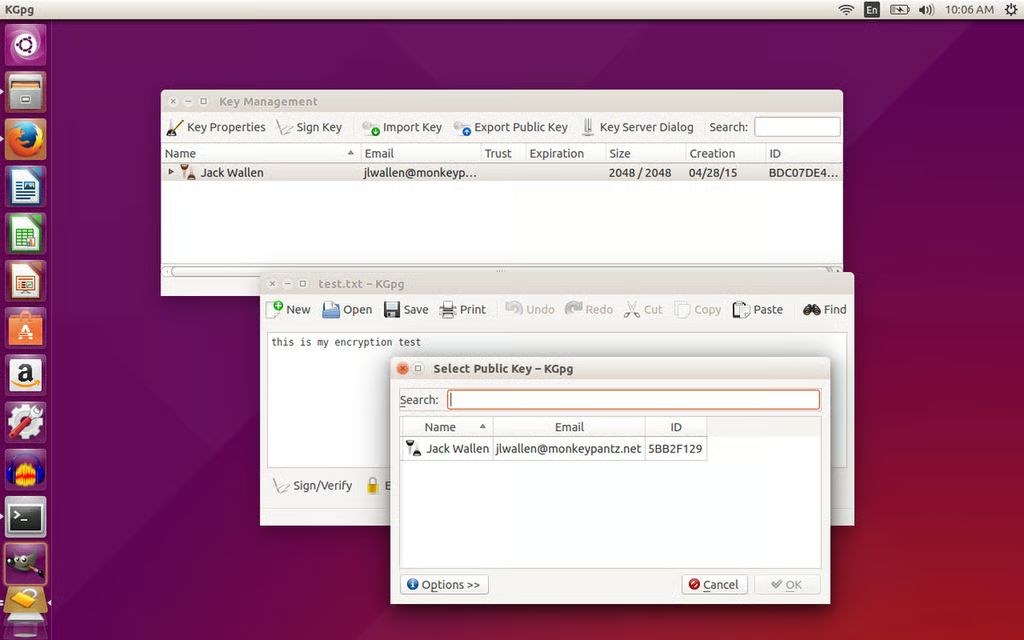
    With a GUI like KGpg, you remove that barrier to entry and\r\nmanaging those encryption keys becomes exponentially easier. And KGpg comes\r\nwith a built-in editor that allows you to open and edit simple text documents.\r\nWith this editor you can also encrypt and decrypt those documents, although you\r\ncan’t open documents created in tools such as LibreOffice or Microsoft Word.\r\nThis is text-only.

  • Gnome Encfs Manager

    Gnome Encfs Manager

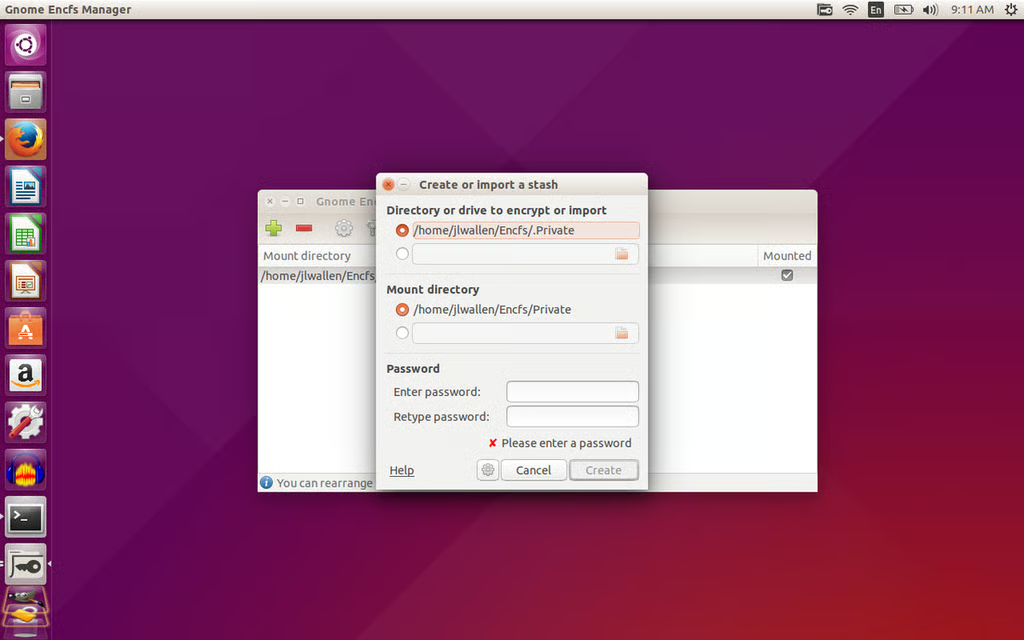
    Gnome Encfs Manager makes creating “stashes” (aka\r\ncontainers) easy. With just a few clicks, you can create and configure a hidden\r\nfolder on your Linux directory. Options include mounting on boot, idle timeout\r\nlocks, stash groups, and password change. Gnome Encfs Manager can work only with\r\nencfs, so you won’t be decrypting containers from other systems—this is\r\nLinux-only.

1 of 6
Jack Wallen

Jack Wallen is an award-winning writer for TechRepublic, The New Stack, and Linux New Media. He's covered a variety of topics for over twenty years and is an avid promoter of open source. For more news about Jack Wallen, visit his website jackwallen.com.