Screenshots: See what's on your network with the help of these five apps - TechRepublic

Screenshots: See what’s on your network with the help of these five apps

  • Intro

    Introduction

    Whether you’re trying to troubleshoot a problem or track\r\ndown a particular device, it’s often helpful to view a list of the devices\r\nconnected to your network. Fortunately, many tools can handle this for you.\r\nSome are free; others are commercial—and they vary in capability from simple\r\nping testers to full blown network inventory solutions. Here are five to\r\nconsider.

    Note: This gallery is also available as an article.

    Image: iStockphoto.com/SteveCollender
  • Ping Tester

    Ping Tester

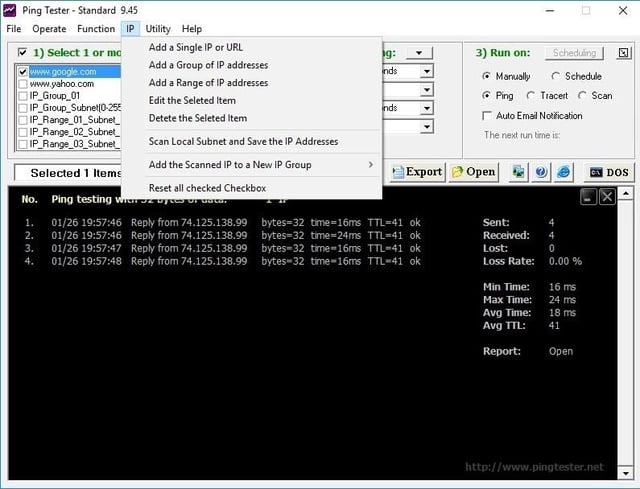
    Ping Tester offers a number of advanced functions, like the\r\nability to set individual parameters for ping tests and to schedule testing. The\r\nutility can also perform TRACERT-based testing.

    Ping Tester sells for $39.95, but a free trial version is available for\r\ndownload.

  • Network Inventory Advisor

    Network Inventory Advisor

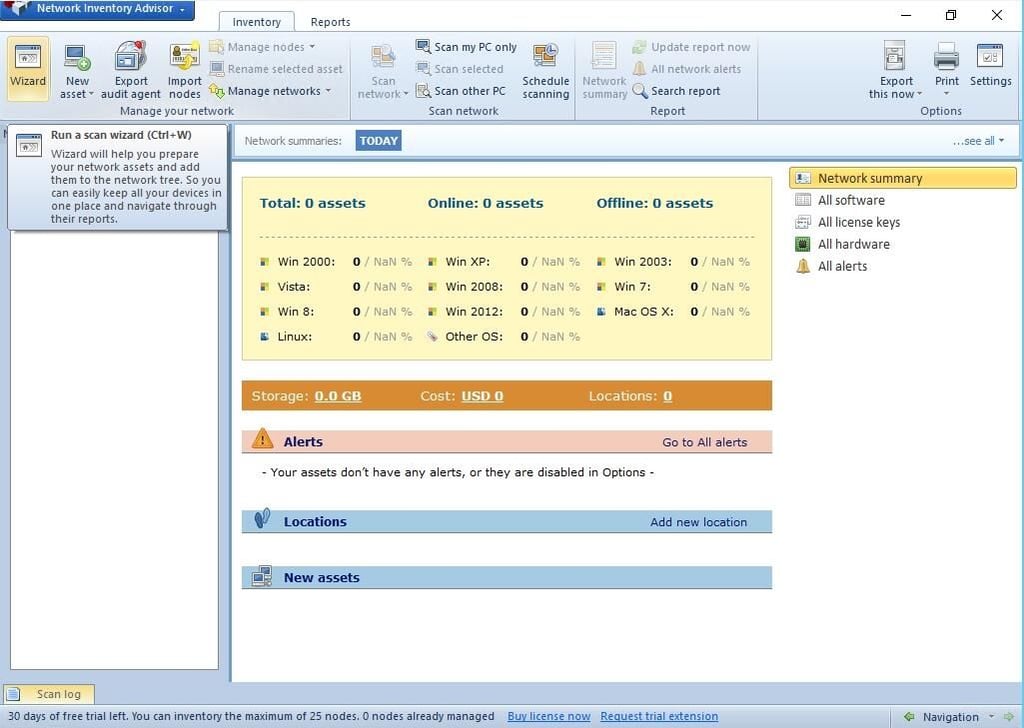
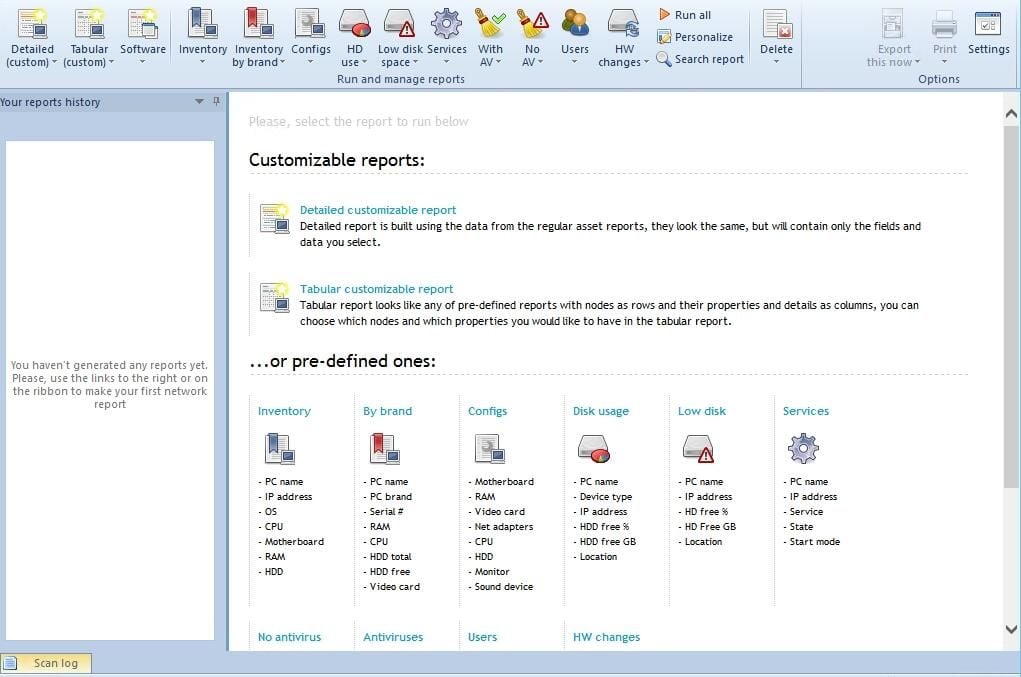
    Network\r\nInventory Advisor can help you discover the various resources on your\r\nnetwork. It uses a simple wizard-based interface and lists discovered devices\r\nby operating system. It also provides reports related to software, license\r\nkeys, hardware, and alerts. Network Inventory Advisor must be provisioned with\r\nadministrative credentials for the target devices so it can collect this\r\ninformation.

  • Network Inventory Advisor

    Network Inventory Advisor

    Network Inventory Advisor sells for $89.00, but a free trial\r\nversion is available for download.

  • Belarc Advisor

    Belarc Advisor

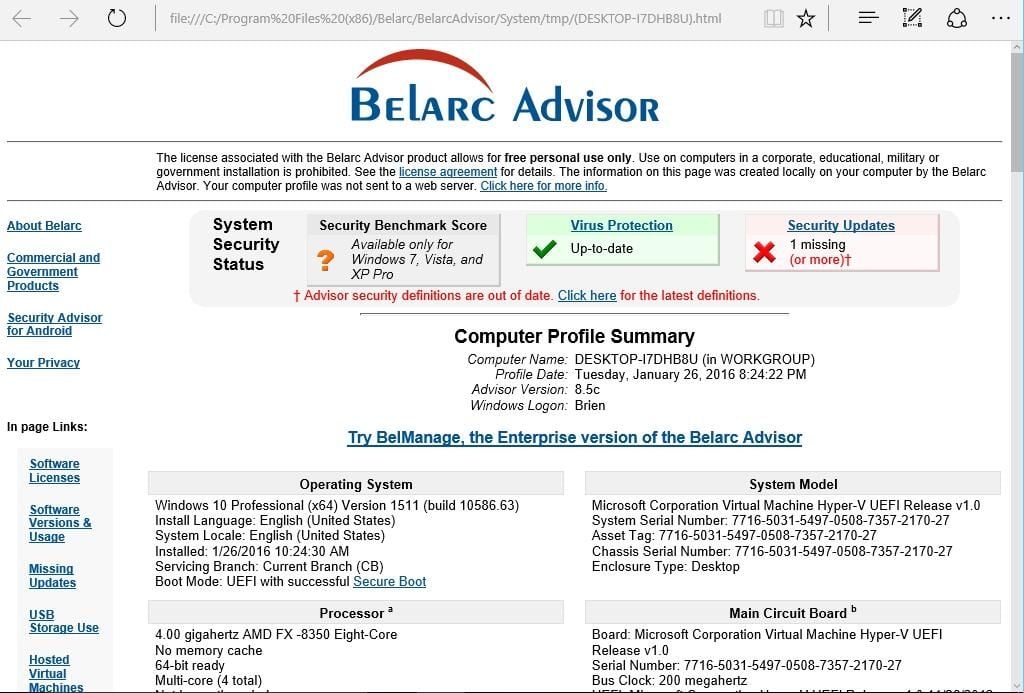
    Belarc provides the free tool primarily as a way of\r\npromoting BelManage, which is the enterprise version of Bellarc Advisor. As\r\nsuch, Belarc Advisor demonstrates some of these enterprise management\r\ncapabilities by performing a network device discovery. The software displays\r\nthe IP address, device type, device details, and device roles for each\r\ndiscovered device.

  • Advanced IP Scanner

    Advanced IP Scanner

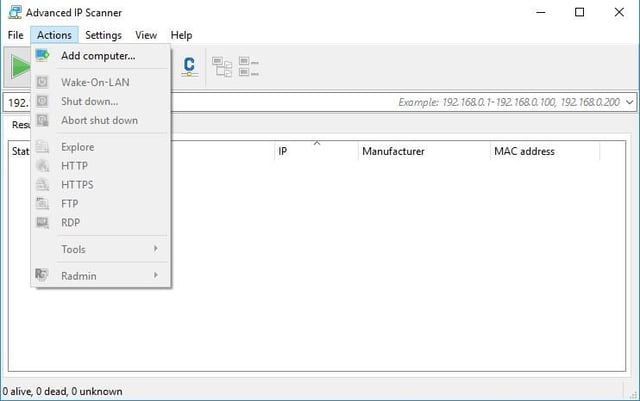
    Advanced IP Scanner displays the status, name, IP address,\r\nmanufacturer, and Mac address of each discovered device. You can enter IP\r\naddress ranges manually or scan addresses from a file. The software also allows\r\nyou to connect to discovered devices using protocols such as HTTP, HTTPS, FTP,\r\nand RDP.

  • Wireless Network Watcher

    Wireless Network Watcher

    For each discovered device, Wireless Network Watcher\r\ndisplays the IP address, device name, MAC address, network adapter\r\nmanufacturer, device information, user text, and the date on which the device\r\nwas first detected. The output can be customized to include additional\r\ninformation, such as when the device was last detected.

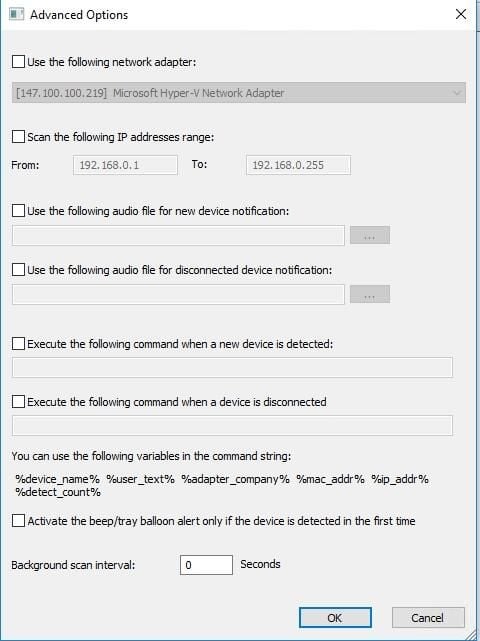
    Because this tool is designed to scan wireless networks, it\r\ncan be used as a security tool as well. You can set it up to keep tabs on your\r\nnetwork and alert you any time a new device is detected.

1 of 7
Brien Posey

* 1988 - Started teaching myself about computers \ * 1992 - Mainframe programmer for an insurance company \ * 1993 - Network Administrator for a different insurance company \ * 1996 - Author for The Cobb Group \ * 1998 - Network Administrator for Fort Knox \ * 1999 - CIO for chain of hospitals \ * 2000 - Gave up the corporate rat race to work out of my home. I have been a full time technical author ever since. Visit my Web sites at http://www.brienposey.com and http://www.relevanttechnologies.com \