Screenshots: Stay on target with these five free Android goal-tracking apps - TechRepublic

Screenshots: Stay on target with these five free Android goal-tracking apps

  • Intro

    Introduction

    Sometimes just keeping yourself\r\nabove water requires Herculean efforts. The more you get behind, the more\r\nimpossible it seems that you’ll be able to hit your goals. So what do you do\r\nwhen you’re drowning in tasks, to-do’s, and trouble tickets?

    You turn to goal tracking.

    The Google\r\nPlay Store offers offers plenty\r\nof goal-tracking apps, but choosing the right one for your needs can be a bit\r\ndaunting. Here are five good candidates that may help you monitor your goals\r\nand achievements.

    Note: This gallery is also available as an article.

    Image: iStockphoto.com/Olivier Le Moal
  • GoalTracker

    GoalTracker

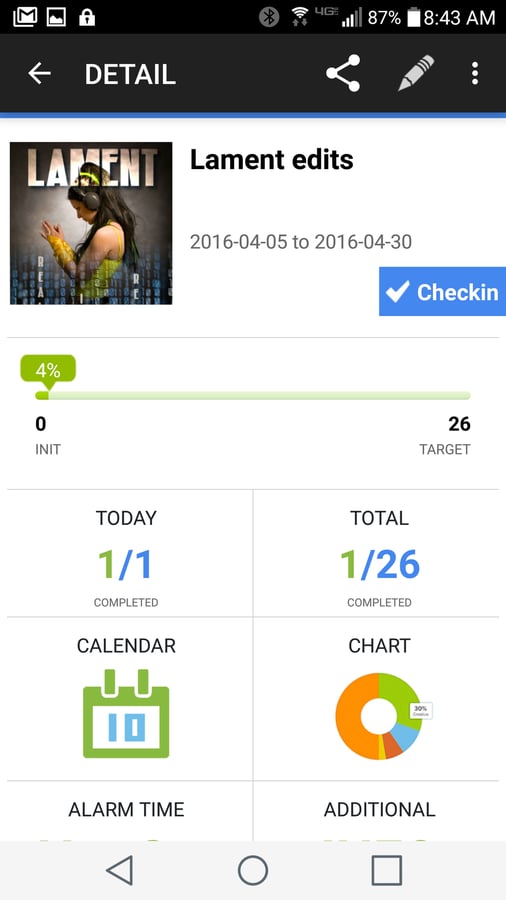
    Once you’ve created a goal, you\r\ncan get a quick overview of progress through that goal’s dashboard. The individual\r\ngoal dashboards really make GoalTracker stand out as one of the best in the\r\nfield. If you tend to get overwhelmed with too much information and need an app\r\nthat breaks down individual goals in a more visually oriented manner,\r\nGoalTracker has your back.

  • Goal Tracker & Habit List

    Goal Tracker & Habit List

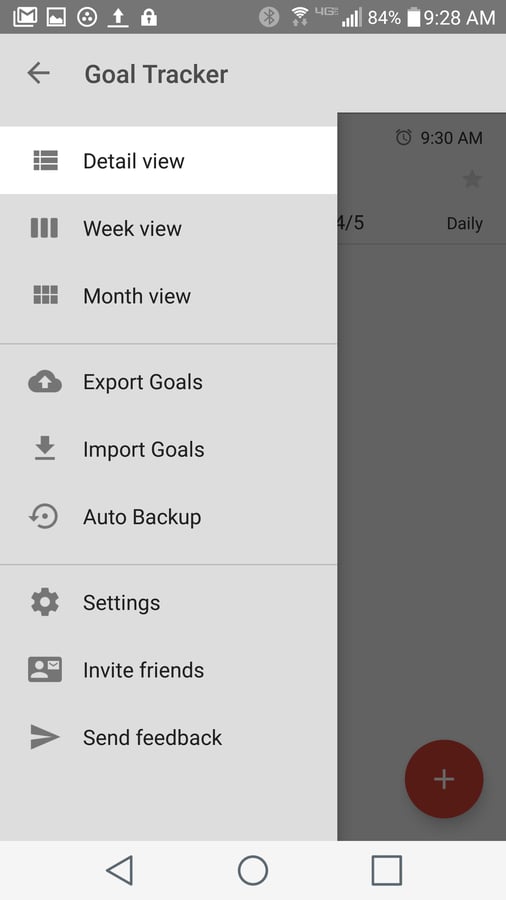
    You can view goals by Detail,\r\nWeek, or Month, as well as import and export goals (tap the Menu button in the\r\ntop-left corner to reveal the quick access sidebar for more options). This is\r\nthe perfect app for anyone who just wants to keep track of the progress of\r\ntheir tasks without having to worry about too many bells and whistles.

  • Raise the Bar

    Raise the Bar

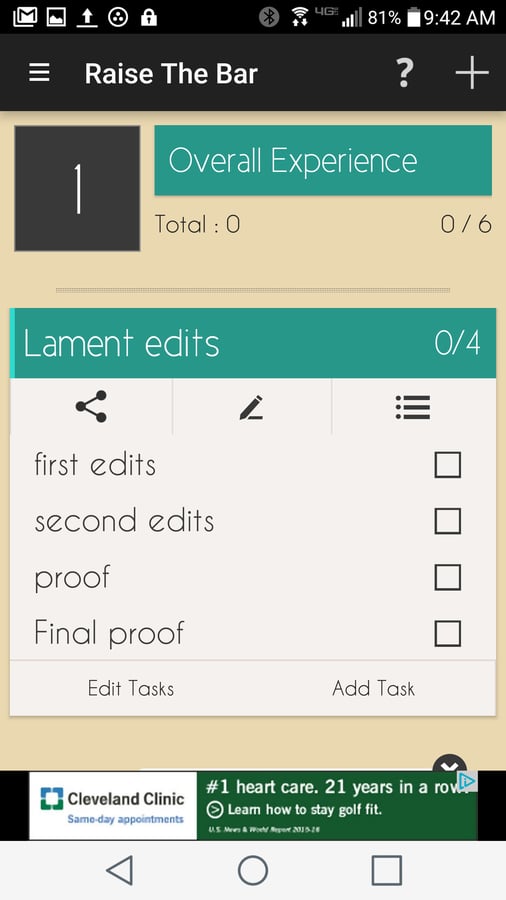
    Creating a goal is simple,\r\nthanks to a built-in wizard. You give the goal a name, select how you want to\r\ntrack the goal (by levelling up, milestone, or check list), select the bar\r\noptions (reminder, repeatable goal, or deadline), set a completed by date for the\r\ngoal, and then customize your goal’s bar. Once you’ve created the bar, you can\r\ncheck your stats, tag your goals, check off items from a list, and more. You\r\ncan enjoy unlimited goals and even edit data in your existing goals.

  • My Goals

    My Goals

    My Goals takes a unique approach. You create\r\ngoals (with tasks, deadlines, images, etc.) and then the app generates a\r\nmotivational mosaic on the main screen. Yes, this might seem a bit cheesy. But\r\nyou can tap on an image for your goal and immediately be taken to the detail\r\nscreen for that particular goal.

1 of 5
Jack Wallen

Jack Wallen is an award-winning writer for TechRepublic, The New Stack, and Linux New Media. He's covered a variety of topics for over twenty years and is an avid promoter of open source. For more news about Jack Wallen, visit his website jackwallen.com.