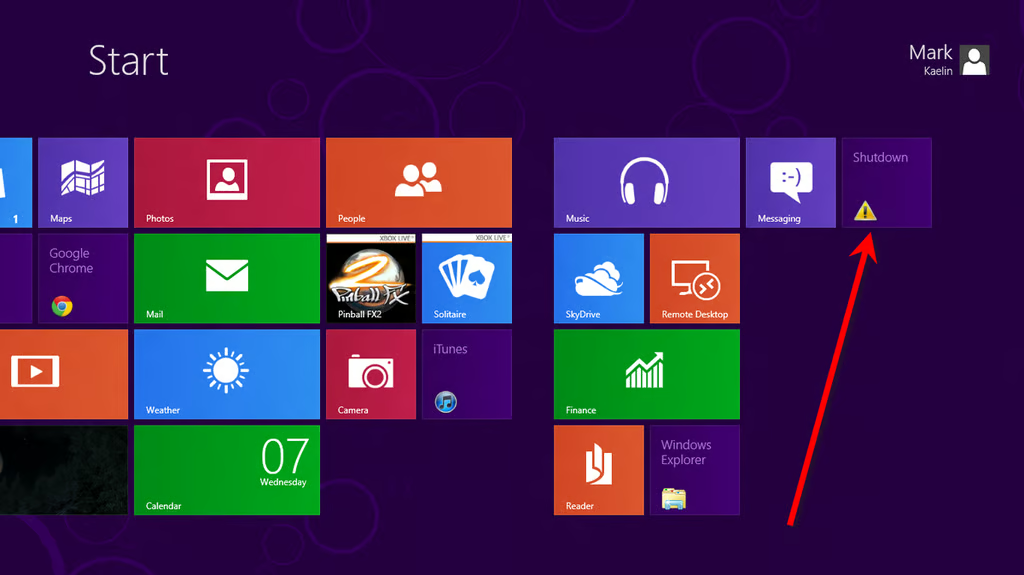
Pin to Start = new tile
\n\tOnly Windows 8
\n
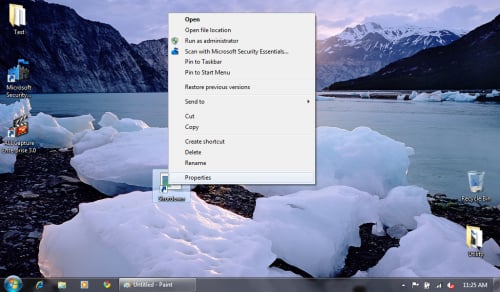
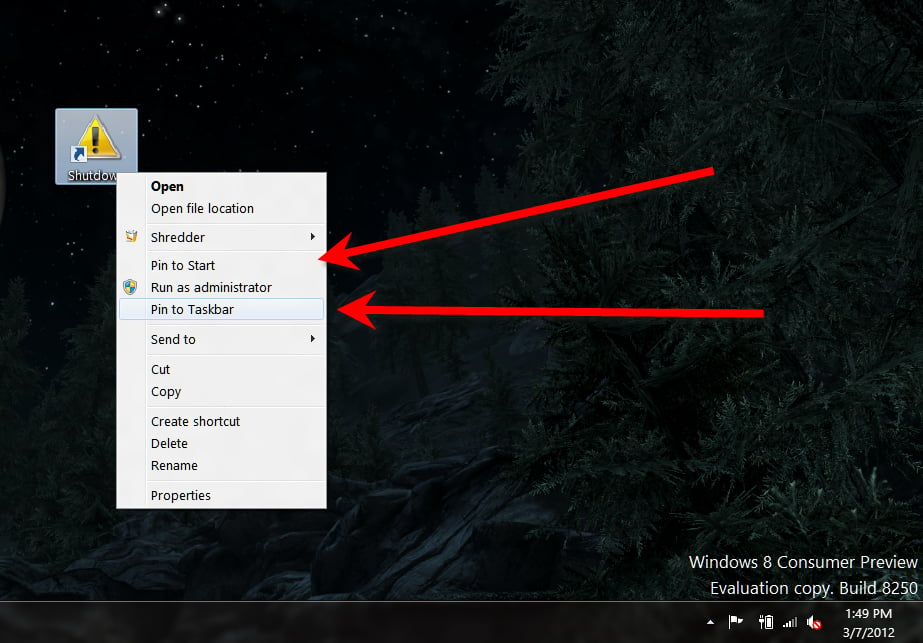
\n\tOne difference in Windows 8 is the “Pin to Start” feature. Since there is no Start Menu, this command actually pins a tile to the Metro Interface, as you can see.
\n
\n\tAdditional shortcuts
\n
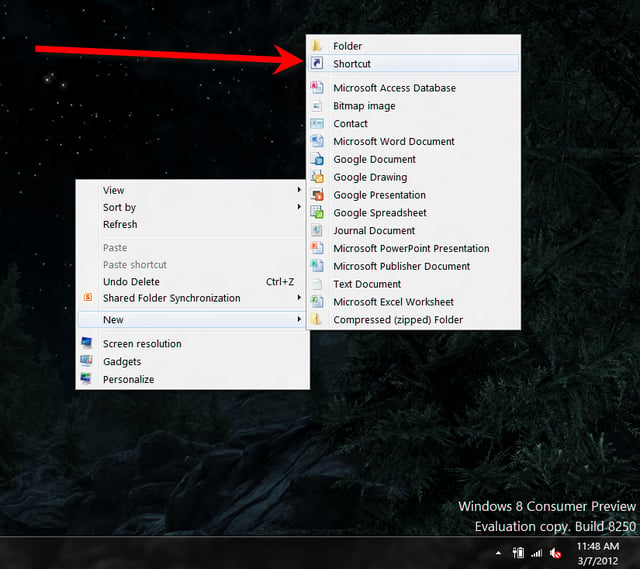
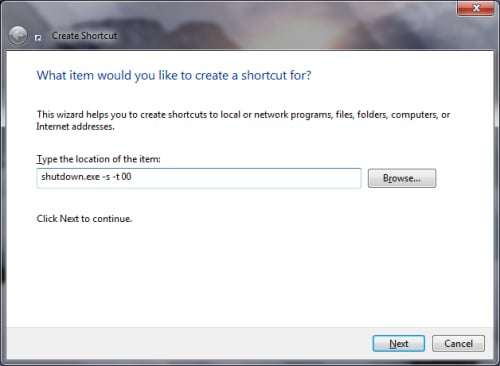
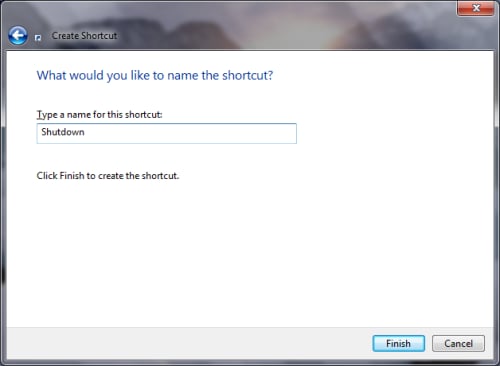
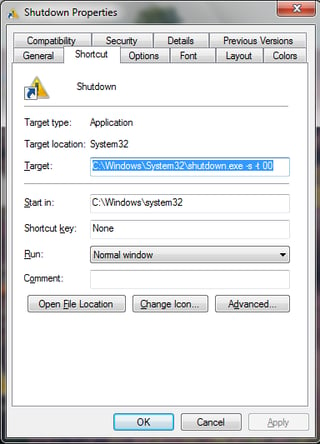
\n\tThere are several shutdown and power down commands that you can make into shortcuts. Creating shortcuts for these commands works exactly the same as our example shutdown shortcut.
\n
\n\tRestart Computer
\n
\n\tShutdown.exe -r -t 00
\n
\n\tLock Workstation
\n
\n\tRundll32.exe User32.dll,LockWorkStation
\n
\n\tHibernate Computer
\n
\n\trundll32.exe PowrProf.dll,SetSuspendState
\n
\n\tSleep Computer
\n
\n\trundll32.exe PowrProf.dll,SetSuspendState 0,1,0
\n
\n\tBottom line
\n
\n\tWhile it may not be obvious at first glance, you can indeed shutdown a device running Microsoft Windows 8. One easy way to accomplish the task is by using a desktop shortcut, which also doubles as a Metro tile, giving you several shutdown options. So with a little interface trickery, you can actually go from no way to shut down to three or four ways.
\n
\n\tImage by Mark Kaelin for TechRepublic.