System cleanup: Five good degunking tools - TechRepublic

System cleanup: Five good degunking tools

  • 00istock000008480474small.jpg

    Introduction

    All systems, be they desktops, laptops, smartphones, or\r\ntablets need a little cleaning now and then. Sometimes the cleaning is just a\r\nsimple riding various caches or deleting unwanted files. Other times, the\r\ncleaning is deeper and more involved. No matter what the situation, you need\r\nthe tools to be able to rid that system of what ails it.

    Note: This gallery is also available as an article.

  • Clean Master

    Clean Master

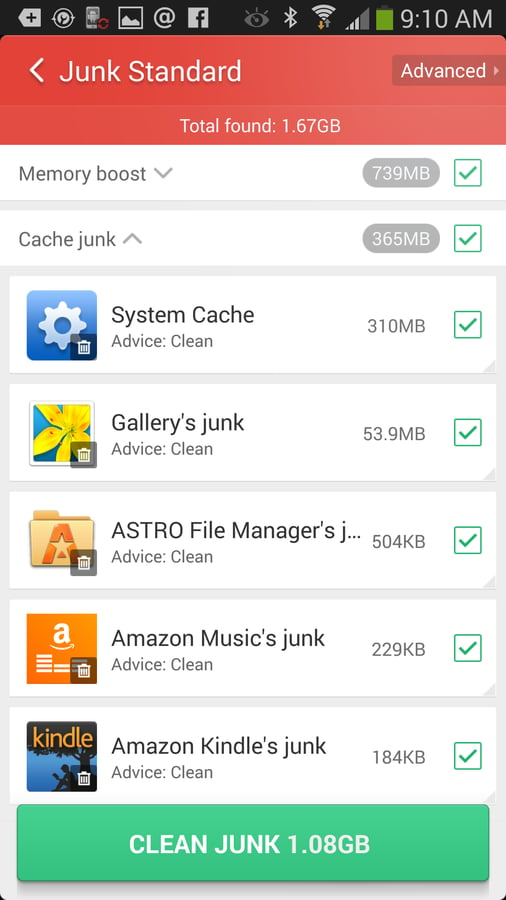
    Should\r\nyou be using a rooted device, Clean Master will allow you to uninstall carrier\r\nbloatware. Clean Master also includes a widget so you can free up RAM with a\r\nsingle tap. Rooted devices can move some apps to the SD card (through Clean\r\nMaster). Clean Master is a free app installed from the Google Play Store.

  • BleachBit

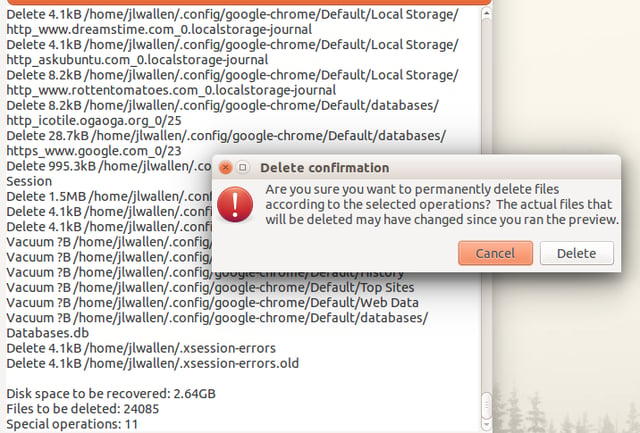
    BleachBit\r\nalso cleans up temp files from apps like LibreOffice, Thunderbird,\r\nTransmission, and VLC, X11, as well as app thumbnail files and system files. BleachBit\r\ncan be run safely as a standard user — or it can clean more thoroughly (but\r\nmore dangerously) as the root user. BleachBit is free and open source.

1 of 3
Jack Wallen

Jack Wallen is an award-winning writer for TechRepublic, The New Stack, and Linux New Media. He's covered a variety of topics for over twenty years and is an avid promoter of open source. For more news about Jack Wallen, visit his website jackwallen.com.