TPG Screen By Screen: Creating a new Web site in IIS 6.0 - TechRepublic

TPG Screen By Screen: Creating a new Web site in IIS 6.0

  • 6666.jpg

    Windows Server 2003 comes with its own built-in Web server called Internet Information Server 6.0 aka IIS 6.0. Getting a web site set up and running under Windows Server 2003 is a snap using the steps listed in this Screen By Screen.\r\n\r\n

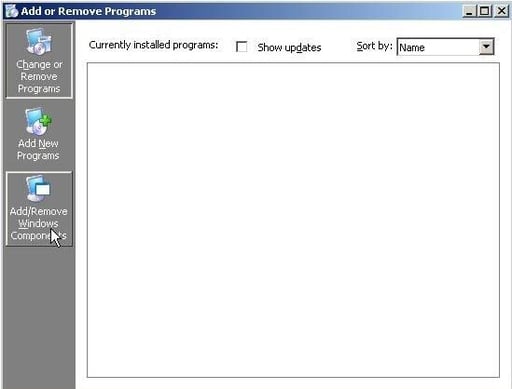
    \r\n\r\nWithin the Add or Remove Programs applet, click Add/Remove Windows Components.

    CNET Networks
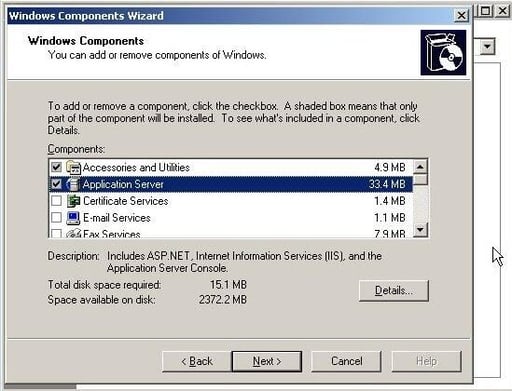
  • Select Application Server from the list of Components. Click the Details button.

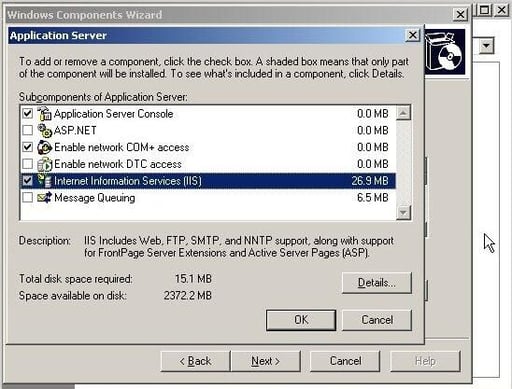
  • Select Internet Information Services (IIS) from the list of Subcomponents. Click OK and then click Finish.

  • After IIS 6.0 installs on your system, you may have to reboot. You’ll then need to go in to the Internet Information Services (IIS) Manager. To do so, click Start | Administrative Tools | Internet Information Services (IIS) Manager.\r\n\r\n

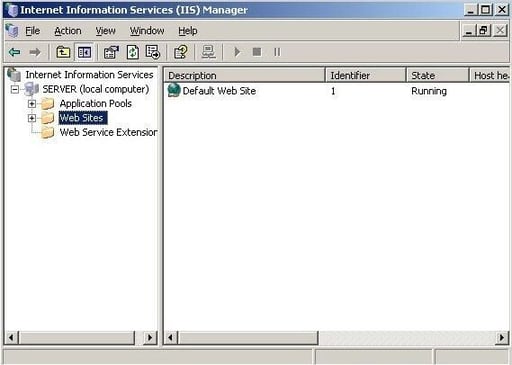
    \r\n\r\nWithin the Internet Information Services (IIS) Manager console, select Web Sites under the server in the left pane.

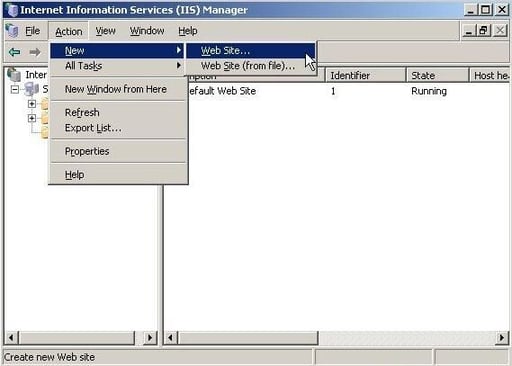
  • Click the Action menu, point to New, and click Web Site.

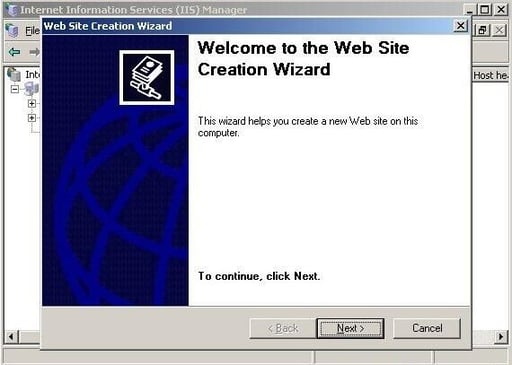
  • The Web Site Creation Wizard appears. Click Next to continue.

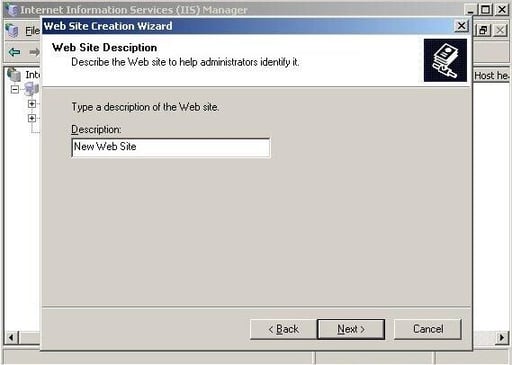
  • Type in a description for the new Web site. Click Next.

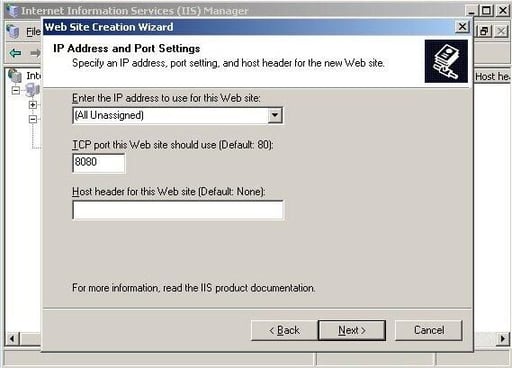
  • Type in the IP address and port settings. If required, specify the host header. Click Next.

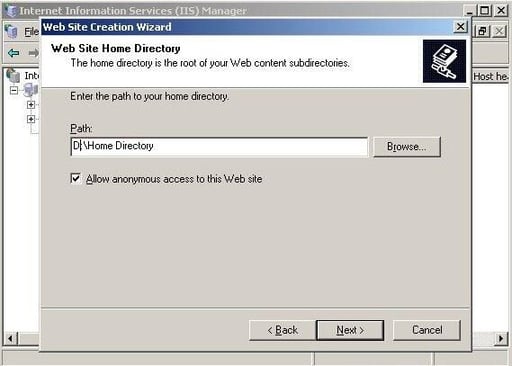
  • Enter in or browse to the path of the home directory. To only allow authenticated users access to the Web site, clear the check beside Allow Anonymous Access To This Web site. Click Next.

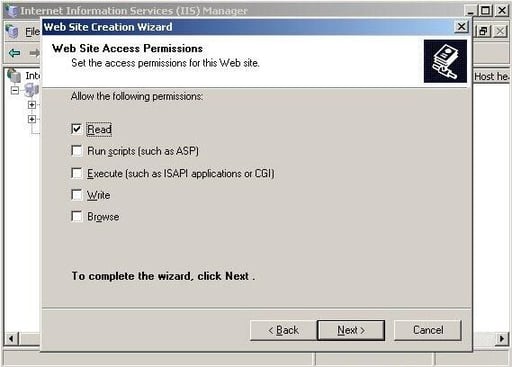
  • Specify the Web site access permissions. The default permission is Read. Click Next.

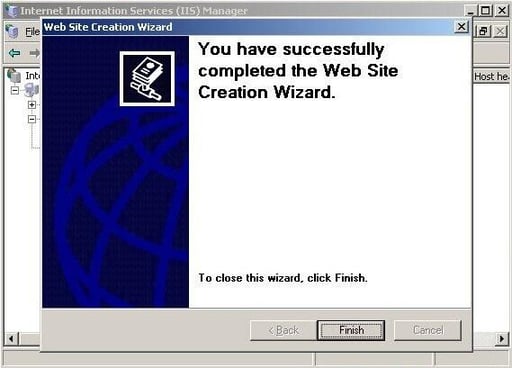
  • Click Finish.

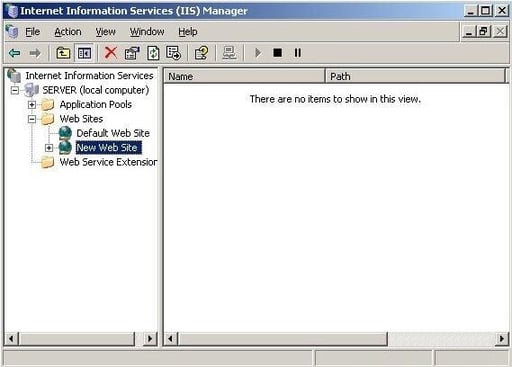
  • The new Web site will now appear within the Internet Information Services (IIS) Manager console.

1 of 12
BD

Bill Detwiler is the Editor for Technical Content and Ecosystem at Celonis. He is the former Editor in Chief of TechRepublic and previous host of TechRepublic's Dynamic Developer podcast and Cracking Open, CNET and TechRepublic's popular online show. Previously, Bill was an IT manager in the social research and energy industries. He has bachelor's and master's degrees from the University of Louisville, where he has also lectured on computer crime and crime prevention.