


I’ve previously written about IQTELL, a Get Things Done (GTD) application that brings a new level of
efficiency to your mobile email office and helps you make sense of the deluge
of information that comes into your inbox.
One way IQTELL aims to make your inbox less maddening is with the help of contexts. Working with contexts allows you to quickly move between tasks, based
on certain criteria, without the need to spend time searching.
Contexts usually break down into
three groups:
- Location-based
- Tool-dependent
- People-specific
You can think of contexts as tags, but only one contextual tag
can be assigned to an action. With this system, it’s easy to view all actions
based on their context. Using IQTELL’s context system will help clear your head
of the need to prioritize or organize your landslide of tasks. For example, it’s easy to take care of everything related to your Office if you’ve
associated tasks with the Office context. Go to the IQTELL home screen, tap
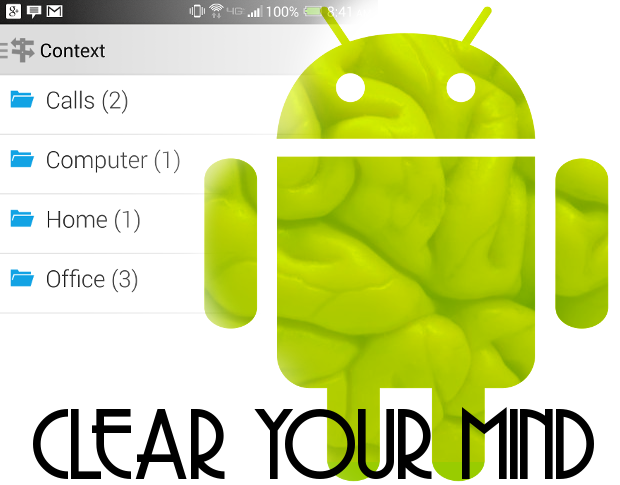
Context, and then tap Office (Figure A).
Figure A

IQTELL Context options on a Verizon-branded HTC One Max.
Now that you understand what this handy feature can do, let’s
walk through the usage of IQTELL’s contexts. I’ll assume that you already have IQTELL installed and you’ve been
using it as your go-to GTD application.
Set up
By default, IQTELL offers the following pre-configured
contexts:
- Agenda
- Calls
- Computer
- Errand
- Home
- Office
If you have a need for more contexts, you can’t add them from
within the Contexts portion of the app. This is my only point of contention
with the feature (IQTELL needs to add the ability to quickly add new contexts
from here). Instead, here are the steps to add a new context:
- Open up IQTELL
- From the home screen, tap Actions
- Open an action you want to associate with a new context
- Tap Context
- Tap Search/create new Context (Figure B)
- Type the name of the new context
- Tap the plus sign [+]
That’s it! Your new context is added and that action has
been assigned to the new context.
Figure B
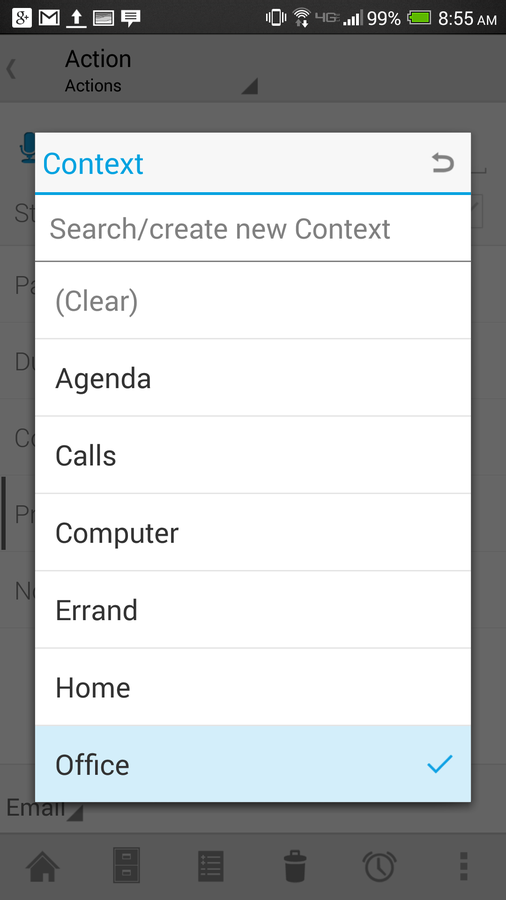
Adding a new context for IQTELL.
Now that you know how to add a new context and how to associate
an action to a context, let’s see how to make use of this helpful feature.
Usage
As you’ve probably guessed, using IQTELL’s contexts is really
simple. Here’s what you do:
- Open up IQTELL
- From the home screen, tap Contexts
- Tap the context you want to work with
- Find the action you want to tackle, and have at it
Without the help of contexts, you’d have to go to Actions and
search through the massive list of tasks awaiting you. Thanks to contexts,
however, you can easily find and access related actions and dispatch them
without a long, drawn-out search.
You can also quickly create Actions from within a context. When
you do this, the action will automatically be associated with that context.
Here’s how:
- Open IQTELL
- From the home screen, tap Context
- Tap the Context you want to use
- Tap Create a new action (Figure C)
- Type the new action
- Tap the checkmark
You’re done!
Figure C
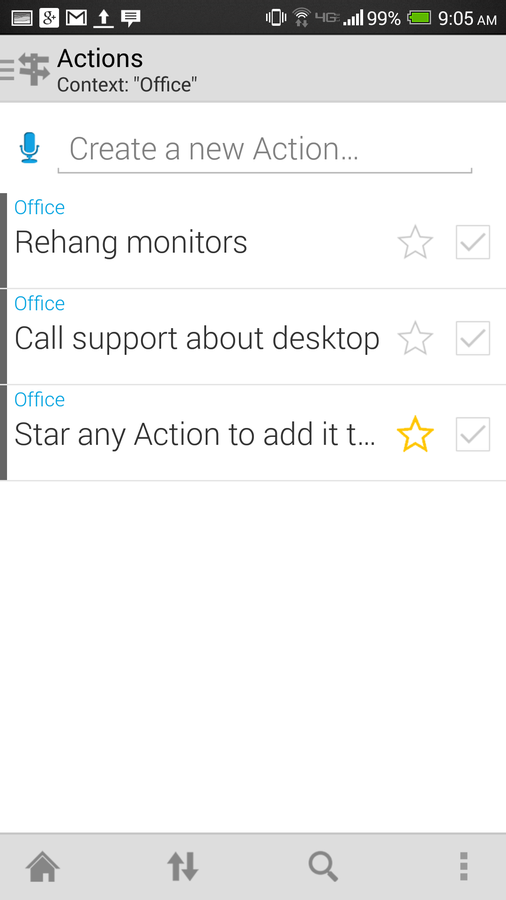
Creating a new action within a context.
If you’re one of those users who lives and dies by email, and you depend on email to help organize your life or business, then you really need
to use IQTELL’s context system. With a shallow learning curve and huge
organizational benefits, you’ll find your mind clear and free for other, more
important things.
Do you make use of a GTD app? Which app(s) do you use, and how does it help you get your
job done? Share your experience in the discussion thread below.