


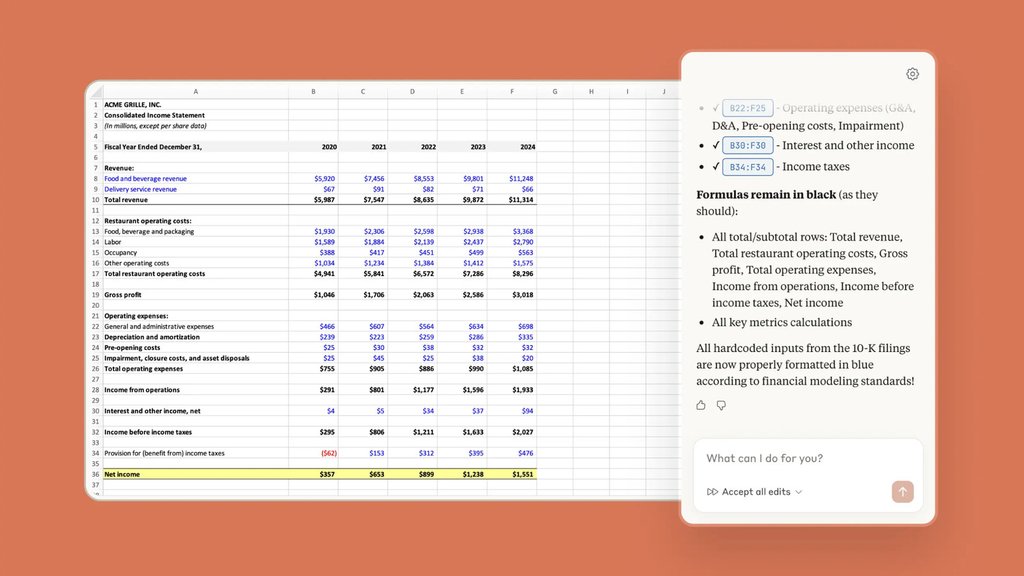
A spreadsheet can look perfectly polished and still contain a costly mistake. Adding an AI assistant doesn’t make that problem disappear.
Anthropic’s Claude for Excel is generally available to Pro, Max, Team, and Enterprise subscribers, helping users troubleshoot formulas, analyze data, and edit financial models without leaving Microsoft Excel. But AI-generated calculations still need checking, and users should understand how their data is handled before giving Claude access to sensitive workbooks.
Anthropic has also reported a Microsoft 365 compatibility issue that left some Windows users unable to access earlier add-in conversations and uploaded skills following updates in September and October 2026.
What Claude can actually do in Excel
Anthropic made Claude for Excel generally available on May 7, 2026. Its product documentation describes an assistant that can explain formulas, trace calculation errors, and build or modify models across worksheets.
A finance analyst could ask Claude to trace a revenue forecast across several tabs, change an assumption, or investigate an unexpected result.
Here’s what the add-in supports—and where Excel users still need other tools:
| Task | Claude for Excel |
|---|---|
| Explain and troubleshoot formulas | Supported |
| Edit models across worksheets | Supported |
| Sort, filter, and edit pivot tables | Supported |
| Apply conditional formatting | Supported |
| Work with VBA or macros | Not supported |
| Run Excel data tables | Not supported |
Claude supports Excel for the web and eligible Microsoft 365 versions on Windows and Mac, but not Excel 2016 or 2019 perpetual-license editions.
Users also need an eligible paid Claude subscription. The TechRepublic Claude Cheat Sheet explains subscription options, privacy controls, and other workplace integrations.
Behind our assessment: We reviewed Anthropic’s published capabilities, compatibility requirements, and security documentation alongside Microsoft’s deployment guidance.
What to check before trusting Claude with your spreadsheets
AI-generated formulas can look convincing even when their results are wrong. Before relying on a calculation, compare it with known figures, review dependent cells, and check whether changes affected other worksheets.
Data privacy deserves equal attention. Anthropic states that workbook content read through Claude-account sign-in is sent to its servers. Other supported provider configurations may have different data-handling terms.
According to Anthropic’s data-storage guidance, backend inputs and outputs are generally deleted within 30 days, subject to exceptions. Uploaded files and locally stored conversations have separate retention rules. The add-in does not inherit custom organizational retention settings or support zero data retention.
Chat history is stored locally rather than synchronized between devices. Following Microsoft’s September and October 2026 Windows updates, some users encountered inaccessible chat histories and uploaded skills. Anthropic says the information remains on affected devices but warns that clearing the add-in cache can delete it. Its support team cannot restore previous history directly into the add-in, although administrator-assisted recovery steps are documented.
For businesses, Microsoft’s deployment guidance explains how administrators can restrict add-ins to selected users or groups. Standard Claude Enterprise audit logs exclude add-in activity, although eligible organizations can access sessions through the Compliance API.
Anthropic also warns that untrusted spreadsheets may contain prompt-injection instructions designed to expose information or trigger unintended changes. These threats reinforce broader enterprise AI access-control concerns.
For everyday spreadsheet work, start with a copy of a familiar workbook and compare Claude’s changes against the original. For financial reporting, independently verify formulas and check for missing details. Similar AI document-review pitfalls show why an apparently complete answer still needs checking.
Claude for Excel can take some of the work out of building and troubleshooting spreadsheets. The final numbers, however, remain the user’s responsibility.
Want to learn more AI tips, tricks, and prompting techniques? Let us teach you How to Talk to AI for free! Try our six-minute course at The Neuron Academy, our practical learning platform designed to help professionals use AI more confidently at work.
Learn a few simple ways to write better prompts and get more useful results from AI, or browse our other AI course for free for seven days. Check out all the lessons here →