


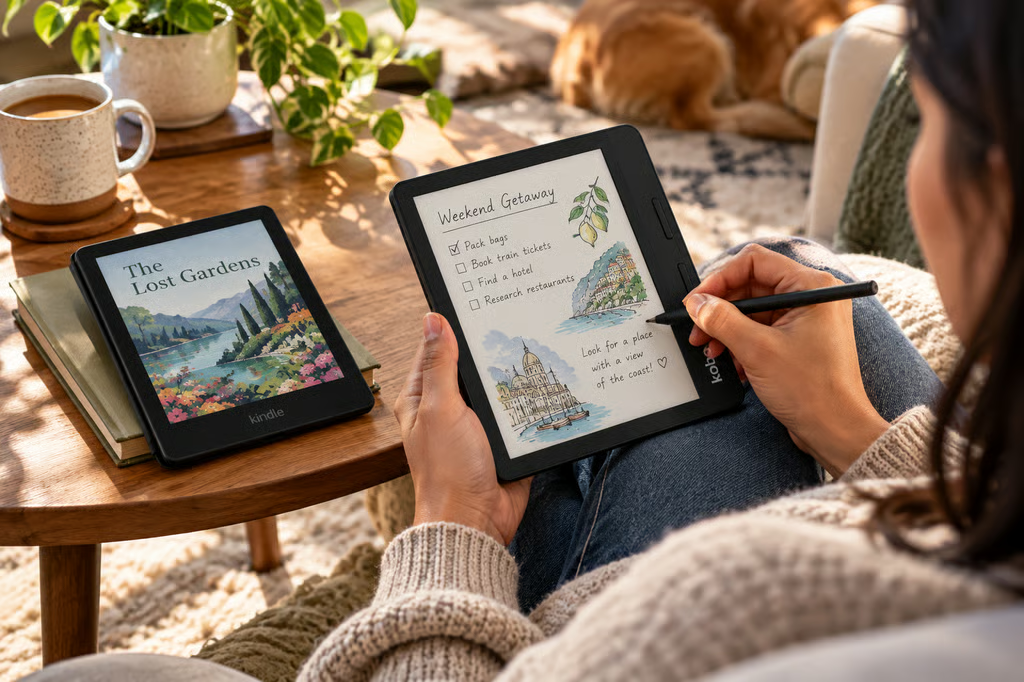
Amazon’s redesigned Kindle Colorsoft arrives Oct. 28, bringing updated hardware and new page-turn accessories to its color e-reader lineup. The 16GB model starts at $289.99, while the 32GB Signature Edition costs $319.99.
The Kobo Libra Colour is already available for $259.99 with 32GB of storage, physical page-turn buttons, and optional stylus support.
Both offer 7-inch color E Ink displays, but Kobo provides more reading controls and note-taking options for less money. Kindle’s advantage is its integration with Amazon’s ebook ecosystem.
Kindle Colorsoft vs Kobo Libra Colour: Specs at a glance
| Feature | Kindle Colorsoft (2026) | Kindle Colorsoft Signature Edition | Kobo Libra Colour |
|---|---|---|---|
| Price | $289.99 | $319.99 | $259.99 |
| Display | 7-inch color E Ink | 7-inch color E Ink | 7-inch Kaleido 3 |
| Storage | 16GB | 32GB | 32GB |
| Physical page-turn buttons | ✖ | Via optional cover | ✔ Built in |
| Stylus support | ✖ | ✖ | ✔ Optional |
| Adjustable warm light | ✔ | ✔ | ✔ |
| Automatic brightness | Not advertised | ✔ | Not advertised |
| Waterproof | ✔ | ✔ | ✔ IPX8 |
| Weight | 204g | Not separately confirmed | 199.5g |
| Library borrowing | Libby on supported US libraries | Same | Integrated OverDrive in supported regions |
| EPUB support | Conversion through Send to Kindle | Same | Native |
Prices are current US manufacturer list prices, excluding discounts and accessories.
How we compared
We compared Amazon’s newly announced 2026 Kindle Colorsoft models with the existing Kobo Libra Colour using official specifications, published prices, and independent reporting.
Our evaluation covered:
- Display and reading experience: Screen technology, lighting, portability, and available information about color performance.
- Page-turn controls: Built-in buttons, touchscreen gestures, and accessory compatibility.
- Notes and annotations: Stylus support, handwriting features, and document markup.
- Books and library access: Ebook stores, supported file formats, borrowing services, and regional restrictions.
- Price and value: Official US prices, storage, included features, and optional accessories.
We checked Amazon’s October 2026 announcement and Kobo’s current product specifications, then compared those details with reporting from WIRED, The Verge, and other established technology publications.
The Kobo Libra Colour has been independently reviewed, but the refreshed Kindle Colorsoft is still awaiting its Oct. 28 release. We therefore cannot make a tested comparison of screen quality, battery endurance, or page-turn responsiveness.
Manufacturer battery estimates are not directly comparable because testing conditions differ. Retail prices may also change after launch.
Display and reading experience
Both e-readers have 7-inch color screens designed for ebooks, comics, illustrations, and book covers.
Amazon says the new Kindle Colorsoft uses an updated display construction intended to improve clarity and contrast. The redesigned model is 6.8mm thick and weighs 204g.
The Signature Edition adds an aluminum housing, automatic brightness adjustment, and a double-tap gesture for turning pages.
The Kobo Libra Colour uses a Kaleido 3 display with 300 pixels per inch for black-and-white content and 150ppi for color. It weighs 199.5g and includes Kobo’s adjustable ComfortLight PRO front light.
Both devices support warm lighting and water resistance, making them suitable for reading in bed, outdoors, or near water.
However, the refreshed Colorsoft’s color resolution, battery endurance, and real-world display performance should not be assumed identical to the previous generation until independent testing confirms them.
Readers considering Amazon’s other models can compare their features in our Kindle lineup guide.
Page-turn buttons and accessories
Kobo has a practical advantage for readers who prefer physical controls.
The Libra Colour includes two page-turn buttons beside its screen. Users can hold the device with one hand and advance through a book without tapping the display.
The new Kindle Colorsoft relies on touchscreen controls, although Amazon is introducing accessories that provide additional options.
The $79.99 Page-Turn Cover adds physical buttons to the new Colorsoft Signature Edition. It connects through the device’s pogo pins and is not compatible with the standard Colorsoft.
Amazon also announced the $34.99 Kindle Click, a Bluetooth remote for page turning and brightness adjustments. It supports compatible Kindles released in 2024 or later.
Those accessories are useful for readers who want hands-free controls, but neither is included in the Colorsoft’s starting price.
A Colorsoft Signature Edition with the Page-Turn Cover would cost $399.98 before taxes. The Kobo Libra Colour provides its page-turn buttons for $259.99 without an additional purchase.
The Signature Edition also supports Amazon’s new charging dock through its pogo-pin connection.
Note-taking and document support
The Kobo Libra Colour is the more capable option for handwriting.
It supports the separately sold Kobo Stylus 2, allowing users to annotate compatible ebooks, mark up PDFs, and create handwritten notebooks.
Notes can be organized on the device, with supported cloud integration through Google Drive and Dropbox.
Amazon’s refreshed Colorsoft does not support pen input. Readers can highlight text and use standard Kindle annotation features, but they cannot write directly on the screen with a stylus.
Buyers who want Amazon’s reading ecosystem alongside extensive handwriting tools should consider the Kindle Scribe instead. Our Kindle Scribe comparison examines its note-taking features against a dedicated digital notebook.
For readers who mainly want to highlight passages, the Colorsoft’s simpler approach may be sufficient. Those who regularly annotate PDFs, write notes in margins, or maintain digital notebooks have more options with Kobo.
Ebook stores, file formats, and library borrowing
The Kindle Colorsoft connects directly to Amazon’s Kindle Store and supports Kindle Unlimited, Audible, and compatible ebooks sent through Amazon’s services.
That makes it convenient for readers who already own a substantial Kindle library or subscribe to Amazon’s reading services.
Kobo provides access to the Kobo Store, Kobo Plus, and a wider range of supported file formats.
The Libra Colour natively supports EPUB, EPUB3, PDF, MOBI, and several other document and image formats. Kindle users can transfer EPUB files through Send to Kindle, which converts them for use on the device.
Library borrowing also differs.
Kobo includes OverDrive integration in supported countries, allowing readers to borrow eligible library ebooks directly from participating libraries.
Kindle supports borrowing through Libby with participating US libraries, but that functionality is not available in every country.
Readers outside the US should confirm their library’s supported devices and lending services before choosing either e-reader.
Price and value
The Kobo Libra Colour currently costs $259.99 in the US, including 32GB of storage and physical page-turn buttons.
Amazon’s standard Colorsoft costs $289.99 with 16GB. The Signature Edition increases storage to 32GB and adds premium hardware features for $319.99.
That puts Kobo $30 below the standard Colorsoft and $60 below the Signature Edition.
The difference becomes larger if a Kindle buyer also purchases the Page-Turn Cover.
Kobo’s optional Stylus 2 adds to its cost, but buyers who only want to read can use the built-in buttons without purchasing accessories.
The best value depends on whether the additional expense provides a feature the reader actually needs. Kindle buyers are paying for Amazon integration and the redesigned hardware, while Kobo includes more controls and storage at a lower starting price.
Kindle Colorsoft vs Kobo Libra Colour: Which should you choose?
Choose the Kobo Libra Colour if you want physical page-turn buttons, optional handwriting, and more storage for less money. Its established hardware, native EPUB support, and library integration also make it appealing to readers who prefer flexibility outside Amazon.
Choose the Kindle Colorsoft if you already use Amazon’s ebook services. Kindle Store purchases, Kindle Unlimited, and Audible integration may outweigh Kobo’s hardware advantages, particularly for readers with an existing Kindle library.
The Signature Edition adds automatic brightness, an aluminum body, and support for Amazon’s new page-turn cover, but it costs more than Kobo before accessories.
For buyers without an existing preference, the Libra Colour offers the stronger documented feature set at its current price.
Anyone considering the refreshed Colorsoft should wait for independent testing after Oct. 28 if display quality, battery life, or responsiveness will determine the purchase.
Also read: Our best Kindle alternatives for 2026 guide compares other e-readers for buyers looking beyond Amazon.