


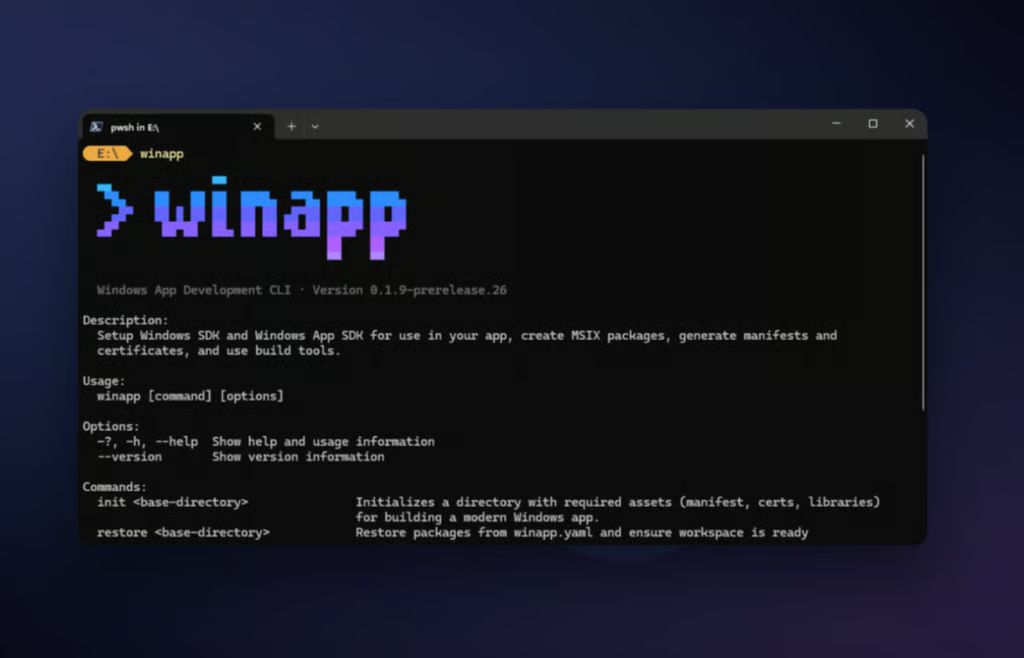
Microsoft is trying to make Windows app development feel a lot less painful.
This week, the company unveiled winapp, a new open-source command-line tool designed to cut through the setup, packaging, and configuration work that often slows developers down.
Announced on the Windows Blog, winapp is now available in public preview and is aimed at developers who build outside Visual Studio or MSBuild, including those using Electron, Rust, Dart, C++, or custom toolchains.
According to Microsoft, winapp is built to unify many of the most frustrating parts of Windows development into a single workflow.
“Windows development often involves managing multiple SDKs, creating and editing multiple manifests, generating certificates and navigating intricate packaging requirements. The goal of this project is to unify these tasks into a single CLI, letting you focus on building great apps rather than fighting with configuration,” said Nikola Metulev, product manager of Windows Platform & Developer.
Instead of juggling SDK installs, certificates, and manifests by hand, developers can now rely on a single CLI to handle much of that work automatically.
One command to get started
One of winapp’s headline features is its ability to set up a Windows app development environment with a single command. Running winapp init inside a project folder automatically downloads required SDKs, generates manifests and assets, creates development certificates, and configures dependencies.
Microsoft says this replaces a process that previously involved several manual and error-prone steps, especially for developers new to the Windows ecosystem.
For teams or shared projects, winapp also includes a restore command that recreates the same development environment across machines, with built-in support for GitHub Actions and Azure DevOps.
Testing without the wait
One of the most frustrating bottlenecks in Windows development has been testing features that require “Package Identity” (like AI APIs or system notifications). Traditionally, you had to package and install the entire app just to test a single update.
With the new CLI, developers can use winapp create-debug-identity to instantly add an identity to an executable. This allows for rapid-fire testing and debugging without the slow “package-install-test” loop. When the app is finally ready for the world, the winapp pack command turns the code into a store-ready MSIX package in seconds.
A major win for Electron and AI
Microsoft is paying special attention to the web-tech crowd. The CLI is available as an npm package, allowing Electron developers to bridge the gap between Node.js and native Windows features.
This is particularly relevant for the AI era. The tool simplifies integrating native features such as Phi Silica (Microsoft’s local AI model) directly into Electron apps. There are even experimental Node.js projections that let developers call Windows AI APIs directly from JavaScript.
How to get started
The winapp CLI is an open-source project, and Microsoft is actively looking for community feedback to shape its future. If you want to take it for a spin, you can install it right now:
- For general use: winget install microsoft.winappcli
- For Electron projects: npm install –save-dev @microsoft/winappcli
Detailed documentation and the source code are available on the official Microsoft GitHub repo.
Want more on Windows security? Here’s how hackers are actively disabling built-in Windows protections and what it means for users, according to a new TechRepublic report. 🔐