


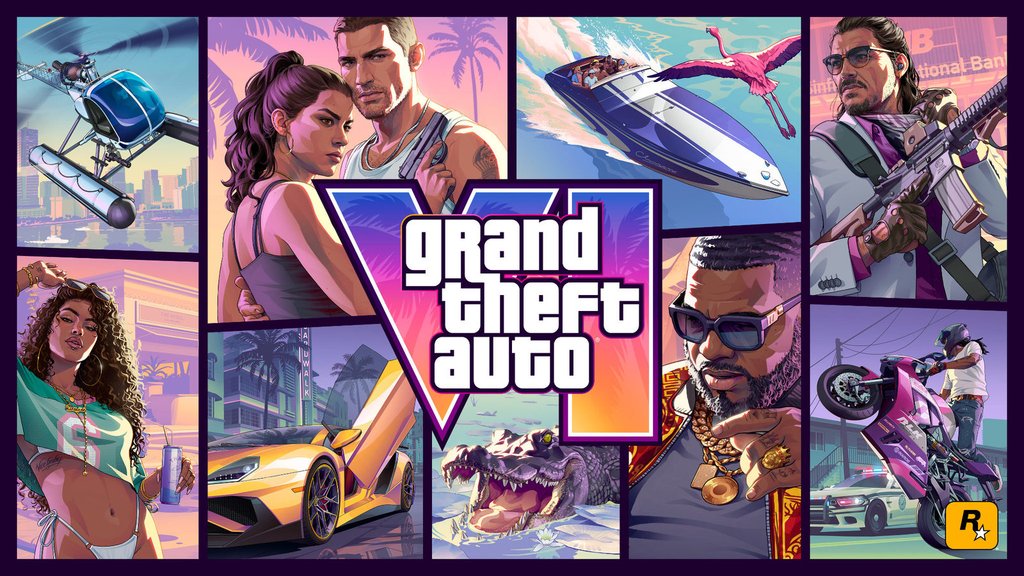
After years of waiting for GTA 6, the last thing PlayStation players needed was a network outage.
PlayStation Network (PSN) experienced two service disruptions on November 18 and 19, just before and during the release of Grand Theft Auto VI. Both incidents have since been resolved, according to independent outage monitoring, although Sony has not publicly explained what caused them.
The interruptions affected gaming and online features at an awkward time for one of the year’s biggest releases. With PSN restored, players still having trouble launching GTA 6 may be dealing with a separate download, account or licensing problem.
Two outages hit PSN as GTA 6 arrived
On November 18, PlayStation users reported failed sign-ins and connection problems. Sony acknowledged difficulties launching games, apps and network features while it worked to restore service.
CT Insider reported more than 1,800 complaints on Downdetector at one point. These were user-submitted reports, not a confirmed count of affected PlayStation accounts.
A second disruption followed on November 19. Independent outage monitor IsDown recorded approximately 24 minutes of degraded Gaming and Social services, including game streaming, beginning at 5:34 a.m. UTC. Its records also show a 32-minute disruption on November 18, although those monitored intervals may not capture every player’s connection problems.
The outages came around GTA 6’s November 19 release for PlayStation 5 and Xbox Series X|S. Sony previously announced that the game was the most preordered title in PlayStation Store history, allowing players to begin downloading it nine days before launch.
Sony also advised players to reserve at least 212 GB of storage on their PS5 consoles. Preloading gave buyers time to prepare for the game’s regional midnight release.
Sony has not confirmed that GTA 6 traffic caused either outage. The interruptions also followed other technology service disruptions in November, although no connection between those incidents has been established.
Fixing GTA 6 download and launch problems
Players still experiencing connection problems should first check the official PlayStation Network status page. If Sony reports an active disruption, console troubleshooting may not restore access until services recover.
For problems that persist while PSN is operational, Sony’s GTA 6 troubleshooting guide recommends several checks:
- Restart stalled downloads. Open Downloads/Uploads from the PS5 control center. Pause and resume the download, or cancel and restart it from Game Library if necessary.
- Check system software. Go to Settings > System > System Software > System Software Update and Settings to look for updates.
- Verify storage and ownership. Check available storage and confirm you’re signed in to the account that purchased or redeemed GTA 6.
- Check console sharing. If another account owns the game, enable Console Sharing and Offline Play under Settings > Users and Accounts > Other.
For a padlock or licensing error, players can also restore PlayStation game licenses under Settings > Users and Accounts > Other > Restore Licenses.
Sony has not explained what caused either outage, but both recorded incidents have been resolved. Anyone still locked out of GTA 6 should check PSN’s service status first. If the network is working, the problem may be an incomplete download, a licensing error or a console setting.
Read more: TechRepublic has also covered Apple’s November service outage and recovery and the security risks of fake GTA 6 downloads spreading malware.