


How cumbersome is it to have to constantly switch between the Gmail and Email apps on Android? Or how about flip between Gmail accounts in the same app? If you’re very busy and constantly on the go, it can quickly turn into a real waste of time–especially when you’re dealing with multiple email accounts. Thankfully, Google has picked up on that and enabled their tried-and-true Gmail app for multiple accounts–with a nod to simplicity and ease of use.
Although it’s simple to set up, switching between accounts isn’t terribly obvious. However, once you know the secret, it couldn’t possibly be any easier.
Additional accounts
Before I reveal the secret sauce, let me first show you how to add an addition account to the Gmail app. You might think this is done from Settings | Accounts. It’s not. Here’s what you need to do:
- Open up Gmail on your Android device
- Swipe right from the left edge of the screen
- In the sidebar, scroll all the way down to the bottom
- Tap Settings
- Tap Add account
- Tap either Google or Personal (IMAP/POP)–Figure A
- Complete the account setup wizard
Figure A
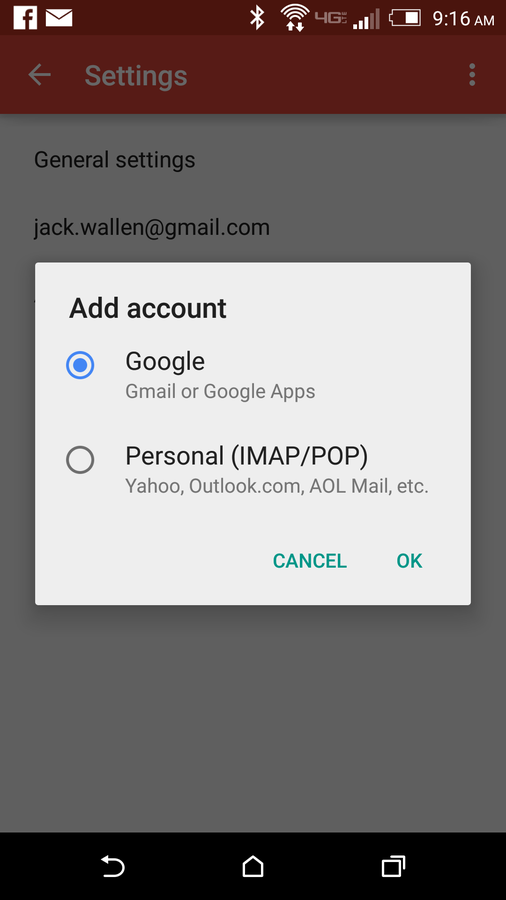
Adding a new account on a Verizon-branded HTC M8.
Once you’ve added the account, it should immediately start syncing.
Switching between accounts
The good news? Google has managed to make working with multiple Gmail and IMAP/POP accounts very simple. Let’s assume you have multiple Gmail accounts and multiple IMAP/POP accounts setup on Gmail. How do you do this? From with the Gmail app, right swipe from the left edge of the screen to reveal the sidebar. At the top of the sidebar (Figure B), you should see small bubbles representing all of your accounts. You can tap a bubble to quickly switch between accounts.
Figure B
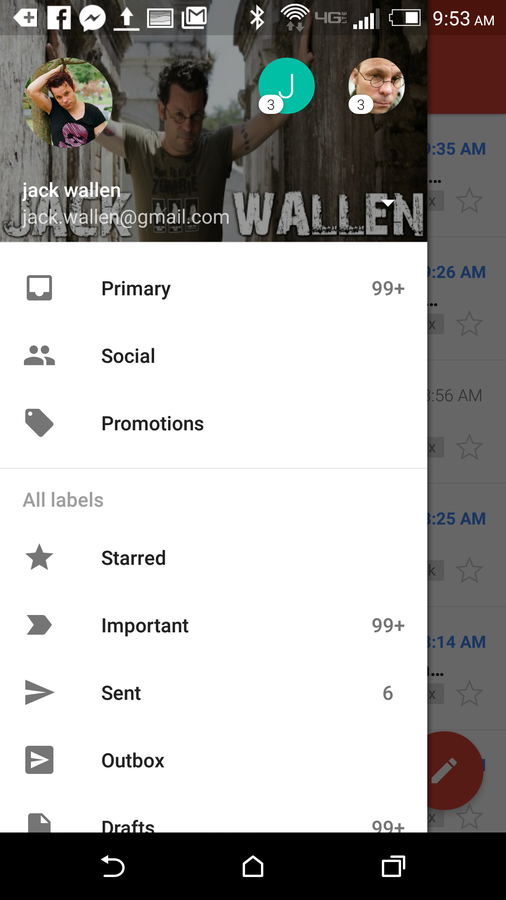
Switching between Gmail and IMAP/POP accounts.
Using this “bubble system,” you can switch between your Gmail accounts, your IMAP/POP accounts, or between Gmail and IMAP/POP accounts. Google has also included another little trick. If you have multiple Google Mail accounts configured on Gmail, you should notice an All Mail folder in the sidebar (Figure C). If you tap that entry, you’ll see a universal inbox for your Google Mail accounts only (that’s right, IMAP/POP accounts are not included in All Mail).
Figure C
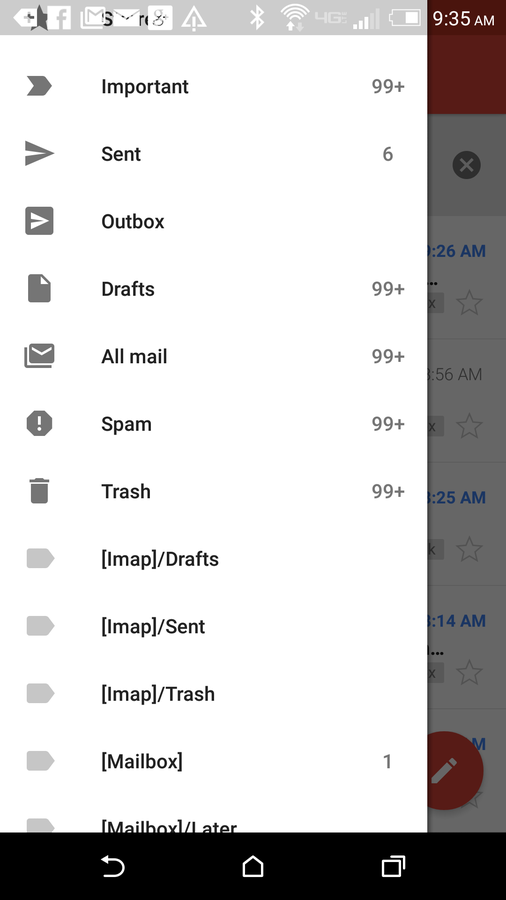
The Gmail All Mail folder.
Google has managed to make it much easier to work with multiple accounts in Gmail. Whether you have multiple Google Mail accounts, multiple IMAP/POP accounts, or a mixture of both, Gmail has become a means to a very productive and efficient end.
Do you use Gmail on your Android device–or have you found a better email app to work with all of your accounts? Let us know in the discussion thread below.