Extend Outlook 2013's feature set with these five free apps - TechRepublic

Extend Outlook 2013’s feature set with these five free apps

  • outlookgalleryhero2.jpg

    Extend Outlook 2013's feature set with these five free apps

    One of the nice things about Outlook 2013 is that it is\r\nextensible through the use of apps. You can install an app for Outlook 2013 by\r\nclicking on the Files menu and then clicking the Manage Apps button and\r\nfollowing the prompts. Once you install an app, it will be invoked\r\nautomatically when you compose or view a message — but only when appropriate.\r\nFor example, an app that is designed to map addresses is typically invoked only\r\nwhen you open an email that contains an address. Apps are accessible via a link\r\nlocated just above the message body.

    Let’s take a look at five free Outlook 2013 available from\r\nthe Office Store. (Note: These apps require a connection to Exchange Server 2013.)

    This gallery is also available as an article.

  • Email Translator

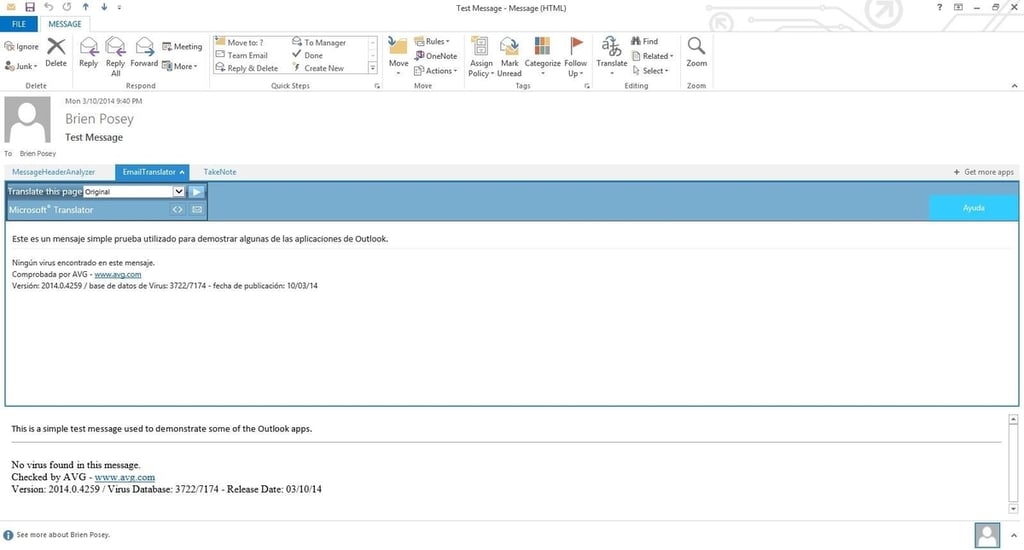
    Email Translator

    One helpful thing about this\r\napp is that it allows you to restore a message’s original text if necessary. To\r\nput this capability to the test, I wrote a message in English, translated it to\r\nSpanish, then to Chinese, and then to Russian. Email Translator was still able\r\nto recover the original English text.

  • Package Tracker

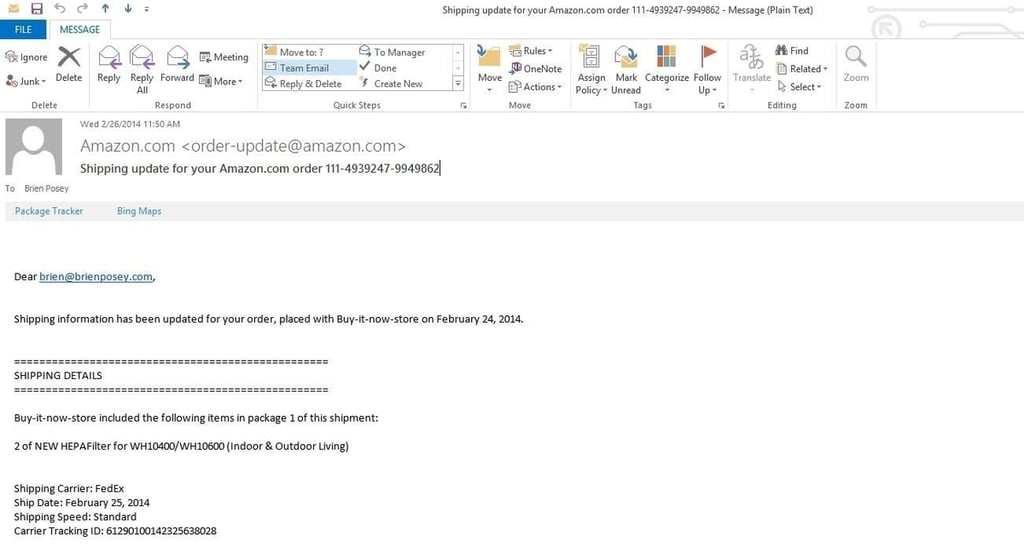
    Package Tracker

    Package Tracker helps you track packages that are being delivered by FedEx.\r\nSimply open any message that includes a FedEx tracking number and click on the\r\nPackage Tracker link. After you accept the terms of use, the tracking\r\ninformation will be displayed directly within the message.

  • Message Header Analyzer

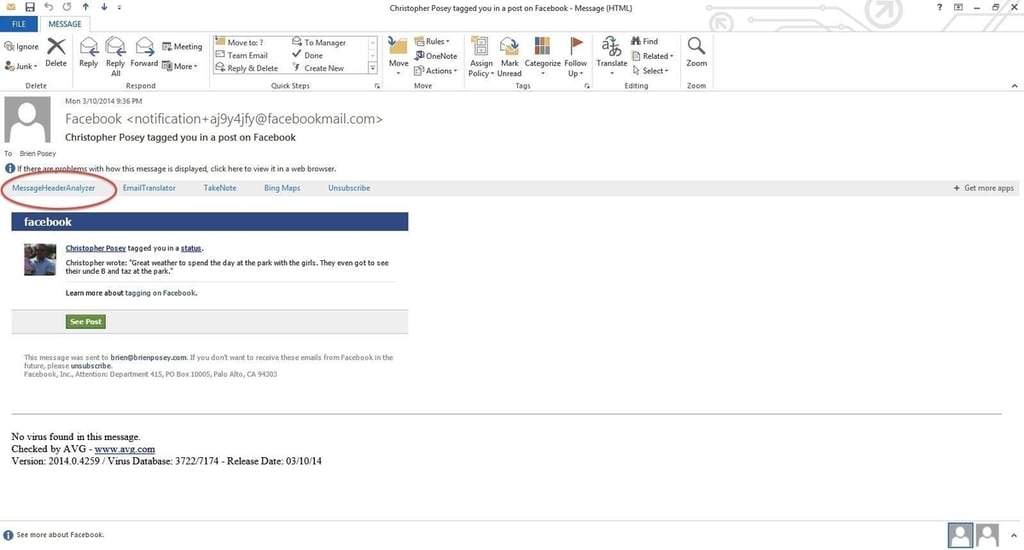
    Message Header Analyzer

    Message Header Analyzer is a really useful app for IT pros and for anyone else who\r\nwants to analyze a message header. It displays message header information with\r\nthe click of a mouse.

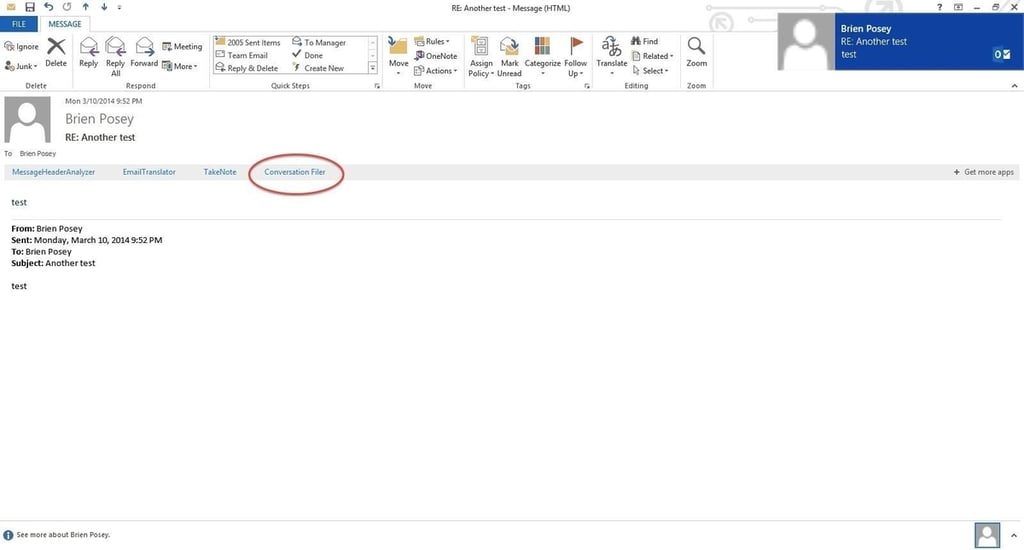
  • Conversation Filer

    Conversation Filer

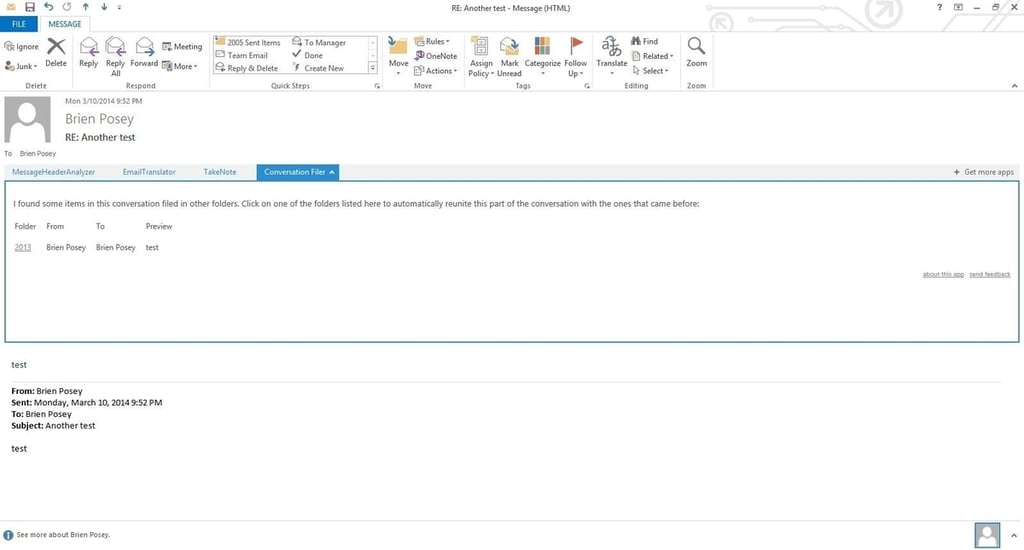
    Conversation Filer is a free app that’s designed to help you place messages\r\nin the appropriate folders. If you receive an email that’s part of a\r\nconversation you filed in a different folder, the app will prompt you to move the\r\ncurrent message to that folder too.

  • Conversation Filer

    Conversation Filer

    It’s true that you could\r\ncreate an Outlook rule to perform such a task, but rules are often based on the\r\nrecipient name and may break if you are listed as a BCC.

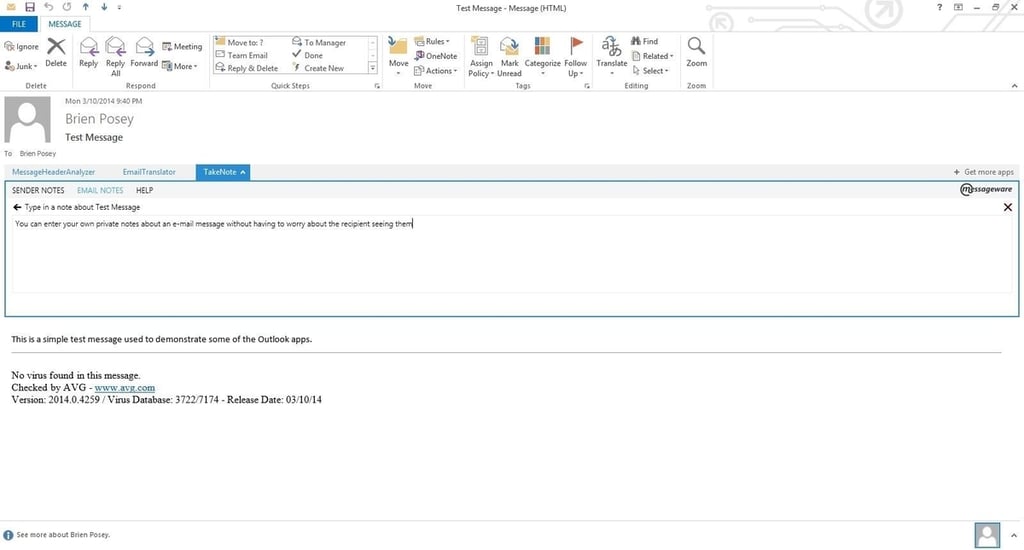
  • Messageware TakeNote

    Messageware TakeNote

    You can also append notes to\r\nindividual email messages. These notes are private and are for your reference\r\nonly. They are not sent if you forward the message to someone.

1 of 7
Brien Posey

* 1988 - Started teaching myself about computers \ * 1992 - Mainframe programmer for an insurance company \ * 1993 - Network Administrator for a different insurance company \ * 1996 - Author for The Cobb Group \ * 1998 - Network Administrator for Fort Knox \ * 1999 - CIO for chain of hospitals \ * 2000 - Gave up the corporate rat race to work out of my home. I have been a full time technical author ever since. Visit my Web sites at http://www.brienposey.com and http://www.relevanttechnologies.com \