This gallery is also available as a TechRepublic article.
As\r\nIT professionals, and computer enthusiasts, we throw around a lot of acronyms. Perhaps\r\ntwo of the most popular in the last few years are IaaS\r\n(Infrastructure-as-a-Service) and PaaS (Platform-as-a-Service). These are\r\ncommonly associated with cloud hosting providers, such as Amazon AWS,\r\nRackSpace, Windows Azure, and countless others. And while each of these\r\nproviders offer their own management interfaces, the major players often\r\nprovide APIs which allows for third party management tools, custom scripting,\r\nand other automation.
Credit: Images by\r\nWally Bahny for TechRepublic
This gallery is also available as a TechRepublic article.
\r\n\r\n
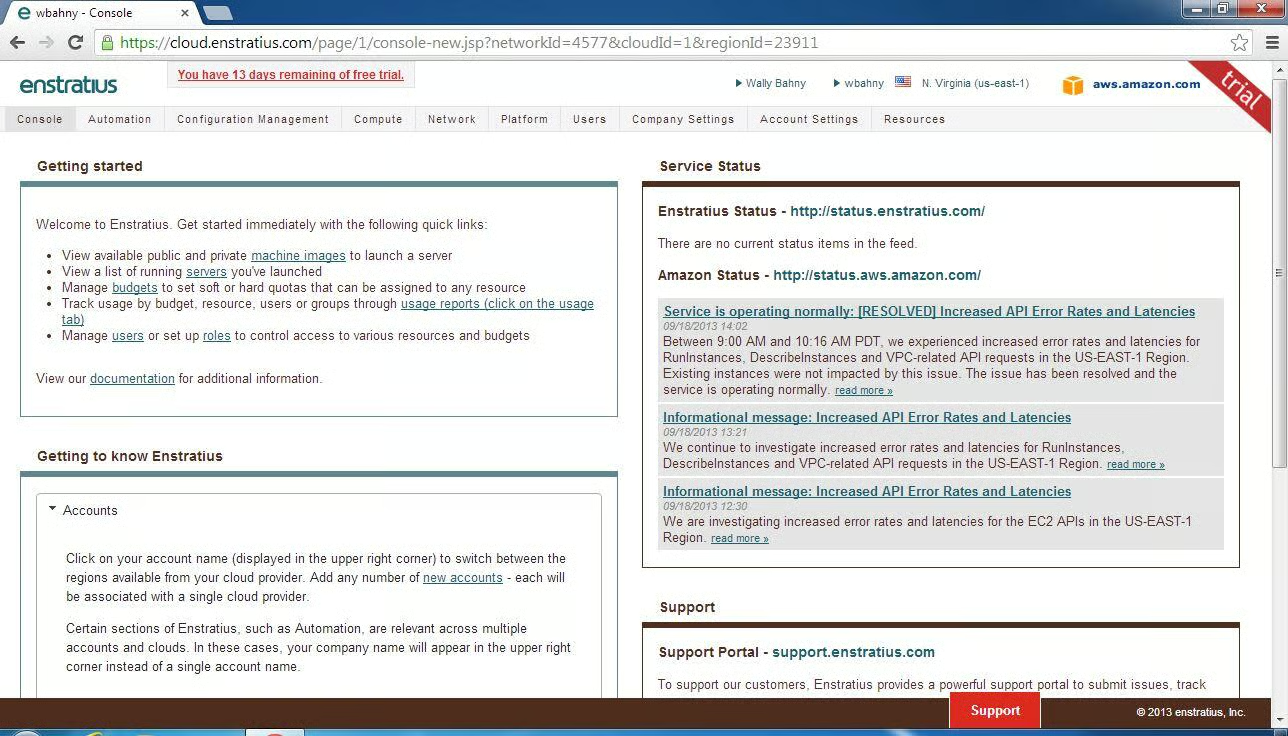
The dashboard for Enstratius contains some information to\r\nhelp get new users started as well as the ability to monitor Enstratius and\r\nAmazon services.
\r\n\r\n
Credit: Images by\r\nWally Bahny for TechRepublic
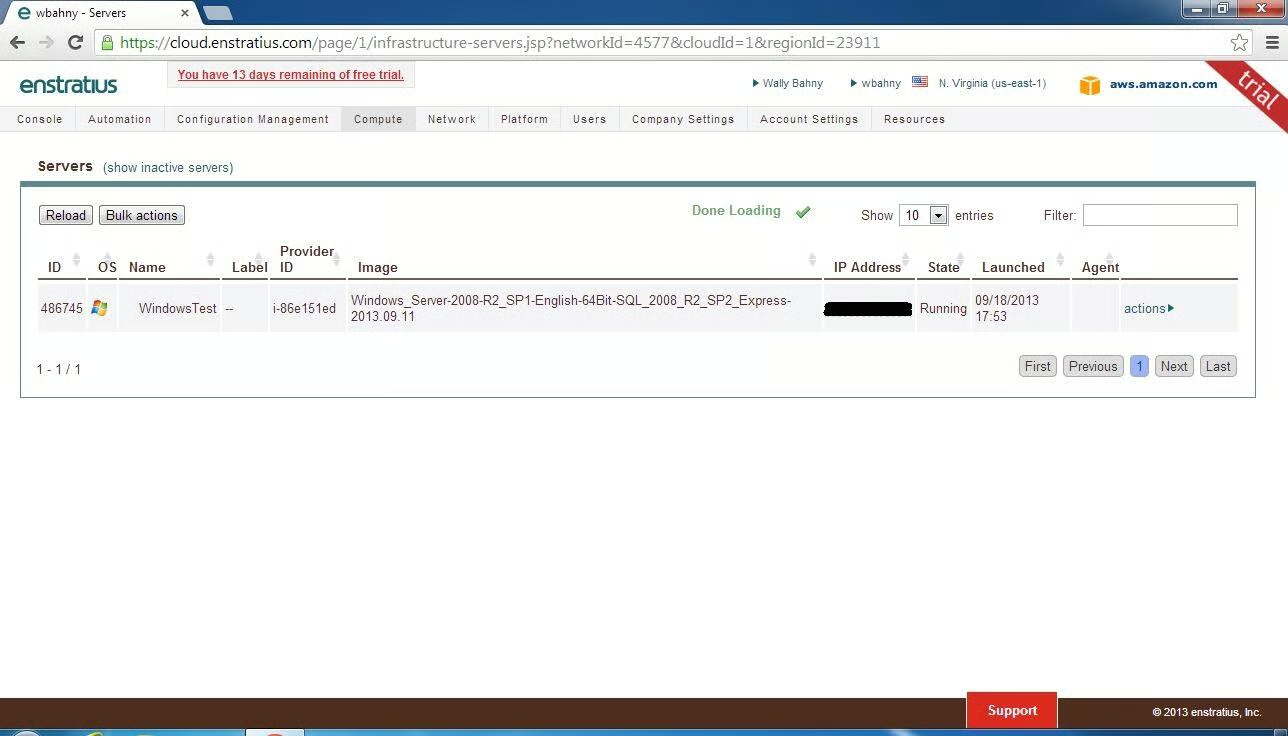
Under the Compute menu, Servers lists all active servers in\r\nyour Amazon AWS environment
\r\n\r\n
Credit: Images by\r\nWally Bahny for TechRepublic
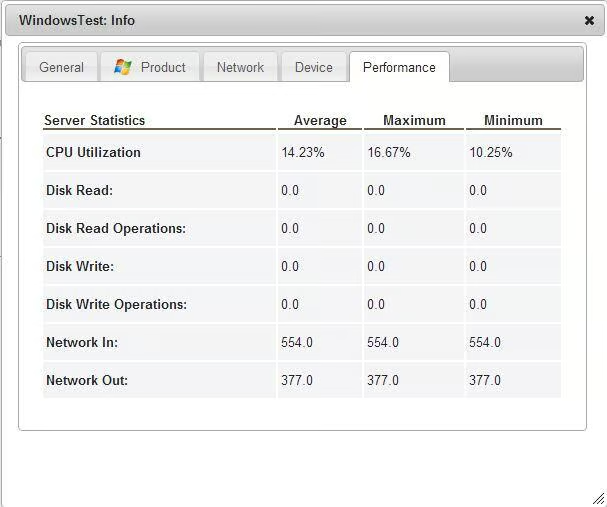
Enstratius contains some quick-glance usage statistics on\r\nyour servers.
\r\n\r\n
Credit: Images by\r\nWally Bahny for TechRepublic
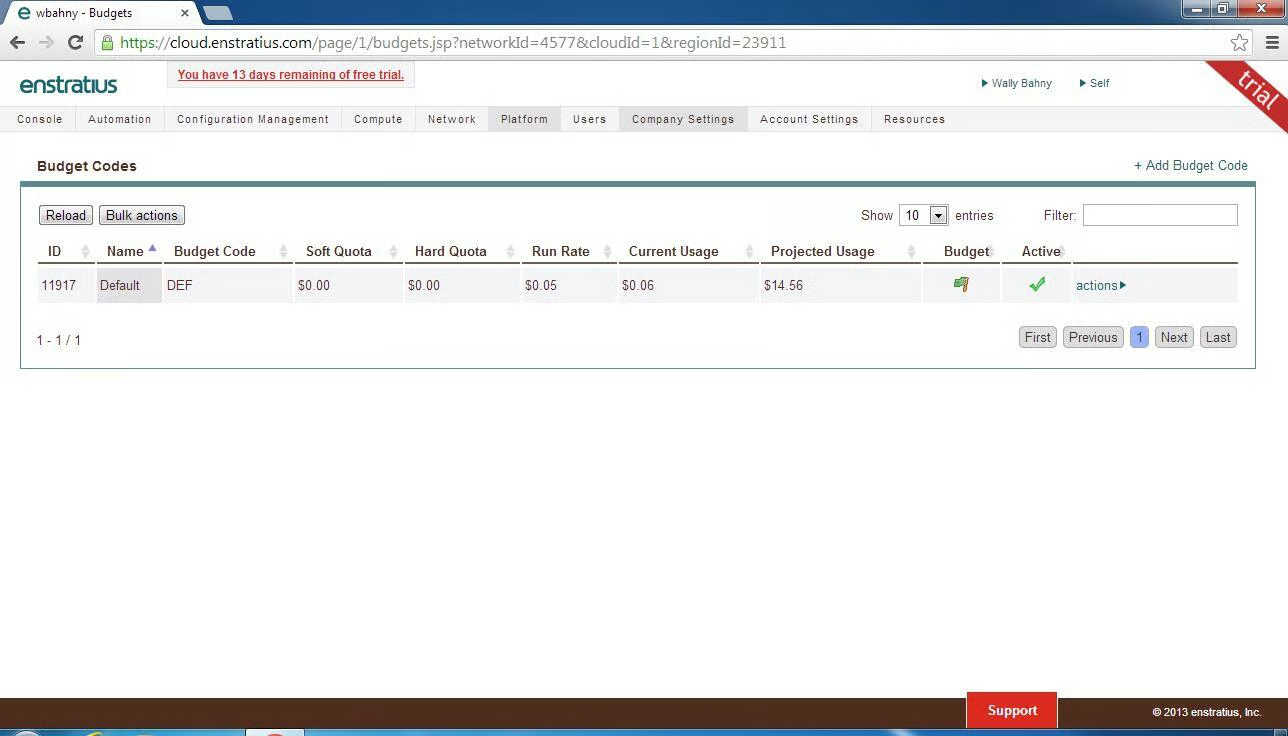
Enstratius helps administrators monitor and project their\r\nsystem expenditures.
\r\n\r\n
Credit: Images by\r\nWally Bahny for TechRepublic
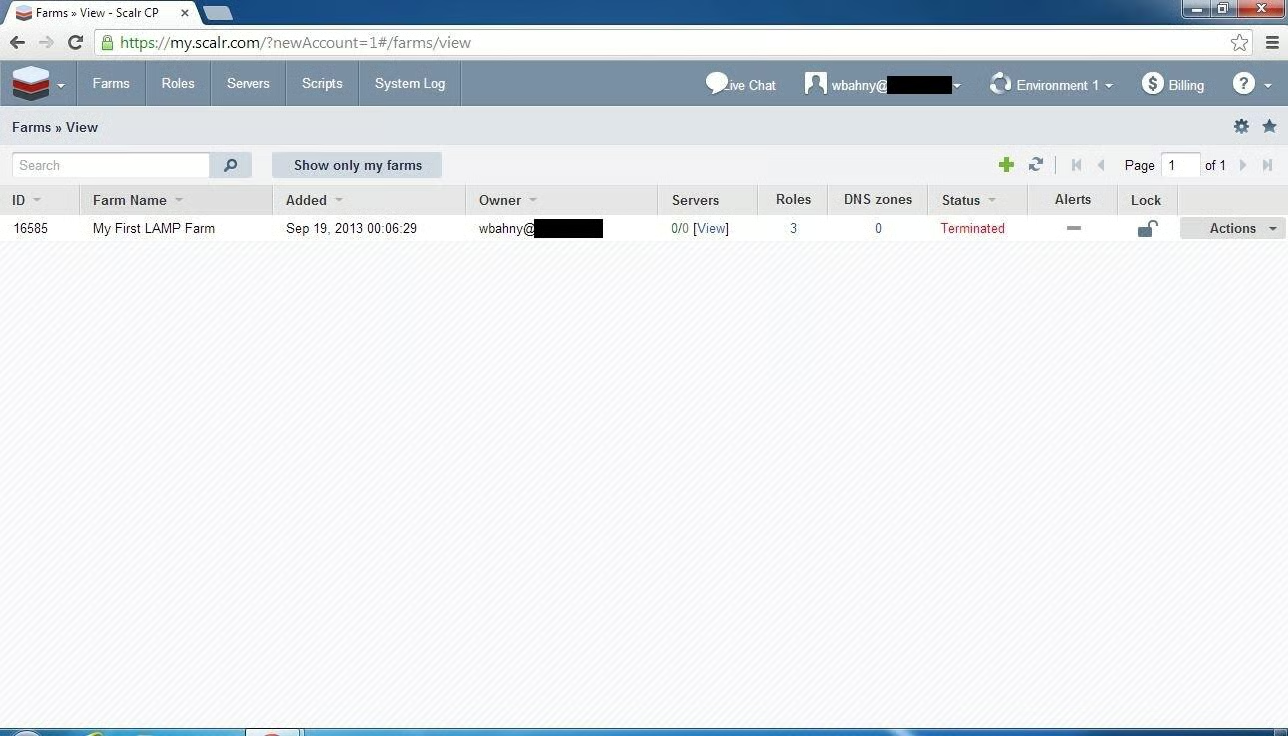
Scalr is very farm-based. \r\nFor demonstrative purposes, Scalr offers a LAMP farm which helps new\r\nusers understand their software.
\r\n\r\n
Credit: Images by\r\nWally Bahny for TechRepublic
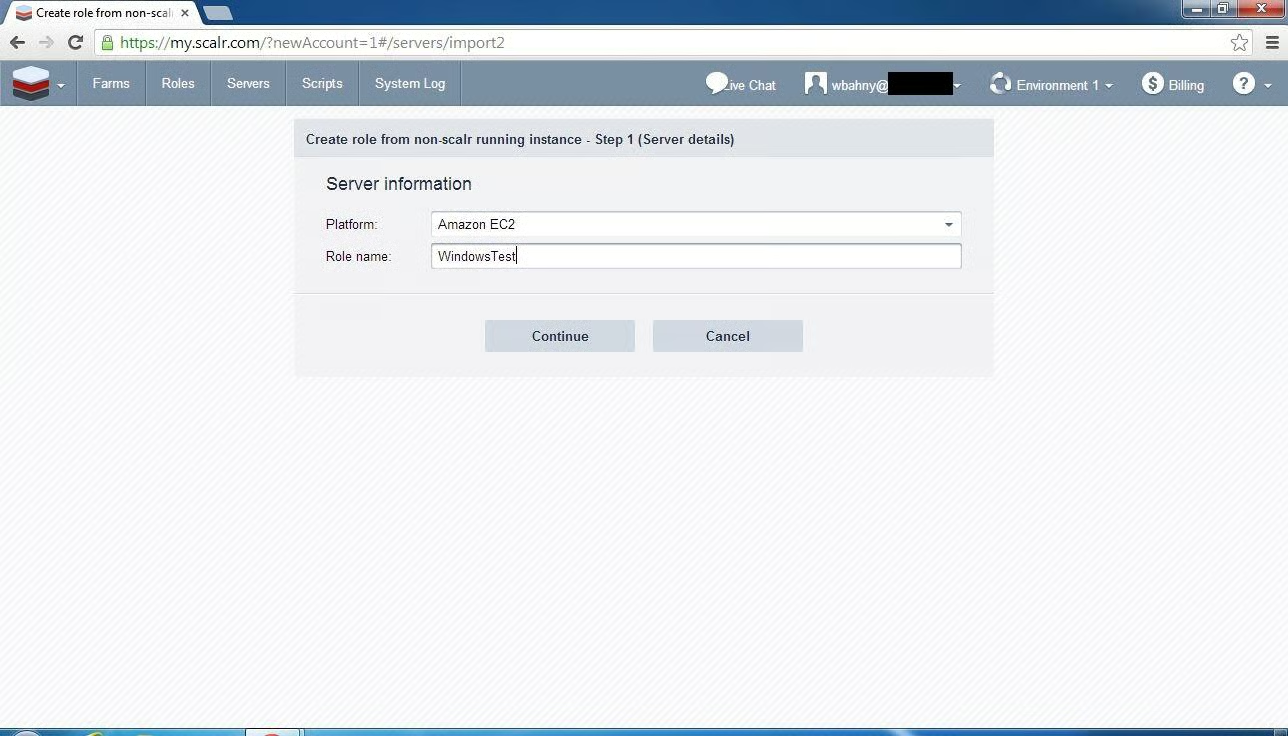
It is also possible to import your existing Amazon servers\r\ninto Scalr, however it must be done by creating a role based on that server and\r\nthen re-deploying it as a clone.
\r\n\r\n
Credit: Images by\r\nWally Bahny for TechRepublic
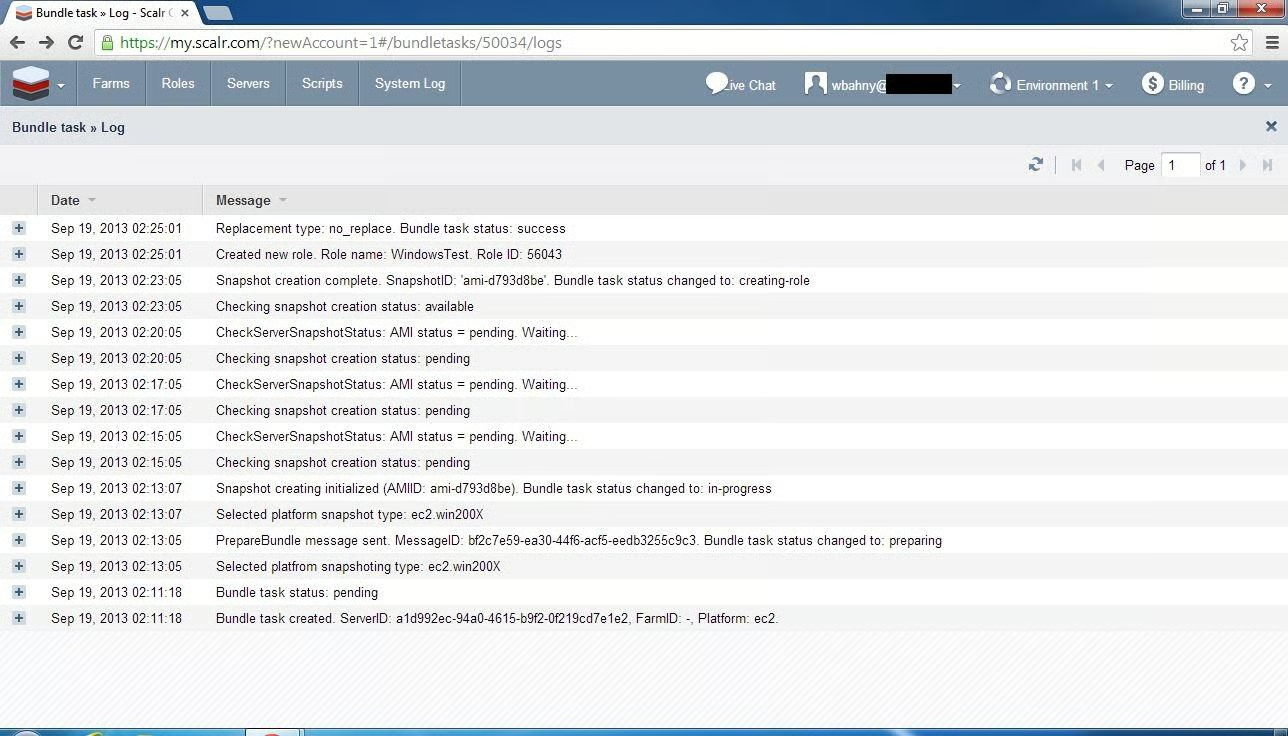
Scalr is very verbose when doing tasks. This is a listing of the steps taken to build\r\na role from an existing Amazon server.
\r\n\r\n
Credit: Images by\r\nWally Bahny for TechRepublic
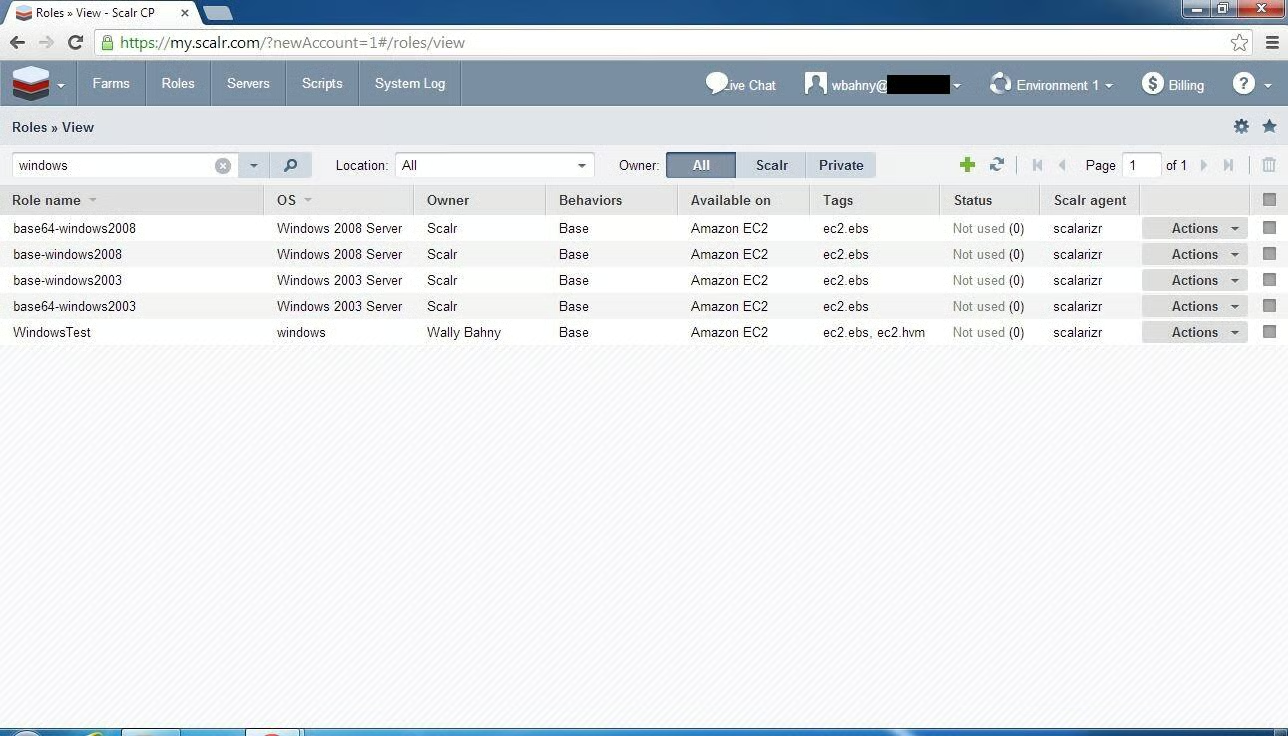
Once the role is built, you can use it here to deploy as\r\nmany clones as you would like.
\r\n\r\n
Credit: Images by\r\nWally Bahny for TechRepublic
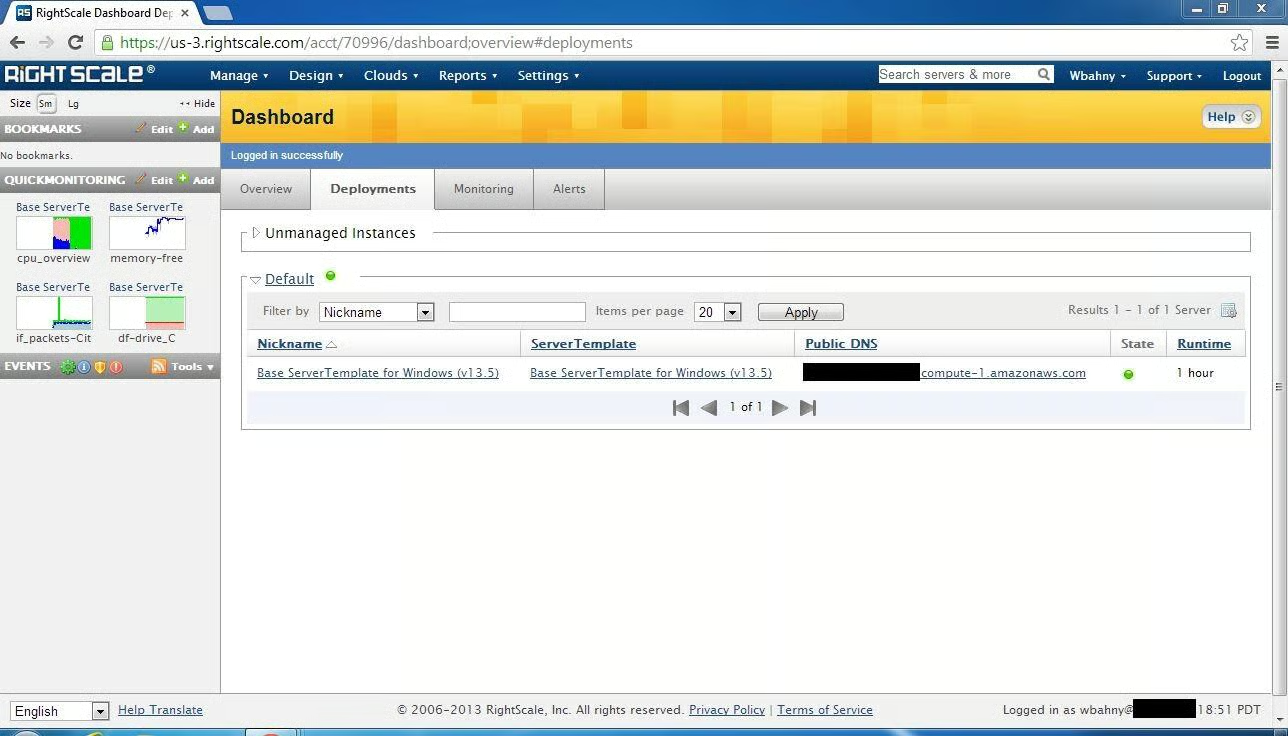
RightScale has a customizable Quick Monitoring dashboard on\r\nthe left menu. Also, deploying machines\r\nis quite easy with the built in server templates.
\r\n\r\n
Credit: Images by\r\nWally Bahny for TechRepublic
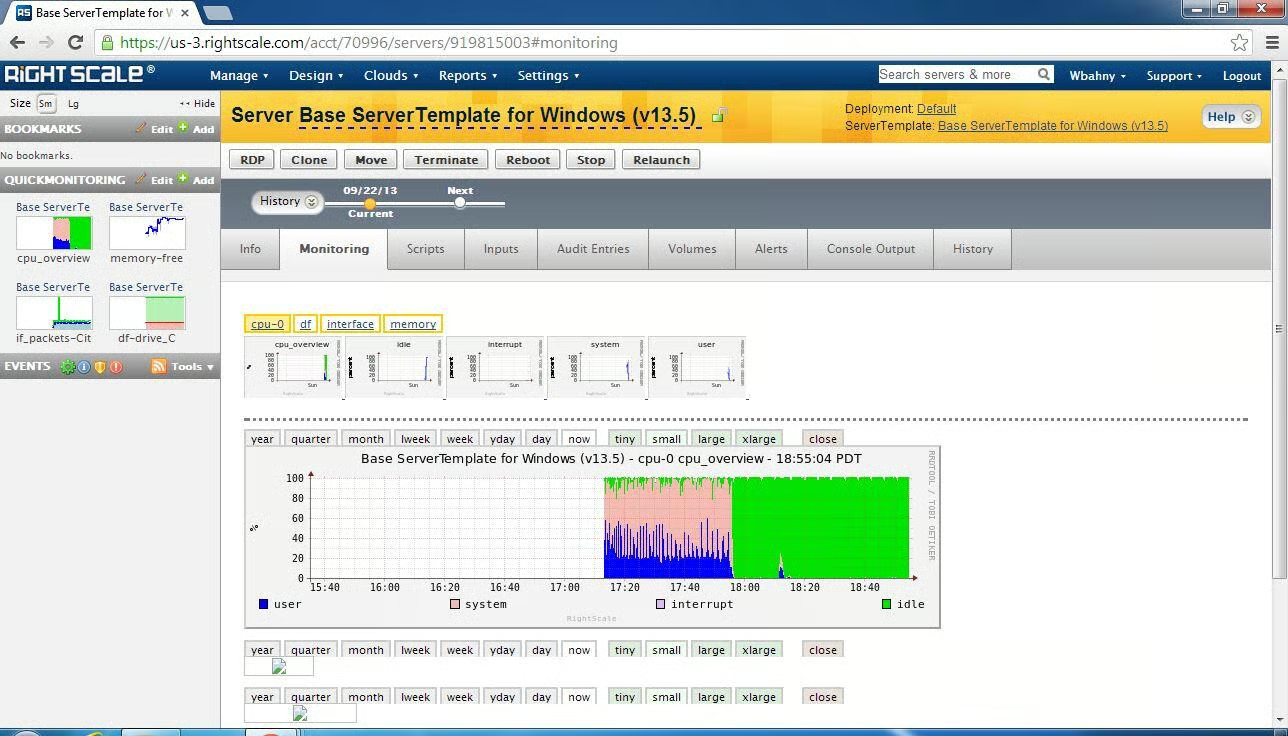
In addition to the Quick Monitoring dashboard, full size\r\ngraphs of nearly every hardware aspect of the server are available within the\r\nMonitoring tab of a server’s configuration screen
\r\n\r\n
Credit: Images by\r\nWally Bahny for TechRepublic
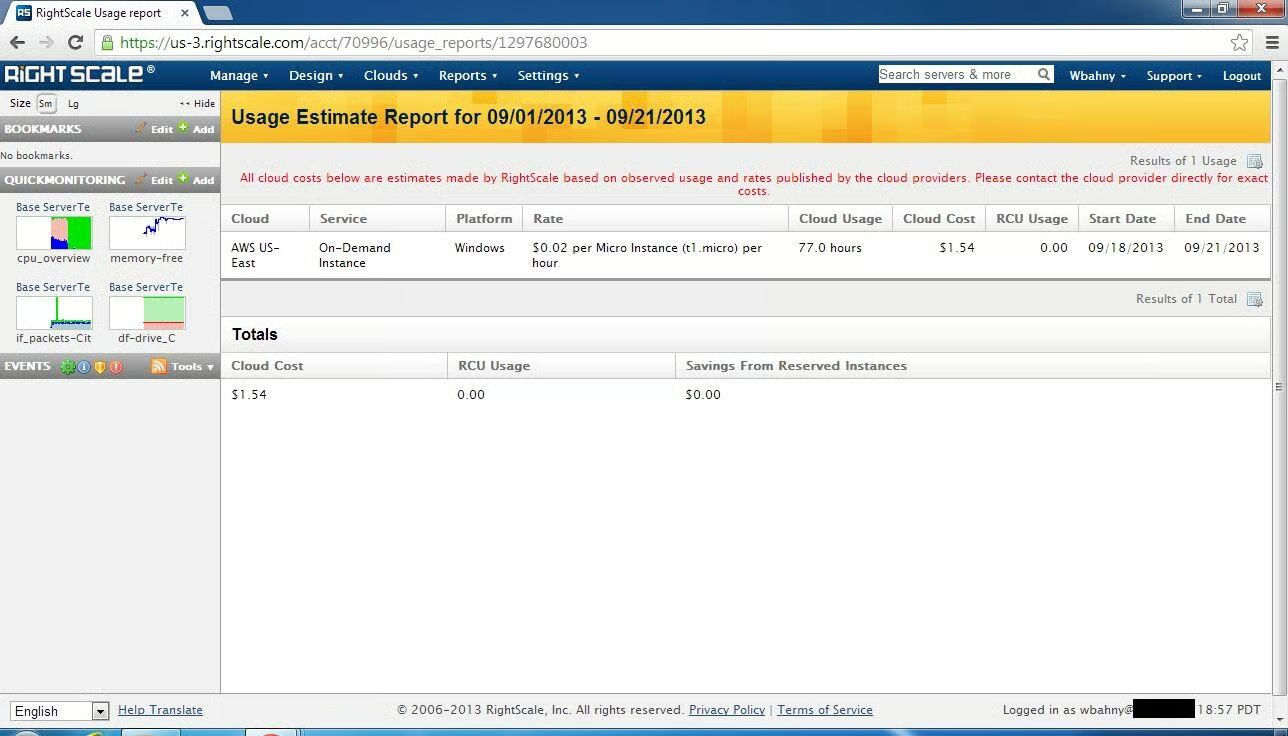
In addition to reporting Amazon costs, RightScale also\r\nreports costs from using their management environment.
\r\n\r\n
Credit: Images by\r\nWally Bahny for TechRepublic
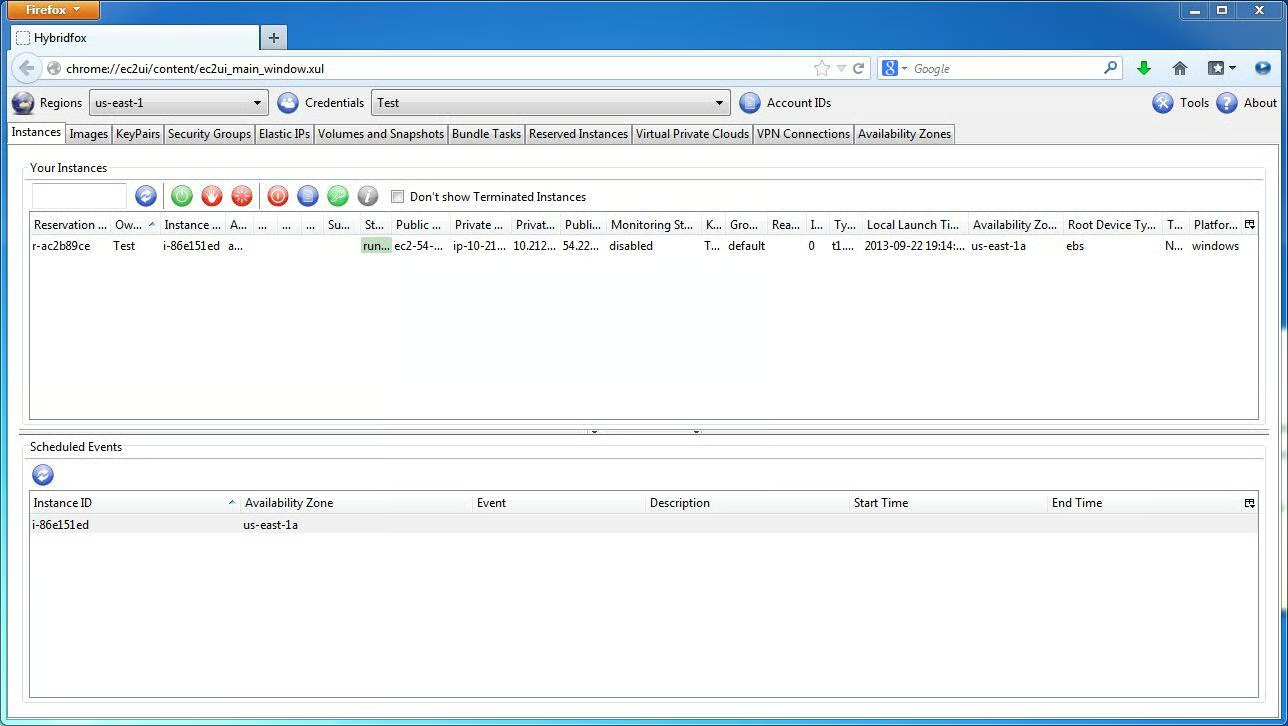
Hybridfox is a Firefox plugin that provides access to\r\nbasically as many options as any of the other competitors’ software.
\r\n\r\n
Credit: Images by\r\nWally Bahny for TechRepublic
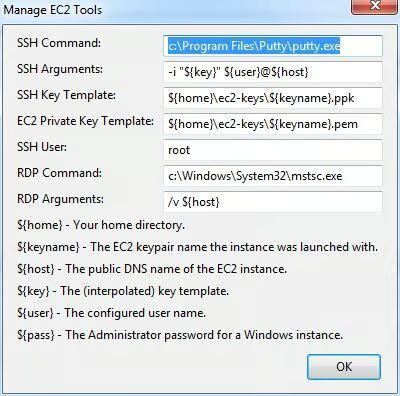
Hybridfox allows admins to customize aspects of its remote\r\nmanagement tools, including SSH and RDP.
\r\n\r\n
Credit: Images by\r\nWally Bahny for TechRepublic
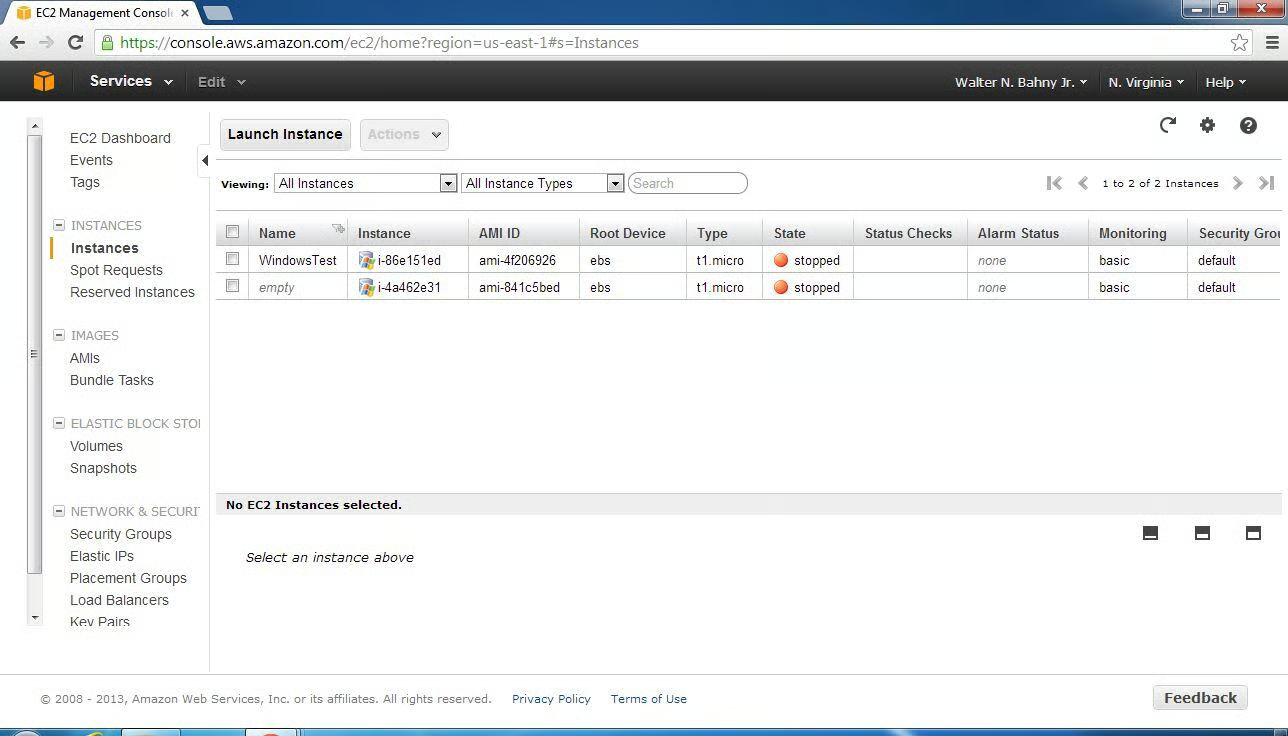
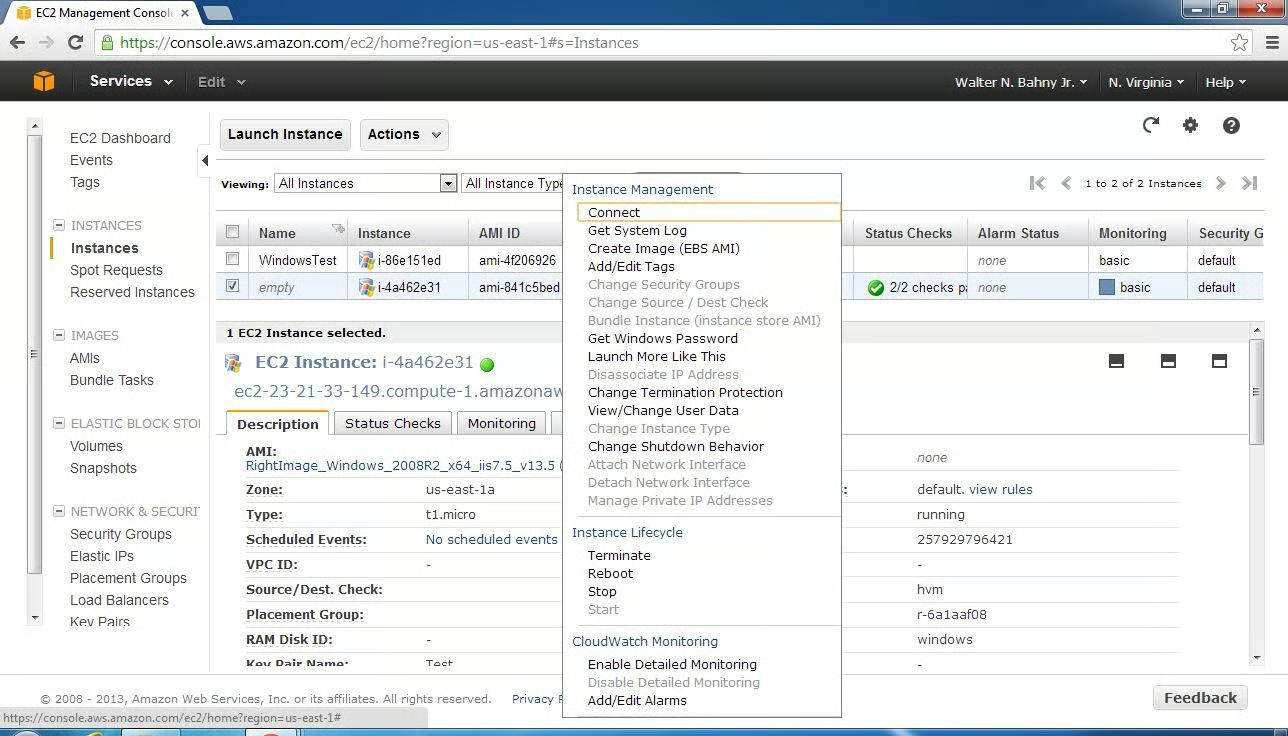
Amazon’s Instance list looks similar to the API-based\r\nproducts’ server lists and has all of the same options.
\r\n\r\n
Credit: Images by\r\nWally Bahny for TechRepublic
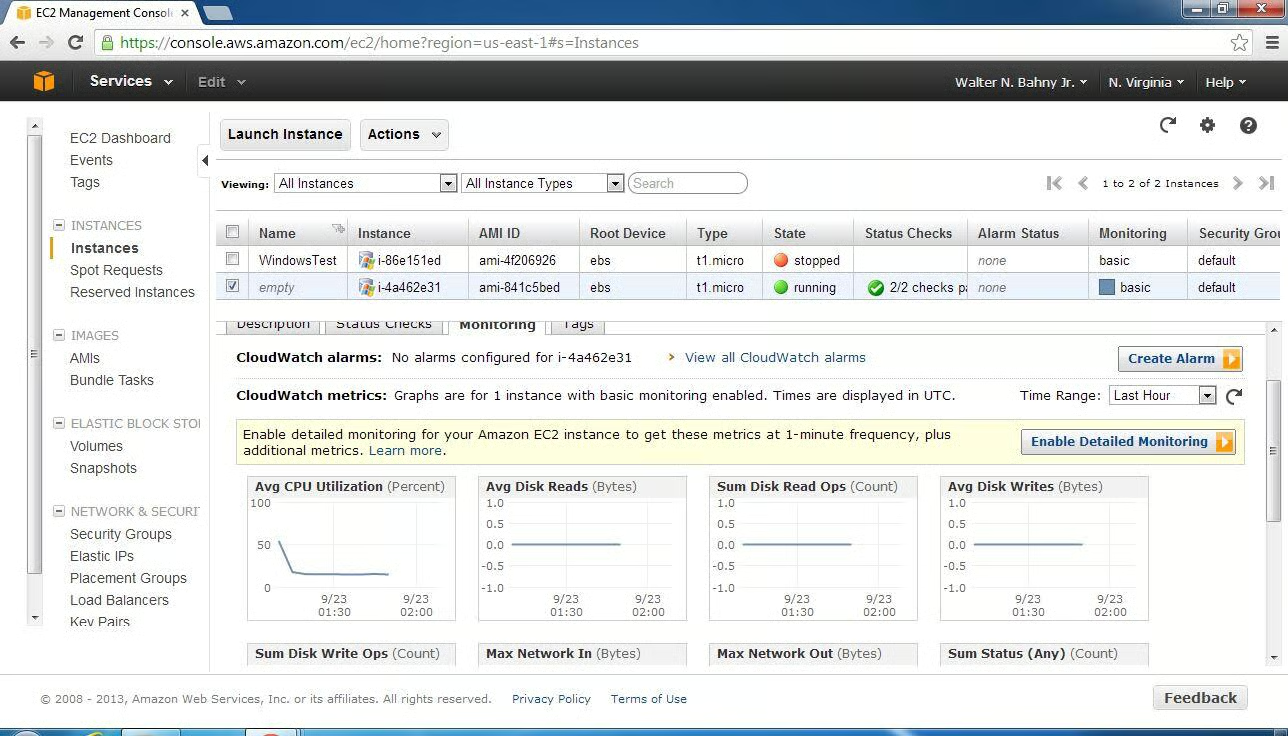
Monitoring is also available in the Amazon AWS Console.
\r\n\r\n
Credit: Images by\r\nWally Bahny for TechRepublic
Most of the server options are found via right-click menu.
\r\n\r\n
Credit: Images by\r\nWally Bahny for TechRepublic
\r\n\r\n