By Ed Bott
\r\n\r\nThe four Office Web Apps (Excel, PowerPoint, Word, or OneNote) work in conjunction with the Windows Live SkyDrive service. After you sign into a SkyDrive account using a Windows Live ID, you can manage up to 25 GB of files and create new Office documents on the fly.
\r\n\r\nFor more details, see A close-up look at the new Office Web Apps.
[Click graphic to view full-size copy]
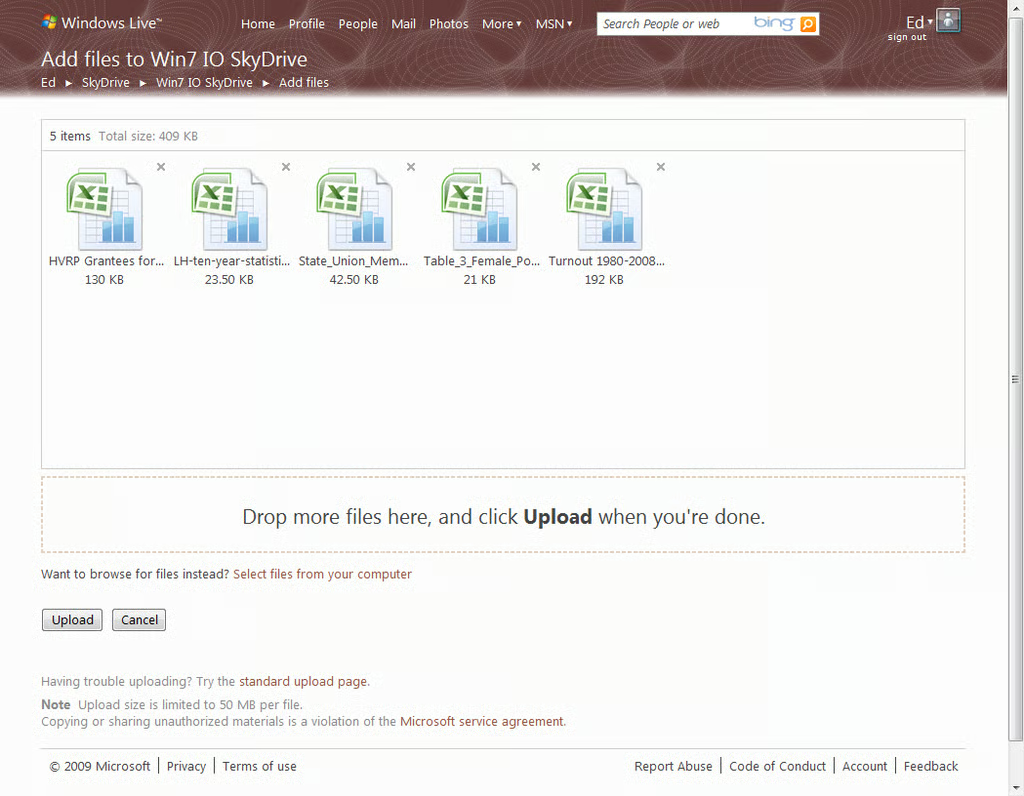
If you’ve created a document using a desktop Office prorgam, you can upload it to the SkyDrive environment. Use this drag-and-drop uploader or a conventional browse dialog box.
\r\nFor more details, see A close-up look at the new Office Web Apps.
[Click graphic to view full-size copy]
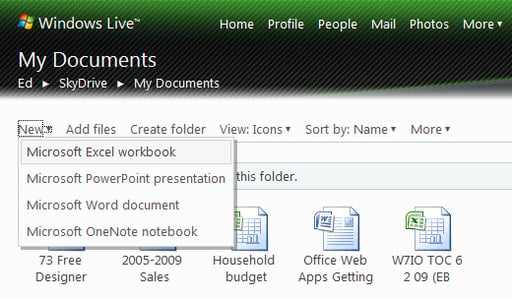
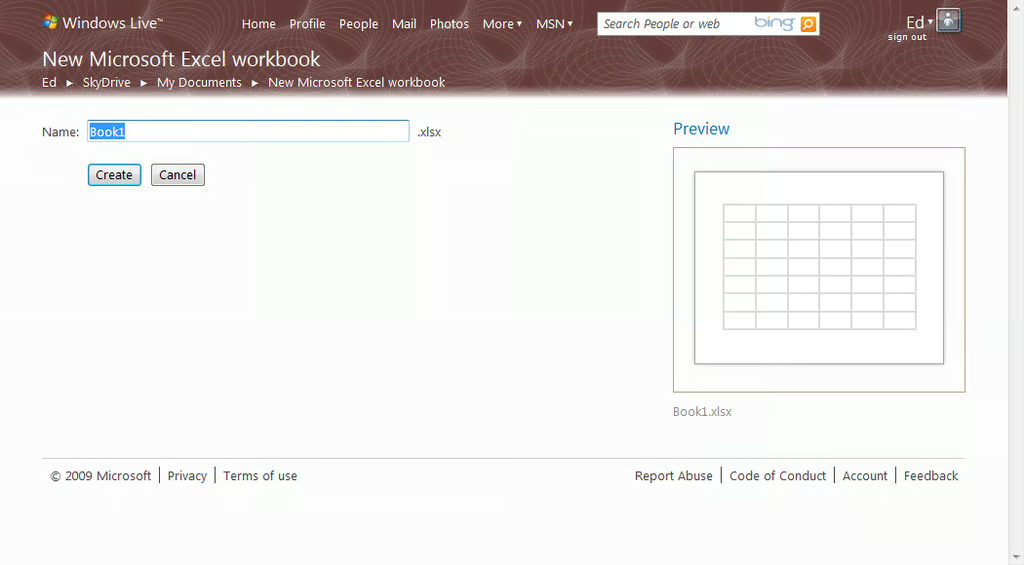
The New menu in a SkyDrive folder lets you create an Office document on the fly. After creating a file, you can add comments, grant read or edit permissions to other users, and use folders to organize files.
\r\nFor more details, see A close-up look at the new Office Web Apps.
[Click graphic to view full-size copy]
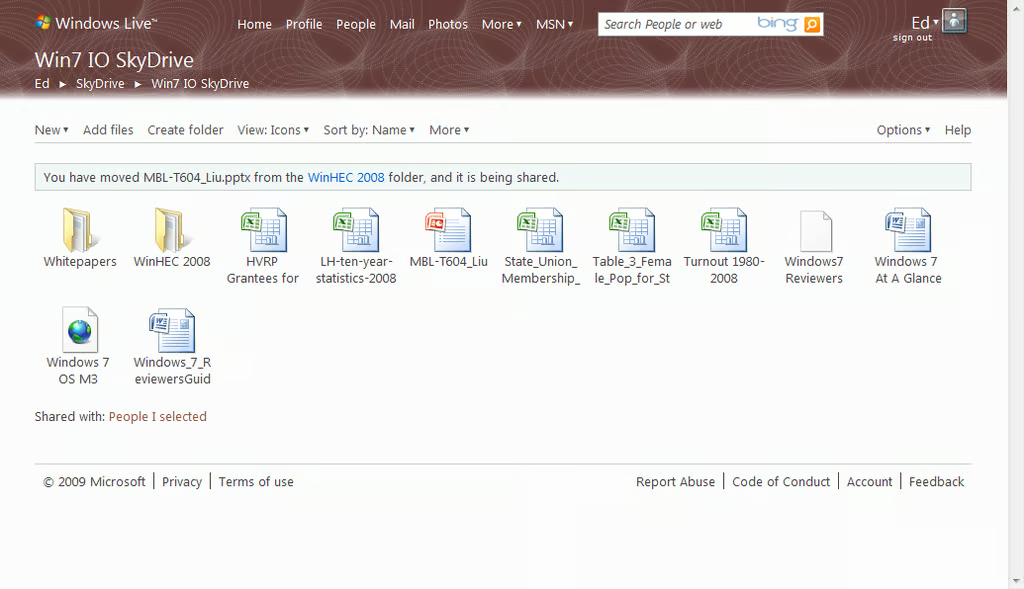
All files you’ve created or uploaded appear in this web-based SkyDSrive file manager. You can add comments and assign edit or view permissions to other people here. Click to open any Office document in its web-based program.
\r\nFor more details, see A close-up look at the new Office Web Apps.
[Click graphic to view full-size copy]
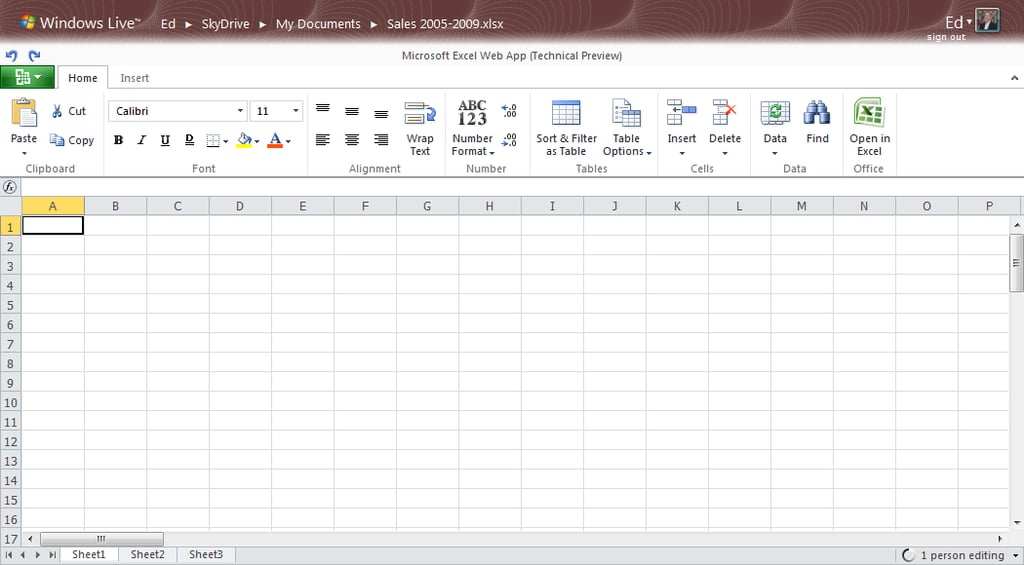
The Excel Web App interface is remarkably similar to its desktop counterpart. Note the tabs at the bottom of the sheet, the ribbon-based command interface, and the green File menu.
\r\nFor more details, see A close-up look at the new Office Web Apps.
[Click graphic to view full-size copy]
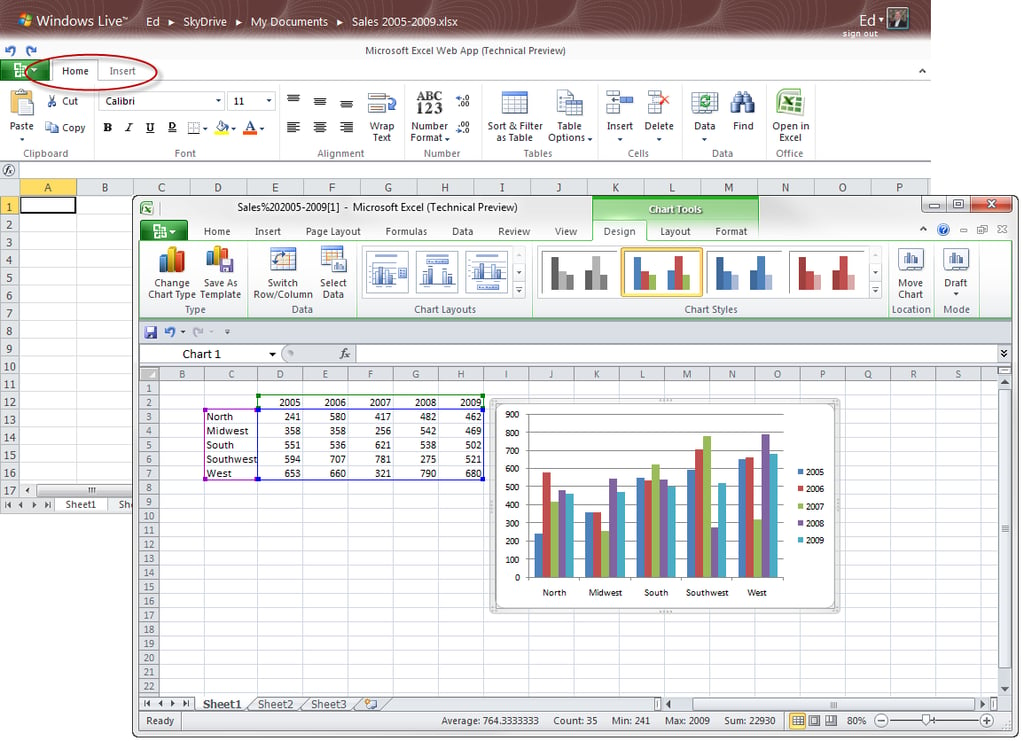
Comparing the Excel Web App with Excel 2010 on the desktop reveals the many missing pieces. The desktop program has fara more options on its ribbon, and the web app has no way to create a chart or a PivotTable, to list just two key missing features.
\r\nFor more details, see A close-up look at the new Office Web Apps.
[Click graphic to view full-size copy]
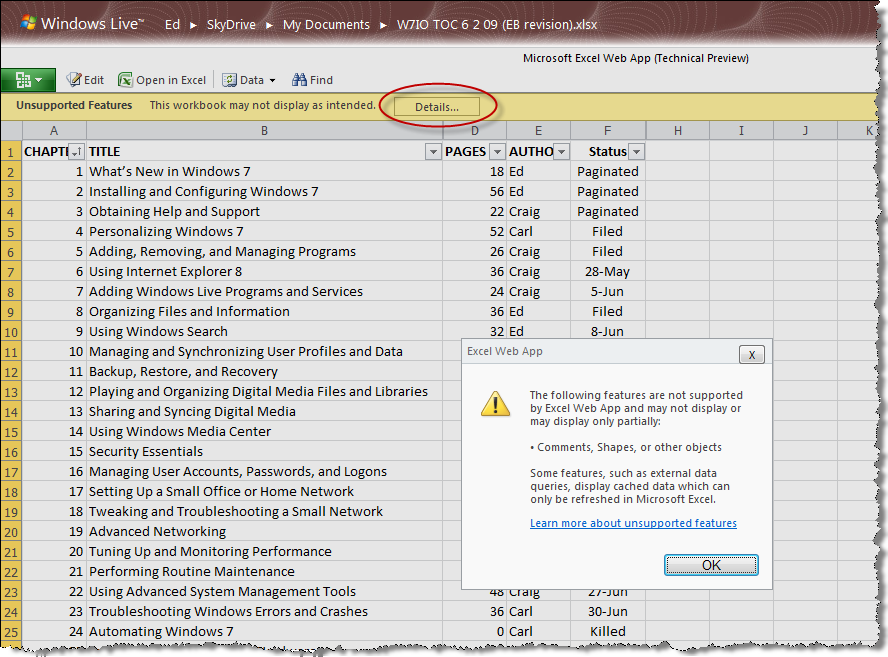
A handful of features available in desktop apps are completely unsupported in the web apps. This workbook contains a single comment attached to a single cell, but that’s enough to prevent a user from opening the worksheet for editing.
\r\nFor more details, see A close-up look at the new Office Web Apps.
[Click graphic to view full-size copy]
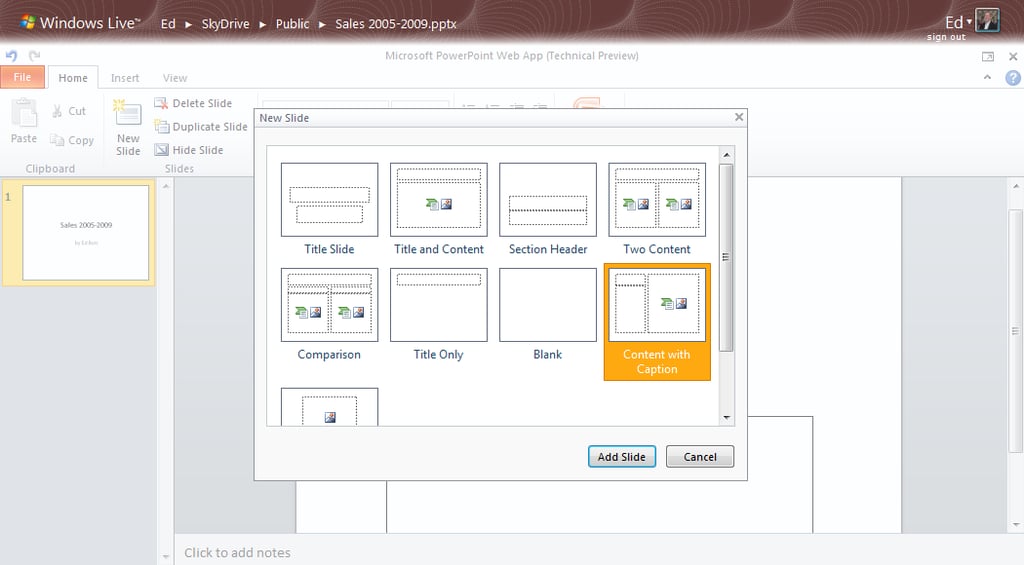
If you create a new PowerPoint presentation in a SkyDrive folder, you can add new slides using the templates shown here. Some key features, including the capability to add a video or chart, are missing.
\r\nFor more details, see A close-up look at the new Office Web Apps.
[Click graphic to view full-size copy]
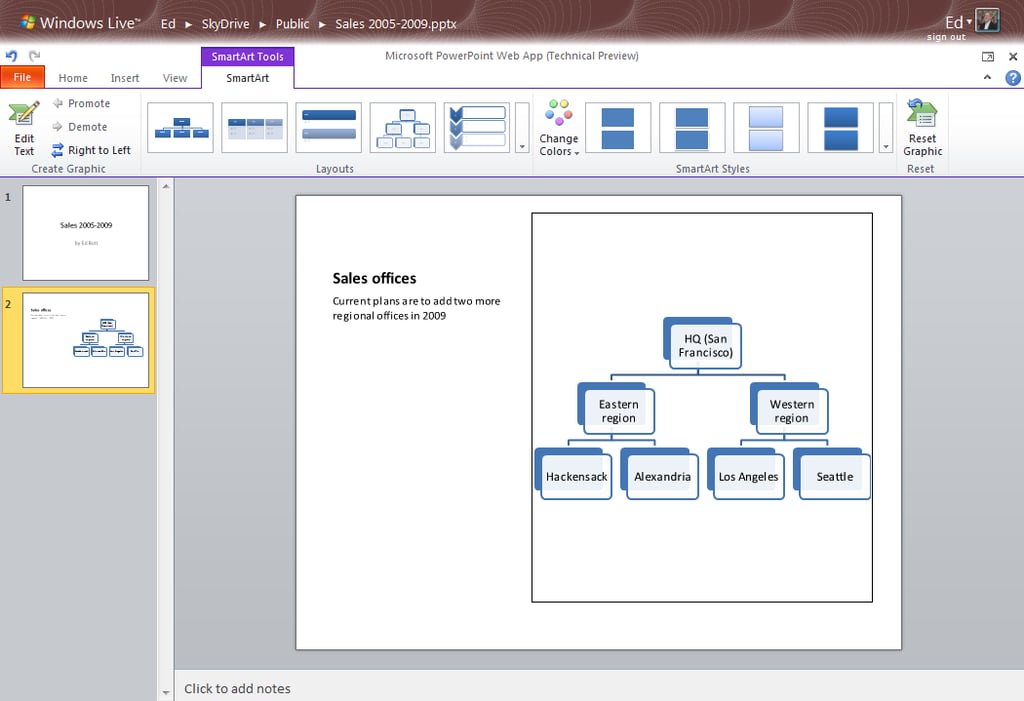
In the case of SmartArt illustrations, at least, there’s near parity between web and desktop apps. The SmartArt toolbar offers an impressive collection of options for creating org charts and info-graphics.
\r\nFor more details, see A close-up look at the new Office Web Apps.
[Click graphic to view full-size copy]
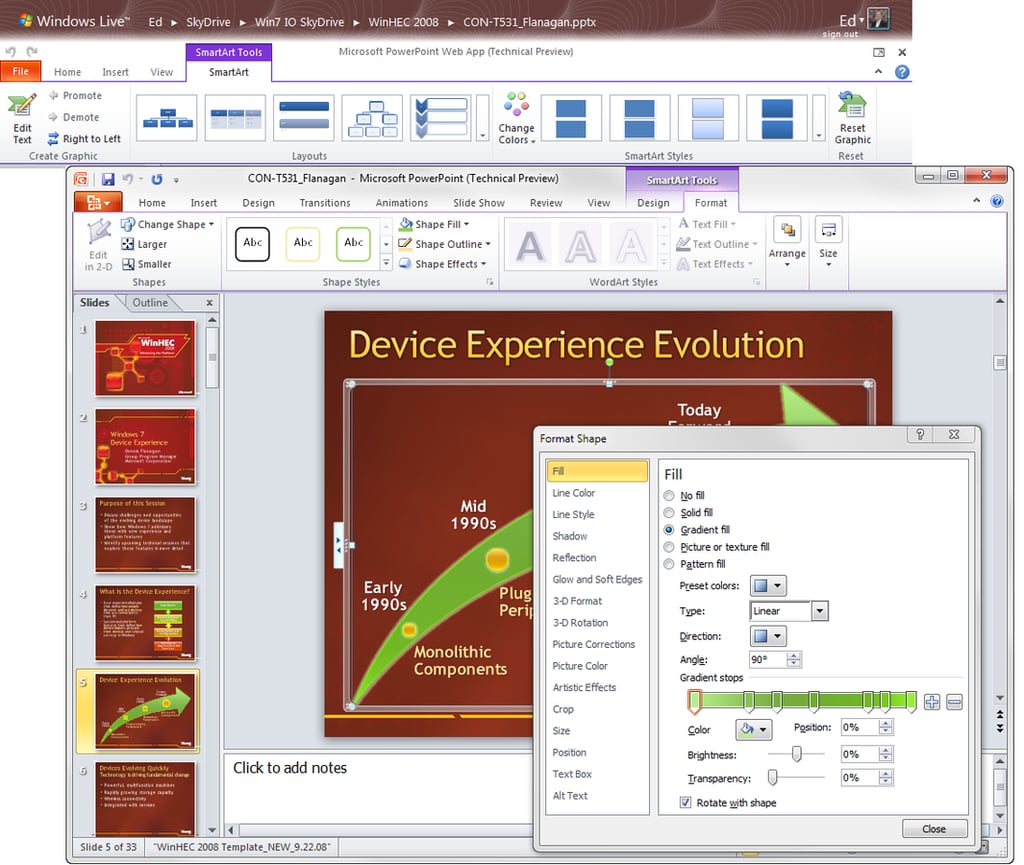
A close comparison of the PowerPoint web and desktop interfaces reveals many missing pieces. The formatting options for SmartArt are nowhere to be found, for example. You can’t create transitions between slides, either.
\r\nFor more details, see A close-up look at the new Office Web Apps.
[Click graphic to view full-size copy]
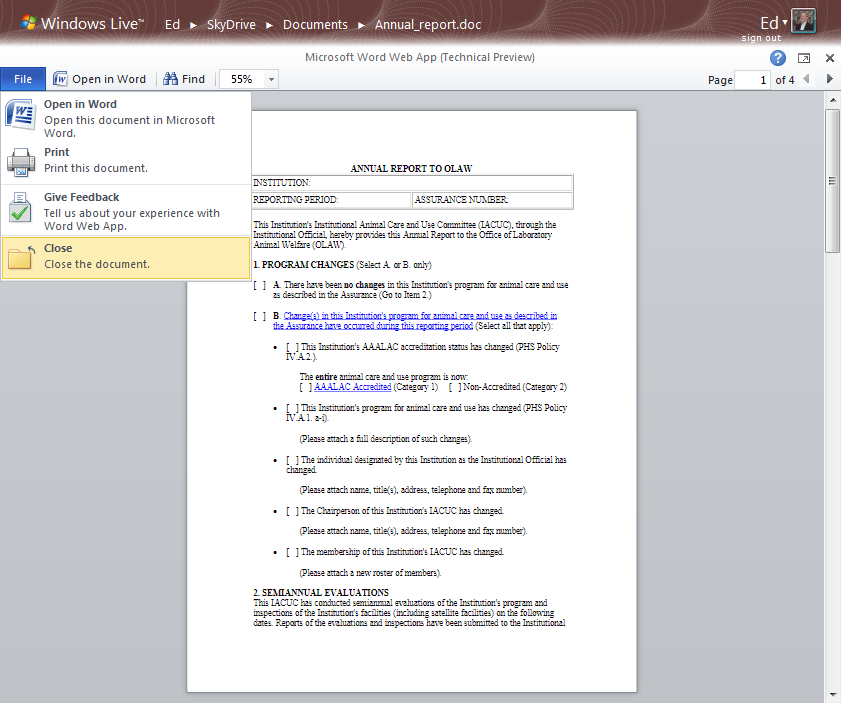
This technical preview as delivered by Microsoft is only partially complete. The most glaring absence is the complete inability to create new Word files or edit existing ones. As in this example, you can view a Word docukment with full fidelity, but if you want to do more with it, you’ll need to open it in the desktop edition of Word.
\r\nFor more details, see A close-up look at the new Office Web Apps.
[Click graphic to view full-size copy]
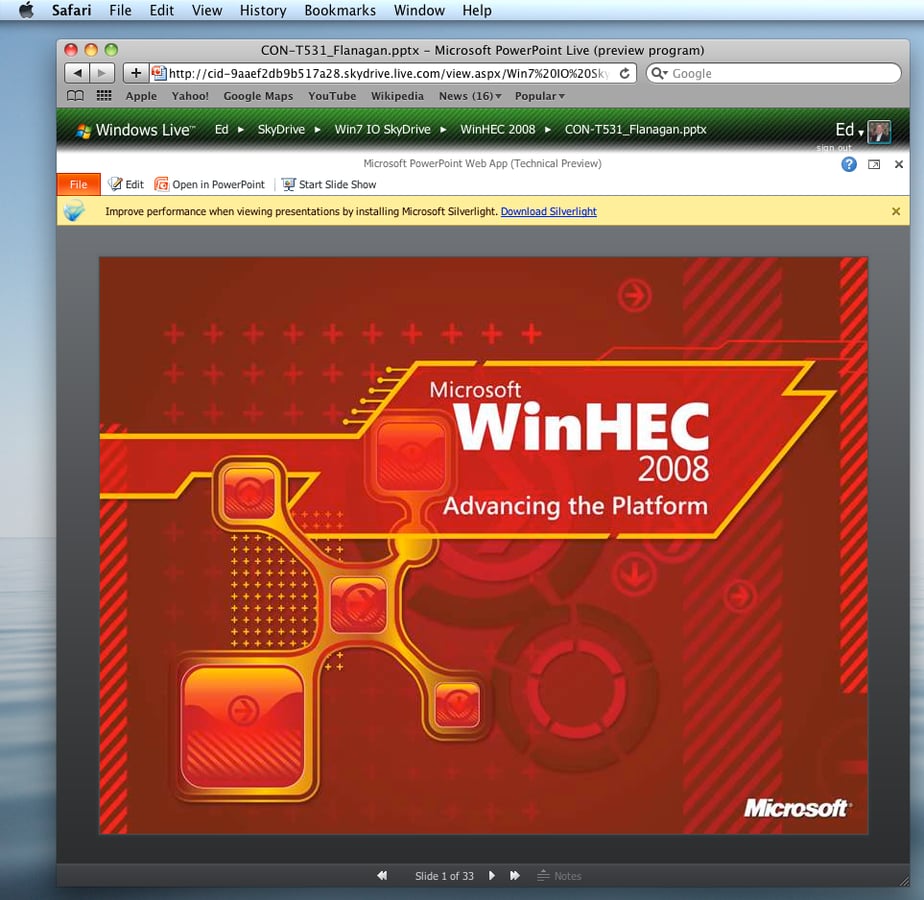
The Office Web Apps work surprisingly well on alternate platforms. This presentation, created on a PC, looks completely faithful to the original when viewed in Safari 4 on a Mac. Adding the Silverlight plug-in makes slide shows smoother.
\r\nFor more details, see A close-up look at the new Office Web Apps.