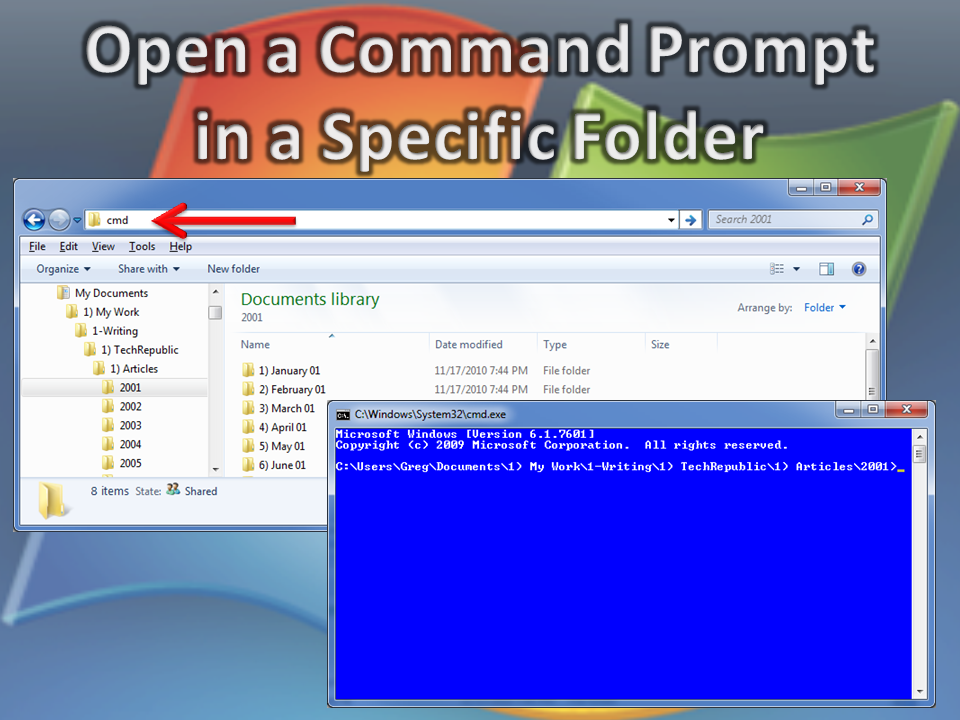
\n\tHave you ever been in a folder in Windows Explorer and then wanted to open a Command Prompt in that same folder? If so, you know that you can [Shift]+right click and select Open command window here from the context menu. However, there’s another option that just might be a tad quicker.
\n
\n\tClick in Windows Explorer’s Address bar so that all the text is highlighted, type cmd, and press [Enter]. When you do, you’ll see a Command Prompt window targeted on that folder.
\n
\n\t
\n
\n\tImage created by Greg Shultz for TechRepublic.
\n\t
\n
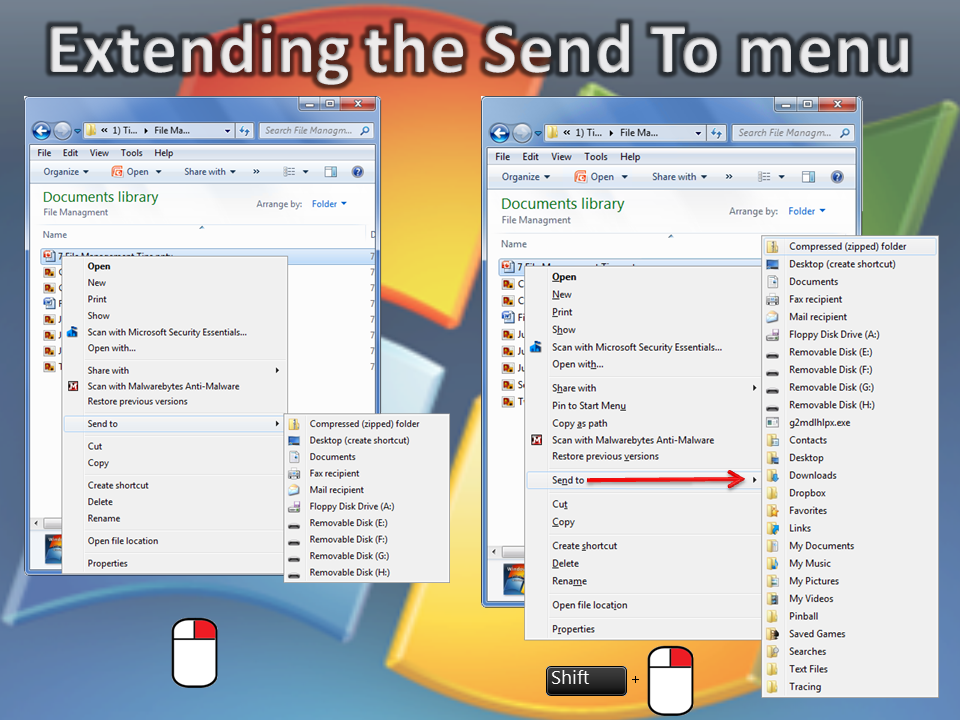
\n\tAs you know, when you right click on a file or folder and select the Send To menu you will see the default list of locations to which you can copy items. However, if you hold down the Shift key as you right-click, when you select the Send To menu you’ll have access to a host of new items such as special folders.
\n
\n\t
\n
\n\tImage created by Greg Shultz for TechRepublic.

My first computer was a Kaypro 16 \"luggable\" running MS-DOS 2.11 which I obtained while studying computer science in 1986. After two years, I discovered that I had a knack for writing documentation and shifted my focus over to technical writing.

