Using a fairly typical USB flash thumb drive, dataSentinel will encrypt your data and store it on at least three different servers. Your data will be sliced into encrypted pieces and stored on numerous servers located in various locations across North America. The most notable thing about this whole process is that, to the user, the transactions looks like copying a file or folder from one location to another. It is simplicity at its finest.
\n
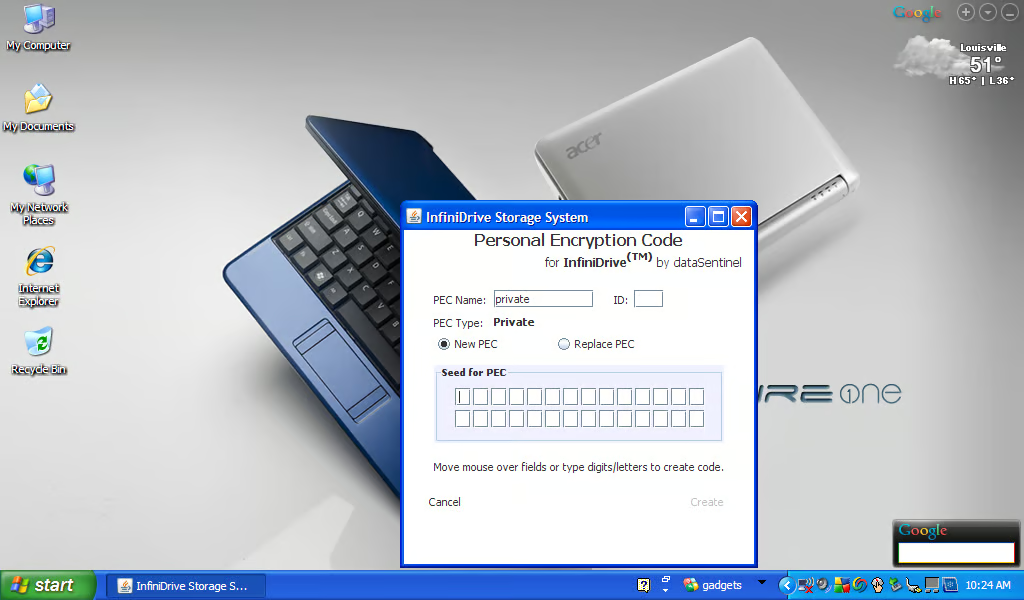
The first time you insert the USB flash drive into your computer you will be asked to enter a Personal Encryption Code (PEC). The seed for this code is generated by moving the mouse around the screen.
\n
Screenshots captured by Mark Kaelin for \u00a9 TechRepublic.
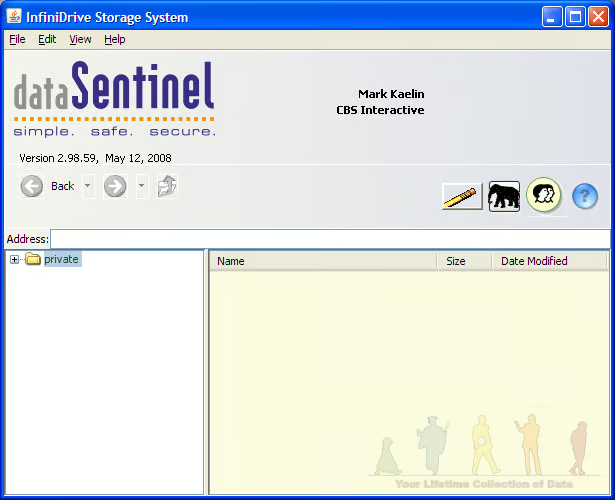
After setting up the PEC you’ll get to this screen. From here you can choose which files and folders you want to store off-sight.
Screenshots captured by Mark Kaelin for \u00a9 TechRepublic.
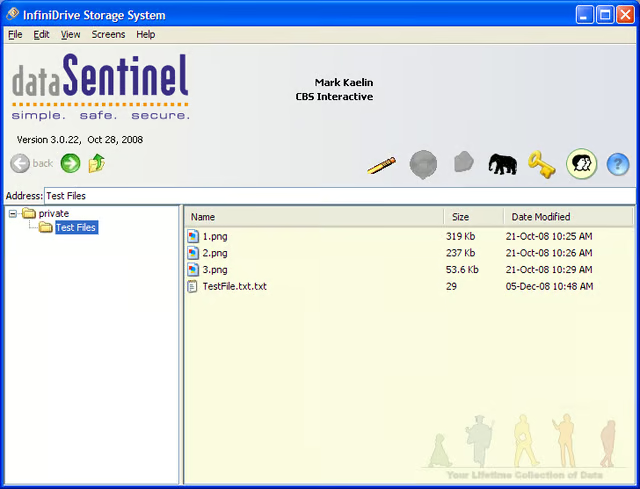
From the user’s perspective, the dataSentinel system looks and acts like just another drive on the system.
Screenshots captured by Mark Kaelin for \u00a9 TechRepublic.
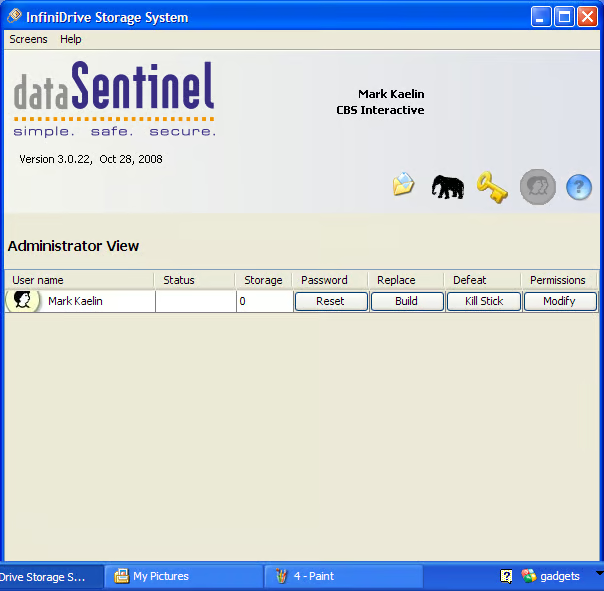
From the Administration screen you can change passwords, permissions, etc.
Screenshots captured by Mark Kaelin for \u00a9 TechRepublic.
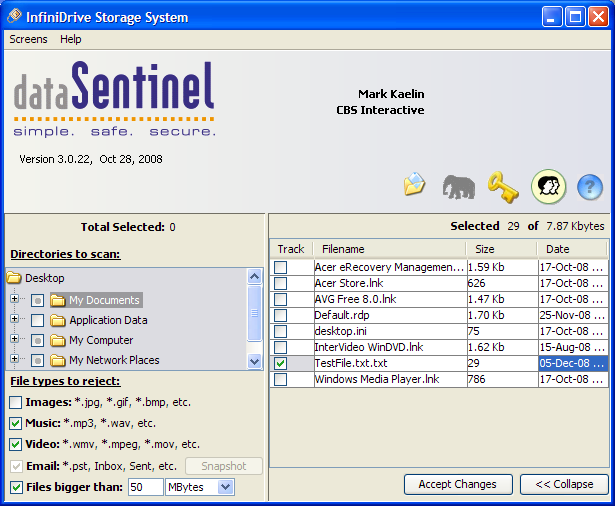
You can also choose to store copies of folders like the Windows XP My Documents. Make a change to a file and it is automatically updated on the dataSentinel servers.
Screenshots captured by Mark Kaelin for \u00a9 TechRepublic.
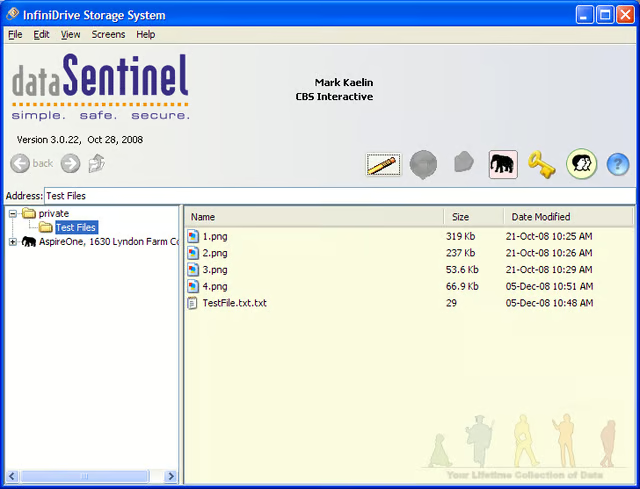
As you establish your folders, the local computer is listed. You can name each device with a moniker that means something to you.
Screenshots captured by Mark Kaelin for \u00a9 TechRepublic.
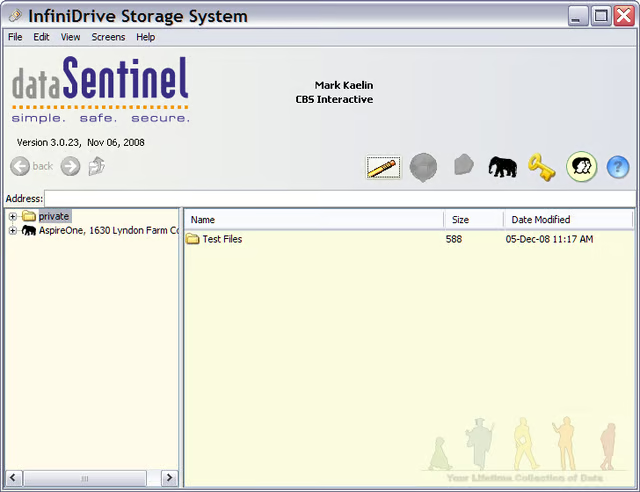
What makes dataSentinel so useful is that, once you set it up, you can move the USB flash drive to any other PC, log in with your password, and get access to the files you saved on the dataSentinel servers.
Screenshots captured by Mark Kaelin for \u00a9 TechRepublic.
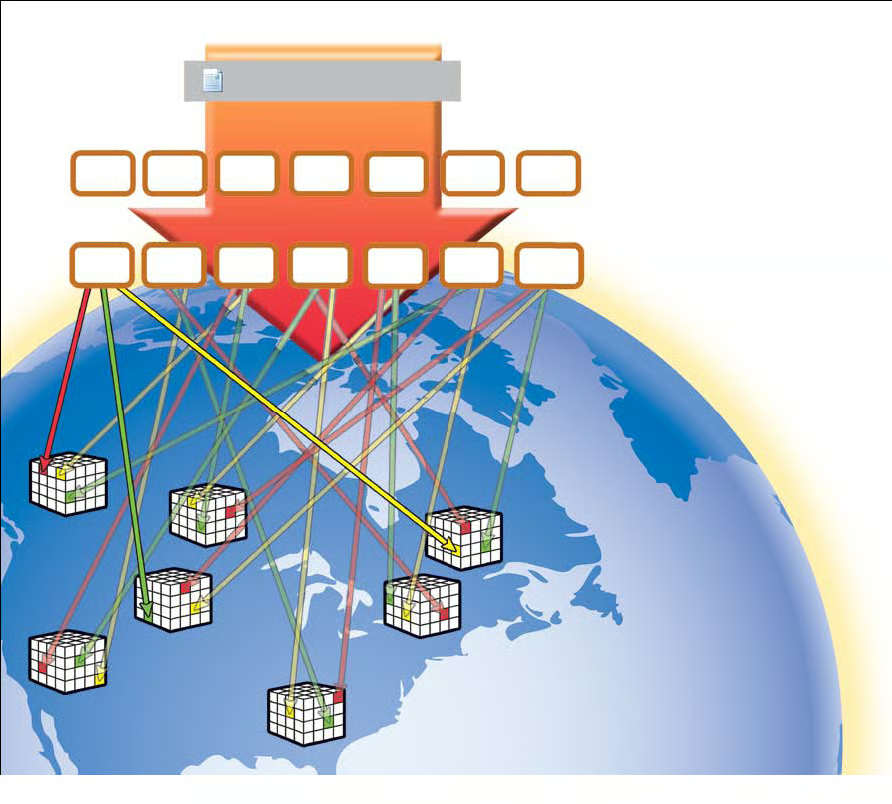
The basic principle in the dataSentinel storage method is to break the files into small encrypted pieces and to distribute those pieces across a network of servers. The data from any one server would be meaningless to a hacker – assuming they could actually decrypt the contents.
Diagram courtesy of dataSentinel

Mark W. Kaelin has been writing and editing stories about the information technology industry, software, hardware, gaming, finance, accounting, and technology geekdom for more than 30 years.


