Large, medium, and small businesses alike are seeking ways to cut information technology infrastructure costs. One of the increasingly more common ways is to migrate away from a self-maintained Microsoft Exchange Server to a cloud-computing-based solution like Google Mail. However, many users will continue to prefer to use Microsoft Outlook as their email client and not the Web-based interface common to Gmail users. (I am squarely in that camp.)
Those users can continue to use Outlook as their email client if they set up their enterprise Gmail email account using Internet Message Access Protocol (IMAP). Having recently done this myself, I can tell you there are more than a few tricky spots to navigate through during setup. Here are the steps I used to make it work for me.
Gmail preparation
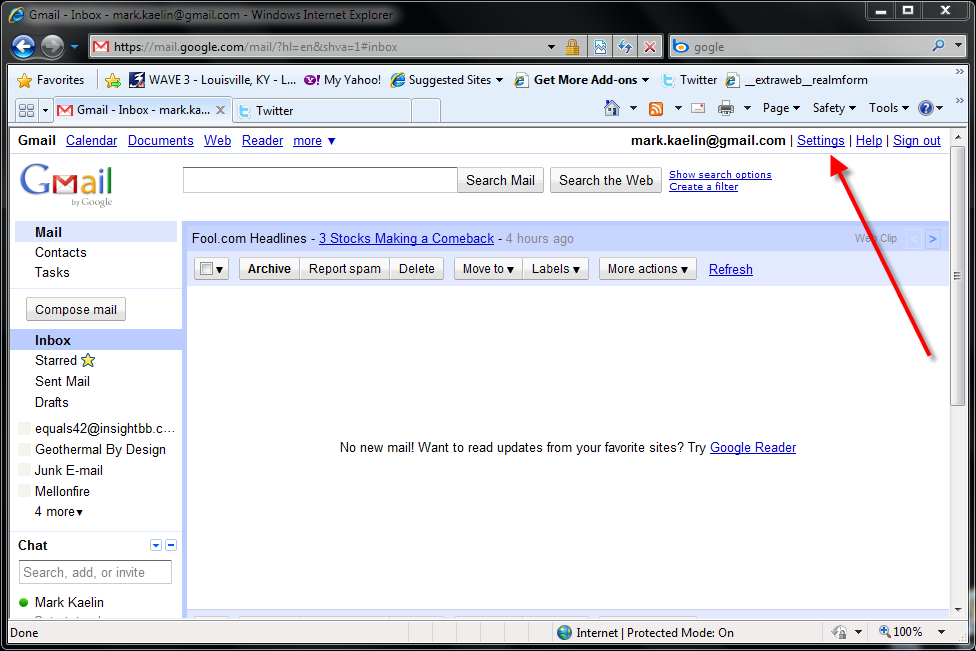
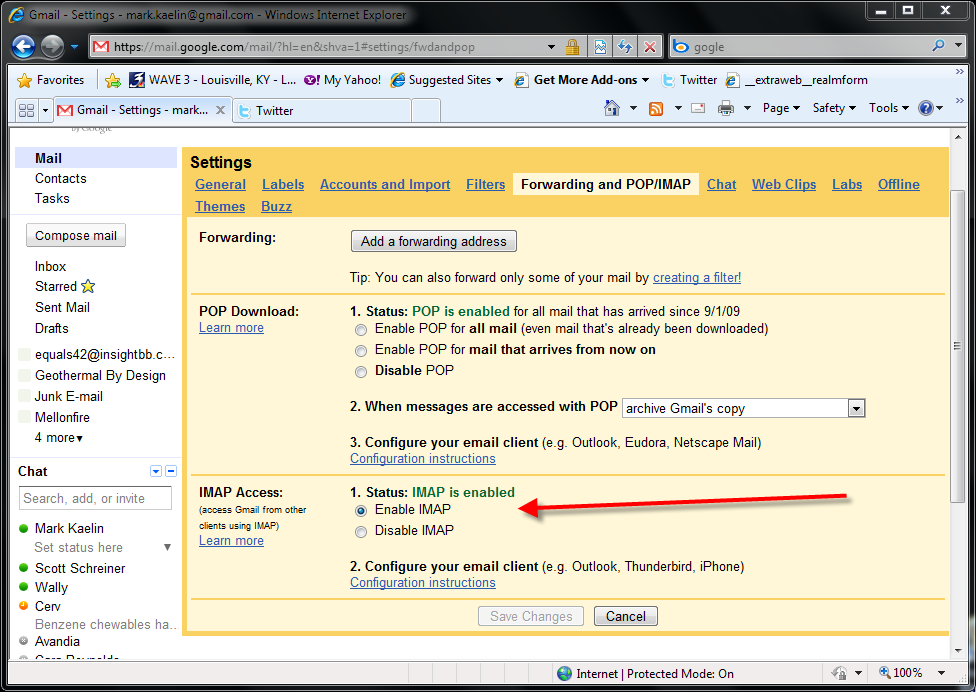
Before we get to Outlook, you should first make sure you have enabled the IMAP protocol for your Google account. From the Gmail Inbox, click the Settings link in the upper right-hand corner of the page.
This gallery is also available as a TechRepublic blog post and download. Image created by Mark Kaelin for TechRepublic.
Outlook 2010
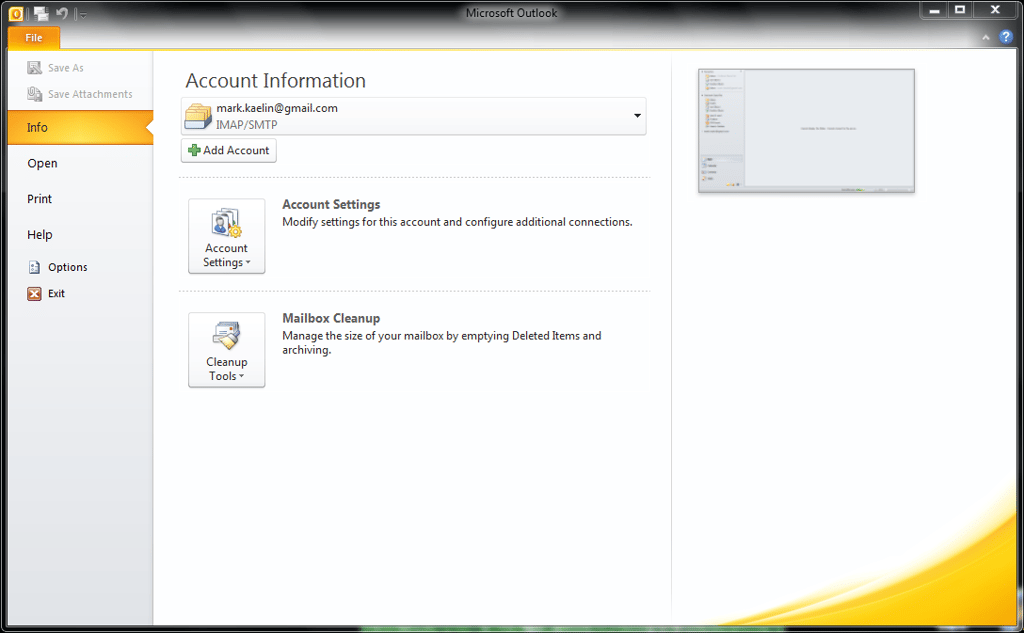
I am using Microsoft Outlook 2010 for this How do I document, but the steps are very similar for Outlook 2007.?Open Outlook and click on the File button in the upper left-hand corner.
This gallery is also available as a TechRepublic blog post and download. Image created by Mark Kaelin for TechRepublic.
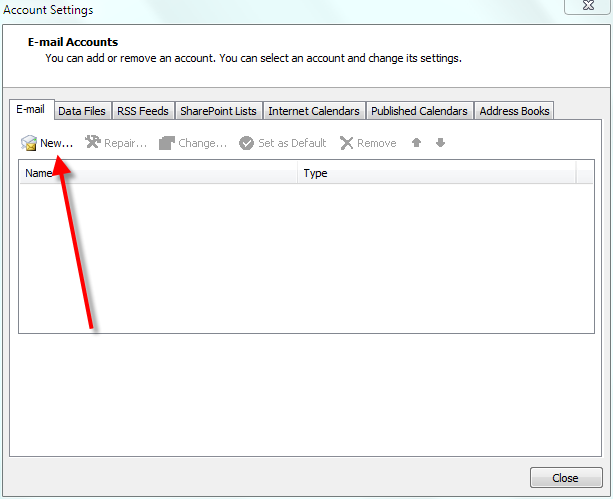
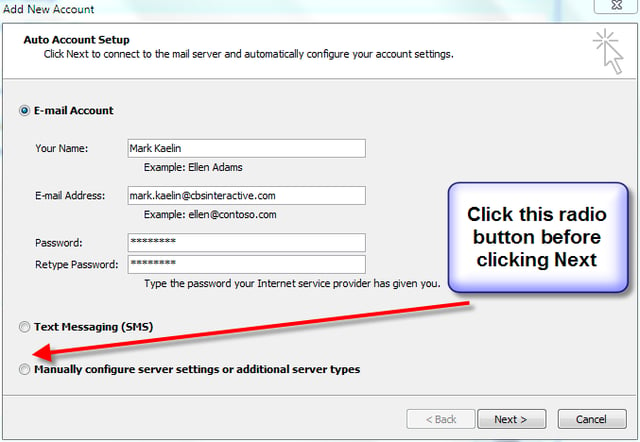
We are interested in the Email tab. Click the New button to start the set up wizard. The Add New Account entry screen is deceptively simple. Fill in the text to match your particular account configuration. If you are in an enterprise situation, your email will refer to your domain name – for example, XXX@cbsinteractive.com. Make sure to click the “Manually configure server settings or additional server types” radio button BEFORE you click Next.
This gallery is also available as a TechRepublic blog post and download. Image created by Mark Kaelin for TechRepublic.
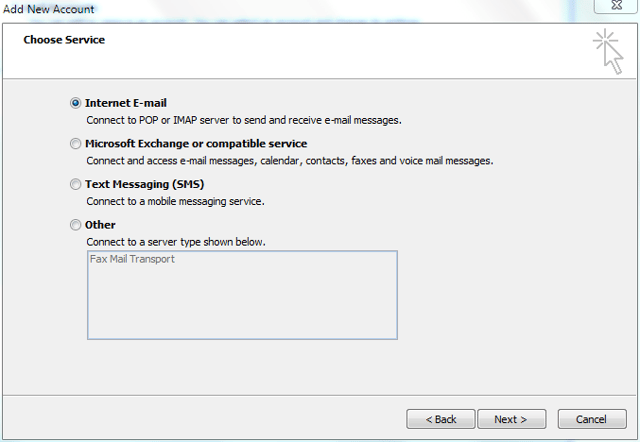
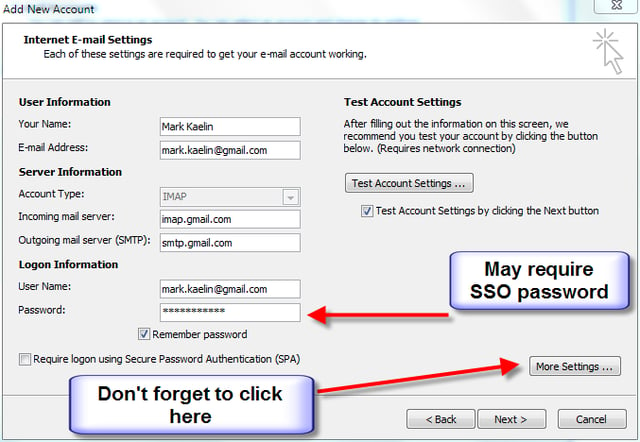
On the Internet E-mail Settings screen you have several data points to enter and/or adjust. First, change the POP3 setting to IMAP. For Incoming mail server, add imap.gmail.com and for Outgoing mail server, add smtp.gmail.com. The user name should be your email address, which in an enterprise environment will not likely be gmail.com.
This gallery is also available as a TechRepublic blog post and download. Image created by Mark Kaelin for TechRepublic.
Single sign-on
The last password box can be tricky.
If you are using IMAP to connect Outlook to a personal Gmail account, you will use your normal Gmail password. However, if you are connecting to an enterprise that is using Google Mail as its email server, you may have to enter a special password. This is called the single sign-on password.
The SSO password is randomly generated via an encryption protocol and its creation is controlled by your network/email administrator. The password is associated with your enterprise configuration and how you acquire it will vary. In the case of CBS Interactive, I navigated to a specific URL and a password was generated.
By the way, the single sign-on password is also important for connecting mobile devices to the Gmail server. If you want to get your enterprise email on your smartphone, tablet PC, or other mobile computing device, you will likely need a single sign-on password.
Additional settings
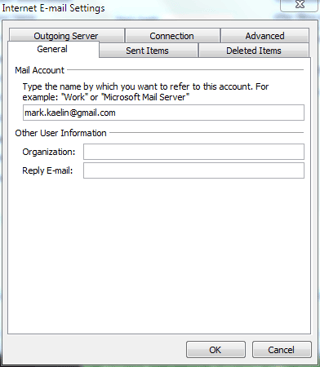
In our example, before you click Next, click the More Settings button, which will take you to an additional entry screen as shown.
This gallery is also available as a TechRepublic blog post and download. Image created by Mark Kaelin for TechRepublic.
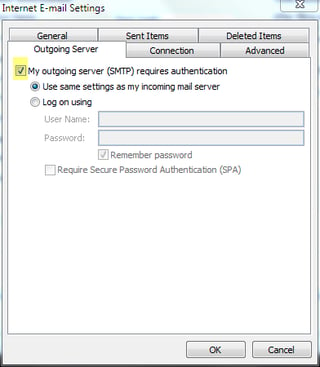
First, click the Outgoing Server tab and click the checkbox for “My outgoing server (SMTP) requires authentication” and click the radio button for “Use the same settings as my incoming mail server.”
This gallery is also available as a TechRepublic blog post and download. Image created by Mark Kaelin for TechRepublic.
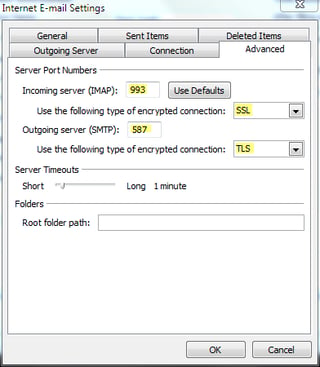
Next, click the advanced tab where you will have to enter some port and additional protocol information.
Change the Incoming server port to 993 and the associated encryption protocol to SSL. Change the Outgoing server port to 587 and the associated encryption protocol to TLS. Click OK, which should you take you back to the Settings entry screen.
This gallery is also available as a TechRepublic blog post and download. Image created by Mark Kaelin for TechRepublic.
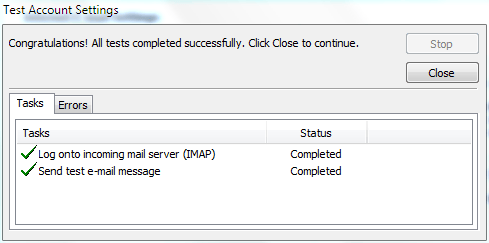
Click Next button to test your account connections. If your test fails, check to make sure you have no typos and that your port numbers are correct. Once you have set everything up correctly, you will see results like the ones shown.
This gallery is also available as a TechRepublic blog post and download. Image created by Mark Kaelin for TechRepublic.
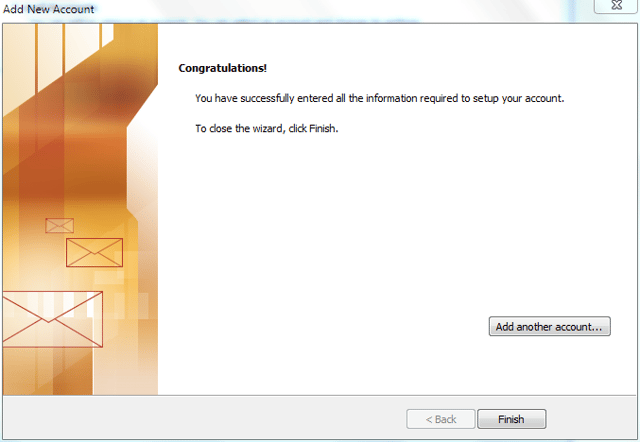
Outlook is now available as your Google Mail client. From the user’s perspective, using Google as an email server is very similar to using an Exchange Server. And with the IMAP protocol properly configured, just about whatever you do in the Inbox in Outlook will be replicated in the inbox on Google.
This gallery is also available as a TechRepublic blog post and download. Image created by Mark Kaelin for TechRepublic.

Mark W. Kaelin has been writing and editing stories about the information technology industry, software, hardware, gaming, finance, accounting, and technology geekdom for more than 30 years.


