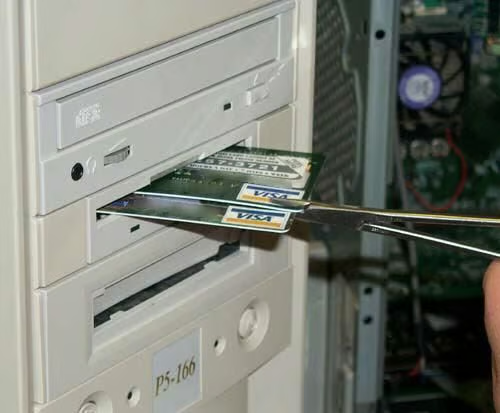
VISA – It’s just everywhere! Trying to buy something on-line, I suppose. No wonder it didn’t work – note the card hasn’t even been activated yet.
From 1994 to 2002 Rod Shelley worked as a PC technician at a major computer retail store in the US. After seeing all kinds of wacky, operator-induced computer issues, Shelley decided to start documenting them. He wanted to inject a little humor into the often-frustrating world of technology and hopefully educate a few of the technically clueless along the way.
In 2000, Rod published his collection of humorous photos online under the title “Stupid Computer Tricks”. In 2002, his gallery turned into an overnight success. Unfortunately, due to bandwidth concerns and a series of hosting problems, Shelley was forced to take the gallery down.
Lucky for us, Rod has graciously allowed TechRepublic to republish his photos. I’ve added titles to most of the photos, but the captions come straight from Rod. You can learn more about Rod and read his musings about photography, technology, and computer repair on his Web site–Rod’s Lair.
Note: TechRepublic first published this photo gallery on April 24, 2008.
Credit: Reprinted with permission from Rod Shelley
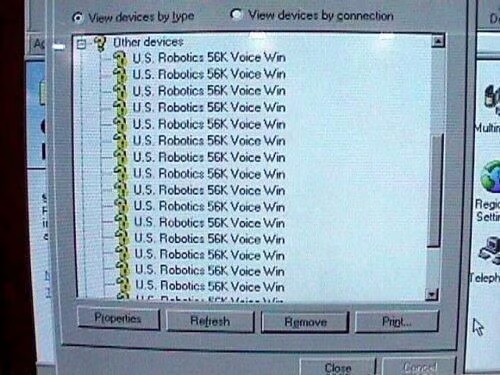
Here’s a new activity – let’s see how many modems we can load into device manager. Maybe we can load more web pages this way?
Credit: Reprinted with permission from Rod Shelley
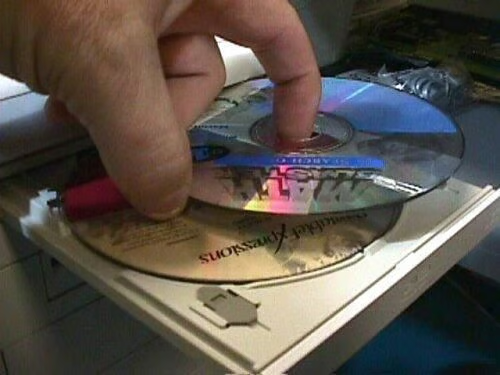
Save time – insert two CDs at the same time!
Credit: Reprinted with permission from Rod Shelley
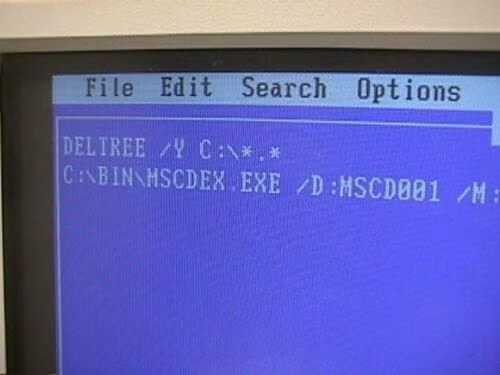
The autoexec.bat file isn’t used much anymore in these non-DOS days. This one was used once. If I was this guy, I’d take stock of my circle of friends.
Credit: Reprinted with permission from Rod Shelley
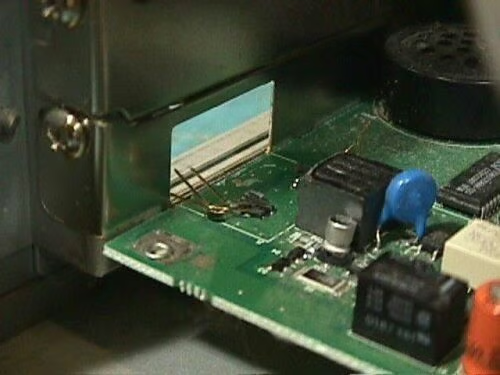
This poor sap couldn’t figure out how to unplug the telephone line from his modem. Solution? Just yank out the whole connector block. Then, get a shock when the service center won’t cover the modem under warranty!
Credit: Reprinted with permission from Rod Shelley
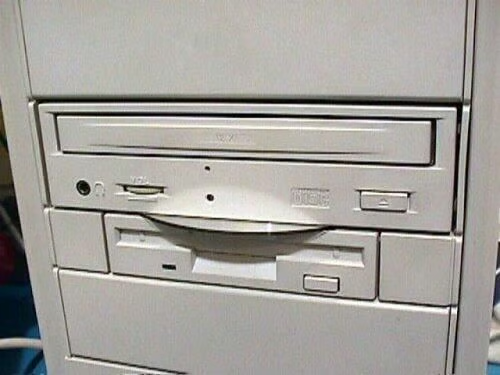
What was the complaint here you ask? It “Won’t read CDs…” Gee – I wonder why? “Insert CD-ROM in drive D\u00bd:”?
Credit: Reprinted with permission from Rod Shelley
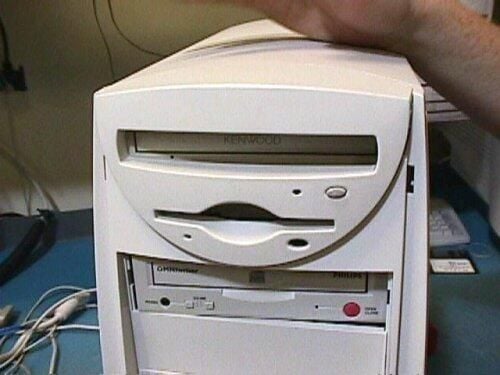
Credit: Reprinted with permission from Rod Shelley
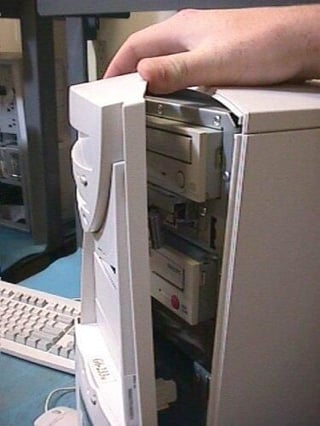
This is what happens when you replace an OEM drive with a standard one!
Credit: Reprinted with permission from Rod Shelley
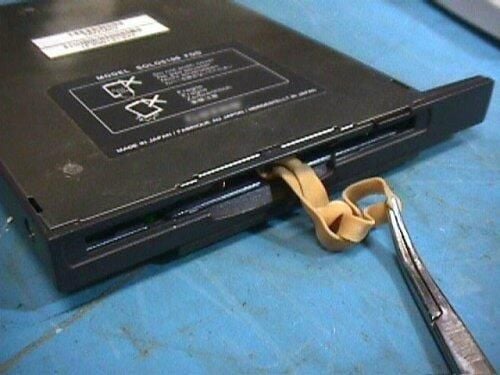
This laptop floppy drive was “choking” on a large rubber band!
Credit: Reprinted with permission from Rod Shelley
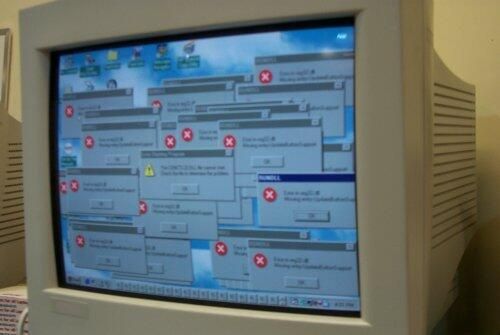
Credit: Reprinted with permission from Rod Shelley
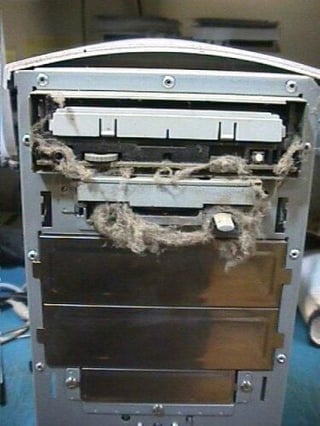
“Grampa Computer” appears to need a shave! This was brought to the service center because the floppy drive was intermittent. I can’t imagine why.
Credit: Reprinted with permission from Rod Shelley
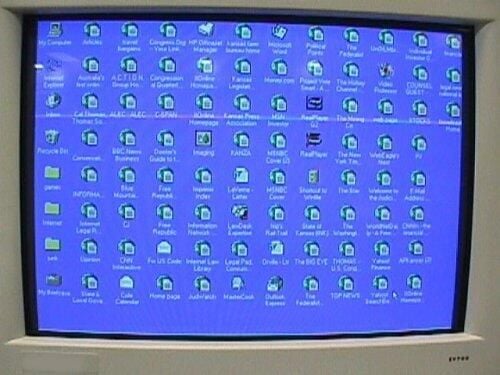
“Wadd’ya mean ‘out of memory?’ I still have some room on my screen!”
Credit: Reprinted with permission from Rod Shelley
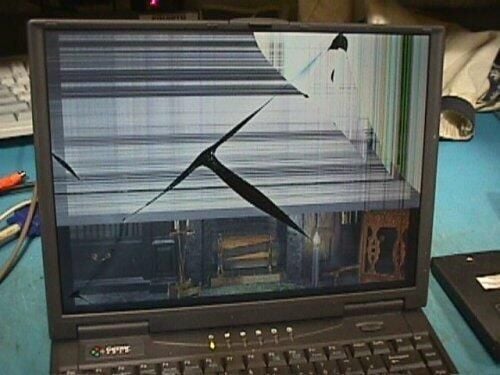
The owner of this shattered laptop was actually expecting this to be covered under warranty!
Credit: Reprinted with permission from Rod Shelley
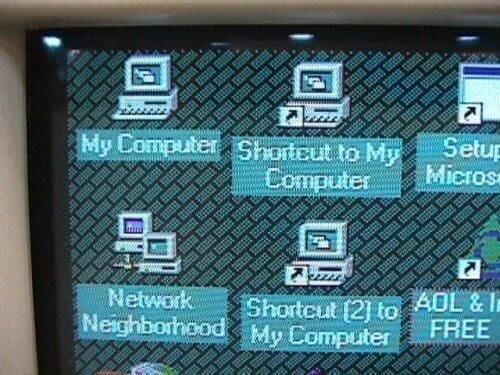
Three shortcuts – all to the same place! Just in case they get confused…
Credit: Reprinted with permission from Rod Shelley
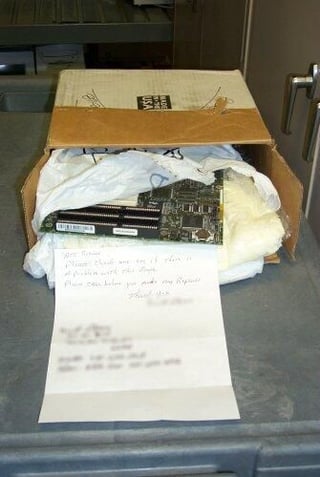
This motherboard was mailed to our service center in this nice box–wrapped in a plastic bag and cushioned by static-generating foam! The letter asked us to check the board for problems. If it didn’t have any problems before, I’m sure it does now!
Credit: Reprinted with permission from Rod Shelley
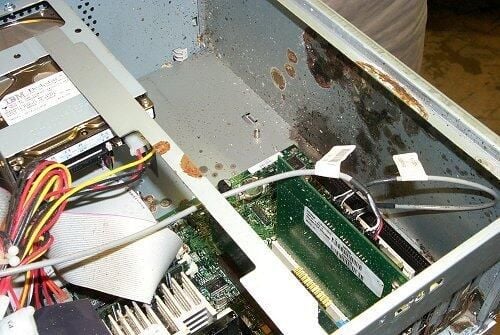
The story on this one? “I don’t know what did this. It was fine, then the next morning, it looked like this!” Right. A gnome crept inside the case, and exploded during the night.
Credit: Reprinted with permission from Rod Shelley
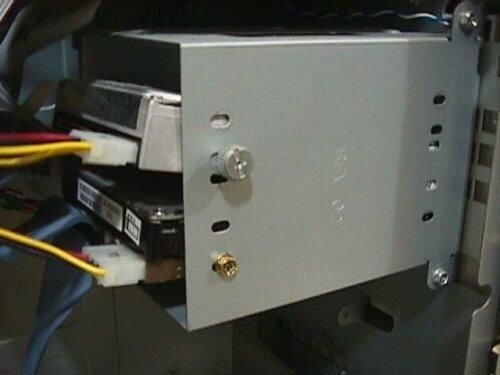
Here’s an elegant example of precision hard drive mounting. Hey, it saved 20 cents on screws!
Credit: Reprinted with permission from Rod Shelley
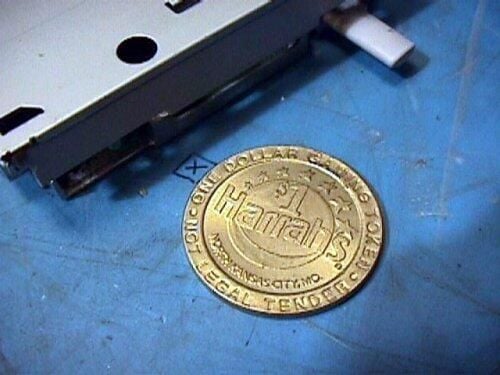
Uh, sorry, guy. This is NOT the right slot for this casino token! My service manager was watching over my shoulder as I removed this rattling floppy drive from an ailing computer. I shook the drive, and this token fell out. the manager just walked away shaking his head.
Credit: Reprinted with permission from Rod Shelley
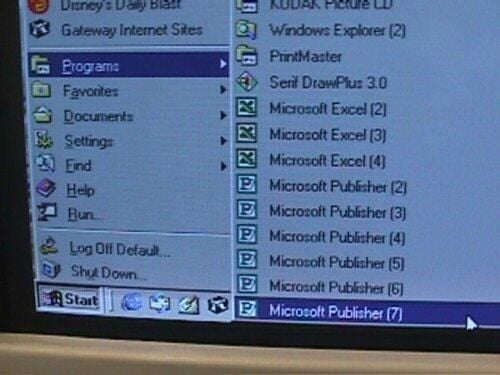
Here’s a variation on the multiple shortcuts idea. I guess this is in case they get confused?
Credit: Reprinted with permission from Rod Shelley
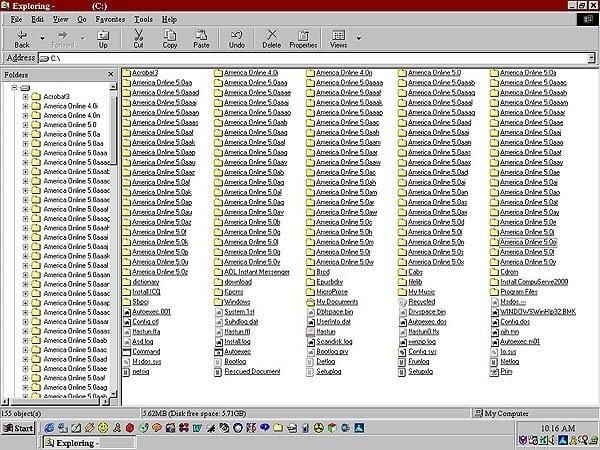
This person really, really, really likes AOL. Really. What they lack in knowledge, they make up for with persistance. Also, note the colorful status bar at the bottom of this screen shot (yes, I know it doesn’t hurt anything, but it just looks funny!).
Credit: Reprinted with permission from Rod Shelley
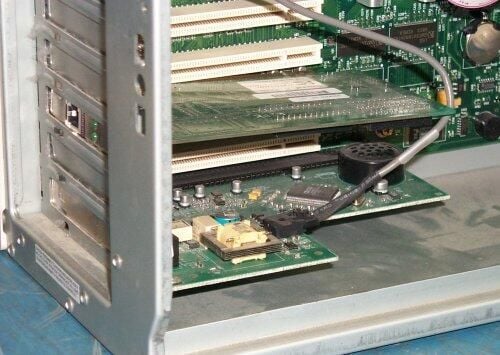
I don’t think there’s going to be much data transfer on this guy’s network – at least not from this computer. I hope his IT department wasn’t responsible for this!
Credit: Reprinted with permission from Rod Shelly
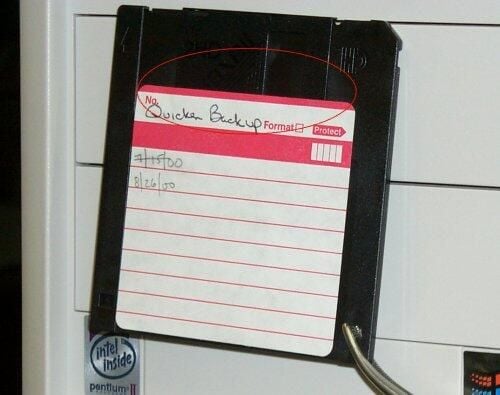
Here’s another “floppy drive won’t read…” problem. Note the disk label. Note the label sealing the disk’s protective access cover shut. His Quicken data should be quite safe.
Credit: Reprinted with permission from Rod Shelley
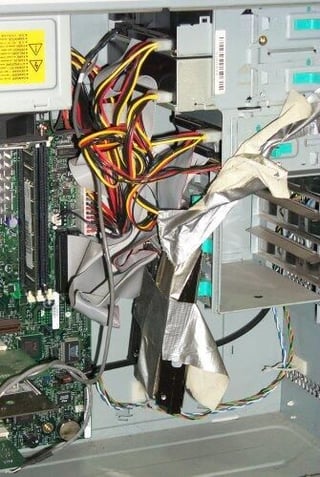
Can’t get the IDE cable to reach the hard drive? No problem–remember, you can fix anything with duct tape!
Credit: Reprinted with permission from Rod Shelley
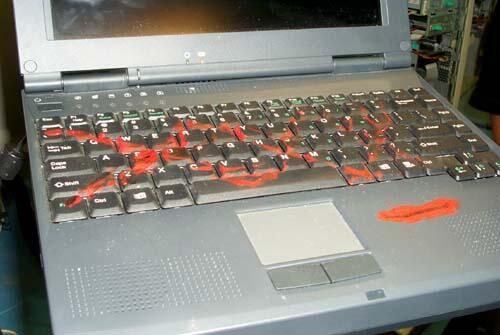
Okay – I have NO idea what was behind this one. The red stuff was semi-gooey, like lipstick. Either the kid got into some mischief, or someone ticked off the girlfriend/wife/significant other.
Credit: Reprinted with permission from Rod Shelley
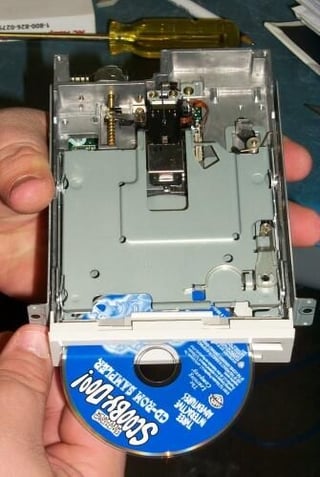
Yet more floppy torture. This is almost understandable, but still, there’s a reason floppy disks look the way they do, and CDs look the way they do. Duh! That little indentation on the CD drive tray really isn’t for holding your coffee! It’s for those 3-inch mini-CDs! Roo-Hoo, Scooby-Doo!
Credit: Reprinted with permission from Rod Shelley
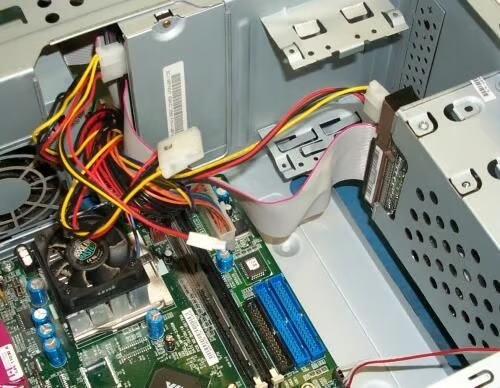
This one came in for “Operating system not found.” Please note the two blue sockets on the motherboard at bottom center. Note that these are the IDE controller sockets. Note the black socket next to them. That is the floppy drive cable socket. Note that there are no cables in ANY of them! Note the IDE cable going from the hard drive to the CD ROM drive – and nowhere else!
Credit: Reprinted with permission from Rod Shelley
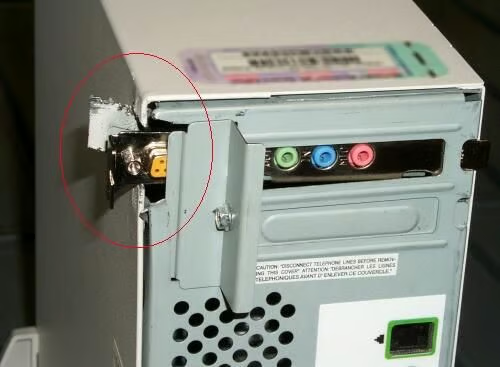
This is one of those half-size cases. Wanting an add-on (full-size) sound card, this ingenious owner decided to do a little “modification” on the case. Still can’t use the game port, though! Try ARC-welding it next time.
Credit: Reprinted with permission from Rod Shelley
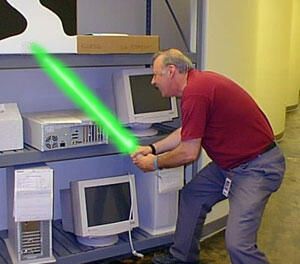
Rod continues his fight against the dark side.
Credit: Reprinted with permission from Rod Shelley
Bill Detwiler is the Editor for Technical Content and Ecosystem at Celonis. He is the former Editor in Chief of TechRepublic and previous host of TechRepublic's Dynamic Developer podcast and Cracking Open, CNET and TechRepublic's popular online show. Previously, Bill was an IT manager in the social research and energy industries. He has bachelor's and master's degrees from the University of Louisville, where he has also lectured on computer crime and crime prevention.


