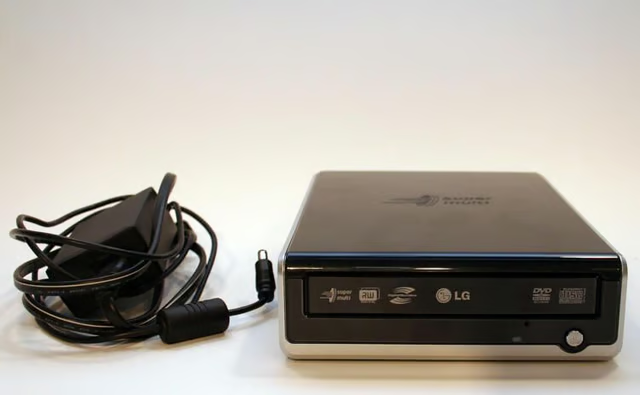
\n\tExternal USB-connected CD and DVD burners present a simple method for expanding PCs and adding valuable functionality. Just what’s inside those black and beige boxes so many users have added to their systems, though? Check out this Cracking Open image gallery for a glimpse inside an LG Super Multi DVD ReWriter GSA-2166D.
\n\t
\n\tModel number GSA-2166D, this LG Super Multi DVD ReWriter served its purpose well, at least for 18 months or so before failing.
\n\t\n\n
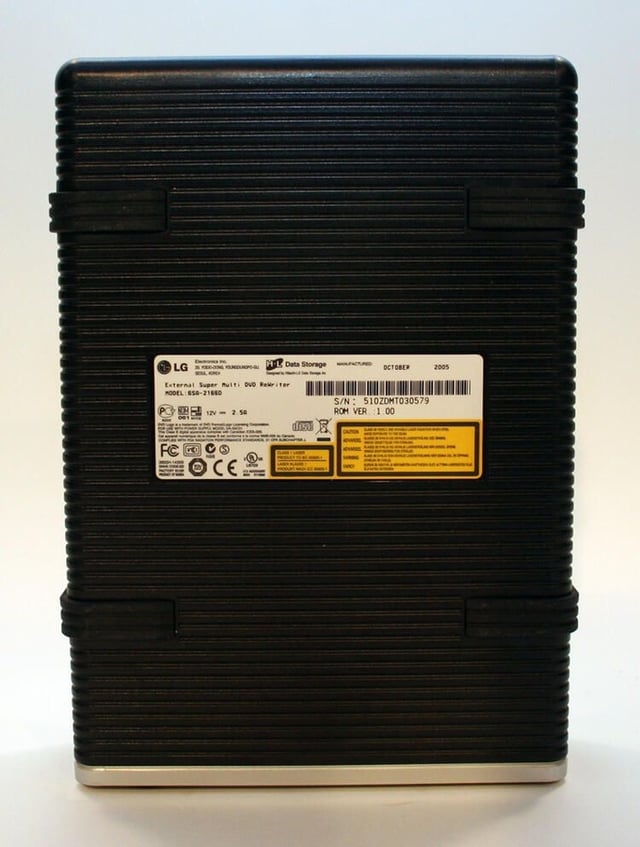
The LG’s model and serial numbers, manufacturing date and other information are all affixed to a single label placed on the underside of the external LG case.
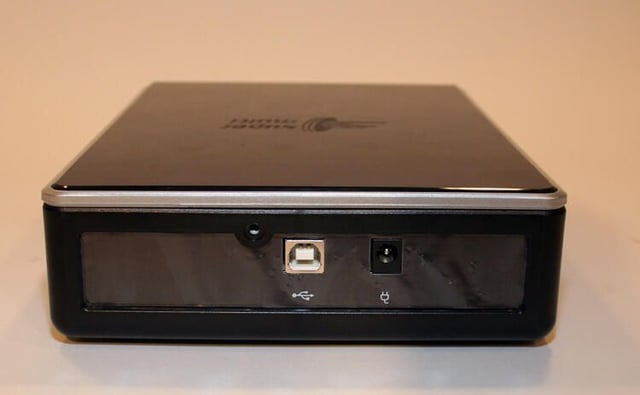
The rear panel of the LG Super Multi ReWriter features simply two ports. One accommodates a USB 2.0 cable, whereas the second accepts the required 12-volt DC power supply.
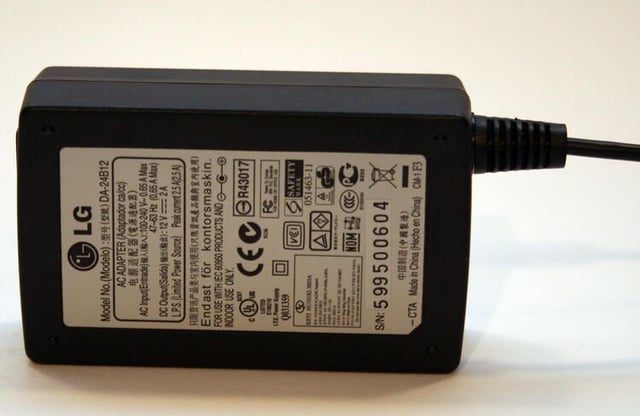
The LG’s power adapter converts 120-volt AC wall current to the 12-volt DC electrical supply the external DVD burner requires.
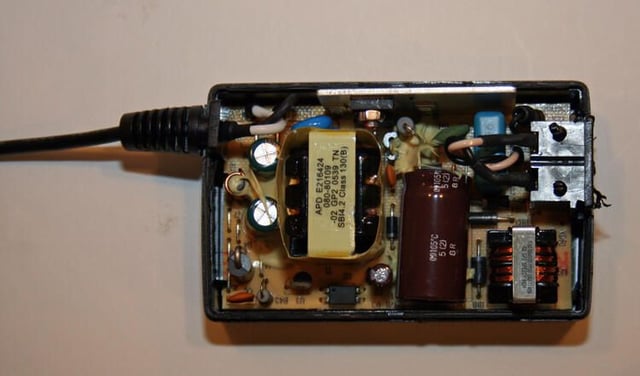
Manufactured in China, this power adapter’s purpose is to convert AC current to DC and provide electricity at a lower voltage than that supplied by wall outlets.
The copper windings, visible at the bottom right, serve to help convert (or reduce) electrical current.
The transformer, meanwhile, assists by transfering electricity through magnetic fields. The transformer is the component wrapped in the protective sheath (with the “APD” lettering atop).
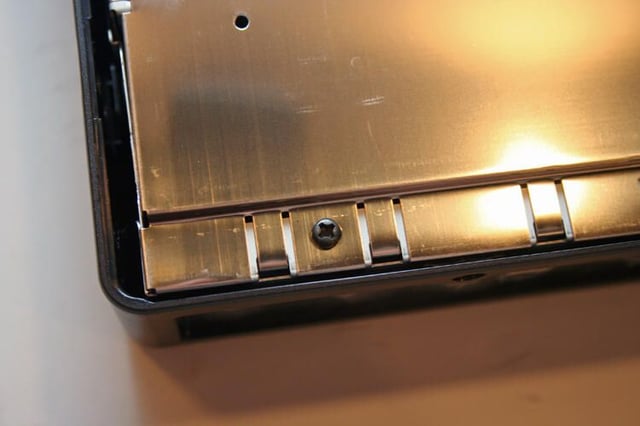
Extracting the retaining screws at the rear compartment enables removal of the drive’s outer casing.
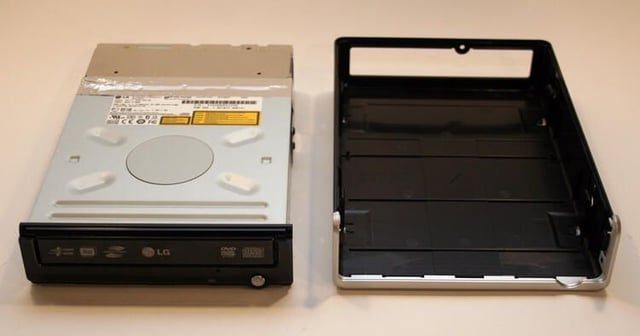
Once the LG drive’s outer shell is removed, the drive is fully revealed. The exterior plastic shell, meanwhile, mostly serves cosmetic purposes (although it does help guard the drive’s metal skeleton from accidental shocks and static electricity discharges).
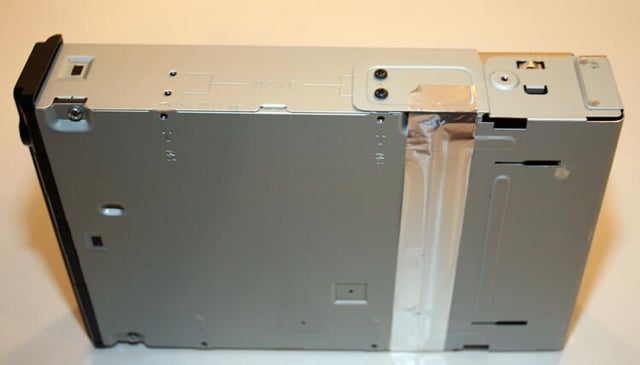
Removing four Philips head screws (two on each side) and protective tape allows separation of the drive’s rear compartment (which contains connections for the data and power ports) from the main drive body.
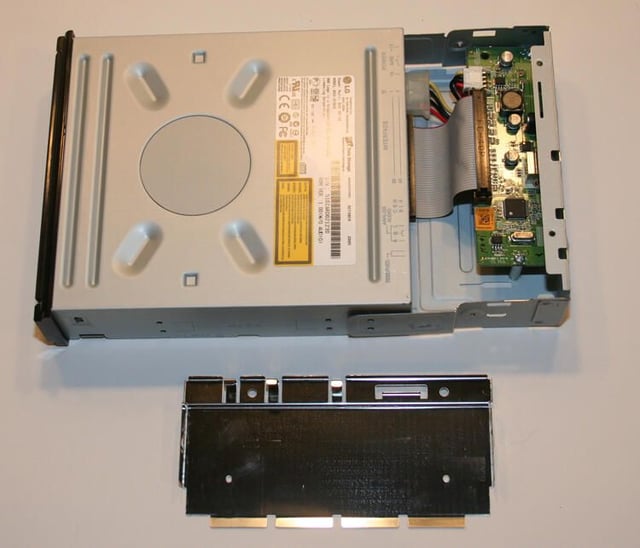
Once the rear compartment’s cover is removed, the circuit board that manages transferring data communications and power delivery is revealed. Here you can see a standard ribbon cable and Molex plug complete the data and electricity paths to the internal drive from the external case.
The lid, meanwhile, sits at the bottom of the frame.
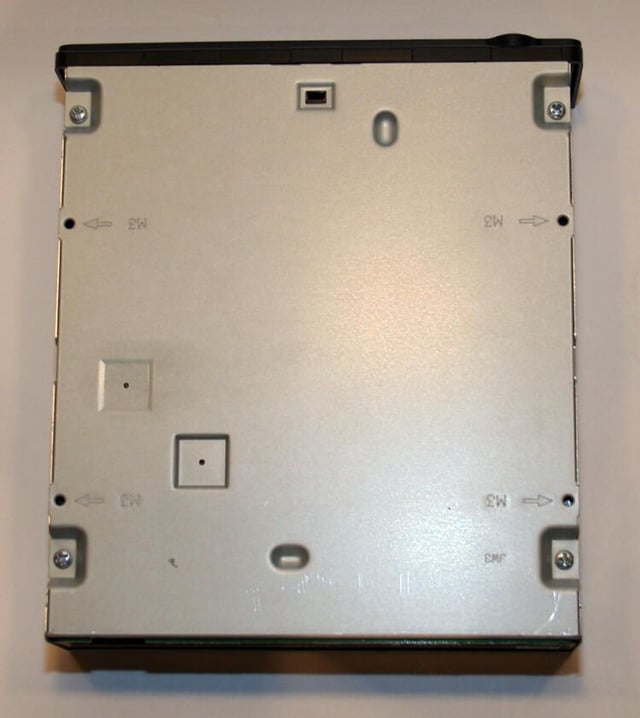
Turning attention to the case’s bottom reveals four Phillips head screws that require removal.
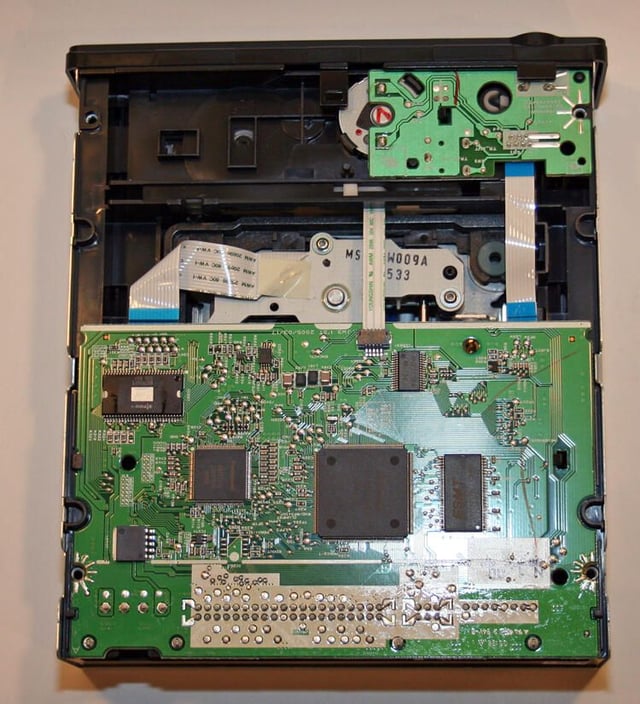
Once the four Philips head screws are removed, the LG drive’s bottom-side is revealed.
Here two circuit boards can be seen. The large one (on the bottom) is responsible for managing drive operation, while the small board above assists in powering and opening the drive.
Also visible is the underside of the LG Innotek-manufactured mechanical motor’s main body (the silver plate with a gray ribbon cable and the W009A lettering.
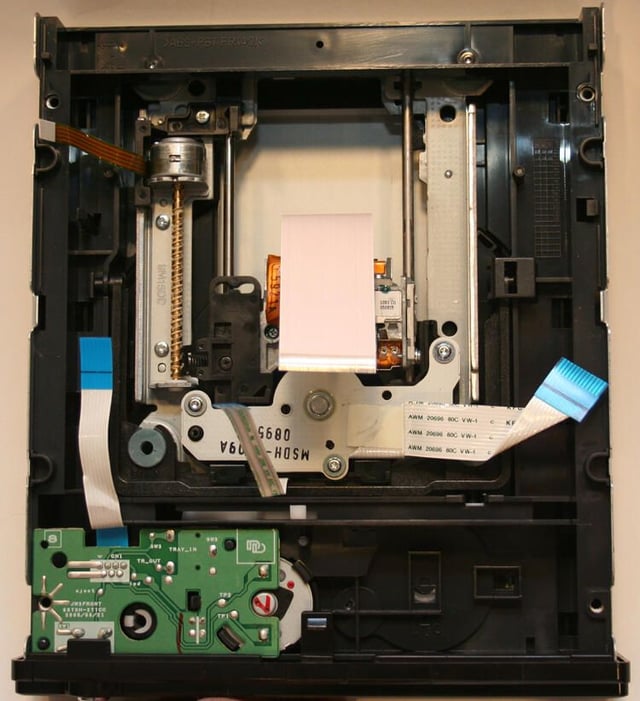
This view is looking at the drive’s internals from its underside. Once the main circuit board is eliminated, the drive’s main motor (and the slides upon which it travels) are clearly visible.
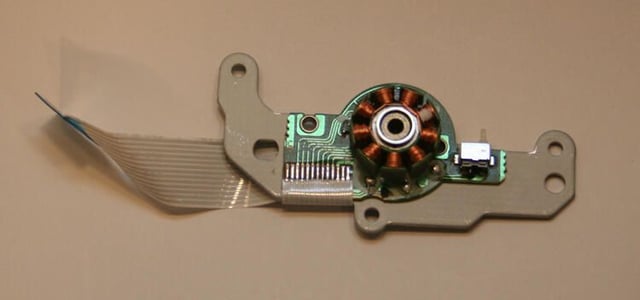
Here’s a close up of the LG drive’s mechanical motor (and ribbon cable) after being removed from the drive.
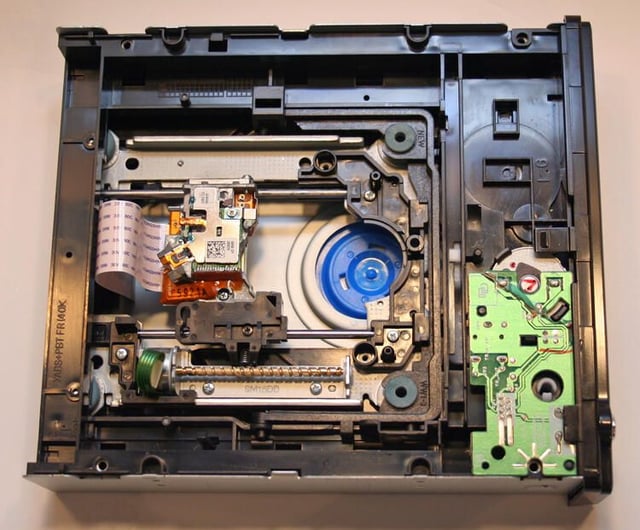
Here’s the view peering down into the LG DVD burner from the top side.
In addition to being able to see the actual laser head (the assembly that’s positioned upon the two slide bars), you can see the blue easement into which the mechanical motor used to sit before it was removed from the drive.
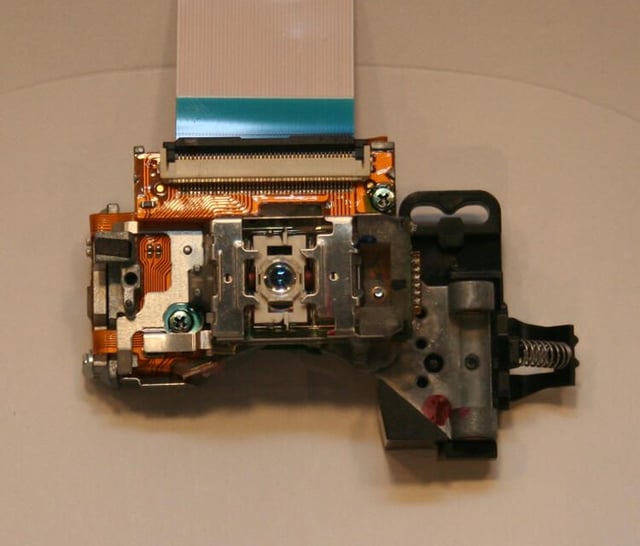
Here’s a closeup of the LG drive’s laser head. This is the device that handled all the heavy lifting, from reading CDs and DVDs to writing and rewriting CDs and DVDs.
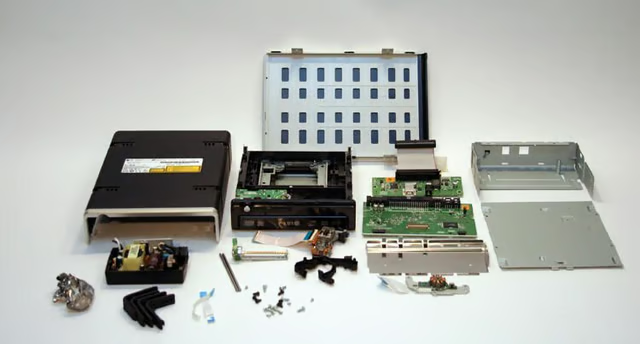
A myriad number of components, plates, casings and circuits all go into building a simple external USB-powered CD/DVD burner.

Erik Eckel is a managing partner at Louisville Geek and president of Eckel Media Corp. He previously served as Executive Editor at TechRepublic. He received Microsoft Engineer accreditation from Sullivan University and earned his Bachelor's Degree in English from the University of Louisville. He's earned Network+, Windows NT 4.0 MCP+I and MCSE, and Windows 2000 Professional MCP accreditations.


