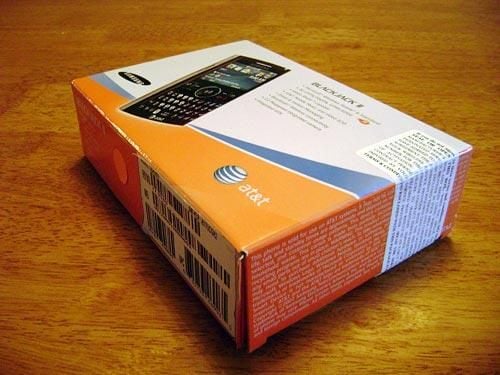
That electronic leash around your neck just tightened a notch; Samsung has released the BlackJack II.
In addition to being a cell phone and mobile email machine, the BlackJack II features 3G network connectivity, Bluetooth wireless functionality, a 2.0 megapixel camera and integrated GPS – all in a package about the size of ½ deck of playing cards.
After cracking open the BlackBerry Curve a couple of weeks ago, I thought that this would be a walk in the park. Little did I know.
The BlackJack II comes in AT&T’s standard orange, blue and white packaging that lets it stand out on the shelf with a little punch.
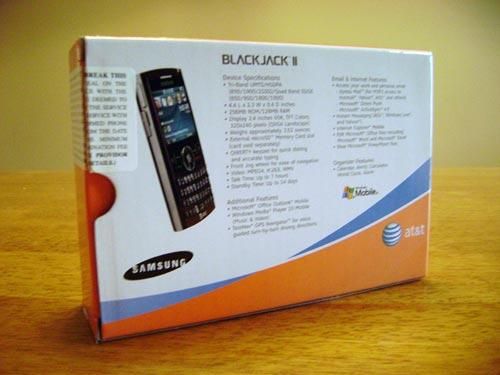
The back side of the box lets us know exactly what the BlackJack II is capable of. I know of a few people who could replace their laptops with one of these.
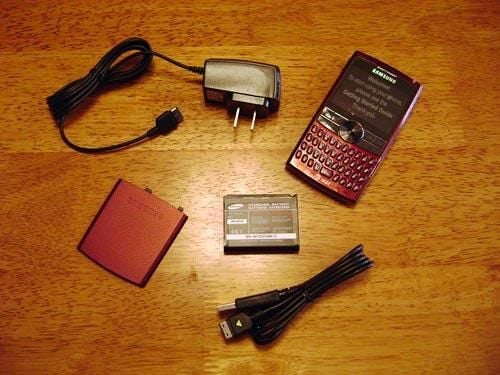
The BlackJack II handset ships with the battery and back panel battery hatch disassembled. The power cable and USB cable are all that is needed to get this up and running.
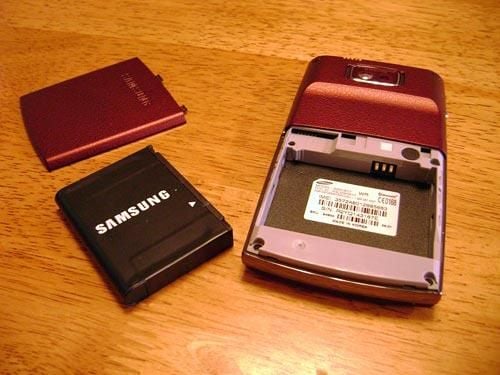
The internal chassis for the BlackJack II makes for a snug, compact fit for the battery.
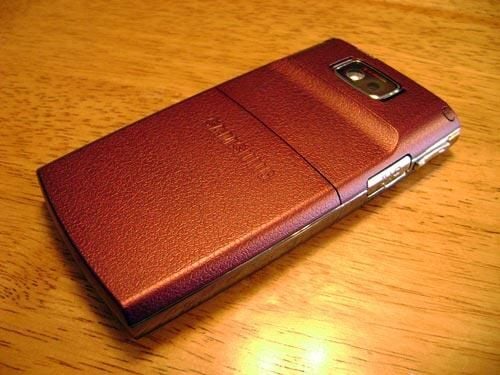
The entire backside of the BlackJack II is made of plastic, but its texture looks and feels a little more like leather. A nice tactile sensation, especially if you’re using it all day.
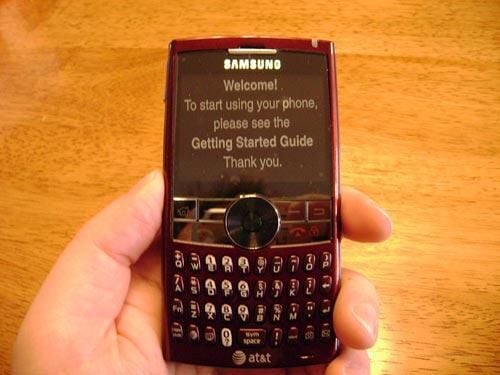
The front of the BlackJack features a plastic overlay that politely asks you to read the instruction manual. I politely refused.
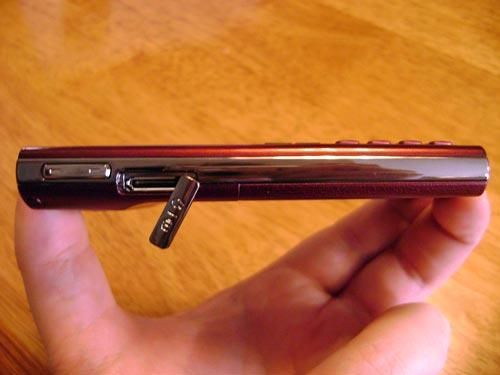
The left side of the BlackJack II also has a removable cover, but this one hides the charging and data transfer jack. An audio volume rocker switch is above it.
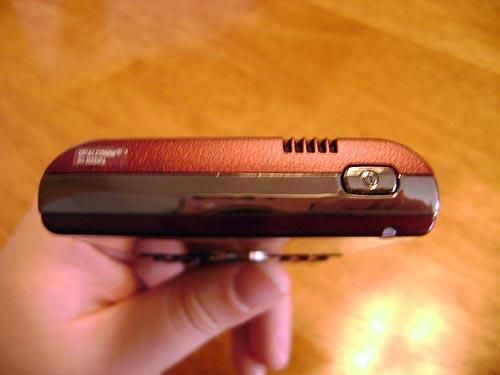
The top of the BlackJack II is where you can find the Power switch and the external speaker in case you need to talk to someone via the Speaker phone.
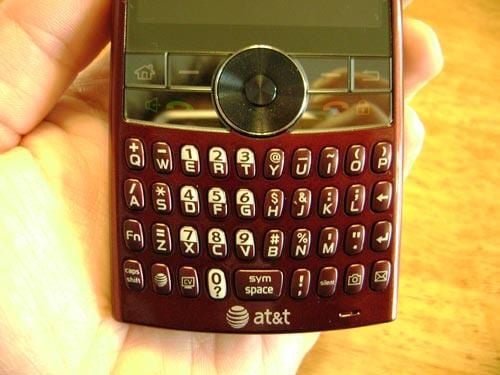
The front of the case is where you find the LCD screen, phone controls and of course, the keyboard. It also has the circular Navigation Key and Jog wheel, both of which have a nice grip-like texture to them.
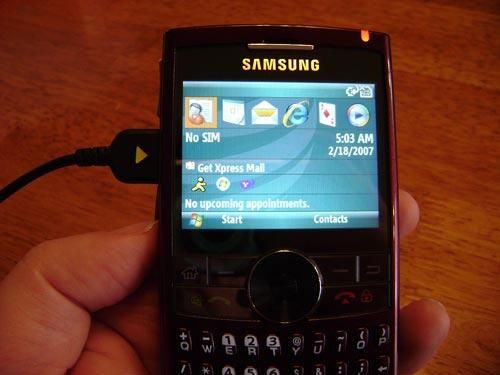
Inserting the battery and plugging in the charger confirms that our BlackJack II is operational. After an AT&T Screen, a Windows screen and a 30-second-or-so wait, the home menu shows up.
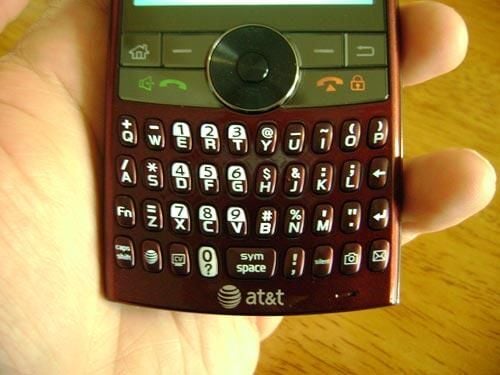
It’s hard to see here, but the keys on the front of the BlackJack are backlit, making it easy to send an email in the middle of a crowded movie theater.
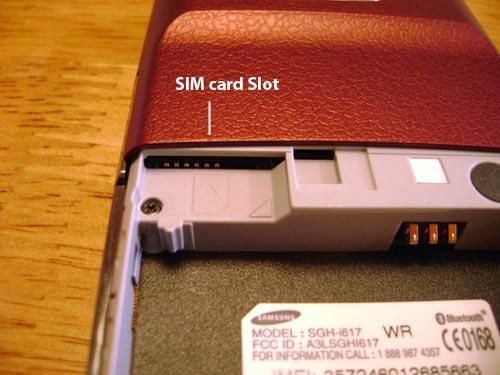
Removing the back panel battery cover, I finally locate the SIM card slot that I overlooked.
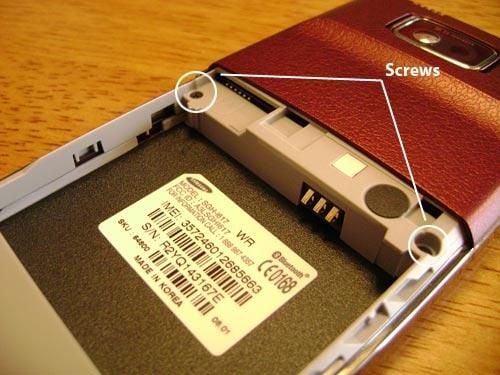
Time to get down to business. These two screws under the back battery panel look like a good place to start breaking down the BlackJack.
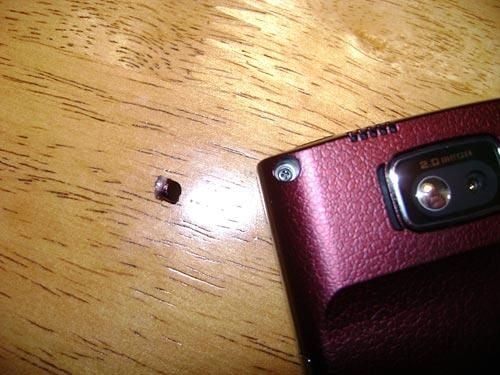
The top back of the BlackJack II has two small covers that hide another set of screws that help hold the casing together. One of the cover plugs comes out fairly easily, but the other takes a little more effort to coax it out.
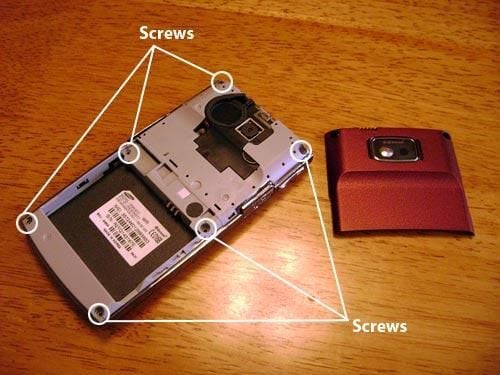
The BlackJack II is held together by 3 pairs of screws.
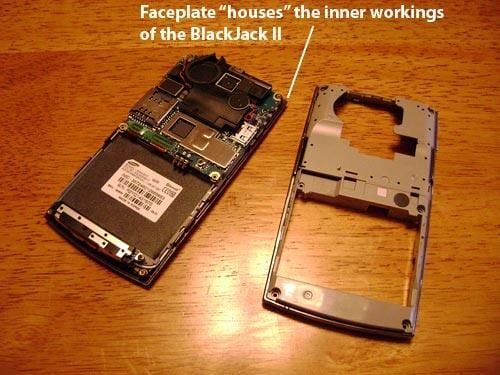
This is where I got stuck for a good long while. The body of the BlackJack II is actually attached to the faceplate, instead of the inner gray plastic protective casing. This made separating the faceplate from the gray casing extremely difficult, since I had to pull the electronic innards away from the casing instead of removing the front faceplate on its own.\r\n
\r\nI’m no expert on electronic product design by any means, but why would you manufacture and sell replacement faceplates to consumers, when they will have to handle the electronic guts of the BlackJack II if they want to install a new faceplate?
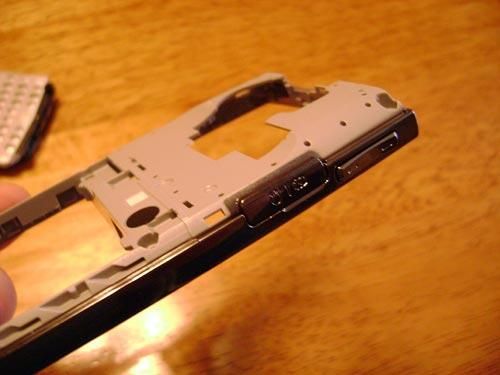
Here’s another design feature that made it difficult to break down the BlackJack: the grey plastic casing and the Chrome frame are actually a single piece. I spent a lot of time trying to separate the chrome band from the casing, since I mistakenly thought that it was holding the BlackJack together.
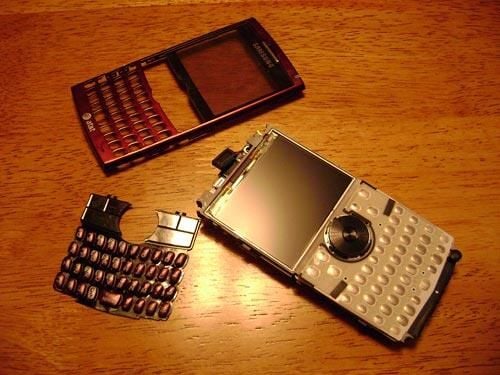
Once freed from the gray and chrome casing, the faceplate of the BlackJack II came off easily. The front of the circuit board shows us the LCD screen and the contact pad for the keyboard.
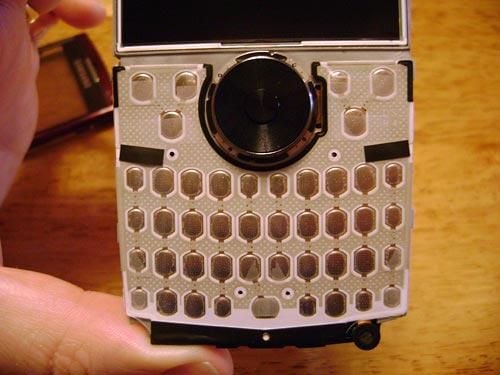
A close-up of the contact pad for the keyboard.
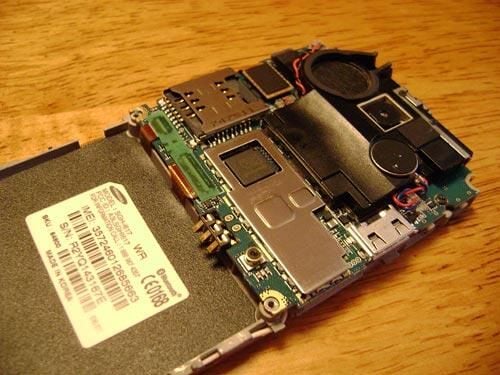
With the faceplate gone, the backside of the BlackJack shows primarily the inner workings of the camera and the SIM card slot.
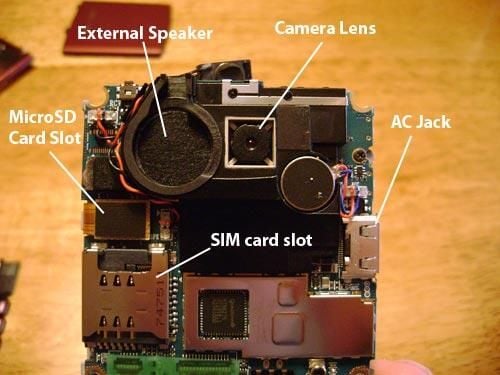
Here are some of the major components of the BlackJack II.
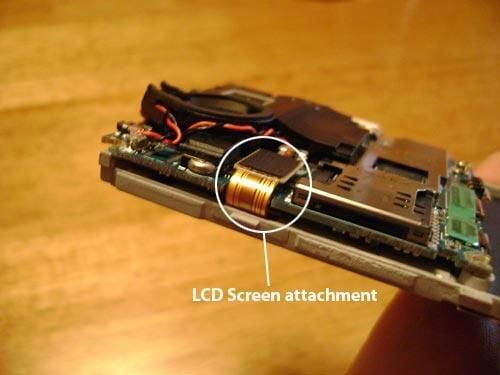
My next step is to separate the LCD screen and the keyboard pad from the circuit board. However, it looks as if the LCD screen is connected to the circuit board via this ribbon and chip attachment. No way I can break that and put it back together. I wonder if there is a less permanent connection elsewhere…
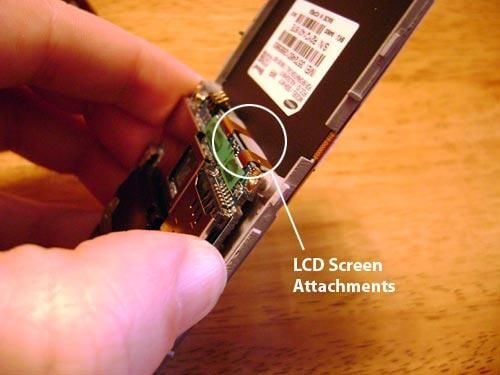
The LCD screen does have two more attachments to the circuit board, but the two new ribbon and chip configurations appear as if they are even more permanent. I can see them give very little as I try to lift the circuit board from the LCD screen.
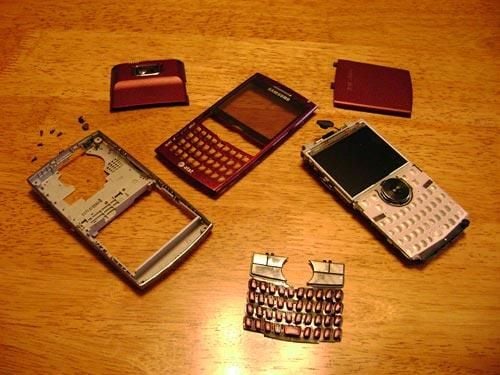
The BlackJack II is disassembled and spreadeagle on my desk.
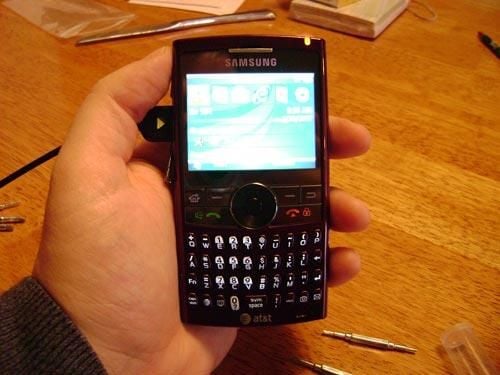
I was able to reassemble the BlackJack II and everything works. There is some scuffing on the casing from my prodding and prying with screwdrivers, but hey – it’s what’s inside that counts.
John Lee is a consultant specializing in design and illustration and a freelance technical writer. You can visit his Web site at johnleestudio.com.

John Lee is a consultant specializing in design and illustration and a freelance technical writer. You can visit his Web site at johnleestudio.com.


