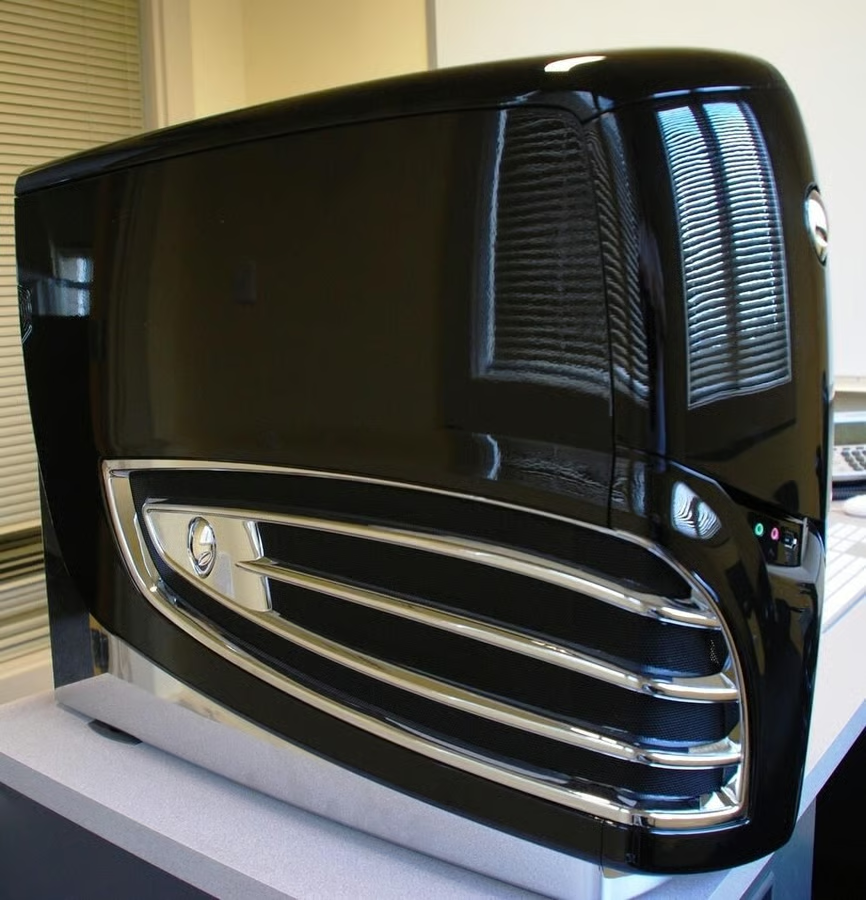
The Area 51 ALX systems from Alienware are their flagship desktop computers. Our review unit came with three nVidia GeForce 280 GTX video cards, each carrying 1GB of dedicated GPU RAM. We had to crack it open to see what a case full of video cards actually looks like.
Follow this link for a full review of the Alienware Area 51 ALX.
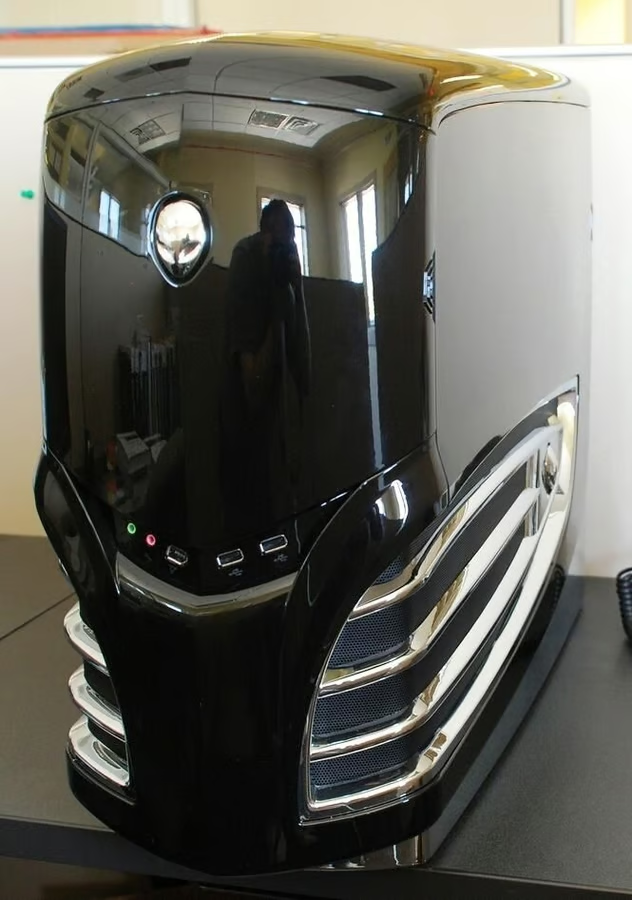
I like the glossy black Alienware cases, especially when they first come out of the box. Who is that reflecting back at us?
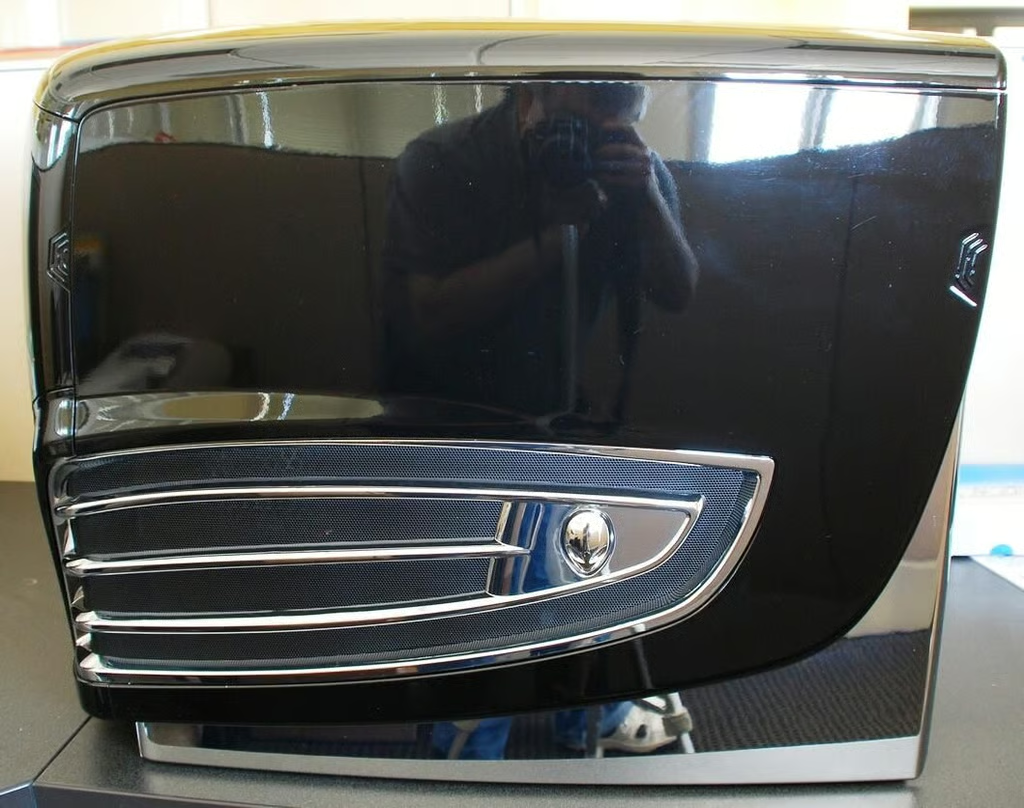
The regular Cracking Open table was occupied so I had to improvise with the cube next door.
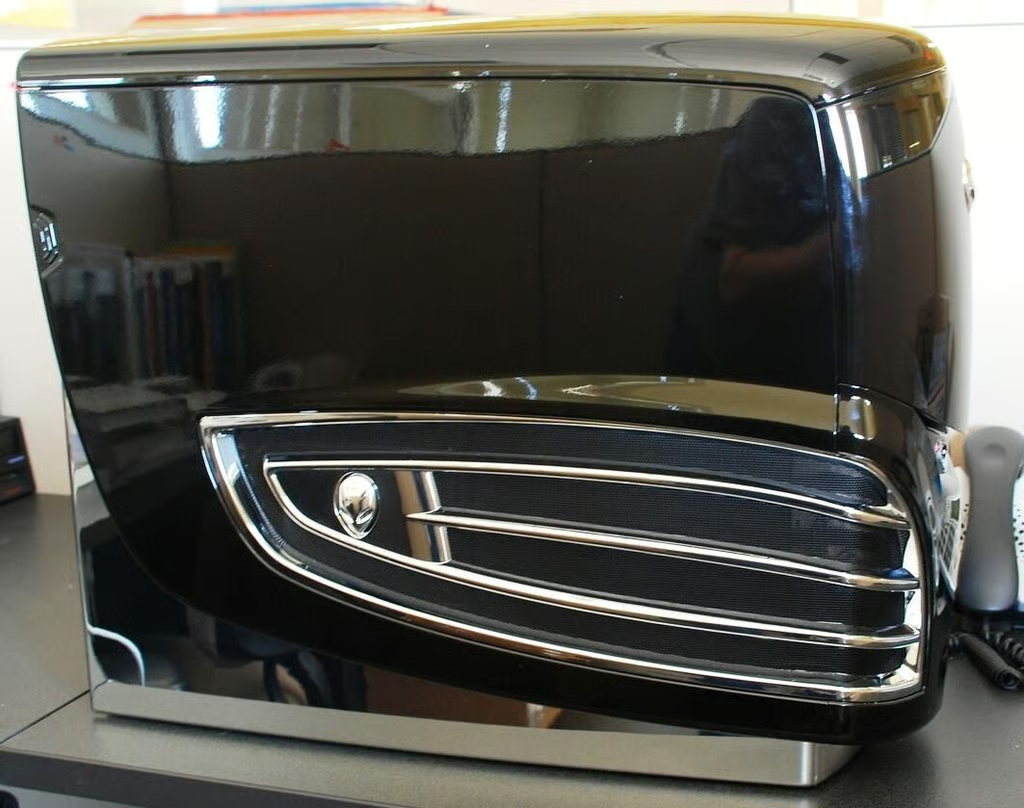
The Area 51 ALX systems seem to particularly glossy. It is almost too pretty to be stuck under a desk somewhere.
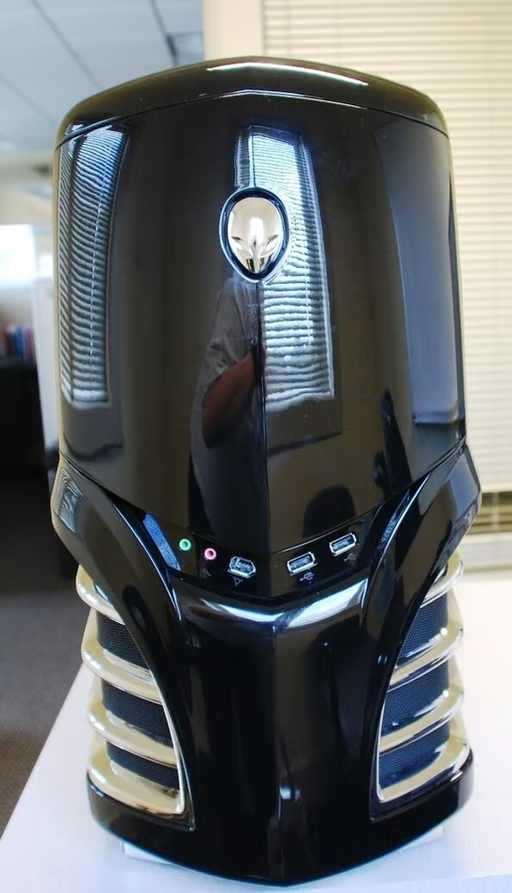
The front panel of the Alienware Area 51 ALX has the familiar two USB ports, a Firewire port, and audio and microphone jacks.
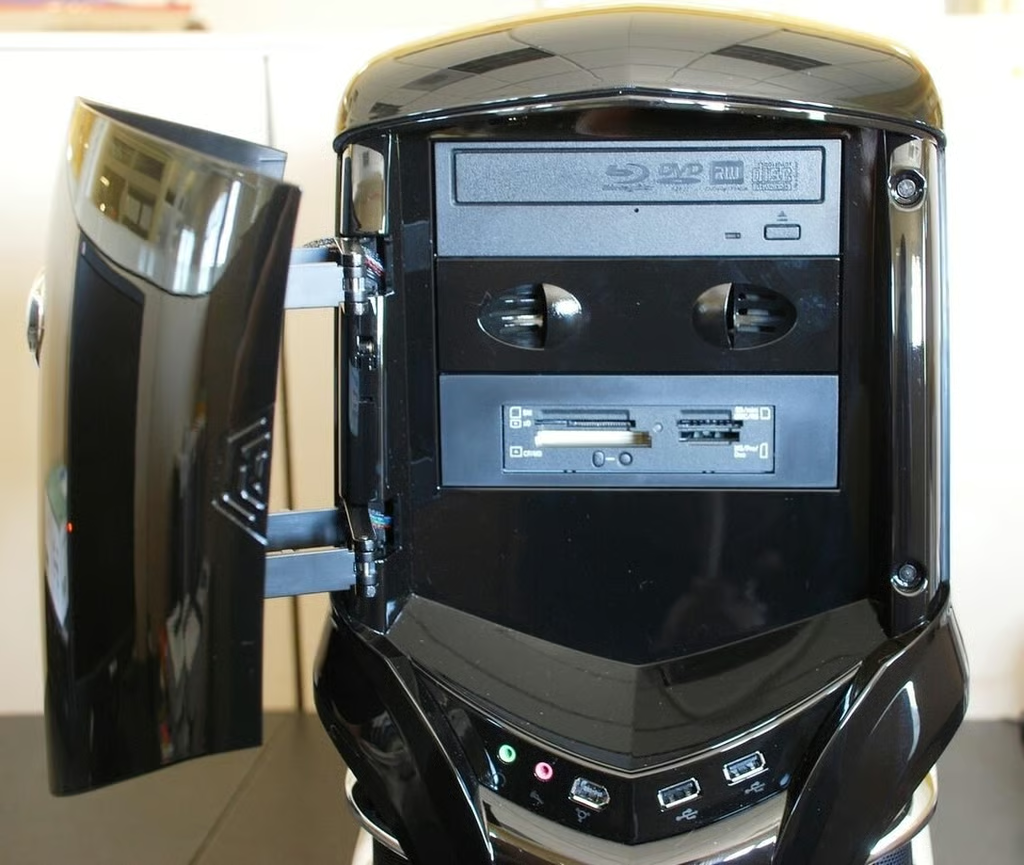
Under the door we have a Blu-Ray DVD burner and a multi-card reader. Unless you are still using floppy disks, this should be enough removable media storage for just about anybody.
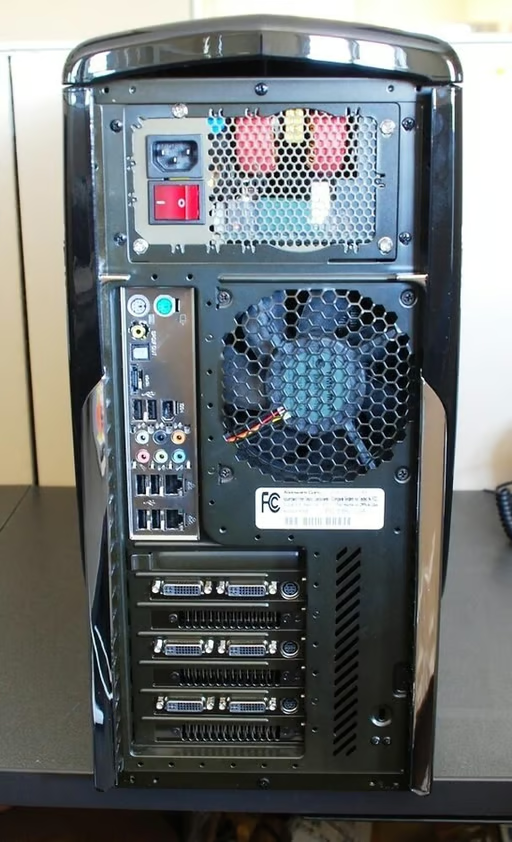
The back of the Alienware ALX reveals a number of various output connections.
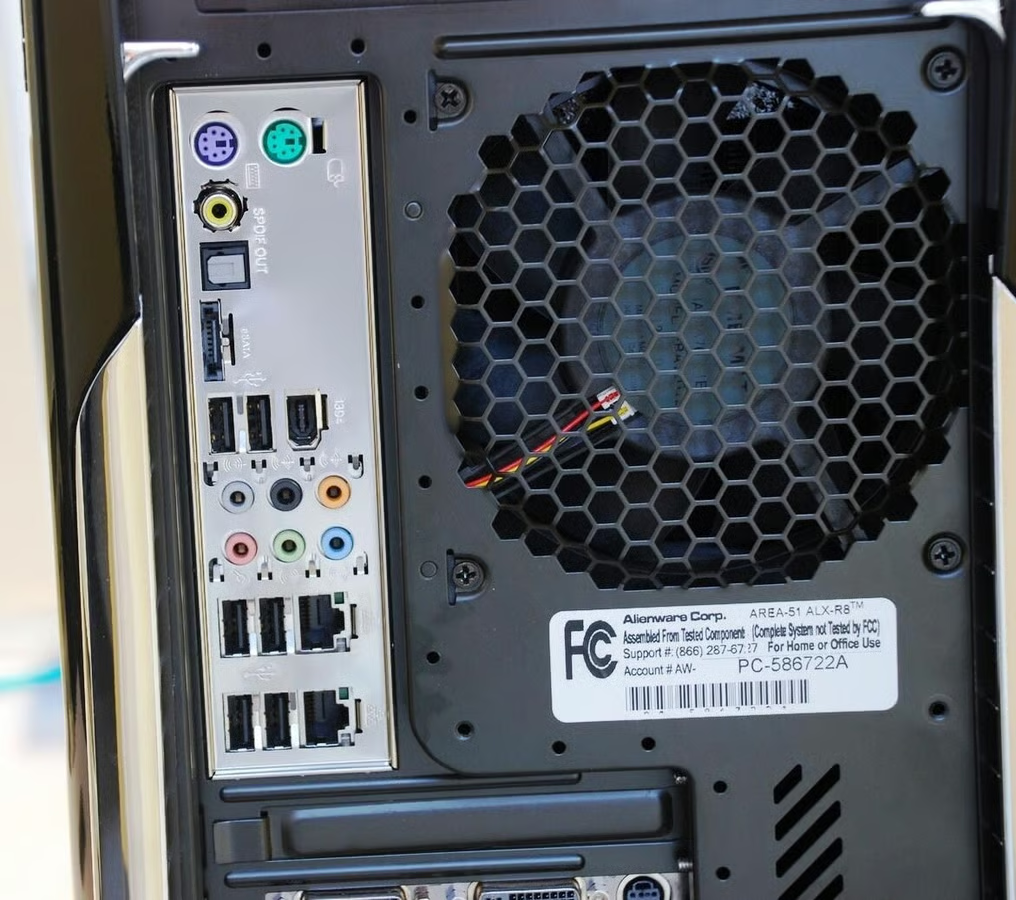
The upper interface plate contains six USB ports, a Firewire port, SPDIF, eSATA port, two Gigabit Ethernet connections, 7.1 Surround sound jacks, and P/S 2 ports for the mouse and keyboard. Something for everyone.
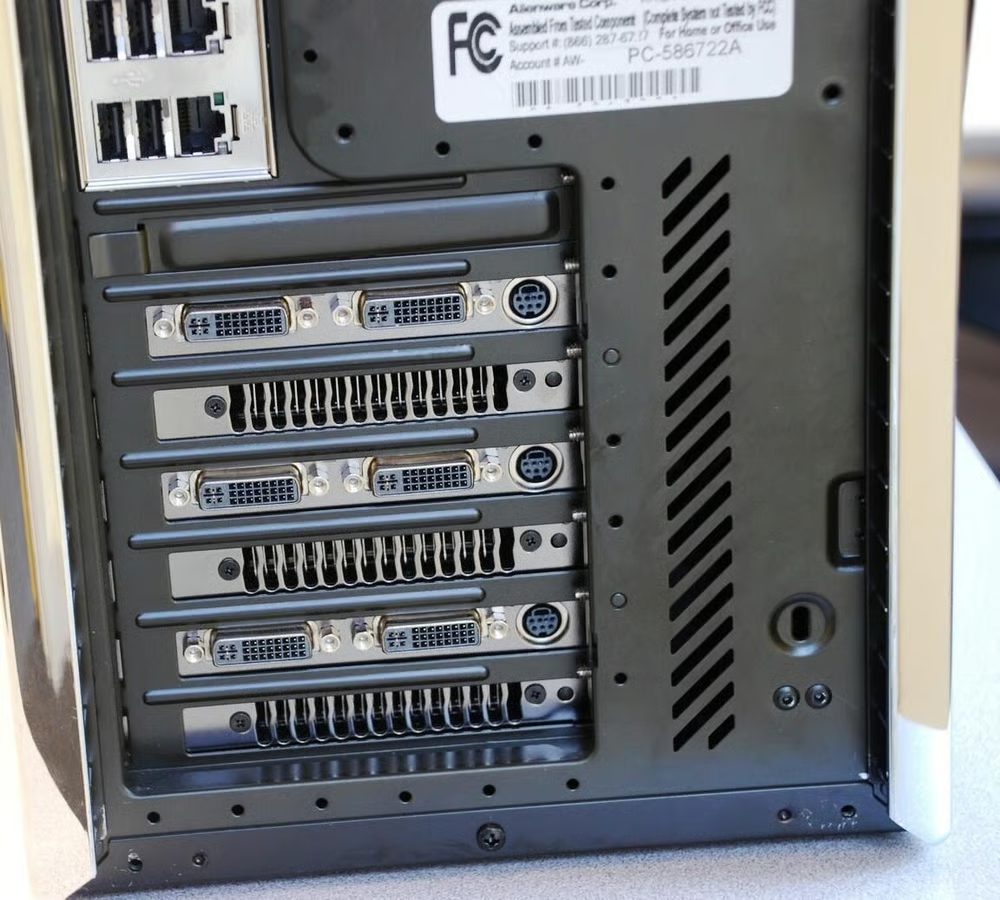
This is our first close look at the three video card setup. The cards are all of the nVidia 280 GTX variety.
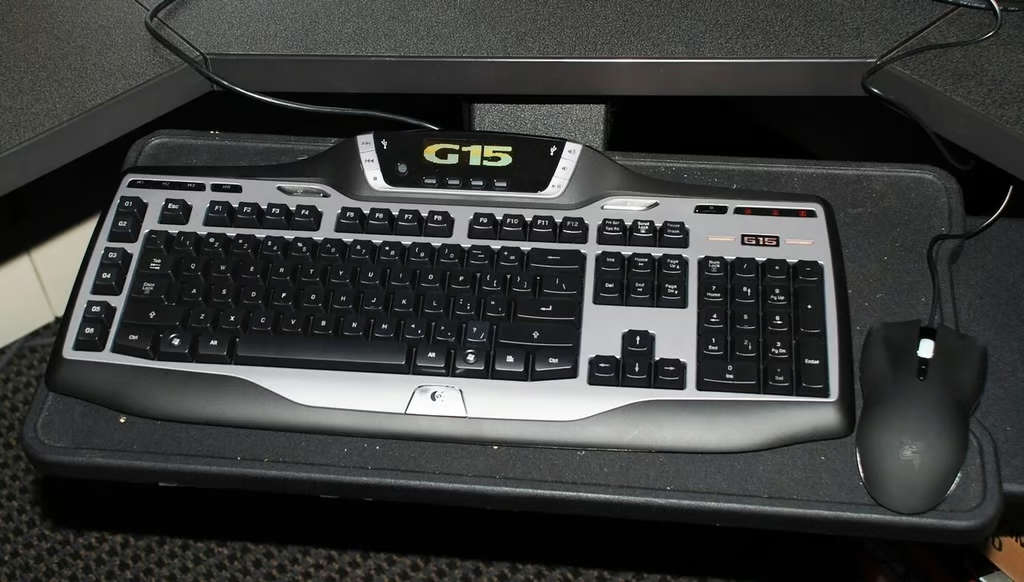
Alienware includes the Logitech G15 gaming keyboard as standard equipment for their Area 51 ALX systems. The Razor Lachesis Mouse is also part of the standard package.
Both are fine choices and have appeal, but I have always been a “more mouse buttons the better” kind of guy.
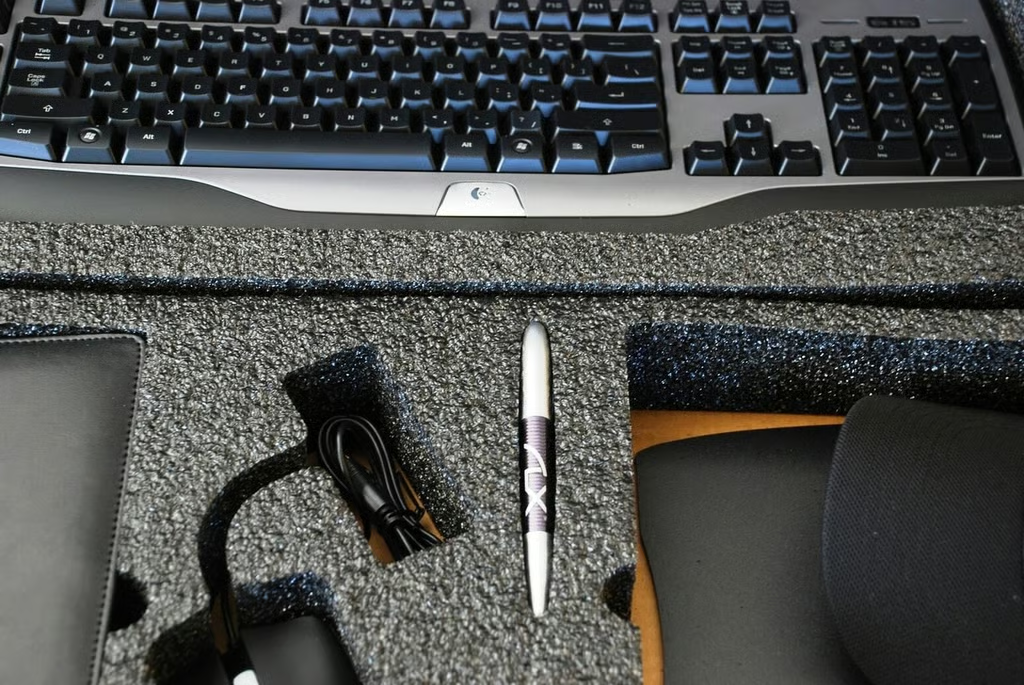
One way you know you are buying a PC that is considered part of the enthusiast market is by the extras you find in the shipping box. Alienware included a nice ballpoint pen and a baseball cap in our ALX system.
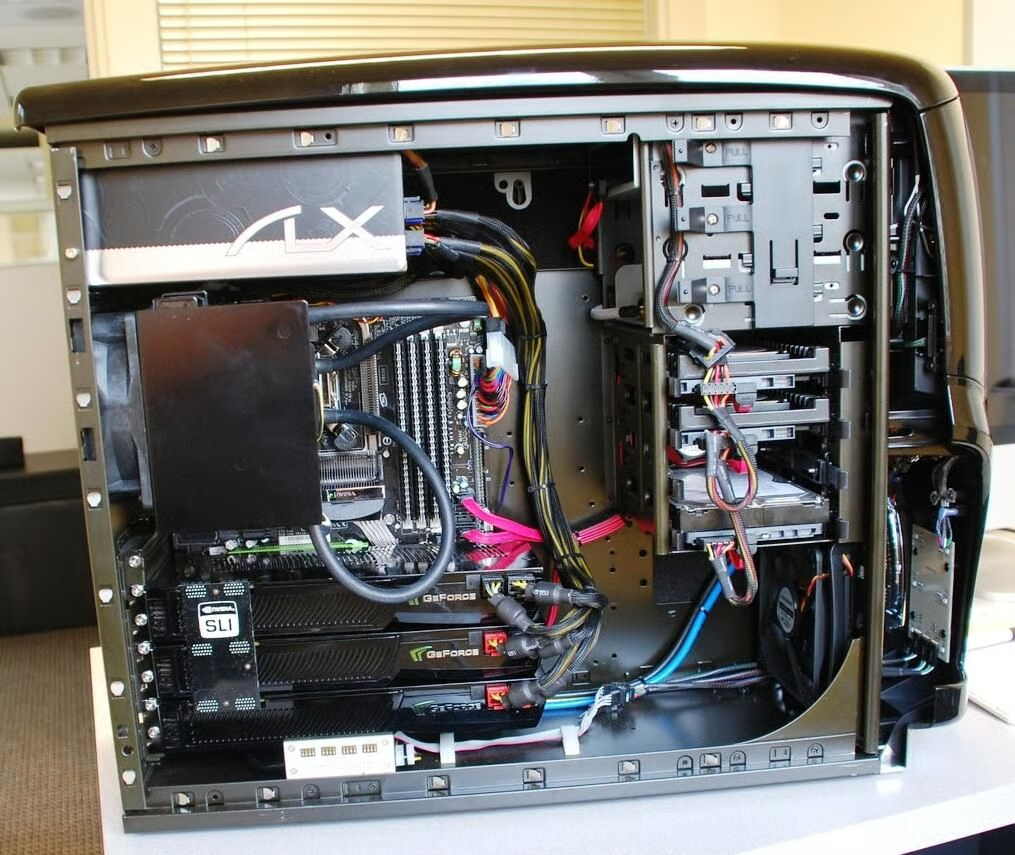
Once the case door you can see where the folks at Alienware shine. The inside of an Alienware PC is really a work of art.
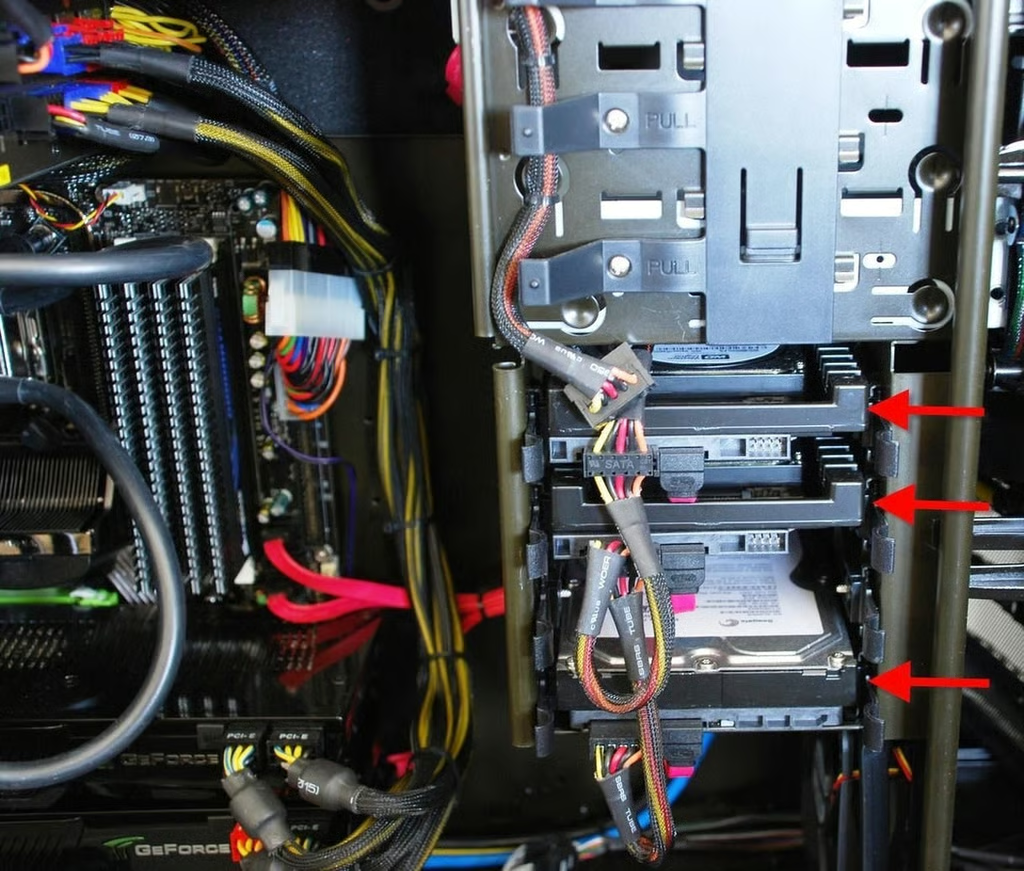
One of the first things I noticed about the Area 51 ALX was the use of slide out hard drive bays (red arrows) similar to what we found in the HP Blackbird 02.
During the Cracking Open of the Blackbird 02 I lamented on the lack of adoption of this internal hard disk array. I am very pleased to see that Alienware has adopted the concept. Now if we can just get every other PC manufacturer to go along.
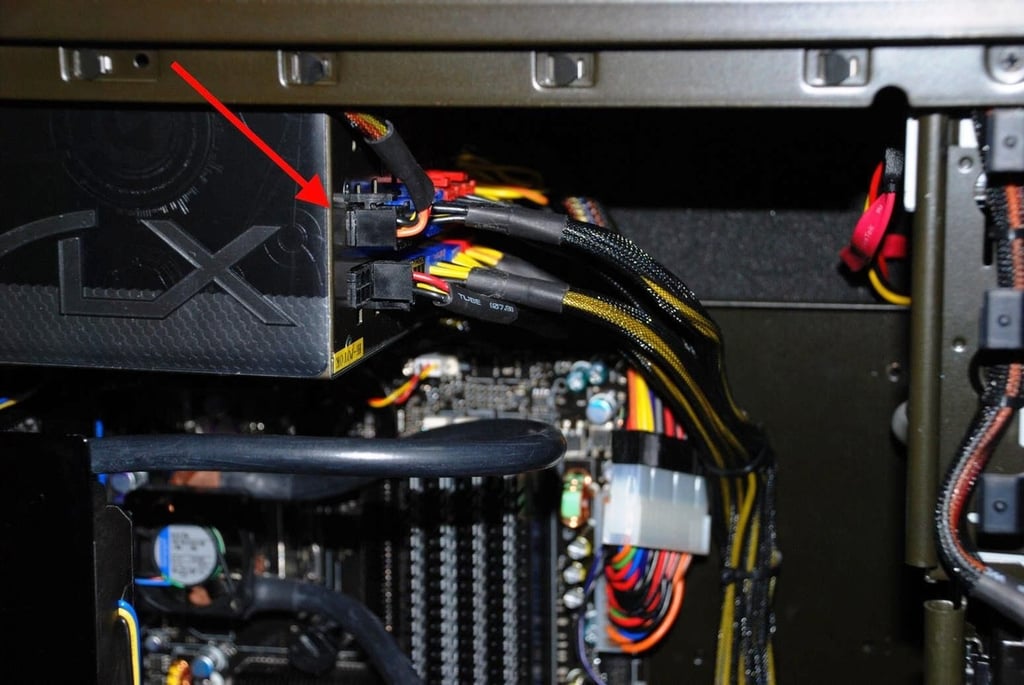
As you can imagine, three power-hungry video cards, a RAID set of hard drives, and a Quad Duo CPU require some significant wattage. This is a 1200 Watt power supply. I do like the new power plugs found on newer power supplies. Much easier to work with these connections.
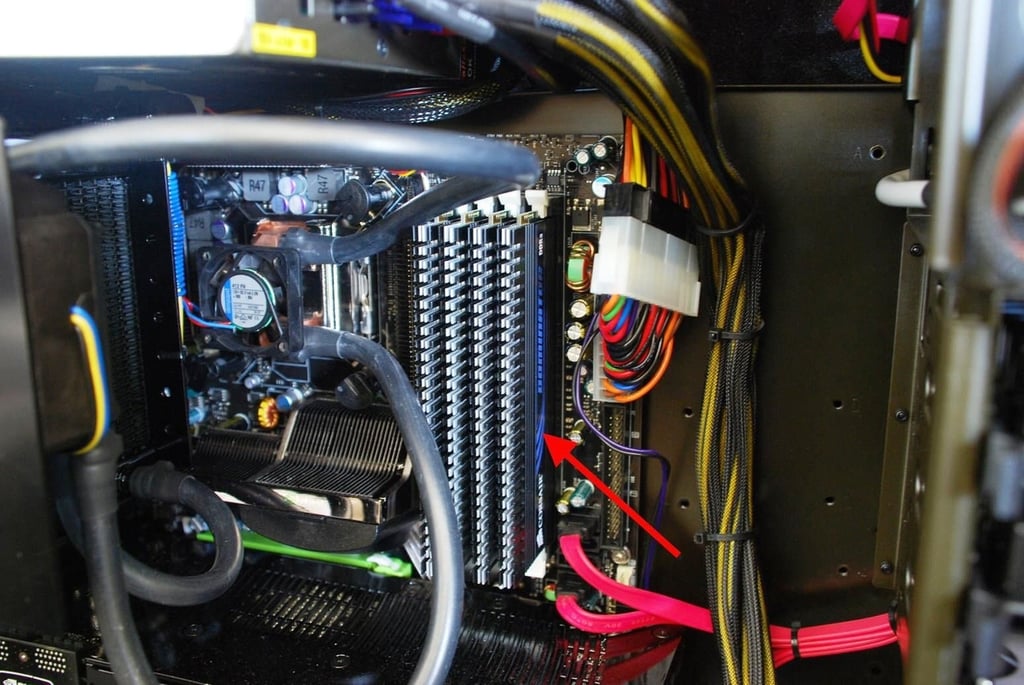
Here we can see the four RAM sticks that make up the 4GB in the ALX system.
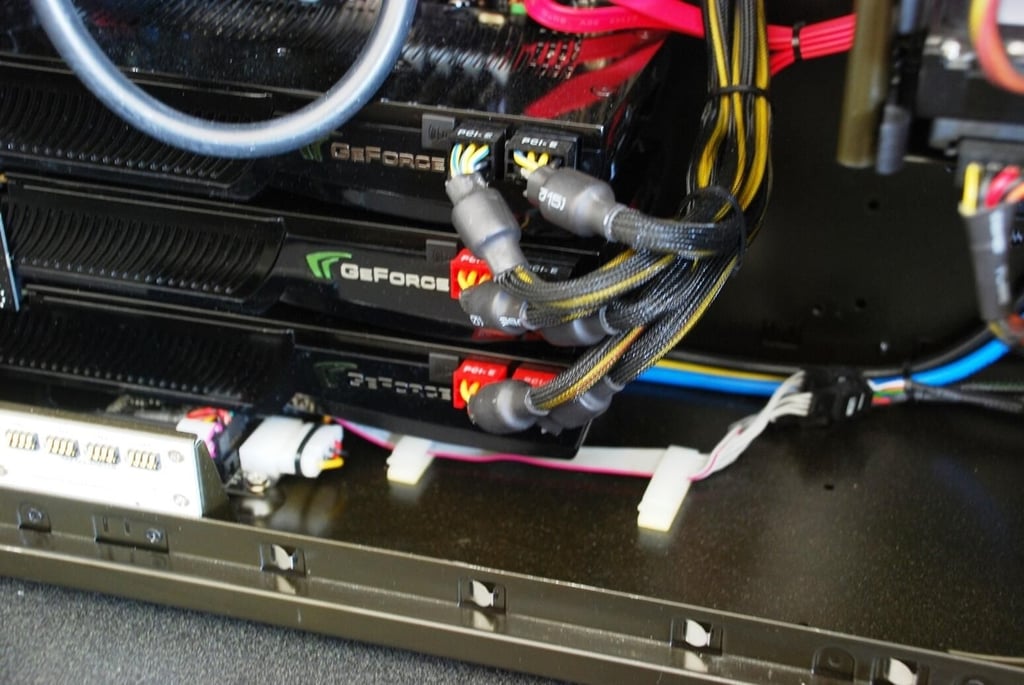
As you can see, each of the 1GB NVIDIA\u00ae GeForce\u00ae GTX 280 cards has two power connections — that’s power hungry alright.
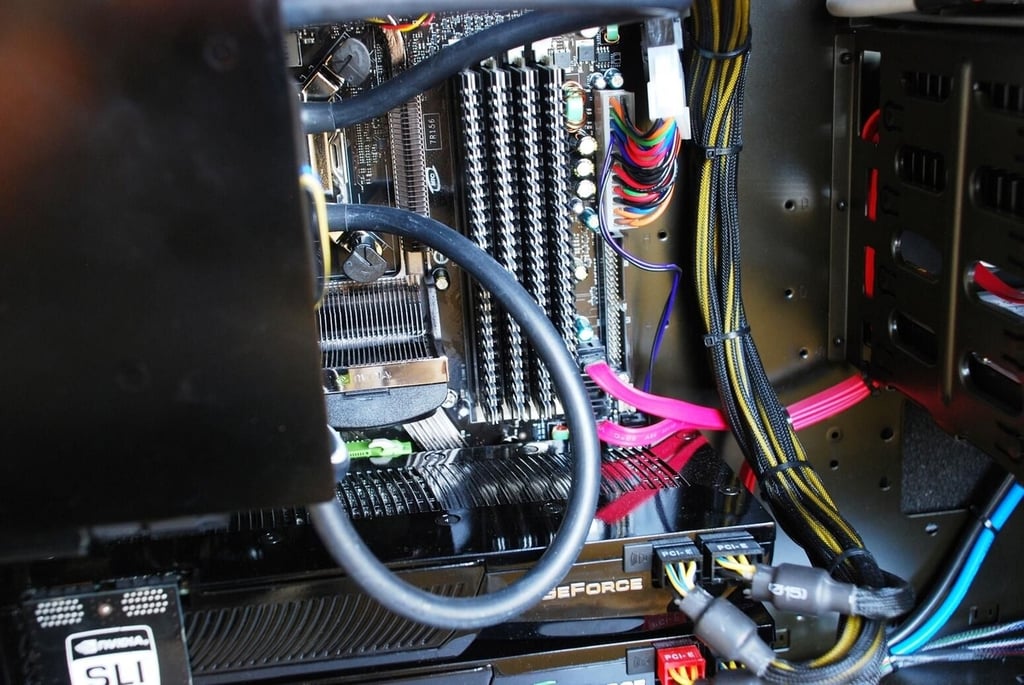
Power cables have been upgraded in our ALX to the more flexible twisted type. This gives the case more room for air flow. This helps explain all of the room in our ALX review system.
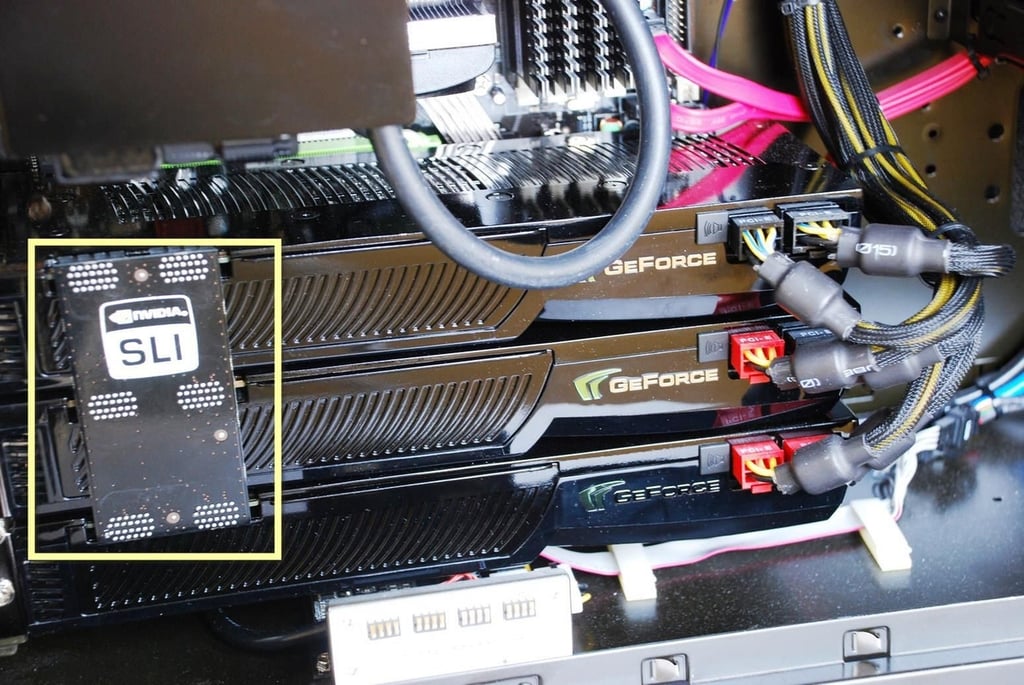
The three 1GB NVIDIA\u00ae GeForce\u00ae GTX 280 cards are connected in SLI-mode by the connection piece circled in yellow.
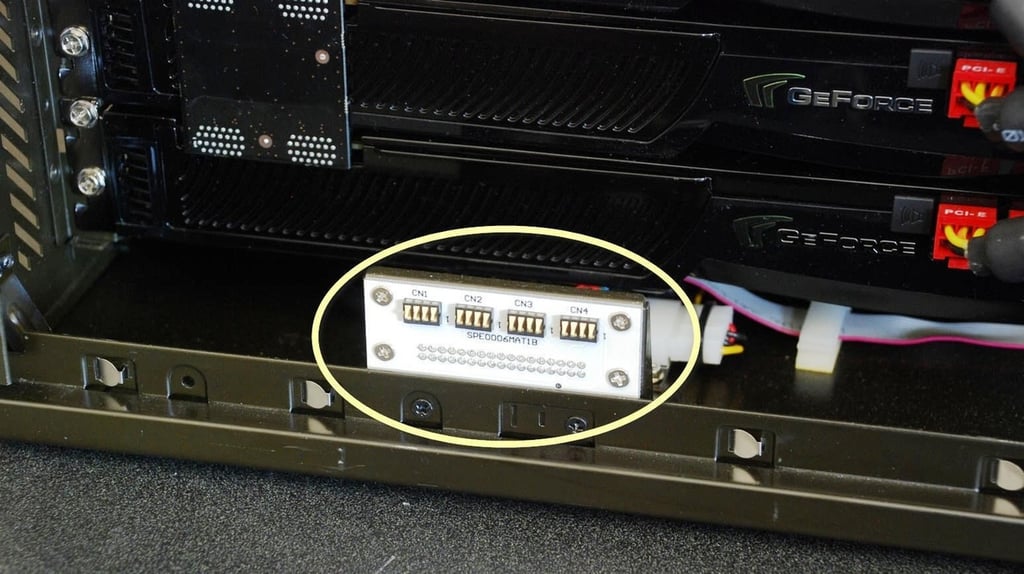
The case door for the Alienware Area 51 ALX is more than just a door. It plays an integral role in heat dissipation.
The yellow circle highlights the door connection.
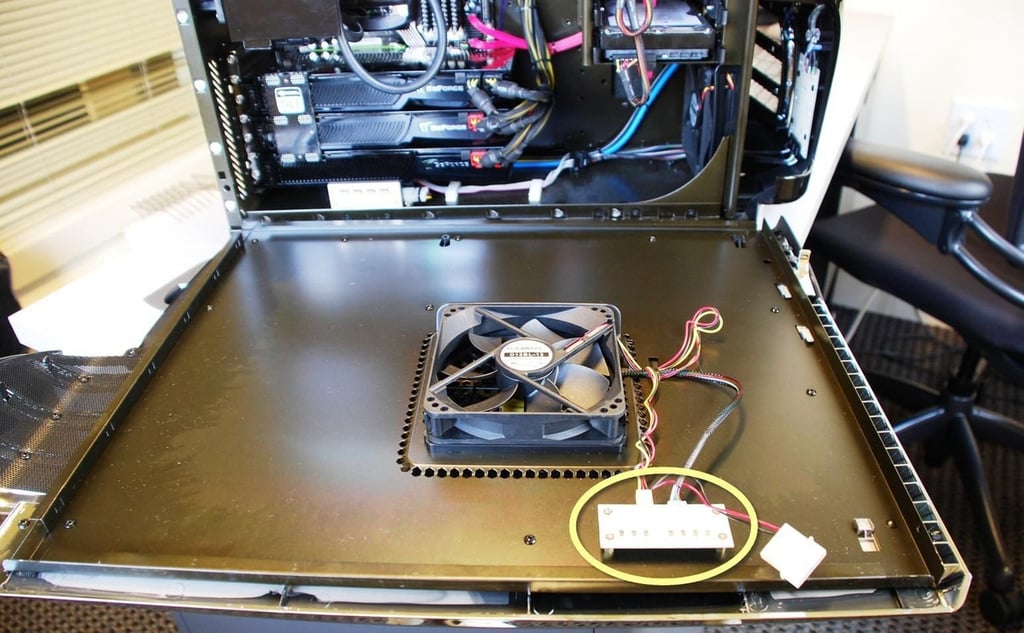
This yellow circle shows the other side of the connection. as you can see the door houses a rather large fan.
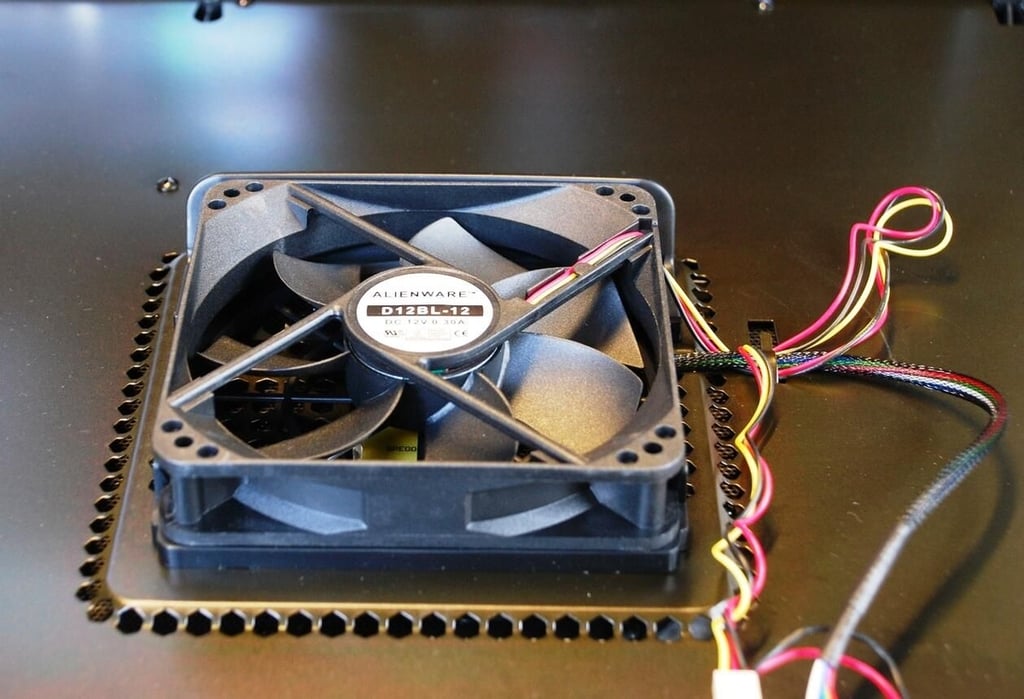
The fan on the side door is one of housed similar fans with the case. The flow of air through the case and over the radiator fins has a significant volume. Cranking the system up to run Crysis with all the features turned on increased the fan noise significantly.
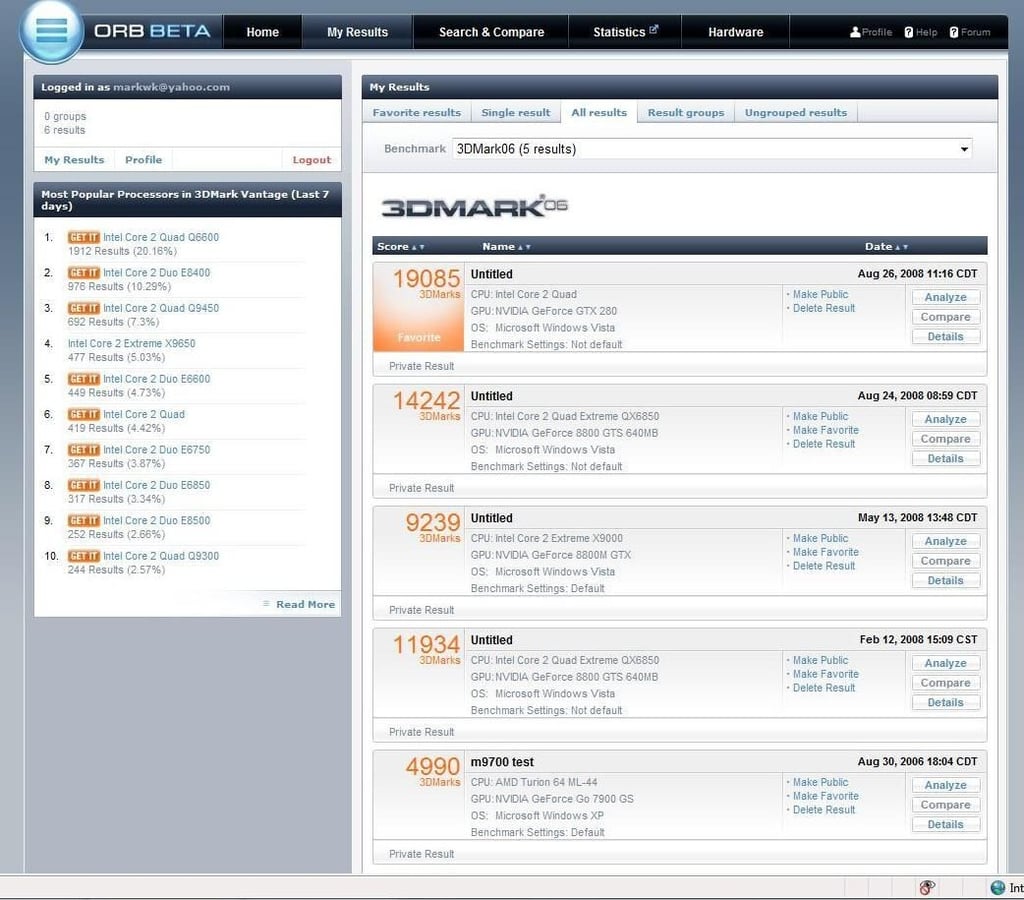
I used the standard 3DMark 06 benchmarks to test the Alienware Area 51 ALX. Here I am comparing the base score of the ALX (19085) with the base score of my own gaming rig (14242).
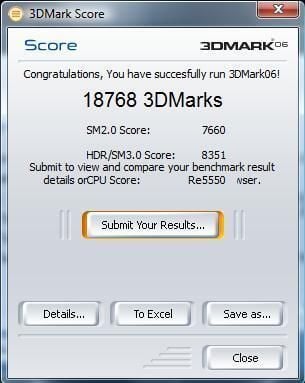
This test score was at the highest resolution of the LCD monitor and full anti-aliasing turned on.
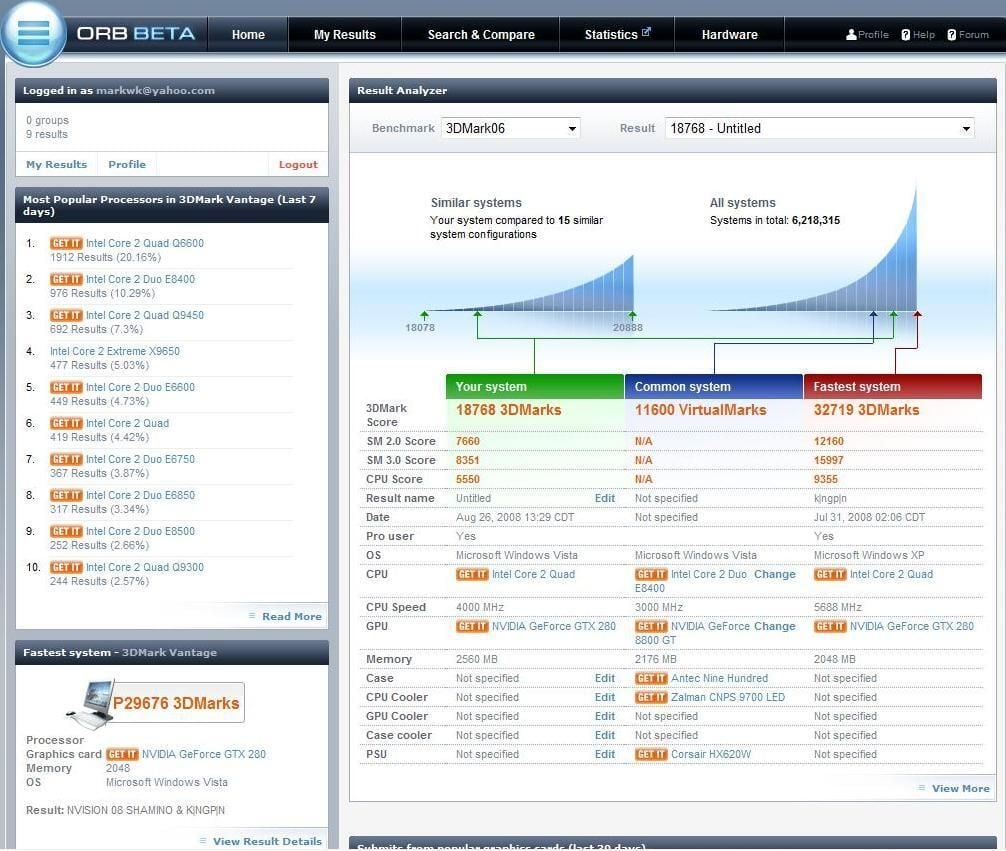
Under those high-performance requirements, the ALX system performed admirably. My gaming rig under similar constraints fares much worse.
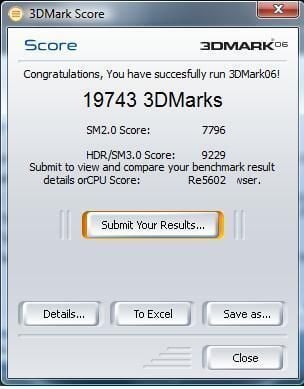
Testing the ALX system with a default configuration increases the the score but not significantly.
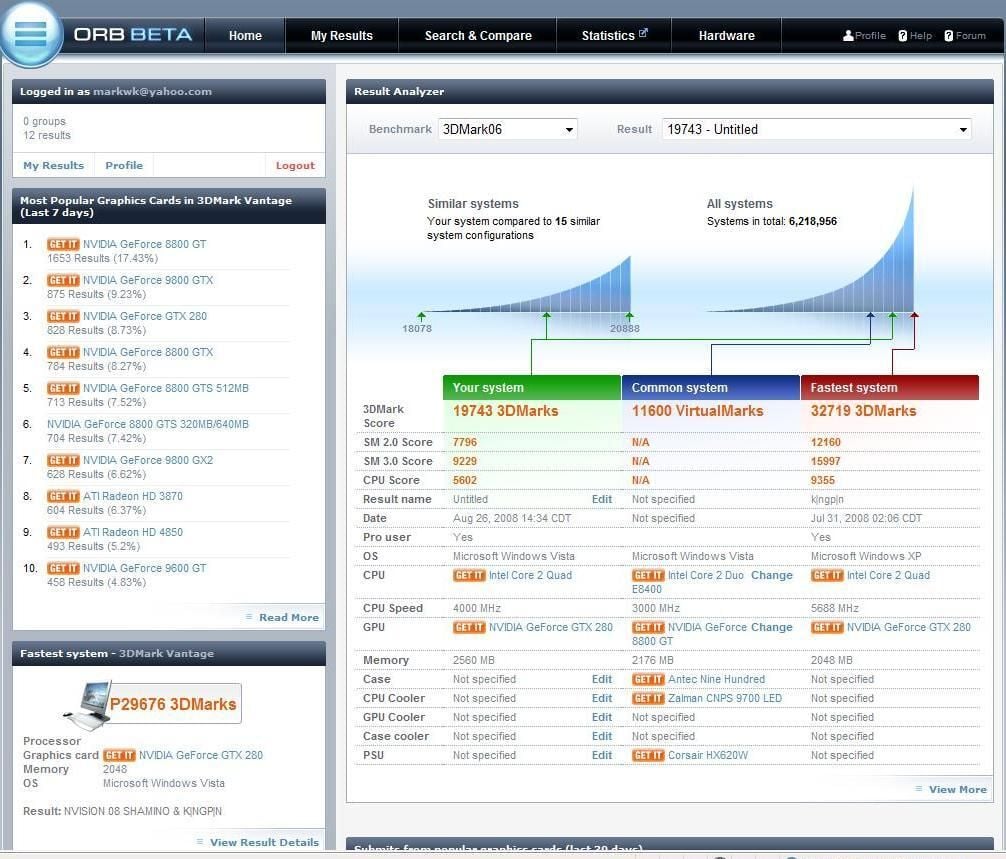
In this comparison the ALX moves up the chart slightly.
What can we conclude from these benchmarks? The Alienware Area 51 ALX is not designed to give you epileptic frame rates. It is designed to handle the highest graphical settings you can send its way without significantly loosing frame rates.

A screenshot from Call of Duty 4: Modern Warfare. Notice the particle effects contained in the flames and smoke.
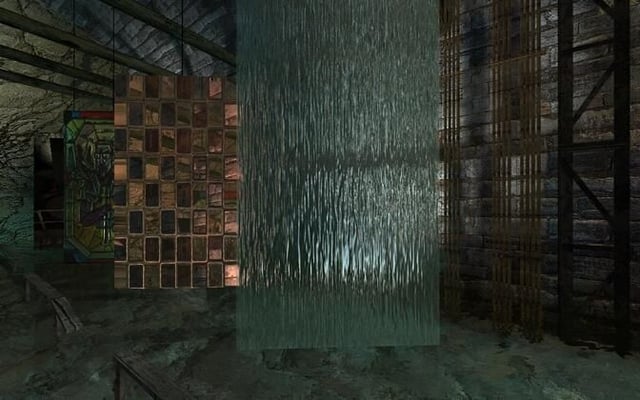
The frame rates shown during the Counterstrike video stress test consistently remained in the 200 frames per second range. Since the eye doesn’t really seem much more that 30 frames per second, that is plenty adequate.

I like the lighting effects in this sequence in the Counterstrike video stress test.
The bottom line for the Alienware Area 51 ALX is that it is a wonderfully powerful computer. It is well built, has great features, and you will be hard-pressed to find a better overall personal computer. However, the tested unit has a retail price of over $8,000. For most of us working stiffs, that is about twice as much as we are willing to pay for a PC.

Mark W. Kaelin has been writing and editing stories about the information technology industry, software, hardware, gaming, finance, accounting, and technology geekdom for more than 30 years.


