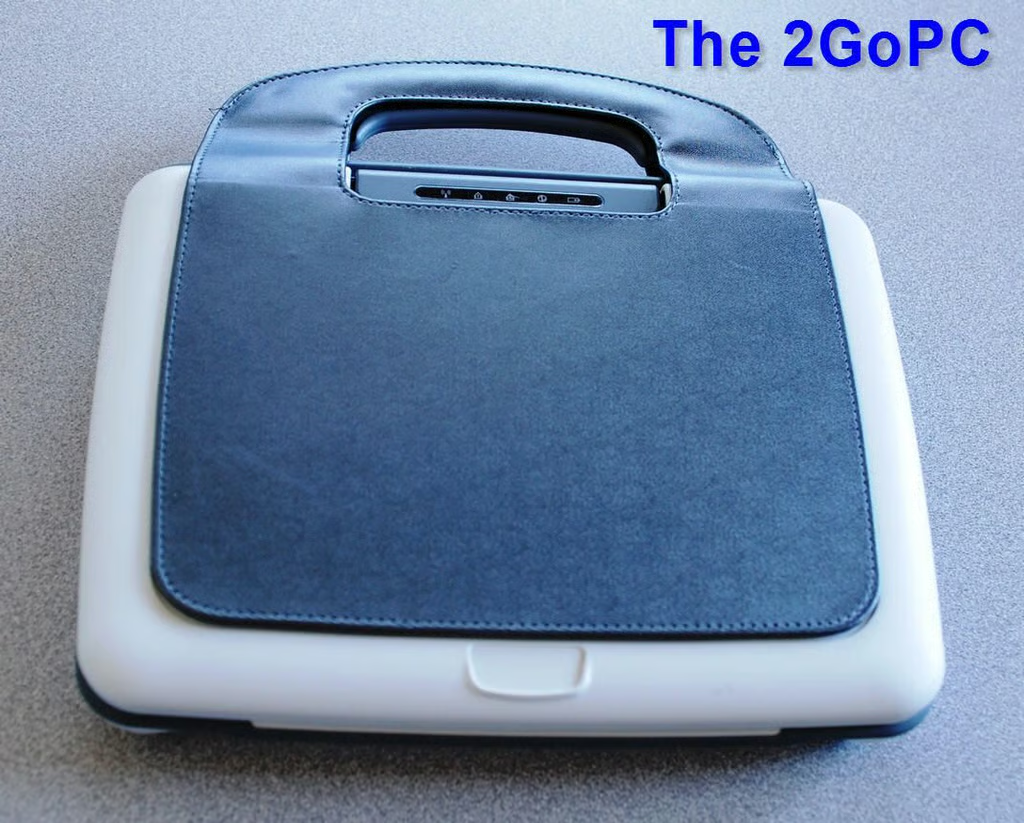
The Classmate 2GoPC from CTL Corporation is an ultra-portable laptop computer designed to be used by students in elementary and secondary school. It is a rugged PC running Windows XP on a platform with 512MB RAM, 60GB hard drive, and an Intel Celeron M processor. We put the 2GoPC’s ruggedness to the test in this TechRepublic Cracking Open Photo Gallery.
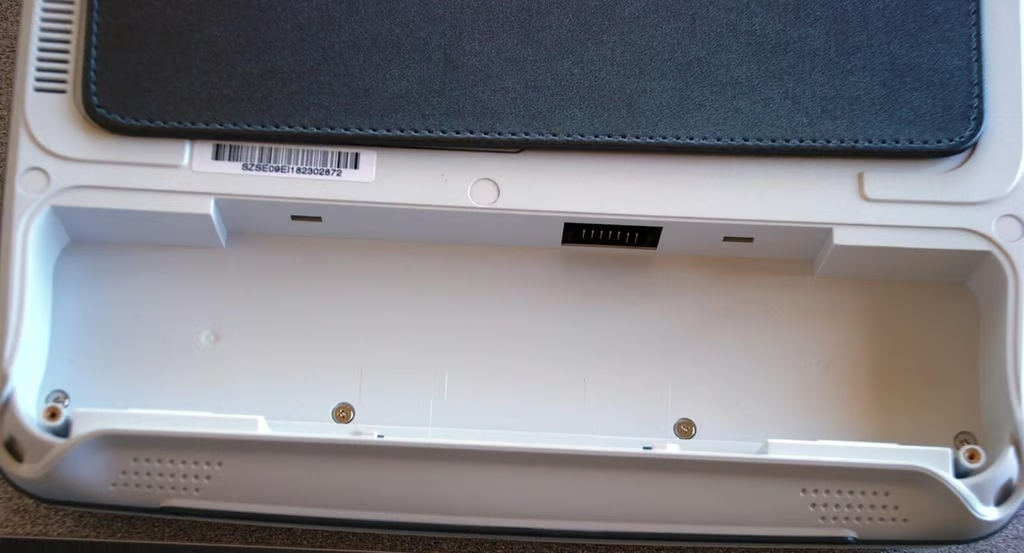
The sturdy design of the 2GoPC that I noticed in the Geek Gift Guide review meant one thing to me when it came to cracking it open — lots of screws. Here are four screws hidden in the battery bay.
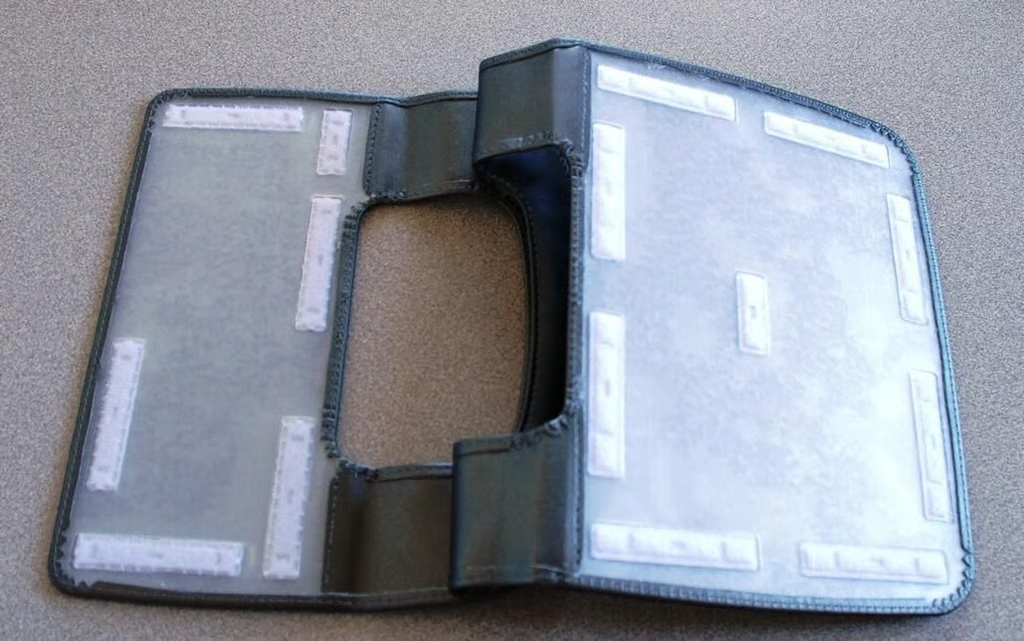
The leather-like covering on the outside helps with the 2GoPCs rugged feel. The skin is held in place by the wonder of Velcro.
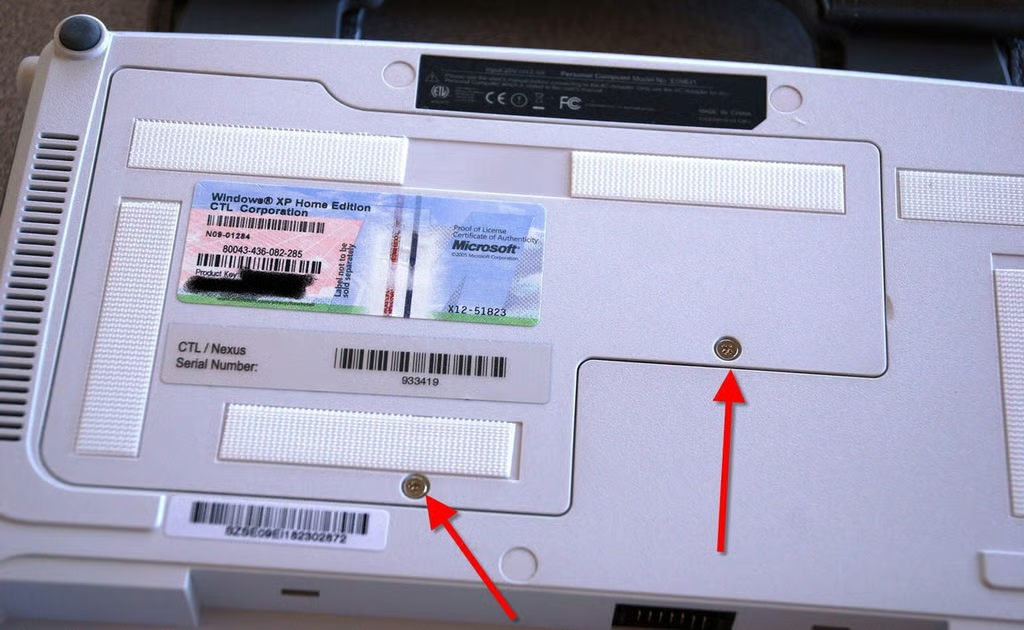
Getting to the upgradeable parts of the 2GoPC is accomplished by removing these two screws (arrows) and pulling out the access panel.
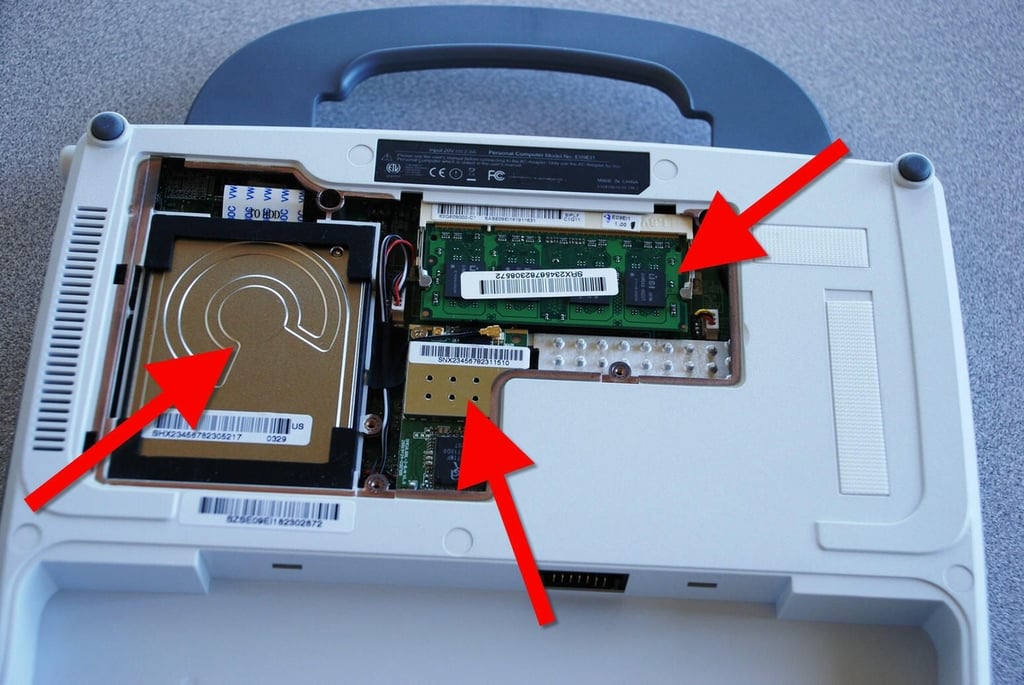
We have easy access to the most upgradeable and serviceable parts of the 2GoPC laptop: 60GB hard drive, 512MB RAM stick, and WiFi network card.
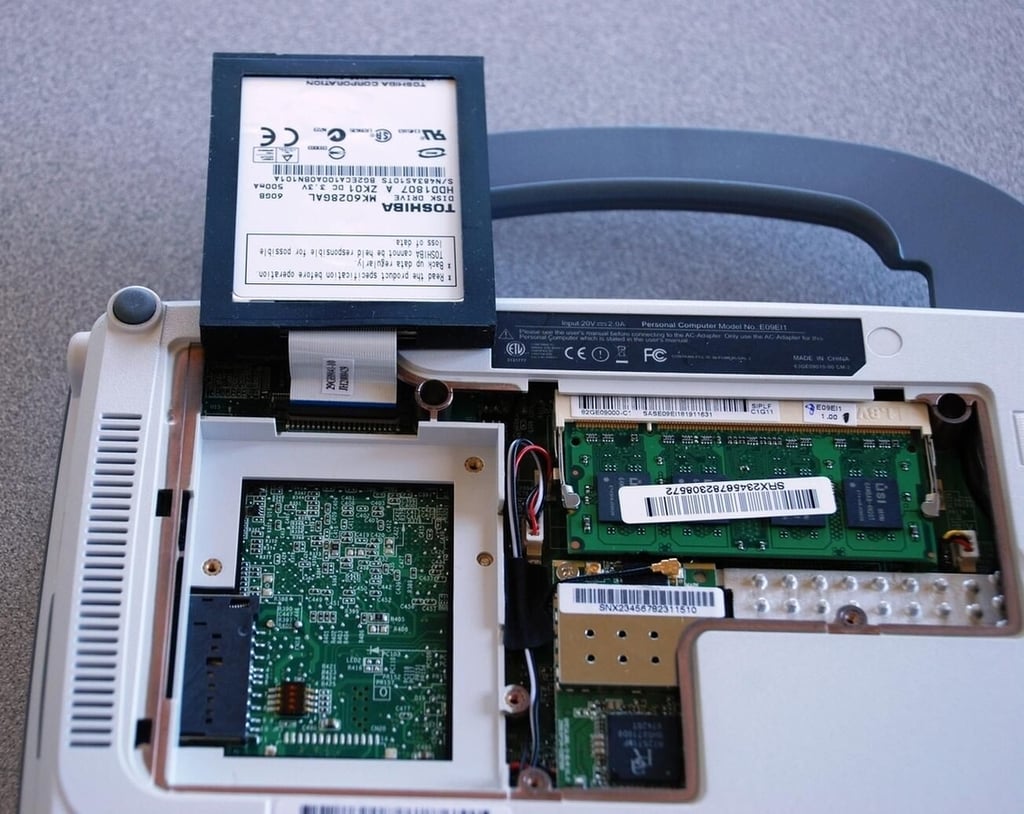
Of course there would be ribbon cables. My job cannot be an easy one.
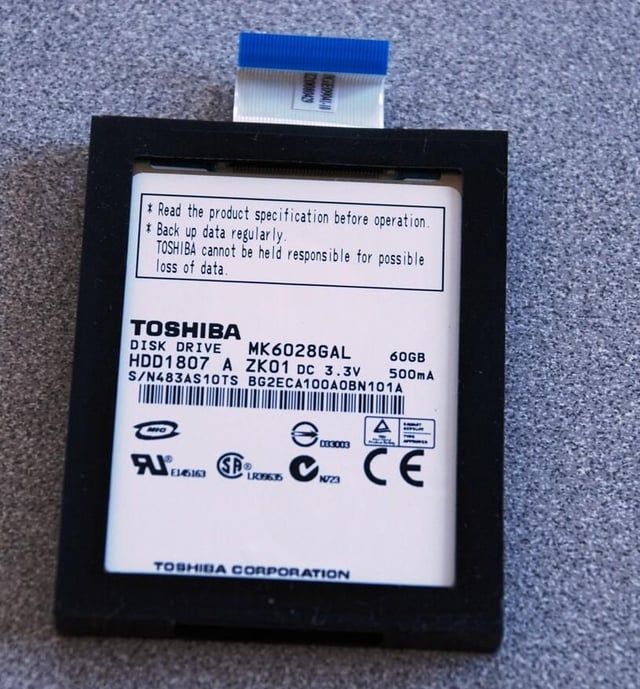
The hard drive is manufactured by Toshiba.
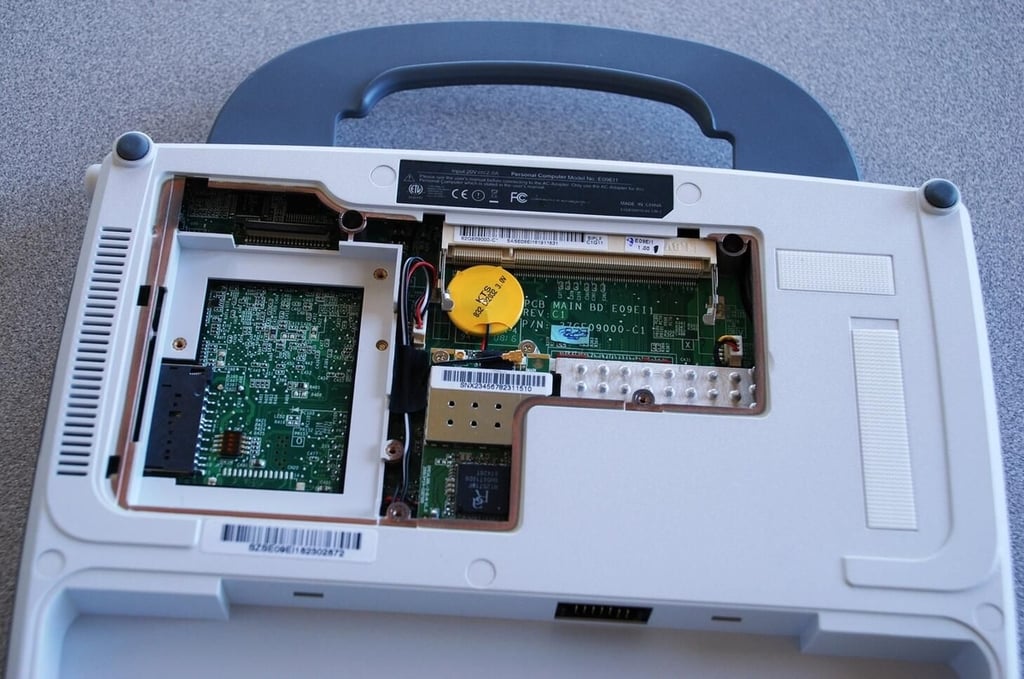
It appears there is enough room for another stick of RAM, that is, if you move the battery backup somewhere else in the case.
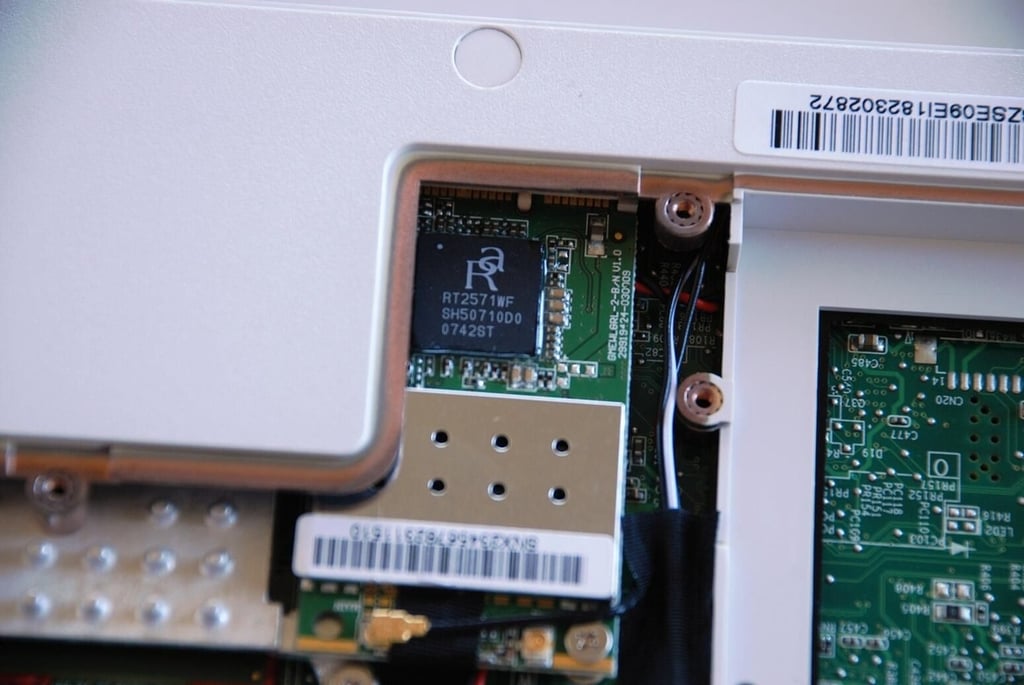
The next thing to remove is the WiFi card which is secured by a single screw.
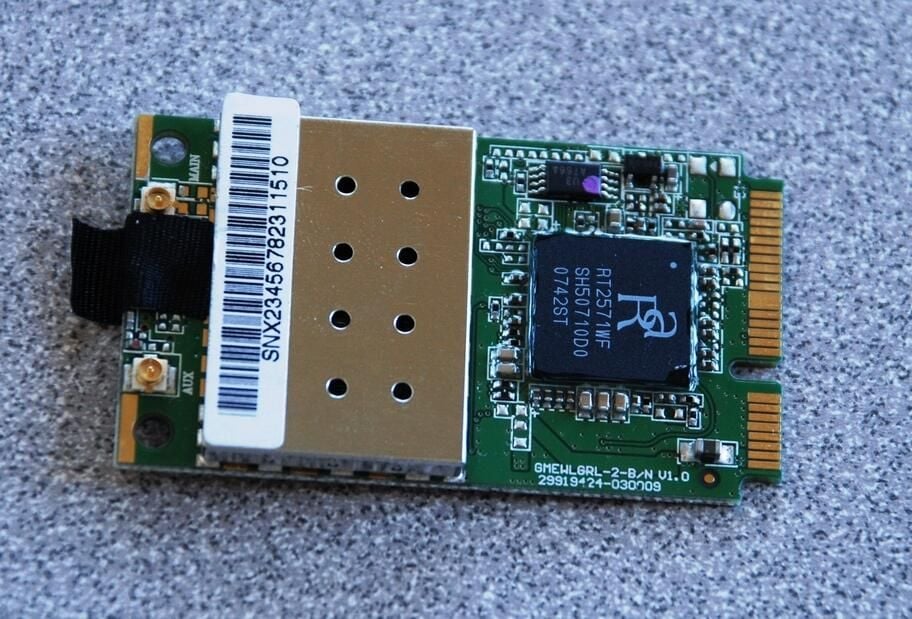
The WiFi chip is from Ralink.
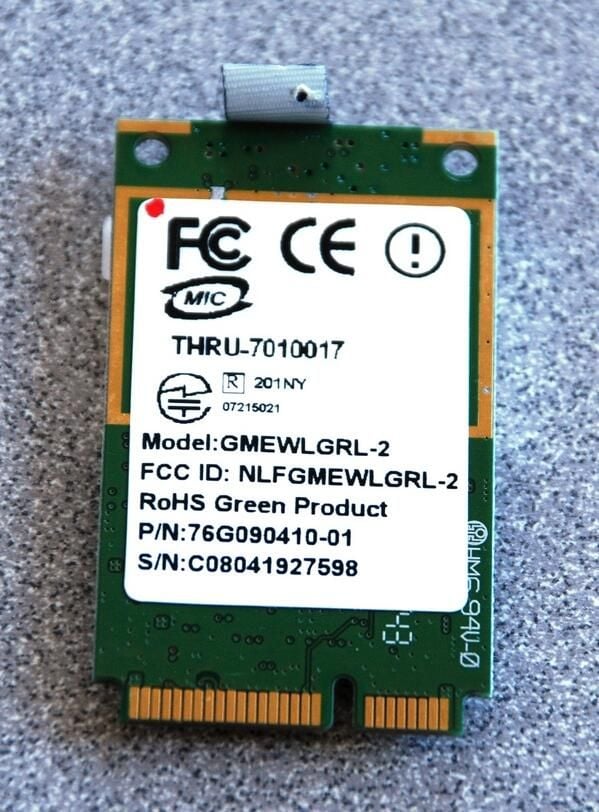
The Ralink WiFi card appears to be a standard 802.11g wireless NIC.
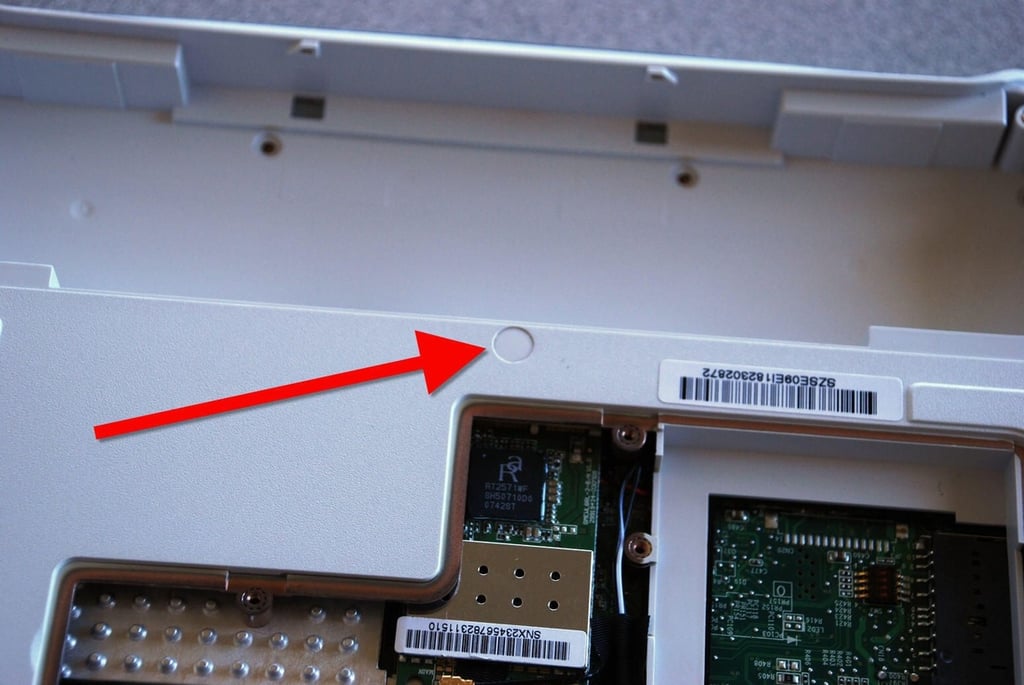
With the easy stuff out of the way, it is time to really get to the cracking open. Besides the numerous obvious screws that keep the 2GoPC case together, there are several hidden screws. For example, the screws located under these plastic hole covers.
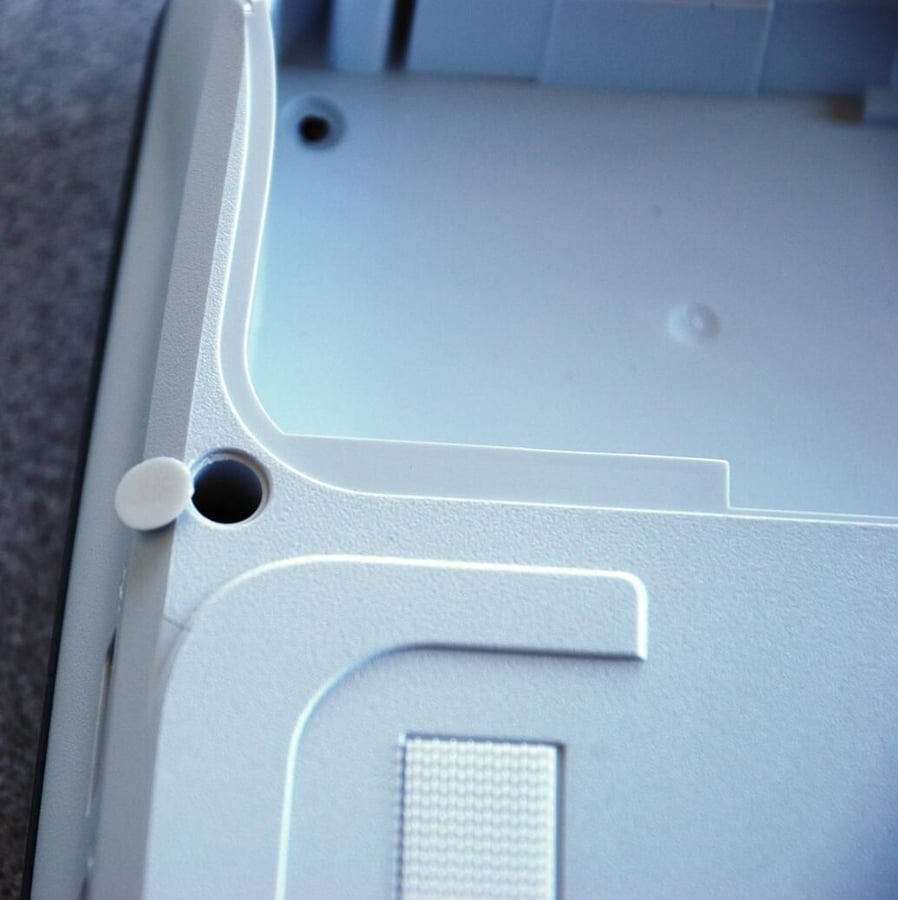
The plastic hole covers pop off easy if you use a small flat head screw driver.
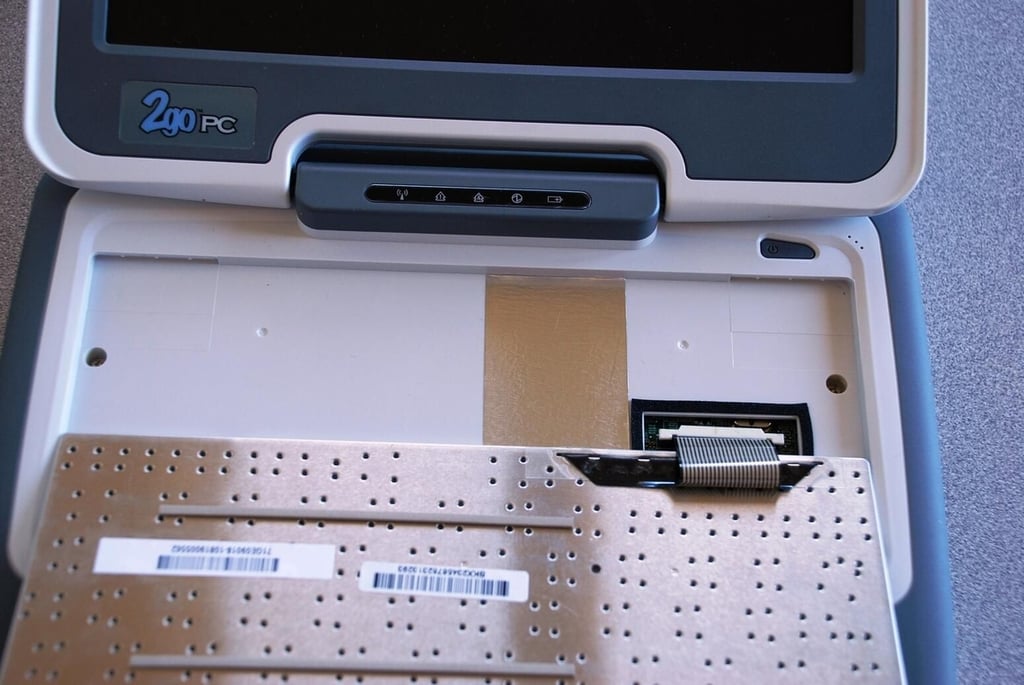
After finding the screws under the plastic hole covers and under the rubber feet, I still could not get the case to come a part. It was obvious that there were still some hidden screws to find.\n\nThe next step was to look under the keyboard — bingo!
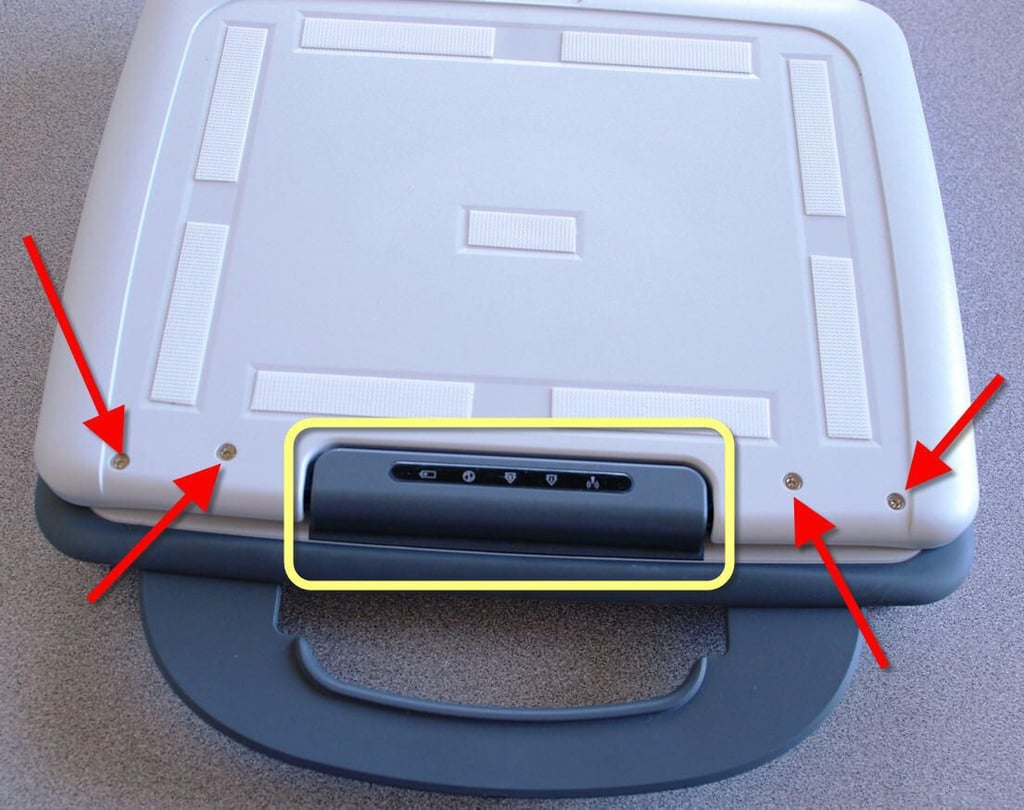
Even after finding the screws hidden under the keyboard, I was unable to open the case. There had to be more screws.\n\nI removed the four screws (red arrows) from on top of the lid of the laptop, where the LCD is housed but that did nothing. I didn’t think it would but I was getting desperate. \n\nThe next step was to remove the plastic part that housed the indicator lights. The hinge mechanism was hidden under there and was likely the last connection system I had to deal with to get into the case.
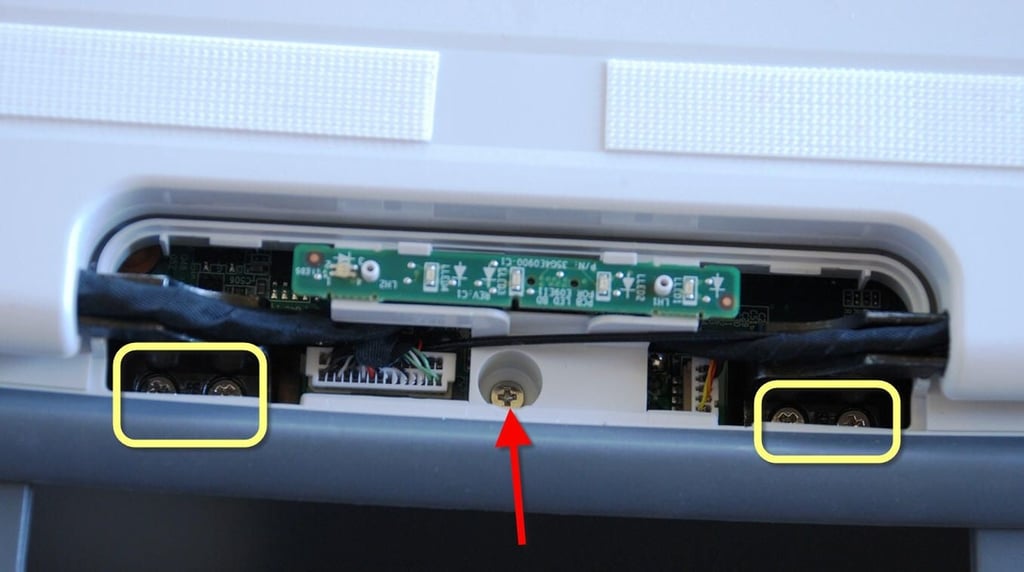
Ah, there they are. See, I told you the 2GoPC was built to last. Removing these five screws gave me access to the inside of the case.
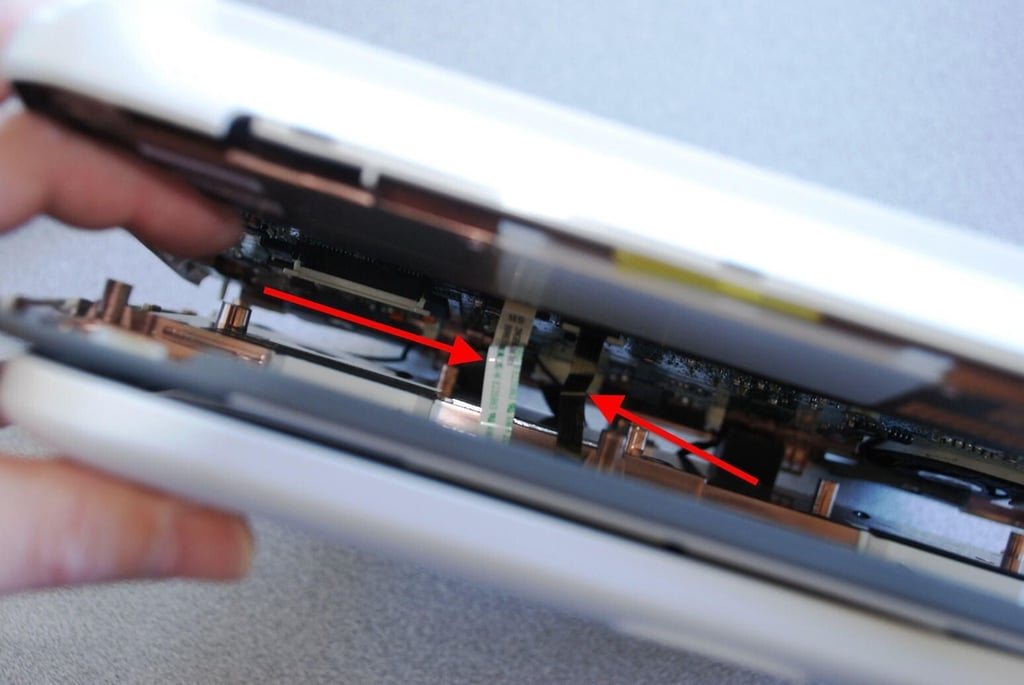
Hmm, this is a perplexing problem. There are two ribbon cables (red arrows) connecting the touch pad and the left and right buttons. I can see the gates that will release them, but I don’t see how I can get them back in the gates once I do. Oh, well, time is wasting – I’m in and hoping for the best.
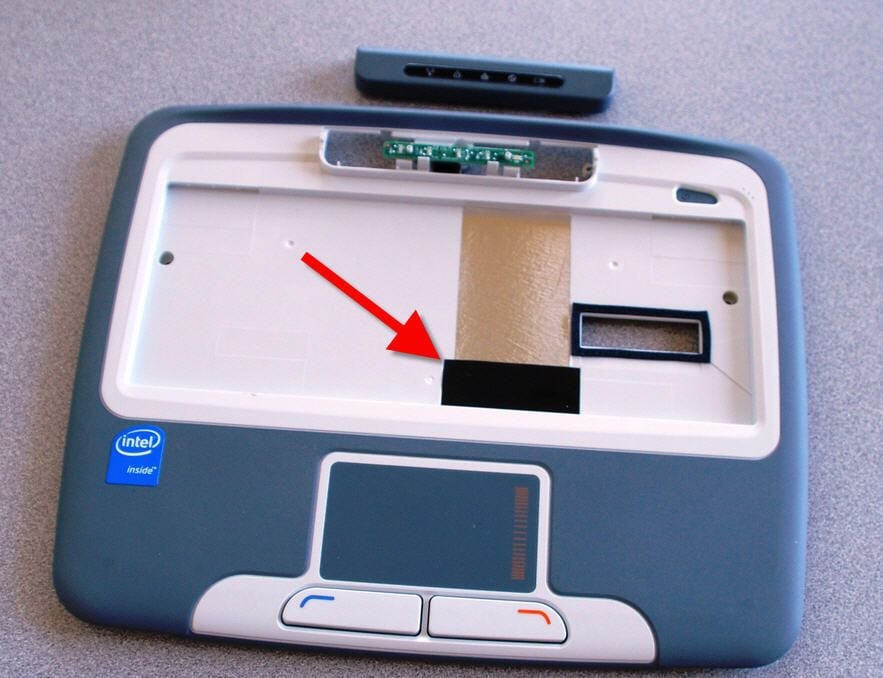
An epiphany! The red arrow marks a piece of tape and when the 2GoPC is put together the two gates to the touch pad and buttons will be revealed. Now I am certain I can get it all back together.
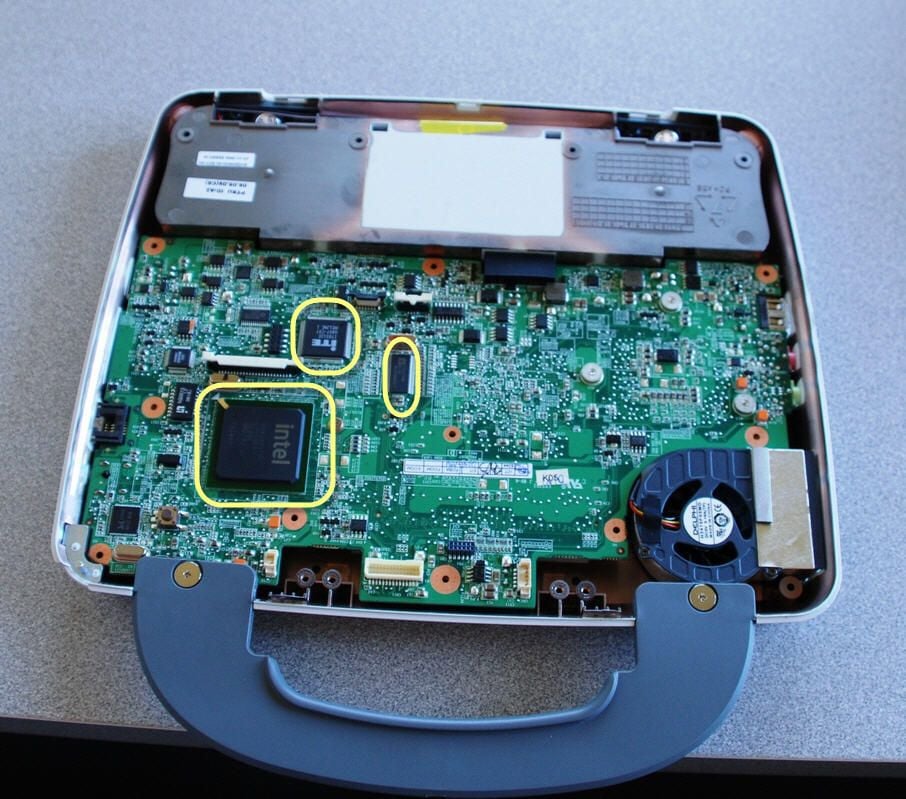
The main circuit board is now revealed. We can see several large chips on the board. These will be highlighted.
Besides the obvious Intel CPU there are also two smaller chips that we might want to take a look at.
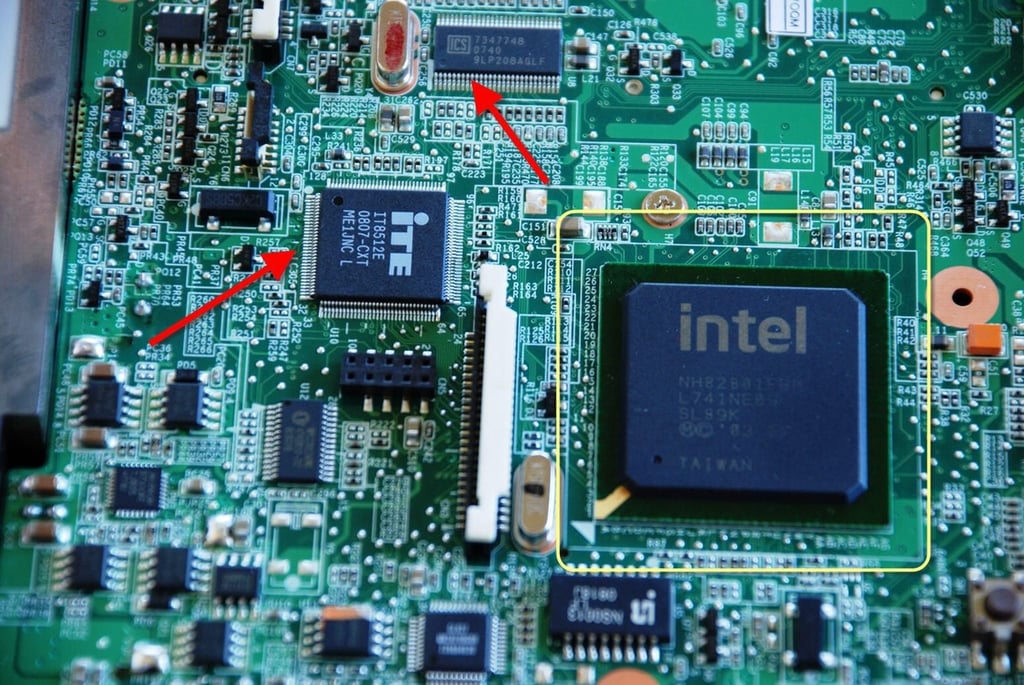
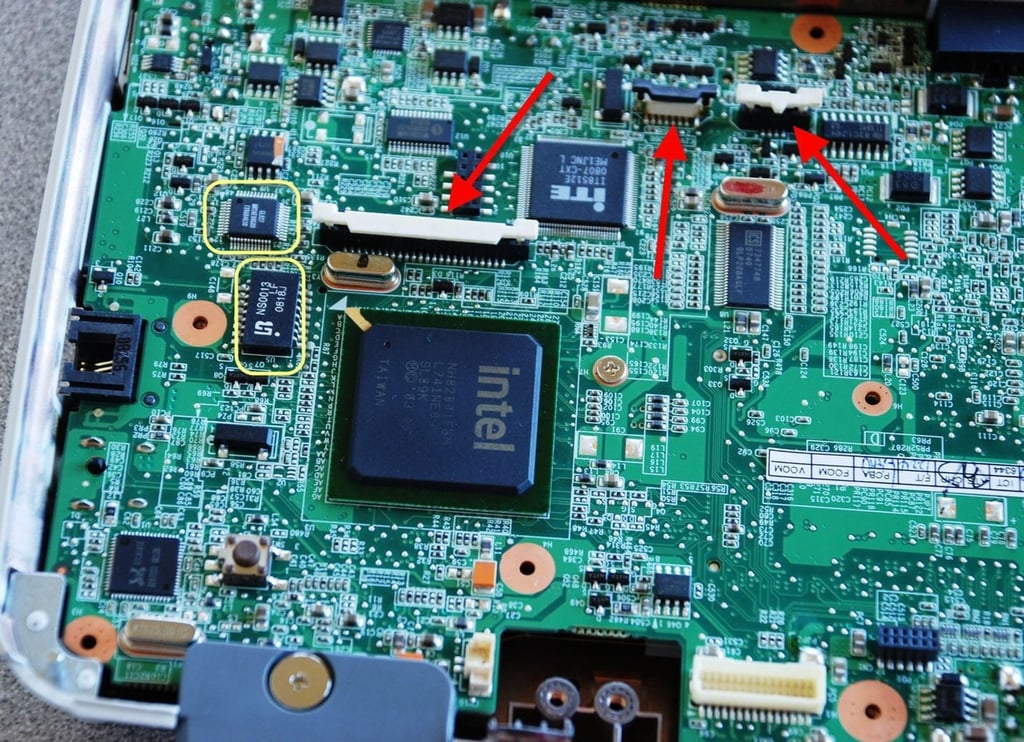
The CPU is the Intel Celeron M Processor with Ultra Low Voltage. The CPU operates a fairly pedestrian 900MHz.\n\nThe chip from Integrated Technology Express Inc. (ITE) is an embedded controller handling the keyboard and touch pad functions.\n\nThe Integrated Circuit Systems (ICS) handles the clock functions for the system.
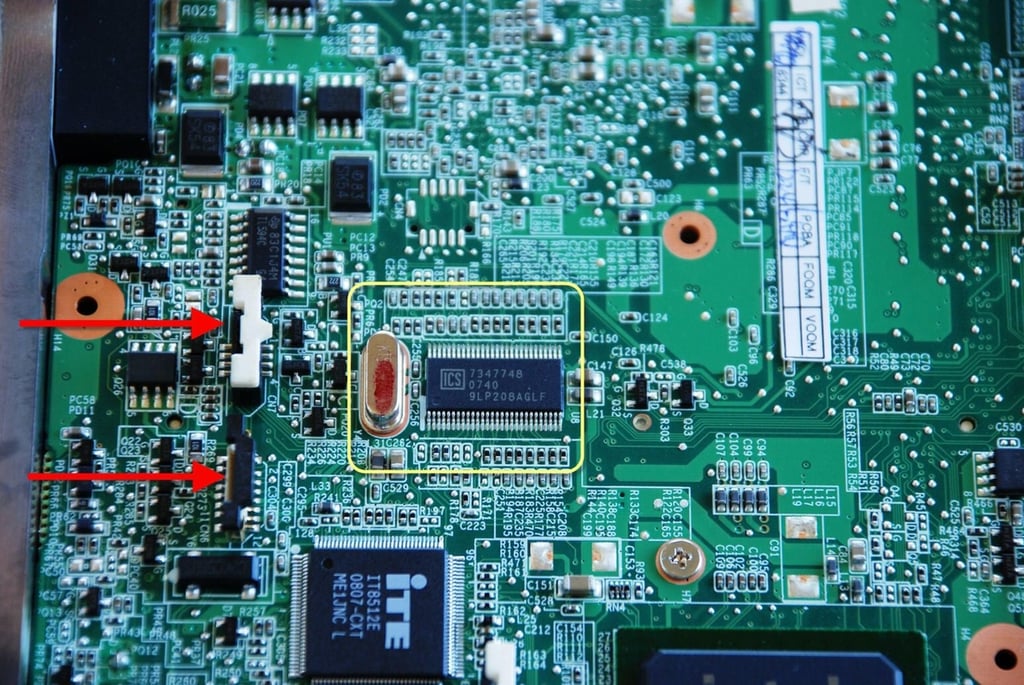
Besides another look at the ICS chip, you can get a good look at the two gate connectors for the touch pad and mouse buttons.
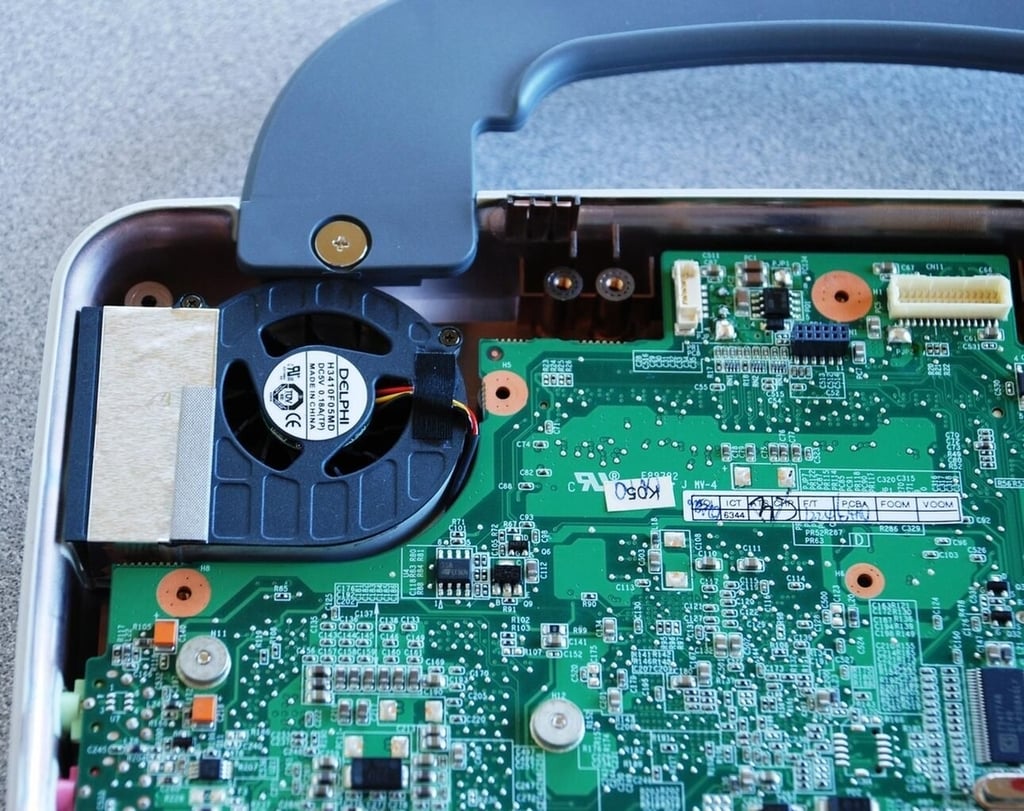
Oddly enough, the Celeron CPU has no direct heat dissipation. But something does judging by that fan.
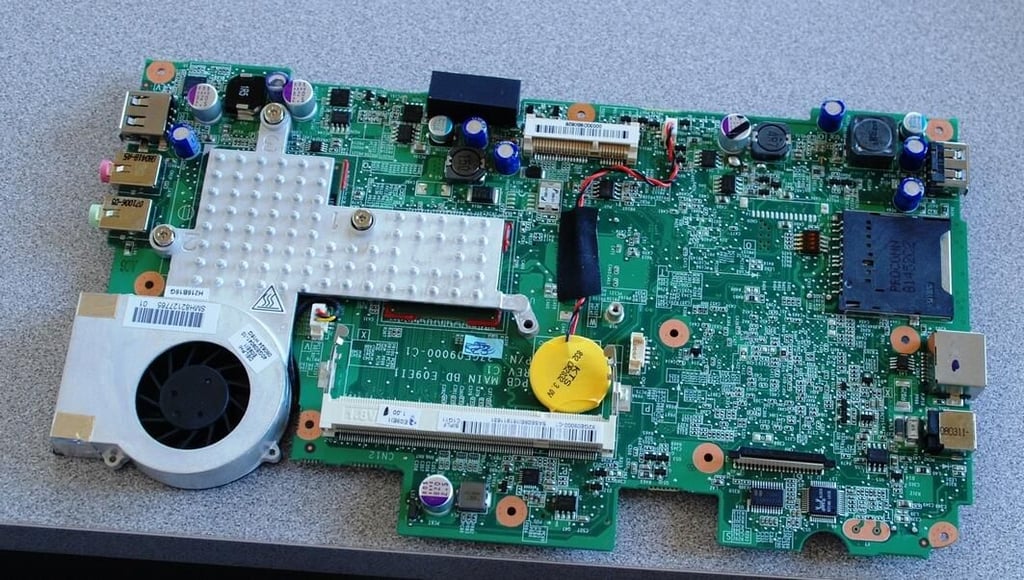
Taking the motherboard out of the case completely reveals the other side. We have seen part of this before through the back panel, but now we can see the whole thing.
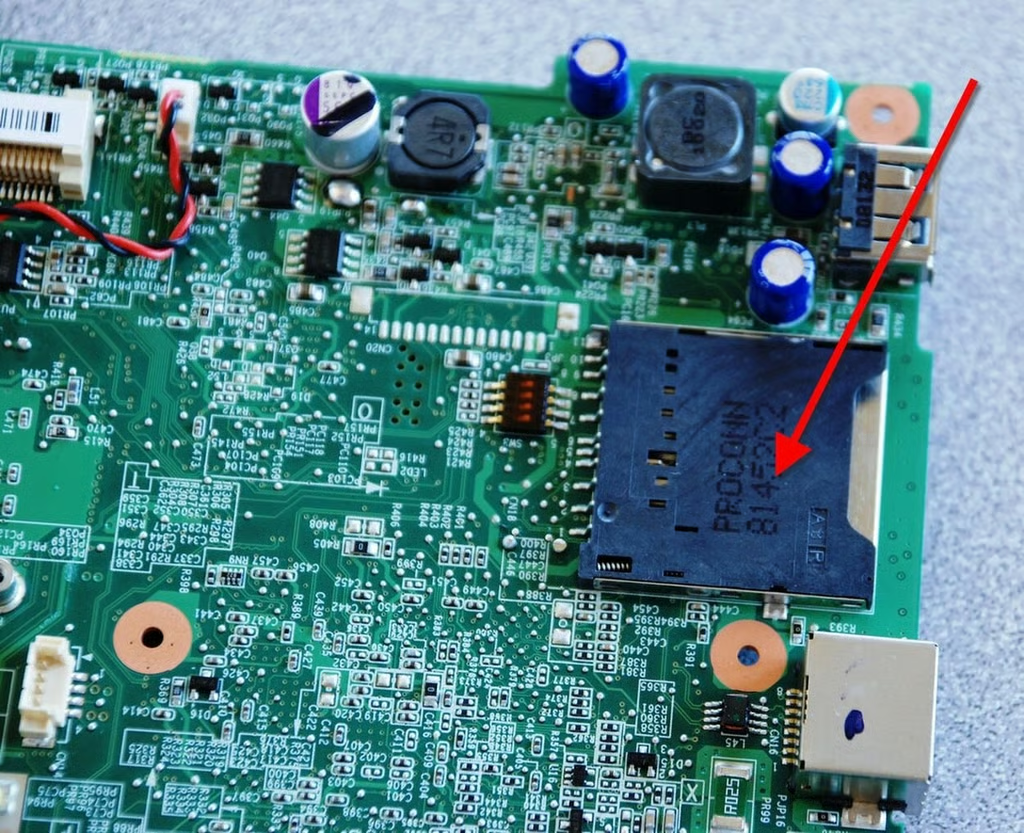
The red arrow points to the 2-in-1 SD/MMC memory card reader.
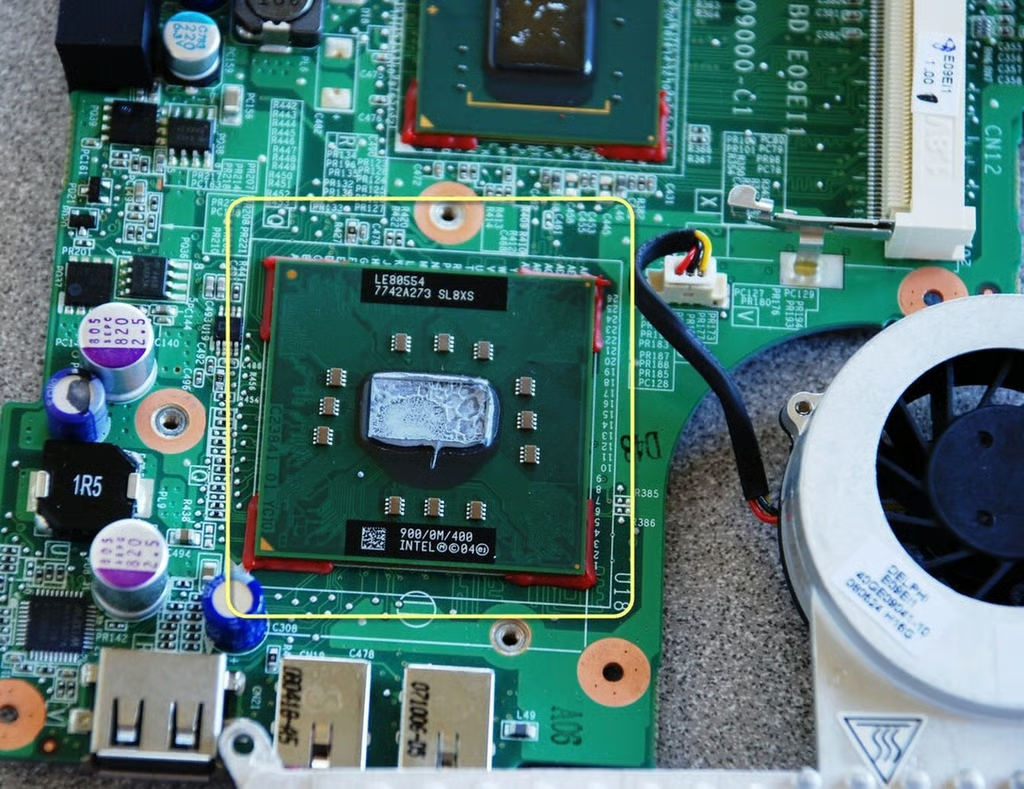
The Intel 915GMS Chipset is made up of two chips. The first one is this big chip here.
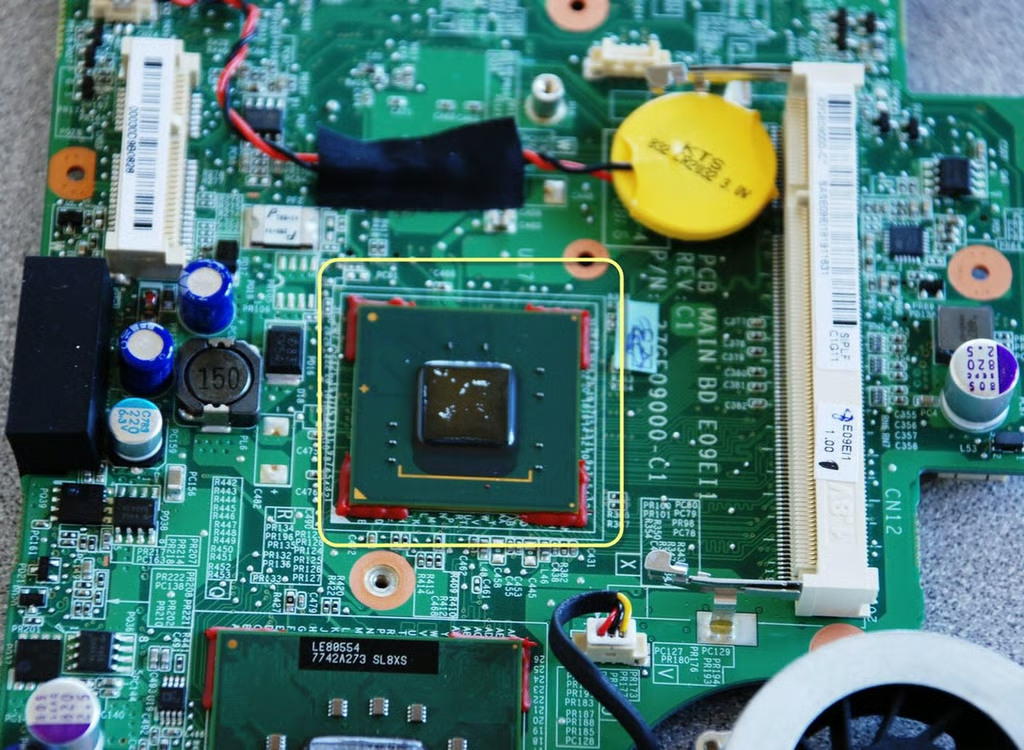
The second part of the Intel 915GMS Chipset is this small chip. We have seen these chips in our other ultra portable laptops. They must run relatively hot because they are always underneath a considerable heat sink.

Mark W. Kaelin has been writing and editing stories about the information technology industry, software, hardware, gaming, finance, accounting, and technology geekdom for more than 30 years.


