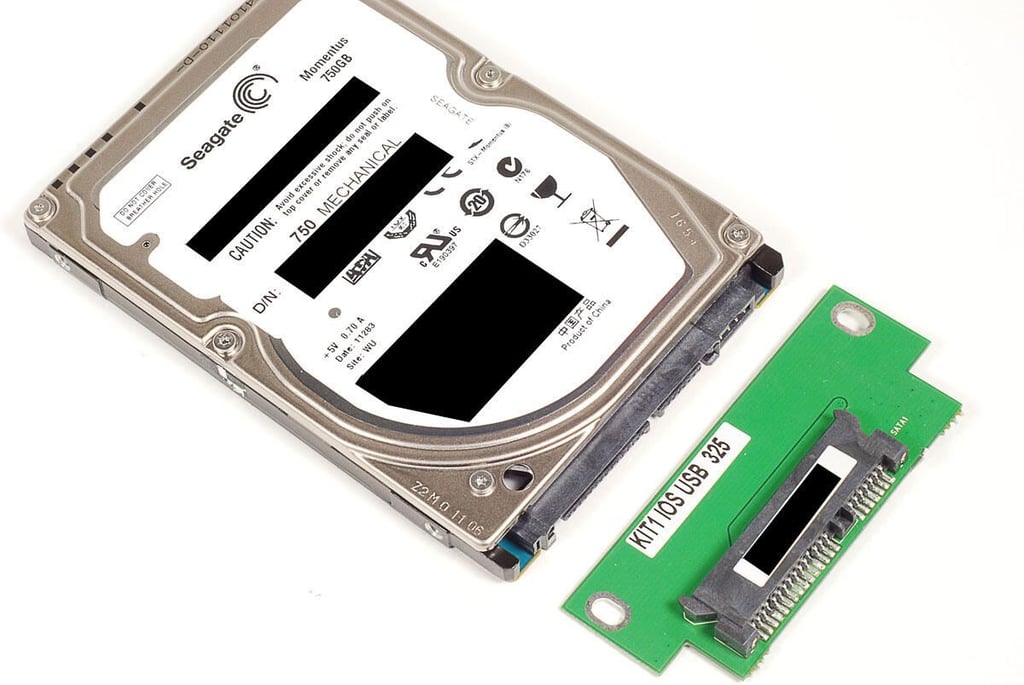
\n\tDesigned to protect your data in harsh environments, the ioSafe Rugged Portable Hard Drive can survive being crushed, dropped, and submerged in water. While attending CES 2011, I even got a chance to test the Rugged Portable against a Remington 870 shotgun and birdshot.
\n
\n\tAfter getting my hands on a test unit, I couldn’t wait to see if the ioSafe drive is as hard to disassemble as it is to damage. Follow along as I crack open the ioSafe Rugged Portable Hard Drive.
\n\t
\n\tPhoto by: Bill Detwiler / TechRepublic
\n\tCaption by: Bill Detwiler
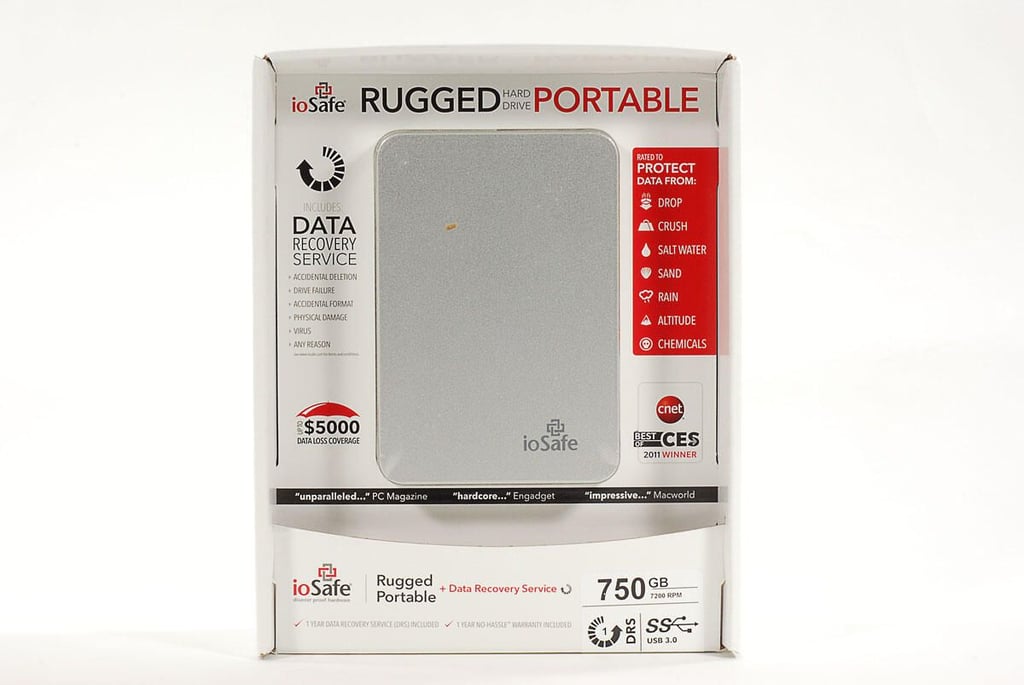
\n\tThe ioSafe Rugged Portable Hard Drive consists of a billet-machined enclosure (aluminum or titanium) and a hard drive (mechanical or SSD).
\n
\n\tMechanical drives come in 250GB, 500GB, 750GB and 1TB versions and cost between $149.99 and $399.99 (US). SSD drives come in 120GB, 256GB, and 500GB versions and cost between $499 and $1,999 (US).
\n
\n\tOur 750GB, mechanical drive (with aluminum enclosure) test unit retails for $299.99 (excluding tax and shipping).
\n\t
\n\tAlong with the actual device, each drive comes with a 1-year warranty and data recovery service. If your drive “breaks for any reason” ioSafe will fix or replace it. And if the data needs to be recovered, ioSafe will do so “one time, for any reason”.
\n\t
\n\tIf ioSafe’s in-house techs can’t recover the data, the company will pay a forensic data recovery firm to do so–up to $2,500 for the ioSafe Rugged Portable and up to $5,000 for the ioSafe Rugged Portable SSD.
\n\t
\n\tFor an additional cost, you can extend the warranty (at the time of original purchase) to either three or five years.
\n\t
\n\tPhoto by: Bill Detwiler / TechRepublic
\n\tCaption by: Bill Detwiler
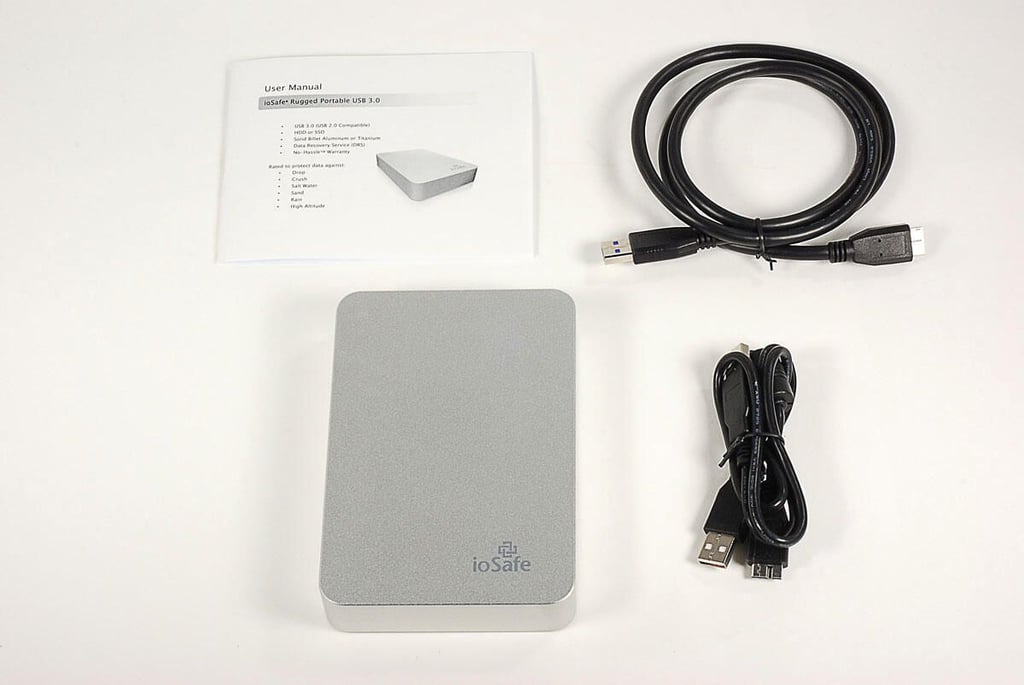
\n\tInside the ioSafe Rugged Portable’s box, you’ll find the enclosure and drive, USB cable, USB Y-cable (USB 3.0 models – to provide extra power if necessary from low-power USB 2.0 ports), and product documentation.
\n\t
\n\tPhoto by: Bill Detwiler / TechRepublic
\n\tCaption by: Bill Detwiler
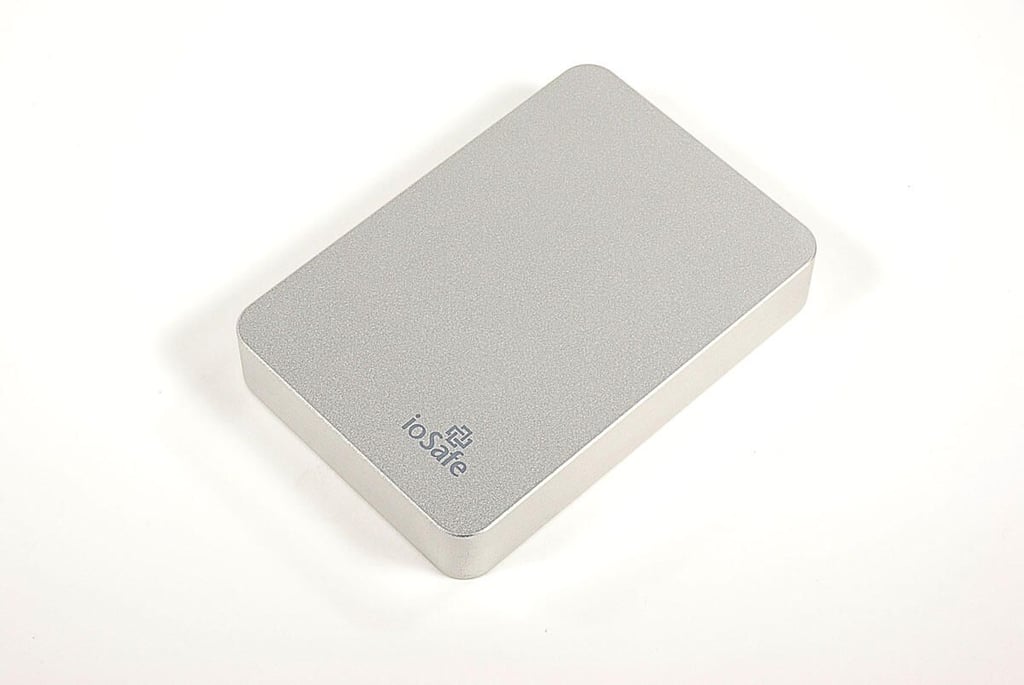
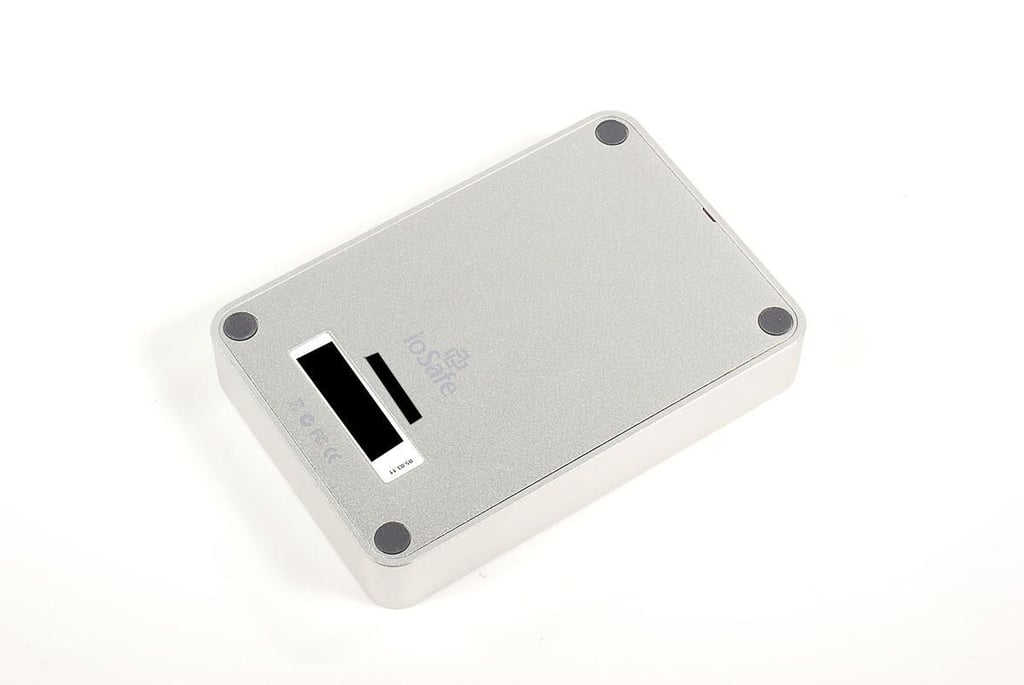
\n\tThe aluminum ioSafe Rugged Portable hard drive enclosure (shown in this photo) weighs 1 pound. The titanium enclosure weighs 1.5 pounds. Both boxes measure 3.9″ (W) x 5.7″ (L) x 1.0″ (H).
\n\t
\n\tPhoto by: Bill Detwiler / TechRepublic
\n\tCaption by: Bill Detwiler
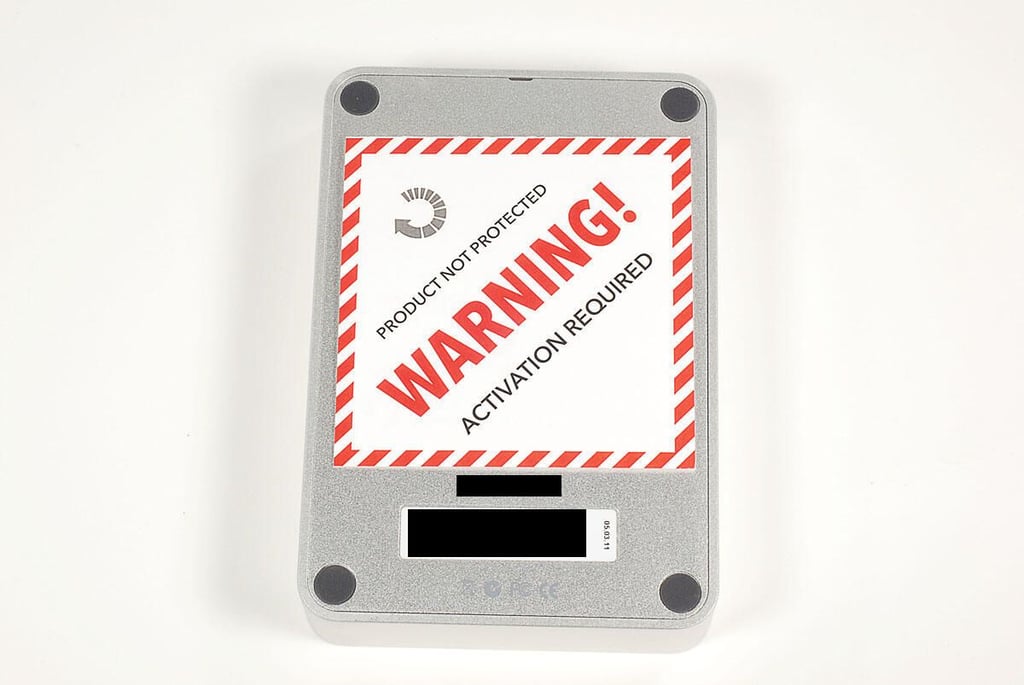
\n\tTo use the data recovery service that comes with the ioSafe Rugged Portable hard drive, you must activate the product.
\n
\n\tPhoto by: Bill Detwiler / TechRepublic
\n\tCaption by: Bill Detwiler
\n\tPhoto by: Bill Detwiler / TechRepublic
\n\tCaption by: Bill Detwiler
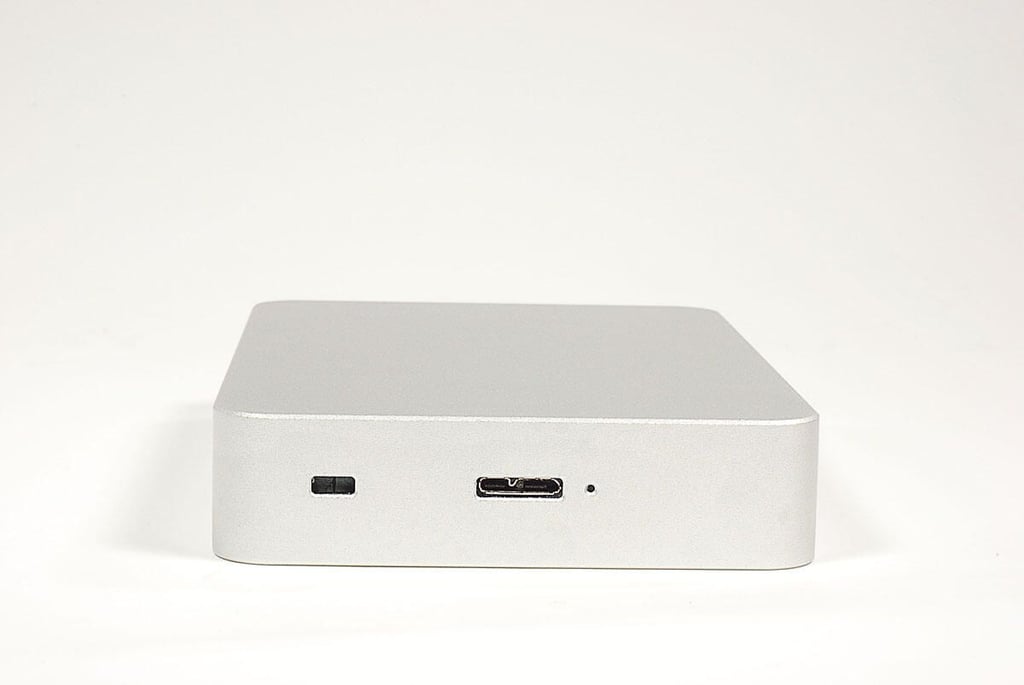
\n\tAlong the lower edge of the ioSafe Rugged Portable hard drive are a Kensington security slot, USB port, and disk activity light. The drive is available in USB 3.0 and USB 2.0 models. This drive has a Micro-B USB 3.0 connector.
\n
\n\tPhoto by: Bill Detwiler / TechRepublic
\n\tCaption by: Bill Detwiler
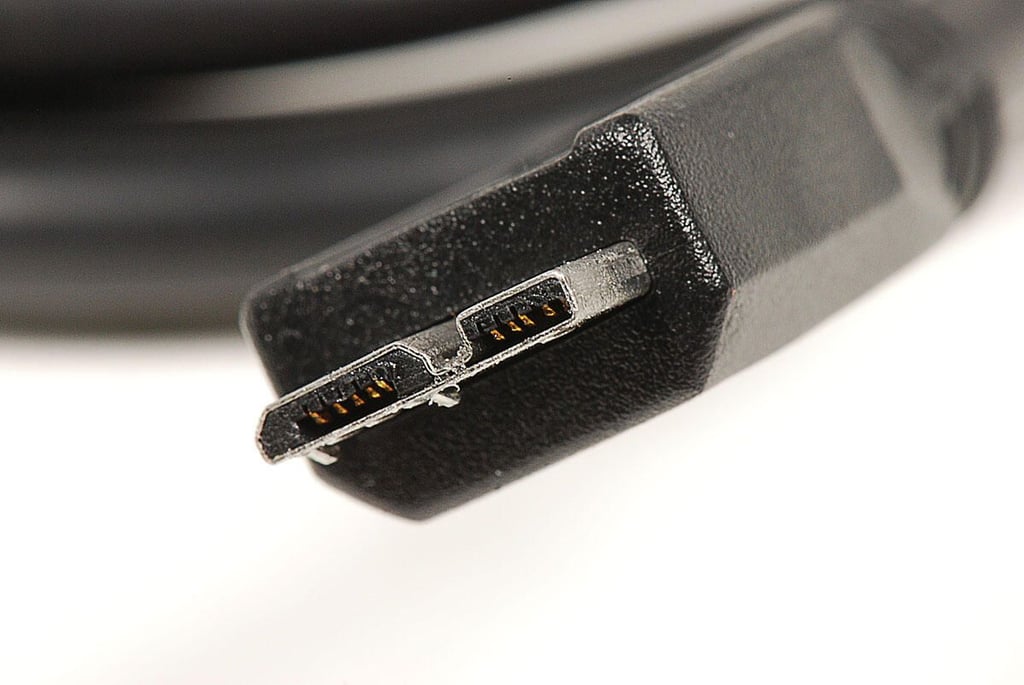
\n\tThis photo shows a close-up of the Micro-B USB 3.0 cable supplied with our ioSafe Rugged Portable test unit. The cable’s other end has a Type A USB connector–standard on most computers.
\n
\n\tPhoto by: Bill Detwiler / TechRepublic
\n\tCaption by: Bill Detwiler
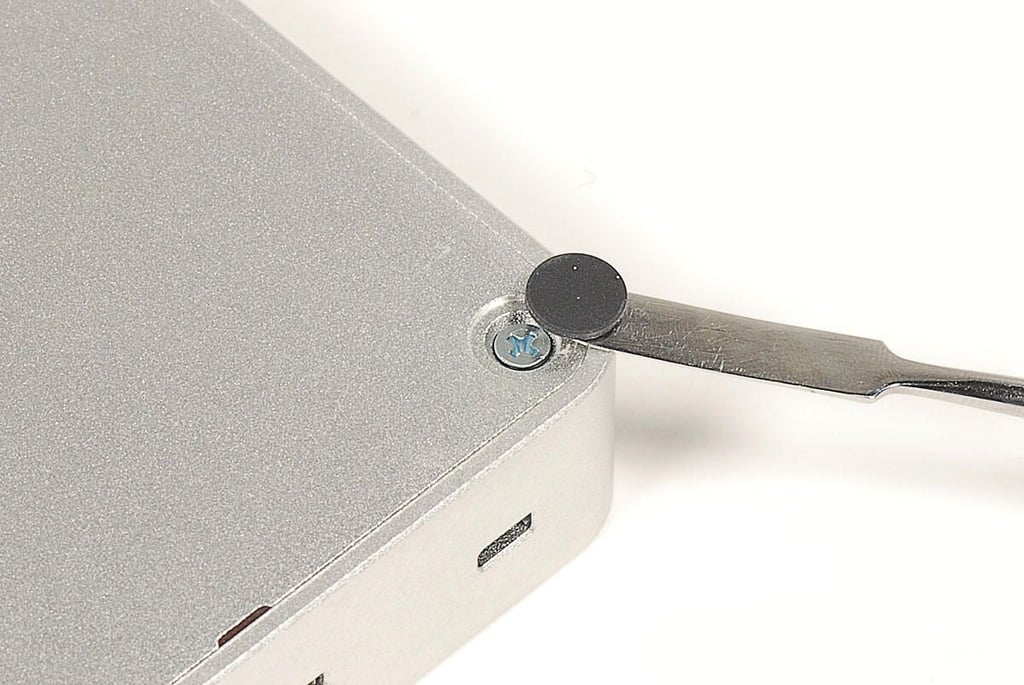
\n\tEach of the ioSafe Rugged Portable’s four rubber feet hide a Phillips screw. You’ll need to remove these screws to access the internal hardware.
\n
\n\tPhoto by: Bill Detwiler / TechRepublic
\n\tCaption by: Bill Detwiler
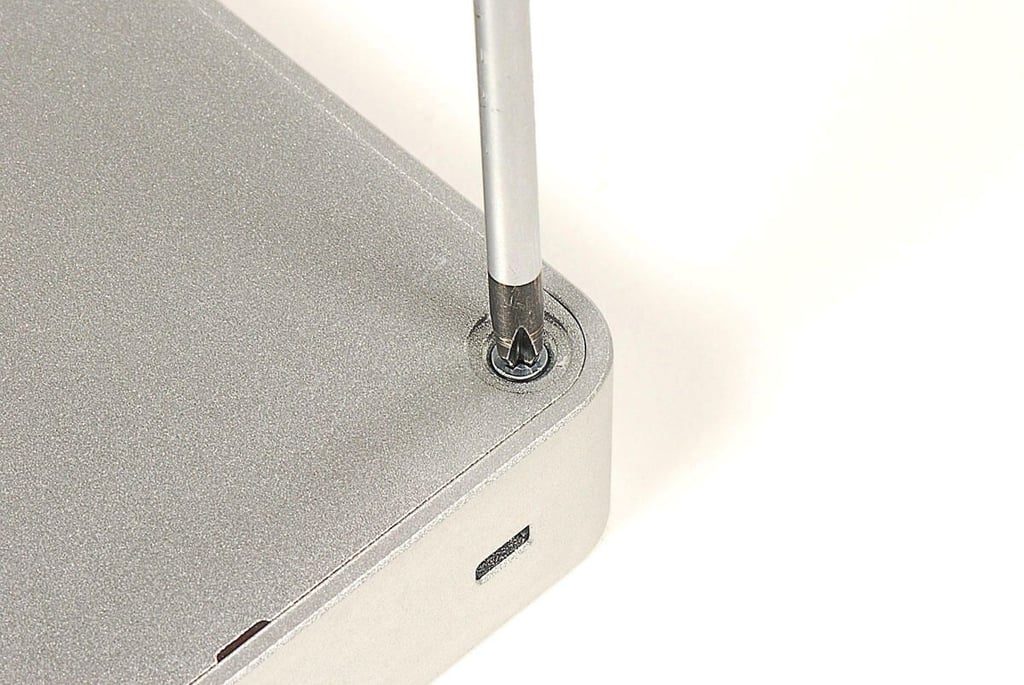
\n\tI expected the ioSafe Rugged Portable’s enclosure to be sealed with tamper resistant screws, not these standard Phillips ones.
\n
\n\tPhoto by: Bill Detwiler / TechRepublic
\n\tCaption by: Bill Detwiler
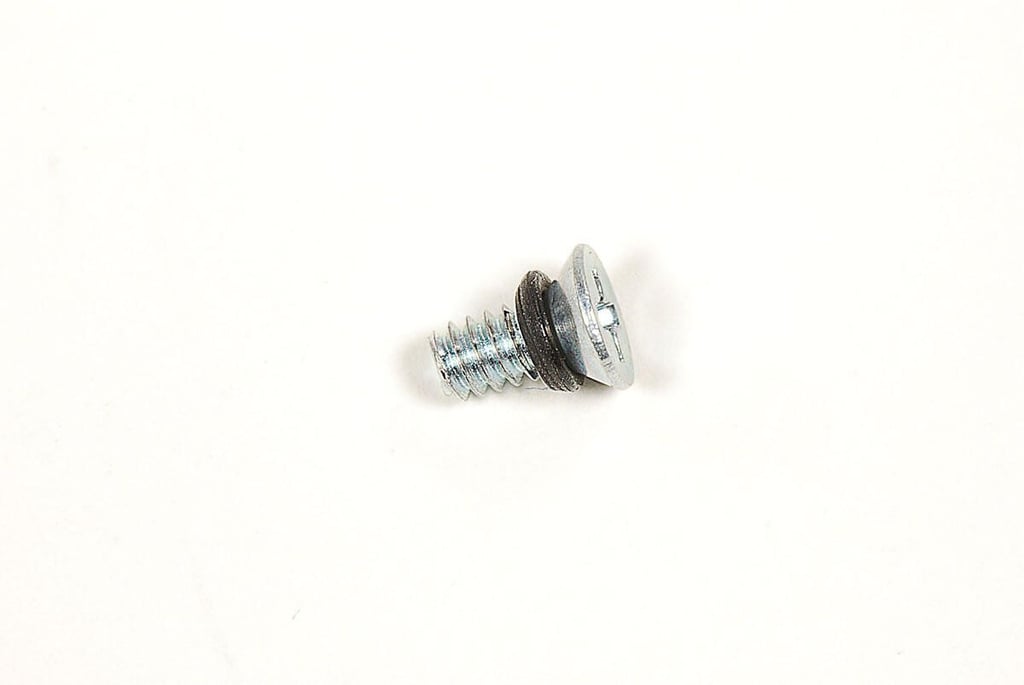
\n\tEach case screw has a rubber gasket, which helps keep the hard drive dry when the unit is submerged in liquid.
\n
\n\tPhoto by: Bill Detwiler / TechRepublic
\n\tCaption by: Bill Detwiler
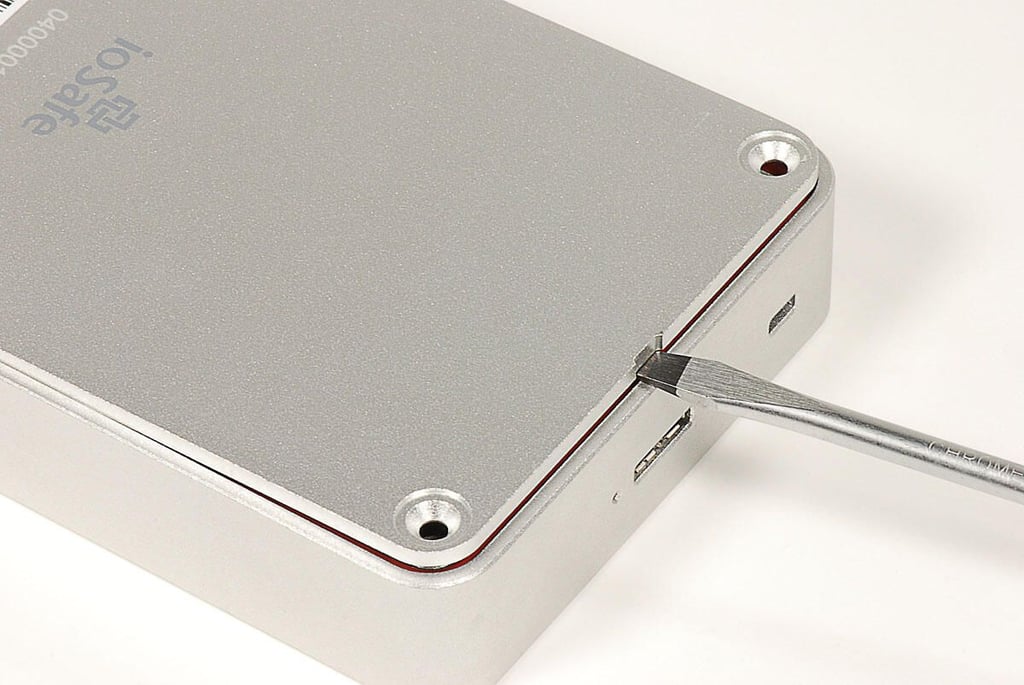
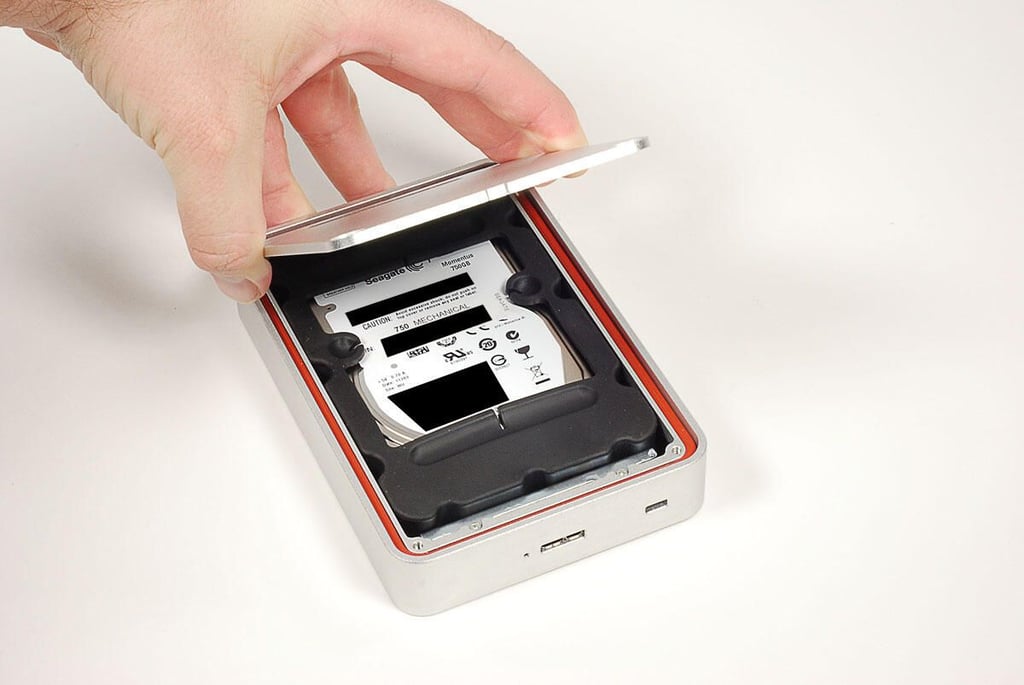
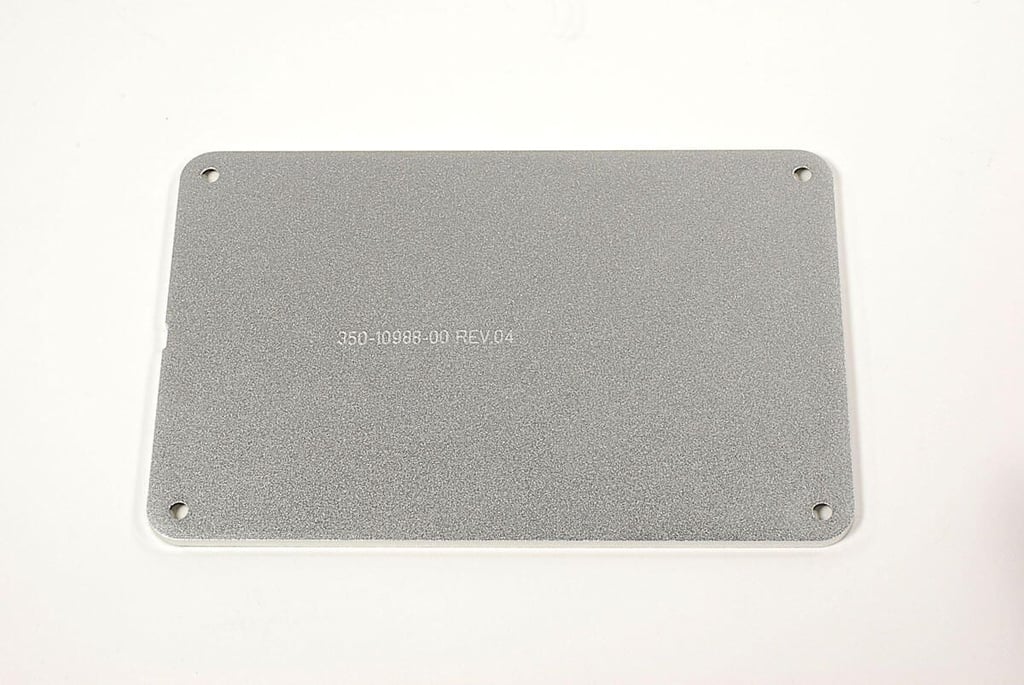
\n\tWith the bottom panel’s screws removed, you can lift off the panel, which is not held in place with adhesive or snaps.
\n
\n\tPhoto by: Bill Detwiler / TechRepublic
\n\tCaption by: Bill Detwiler
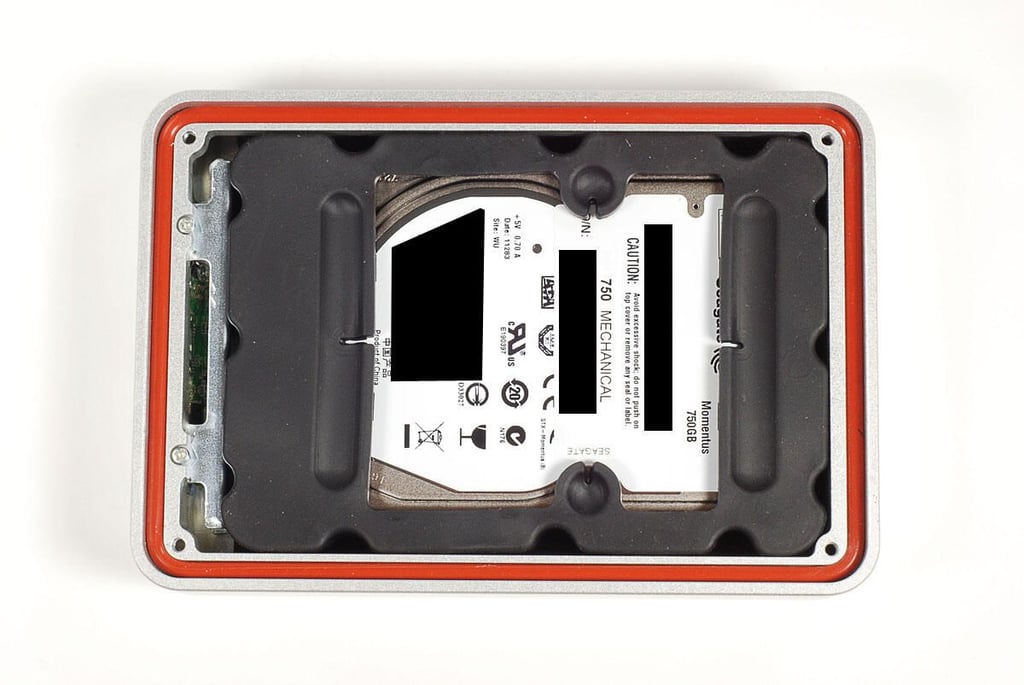
\n\tLifting off the bottom panel, we get our first look inside the ioSafe Rugged Portable hard drive.
\n
\n\tPhoto by: Bill Detwiler / TechRepublic
\n\tCaption by: Bill Detwiler
\n\tPhoto by: Bill Detwiler / TechRepublic
\n\tCaption by: Bill Detwiler
\n\tA large rubber cushion surrounds the top of our ioSafe Rugged Portable’s 750GB Seagate hard drive.
\n
\n\tPhoto by: Bill Detwiler / TechRepublic
\n\tCaption by: Bill Detwiler
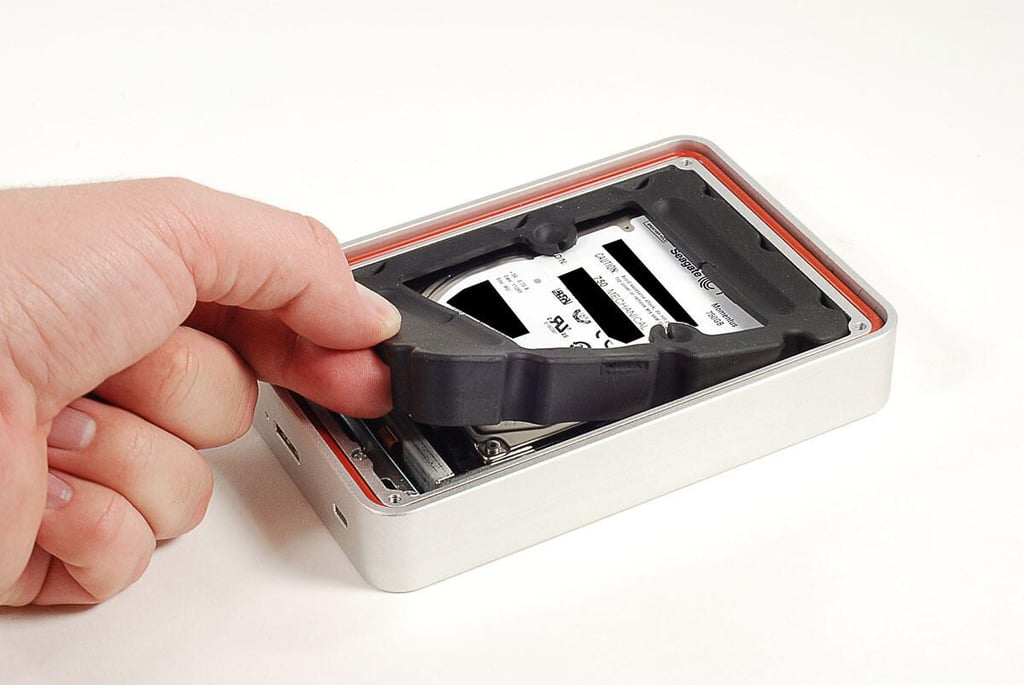
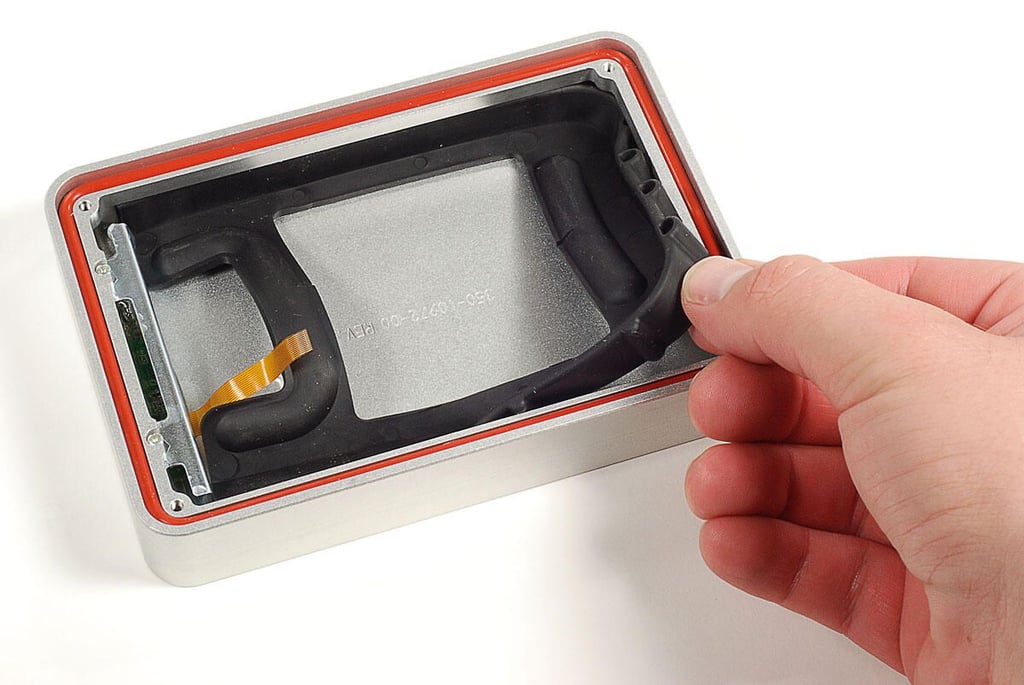
\n\tBefore removing the ioSafe Rugged Portable’s hard drive, you’ll need to remove the upper cushion. Luckily, it’s not glued to the drive or case, and you can easily lift it out of the enclosure.
\n
\n\tPhoto by: Bill Detwiler / TechRepublic
\n\tCaption by: Bill Detwiler
\n\tPhoto by: Bill Detwiler / TechRepublic
\n\tCaption by: Bill Detwiler
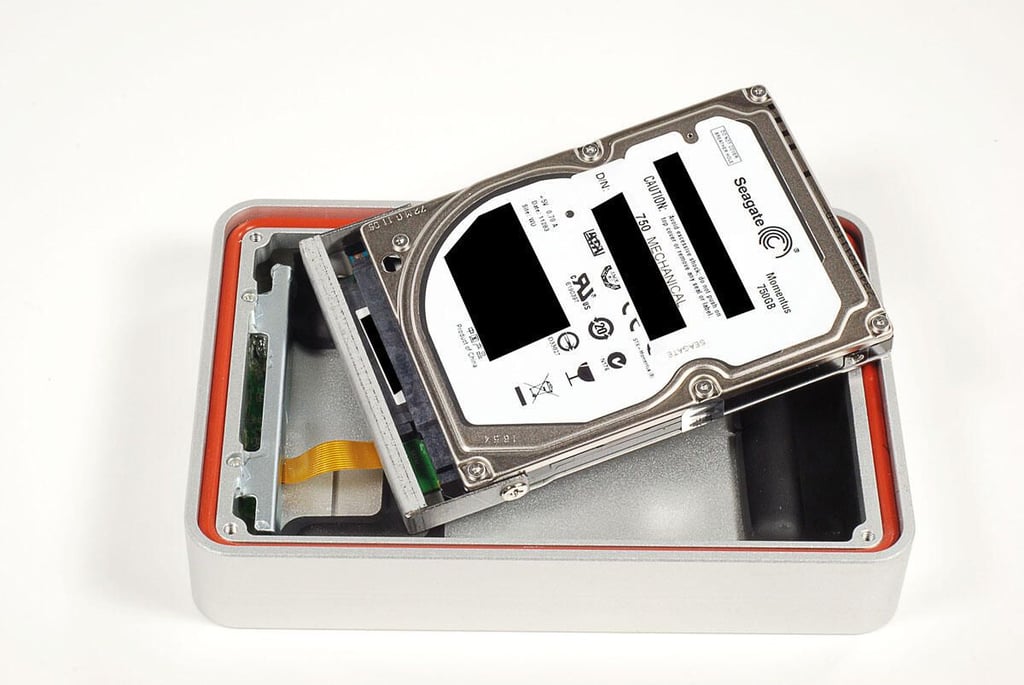
\n\tAfter removing the hard drive’s upper cushion, you can lift the drive assembly (drive, metal bracket, and interface card) out of the enclosure, but not too far. A thin ribbon cable connects the drive assembly to the enclosure.
\n
\n\tPhoto by: Bill Detwiler / TechRepublic
\n\tCaption by: Bill Detwiler
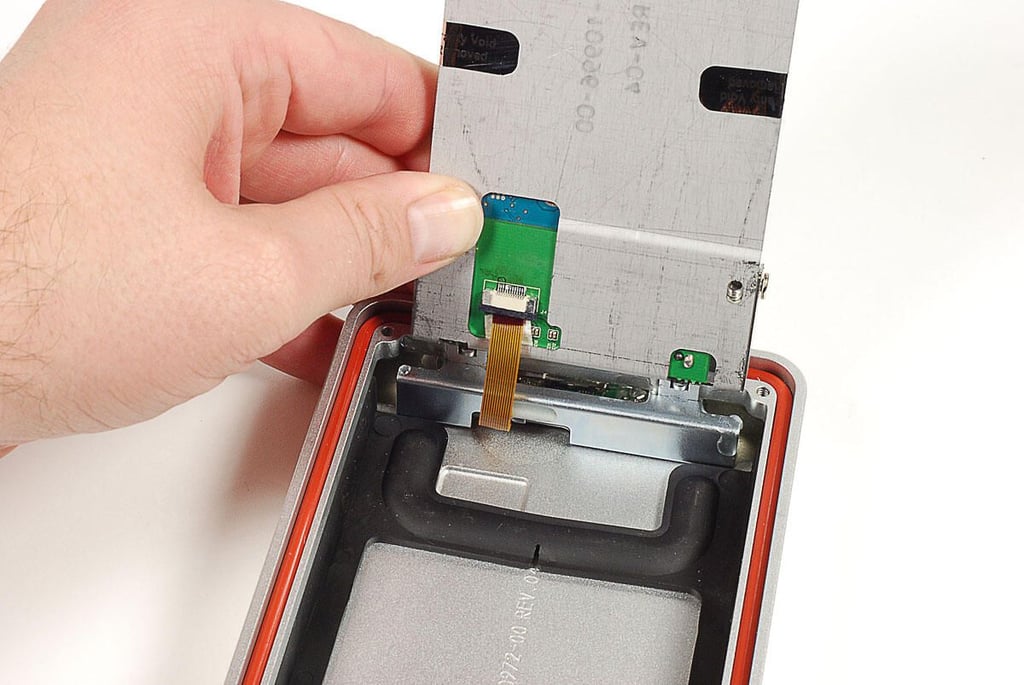
\n\tA thin ribbon cable connects the drive assembly’s SATA/USB interface board to the enclosure. Before completely removing the drive, you’ll need to disconnect this cable.
\n
\n\tPhoto by: Bill Detwiler / TechRepublic
\n\tCaption by: Bill Detwiler
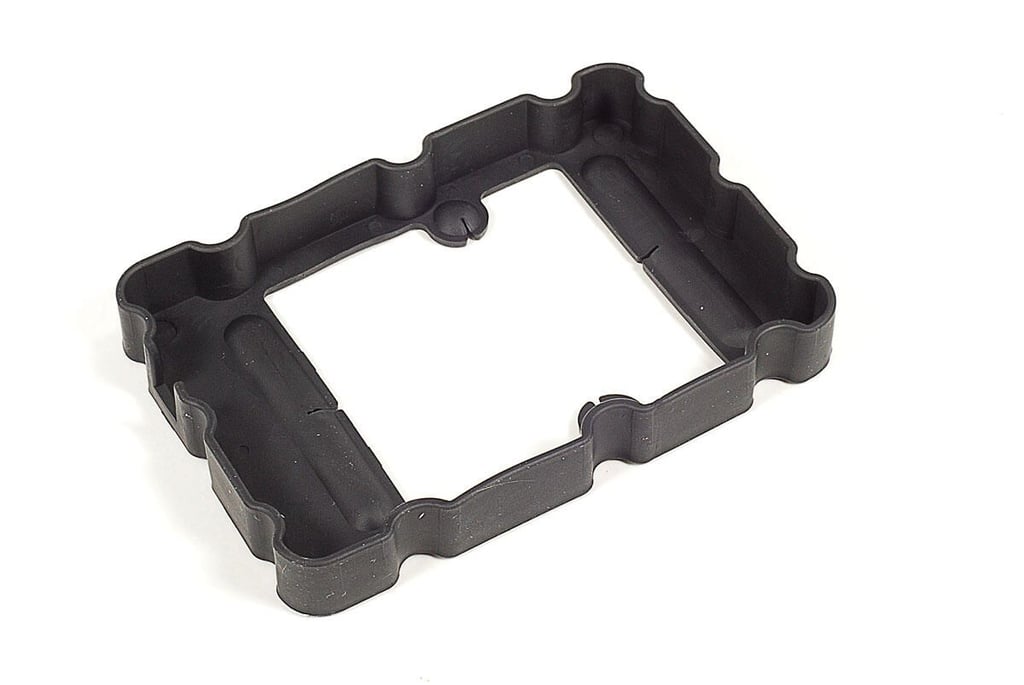
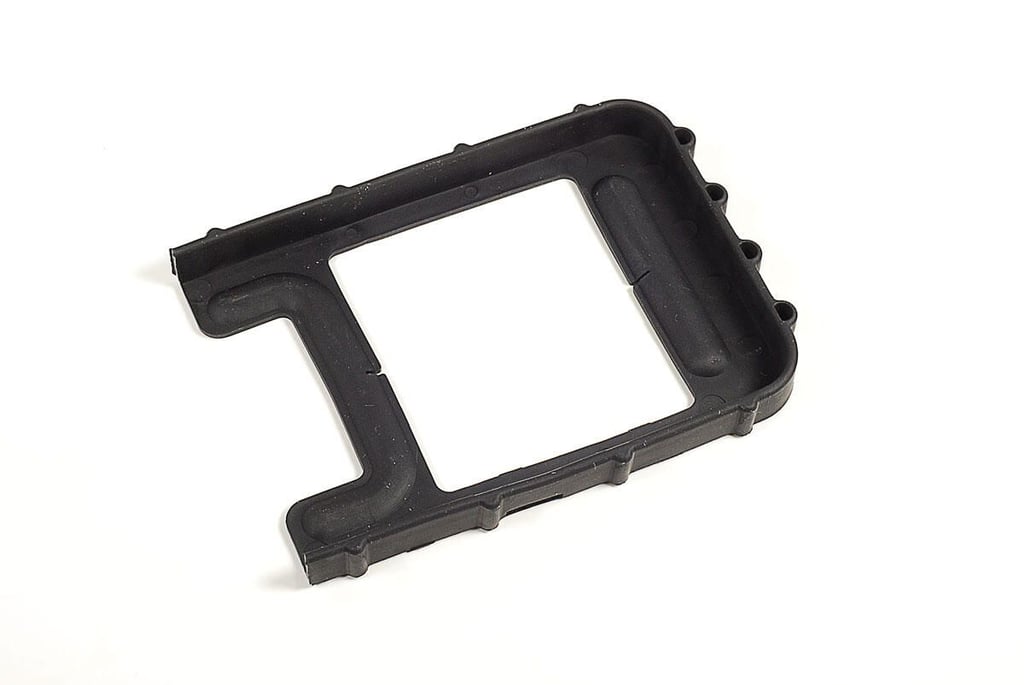
\n\tWith the drive assembly removed, we can see a second rubber cushion.
\n
\n\tPhoto by: Bill Detwiler / TechRepublic
\n\tCaption by: Bill Detwiler
\n\tPhoto by: Bill Detwiler / TechRepublic
\n\tCaption by: Bill Detwiler
\n\tPhoto by: Bill Detwiler / TechRepublic
\n\tCaption by: Bill Detwiler
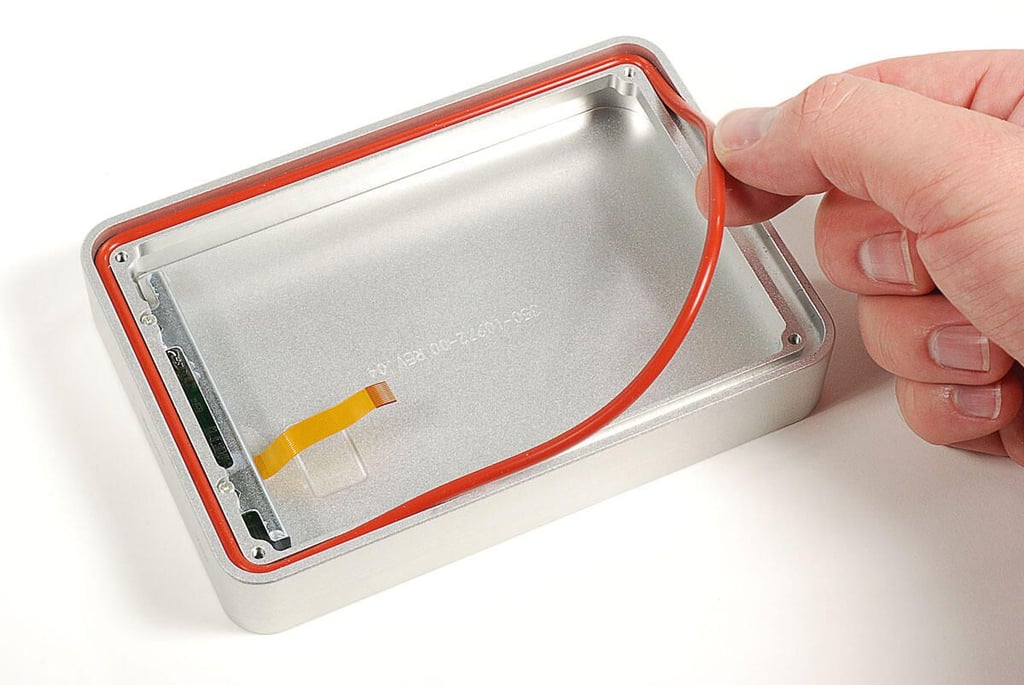
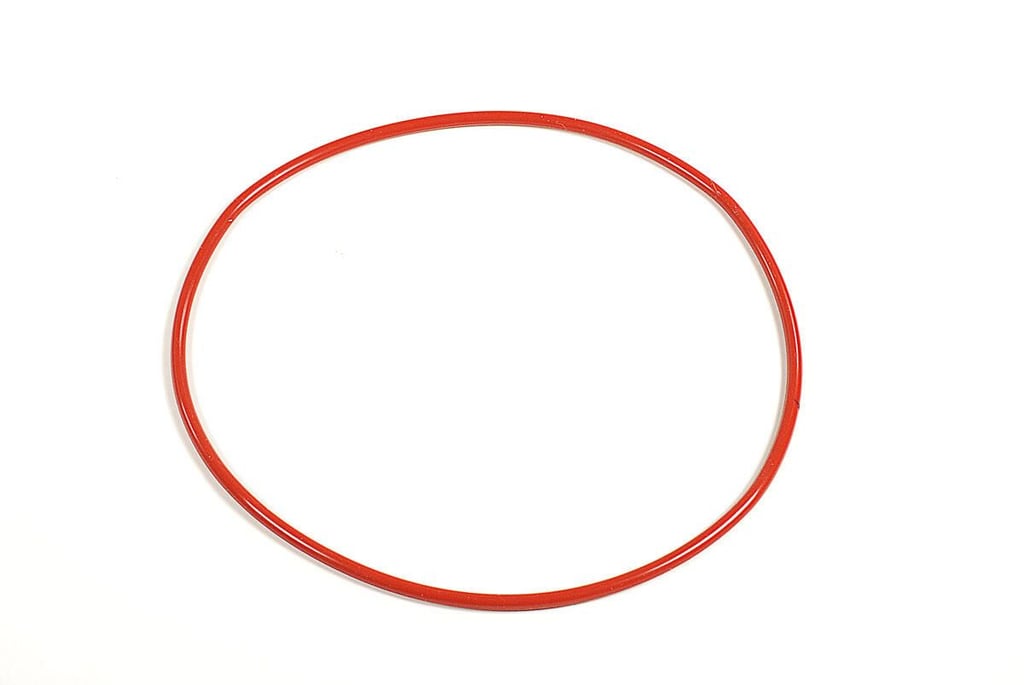
\n\tAn O-ring helps seal the enclosure when the bottom panel is attached. You can easily lift it away from its groove in the enclosure.
\n
\n\tPhoto by: Bill Detwiler / TechRepublic
\n\tCaption by: Bill Detwiler
\n\tPhoto by: Bill Detwiler / TechRepublic
\n\tCaption by: Bill Detwiler
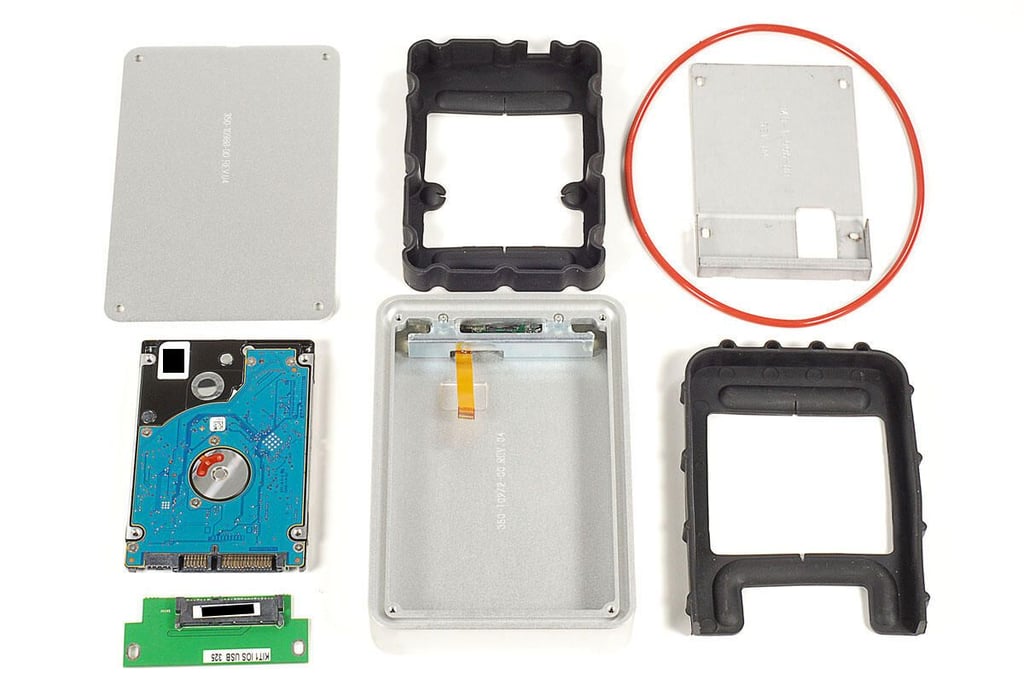
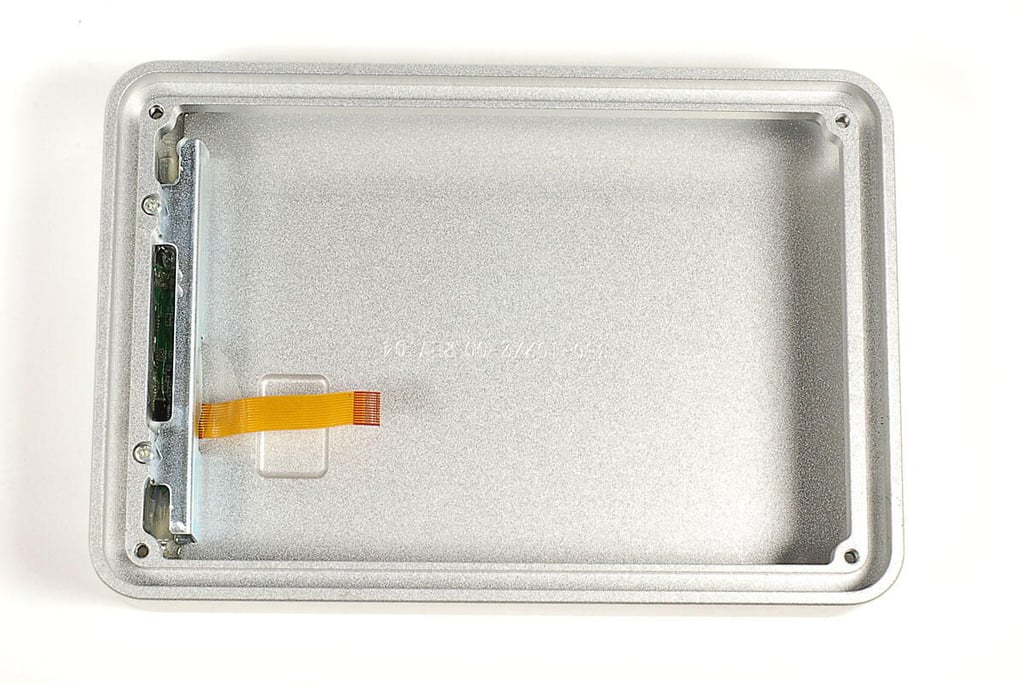
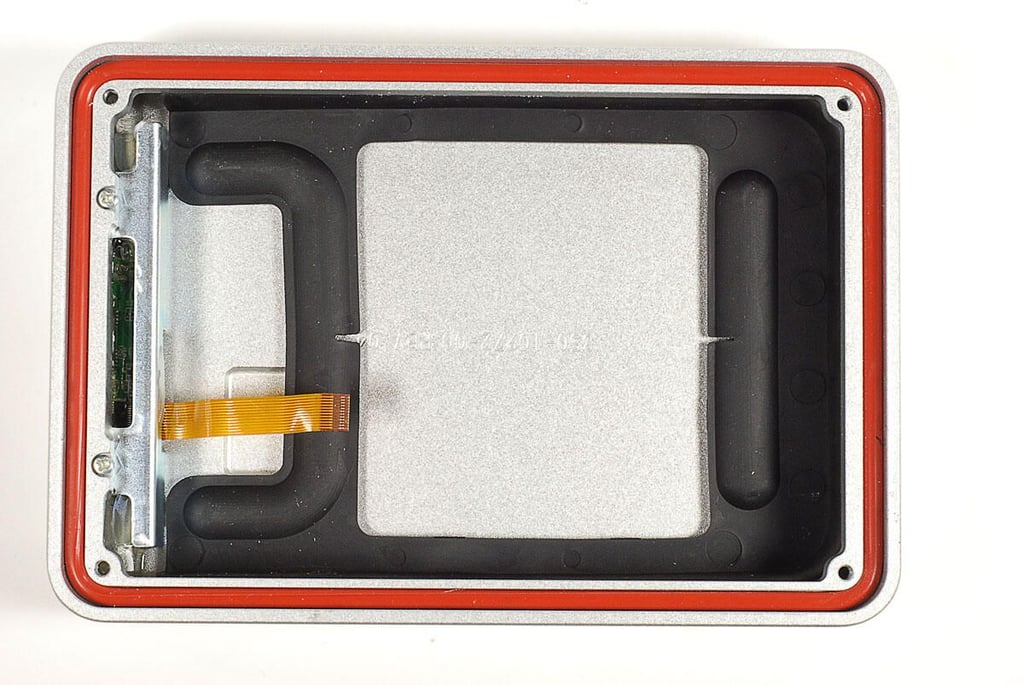
\n\tWith the drive assembly, both cushions, and the O-ring gone, there’s nothing left to remove inside the ioSafe Rugged Portable’s enclosure.
\n
\n\tPhoto by: Bill Detwiler / TechRepublic
\n\tCaption by: Bill Detwiler
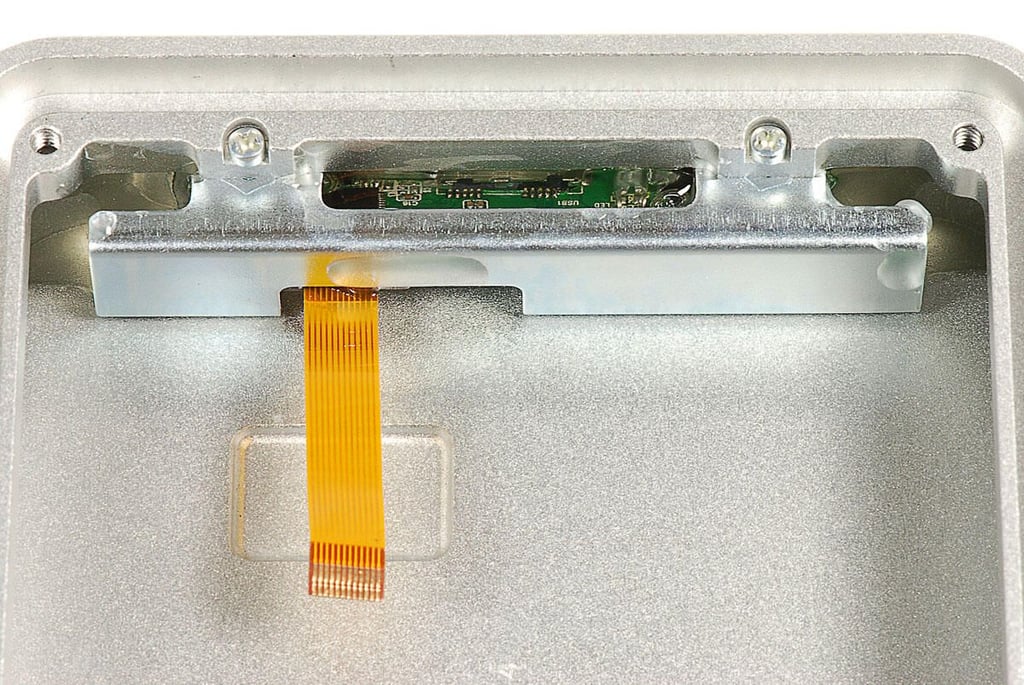
\n\tThe small PCB that contains the USB port, drive activity light, and ribbon cable, is glued to the enclosure–as is the metal bracket that holds it in place. A small plastic cap, which acts as the inside of the Kensington security slot, is also glued in place.
\n
\n\tIt appears that the PCB and cap are placed in the enclosure and then covered with hot silicone glue (or similar substance). While the glue is still warm, the metal retaining bracket is then placed over the PCB and cap and attached with two screws.
\n
\n\tPhoto by: Bill Detwiler / TechRepublic
\n\tCaption by: Bill Detwiler
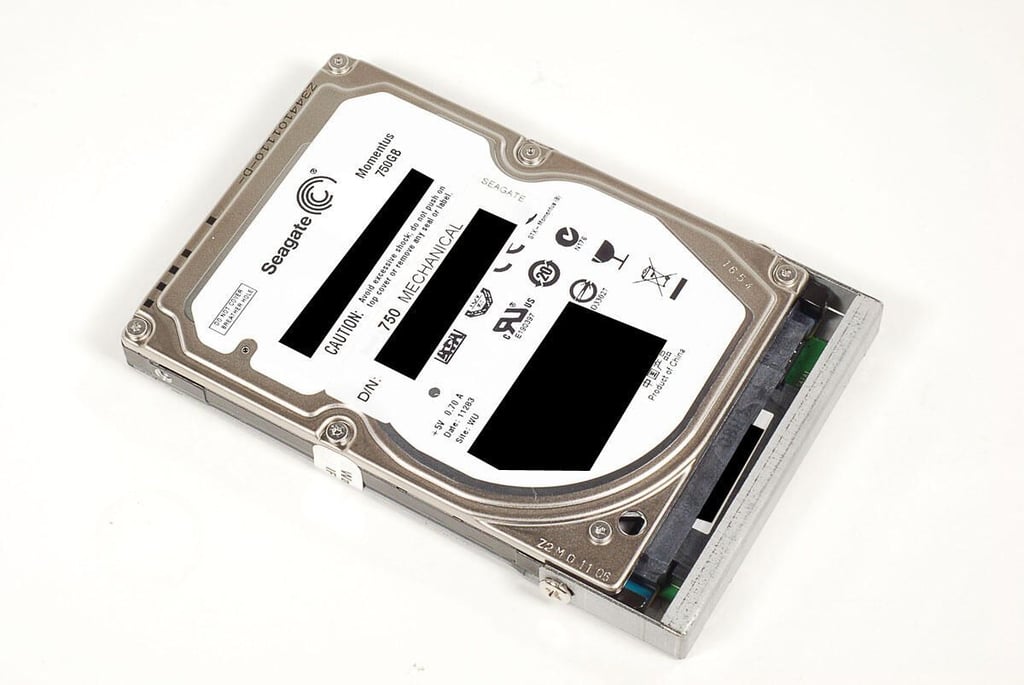
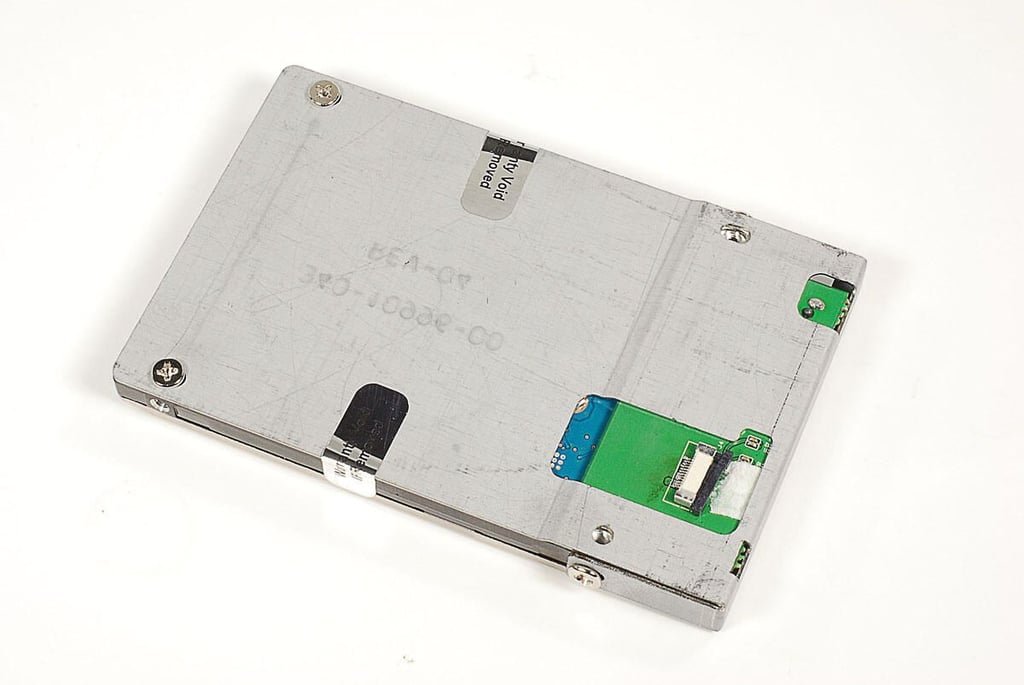
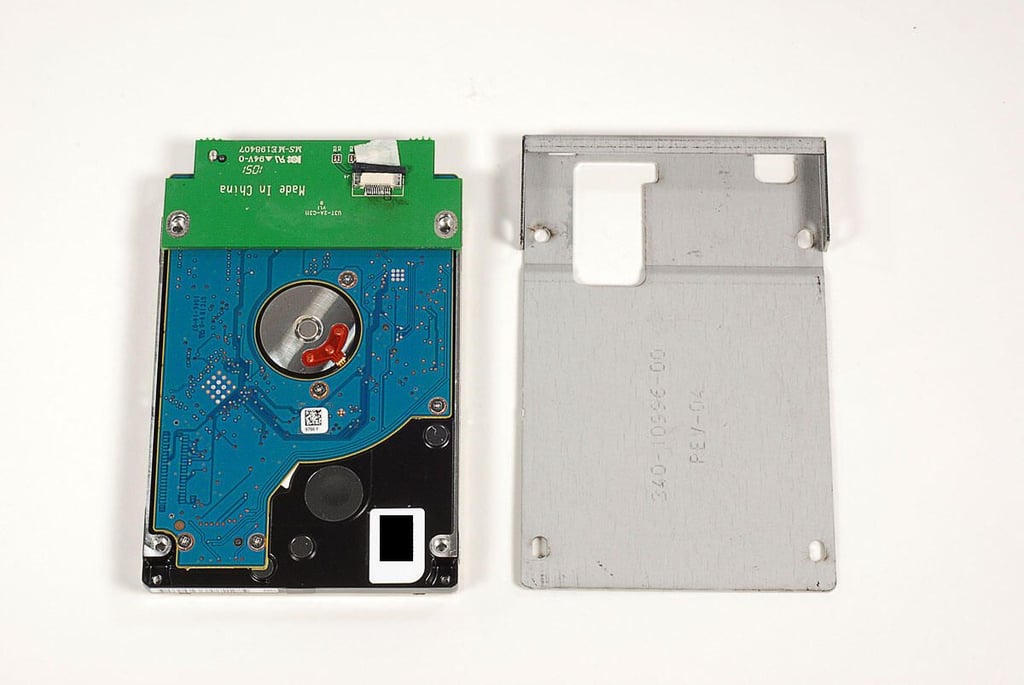
\n\tThe drive assembly on this ioSafe Rugged Portable, consists of a 750GB Seagate hard drive (mechanical), a metal bracket, and SATA/USB interface board.
\n
\n\tPhoto by: Bill Detwiler / TechRepublic
\n\tCaption by: Bill Detwiler
\n\tPhoto by: Bill Detwiler / TechRepublic
\n\tCaption by: Bill Detwiler
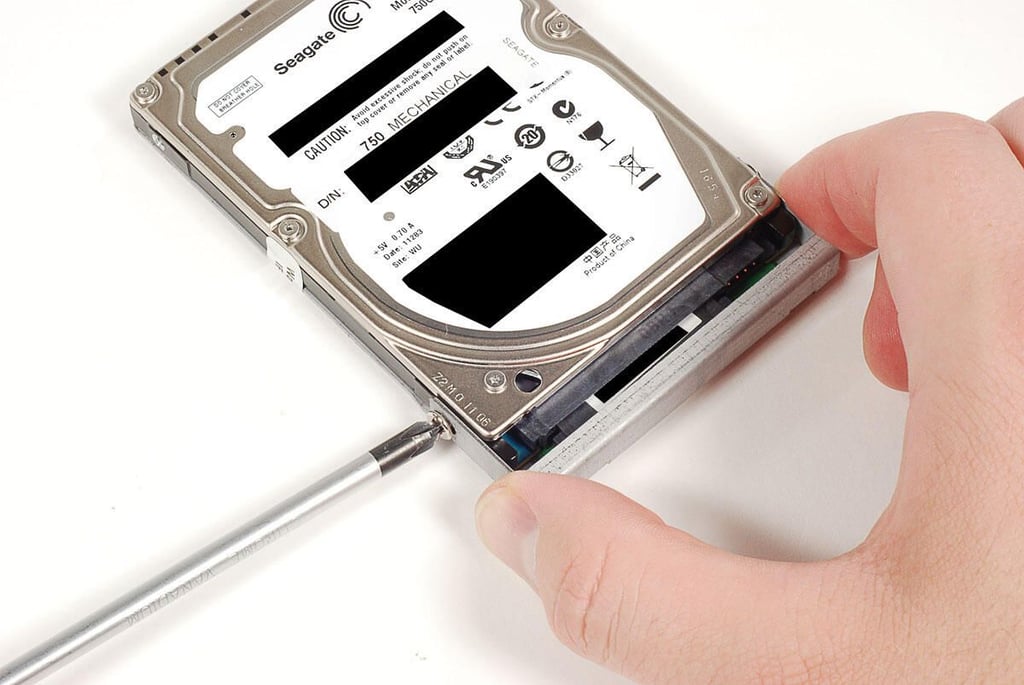
\n\tFour Phillips screws hold the metal bracket to the drive–two on the side and two on the bottom.
\n
\n\tPhoto by: Bill Detwiler / TechRepublic
\n\tCaption by: Bill Detwiler
\n\tPhoto by: Bill Detwiler / TechRepublic
\n\tCaption by: Bill Detwiler
\n\tOur ioSafe Rugged Portable came with a 750GB 7200RPM Seagate Momentus SATA hard drive (ST9750420AS).
\n
\n\tPhoto by: Bill Detwiler / TechRepublic
\n\tCaption by: Bill Detwiler
\n\tI was honestly surprised by how easy the ioSafe Rugged Portable hard drive was to crack open. Using a standard Philips screwdriver, I was able to open the case and remove the drive in less than two minutes.
\n
\n\tThis makes the enclosure simple to work on, but could also allow an unauthorized person to quickly make off with your drive—even if the enclosure is secured with the Kensington security slot. To mitigate this risk, you should use the included TrueCrypt encryption software or a similar product.
\n
\n\tAs I witnessed at CES 2011, the ioSafe Rugged Portable can take a lot of abuse. It’s well built and uses standard components.
\n
\n\tAlthough it’s not designed to withstand extreme heat, it can protect your data better than the average external hard drive. And if the drive is damaged beyond use, ioSafe’s data recovery service let’s you get a comparable replacement with your data preloaded.
\n
\n\tPhoto by: Bill Detwiler / TechRepublic
\n\tCaption by: Bill Detwiler
Bill Detwiler is the Editor for Technical Content and Ecosystem at Celonis. He is the former Editor in Chief of TechRepublic and previous host of TechRepublic's Dynamic Developer podcast and Cracking Open, CNET and TechRepublic's popular online show. Previously, Bill was an IT manager in the social research and energy industries. He has bachelor's and master's degrees from the University of Louisville, where he has also lectured on computer crime and crime prevention.