\n\t
\n
\n\tThe Microsoft Plus! Companion for Windows 95 CD cover was actually a cardboard envelope CD case.
\n
\n\tImage created by Greg Shultz for TechRepublic.
\n\t
\n
\n\tThe Microsoft Plus! Companion for Windows 95 CD. (There was also a floppy disk version of Plus! that came on 6 high density floppies.)
\n
\n\tImage created by Greg Shultz for TechRepublic.
\n\t
\n
\n\tIncluded in the box was a 25-page user guide, which oddly had a black and white cover.
\n
\n\tImage created by Greg Shultz for TechRepublic.
\n\t
\n
\n\tOnce you put the CD in the drive, the splash screen appeared and was accompanied by the \u201cMicrosoft Sound,\u201d which was the original Windows 95 Startup sound.
\n
\n\tImage created by Greg Shultz for TechRepublic.
\n\t
\n
\n\tIf you selected the Custom Setup, you saw the Options list and could select the items that you wanted to install.
\n
\n\tImage created by Greg Shultz for TechRepublic.
\n\t
\n
\n\tBy default Windows 95 came with the DriveSpace Compression software, which was a great utility when you were dealing with small hard disk (540 MB was typical in 1995), because it was designed to increase the amount of data you could store by compressing and decompressing data on-the-fly. DriveSpace 3 was essentially an upgrade that provided better disk compression and support for compressed drives of up to 2 GB. This was a big jump as the size of a compressed drive previously maxed out at 512 MB.
\n
\n\tImage created by Greg Shultz for TechRepublic.
\n\t
\n
\n\tThe hard disk Properties dialog box had a Compression tab that had graphic images that showed the benefits of compressing your hard disk.
\n
\n\tImage created by Greg Shultz for TechRepublic.
\n\t
\n
\n\tThe Compression Agent was a tool that was designed to compact individual files even more tightly to save space. The Compression Agent was run on a regular basis by the System Agent or whenever the system was idle for a period of time.
\n
\n\tImage created by Greg Shultz for TechRepublic.
\n\t
\n
\n\tThe System Agent, which was essentially the precursor to Task Scheduler, allowed you to run programs at a specific time or when the system was idle.
\n
\n\tImage created by Greg Shultz for TechRepublic.
\n\t
\n
\n\tThe Dial-Up Networking Server allowed the modem attached to your Windows 95 system to answer incoming calls and allow you to access your system remotely. Think a dial-up version of GoToMyPC.
\n
\n\tImage created by Greg Shultz for TechRepublic.
\n\t
\n
\n\tThe Internet Jumpstart Kit provided the Internet Setup Wizard to walk you through all the steps need to connect to the Internet. However, the main feature was of course Microsoft Internet Explorer 1.0.
\n
\n\tImage created by Greg Shultz for TechRepublic.
\n\t
\n
\n\t3D Pinball featuring the Space Cadet table was created by Maxis Software and licensed to Microsoft for inclusion in Plus! Maxis later released the Full Tilt! Pinball game package, which included the Space Cadet table as well as two other tables named Dragon’s Keep and Skulduggery.
\n
\n\tImage created by Greg Shultz for TechRepublic.
\n\t
\n
\n\tThe Visual Enhancements feature of Microsoft Plus! included a number of settings found on the Plus! tab of the Display Properties. You could change to large size icons, make fonts appear smoother, or stretch the wallpaper to better fit the screen, just to name a few.
\n
\n\tImage created by Greg Shultz for TechRepublic.
\n\t
\n
\n\tOne of most popular features in Microsoft Plus were the Desktop Themes, which provided a number of topical themes. Each one had different color schemes, sounds, screen savers, wallpaper images, icons, fonts, animated cursors, and more. The Desktop Themes app, found in the Control Panel, made it easy to select, preview and customize the various themes.
\n
\n\tYou’ll also notice that there is a Save As button at the top of the Desktop Themes app, which meant that you could pick and choose your favorite elements and create your own desktop theme.
\n
\n\tImage created by Greg Shultz for TechRepublic.
\n\t
\n
\n\tWhen you selected a theme, such as Dangerous Creatures, you could see the color scheme, wallpaper, and desktop icons in the preview area. You could click the Screen Saver button to see a preview and you could click the Pointer, Sounds etc button to preview the sounds and animated pointers. When you clicked OK, the theme would be applied to the desktop.
\n
\n\tImage created by Greg Shultz for TechRepublic.
\n\t
\n
\n\tThe Dangerous Creatures theme featured a dark color scheme, appropriate desktop icons, such as a tarantula and a puffer fish, and wallpaper showing a mountain lion.
\n
\n\tImage created by Greg Shultz for TechRepublic.
\n\t
\n
\n\tThe Dangerous Creatures screen saver had sharks and stingrays swimming around while bubbles floated to the surface. These were accompanied by a pleasant bubble sound effect.
\n
\n\tImage created by Greg Shultz for TechRepublic.
\n\t
\n
\n\tThe Inside your Computer theme was next up in the list and featured a great tech sound scheme as well as great graphics.
\n
\n\tImage created by Greg Shultz for TechRepublic.
\n\t
\n
\n\tThe wallpaper displayed a box-like unit of circuit boards full of vacuum tubes, resistors, diodes, and chips.
\n
\n\tImage created by Greg Shultz for TechRepublic.
\n\t
\n
\n\tThe screen saver consisted of chips, diodes, and resistors all floating across the screen accompanied by random electronic sounds.
\n
\n\tImage created by Greg Shultz for TechRepublic.
\n\t
\n
\n\tOne of the most interesting themes in the Plus! 95 package was the Leonardo da Vinci theme.
\n
\n\tImage created by Greg Shultz for TechRepublic.
\n\t
\n
\n\tThe Leonardo da Vinci wallpaper includes the inventor’s famous Vitruvian Man.
\n
\n\tImage created by Greg Shultz for TechRepublic.
\n\t
\n
\n\tThe screen saver consisted of floating images displaying some of the inventors’ famous contraptions, such as wings that were intended to allow a man to fly.
\n
\n\tImage created by Greg Shultz for TechRepublic.
\n\t
\n
\n\tThe More Windows theme was one of my favorites because of the wallpaper, which was a magnification of the center of the Windows flag.
\n
\n\tImage created by Greg Shultz for TechRepublic.
\n\t
\n
\n\tIf you look closely, you can see that wallpaper in the My Computer icon and one of the computers in the Network Neighborhood icon was the same as on the desktop.
\n
\n\tImage created by Greg Shultz for TechRepublic.
\n\t
\n
\n\tThe screen saver displayed blocks that flew in from all sides and eventually filled the screen. This screen saver offered configuration settings that allowed you to choose the size blocks, set the speed at which the blocks flew onto the screen, as well as choose whether to use the wallpaper for the pattern on the blocks. If you didn’t opt to use the wallpaper, the pattern on the blocks was derived from whatever was on your screen at the time the screen saver kicked in.
\n
\n\tImage created by Greg Shultz for TechRepublic.
\n\t
\n
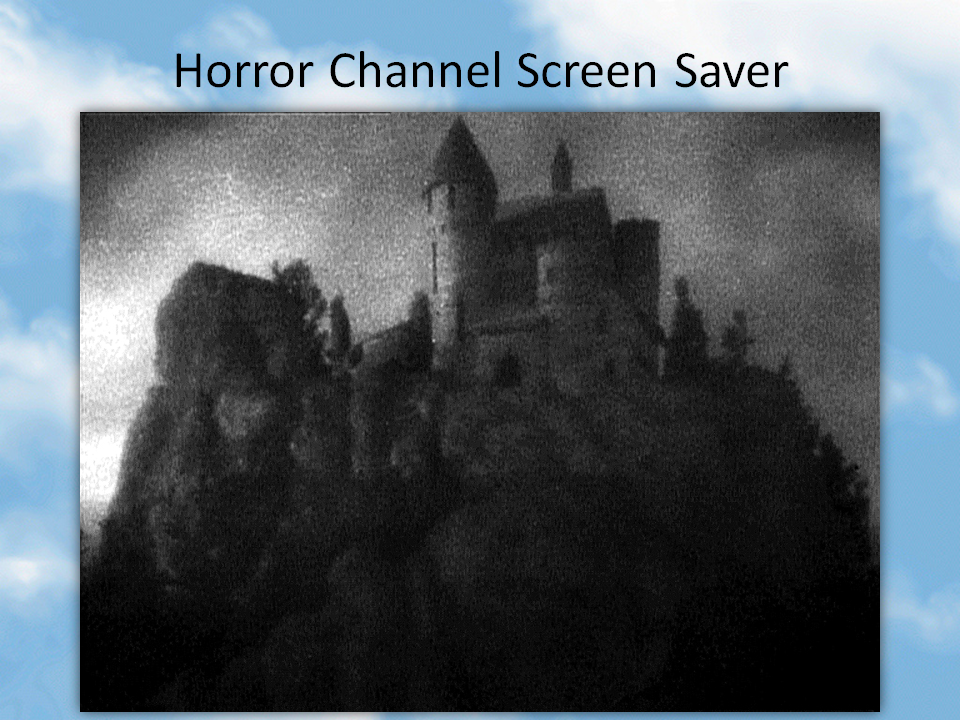
\n\tThe Mystery theme pulled together all of the things that you would associate with a good mystery movie.
\n
\n\tImage created by Greg Shultz for TechRepublic.
\n\t
\n
\n\tThe wallpaper showed a majestic study illuminated by candle light. Notice the My Computer icon is a Sherlock Holmes hat.
\n
\n\tImage created by Greg Shultz for TechRepublic.
\n\t
\n
\n\tThe screen saver showed a haunted house and featured creaking door sounds, an occasional pipe organ, and fluttering bats.
\n
\n\tImage created by Greg Shultz for TechRepublic.
\n\t
\n
\n\tTo please Audubon society members, there was the Nature theme.
\n
\n\tImage created by Greg Shultz for TechRepublic.
\n\t
\n
\n\tThe wallpaper was a collage of typical ground cover while the main desktop icons showed a nest, a butterfly, and a camp fire.
\n
\n\tImage created by Greg Shultz for TechRepublic.
\n\t
\n
\n\tFor this screen saver, furry caterpillars silently scurried across leaves on the screen.
\n
\n\tImage created by Greg Shultz for TechRepublic.
\n\t
\n
\n\tOf all the themes, Science was my most favorite because it had an awesome screen saver and great sounds.
\n
\n\tImage created by Greg Shultz for TechRepublic.
\n\t
\n
\n\tThe wallpaper showed a meteorite pocked planet partially illuminated by its sun.
\n
\n\tImage created by Greg Shultz for TechRepublic.
\n\t
\n
\n\tThe neat thing about the Science screen saver was it was one that actually had settings. The main element was a configurable lens that floated back and forth across the screen. For instance you could changes the size and speed of the lens, and there were six different lens types. This image shows the Inside Out lens.
\n
\n\tImage created by Greg Shultz for TechRepublic.
\n\t
\n
\n\tFor the athletic Windows 95 users, there was a Sports theme, which featured sounds from basket ball, ping pong, baseball, and auto racing just to name a few.
\n
\n\tImage created by Greg Shultz for TechRepublic.
\n\t
\n
\n\tThe wallpaper featured a colorful artistic picture of a wind surfer riding the waves.
\n
\n\tImage created by Greg Shultz for TechRepublic.
\n\t
\n
\n\tThe screen saver showed a chalkboard on which football plays were drawn; complete with the sound of chalk striking the board.
\n
\n\tImage created by Greg Shultz for TechRepublic.
\n\t
\n
\n\tFor the old hippies, there was the 60’s theme which was striking with its tie-dye wallpaper.
\n
\n\tImage created by Greg Shultz for TechRepublic.
\n\t
\n
\n\tThe main desktop icons showed a peace sign, beads, flowers. The sounds consisted of guitar riffs, sitar, and bongo sounds. The Start windows sound for this theme featured the end of the countdown from an Apollo rocket launch: 3-2-1.
\n
\n\tImage created by Greg Shultz for TechRepublic.
\n\t
\n
\n\tThe screen saver was the same one from the science theme. This image shows the Spiral lens.
\n
\n\tImage created by Greg Shultz for TechRepublic.
\n\t
\n
\n\tThe Golden Era theme was right out of the early 1900’s.
\n
\n\tImage created by Greg Shultz for TechRepublic.
\n\tThe wallpaper showed an artistic view of old time tractors.
\n
\n\tImage created by Greg Shultz for TechRepublic.
\n\t
\n
\n\tThe screen saver was a classic, featuring a man reading a paper and listening to an old time radio. Radio announcers and old phones would float around the screen accompanied by sounds of ringing phones, operators talking, and bits from old radio shows.
\n
\n\tImage created by Greg Shultz for TechRepublic.
\n\t
\n
\n\tThe Travel theme was from the mid 1900’s. Notice that the My Computer icon is an old box camera. The sounds featured a variety of old car horns honking and trains rushing down the tracks.
\n
\n\tImage created by Greg Shultz for TechRepublic.

\n\t
\n
\n\tThe wallpaper for Travel theme was a sepia-toned photo of an old train station.
\n
\n\tImage created by Greg Shultz for TechRepublic.
\n\t
\n
\n\tThe screen saver consisted of sea planes flying through clouds on the screen. I always thought that this was the worst screen saver of the bunch especially when imagining what they could have done and comparing it to the Golden Era screen saver.
\n
\n\tImage created by Greg Shultz for TechRepublic.
\n\t
\n
\n\tThe Windows 95 theme was another of my favorite themes, it had great sounds and the animated cursors featured the Windows flag fluttering in the wind.
\n
\n\tImage created by Greg Shultz for TechRepublic.
\n\t
\n
\n\tThis iconic wallpaper, a Windows flag floating across clouds, like on the box, became a standard on just about everyone’s Windows 95 system regardless of whether they had Plus! installed.
\n
\n\tImage created by Greg Shultz for TechRepublic.
\n\t
\n
\n\tThe Windows 95 theme screen saver was identical to the More Windows theme.
\n
\n\tImage created by Greg Shultz for TechRepublic.
\n\t
\n
\n\tWhat is MS Plus! for Windows 95? \u2013 Microsoft TechNet Archive
\n
\n\tMicrosoft Plus! for Windows 95 \u2013 CNET Archive
\n
\n\tImage created by Greg Shultz for TechRepublic.

My first computer was a Kaypro 16 \"luggable\" running MS-DOS 2.11 which I obtained while studying computer science in 1986. After two years, I discovered that I had a knack for writing documentation and shifted my focus over to technical writing.

