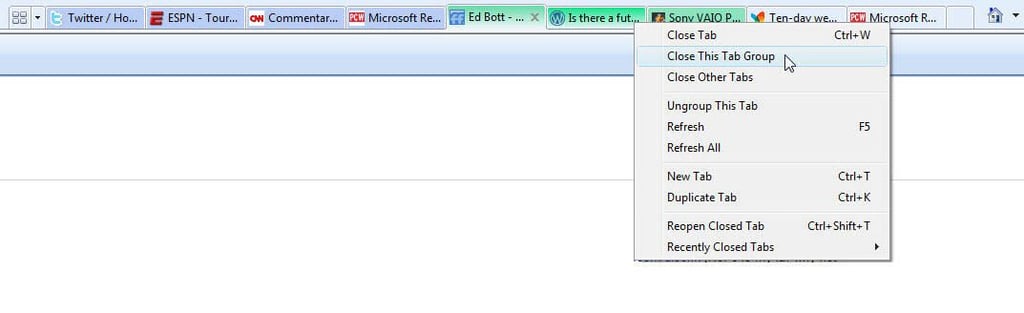
See the color coding on the groups of tabs here? When you open new tabs from a link on an open page, IE8 notes that those tabs belong to a group. For power users, that makes it easy to manage close an entire group of pages at once instead of clicking each one individually.\r\n\r\n
For more details, see IE8 focuses on usability.
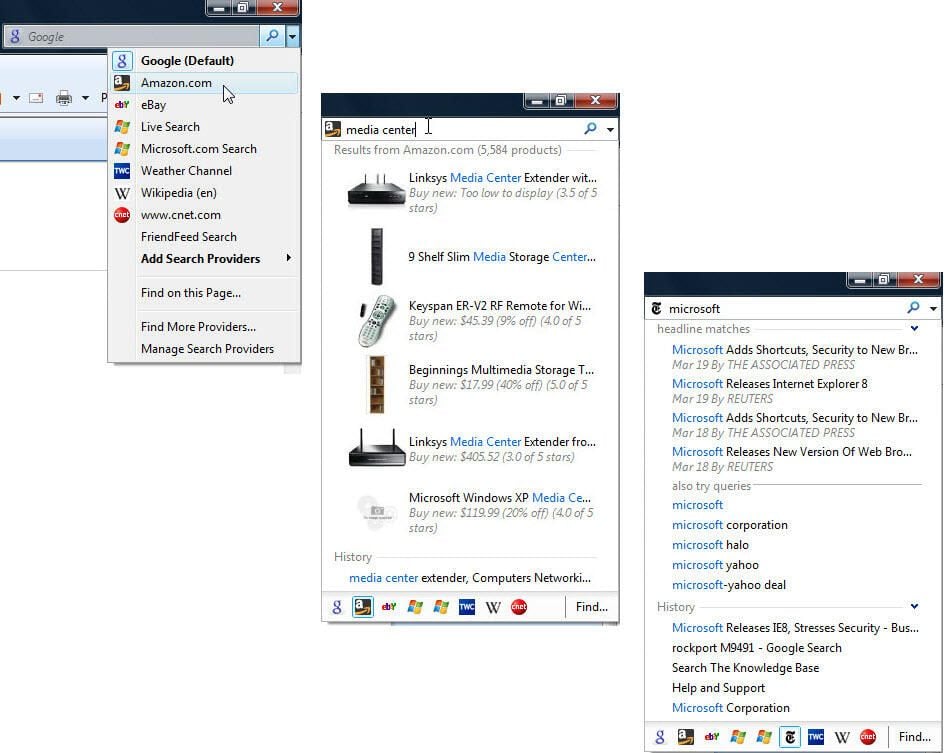
By adding custom search providers, you can seriously expand the capability of the search box. The results shown here illustrate visual search results provided by Amazon.com and headlines from the New York Times. In both cases, the results appear automatically, without requiring a trip to a new web page.\r\n\r\n
For more details, see IE8 focuses on usability.
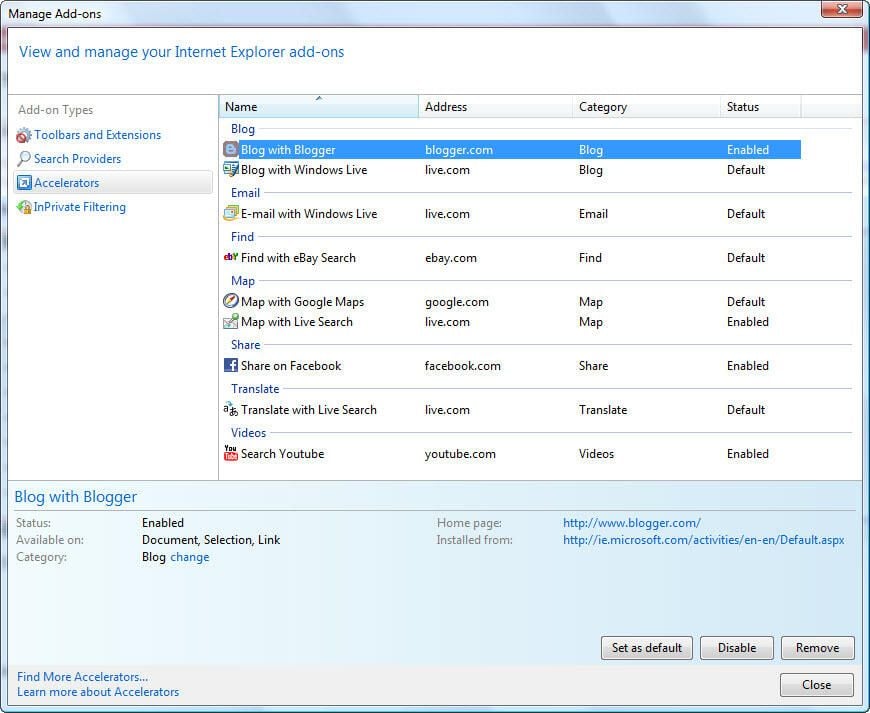
IE8’s collection of add-ons and third-party tools is impressively large, especially if you’re looking for add-ons for easier ways to interact with megasites like Facebook and YouTube.\r\n\r\n
For more details, see IE8 focuses on usability.
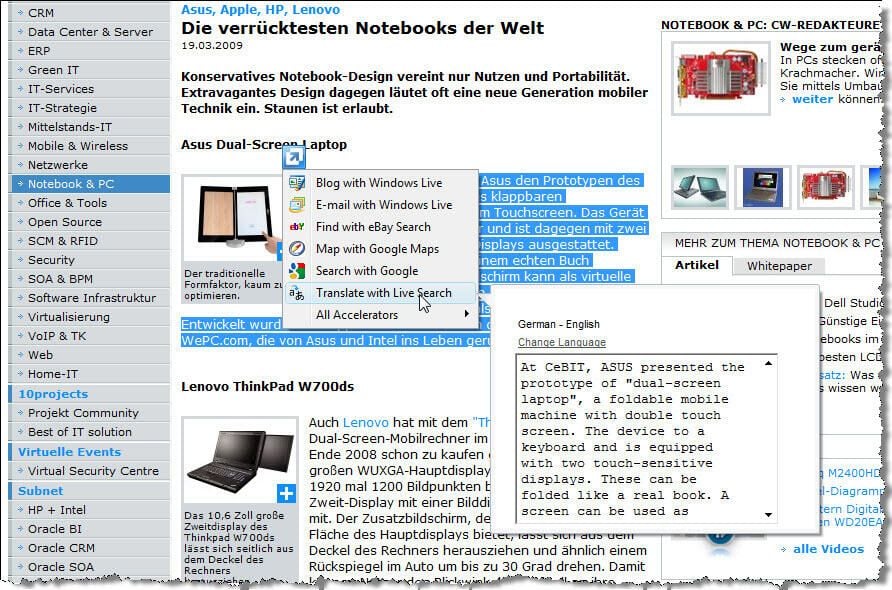
This example illustrates a key selling point of accelerators. Select a block of text from this page in German, click the blue arrow and choose the Translate accelerator, and see the translated text in a pop-up window. Click away to return to your place. The whole process is much easier than cutting and pasting in a separate window.\r\n\r\n
For more details, see IE8 focuses on usability.
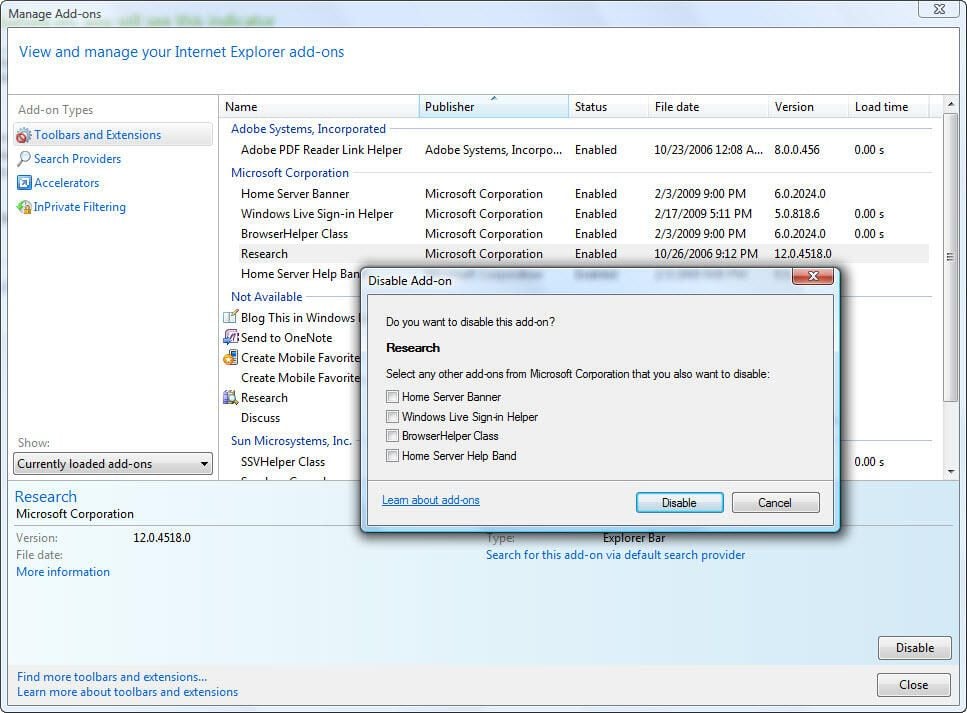
Browser add-ons can have a major impact on performance. Two details ehre are worth noting. First, IE8 keeps track of load times for each add-on, making it easier to see if it’s causing problems. Second, when you disable one add-on, you’re given the option to disable other add-ons supplied by the same company (even Microsoft).\r\n\r\n
For more details, see IE8 focuses on usability.
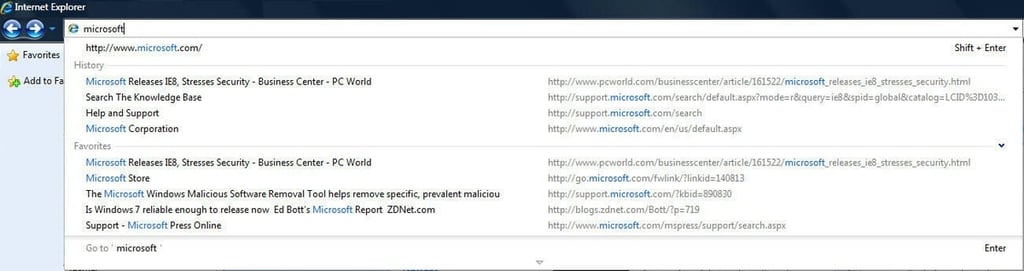
If you think this is a clone of the Firefox “Awesome bar,” look closer. On-the-fly suggestions are grouped so you can distinguish history from Favorites, and each group is limited by default to five results. Highlight any entry and click the red X to remove that entry (typos, dead links, and other unwanted URLs) from the list.\r\n\r\n
For more details, see IE8 focuses on usability.
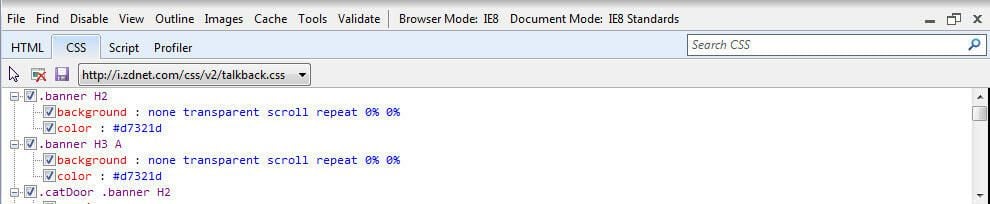
Press F12 (or Click Developer Tools on the Tools menu) to display this pane at the bottom of the browser window. It gives web designers and engineers at-a-glance technical information about the current page without having to open a separate window.\r\n\r\n
For more details, see IE8 focuses on usability.
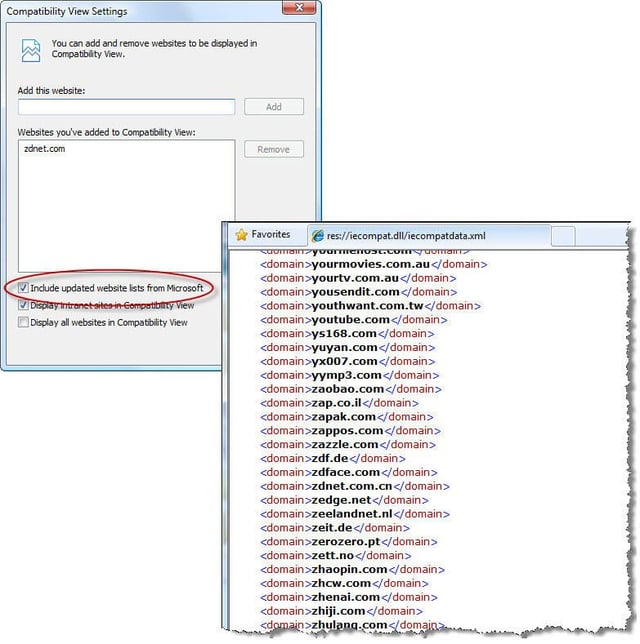
At release time, Microsoft had prepared a list of more than 3000 large sites that have known compatibility issues, eliminating the need to click the Compatiblity button for each one. The XML file will be updated monthly via Windows Update.\r\n\r\n
For more details, see IE8 focuses on usability.


