
\n\tvSphere administrators need several tools to do their jobs effectively and to gain additional insight into the environment. Many of the tools are free and available directly from VMware. Although the tools we’ll look at here are free, most require VMware vCenter Server, so they can’t usually be leveraged by using only the free ESXi hypervisor.
\n
\n\tNote: If you’d prefer to view this information as a blog post, check out this entry in our Five Apps blog.
\n
\n\tPhoto: iStockphoto.com/AndrewJohnson
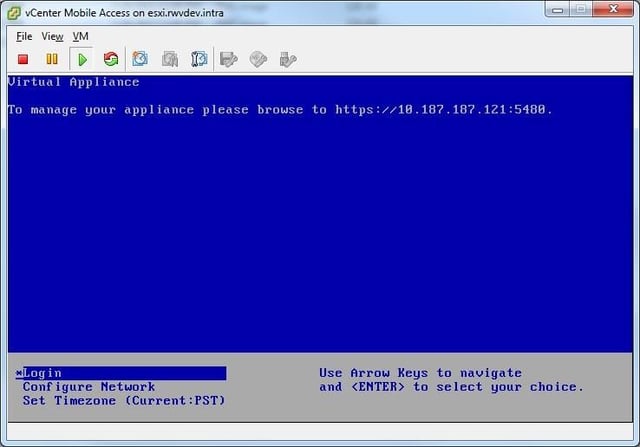
\n\tWhere tablet computing is concerned, the iPad is king. You have to download the iPad Client from the Apple App Store and then install the VMware vCenter Mobile Access (vCMA) virtual appliance connectivity broker. But no configuration is required on the vCMA. Just let it boot up and get a DHCP address. Here’s a look at the vCMA downloaded and installed as a virtual appliance.
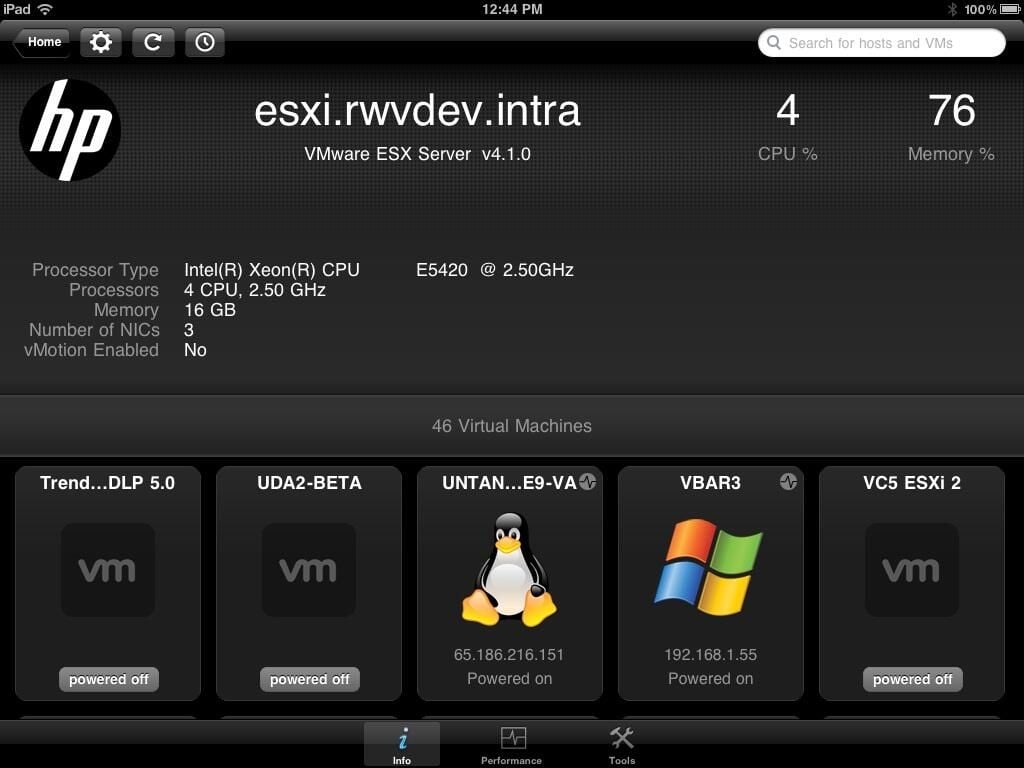
\n\tThe vSphere Client for iPad can now be pointed to the IP address of the vCMA to log into a vCenter Server system. The screen shot above shows the vSphere Client for the iPad looking at a host’s virtual machines.
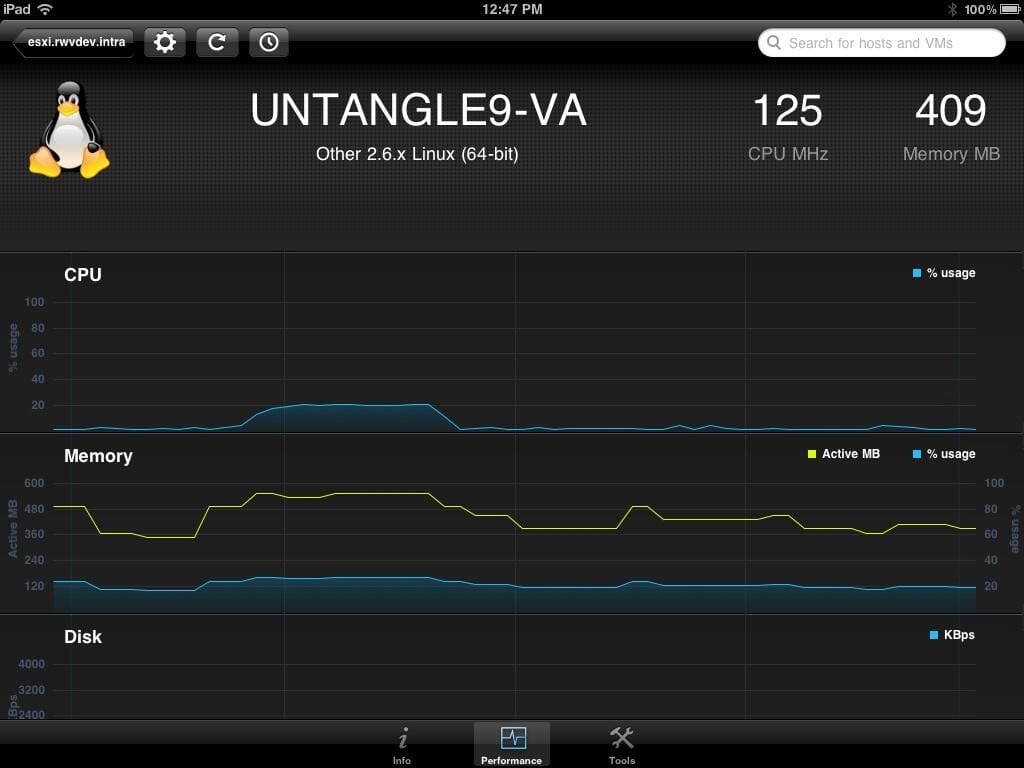
\n\tFrom here, power on, power off, suspend, and other basic tasks are available to administer virtual machines. You’ll also see quick and easy views into the virtual machine’s basic CPU and memory and disk performance information.
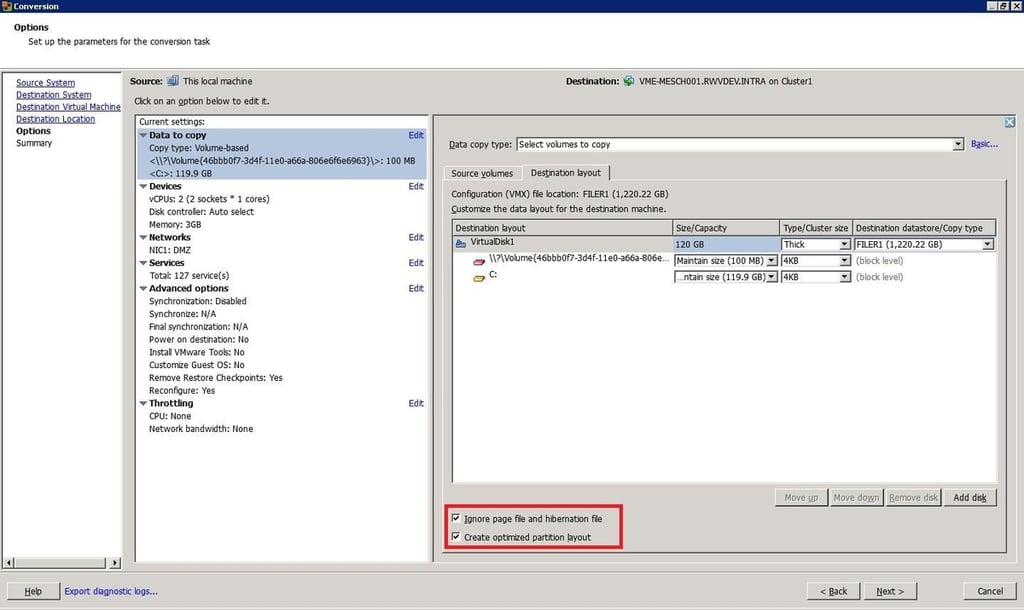
\n\tVMware Converter 5 also lets you realign block sizes of the guest operating system partition. (Previously, systems that were read by VMware Converter and written to a VMFS volume on an ESXi host would incur partition offsets that would cause duplicated read and write behavior.) This critical feature is a default with VMware Converter 5.
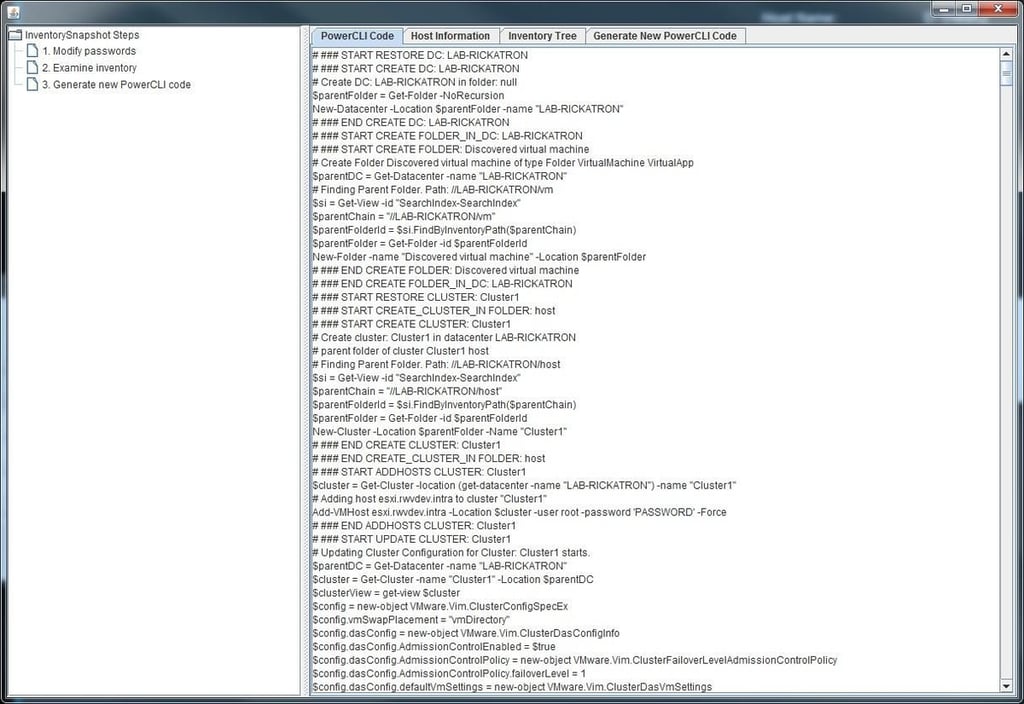
\n\tThe entire configuration of the cluster objects is reported as a PowerCLI script (the vSphere PowerShell extension). Here’s an example of this code report after the vCenter InventorySnapshot tool has been run.
\n\tVMware has produced a publicly distributable version of the vSphere Client in a ThinApp form. You may remember ThinApp as an application virtualization solution– so why not do this to the vSphere Client itself?
\n
\n\tThe vSphere Client is a bulky install, especially if only for one-time use. The ThinApped client, however, is lightweight, requiring only about 168 MB of storage. This makes it perfect to sit with other common tools on a USB drive for quick and easy access when multiple Windows PCs and vSphere environments are used.
\n
\n\tYou know you’re running the ThinApped version of the vSphere Client when the ThinApp splash screen appears on the screen, as shown above.
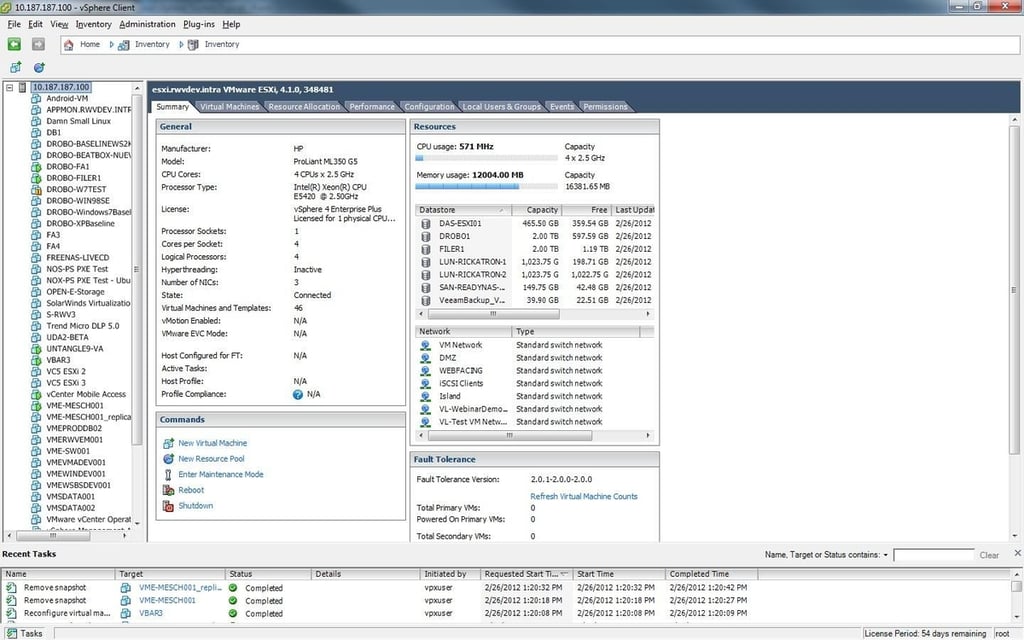
\n\tOnce the client is loaded, it looks the same as the normal vSphere Client you may be using on your PC. The functionality behaves the same as the native install.
\n
\n\tHere’s a look at the ThinApped vSphere Client logging into a host.
\n\tThe VMware vSphere PowerCLI is a PowerShell extension specifically for vSphere. Installation is straightforward and you can be up and running in moments. From there, you can leverage some of its great community resources to retrieve data from your vSphere environment.
\n
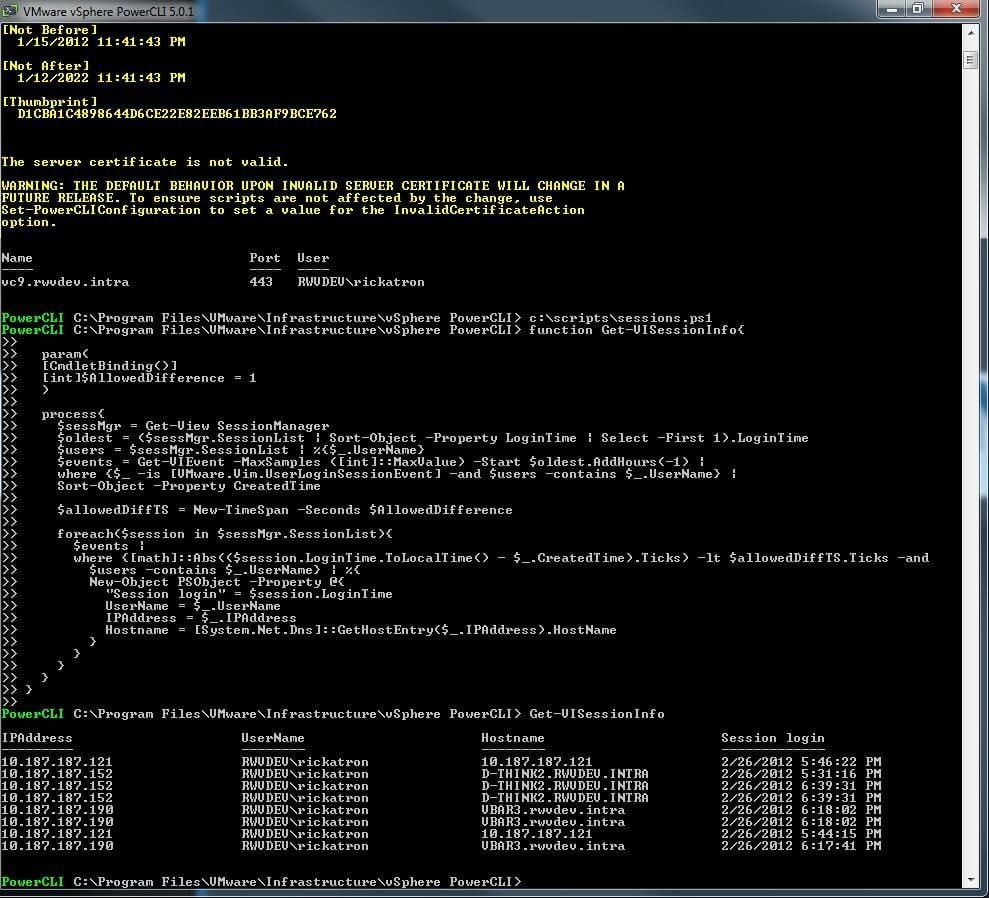
\n\tOne resource is a very handy post by Luc Dekens that explains how to determine the IP, hostname, username, and session login for all active vSphere connections. This is different from the vSphere sessions screen, as it tells us only the username, the timing, and whether they are active.
\n
\n\tIn the screen shot above, the script highlighted in Luc’s post is being run, immediately giving my useable information.
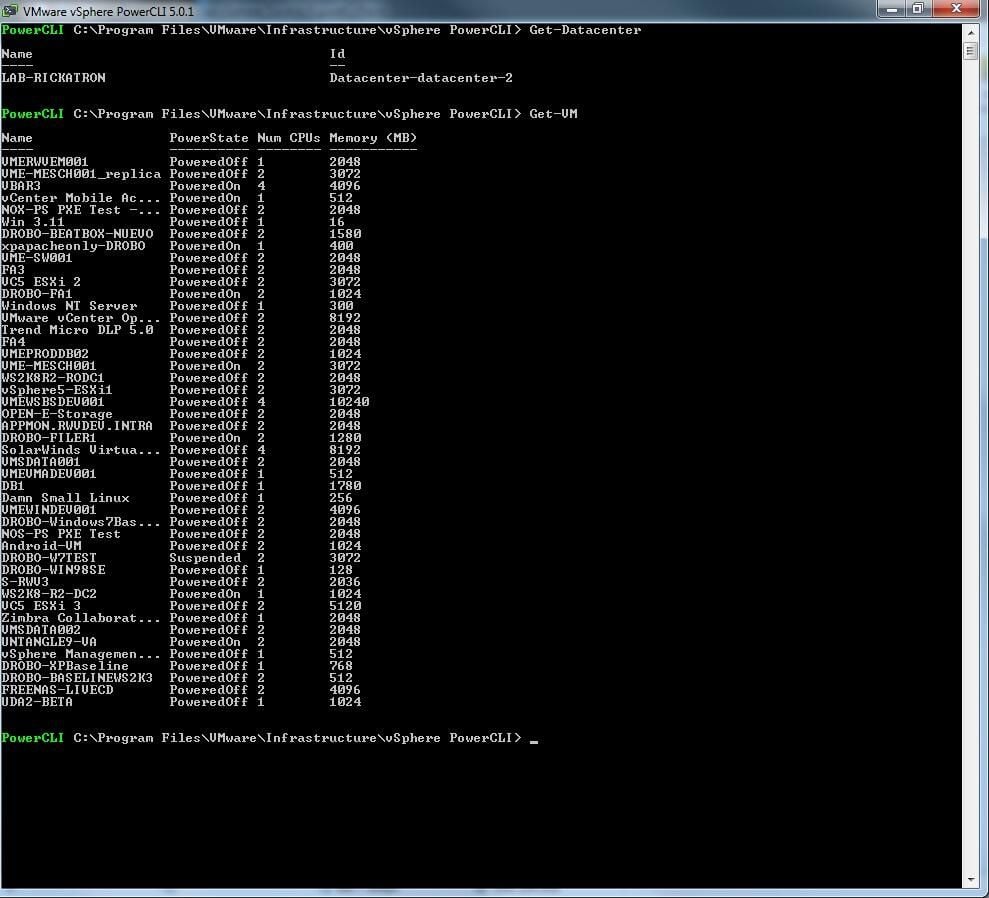
\n\tYou can run simpler scripts to report the inventory of items such as hosts. You can run them with a one-liner, such as “Get-VM.” as shown above.
\n
\n\tvSphere PowerCLI lets you use it to the level of automation you are comfortable with, making it easy to get started. Plenty of online resources are available to help with PowerCLI scripting.

Rick Vanover is an IT Infrastructure Manager for Alliance Data in Columbus, Ohio. Rick's IT certifications include VMware VCP, Microsoft Windows Server 2008 MCITP, Windows Server 2003 MCSA and others. \ \ Previous experiences included working for Dematic Corp (formerly Siemens L&A, Siemens Dematic, Rapistan)in Grand Rapids, MI in various capacities deploying custom software solutions to the material handling industry using a mix of current hardware and software products. You can reach Rick at b4real@usa.net. Follow rick on Twitter at @RickVanover


