
\n\tNOTE: If you’d prefer to view this information as a blog post, check out this entry in our Five Apps blog.
\n
\n\tI have put together this list of five tools that have a place in the perfect emergency toolkit. Each tool serves a different purpose. Together, they make up a kit that I think will make your life a heck of a lot easier.
\n
\n\tPhoto: iStockphoto.com/pagadesign
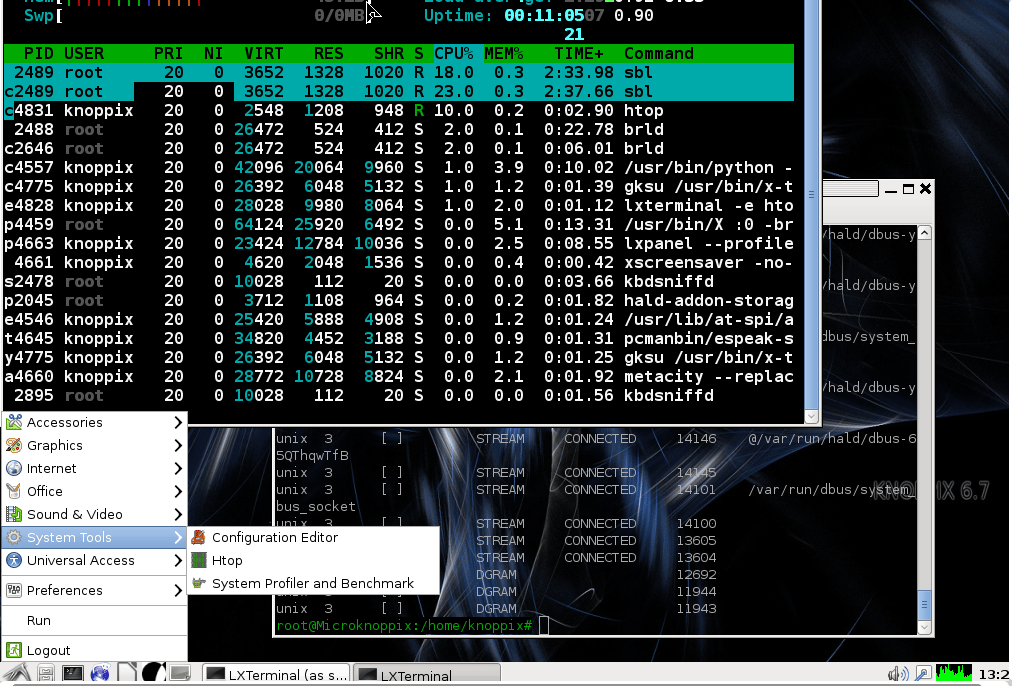
\n\tKNOPPIX lets you recover data from an unbootable drive, troubleshoot various aspects of a non-booting Windows drive, remove corrupt files, and much more. Many people don’t realize just how valuable it is to have a full-blown, bootable Linux distribution with more than 2 GB of software ready and waiting.
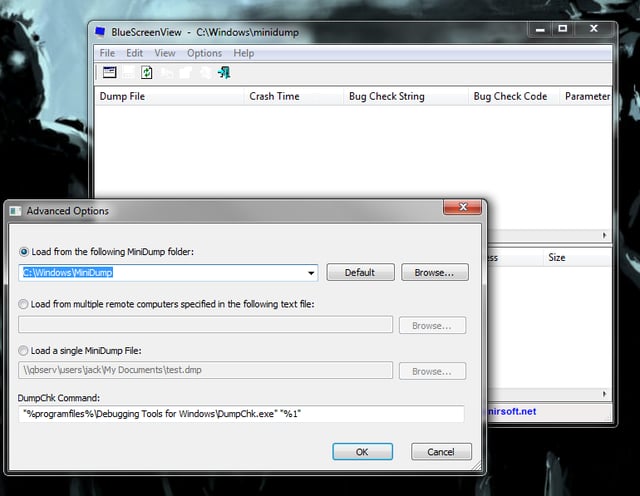
\n\tThere is one catch here. I am a fan of the CCleaner tool. By default, CCleaner is set up to remove all those memory dump files. So if you use CCleaner, be sure you uncheck the option to delete those files. Otherwise, a tool like BlueScreenView will be of no use.
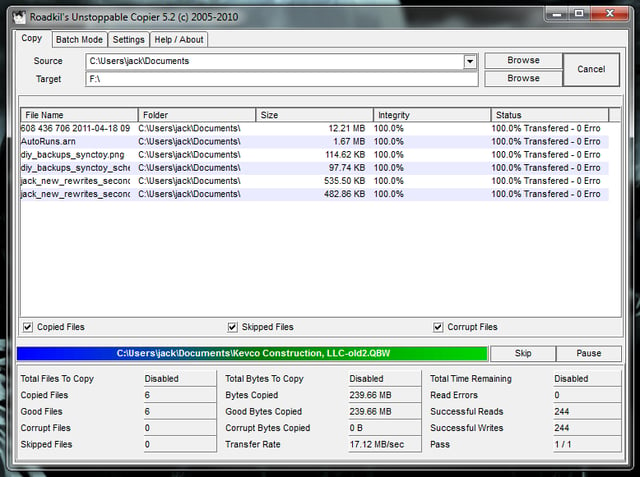
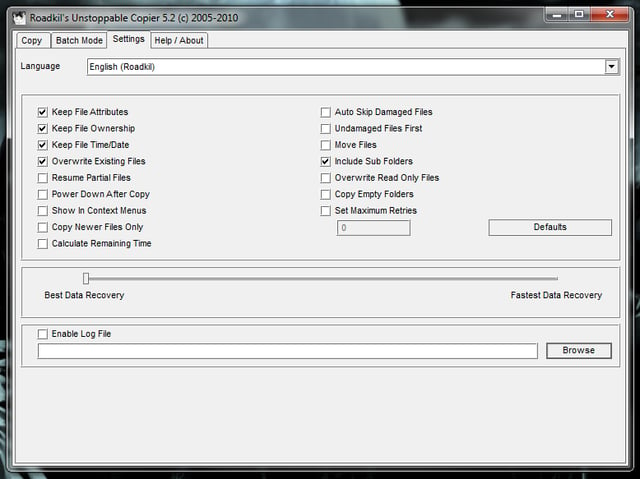
\n\tRoadkil’s Unstoppable Copier does one thing and it does it well: It copies data from broken drives. And it’s good at it. But UC isn’t just for getting data off broken drives. You can also use it as a daily backup (using the Batch Mode function).
\n\tUC works by attempting to recover any readable piece of a file and then tries to put the pieces together. It’s pretty amazing how well it works.

Jack Wallen is an award-winning writer for TechRepublic, The New Stack, and Linux New Media. He's covered a variety of topics for over twenty years and is an avid promoter of open source. For more news about Jack Wallen, visit his website jackwallen.com.


