\n\tThis gallery is also available as a post in the TechRepublic Five Apps Blog.
\n
\n\tMany businesses depend upon the ability to access their servers and documents from multiple locations. To enable that, many take advantage of the Virtual Private Network (VPN). When proposing this to end users, it is very often met with fear and uncertainty. It is change and people don’t like change. To make that easier for end users, selecting the right VPN client is key. Some VPN servers (such as Sonicwall and Fortinet) require you use their own proprietary clients. But other VPNs allow the use of third party clients.
\n
\n
\n\tAs for the third-party clients, there are quite a lot of them out there. Some are free, some are cheap, some are worth your time, and some are not. I have gathered together five of the clients I believe to be worth looking into. Each client may or may not meet your VPN needs \u2013 that will depend upon the server you are running. But each client offers plenty of features and each offers different levels of user-friendliness.
\n
\n
\n
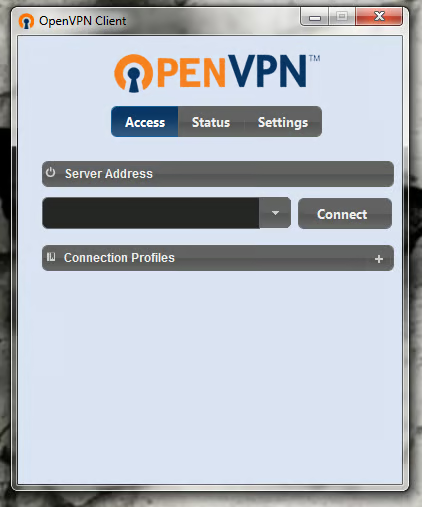
\n\tOpenVPN Client is a full-featured SSL VPN client that seamlessly integrates into an OpenVPN server. This client is as simple to use as any VPN Client and makes connecting to the OpenVPN server a snap.
\n
\n\tImages by Jack Wallen for TechRepublic
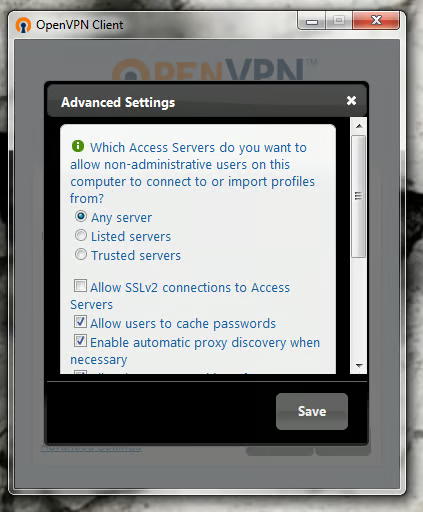
\n\tOpenVPN Client is free and is available for Windows, Mac, and Linux. For Windows, this client is compatible with all versions of Windows, including Windows 7, Windows Vista, Windows XP, and Windows 2000. Of course, you will have to have a working OpenVPN server to connect to. Fortunately, that server is incredibly easy to set up.
\n
\n\tImages by Jack Wallen for TechRepublic
\n
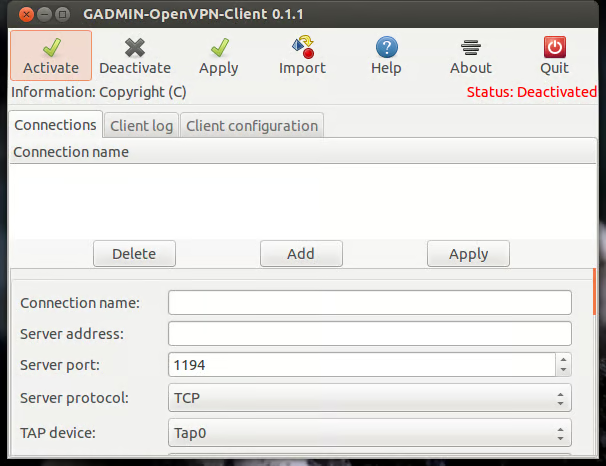
\n\tGadmin VPN Client is another means to connect to the OpenVPN server. This tool is part of the Gadmin Tools suite of administration tools (you can even install a Gadmin VPN Server GUI to help you easily set up an OpenVPN server).
\n
\n\tImages by Jack Wallen for TechRepublic
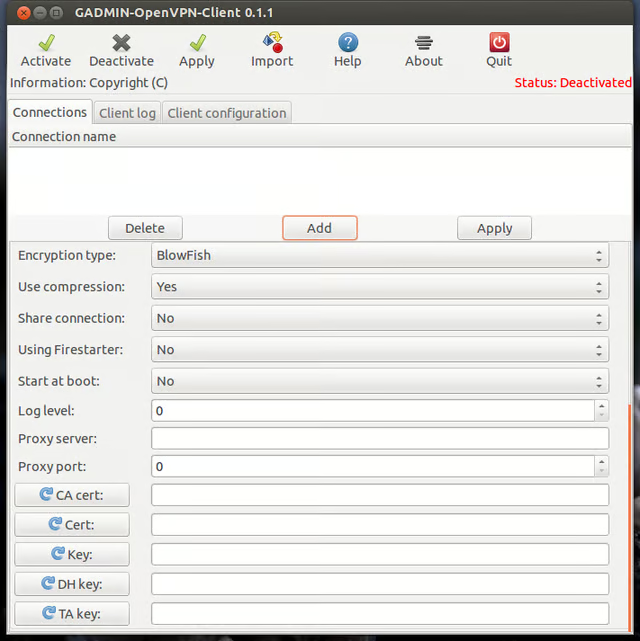
\n\tThis particular client tool is available only for the Linux platform, but offers tons of options for configuration. Of course, because of the amount of available options, Gadmin VPN Client isn’t the best tool for users who are less familiar with how VPNs work.
\n
\n\tImages by Jack Wallen for TechRepublic
\n
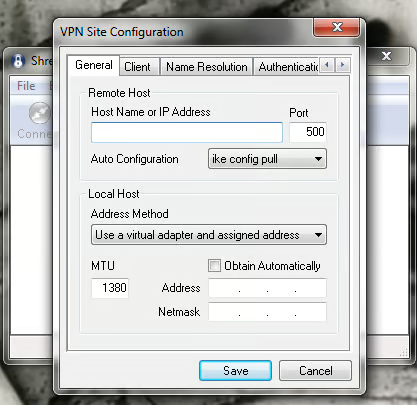
\n\tShrew Soft VPN Client is an easy to use client for IPSec Remote Access VPN servers. This client is available for Windows 7, Vista, XP, 2000 (both 32 and 64-bit flavors) as well as the Linux platform.
\n
\n\tImages by Jack Wallen for TechRepublic
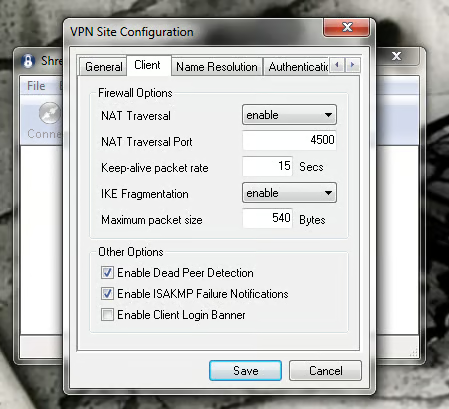
\n\tThis client was originally developed to connect to open source servers such as FreeSWAN and OpenSWAN, but now can connect to VPNs by Cisco, Juniper, Checkpoint, Fortinet, Netgear, Linksys, Zywall and many others. Shew Soft VPN Client is free.
\n\t
\n\tImages by Jack Wallen for TechRepublic
\n
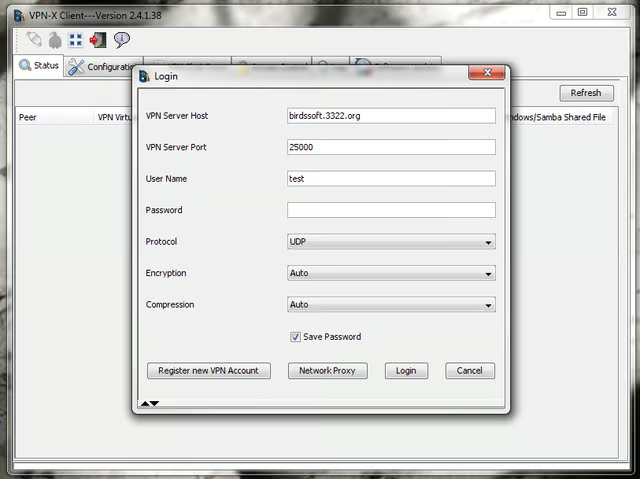
\n\tVPN X Client is one of two VPN clients on the list that has a price attached. That price depends upon the license type and how many licenses you need (check out the Pricing page and check out this comparison matrix.)
\n
\n\tImages by Jack Wallen for TechRepublic
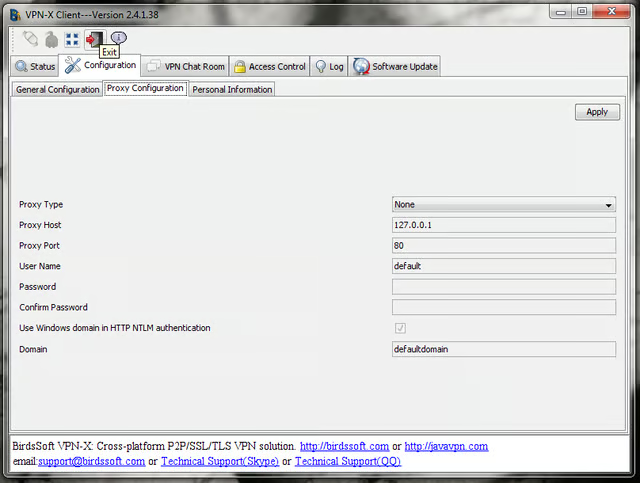
\n\tThe VPN X Client will only connect to the VPN X Server. You will find the VPN X Server quite easy to set up and secure enough for small to medium sized businesses.
\n
\n\tImages by Jack Wallen for TechRepublic
\n
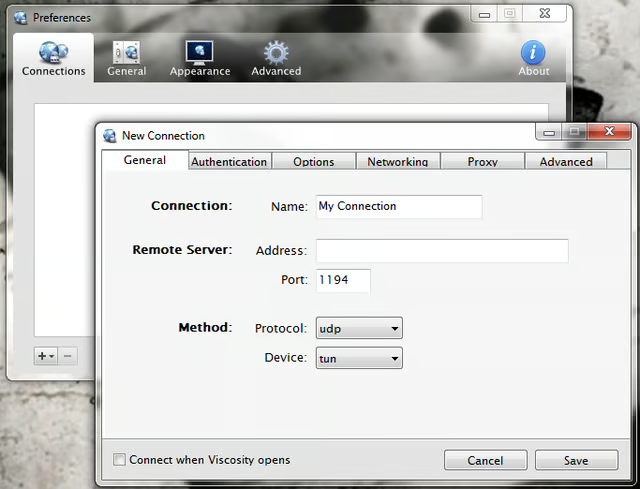
\n\tViscosity VPN Client is a cross-platform client (Windows and Macs) that makes connecting to an OpenVPN server a breeze and will only cost you $9.00 USD.
\n
\n\tImages by Jack Wallen for TechRepublic
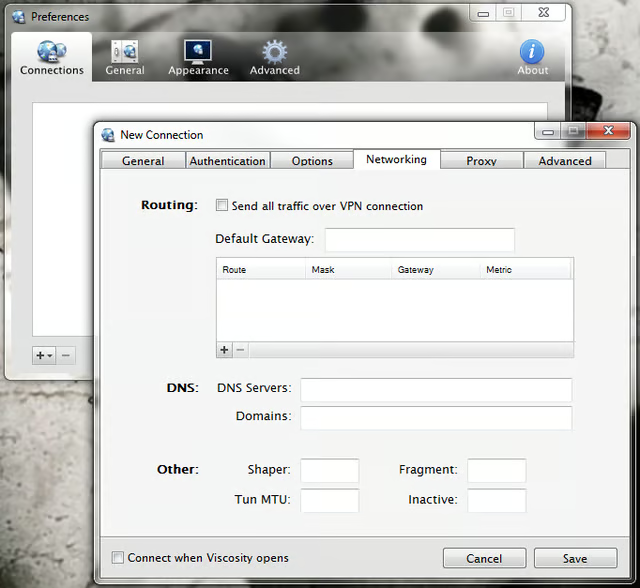
\n\tViscosity is used in Fortune 500 companies, continuously monitors your OpenVPN connection, fully integrates with OS X’s advanced DNS system, can work with AppleScript and Batch/Vbs scripts, and offers Smartcar/token (PKCS#11) support, multiple connections, proxy integration, IPv6, and more.
\n
\n
\n\tHaving a VPN doesn’t mean you have to use a client your end users can’t grasp or will put you and your IT budget out of business. These five clients work with different VPN servers and offer different levels of complexity and costs. If you’re looking for a new VPN client, or replacing your VPN architecture all together, give these clients a look to see if one of them will fill a hole in your IT infrastructure.
\n
\n
\n\t
\n\t
\n
\n
\n\tImages by Jack Wallen for TechRepublic

Jack Wallen is an award-winning writer for TechRepublic, The New Stack, and Linux New Media. He's covered a variety of topics for over twenty years and is an avid promoter of open source. For more news about Jack Wallen, visit his website jackwallen.com.


