\n\tSamba makes life possible within a homogeneous environment. You want Windows, Mac, and Linux to talk to one another, you use Samba. But for some, configuring Samba can be a challenge.
\n
\n\tThankfully, tools are available that can help nearly every skill level with the task. Which apps are best suited for you? Let’s take a look and find out.
\n
\n\tNote: If you’d prefer to view this information as a blog post, check out this entry in our Five Apps blog.
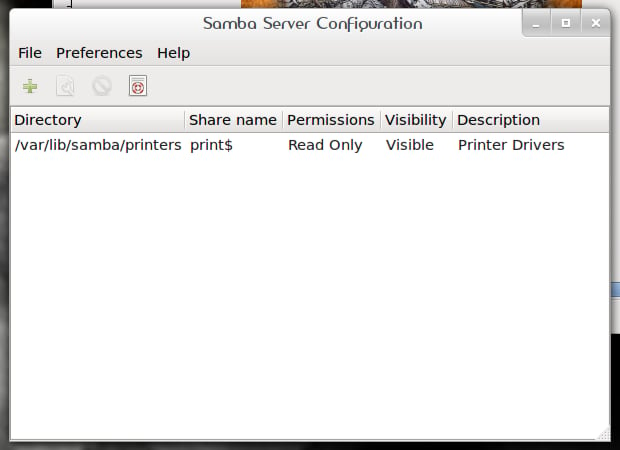
\n\tAll new Samba admins should be using this GUI tool. System-config-samba can be installed onto practically any Linux distribution and is incredibly easy to use. With this tool, you can configure the shares to be handed out, as well as the Samba server settings.
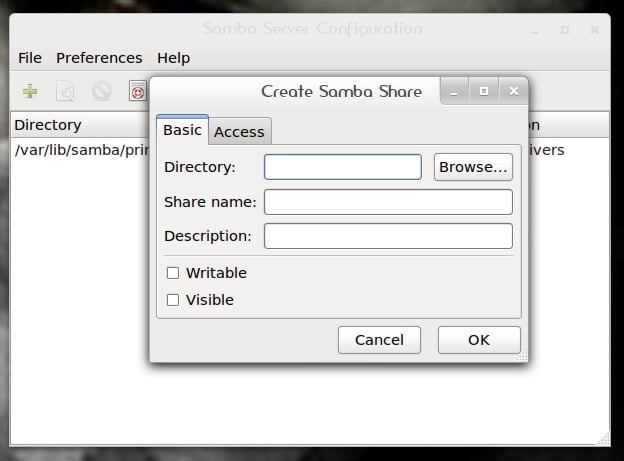
\n\tThe GUI isn’t cluttered with too many bells and whistles to confuse the user, so getting shares added is as simple as clicking the Add button and filling in a few bits of information.
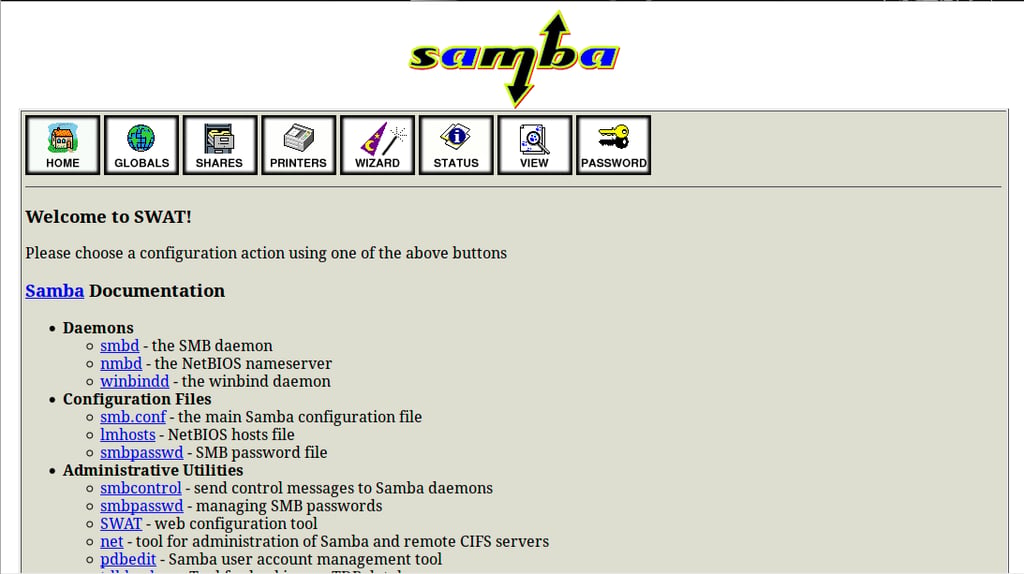
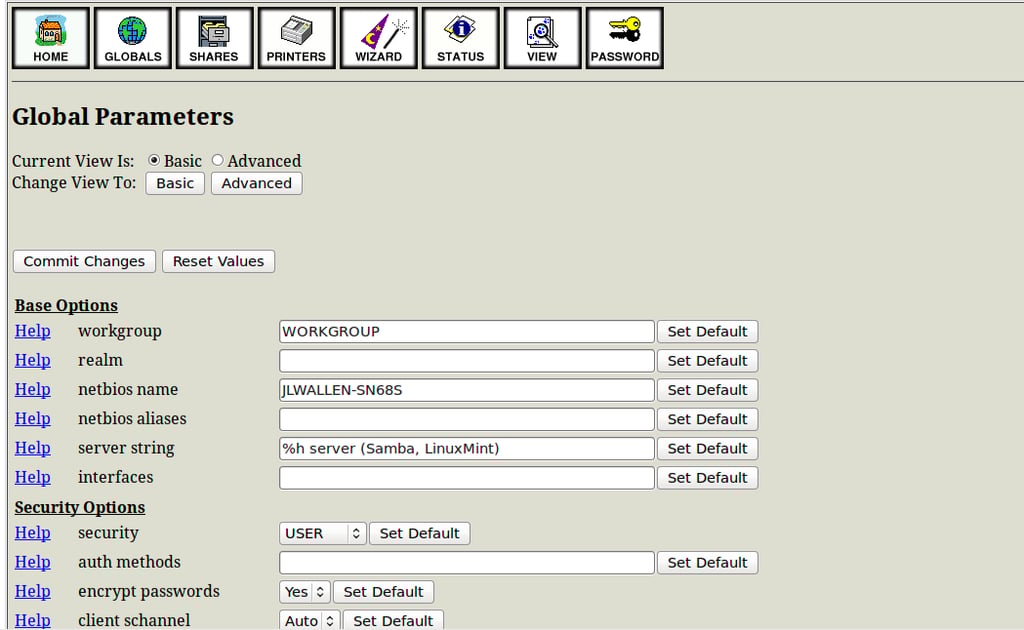
\n\tSwat is the original GUI tool for Samba. It’s a Web-based tool that allows you to get much deeper into the configuration of Samba than any other tool. Although newbies can use it, they may quickly become intimidated by the number of options available. Once Swat is installed, you reach it by going to:
\n
http://IP_ADDRESS_OF_SERVER:901
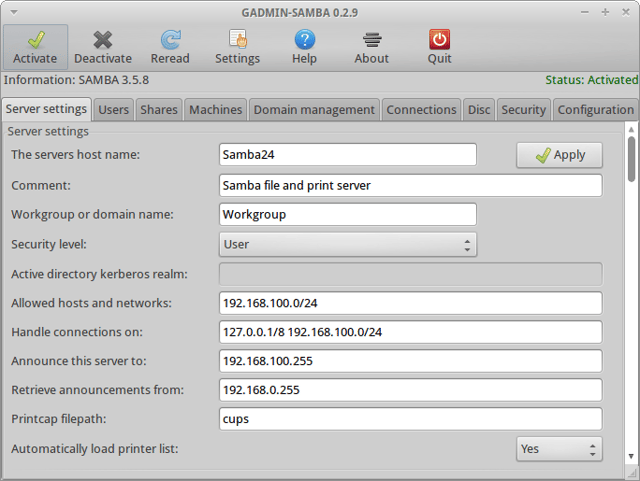
\n\tGAdmin SAMBA is part of the Gadmin Tools administration toolkit. This GUI tool can satisfy by any level of experience and will allow the newbie plenty of room to grow. Although there is a bit of a learning curve with this interface, once you’ve figured it out, you’ll be rocking out Samba shares like crazy.
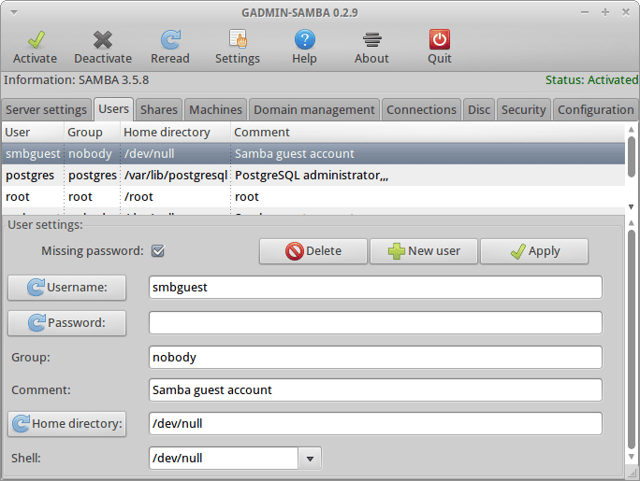
\n\tGAdmin SAMBA also offers multiple local and remote user and group import and on-the-fly share creation and user handling.
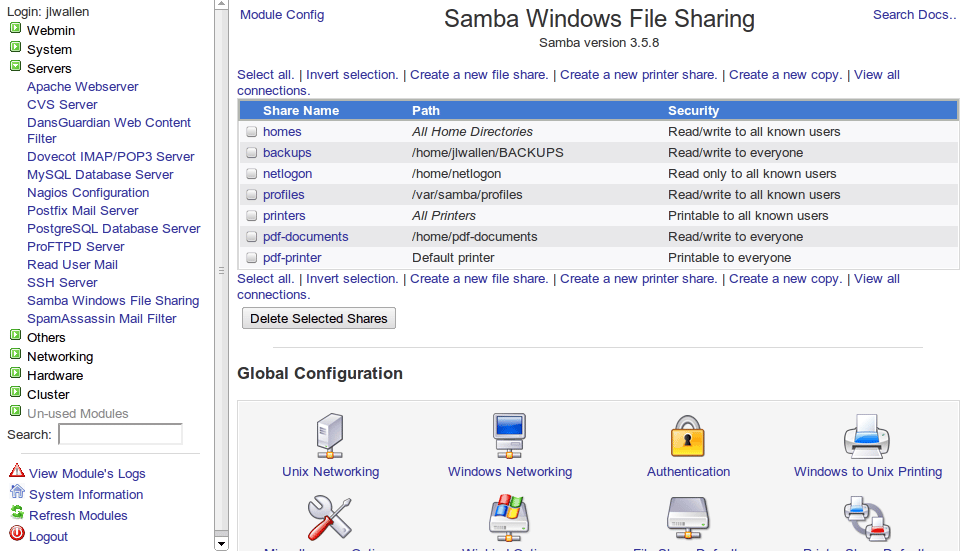
\n\tWebmin, being one of the most powerful administration tools, naturally offers a Samba module: Webmin Samba Module.
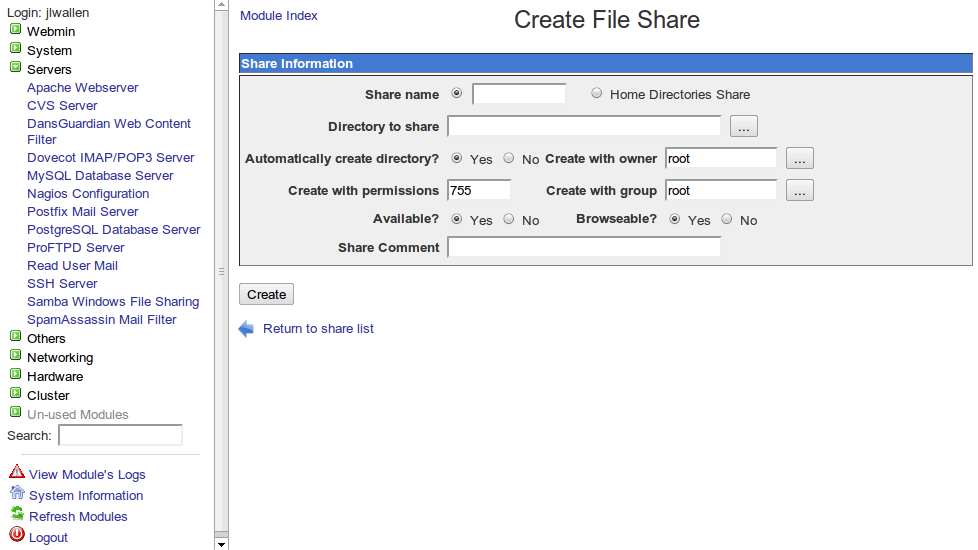
\n\tWebmin Samba Module offers everything you want in a Samba administration package: share, printer, share mode configuration, and the ability to easily manage user access to different shares.
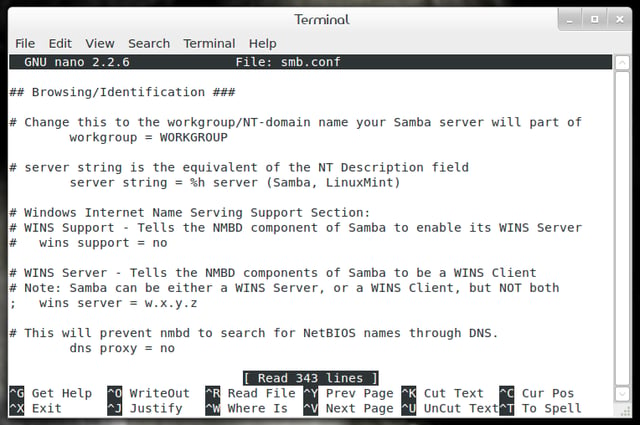
\n\tFor those of you Samba masters, the command line is the thing. WIth the help of your favorite text editor (such as nano, vi, or emacs), you can configure and manage every aspect of your Samba server.

Jack Wallen is an award-winning writer for TechRepublic, The New Stack, and Linux New Media. He's covered a variety of topics for over twenty years and is an avid promoter of open source. For more news about Jack Wallen, visit his website jackwallen.com.


