By: Anthony Sullivan
This is the first of a series of content pieces covering the many offerings from Google, the search engine powerhouse turned Internet application service provider. Google has an unbelievable number of services that you might not know you need just yet. We hope this gallery series will help sort the bewildering array of offerings and identify the most useful services. Don’t worry, most of it is useful.
The first mini-product that I’ll be reviewing is the iGoogle personalized homepage service. This is a personalized homepage that allows you to add your own custom content as well as hundreds of canned modules, not to mention giving you quick access to the Google search engine that you probably use everyday anyway.
I’ll cover the good and the bad and tell you how this service compares to competitive services that are out there.
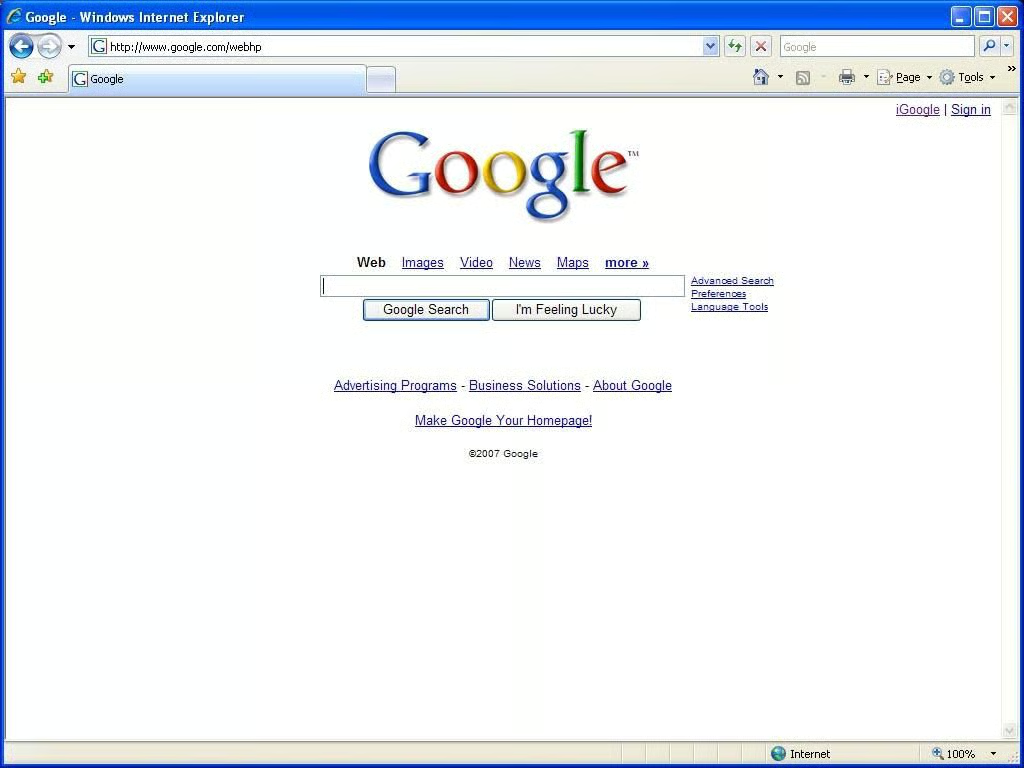
I’m sure you recognize this, but in case you’ve lived under a rock for the past decade, this is the Google search engine homepage. Many people have been coming here for years and haven’t noticed the addition of a couple of links in the upper right hand corner. Clicking the iGoogle will get you started on your way to your own personalized homepage.
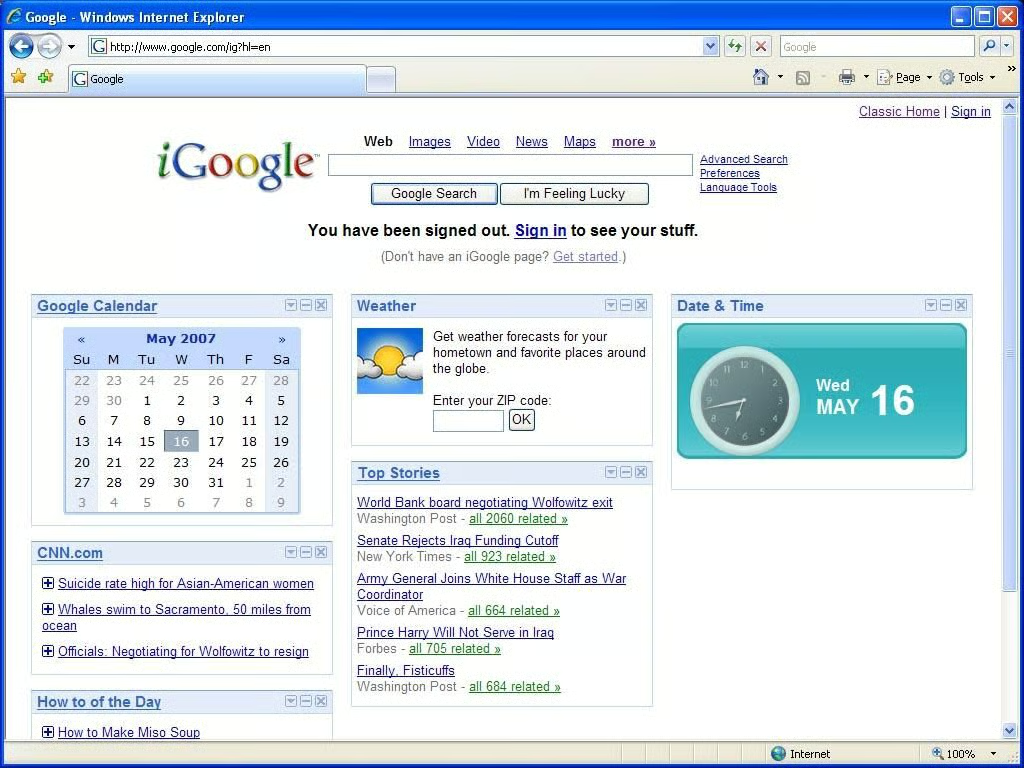
After clicking the iGoogle link, you’ll find yourself on the generic iGoogle homepage. It might not look exactly like this as they might change out the default modules from time to time but it will be similar. Notice the modular design breaking each content item into its own frame. Once you’ve created a Google account and logged in you’ll be able to drag these modules around placing them in whatever order makes the most sense to you.
To begin, we’ll click the ‘Get Started’ link in the center of the screen.
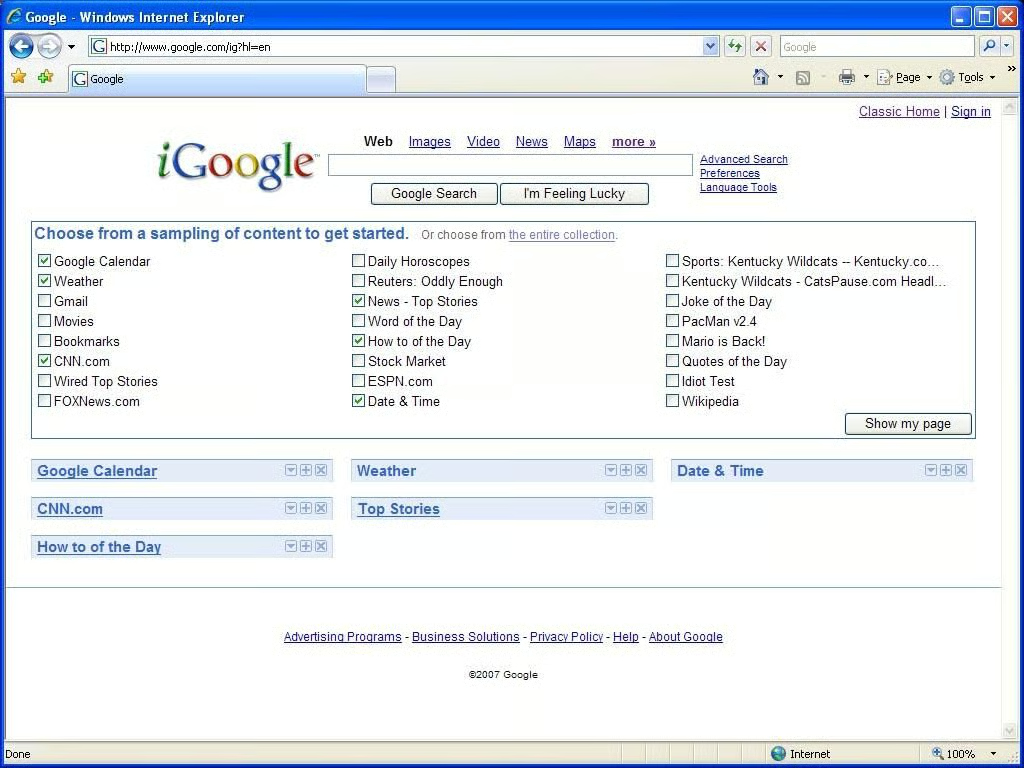
You should now see a new frame titled “Choose from a sampling of content to get started.” Here you can check off the initial items that interest you (don’t worry, there are many, many more options), and they will be added automatically to your homepage. I should note that you aren’t logged into a Google account at this point. The settings you choose will be stored in a cookie that is stored on your local machine. Once you’ve created an account, you will have to set this up again.
Once you’ve chosen the items that interest you, click “Show my page” or click “the entire collection” to see the complete listing of content as described on the next page.
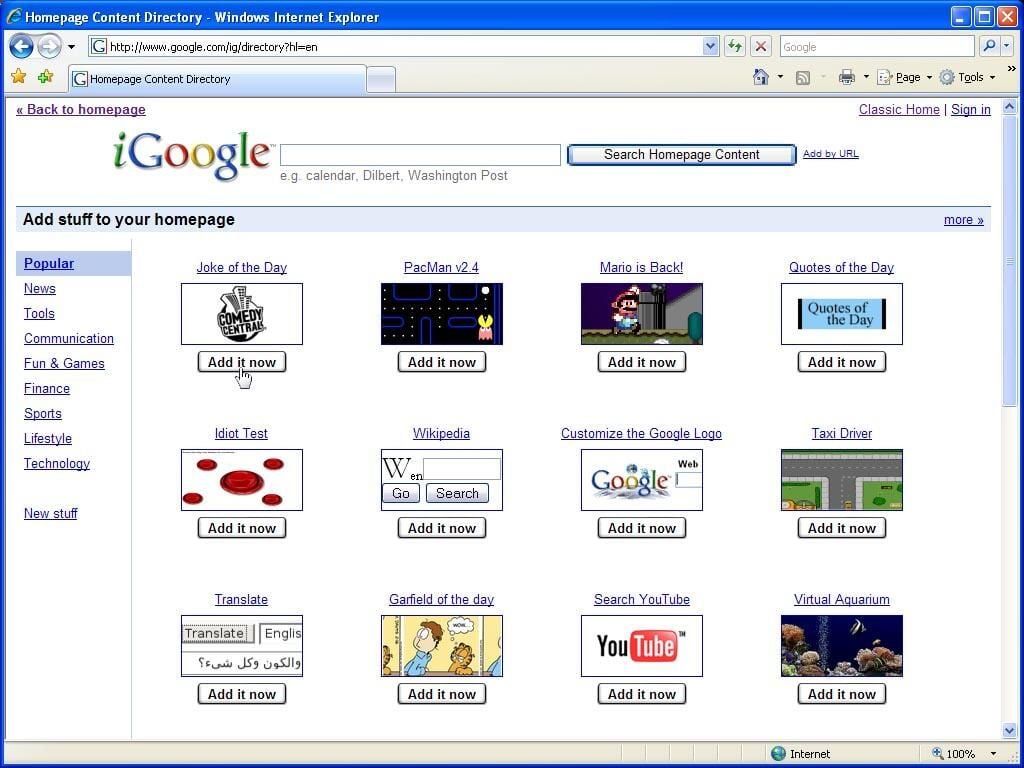
You will quickly see that there are literally hundreds, if not thousands, of options for content to be added to your homepage. If there is a site that you frequent that isn’t your cousin’s, best friends, sisters’ dog’s webcam, it will more than likely already have an item listed here.
Fortunately, Google has broken the modules into categories that can be easily accessed on the left. Click ‘more’ will take you to the next page within a category.
Once you have found an item that you would like to add to you page simply click ‘Add it now’ under the item and it will be immediately added to your homepage. Once you have added all the items you would like, you can click on “Back to Homepage” in the upper left hand corner to get back to you iGoogle page.
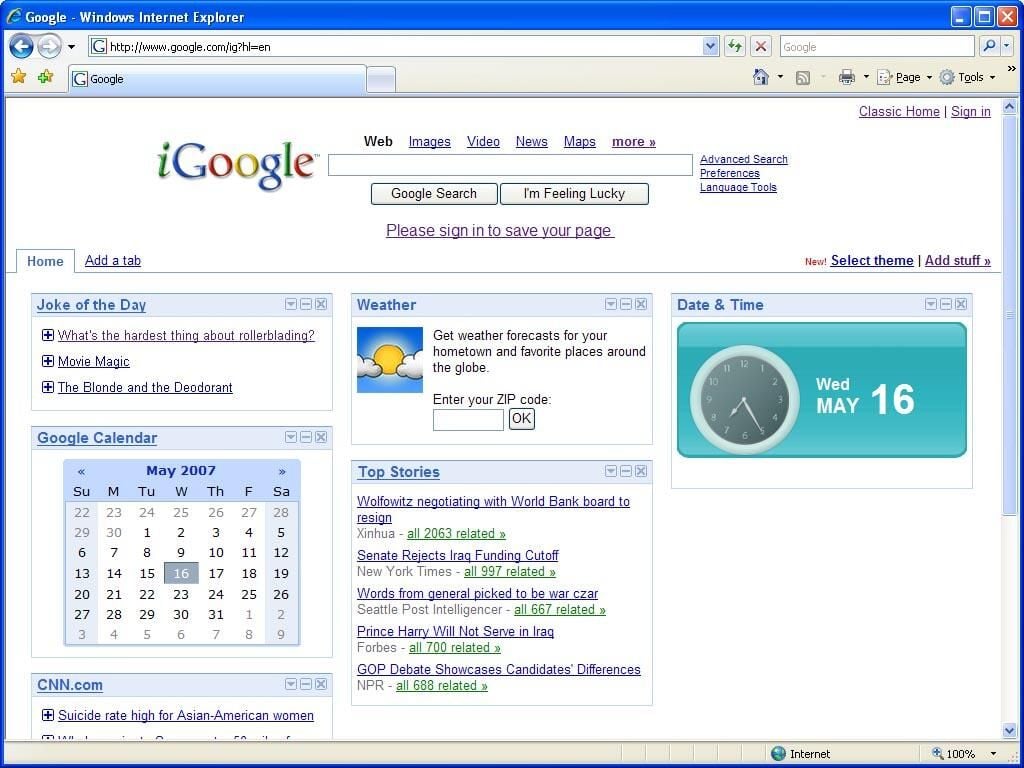
I added the Comedy Central Joke of the Day module and as you can see it is now on the upper left hand corner of my iGoogle content area. By clicking and dragging I can now place the module anywhere in the content area, and the other modules will shift in order to make room for it.
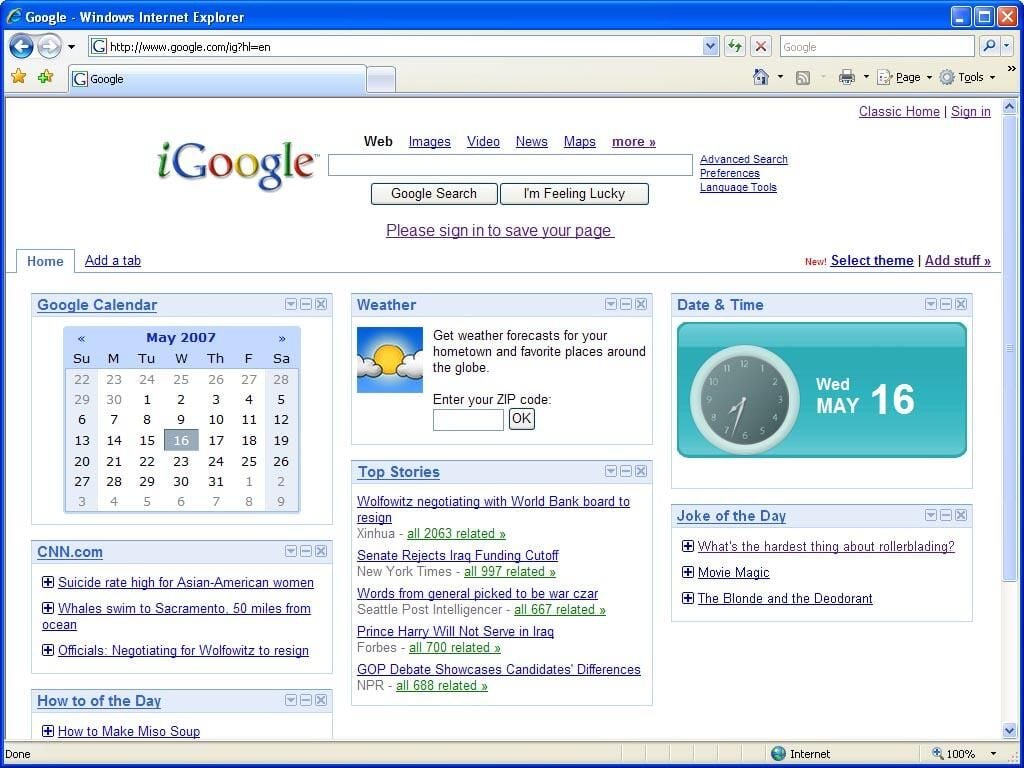
As you can see, I’ve moved the Joke of the Day module to the right column at the bottom.
Note the icons at the upper right of each module. There is the familiar ‘X’ icon used to remove a content item from the page. iGoogle doesn’t warn you when you click this, and it is right next to the collapse icon that I use frequently. Those confirmation warnings in every piece of software sure are annoying until you delete something on accident, and then you wonder where they’ve gone.
If you decided to not create a Google account, all of this configuration information is still remembered by iGoogle when you visit from the computer that you set it up with. It’s at this point that you begin to see the value of a Google account. If you create an account, all this information is available from any computer when you sign into Google.
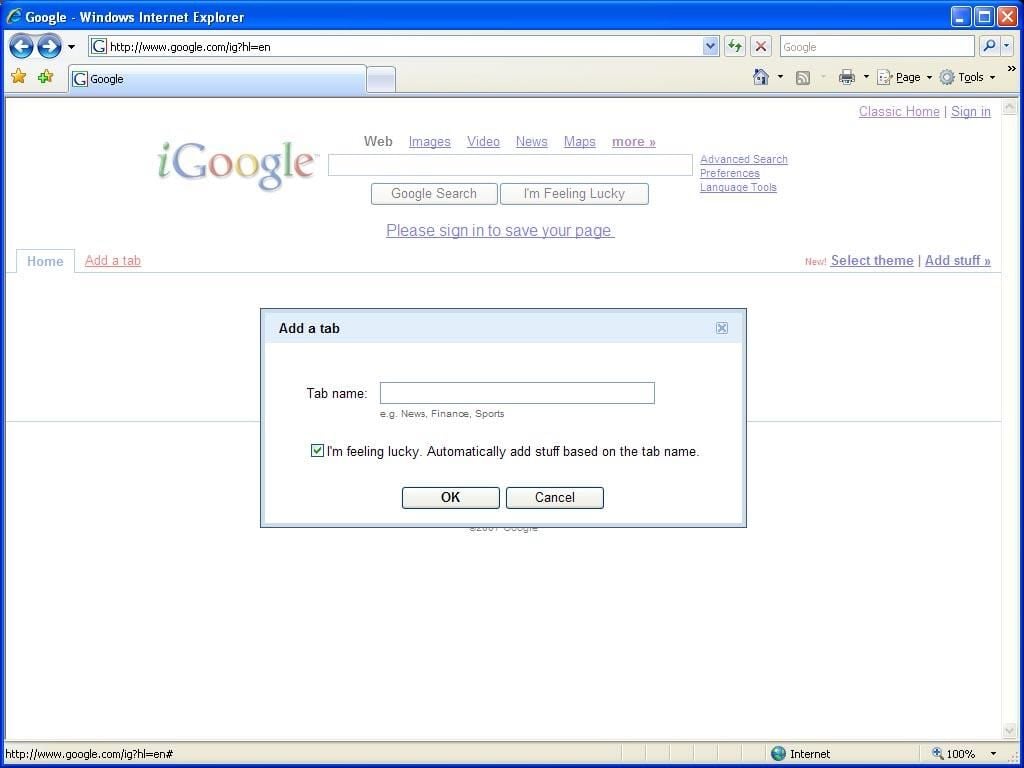
You may have already noticed the “Add a tab” link at the top of the content area of your iGoogle page. Clicking this allows you to create multiple tabs that allow you to separate your iGoogle content. I know that when I first set up mine, I found that there were dozens of items that I wanted to add. Some were industry related, some were funny, and others were games or social-networking related. Tabs allow you to separate these items so that you can have a tab specifically geared towards work and another that you may read when you first wake up in the morning.
Type in a tab name and click Ok to add the tab. You can now drag items from you current tab onto this tab just like you move them around. Clicking on the newly created tab, you’ll see that they are also color coded so that you know what tab you are on visually.
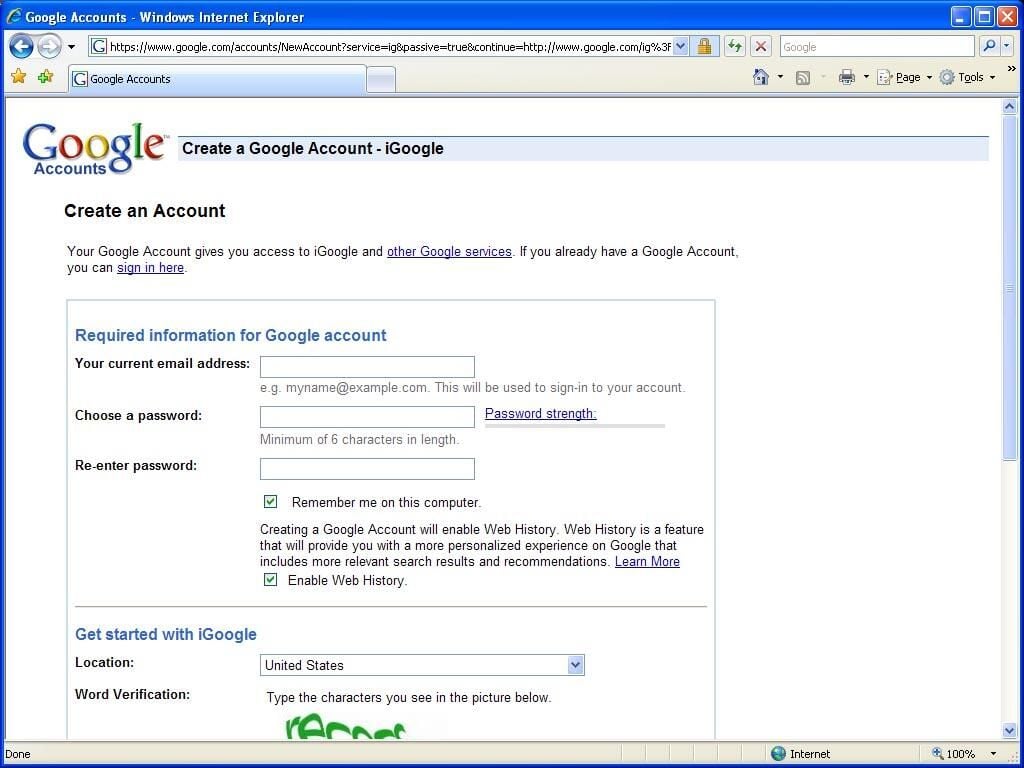
All this is very exciting, but it is limited to the PC that we are working on right now. I don’t know about you, but I’d like to have this available at each of the machines I use regularly, my development machine at home, my work computer, and my laptop. Without configuring all of these features individually on each of those machines, we’ll need to create a Google account.
To get started, we’ll click the “Sign in” link at the upper right hand corner. This will take us to the login screen. We don’t have an account yet, so we’ll click the “Create an account now” link.
That brings us to a form where we’ll need to supply a valid e-mail address, password, and country. Once the form is filled out we must accept the Google Terms of Service in order to continue.
At this point you’ll be presented with either the iGoogle homepage or a screen indicating that you must validate the e-mail address to continue. If you get the latter, simply check your e-mail and click the link provided to validate your account.
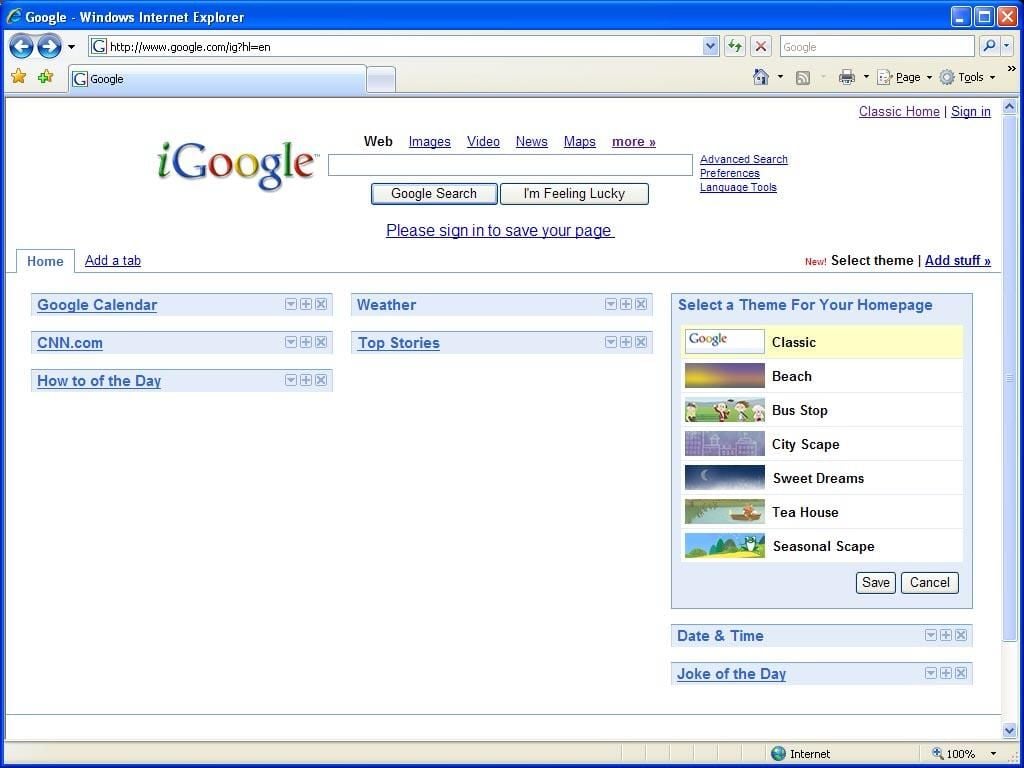
Now that you’ve created your own account, you’ll notice the “Select theme” link at the upper right hand corner of the screen. Clicking this will allow you to choose from a very meager list of themes for your iGoogle page. I imagine that in time this list will grow, but at the time of this writing you have only 7 choices, including the “Classic” theme that is the default.
Clicking on any of the themes will immediately update your iGoogle page to the new theme. To most people this might seem like fluff, but not everyone likes to look at a boring white screen all day.
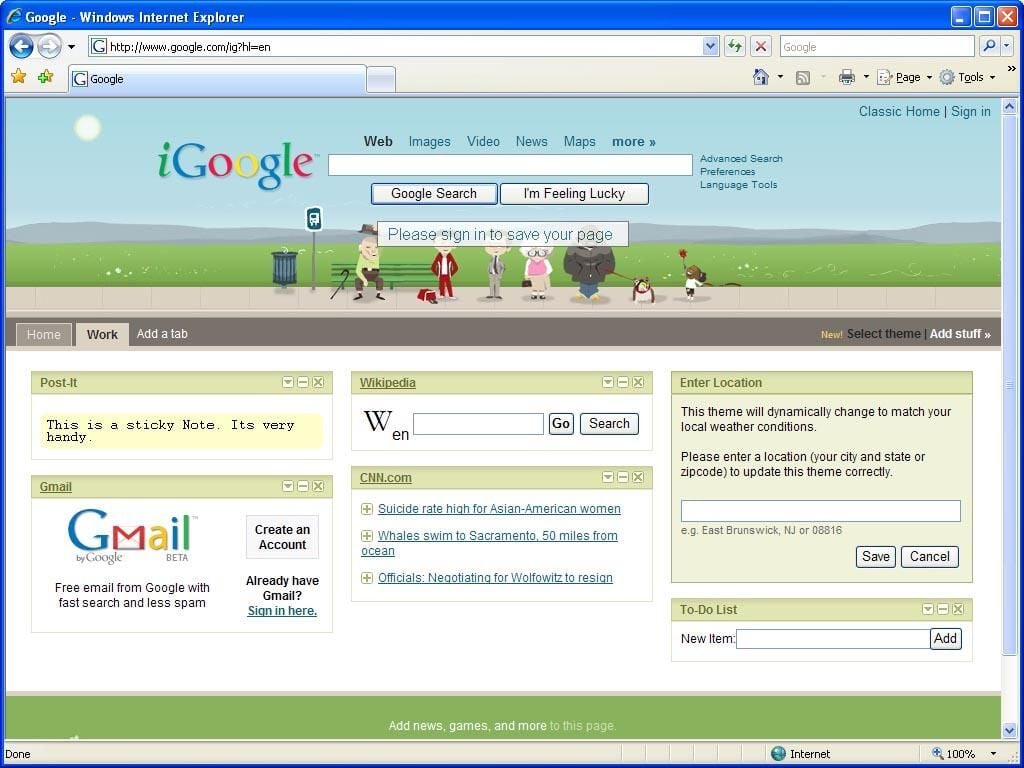
Another reason to use the themes is that they serve function as well as form. After you’ve chosen a theme, you’ll be asked to enter your location. Conspiracy theorists might think this is a way for the alien race that controls Google to track your location better, and maybe they’d be right, but it also serves another function: The weather in the theme will now reflect the weather in your area!
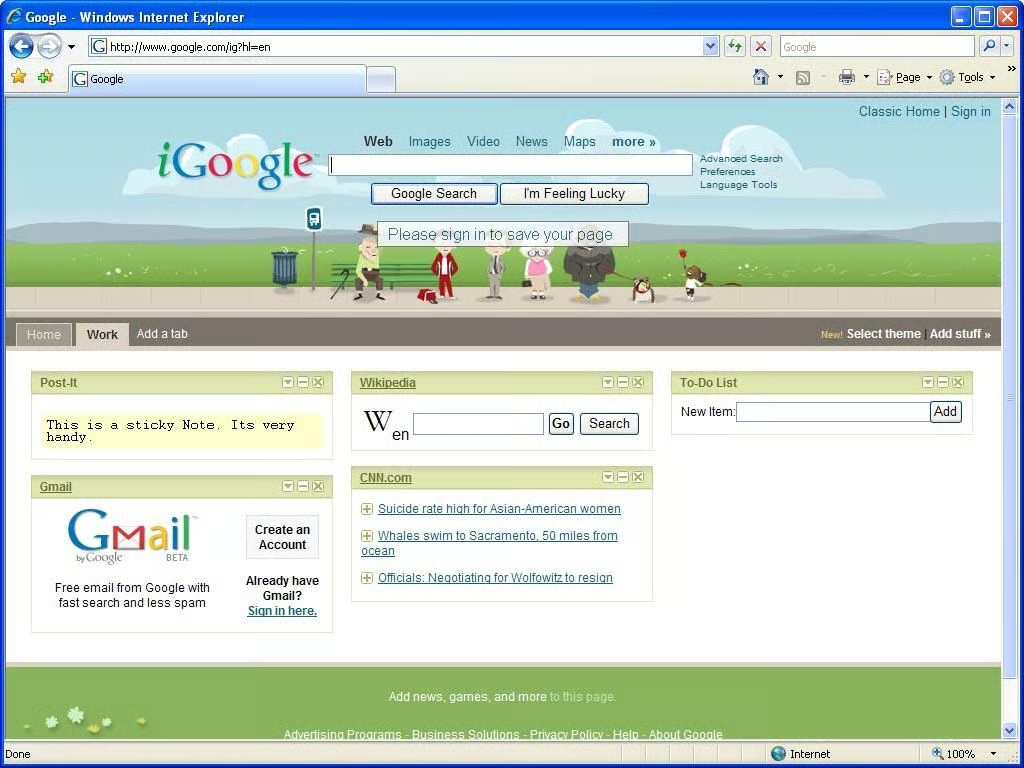
Now that I’ve told iGoogle where I am, my page now shows a partly cloudy sky at what appears to be morning or evening. I’m preparing this article in the late evening on a partly cloudy day. These are the type of details I’ve come to expect from Google.
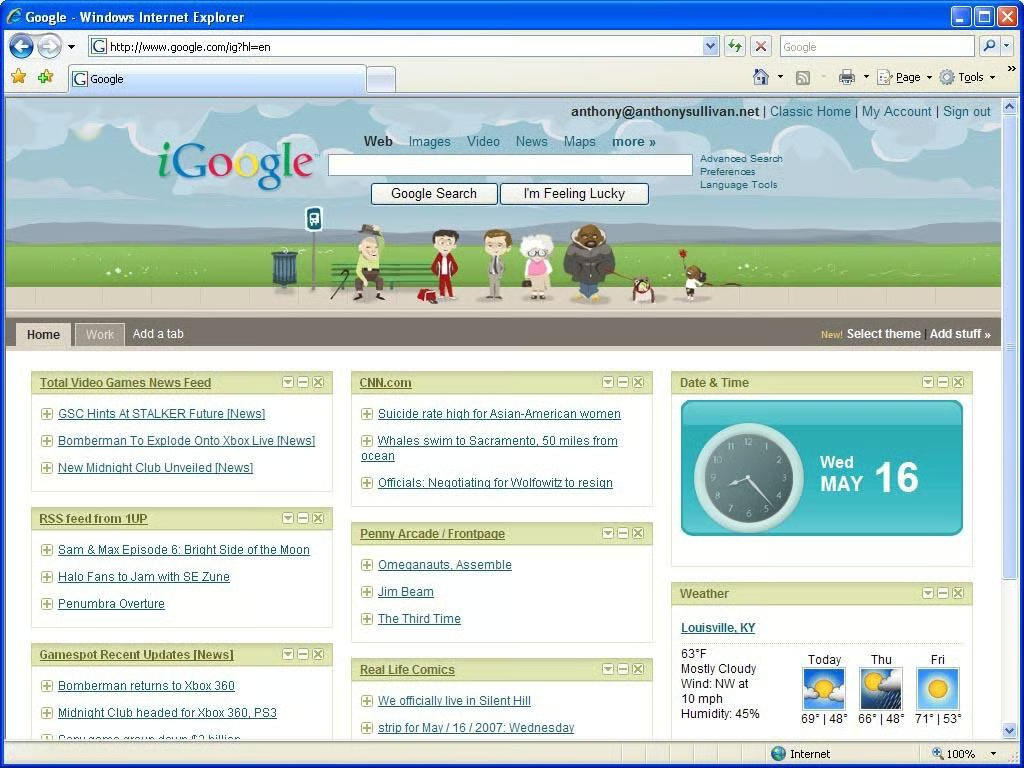
iGoogle looks to be a great contender in the rather new market of tools intended to allow you to create a personalized homepage. iGoogle’s advantages over many of their competitors include from brand recognition to integration into all of the many Google services.
The only other major competitor in this market would be Netvibes by Yahoo. After testing the two, I found that from a features point of view they are practically twins, especially with the recent addition of an OMPL file import feature to iGoogle. Netvibes has a prettier interface, but I prefer the minimalist iGoogle over the clutter of Netvibes.
All in all, iGoogle is a solid offering, and if I know Google, we can expect new, updated features to be offered on a regular basis.

ANTHONY SULLIVAN is a software developer working with primarily microsoft technologies. He has been developing web applications and software solutions for nearly 10 years using technologies such as C#, MSSQL, Oracle and ASP.NET. Currently he is a Senior Developer for Kindred Healthcare in Louisville, KY.
\
\
In addition, Anthony is currently working on a couple of projects involving XNA, the XBOX game development platform.
\
\
Anthony is also an accomplished photographer and spends a good deal of his downtime working on on artistic photography.


