By: Anthony Sullivan
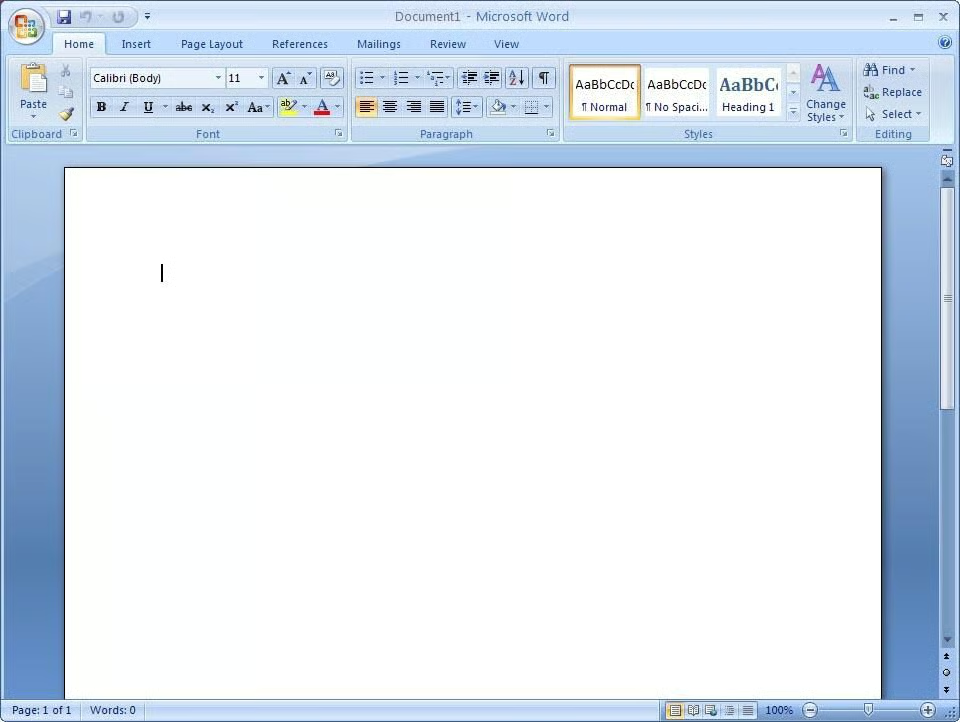
Today we take a look at an old feature and how to use it within the Office 2007 interface.
The mail merge feature has been included with Microsoft Office for several generations of the product and isn’t likely to go away anytime soon.
Fortunately, it gets better and more useful with this latest offering from Microsoft. Let’s have a look.
When this How do I was first published, several readers asked for a PDF version. We are happy to oblige.
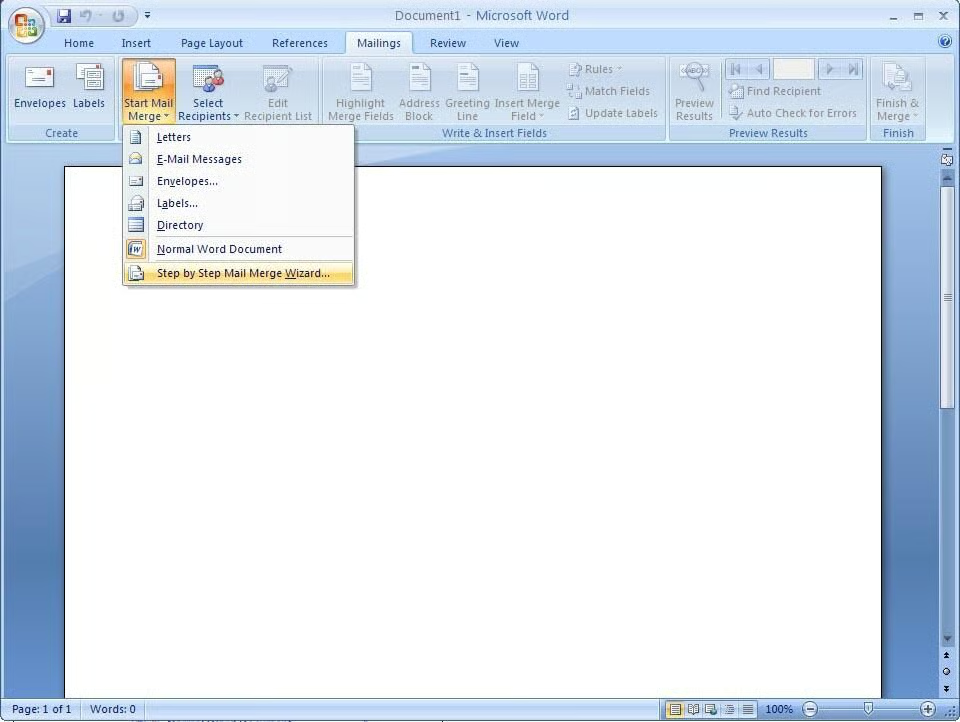
To get started on our mail merge we need to go to the Mailings tab and select Step by Step Mail Merge Wizard from the Start Mail Merge drop down arrows.
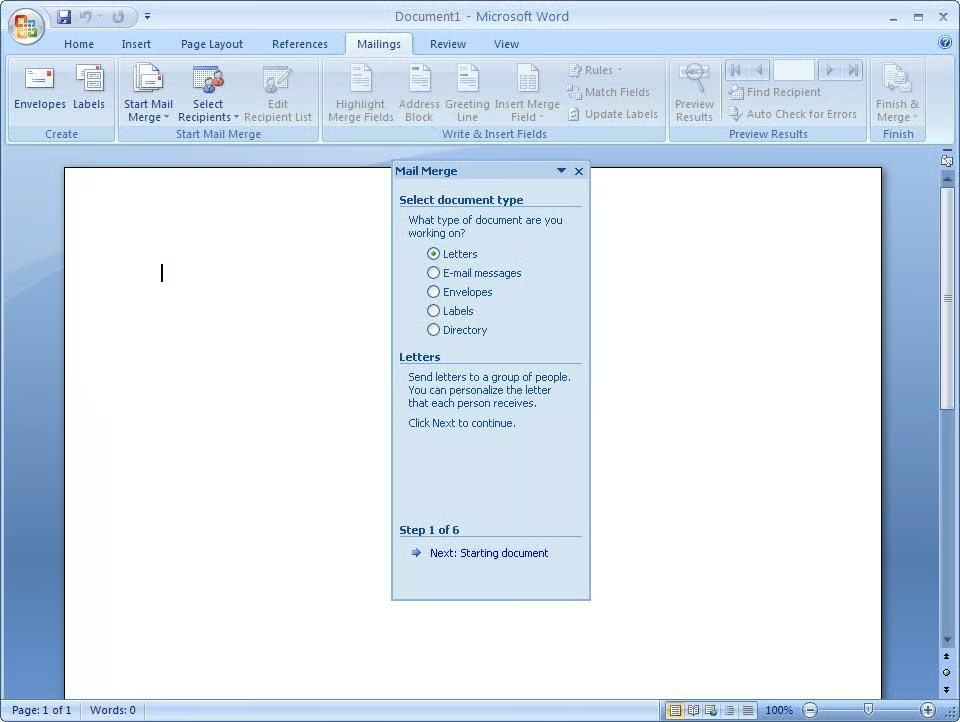
First we must select the type of document that we want to merge. In this case, we are going to use the default option, Letters.
Now, click Next: Starting Document to continue.
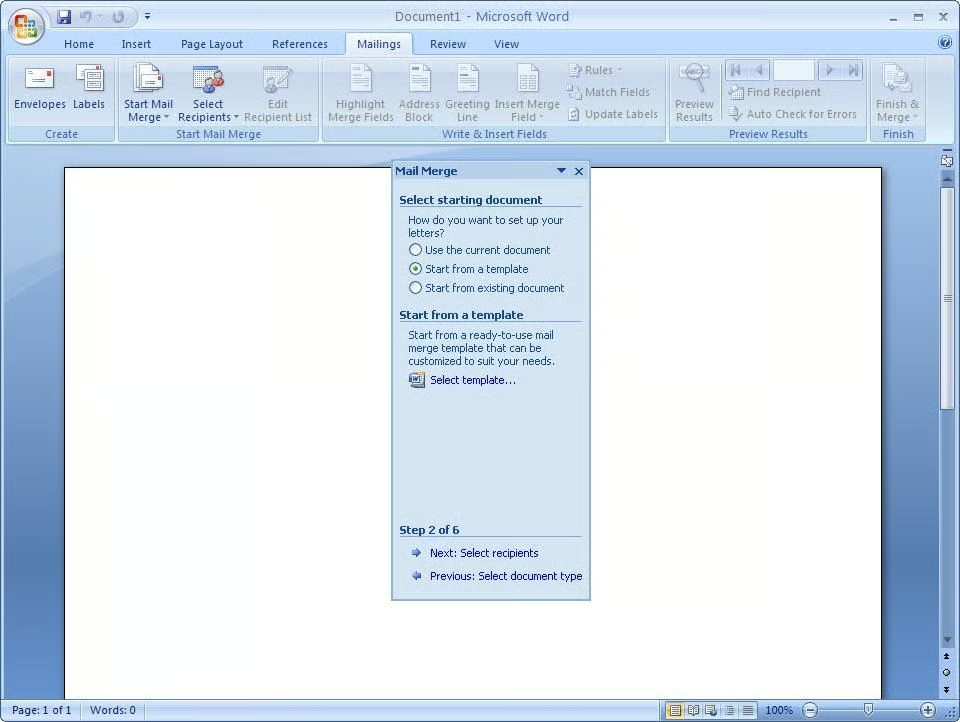
On the next screen you can choose from using the current document, opening an existing document, or using a template. We’ll use a template.
Select Start from a template and click Select template.
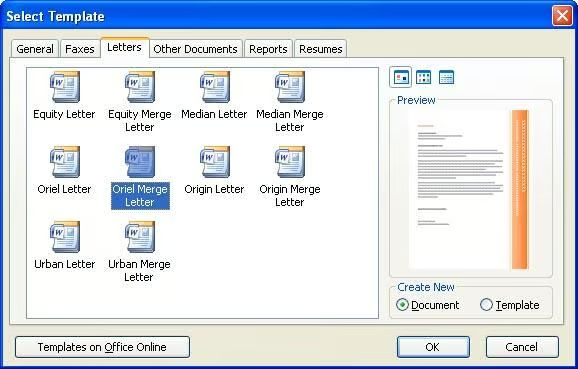
For this how-to we’ll select the Oriel Merge Letter template.
Click OK, then click Next: Select recipients.
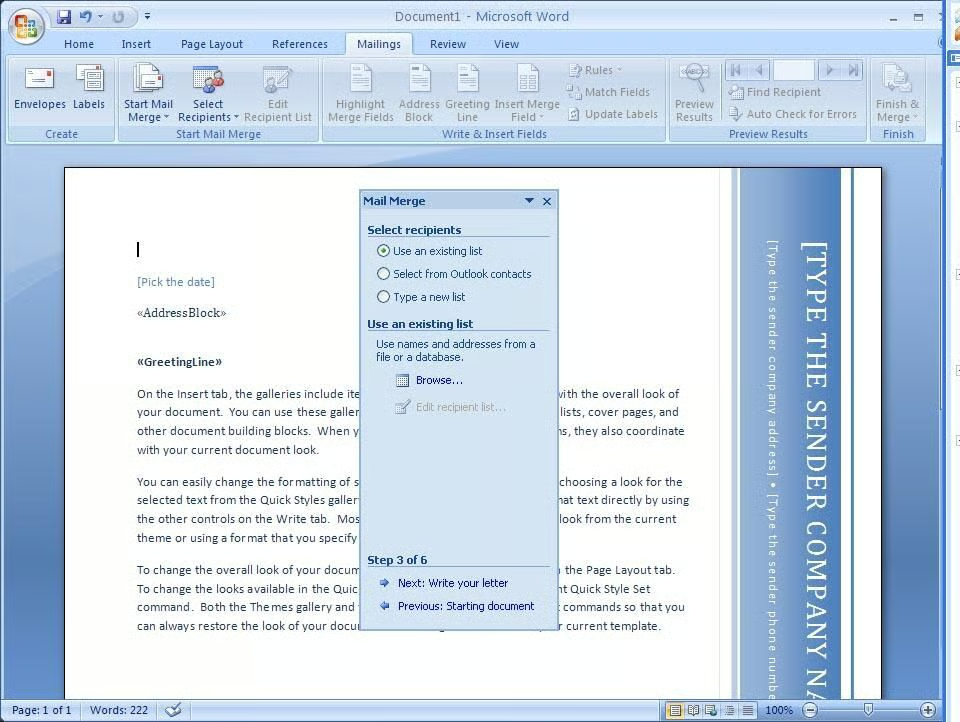
Here is where the new merge features start to shine. There are three ways to identify the recipients of your mail merge. You can load them from a file, from a group of contacts in Outlook or from a MS SQL database.
To load the recipients from a file, select Use and existing file and click Browse.
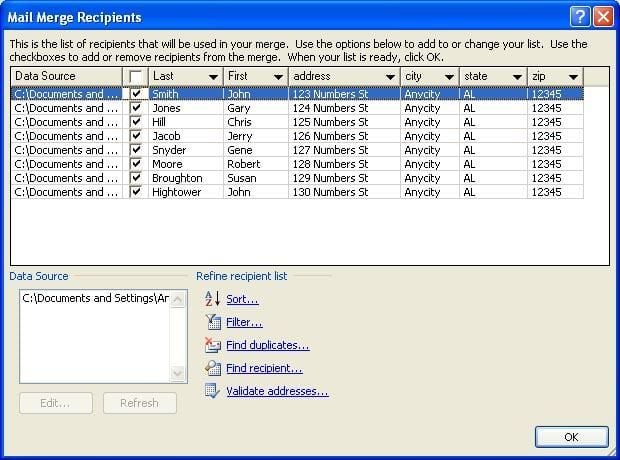
Depending on the makeup of your data this screen may look different.
On this screen, you validate that the data is correct and that your columns are matching up properly.
Click OK once you’ve validated your data.
If you want to skip the instructions on how to use the other data sources you can skip to the fourteenth image in this gallery.
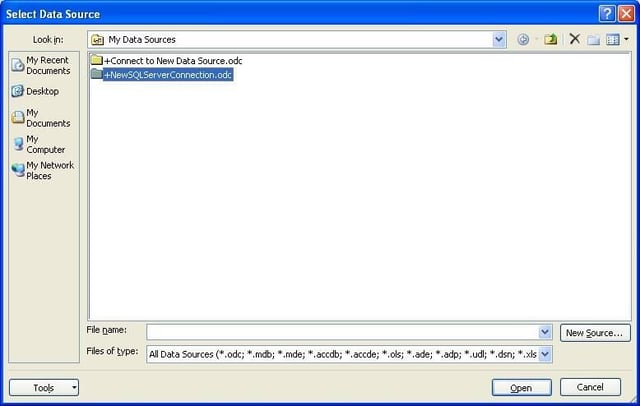
When we chose our file earlier we had the opportunity to select New Source. This allows us to setup a data connection to an MS SQL database to import our recipients.
Click New Source to continue.
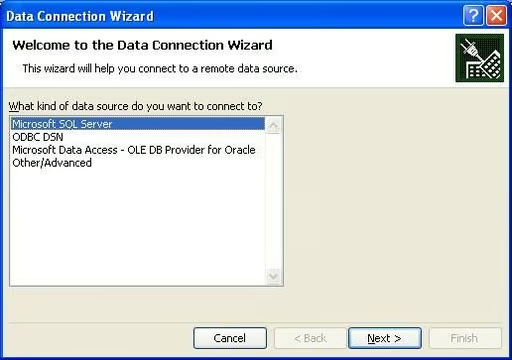
Now we must choose the data provider we intend to use. We’ll use Microsoft SQL Server to connect to a SQL database and pull in our recipients.
Click next to continue.
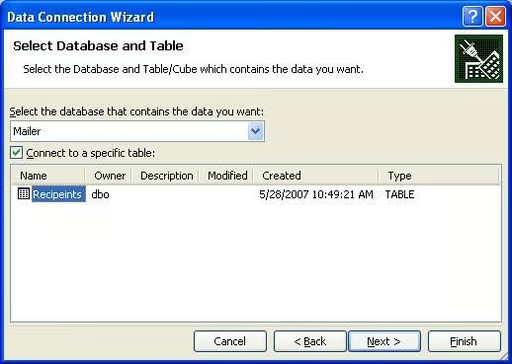
If you provided valid connection information then you should now see the databases listed in the drop down list. Select the appropriate database and then the tables available should be provided in the list below.
Select the table that contains your recipient data and click Next.
You should now be presented with a screen similar to the columns screen when we imported via the csv file.
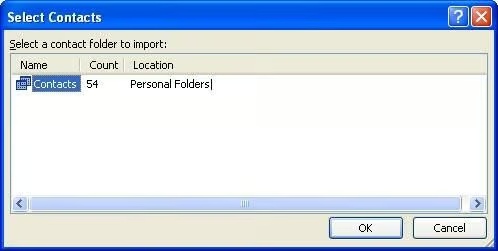
The last option for pulling in recipients is by using Microsoft Outlook. If you choose Select from Outlook contacts on the Select Recipients screen, you will be presented with this screen from which to choose the contacts folder you would like it use.
Choose the folder you’d like to use and click OK.
You should now be presented with a screen similar to the columns screen when we imported via the csv file.
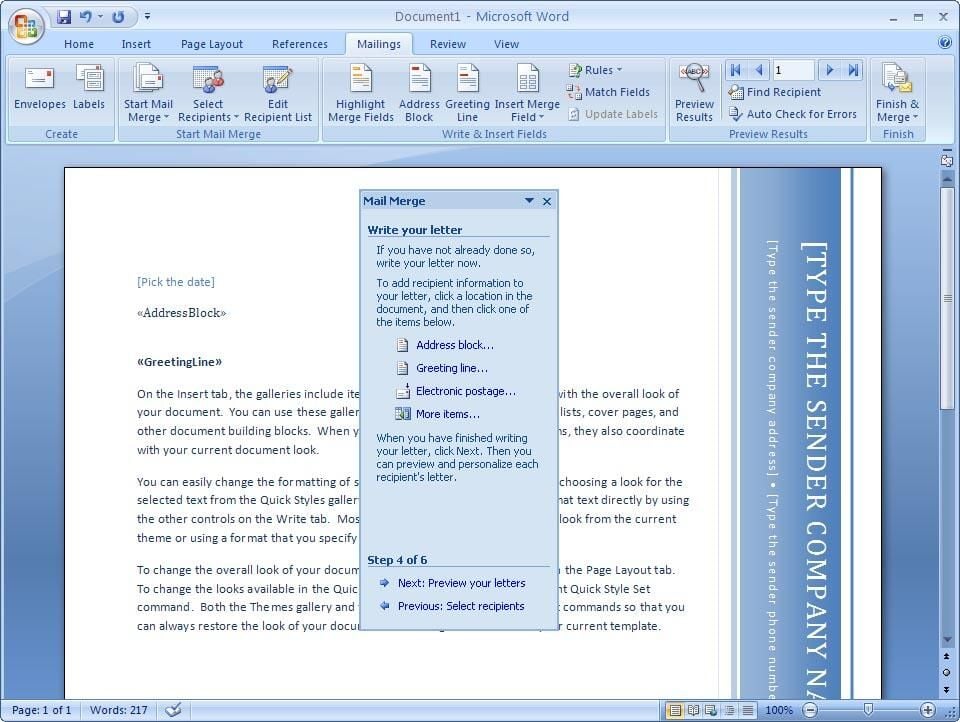
Once you’ve selected your recipient source, Click Next: Write your letter.
Now you can edit your letter and add merge fields to it where you see fit. Since we are using a template, all of the fields we want are already there.
You can also buy electronic postage through this interface.
Click Next: Preview your letters.
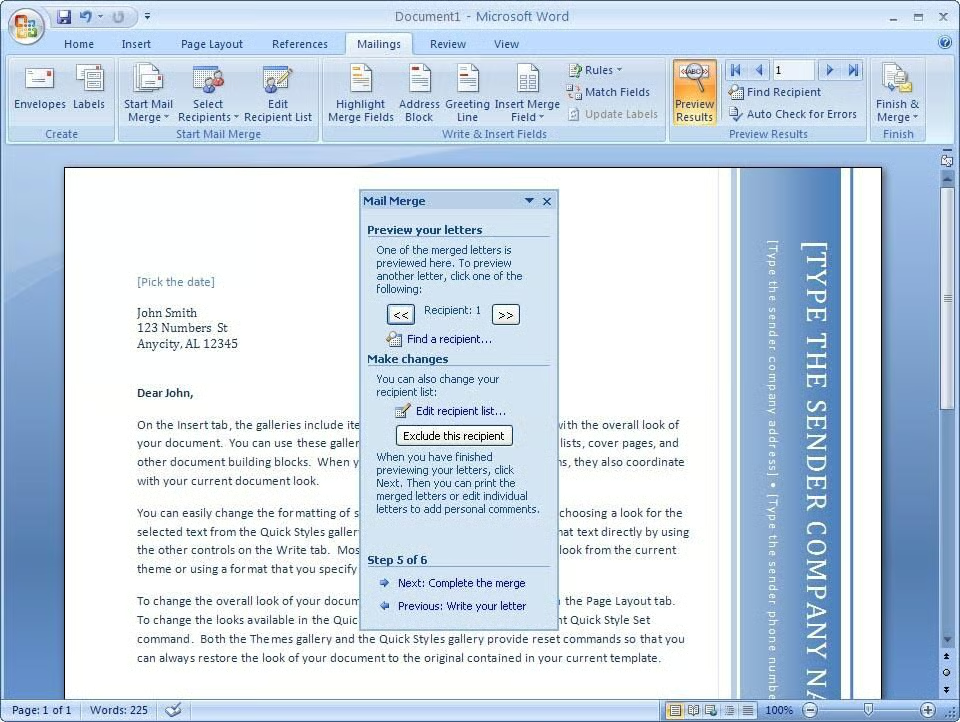
We can now see our letters and edit them individually if we like. This gives us a chance to personalize the letters. We can also remove a letter at this point by clicking Exclude this letter.
Click the arrow buttons to move back and forth in our set of letters.
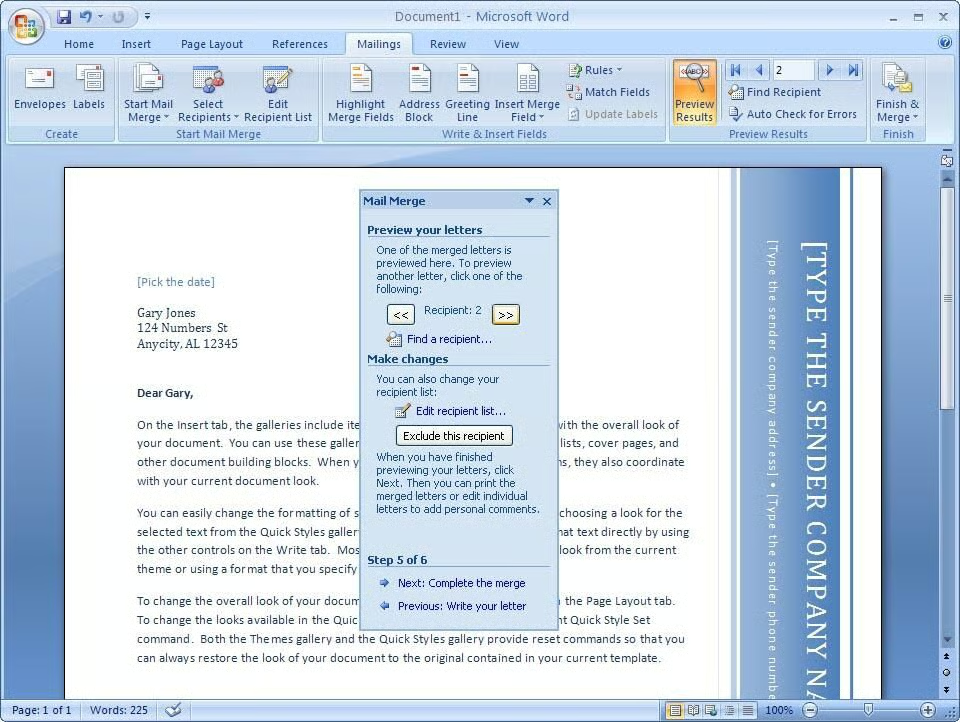
We are now looking at the next letter in our set. Any changes we made to our previous letter are specific to that letter and aren’t changed here.
Once you’ve edited all the letters and feel your merge is ready, click Next: Complete the merge.
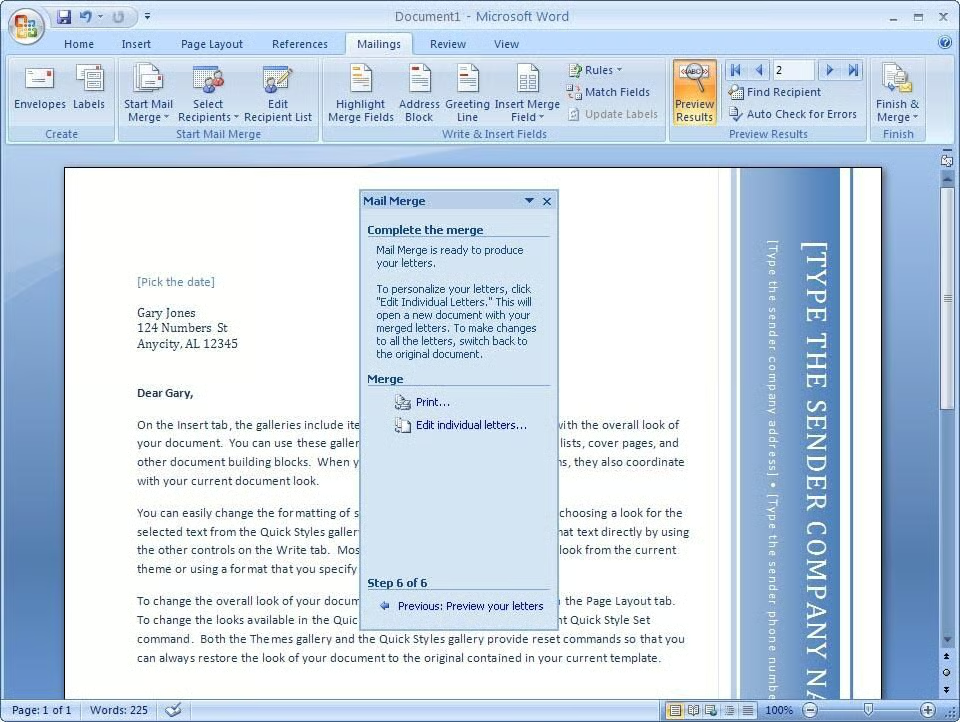
The merge is complete and we can now either print the letters or click Edit individual letters to return to editing.
That does it for this how-to. I think that the Word merge feature is continuing to mature and this upgrade is a welcome one.
Watch out for more helpful “How do I” guides on TechRepublic.

ANTHONY SULLIVAN is a software developer working with primarily microsoft technologies. He has been developing web applications and software solutions for nearly 10 years using technologies such as C#, MSSQL, Oracle and ASP.NET. Currently he is a Senior Developer for Kindred Healthcare in Louisville, KY.
\
\
In addition, Anthony is currently working on a couple of projects involving XNA, the XBOX game development platform.
\
\
Anthony is also an accomplished photographer and spends a good deal of his downtime working on on artistic photography.


