Windows XP’s Remote Desktop Connection has proved popular among both administrators and users alike. The feature continues in Windows Vista, albeit with a few security refinements. This gallery walks you through the steps required to complete a Windows Vista Remote Desktop Connection.
Before attempting to connect to another system using Windows Vista’s Remote Desktop Connection, first check to confirm the recipient system is configured to accept the remote desktop request.
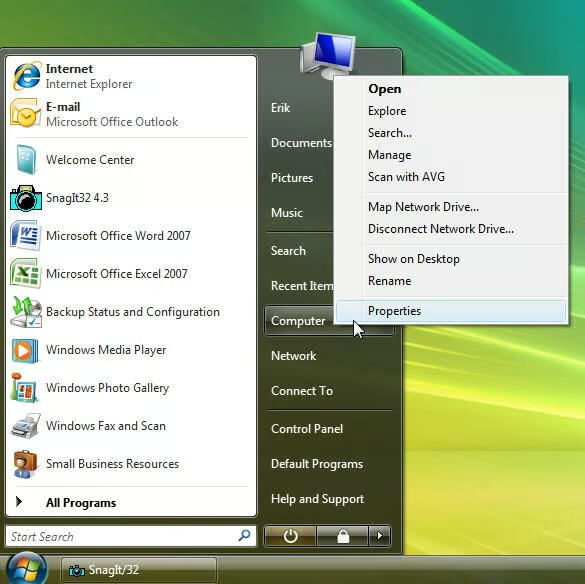
To do so, click Start, right-click Computer, and select Properties.
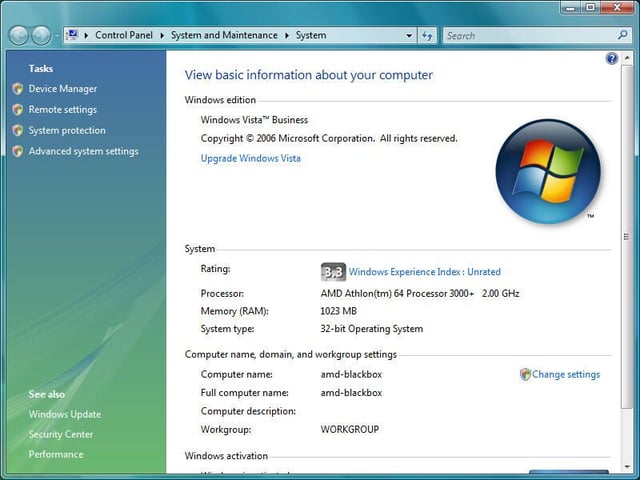
Next, click Remote Settings (beneath tasks).
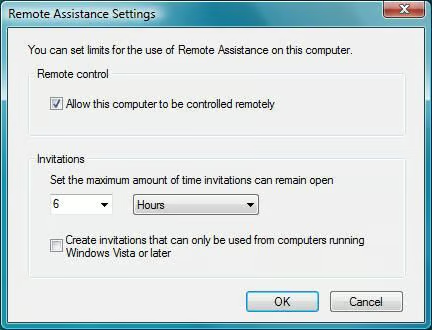
When configuring Remote Assistance, ensure the Allow Remote Assistance Connections To This Computer checkbox is selected. Clicking the Advanced button displays this menu, which enables configure remote control and invitation timeout parameters.
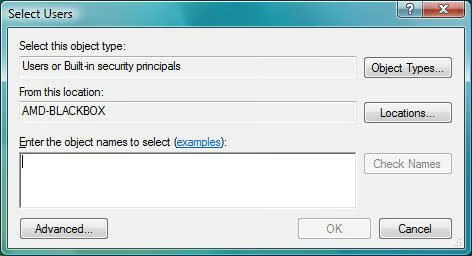
After clicking the Add button to configure remote access permissions for additional users, Vista presents this menu. Enter the names of users and groups for which you wish to provide access, then click OK.
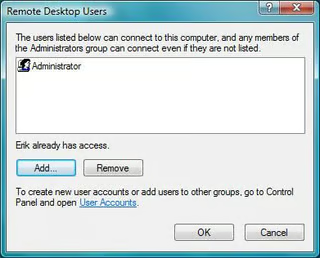
Once additional users are added, they’ll appear within the provided window.
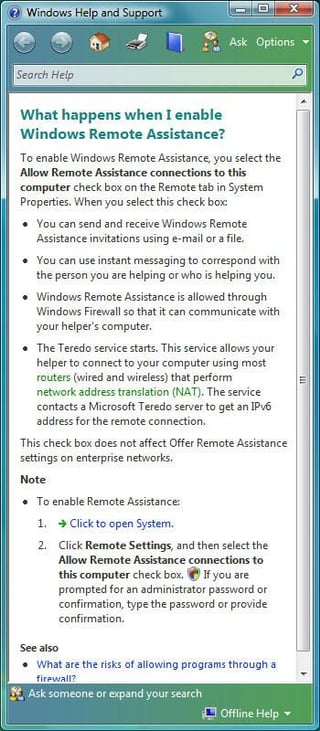
If you click on provided Help links, Windows Vista displays contextually relevant support information, including this passage covering Remote Assistance.
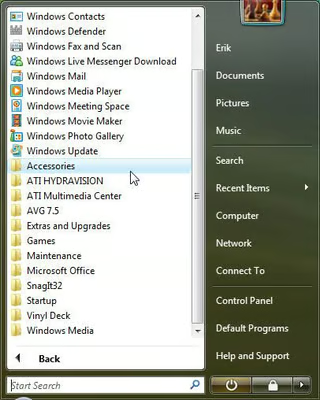
To initiate a remote desktop connection in Windows Vista, click Start, select All Programs, and click Accessories.
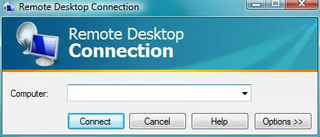
The Remote Desktop Connection window will appear. Enter the name or IP address of the computer you wish to connect to and click Connect.
Alternatively, you can configure additional settings using the Options button.
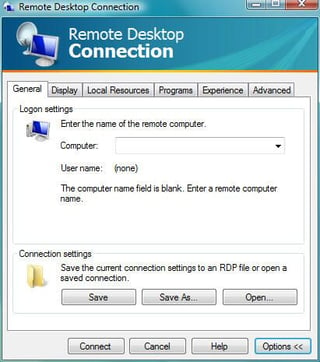
Clicking Options reveals a host of additional RDP parameters that can be set. You can also create a shortcut icon for a Remote Desktop Connection usiong the Save button (shown here on the General tab).
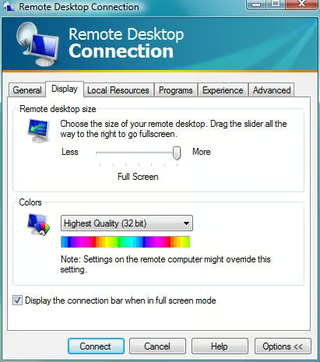
From the Display tab, users can configure the size of the remote desktop window and the color depth.
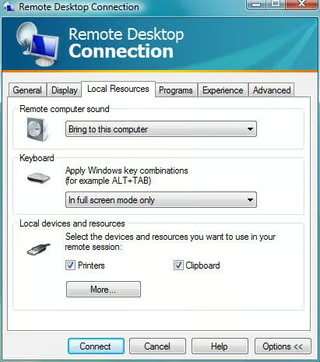
From the Local Resources tab, users can specify sound, keyboard and local device (including printer) settings.
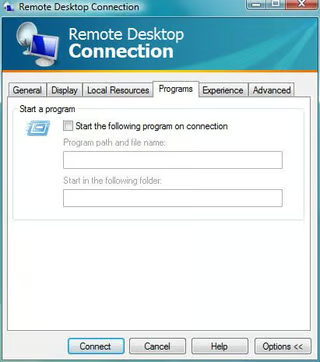
Windows Vista users specify programs that should begin upon starting up a remote desktop connection using the Programs tab.
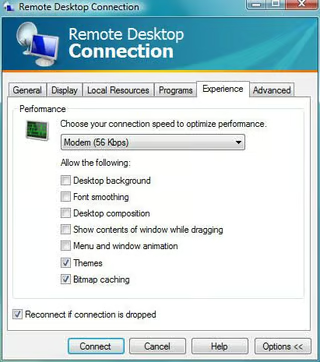
Remote Desktop Connection’s Experience tab enables configuring connection speed, desktop background, font smoothing and other features to optimize performance.
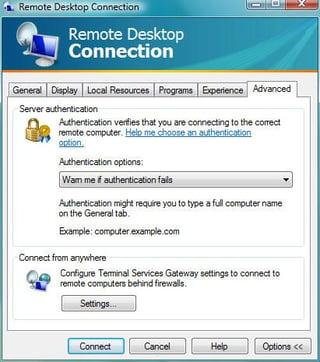
Server authentication and terminal services connections requiring firewall penetration are both configured using Remote Desktop Connection’s Advanced tab.
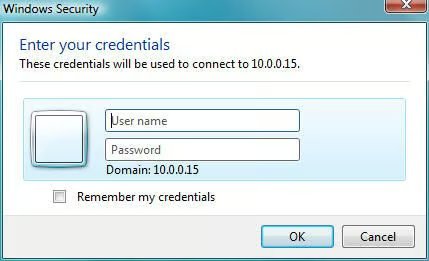
When attempting to connect to other systems using Windows Vista Remote Desktop Connection, users must enter a username and password for an account possessing remote access permissions on the target workstation or server.
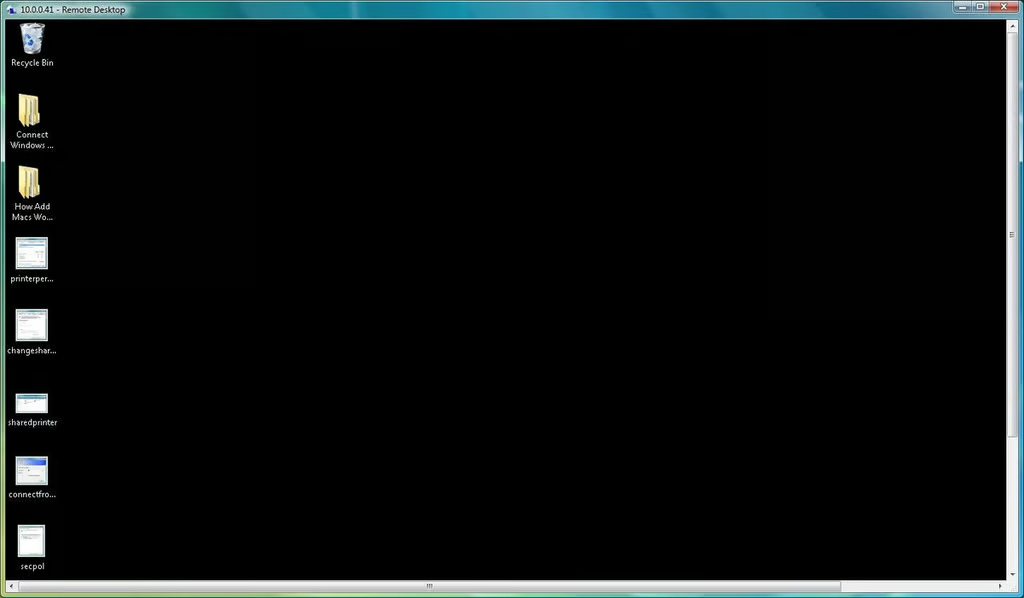
Once proper credentials are entered, Windows Vista displays the remote system’s desktop within a dedicated window. To suspend a Remote Desktop Connection session, users can click Start and select Disconnect.
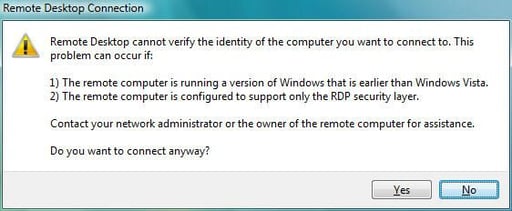
If users attempt to connect to other systems running older versions of Windows, Windows Vista presents this security warning. To continue, users need only click Yes.


