\n\tEthernet-based storage networks, such as those providing iSCSI or NFS disk resources, may be the last frontier for the IPv4 to IPv6 transition. Should these networks need to be updated, now is the time to verify all of the pieces and parts are supported and work as expected.
\n
\n\tIn this gallery, I’ll go through configuring an ESXi host to an iSCSI LUN over IPv6. Be sure to reference VMware KB 1010812 for more information on this configuration.
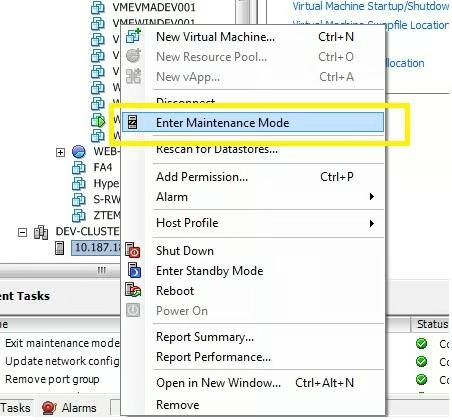
\n\tThe first step is to put the ESXi host into maintenance mode. This will avoid any issues with the virtual machines on the host; further, the host will need to reboot to make the IPv6 configuration take effect. Simply right-click on the host and select Enter Maintenance Mode.
\n
\n\tIf vMotion is enabled and configured, the virtual machines will migrate to another host.
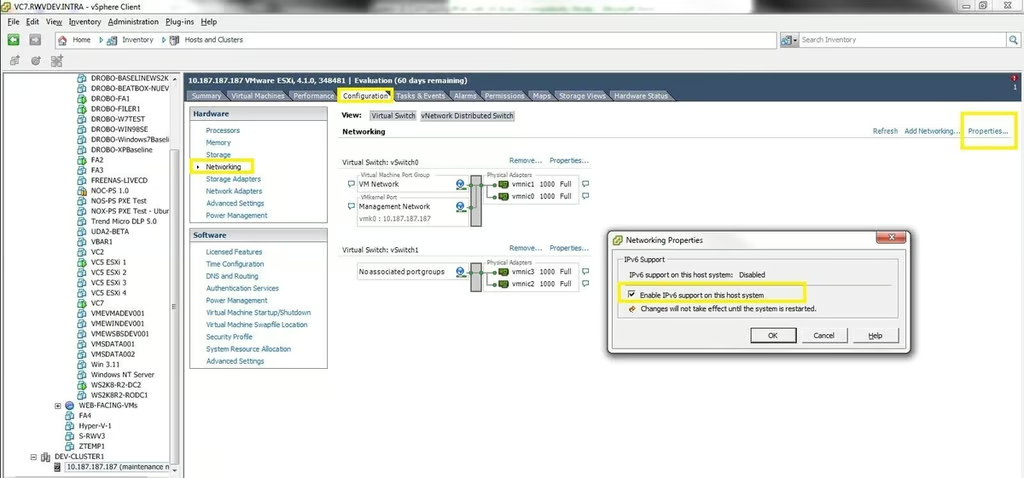
\n\tEnable IPv6 by selecting the properties of the networking configuration. This is located in the host configuration, networking section.
\n
\n\tThe checkbox to enable IPv6 is an easy option, but does require a reboot of the ESXi server. This is why maintenance mode is a good idea.
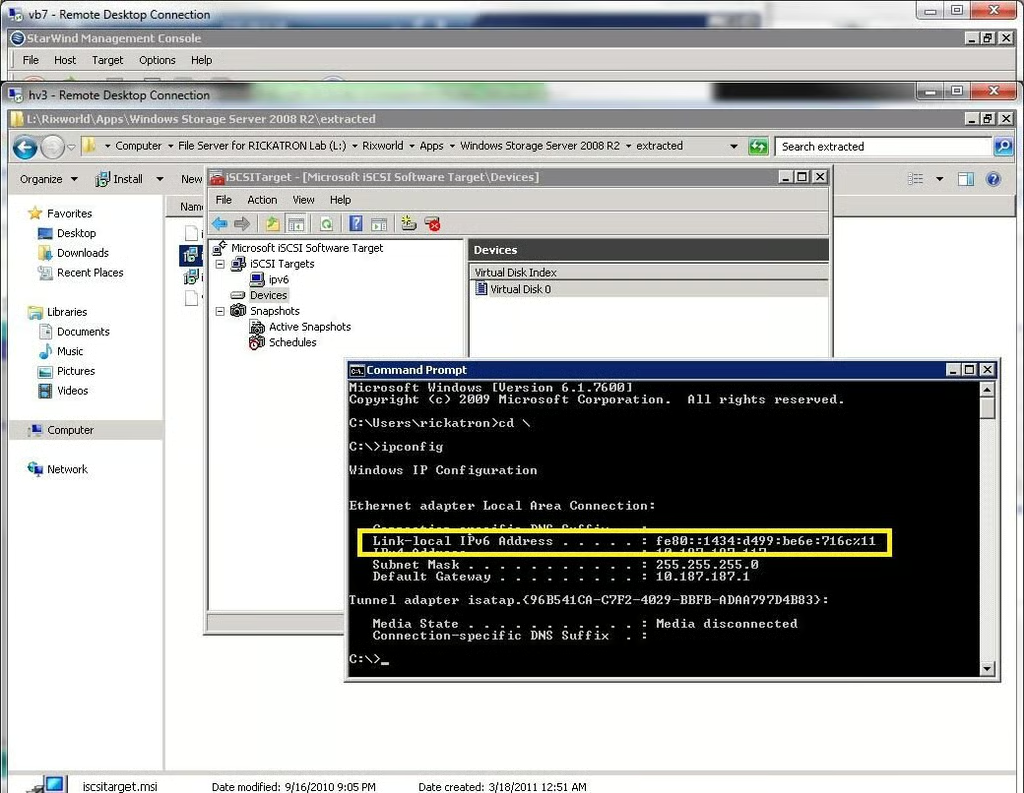
\n\tOn the iSCSI target; the IPv6 address will be needed. In my lab environment, the iSCSI server is located at the following IPv6 address: fe80:1434:d499:be6e:716c
\n
\n\tThis particular storage target is provisioned through Windows Storage Server 2008 R2.
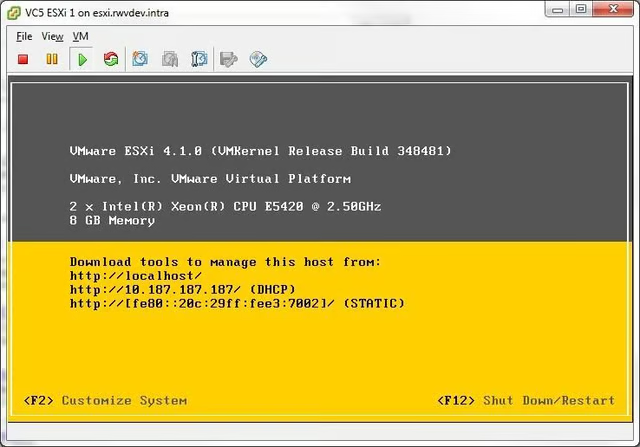
\n\tOnce the ESXi host has reconnected; there are a few considerations to note. The first is that any IPv4 settings are retained on the ESXi host. This is important as, in most situations; this is how the vSphere Client and vCenter Server will be communicating to the host.
\n
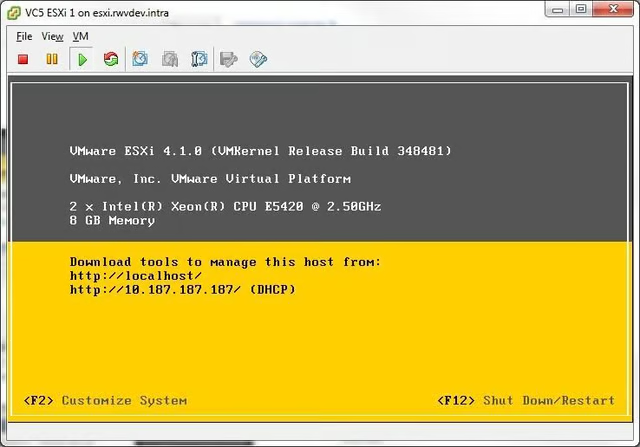
\n\tThe ESXi host will display it’s IPv6 configuration, along with the IPv4 status on the Direct Console User Interface (DCUI) screen.
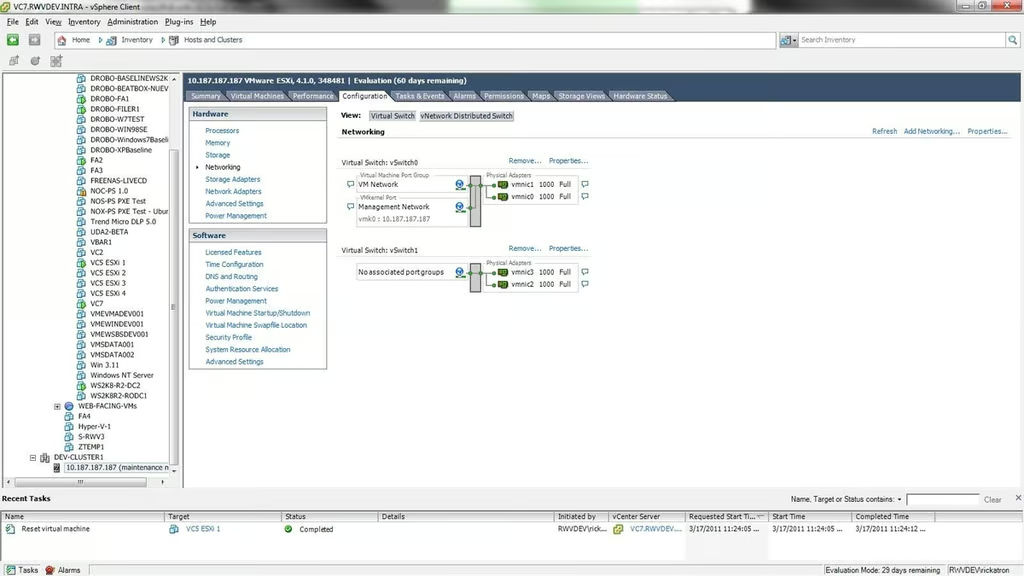
\n\tBack in the networking configuration, the vmkernel communication will be added for iSCSI traffic. This is the starting point for this particular host, with two interfaces on vSwitch 1 that will be configured for the IPv6 communication over vmkernel.
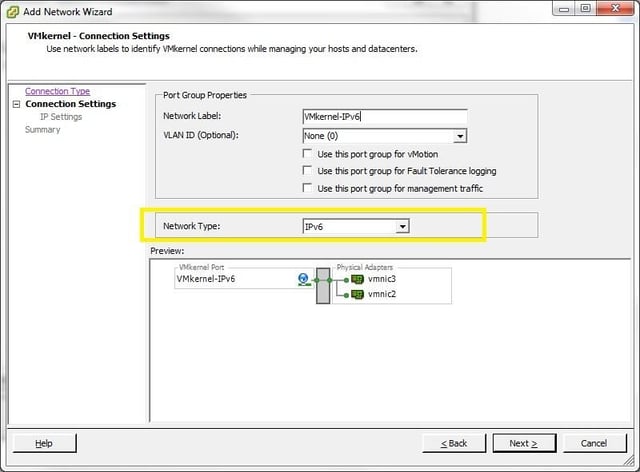
\n\tClick the add networking option, and select IPv6 as the network type. The other roles such as vMotion and Fault Tolerance logging can be selected; but if the interfaces are available the roles should be separated as much as possible.
\n\tAn IP address is then specified for the vmkernel interface. If a DHCP server for IPv6 is in place, it can be utilized. In most production situations, a static IP is always used for all storage networking components. The only exception would be management stations that are only used as utilities.
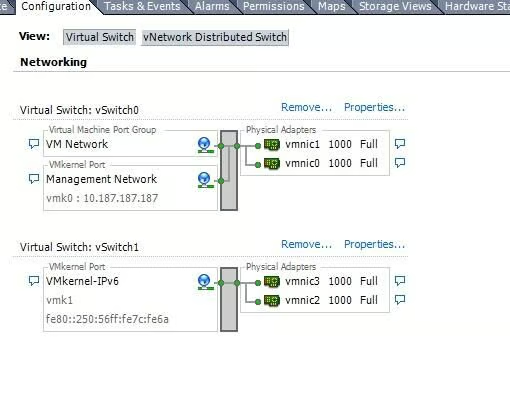
\n\tThe IPv6 address will now appear on the vmkernel interface on the ESXi host configuration. There may be a prompt for a default gateway configuration option, in private (non-routed) networks; this can be left blank.
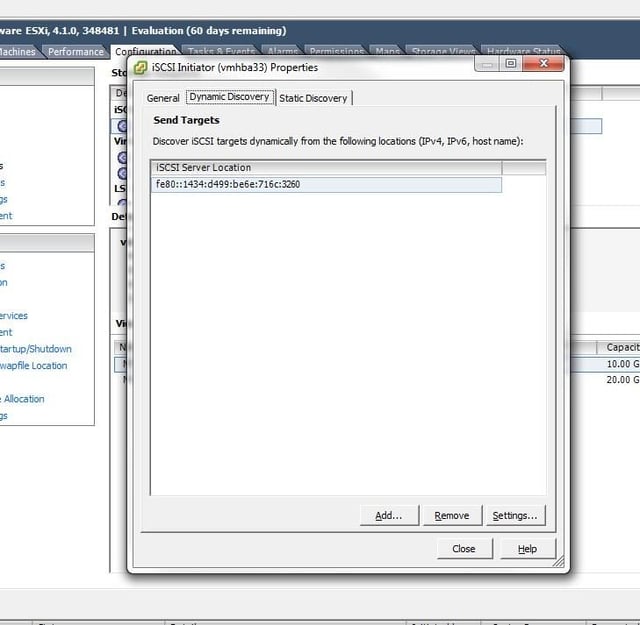
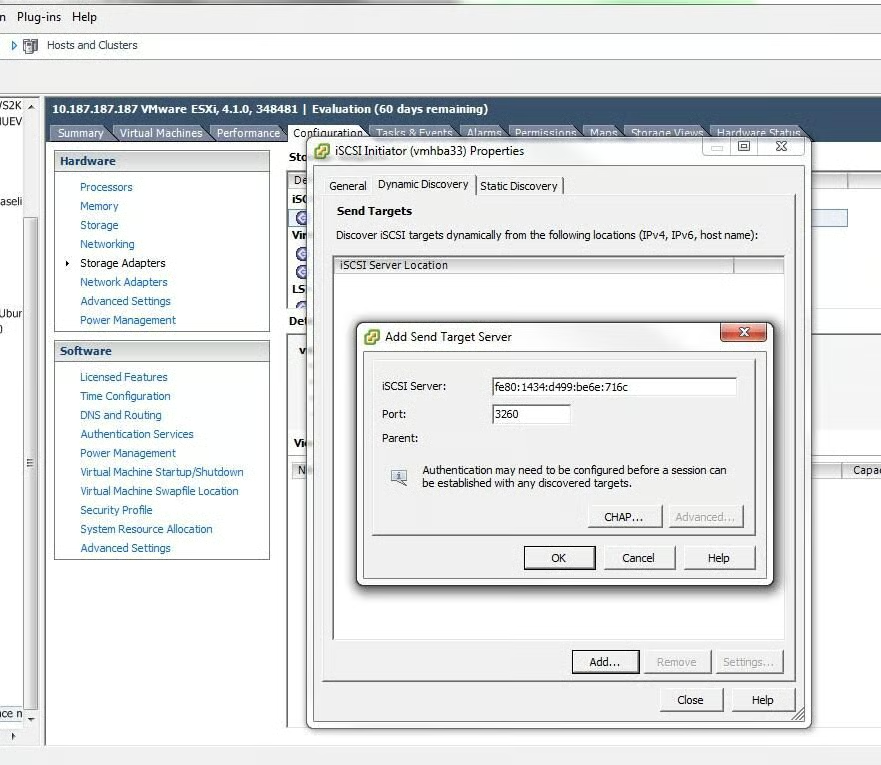
\n\tThe next step is to add the IPv6 address of the iSCSI target to the ESXi iSCSI initiator configuration in the storage adapter section of host configuration. In this image, the IPv6 address of the iSCSI target has been entered. After that change is made, a rescan will occur on the ESXi host.
\n
\n\tNote that the IPv4 iSCSI configuration is there also. ESXi supports multiple vmkernel interfaces with multiple protocol support.
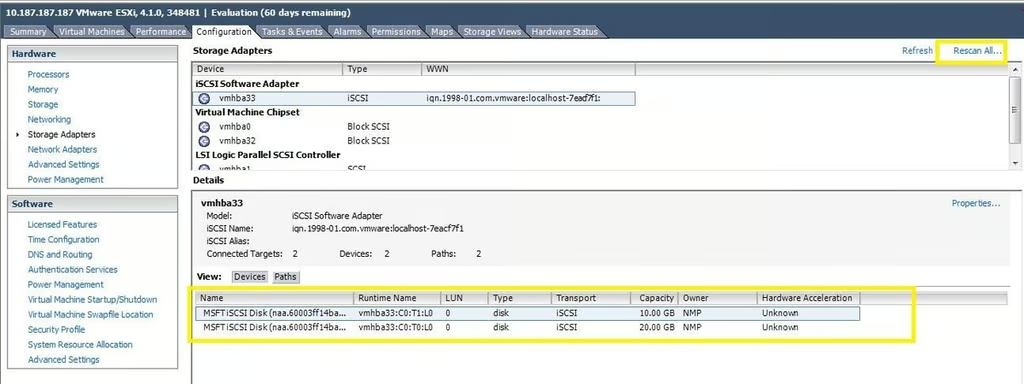
\n\tRescan the storage adapter to then show any available disk resources from the iSCSI target. In this example, two LUNs have been presented and are visible to the ESXi server.
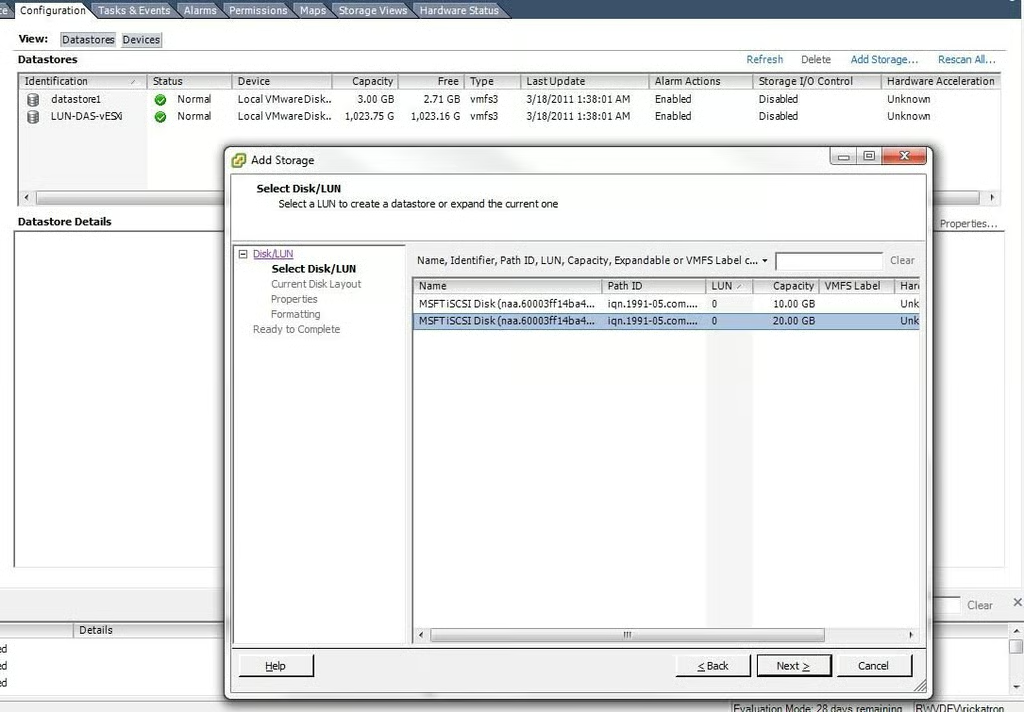
\n\tThe LUNs are now ready to be brought into the ESXi server and formatted with the VMFS file system.
\n
\n\tWhile entirely a lab example, this configuration can be a springboard to the migration of storage networking from IPv4 to IPv6.
\n
\n\tHave you considered storage networking in the IPv6 transition? Share your comments below.

Rick Vanover is an IT Infrastructure Manager for Alliance Data in Columbus, Ohio. Rick's IT certifications include VMware VCP, Microsoft Windows Server 2008 MCITP, Windows Server 2003 MCSA and others. \ \ Previous experiences included working for Dematic Corp (formerly Siemens L&A, Siemens Dematic, Rapistan)in Grand Rapids, MI in various capacities deploying custom software solutions to the material handling industry using a mix of current hardware and software products. You can reach Rick at b4real@usa.net. Follow rick on Twitter at @RickVanover


