VPNs can be a lifesaver. Secure remote access enables additional productivity, saves travel time and empowers administrators and other staff. Here’s how to create an ever-popular VPN connection in Windows Vista.
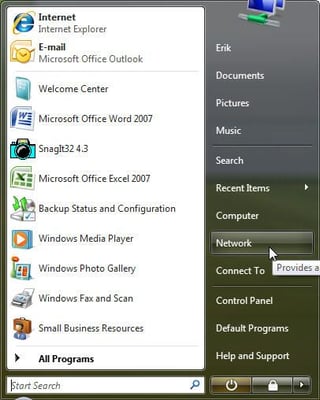
Use Windows Vista’s Network console (reached from the Start menu) to create a VPN connection.
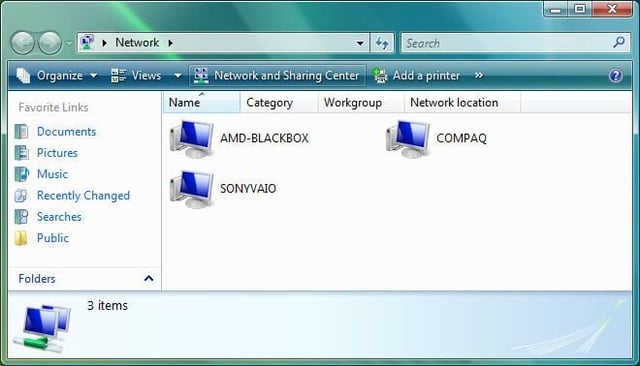
Windows Vista’s Network console. Click Network And Sharing Center to proceed.
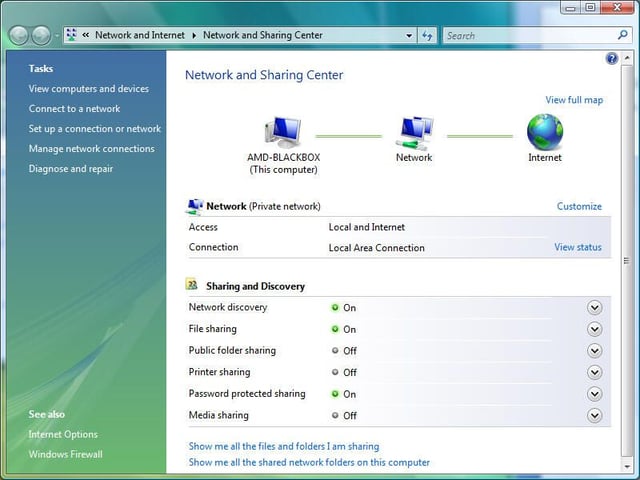
The Network And Sharing Center appears. Click Connect To A Network (or Set Up Connection Or Network).
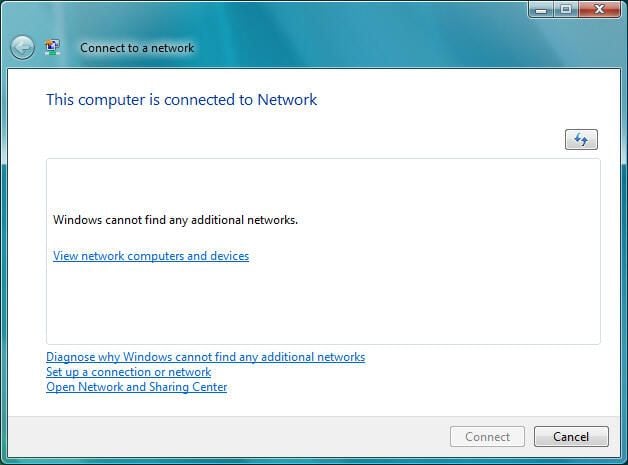
The Connect To A Network window will appear. Highlight Set Up A Connection Or Network and click Connect.
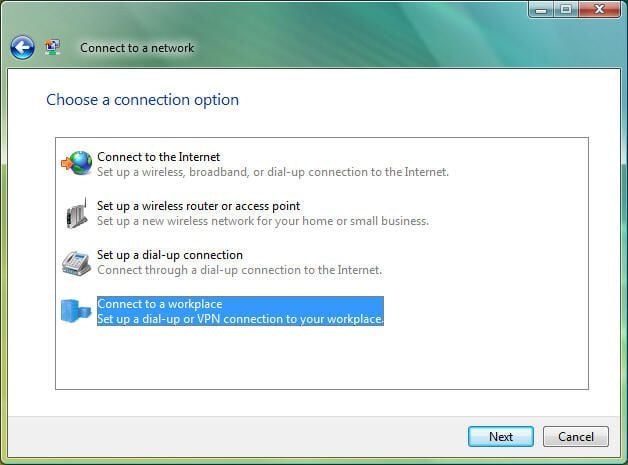
Specify the type of network connection you wish to create (to create a VPN connection, choose the Connect To A Workplace option, then click the Next button).
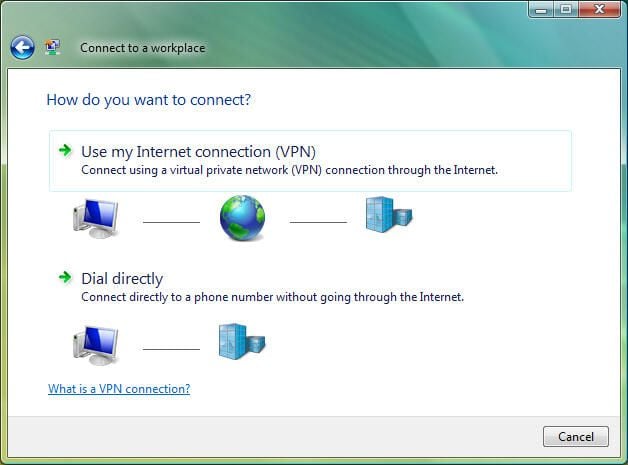
Specify how you wish to connect. In this example, we’ll use the most common scenario (using the existing Internet Connection VPN).
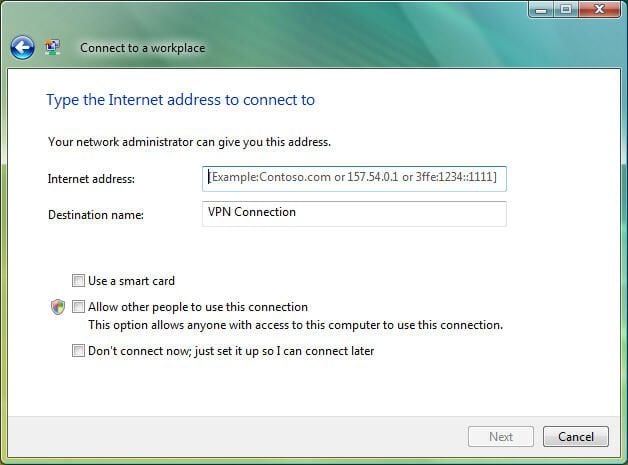
Enter the Internet address and destination name for the VPN connection in the supplied fields. In addition, specify whether you wish to connect now, a smart card is to be used and other users should be permitted to use the connection using the supplied checkboxes, then click Next.
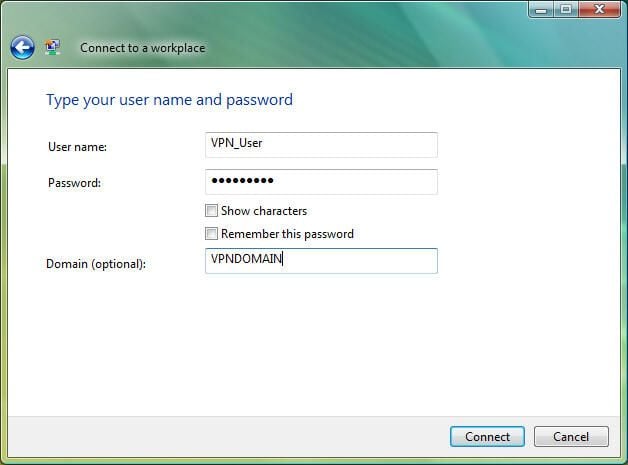
Supply a valid username and password possessing remote access rights. In addition, enter the domain name and click Connect.
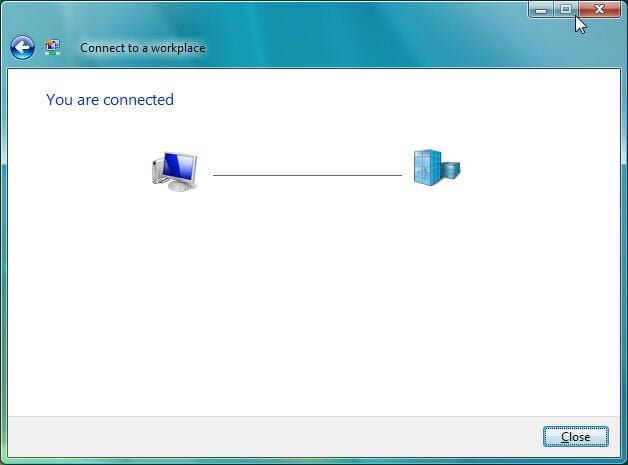
Once Vista completes the VPN connection, Windows displays a confirmation message.

Windows also leverages the network icon (the two computers with the earth logo) to confirm that a VPN connection is active.
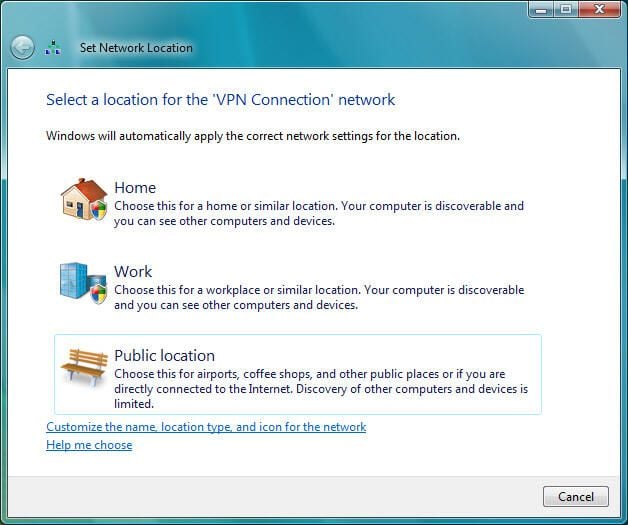
Windows Vista prompts users to specify the location from which the user is connecting to the VPN network. Options include Home, Work and Public Location.
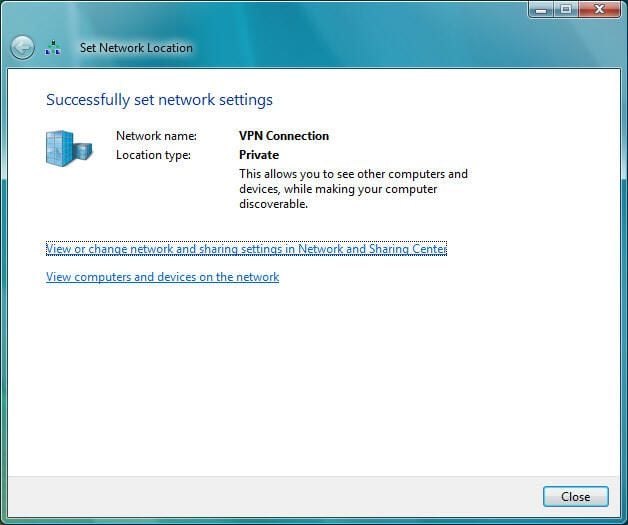
Windows Vista confirms network settings have been successfully set (once the user specifies the network location).
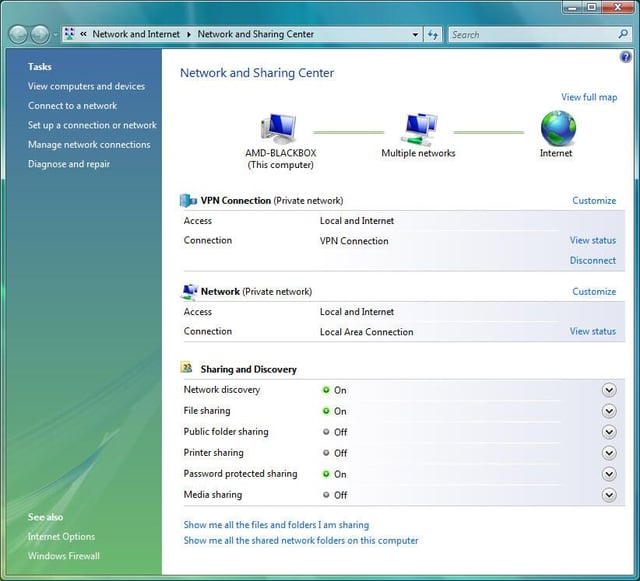
Now that the new VPN connection is created, it appears within the Network And Sharing Center.
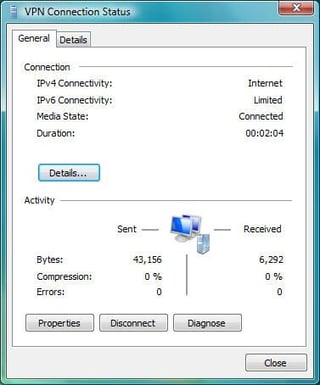
Users can view a VPN’s connection status at any time by opening the Network console’s Network And Sharing Center and clicking the View Status link for the respective VPN.
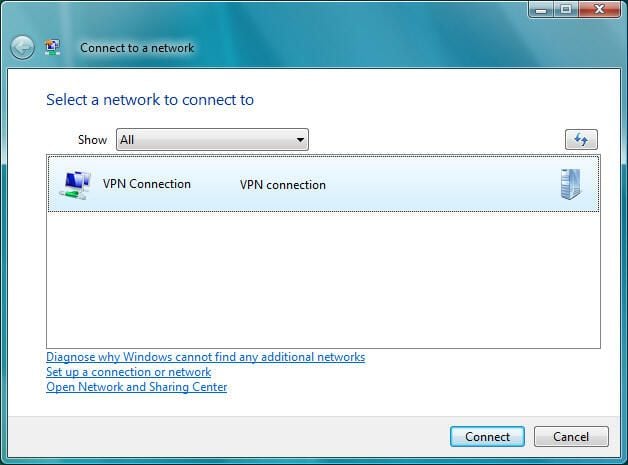
Once the VPN connection is created, Windows Vista users can connect to the VPN using the Connect link found within the Network And Sharing Center. Clicking the Connect link displays this dialog box (which is used to create the VPN connection).
If users choose not to save the user name and password, Windows Vista prompts users to enter the password.
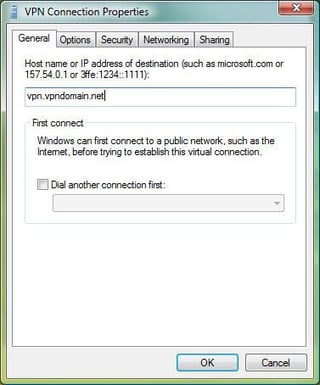
A VPN connection’s Properties can be set by clicking Manage Network Settings within Vista’s Network And Sharing Center and selecting Properties. Here you can see the settings configured using the General tab.
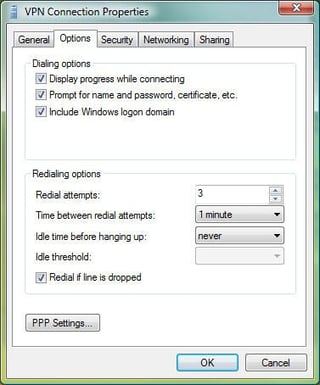
Among the options you can configure for a VPN connection are displaying connection progress, prompting for user names and passwords, including the Windows logon domain and more.
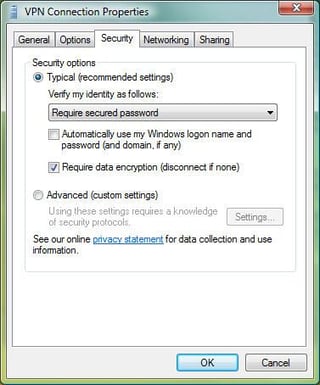
Using the Security tab, Vista users configure data encryption and identity verification parameters.
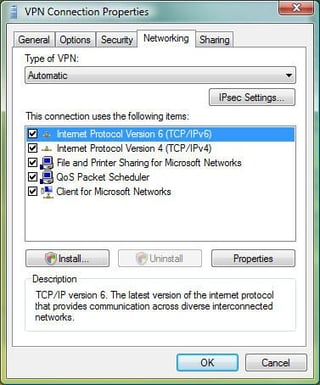
The Networking tab displays the items the VPN connection uses (such as TCP/IP and Client for Microsoft Networks). Settings for these items is configured by highlighting the item and clicking Properties.
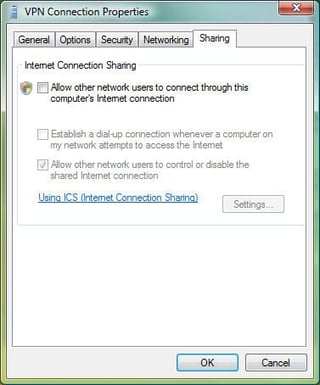
Windows Vista users wishing to share their Internet connection with other users must configure Internet Connection Sharing (using the Sharing tab).
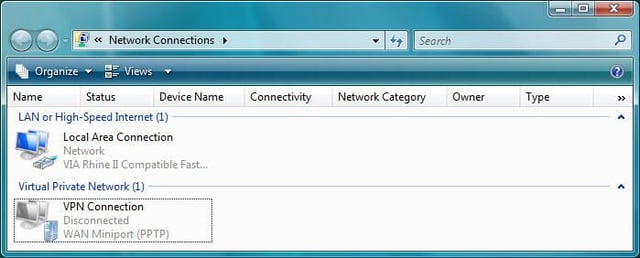
Once a new VPN connection is created within Windows Vista, a shortcut icon is created for that connection. You can access the icon within the Network Connections window.
To disconnect an active VPN connection, Windows Vista users need only double-click the System Tray Network icon and select Connect Or Disconnect, which will display this window for an active VPN connection. Users can then highlight the respective network connection and click the Disconnect button.
Once Windows Vista successfully disconnects a VPN connection, a confirmation window appears.


