\n\tUsing the Microsoft Management Console (MMC) is a part of everyday life for many Windows administrators and help desk personnel. MMC TaskPad Views are a great way to bolster your everyday toolset, or to improve the interface of an MMC snap-in. Using a taskpad view, you can create links that will perform actions or execute programs.
\n
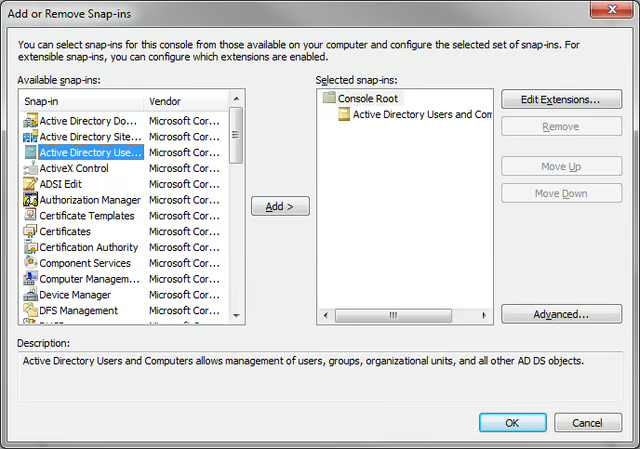
\n\tFor this example, I’ll create a custom MMC with the Active Directory Users and Computers snap-in. Open a MMC by going to your Start menu, selecting Run, typing MMC, then pressing Enter. Then, go to File , Add or Remove Snap-ins, and add the Active Directory Users and Computers snap-in.
\n
\n\tLeft-click on an OU to select it, then right-click and select New TaskPad View.
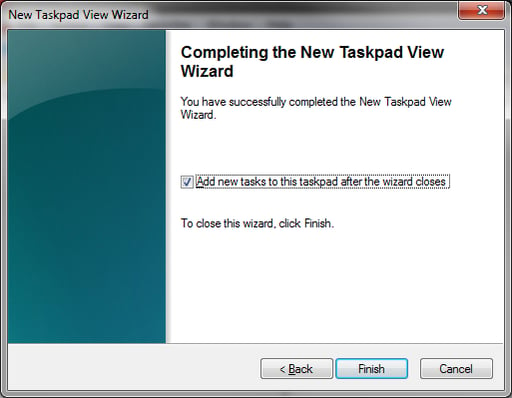
\n\tAs you go through the wizard, you can leave most of the settings set as the default – these can be customized later. Leave the final option checked: Add New Tasks To This Taskpad After The Wizard Closes and select Finish.
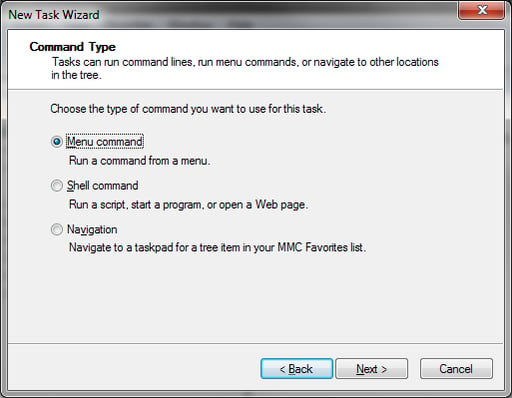
\n\tYou’re now looking at the new task wizard. After selecting Next once, you’re asked to pick the type of command this new Task will be. For this example, we’re going to select Menu Command.
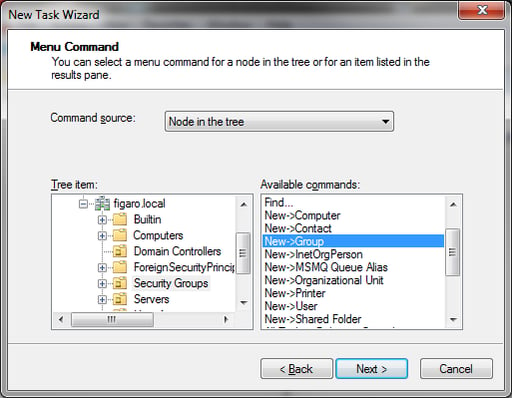
\n\tNow, you’ll see a window that lists the commands you can choose. Select Node In The Tree so you can navigate the Active Directory and select objects to see how the Available Commands change.
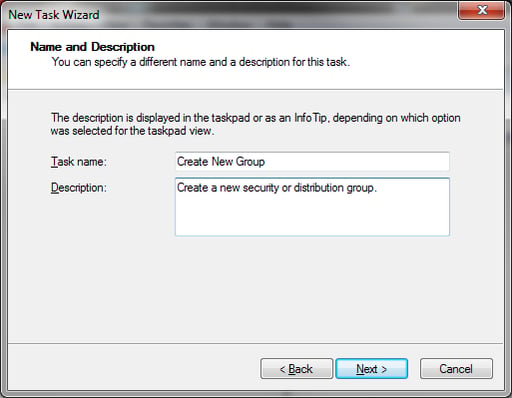
\n\tI selected the OU Security Groups and the Available command New | Group. Then, after selecting Next, you can specify the display name and description of the task.
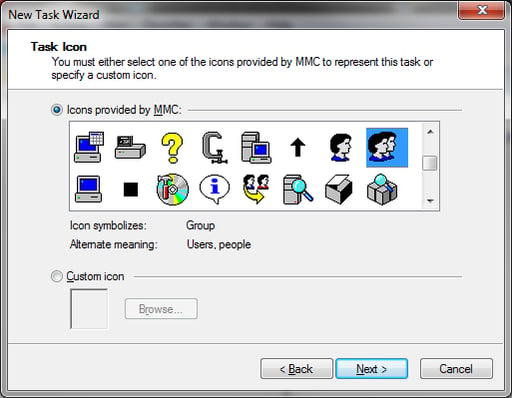
\n\tSelect Next again, and you can choose an icon for this new task.
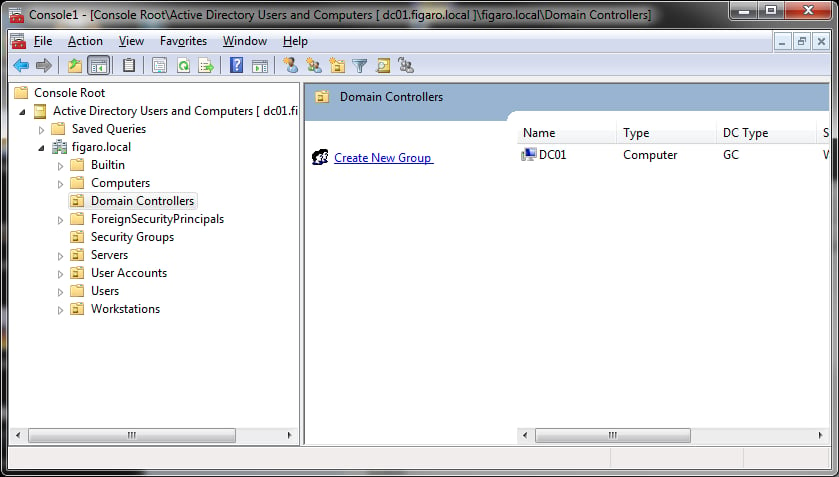
\n\tThen, click Finish. You will now notice a vertical bar (if you used the defaults) between the tree to the left, and the objects to the right. This contains any configured tasks.
\n
\n\tNow that you have a custom MMC, you will want to re-use this or distribute it to the relevant department or technicians. File | Save As, and distribute the .msc file as needed.
\n
\n\tTo edit the Taskpad in the future, right-click an object in the tree-pane on the left side of the MMC and select Edit Taskpad View.
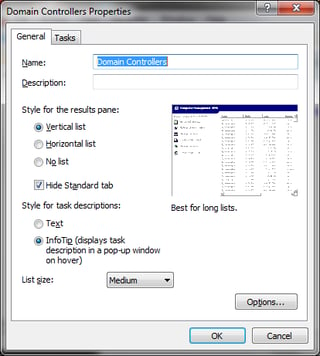
\n\tIn this window, you can change the initial settings of the TaskPad view, or add Tasks in the Tasks tab.
\n
\n\tThis is only a basic introduction to TaskPad views \u2013 they have varied uses that are far more advanced than this demonstration. TaskPad views aren’t new, either \u2013 but they are often overlooked and can be a great way to organize some often-used actions.

Harold Ogden is a Systems and Security Architect in the higher education industry. He has experience in both technical and managerial roles, and strives to bring common sense to the worlds of Information Technology and Information Security.


