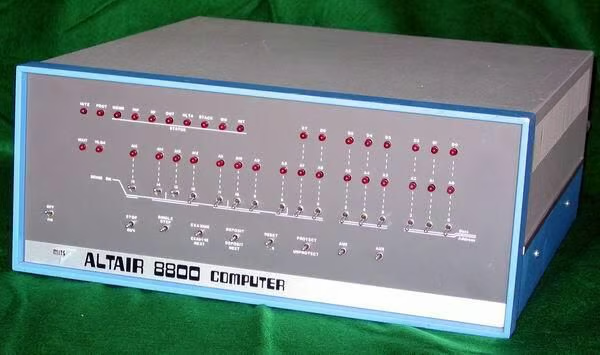
If not the first home computer, Ed Roberts’ Altair 8800 was definitely the first successful one.
Erik Klein, vintage computer collector and Webmaster of Vintage-Computer.com, takes you inside the Altair 8800 as he restores one of these classic machines.
Erik has graciously allowed us to republish his photos and descriptions. You can find a much more detailed description of Erik’s Altair restoration and additional photos of the machine’s in his collection on his Web site Vintage-Computer.com.
You can share your experiences with the Altair 8800 and other classic computers using the disccussion link below this image, or on Erik’s Vintage Computer Forums.
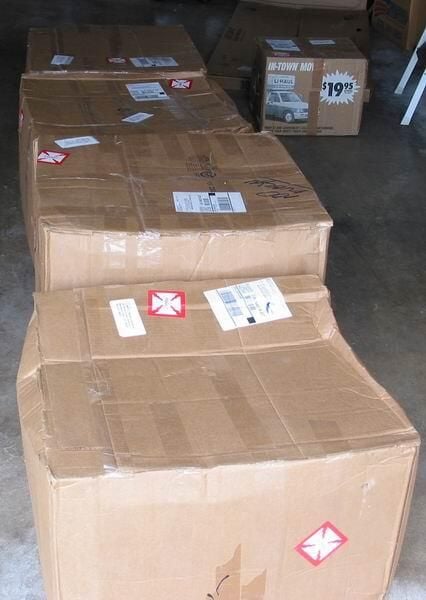
The machines came via UPS and, predictably, got bounced around quite a bit in transit. It’s a shame the UPS folks missed all of those red “fragile” labels all over the boxes. Fortunately, everything was double-boxed and survived.
Reprinted with permission from Vintage-Computer.com
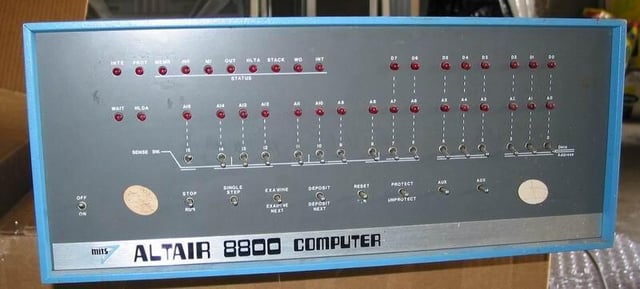
I purchased the machine after seeing only a few grainy pictures and wasn’t sure what to expect. The machine was definitely used, but was definitely reparable. Several dents and scratches on the case were permanent, but the basics looked pretty good.
Reprinted with permission from Vintage-Computer.com
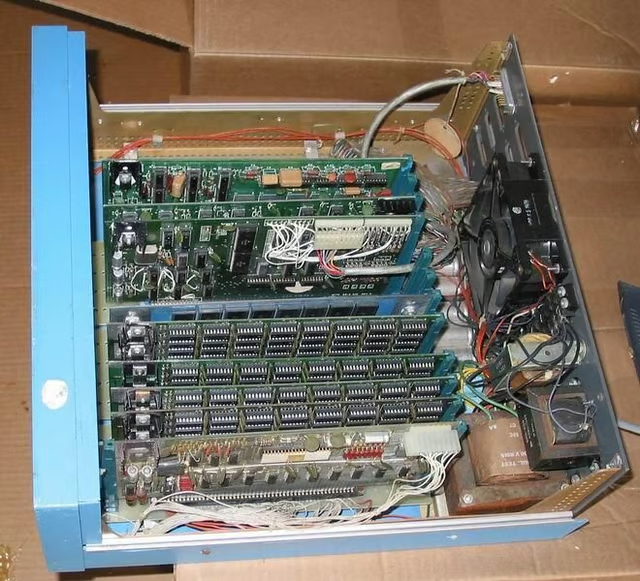
The interior was dusty and somewhat rusty (around the transformers), but basically sound. This unit had a RAM card bouncing around free from shipment. I re-slotted it before snapping this shot.
Reprinted with permission from Vintage-Computer.com
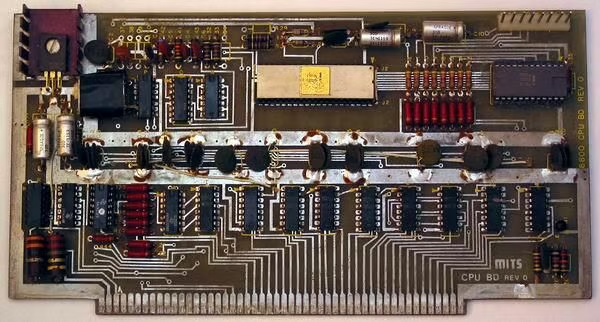
The cards showed the most wear and tear. The CPU card showed signs of having been inserted and removed A LOT.
It also seems that a previous owner used pliers on the card corners when removing the card. The cards still work however, which is the most important part. This Rev 0 CPU card has the rare Intel 8080 chip. Most Altairs were powered by the Intel 8080A.
Reprinted with permission from Vintage-Computer.com
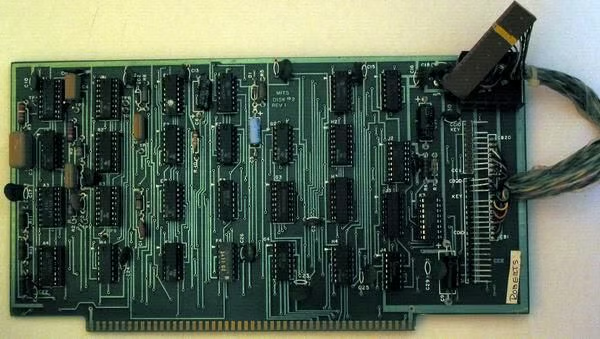
The Altair Disk subsystem consisted of two boards and the disk drive. Here is the first of those boards.
Reprinted with permission from Vintage-Computer.com
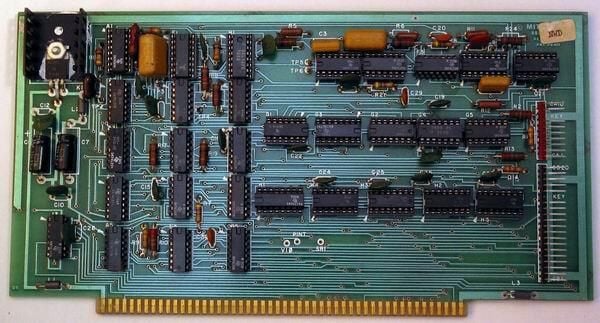
This is the second of the Altair disk boards. The connector on the first one hooks up to this one and then the cable hooks up to the remaining pins on both boards.
Reprinted with permission from Vintage-Computer.com
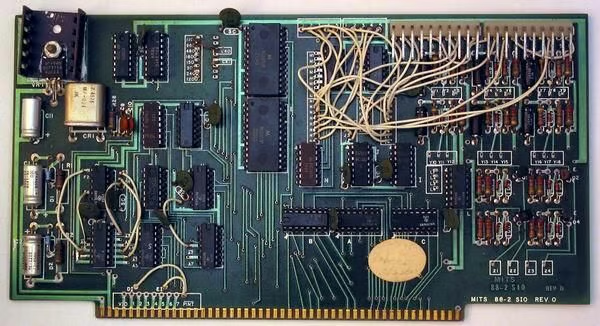
The MITS SIO-2 (2 serial ports) board was a mainstay of Altair systems, connecting them with terminals, teletypes and all sorts of other peripherals. This machine had one installed and had the hardware to activate both ports.
Reprinted with permission from Vintage-Computer.com
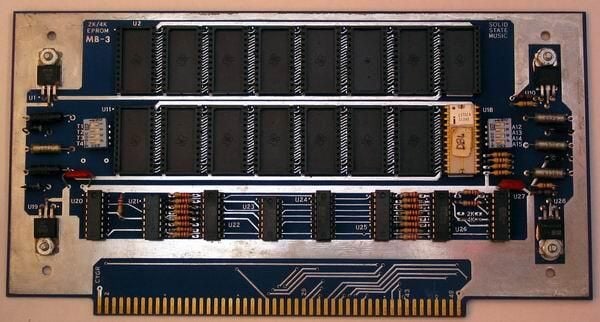
The MITS Altair 8800 PROM board is actually a Solid State Music card. The 2k/4k EPROM board used in both of my Altair systems came from the Solid State Music company. 1702a EPROMS were used to store the boot loader for the disks and potentially paper tape or cassette tape.
Reprinted with permission from Vintage-Computer.com
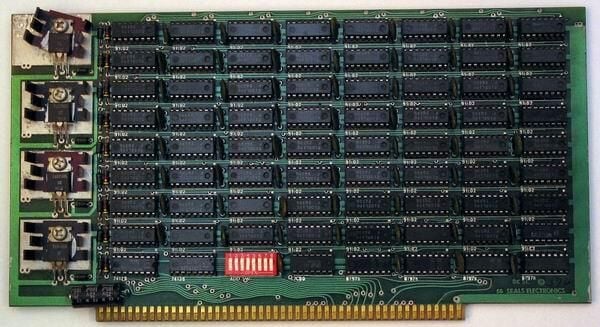
The Altair 8800 came with 32k of RAM on 4 Seals Electronics 8k Static RAM cards. It seems to run properly with these, but I can’t imagine that the power supply supported this much draw.
Reprinted with permission from Vintage-Computer.com
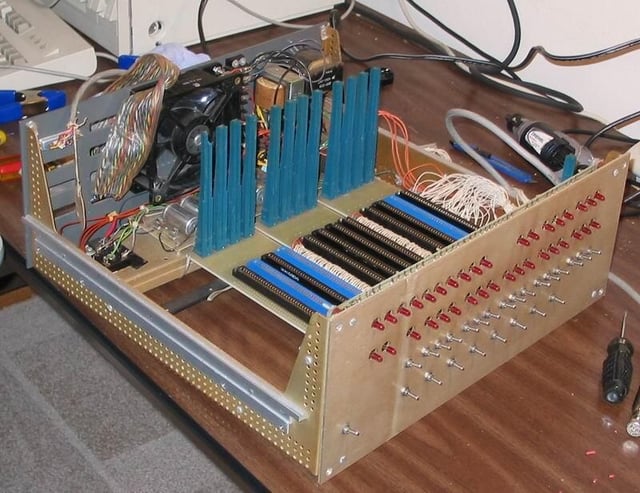
After removing the cards and then removing the chassis from the case, you can get a good feel for how the Altair was built.
Reprinted with permission from Vintage-Computer.com
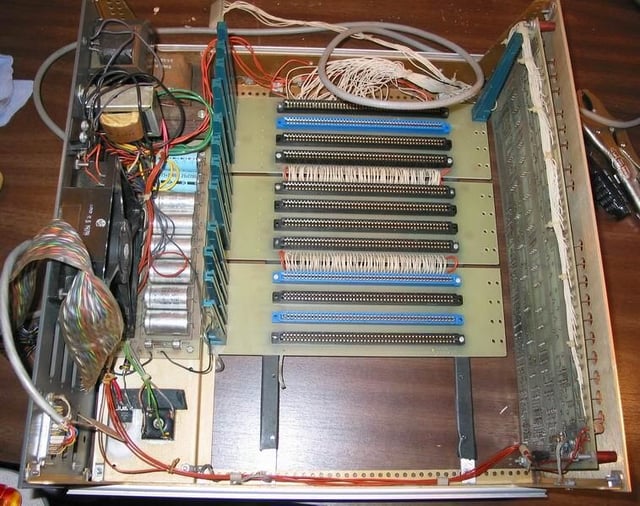
A look inside reveals the power supply and the 4 slot motherboards chained together. This machine was built from a kit. In many places it shows.
Reprinted with permission from Vintage-Computer.com
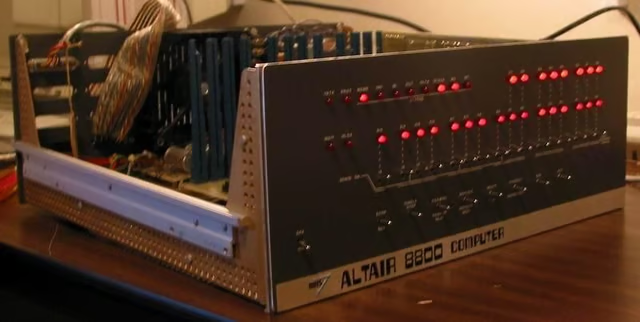
After carefully cleaning the chassis, checking the wiring, and re-soldering a few wires that had come loose, Erik applied power to the machine for the first time. There was no smoke or burning
Eventually I added all of the cards back in, one at a time, to see if they were operable. There were no nasty surprises throughout this operation.
Reprinted with permission from Vintage-Computer.com
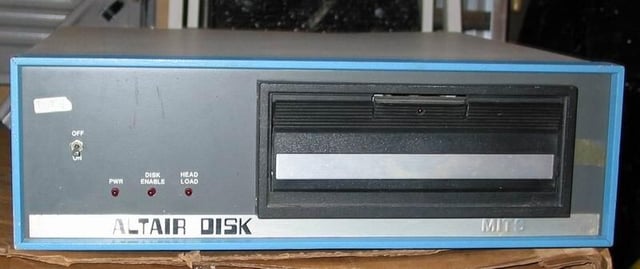
Once the machine was in order, I pulled out one of the disk drives to see what would happen. I inspected the unit, but didn’t dismantle it or thoroughly clean it.
It too powered nicely and without smoke or flames. Sadly, I don’t yet have the expertise to get the machine and the drive to talk to each other.
Reprinted with permission from Vintage-Computer.com
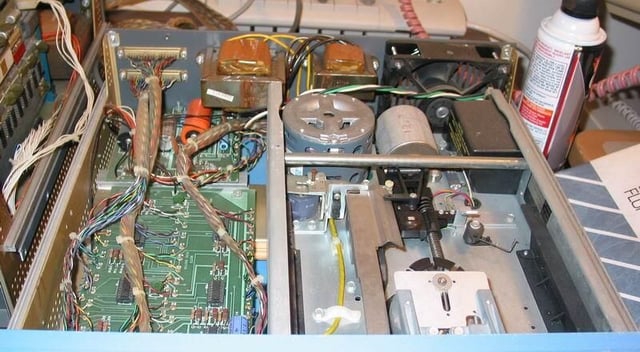
Here’s the drive with the cover removed showing the Altair disk controller board and the beefy Pertec disk drive.
Reprinted with permission from Vintage-Computer.com
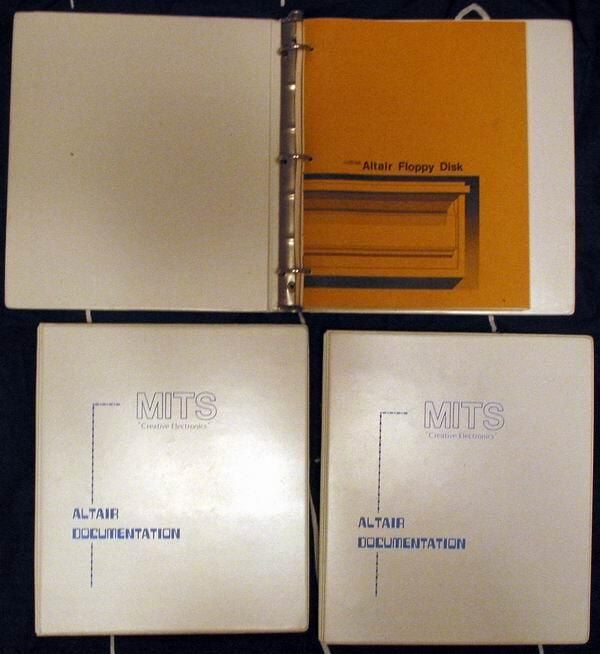
The original owner of the Altairs in my collection came across some additional documentation after a move. Included were the manuals for the disk drives, the 8800a and almost all of the S-100 cards supplied with the machines!
Reprinted with permission from Vintage-Computer.com
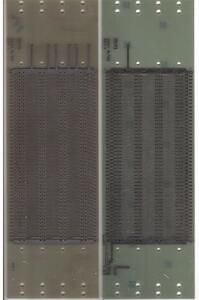
These are of the bare MITS 4 slot motherboards as originally shipped with the Altair computers (top view).
Reprinted with permission from Vintage-Computer.com
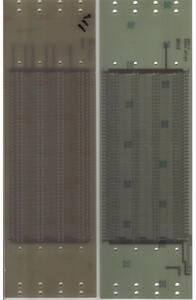
These are of the bare MITS 4 slot motherboards as originally shipped with the Altair computers (bottom view).
Reprinted with permission from Vintage-Computer.com
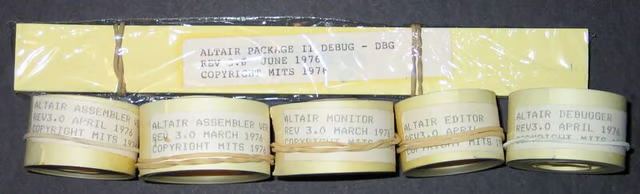
I’ve recently acquired a handfull of early paper tapes for the Altair. These contain an Assembler, Editor, Monitor, BASIC, boot loaders and more. I’m hoping to get these read in to a machine and dumped to disk so I can reproduce them here. As soon as I find the time.
Reprinted with permission from Vintage-Computer.com
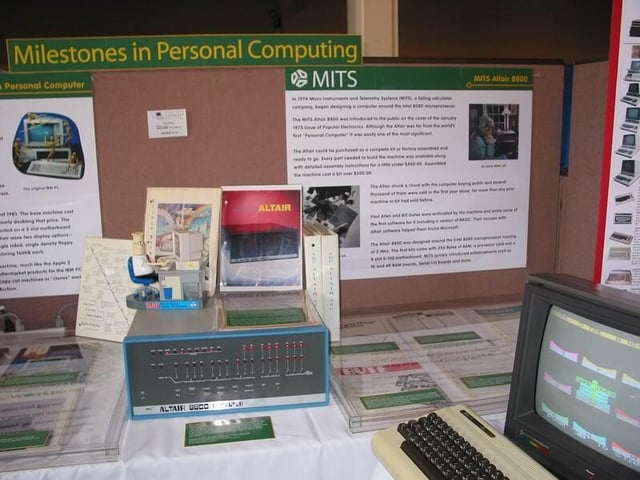
The Altair running properly with its lights blinking away.
Reprinted with permission from Vintage-Computer.com
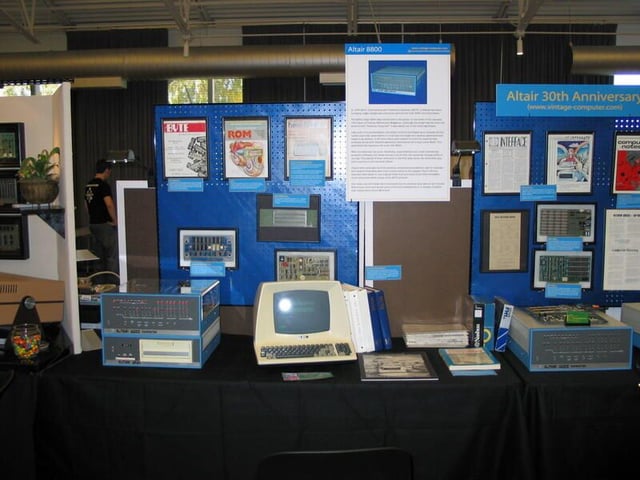
The Altair with the disk drive and MITS BASIC, of Bill Gates fame, running on a period terminal.
Reprinted with permission from Vintage-Computer.com
Bill Detwiler is the Editor for Technical Content and Ecosystem at Celonis. He is the former Editor in Chief of TechRepublic and previous host of TechRepublic's Dynamic Developer podcast and Cracking Open, CNET and TechRepublic's popular online show. Previously, Bill was an IT manager in the social research and energy industries. He has bachelor's and master's degrees from the University of Louisville, where he has also lectured on computer crime and crime prevention.


