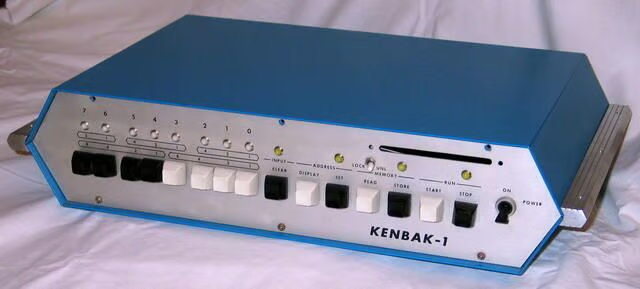
The Kenbak-1 is considered by many to be the world’s first “Personal Computer.” The Computer History Museum granted it this designation when they were still located in Boston in 1986. More specifically, the machine represents the first commercially available Von Neumann (stored program) computing device intended and priced for personal use.
John V. Blankenbaker designed the Kenbak-1 and marketed in the pages of Scientific American in 1971. The machine’s name was taken from the middle of John’s last name.
Erik Klein, vintage computer collector and Webmaster of Vintage-Computer.com, takes you inside the his Kenbak-1. Erik has graciously allowed us to republish his photos and descriptions. You can find a much more detailed description of Erik’s Kenbak-1 and additional photos of the machine’s in his collection on his Web site Vintage-Computer.com.
You can share your experiences with the Kenbak-1 and other classic computers using the discussion link below this image, or on Erik’s Vintage Computer Forums.
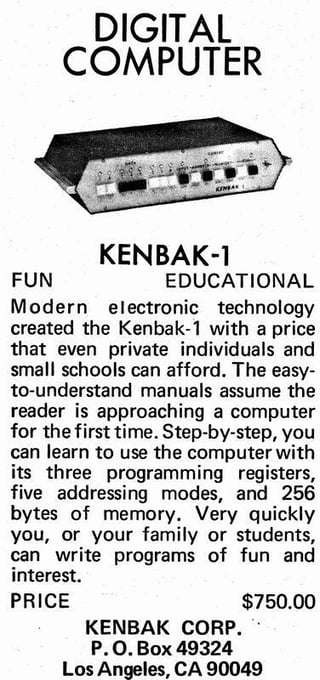
The Kenbak-1 was designed in 1970 and pre-dated microprocessors. The Intel 4004 (the worlds first microprocessor) was introduced in 1971. Instead of being microprocessor based the Kenbak-1 was built almost entirely from TTL components.
Unlike many earlier machines and calculating engines, the Kenbak-1 was a true stored-program computer that offered 256 bytes of memory, a wide variety of operations and a speed equivalent to nearly 1MHz.
Approximately 40 of these machines were built and sold before they were discontinued. The world just wasn’t quite ready for personal computing and the Kenbak-1 lacked some critical capabilities (such as expandability and I/O) that were needed to foster the revolution. 14 are currently known to exist with few more likely to be discovered.
The slot on the front panel was presumably intended to account for these deficiencies later in the machines life by providing a card reader of some sorts but with the limited interest, that was never to be.
C.T.I. Educational products purchased the Kenbak-1 from John Blankenbaker and renamed the device to the CTI 5050.
Reprinted with permission from Vintage-Computer.com
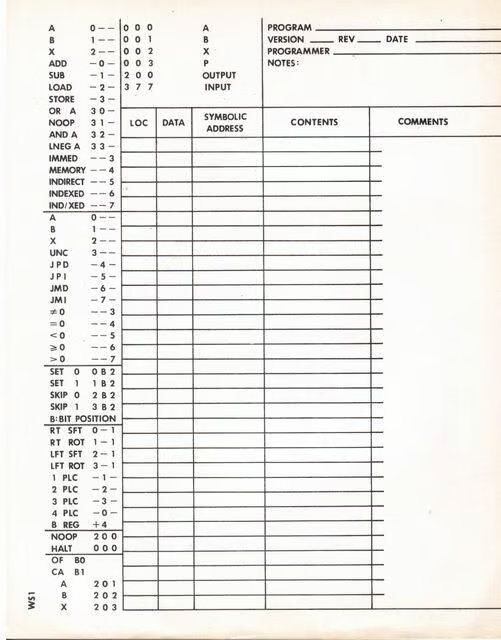
This sheet (the Kenbak Coding Sheet) tells just about all there is to know about the Kenbak-1.
There were three programming registers, A (location 000), B (001), and X (002) which were assigned locations in the memory. The X register was for memory indexing but could be used in any way you liked. The program counter was P and it was memory location 003. The lights displayed the contents of location 200. Input was made to 377. Operations that could be performed on A, B, and X were Addition, Subtraction, Load, Store, Logical Or, Logical And, Load Negative. The addressing modes were Immediate, Memory, Indirect, Indexed, and Indirect/Indexed. One could do things like subtract the contents of A from A which yielded Clear A.
Reprinted with permission from Vintage-Computer.com
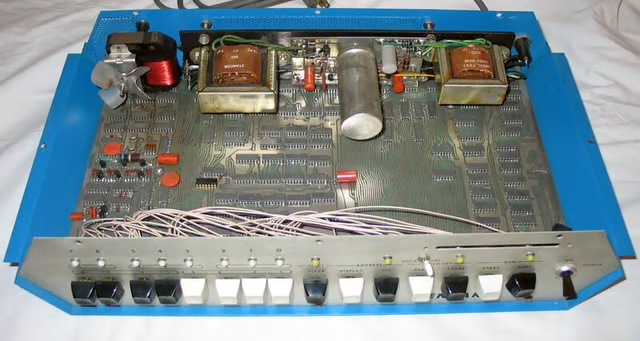
As can be seen above the Kenbak-1 doesn’t have a CPU. The two can-shaped circuits in the upper left near the fan are the shift register memory.
This particular Kenbak-1 is in remarkably good shape for its age. There is almost no noticeable damage to the case or front panel. Many of the switches had become unglued from the inner part of the front panel and needed to be reattached to allow full operation. According to the previous owner the machine worked before I got it.
At the moment the machine almost works but there is a disconnect between what is stored in memory and what is retrieved. This could be a failure on either operation or it could be a failure of the memory itself. There is a pattern to the failure which should be a clue.
The real issue, though, is whether or not I want to alter a pristine example of the Kenbak-1 in order to make it fully functional. At the moment, at least, I’m leaning towards leaving the machine as-is.
Reprinted with permission from Vintage-Computer.com
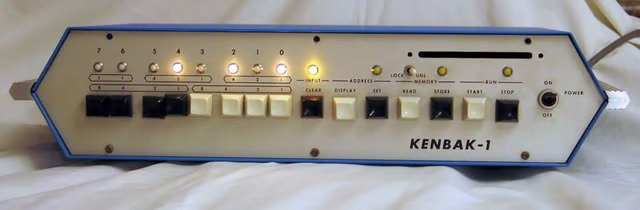
The first time I powered up the Kenbak-1 was at The Vintage Computer Festival 7.0. I have since had a little time to play with the machine, as can be seen in the pictures above and below. I’ve since re-attached the switches and cleaned the machine up a bit.
The Kenbak-1 was my display at The Vintage Computer Festival 8.0 and it came in second place in its class. Don’t let the fact that there were only two of us in the class fool you – it was up against some stiff competition!
Reprinted with permission from Vintage-Computer.com
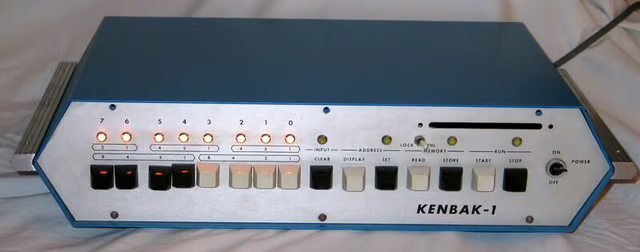
The machine does look good when it’s running, though!
Reprinted with permission from Vintage-Computer.com
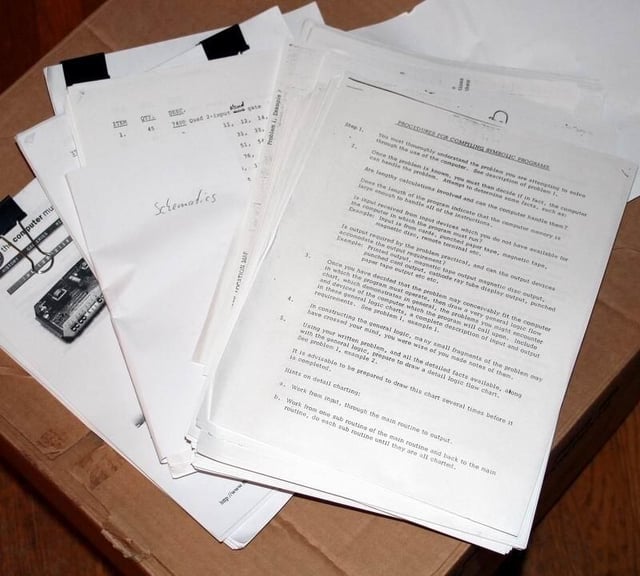
I also have copies of a complete set of Kenbak-1 documentation in my collection including instructions, a coding course and schematics.
Reprinted with permission from Vintage-Computer.com
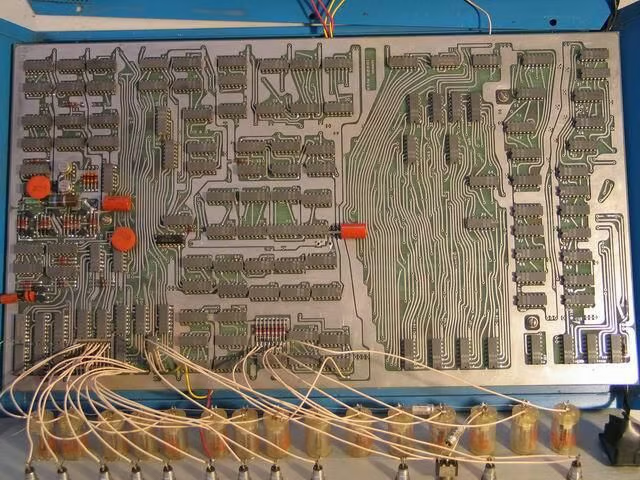
The following images are close up shots of the logic board for the machine, both front and back. The component side images are broken up into six zones while the underside of the board was photographed as one shot.
This image shows an overview of the front of the Kenbak-1 logic board.
Reprinted with permission from Vintage-Computer.com
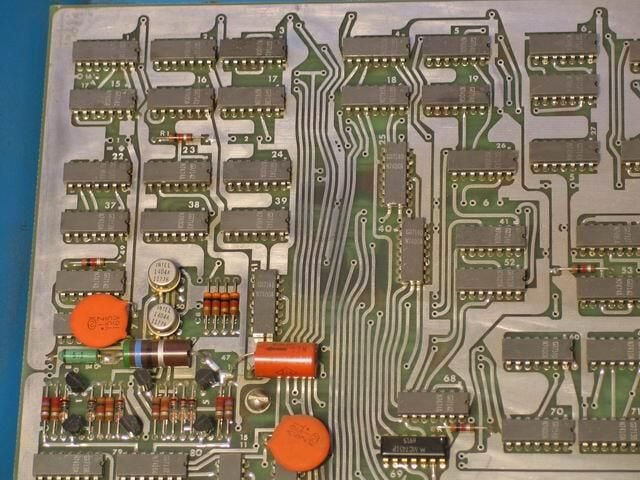
An overview of the upper left of the Kenbak-1 logic board
Reprinted with permission from Vintage-Computer.com
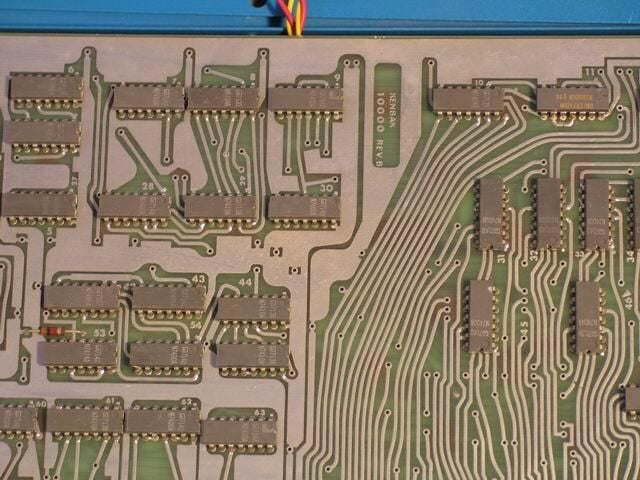
An overview of the upper center of the Kenbak-1 logic board
Reprinted with permission from Vintage-Computer.com
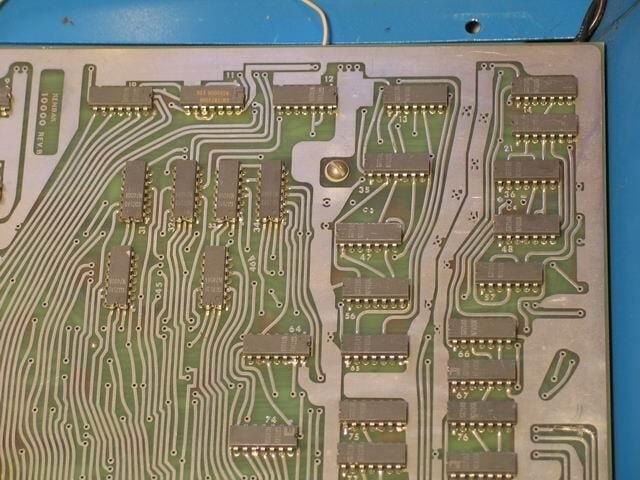
An overview of the upper right of the Kenbak-1 logic board
Reprinted with permission from Vintage-Computer.com
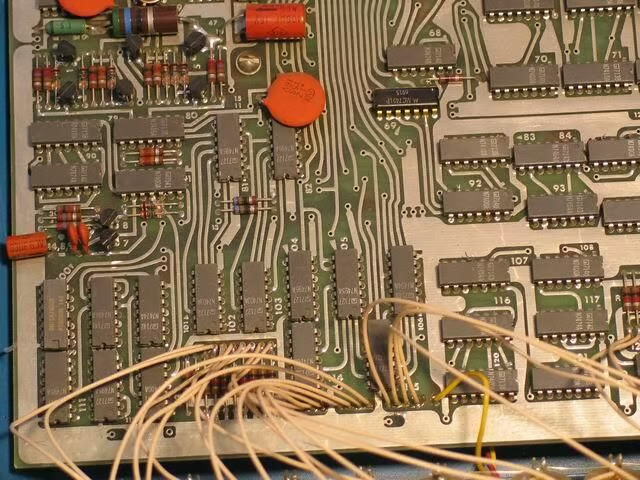
An overview of the lower left of the Kenbak-1 logic board
Reprinted with permission from Vintage-Computer.com
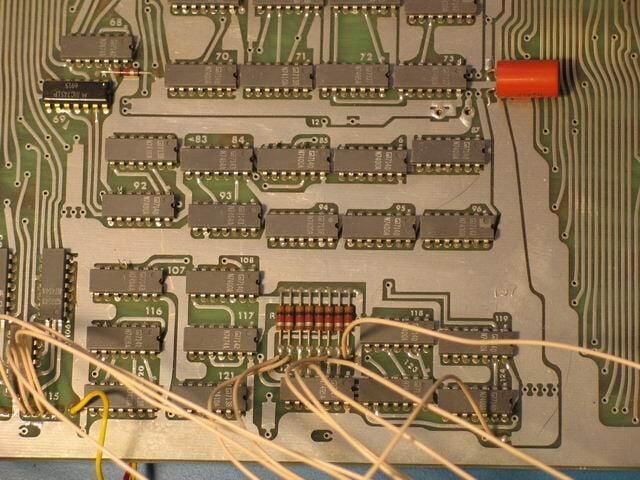
An overview of the lower center of the Kenbak-1 logic board
Reprinted with permission from Vintage-Computer.com
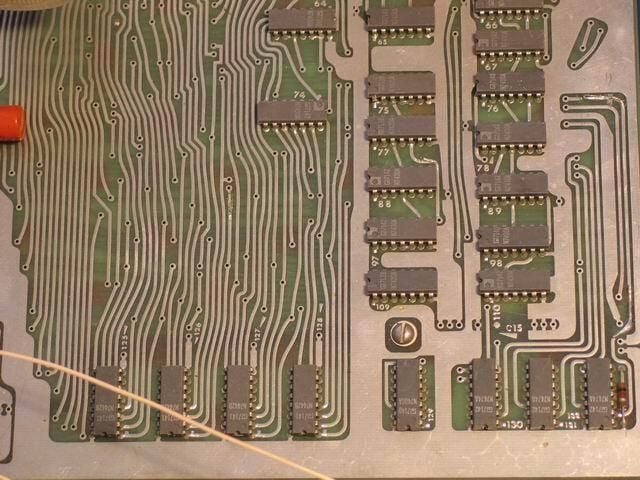
An overview of the lower right of the Kenbak-1 logic board
Reprinted with permission from Vintage-Computer.com
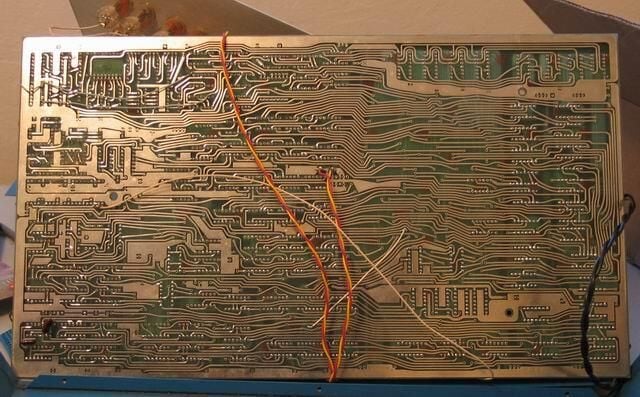
An overview of the back of the Kenbak-1 logic board
Reprinted with permission from Vintage-Computer.com
Bill Detwiler is the Editor for Technical Content and Ecosystem at Celonis. He is the former Editor in Chief of TechRepublic and previous host of TechRepublic's Dynamic Developer podcast and Cracking Open, CNET and TechRepublic's popular online show. Previously, Bill was an IT manager in the social research and energy industries. He has bachelor's and master's degrees from the University of Louisville, where he has also lectured on computer crime and crime prevention.


