Mark's photo scrap book 8 - TechRepublic

Mark’s photo scrap book 8

  • deathwing_1280x1024.jpg

    Scrap book of images

    Scrap book 8 – where I publish images for blogs on TechRepublic.
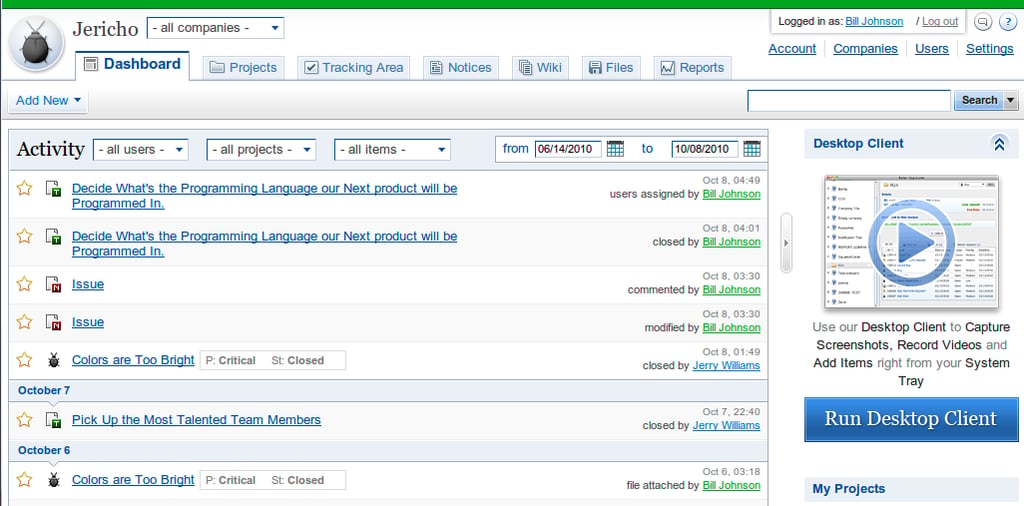
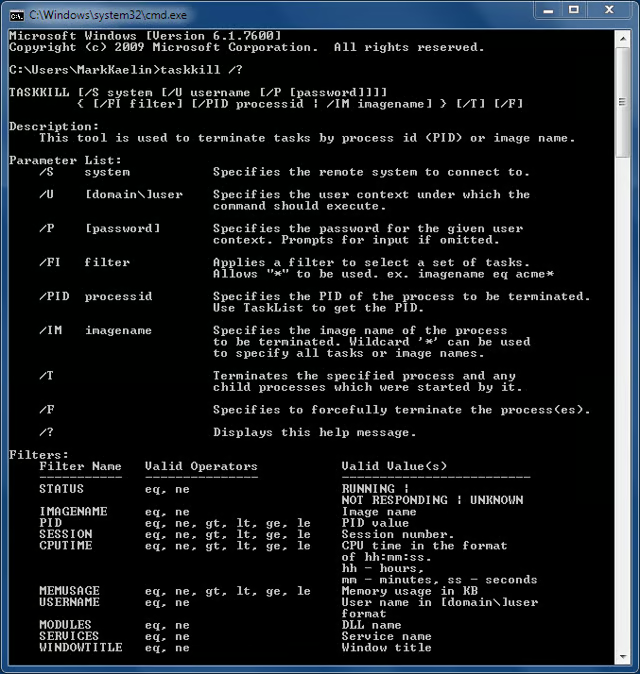
  • Quick Tip: Kill rogue processes with taskkill in Microsoft Windows

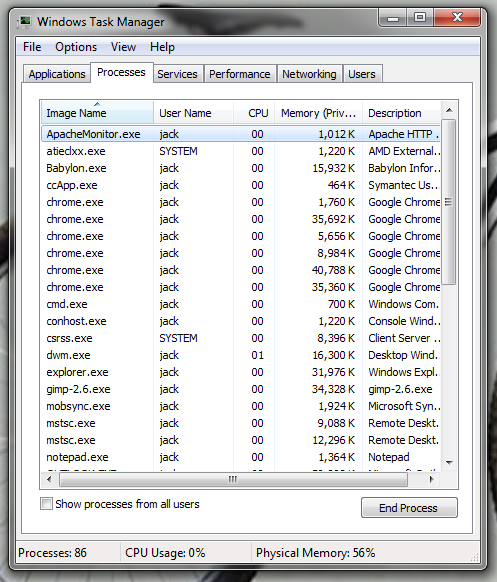
    Quick Tip: Kill rogue processes with taskkill in Microsoft Windows
    Use taskkill to stop a rogue system process in Microsoft Windows 7 when the Task Manager is just not powerful enough.
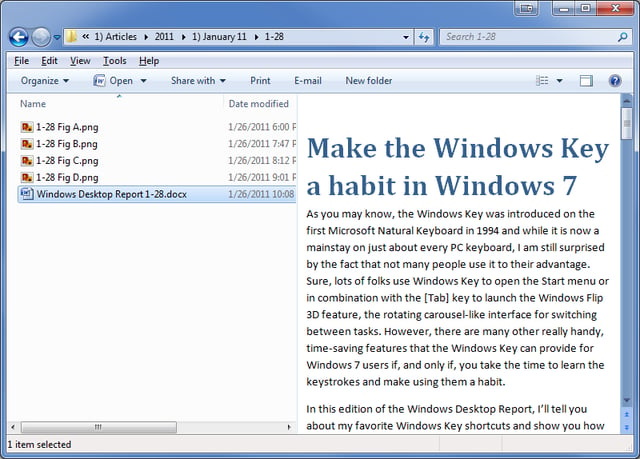
  • Make the Windows Key a good habit in Windows 7

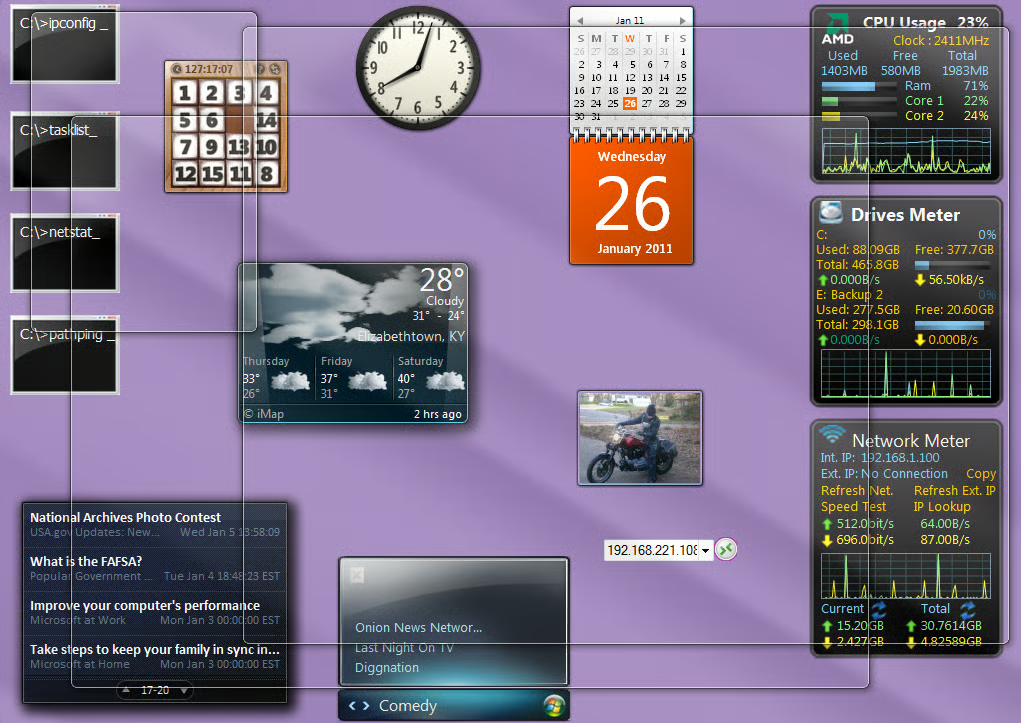
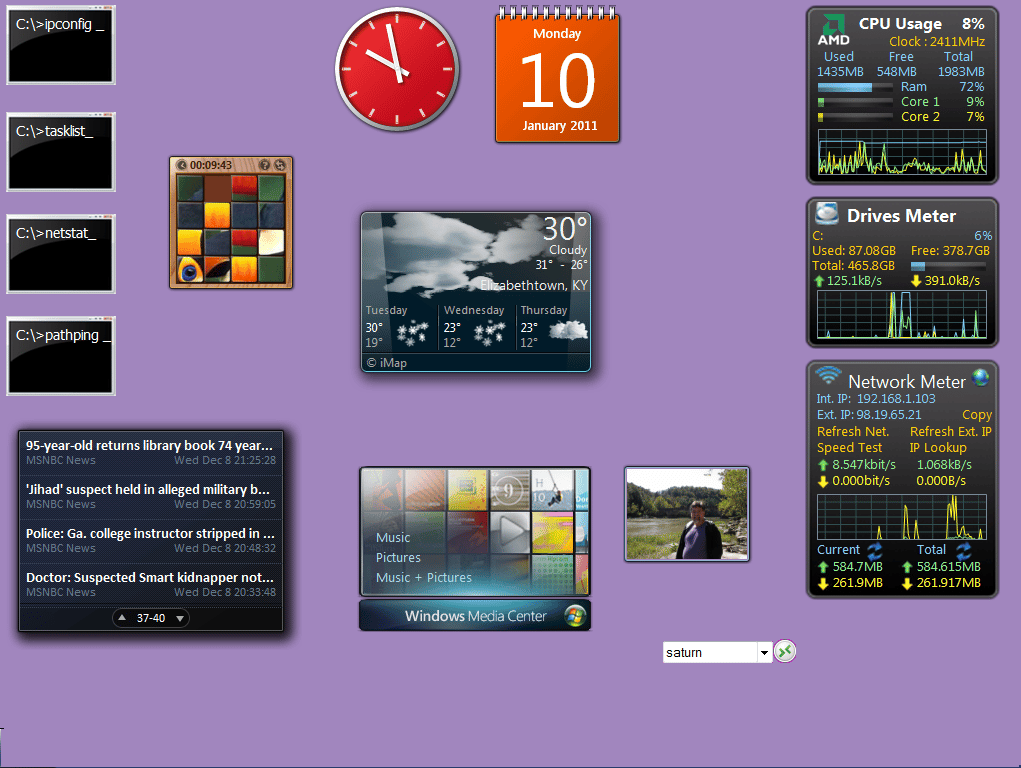
    \n\tWindows + Spacebar activates Aero Peek allowing you to see your Gadgets.
    In this edition of the Windows Desktop Report, Greg Shultz tells you about his favorite Windows Key shortcuts and shows you how to make them habit forming.
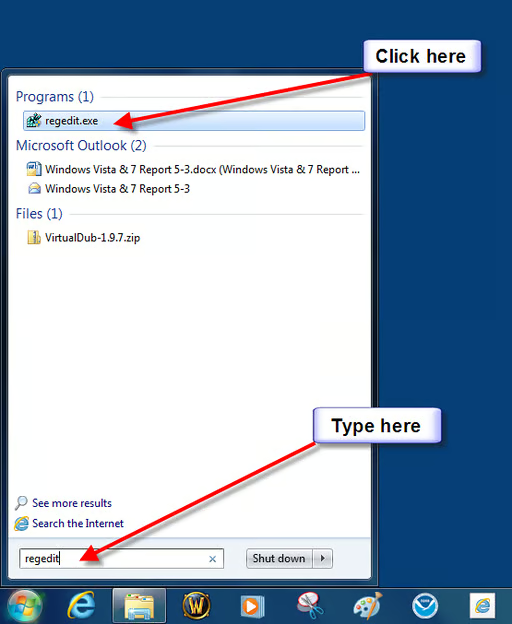
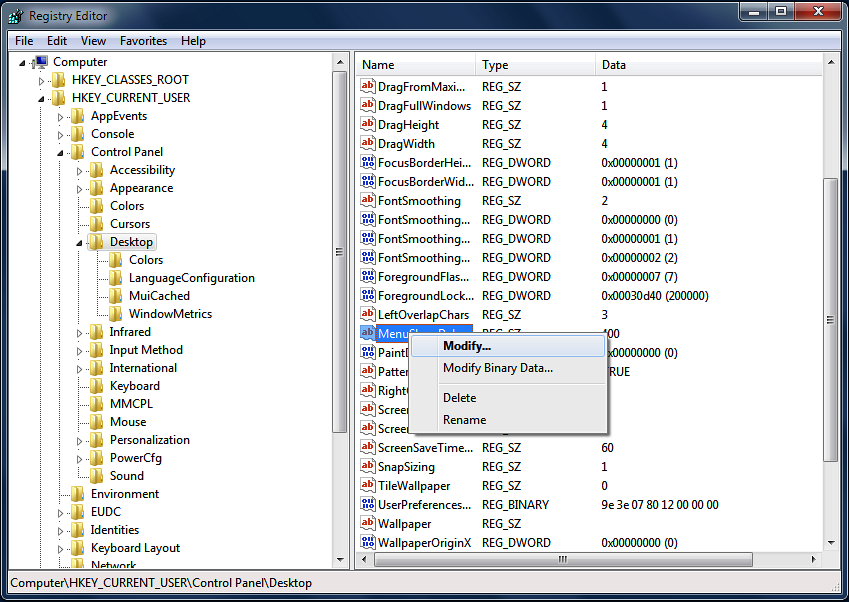
  • Start the registry editor

    \n\tStart the registry editor
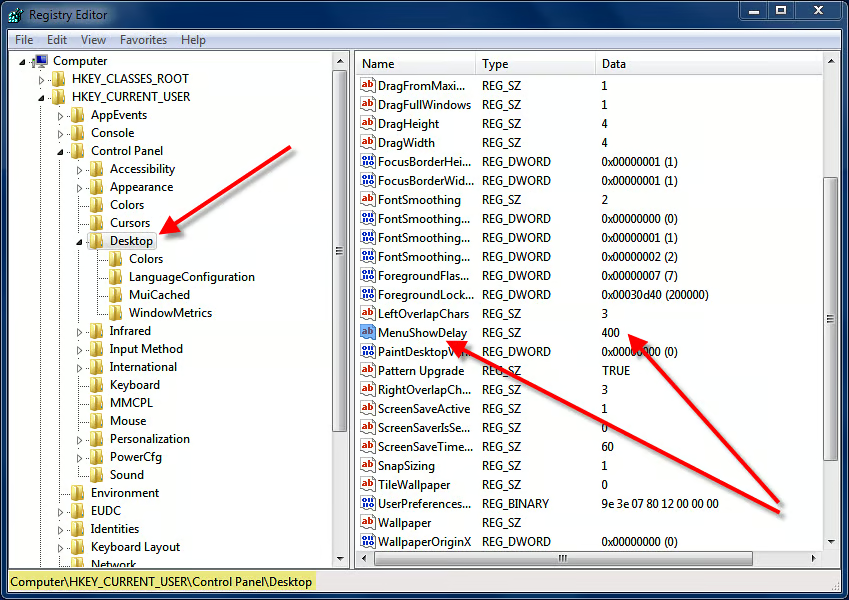
  • MenuShowDelay item

    \n\tMenuShowDelay item

  • \n\tClick Modify

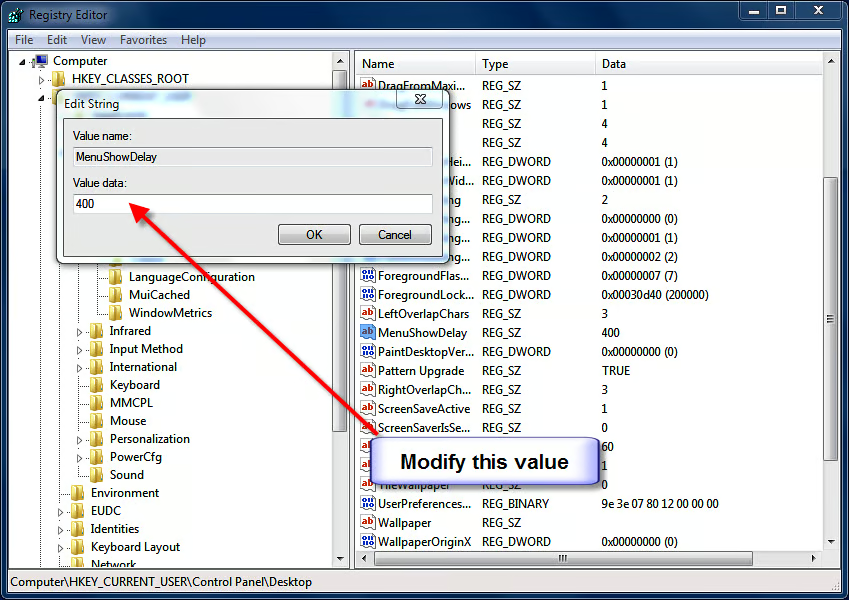
  • Change default value

    \n\tChange default value

  • Preview Pane

    \n\tUse special codes to add commands to the Windows Explorer Command Bar
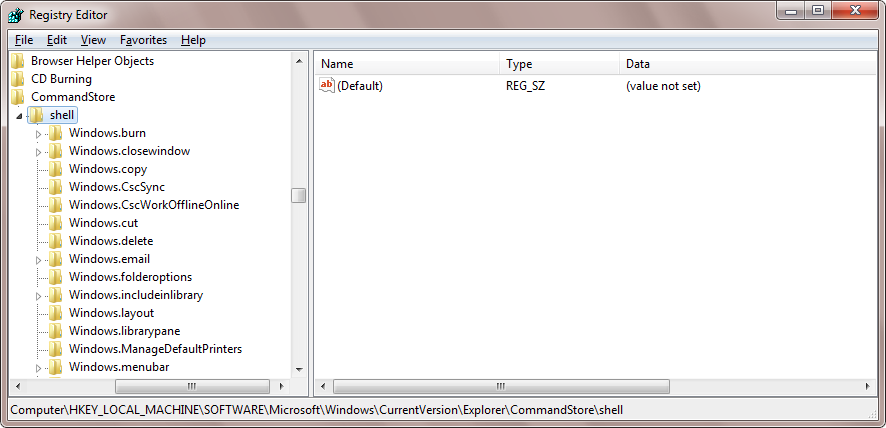
  • CommandStore

    \n\tUse special codes to add commands to the Windows Explorer Command Bar
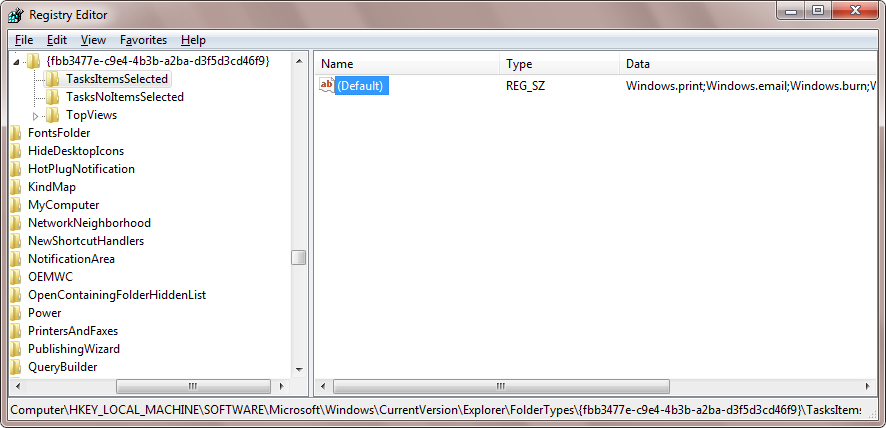
  • TasksItemsSelected

    \n\tUse special codes to add commands to the Windows Explorer Command Bar
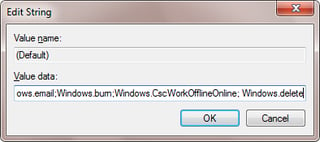
  • Windows.delete code

    \n\tUse special codes to add commands to the Windows Explorer Command Bar
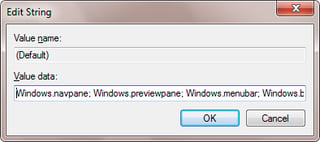
  • Use semi-colons

    \n\tUse special codes to add commands to the Windows Explorer Command Bar
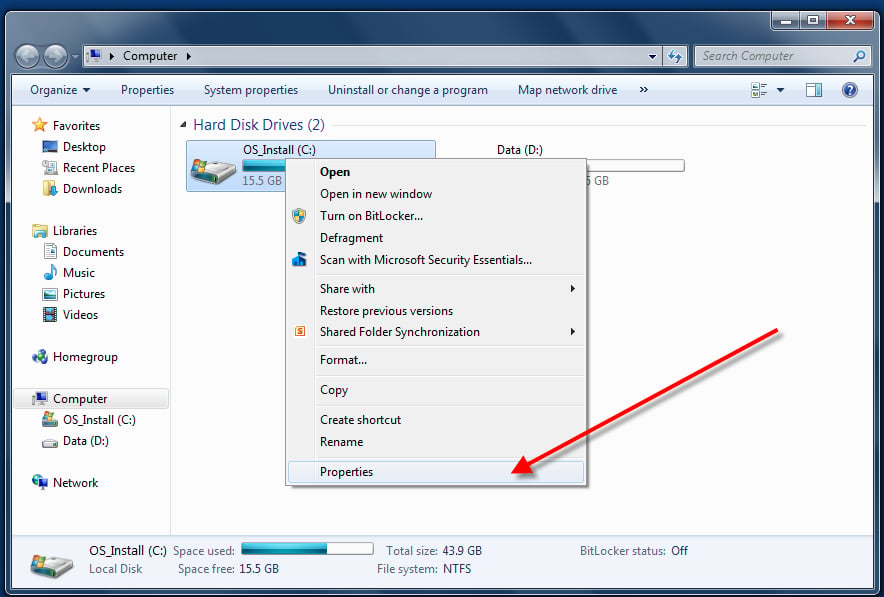
  • Navigate to disk drive properties

    \n\tQuick Tip: Reclaim used hard drive memory with Disk Cleanup
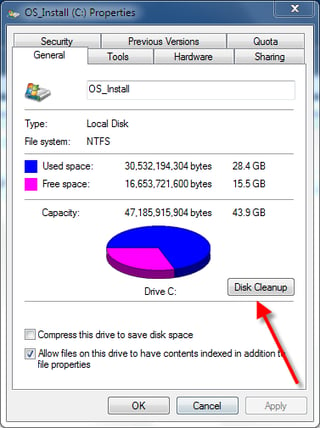
  • Click the Disk Cleanup button

    \n\tQuick Tip: Reclaim used hard drive memory with Disk Cleanup
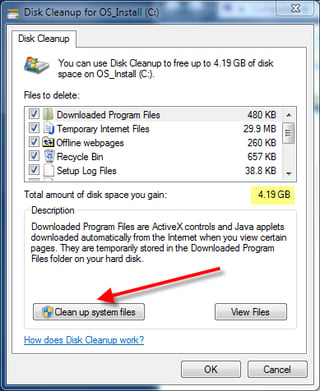
  • Potential additional storage space

    \n\tQuick Tip: Reclaim used hard drive memory with Disk Cleanup
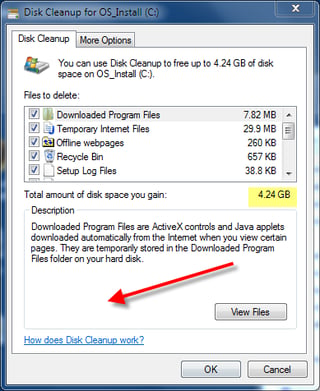
  • Cleaning the system files creates more potential storage

    \n\tQuick Tip: Reclaim used hard drive memory with Disk Cleanup
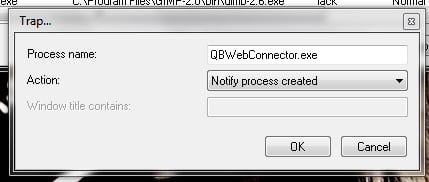
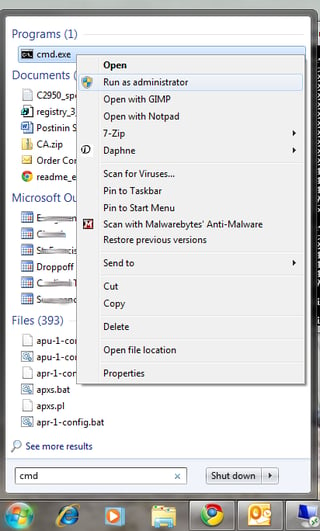
  • Kill and trap rogue processes in Windows with Daphne
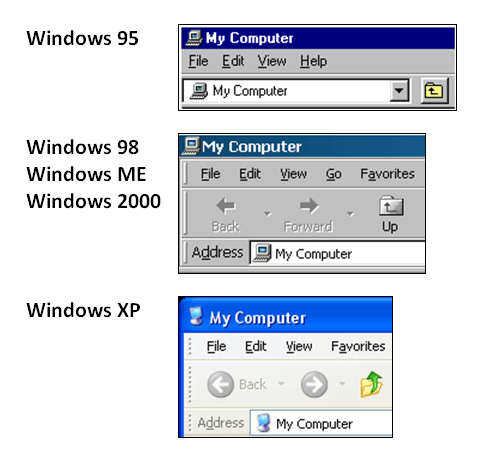
    \n\tKill and trap rogue processes in Windows with Daphne

    It can be very frustrating when a program crashes or refuses to close. A free utility called Daphne can relieve some of that frustration with improved process management in Windows.
  • Why breadcrumb navigation system is better than the Up button
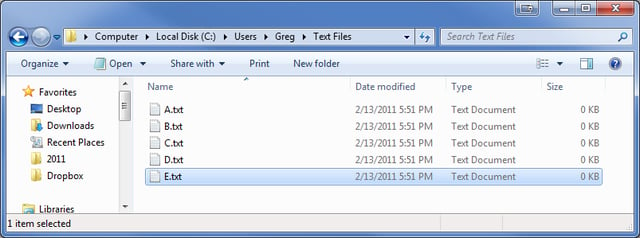
    \n\tWhy breadcrumb navigation system is better than the Up button
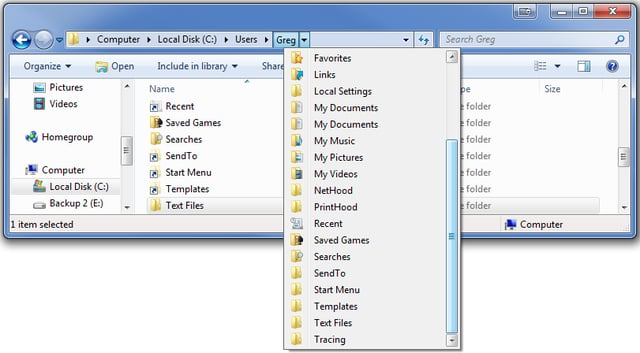
  • Why breadcrumb navigation system is better than the Up button

    \n\tWhy breadcrumb navigation system is better than the Up button
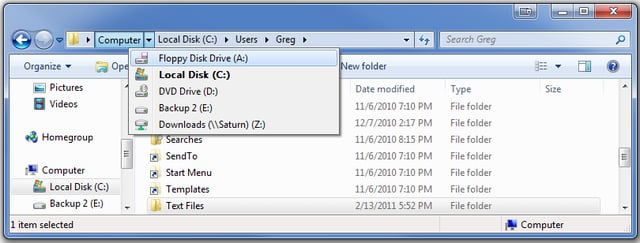
  • Why breadcrumb navigation system is better than the Up button

    \n\tWhy breadcrumb navigation system is better than the Up button
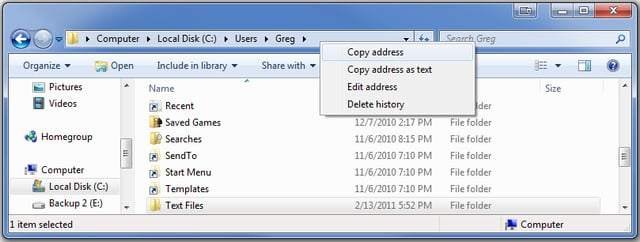
  • Why breadcrumb navigation system is better than the Up button

    \n\tWhy breadcrumb navigation system is better than the Up button
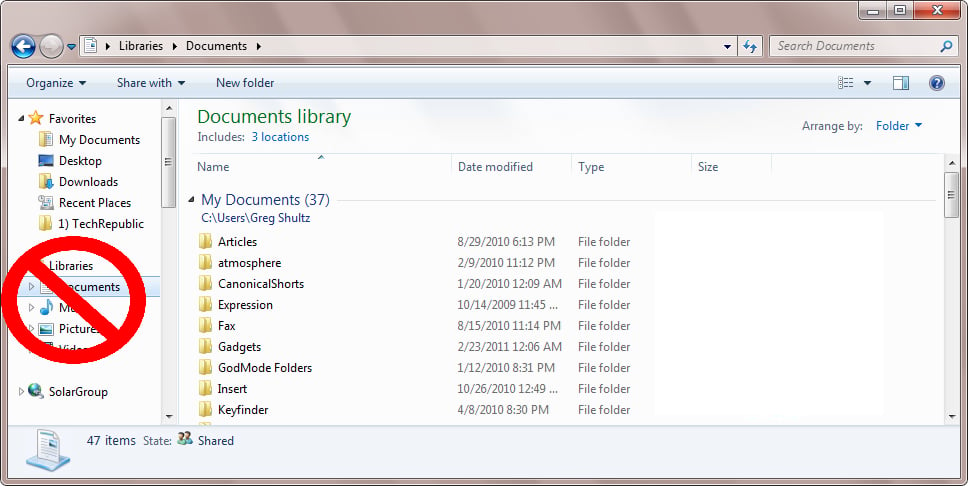
  • Why breadcrumb navigation system is better than the Up button

    \n\tWhy breadcrumb navigation system is better than the Up button

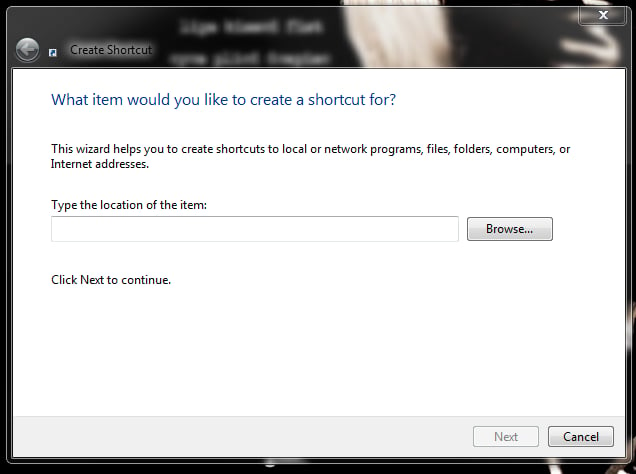
  • Create a shortcut icon to quickly enable and disable the Windows 7 firewall
    \n\tCreate a shortcut icon to quickly enable and disable the Windows 7 firewall

    Jack Wallen shows you how to add desktop icons so that you can quickly enable and disable the Windows 7 firewall.
  • Add the Up Button to the Explorer Command Bar in Windows 7
    \n\tAdd the Up Button to the Explorer Command Bar in Windows 7
    In this edition of the Windows Desktop Report, Greg Shultz tells you to put the Up button on the Command Bar via a little known keyboard shortcut, a short VBScript, and some registry edits.
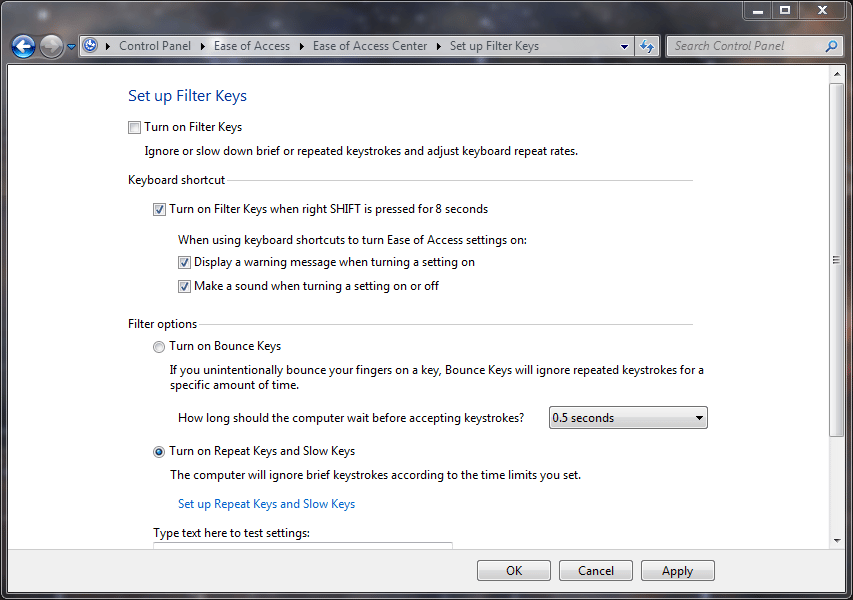
  • Quick Tip: Disable the sticky and filter keys in Windows
    \n\tQuick Tip: Disable the sticky and filter keys in Windows

    While accessibility features are terrific for those who need them, they can be annoyance for those who don't.
  • Take advantage of Search filters in Windows Explorer
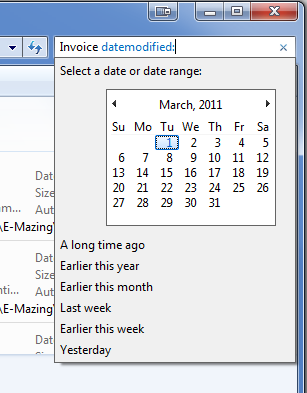
    \n\tTake advantage of Search filters in Windows Explorer

    In this edition of the Windows Desktop Report, Greg Shultz shows you how to use and take advantage of the Search filters built into the Windows 7 Explorer Search Box.
  • Poll Results: Is the beta Internet Explorer 9 as bad as I think it is?
    \n\tPoll Results: Is the beta Internet Explorer 9 as bad as I think it is?

    See how your TechRepublic peers answered this question: Is the beta Internet Explorer 9 as bad as I think it is?
  • Quick Tip: Change Stacked Window behavior in the Windows 7 taskbar
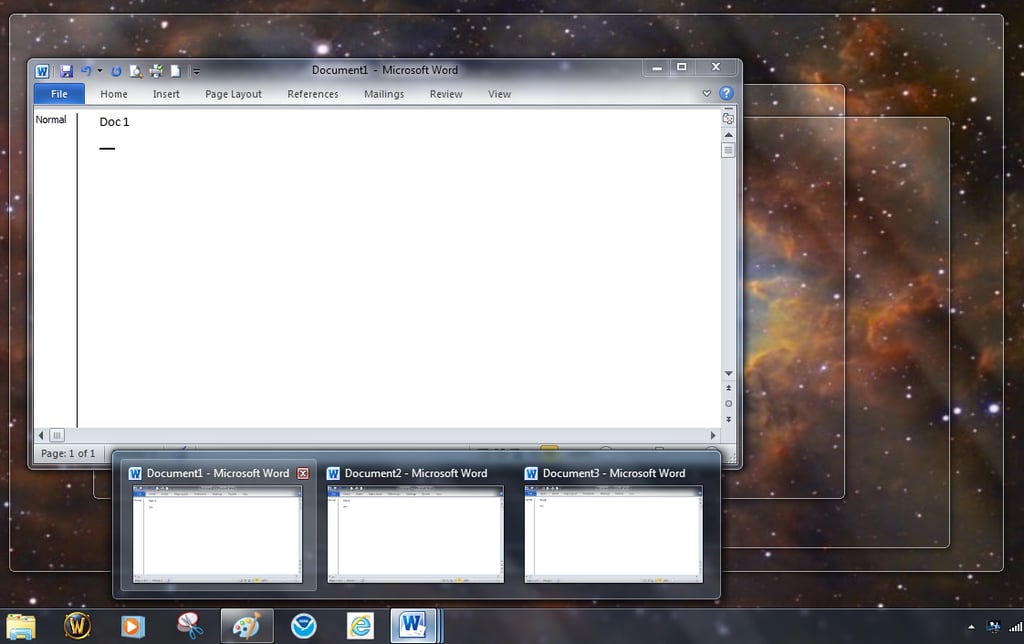
    \n\tQuick Tip: Change Stacked Window behavior in the Windows 7 taskbar

    The Windows 7 Taskbar is great feature, but you may want to tweak one of its default behaviors with this registry edit.
  • \n\tWeed through your files with the Windows Explorer Arrange by feature
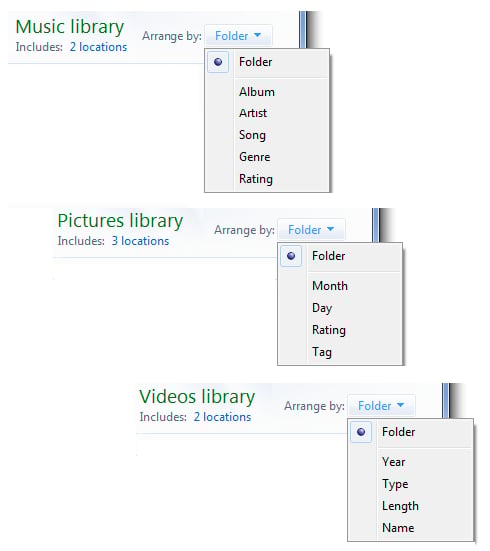
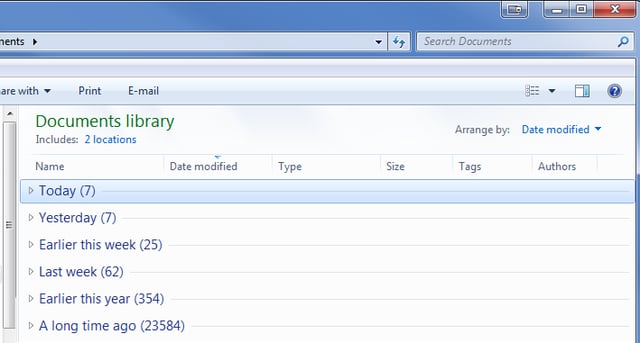
  • Weed through your files with the Windows Explorer Arrange by feature

    \n\tWeed through your files with the Windows Explorer Arrange by feature
    In this edition of the Windows Desktop Report, Greg Shultz shows you how to take advantage of Windows Explorer's Arrange By feature to weed through the data files stored on your hard disk.
  • Quick Tip: Take advantage of the Windows Mobility Center for quick reconfiguration
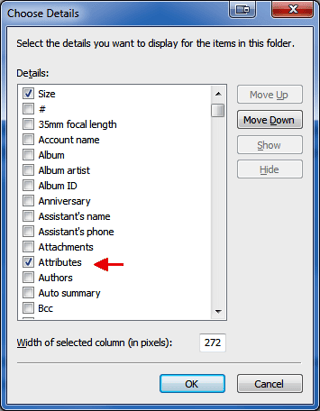
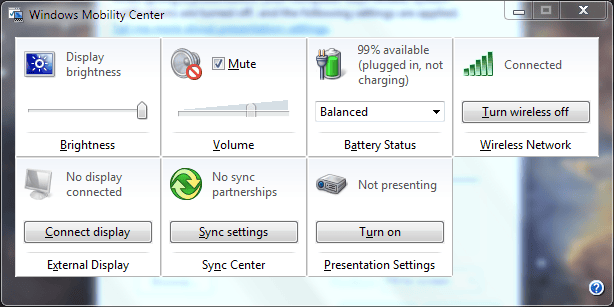
    \n\tQuick Tip: Take advantage of the Windows Mobility Center for quick reconfiguration

    The Windows Mobility Center can save you some time and embarrassment when you give your next presentation using your notebook computer.
  • Weed through your files Part Two: Windows 7 Group By and Filter features
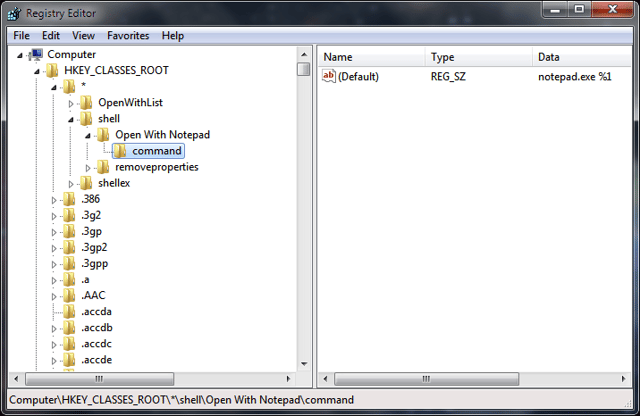
    \n\tWeed through your files Part Two: Windows 7 Group By and Filter features
    In this edition of the Windows Desktop Report, Greg Shultz explains how the Group By and Filter features of Windows 7's Windows Explorer work and shows you how to effectively use them.
  • Remove applications from the Open With List in Windows Explorer
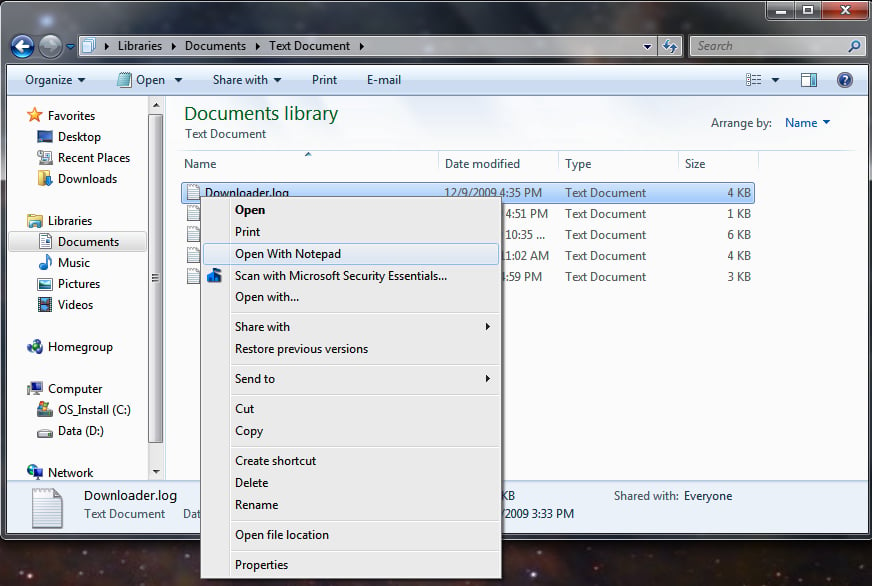
    \n\tRemove applications from the Open With List in Windows Explorer

    Sometimes your Windows Explorer's Open With list can get cluttered with applications that don't match the file they are associated with. Mark Kaelin shows you how to fix that.
  • Tag your files for easier searches in Windows 7
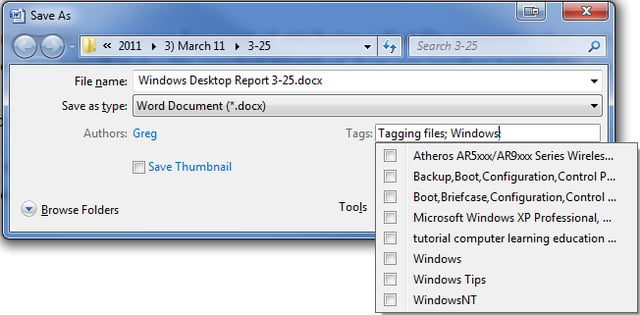
    \n\tTag your files for easier searches in Windows 7

    In this edition of the Windows Desktop Report, Greg Shultz shows you how you can Tag your files in Windows 7 using tools built into Windows Explorer.
  • Disable the Windows Mobility Center with a registry tweak
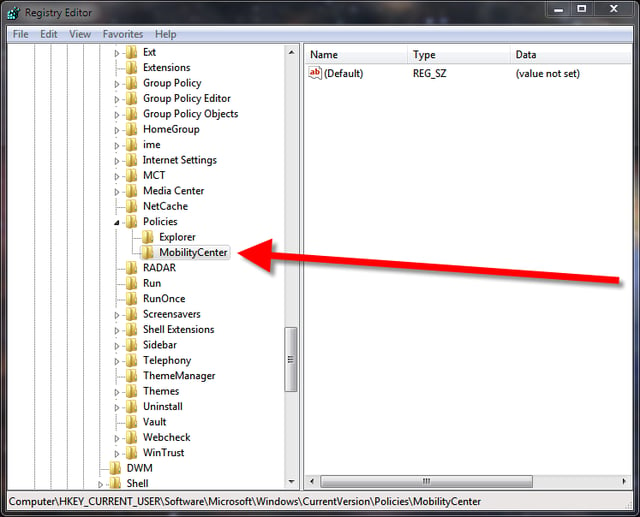
    \n\tDisable the Windows Mobility Center with a registry tweak

    To disable the Windows Mobility Center you only need to make one tweak to the Windows Registry file. Mark Kaelin shows you how in this Quick Tip.
  • Quick Tip: Block unwanted sites using the Windows hosts file
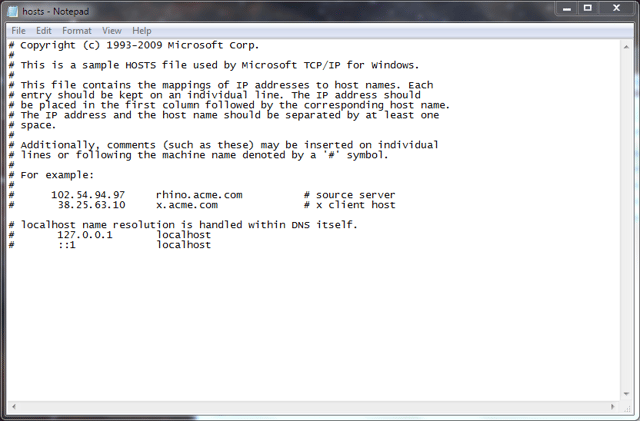
    \n\tQuick Tip: Block unwanted sites using the Windows hosts file

    By adding entries to the Windows hosts file, you can block access to specific unwanted or known malware-infested websites. Jack Wallen explains how it works.
  • Fine tune the Windows 7 Search Index for better performance
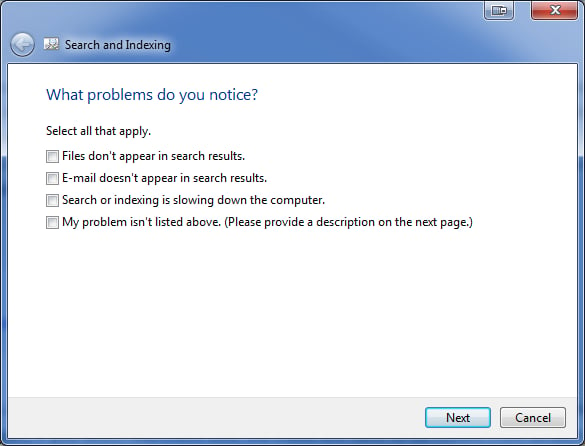
    \n\tFine tune the Windows 7 Search Index for better performance

    In this edition of the Windows Desktop Report, Greg Shultz shows you how to delve in and begin tuning the Windows 7 Search Index.
  • Poll Results: Which search engine is the default on your browser?
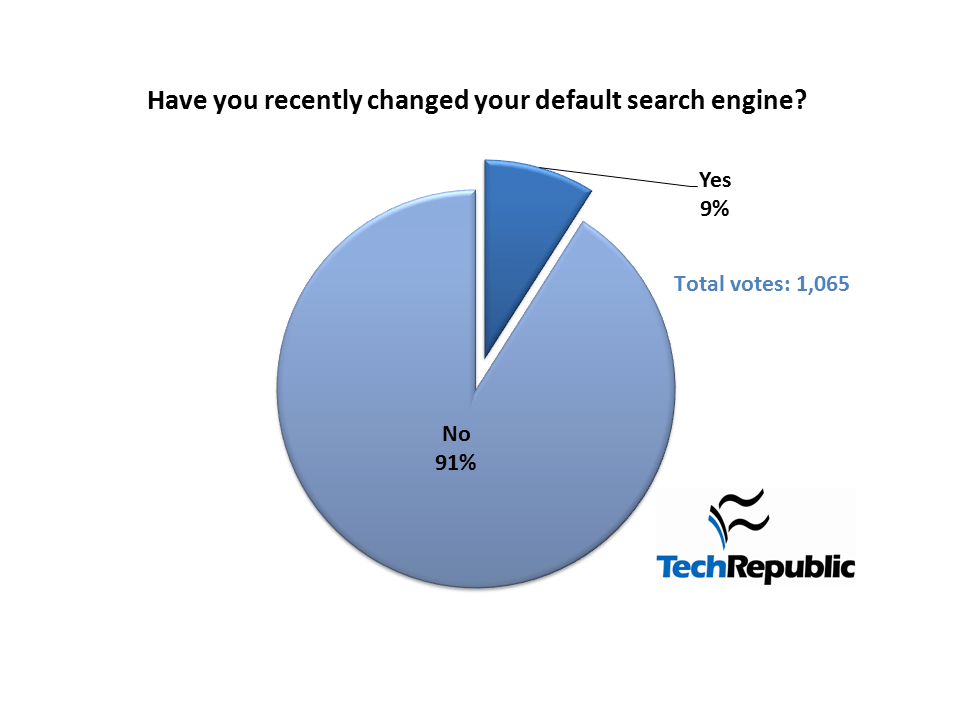
    \n\tPoll Results: Which search engine is the default on your browser?

    See how your TechRepublic peers answered this question: Which search engine is the default on your browser?
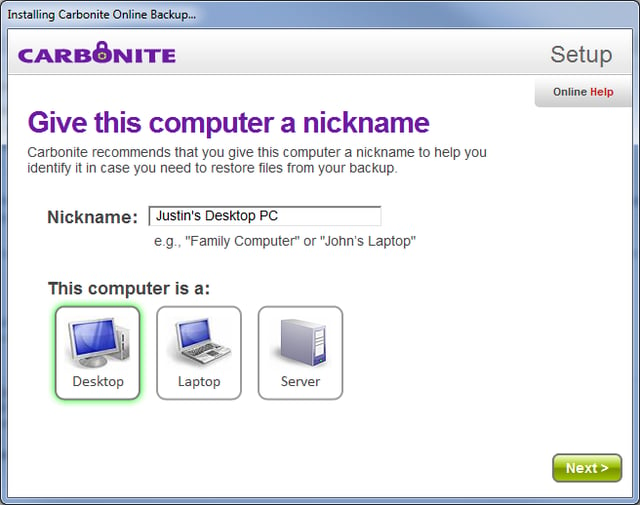
  • Review: Carbonite offsite data backup and recovery
    Review: Carbonite offsite data backup and recovery

    Carbonite is a good option for PCs in homes or small offices that lack central management or storage. Justin James explains in this Product Spotlight.
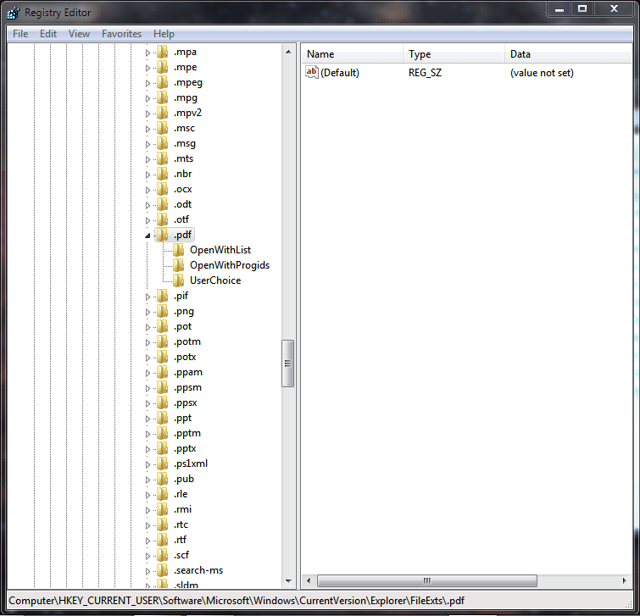
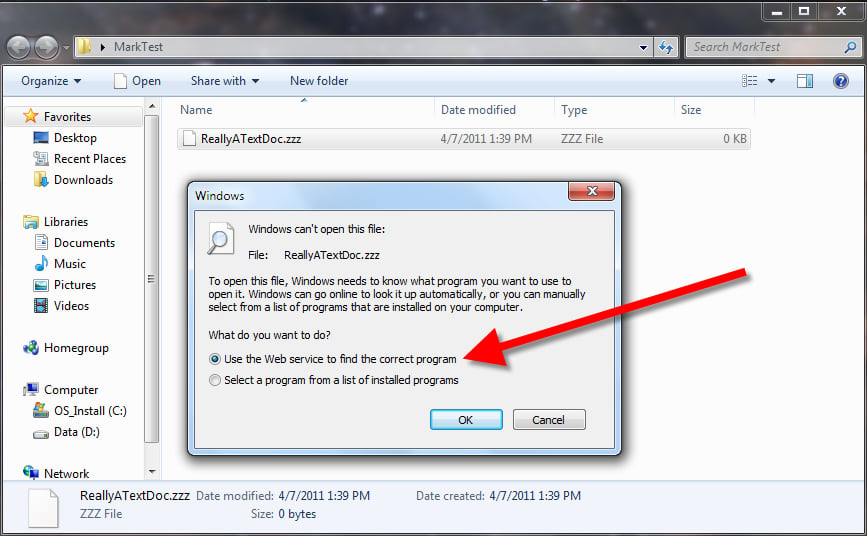
  • Quick Tip: A registry tweak to make application choices more efficient in Windows
    \n\tQuick Tip: A registry tweak to make application choices more efficient in Windows

    With a simple tweak to the Windows Registry, you can make choosing an application to run an unknown file type much more efficient and a little less annoying.
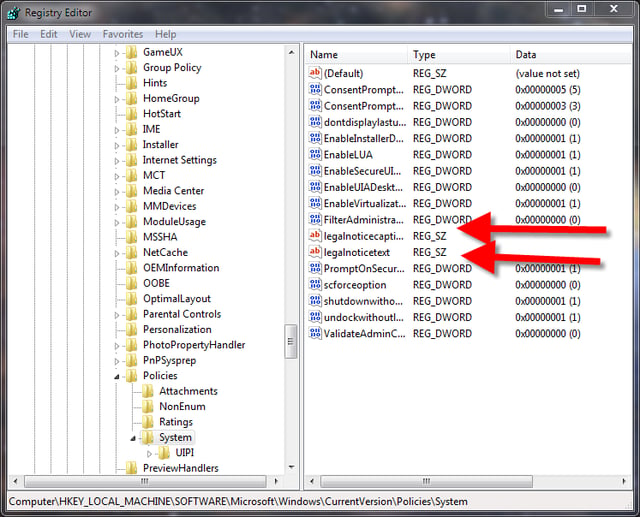
  • Quick Tip: Create a logon message in Windows 7
    \n\tQuick Tip: Create a logon message in Windows 7

    In certain situations you will want to convey information to users before they log on to a system. Here is how you create that message.
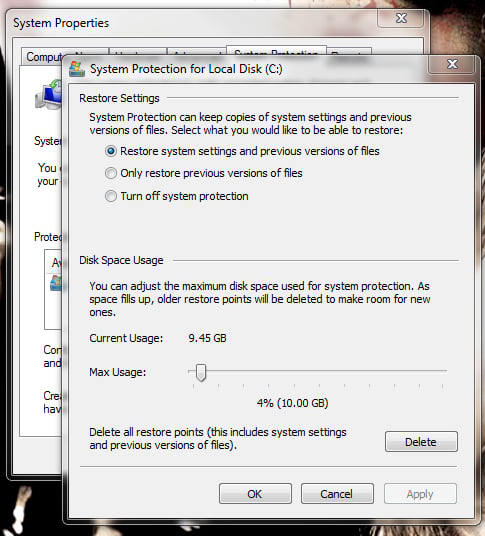
  • Quick Tip: Shrink the size used by Windows 7 System Restore

    \n\tQuick Tip: Shrink the size used by Windows 7 System Restore

    Jack Wallen shows you how to shrink the maximum size allowed for System Restore so that you can get back space on a hard drive when space is at a premium.
  • Decipher Svchost processes in Windows with Svchost Viewer

    \n\tDecipher Svchost processes in Windows with Svchost Viewer
    In this edition of the Windows Desktop Report, Greg Shultz shows you how to use Svchost Viewer to track down detailed information about any Svchost.exe process running in Windows 7.
  • Use a USB Flash Drive to create Windows Password Reset Disk in Windows 7
    \n\tUse a USB Flash Drive to create Windows Password Reset Disk in Windows 7
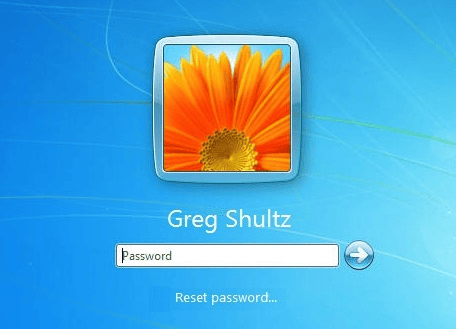
    In this edition of the Windows Desktop Report, Greg Shultz shows you how to create and use a Password Reset Disk in Windows 7 using a USB Flash Drive rather than a CD or floppy disk.
  • Troubleshoot Windows 7 with the built-in Problem Steps Recorder

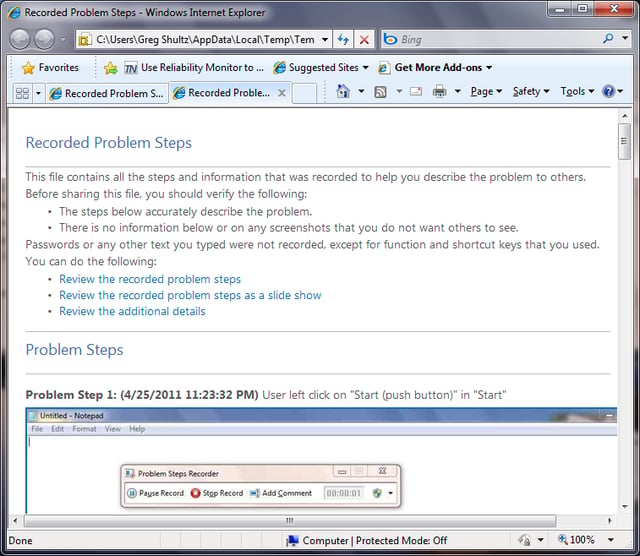
    In this edition of the Windows Desktop Report, Greg Shultz shows you how the Windows 7's Problem Steps Recorder works and how it can help you troubleshoot.
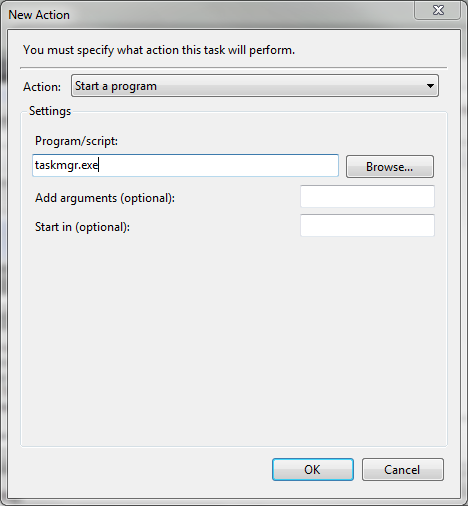
  • Create a desktop icon to open Windows 7 Task Manager in All Users view

  • Create a desktop icon to open Windows 7 Task Manager in All Users view

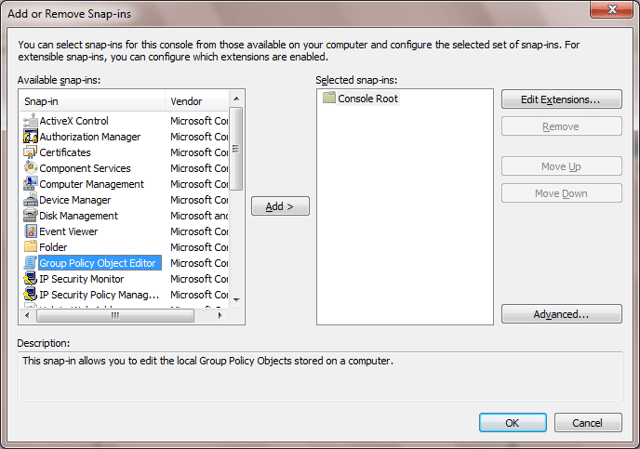
  • Explore the benefits of the Multiple Local Group Policy feature in Windows 7

    In this edition of the Windows Desktop Report, Greg Shultz explains how Multiple Local Group Policy works in Windows 7.
  • Quick Tip: Tweak the Windows Registry to allow more Recent Items on the Start Menu

    For some reason, Windows 7 does not have a built-in way to adjust the number of Recent Items listed on the Start Menu. Mark Kaelin shows you how to do it yourself with a registry tweak.
  • Poll Results: Is there a market for Windows 8 or is Microsoft playing with fire?

    See how your TechRepublic peers answered this question: Is there a market for Windows 8 or is Microsoft playing with fire?
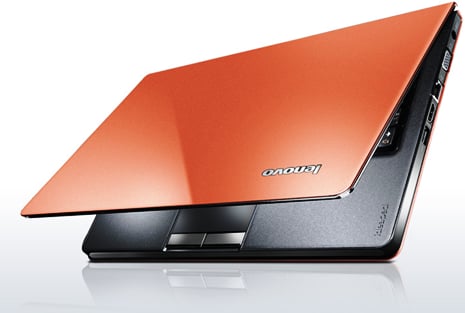
  • Review: Lenovo IdeaPad U260

    The Lenovo IdeaPad U260 is a lightweight, durable, and attractive laptop and is excellent for business professionals who don't wish to lug around a heavy laptop, yet still desire solid performance.
  • Augment your data storage options with Windows 7 Live File System format

    In this issue of the Windows Desktop Report, Greg Shultz describes how the Windows 7 Live File System format works and how you can use it for backups or additional storage.
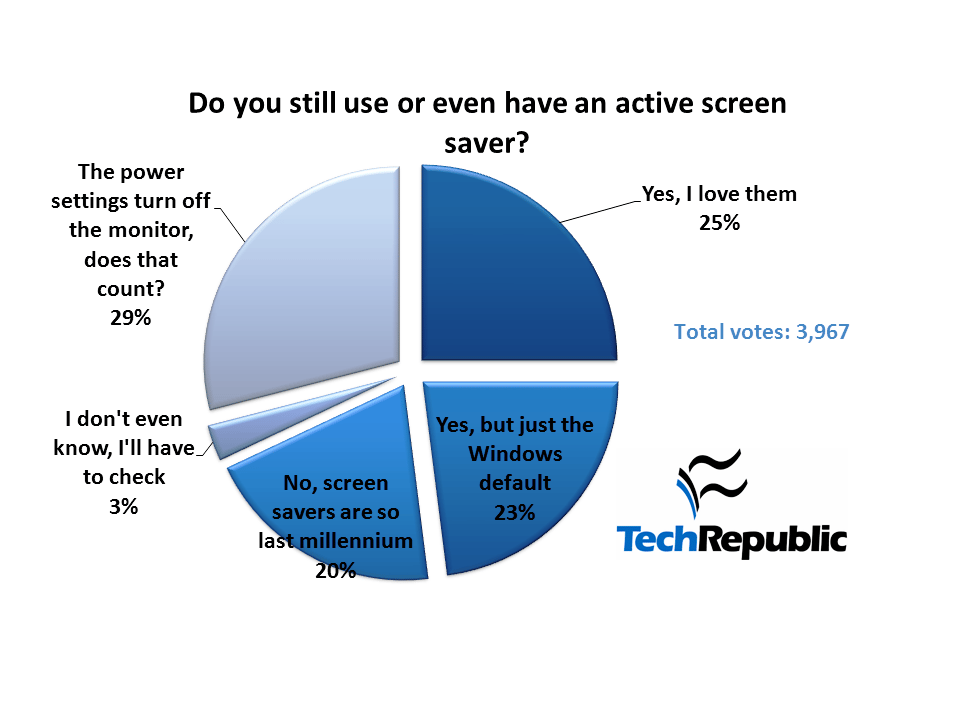
  • Poll Results: Do you still use or even have an active screen saver?

    See how your TechRepublic peers answered this question: Do you still use or even have an active screen saver?
  • Exert control and defrag from the command line in Windows 7

    Using the options available from the command line version of the Windows 7 defragmentation utility you have much more control over the maintenance of your storage devices.
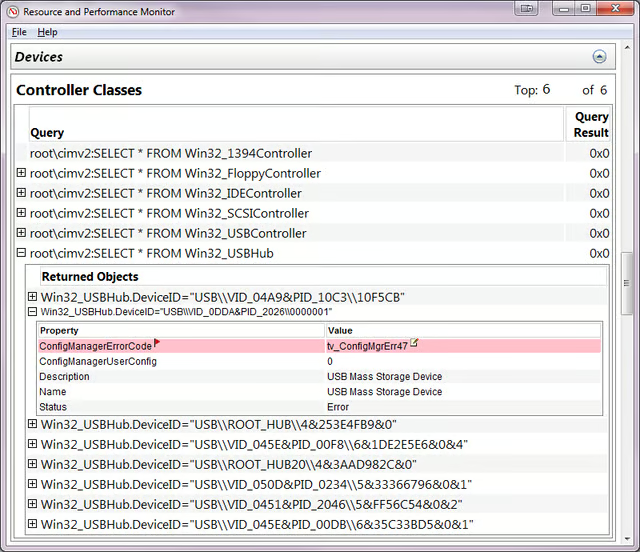
  • Troubleshoot instantly with the Windows 7 System Diagnostic Report

    In this edition of the Windows Desktop Report, Greg Shultz shows you how to use the System Diagnostic Report to gather troubleshooting information on-the-fly.
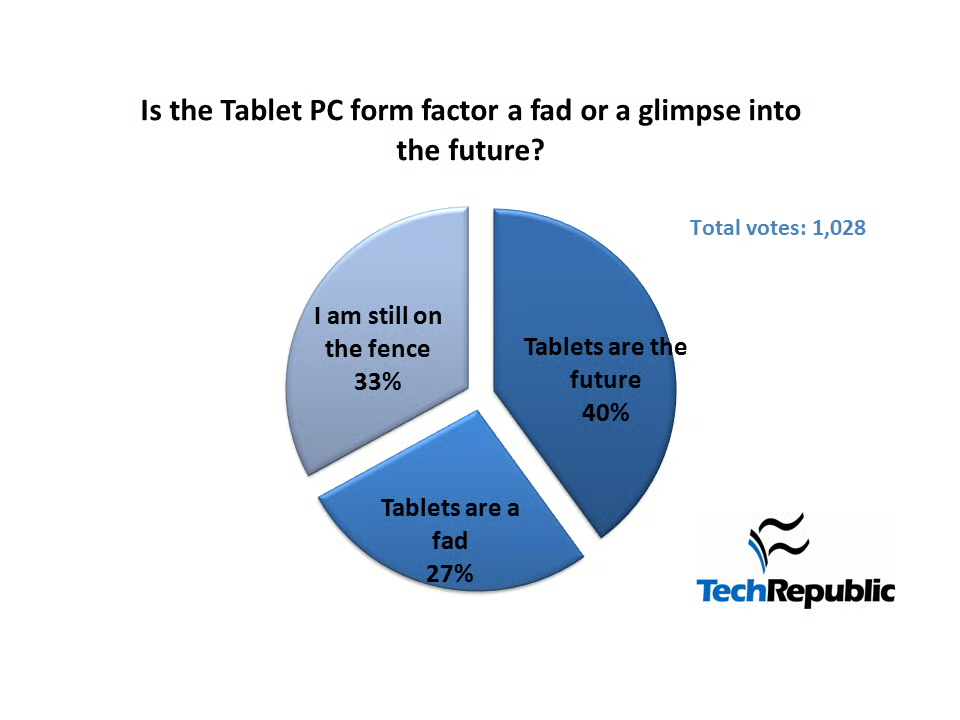
  • Poll Results: Is the Tablet PC form factor a fad or a glimpse into the future?

    See how your TechRepublic peers answered this question: Is the tablet PC form factor a fad or a glimpse into the future?
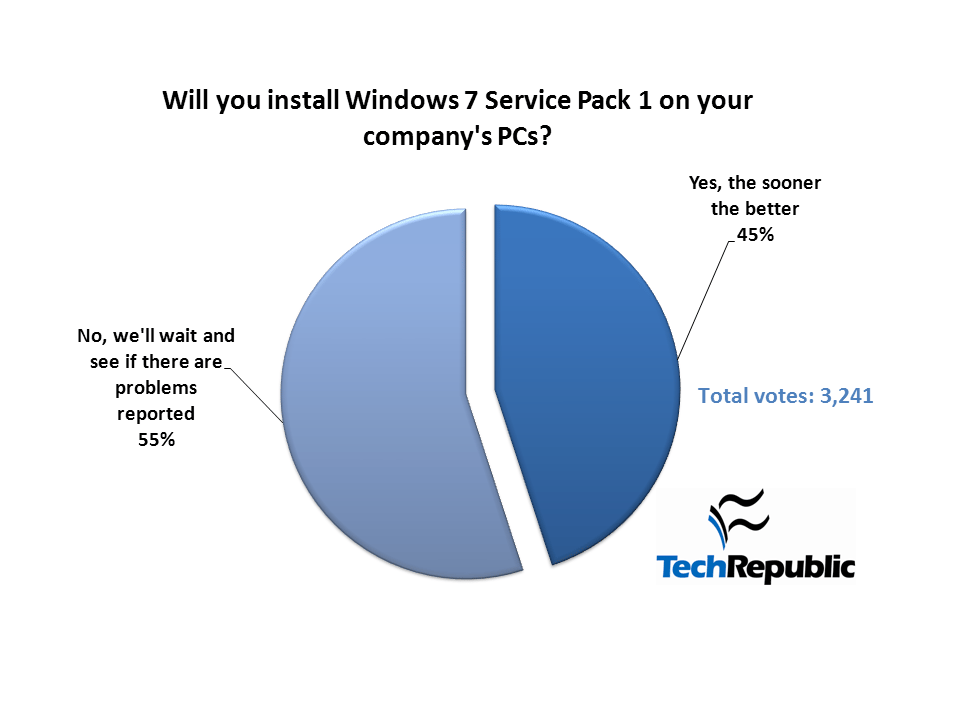
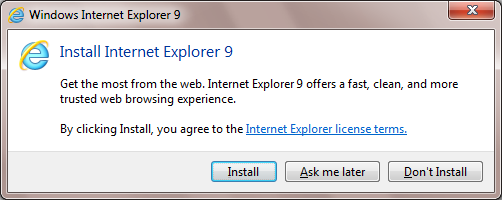
  • Prevent the automatic delivery of Windows Internet Explorer 9 in Windows 7

    In this edition of the Windows Desktop Report, Greg Shultz shows you how to use the Internet Explorer 9 Blocker Toolkit to prevent the automatic delivery of Internet Explorer 9 on a Windows 7 system.
1 of 76
Mark W. Kaelin

Mark W. Kaelin has been writing and editing stories about the information technology industry, software, hardware, gaming, finance, accounting, and technology geekdom for more than 30 years.