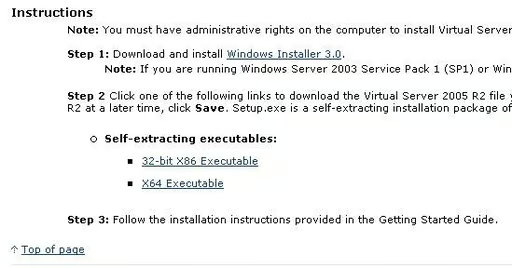
There are both 32-bit and 64-bit versions of Virtual Server. You must select the version that matches the underlying Windows operating system.
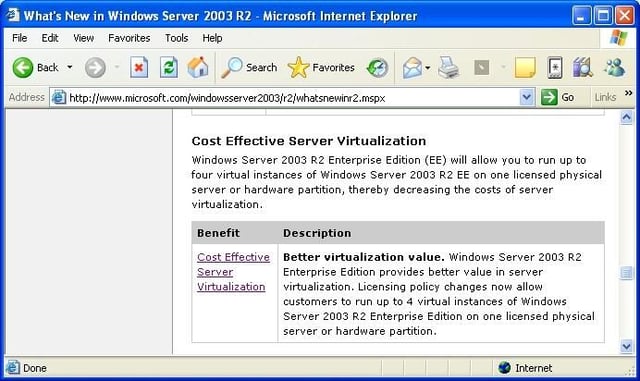
Each physical Windows 2003 R2 Server is licensed to run up to four virtual server instances.
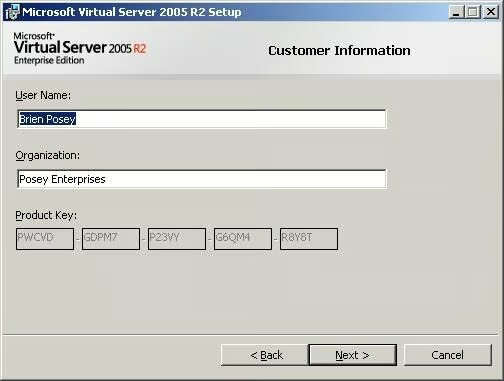
Virtual Server truly is free. You don’t even have to enter a product key!
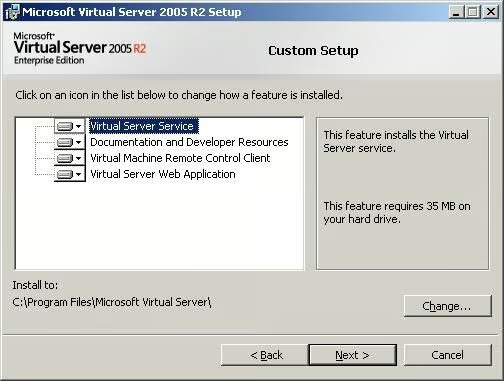
Although Virtual Server is easy to use, there are a number of optional components that you can install.
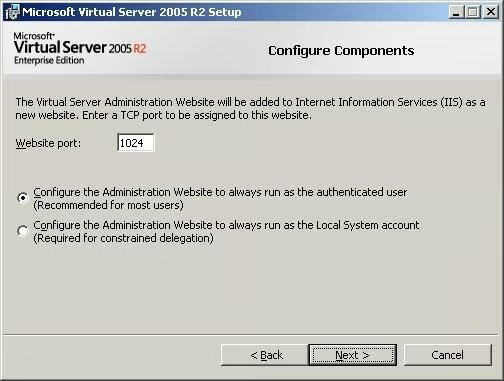
If you want to use the Web component, you must make note of the port that will be used. You must also make a decision regarding authentication.
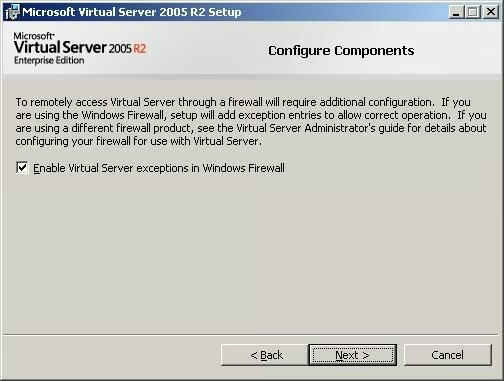
The installer can automatically create the necessary exception rules for the Windows firewall.
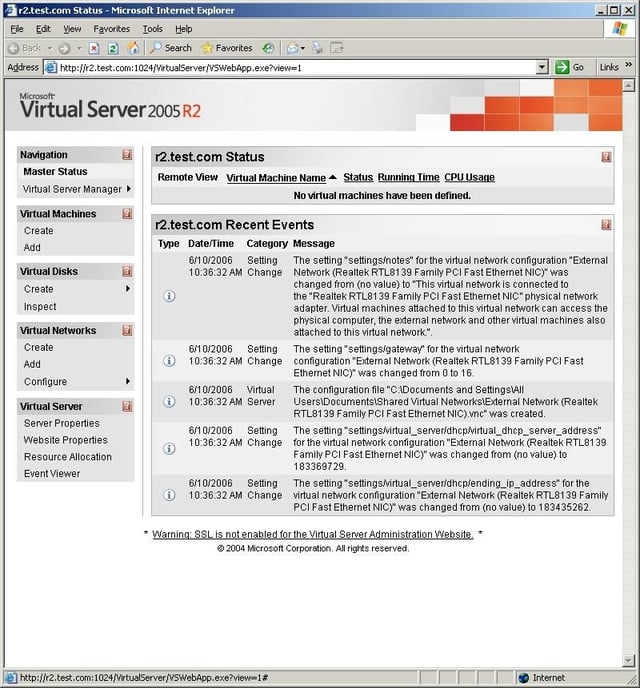
Virtual Server is managed through a Web interface.
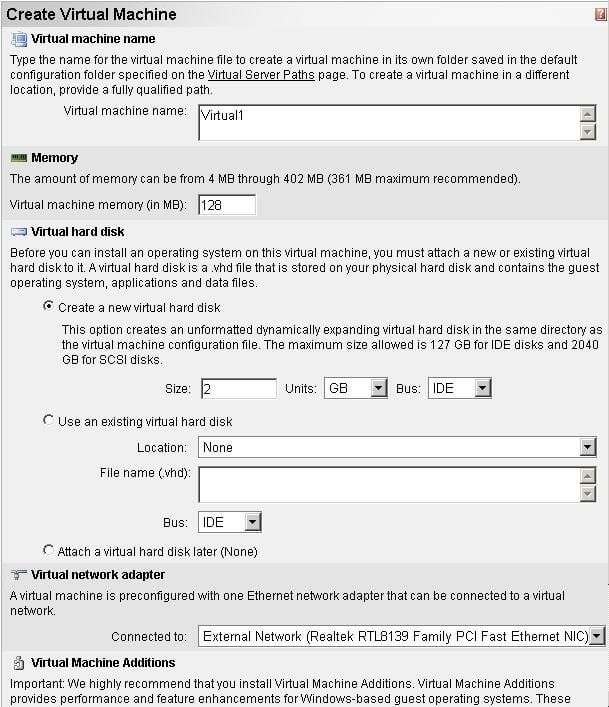
You can use the Web interface to create a new virtual server.
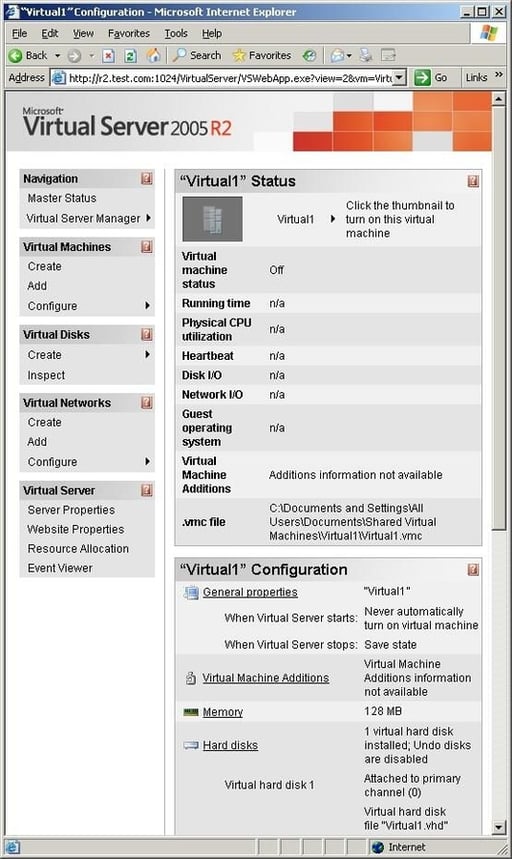
After creating a new virtual machine, you will see a summary of it’s settings.
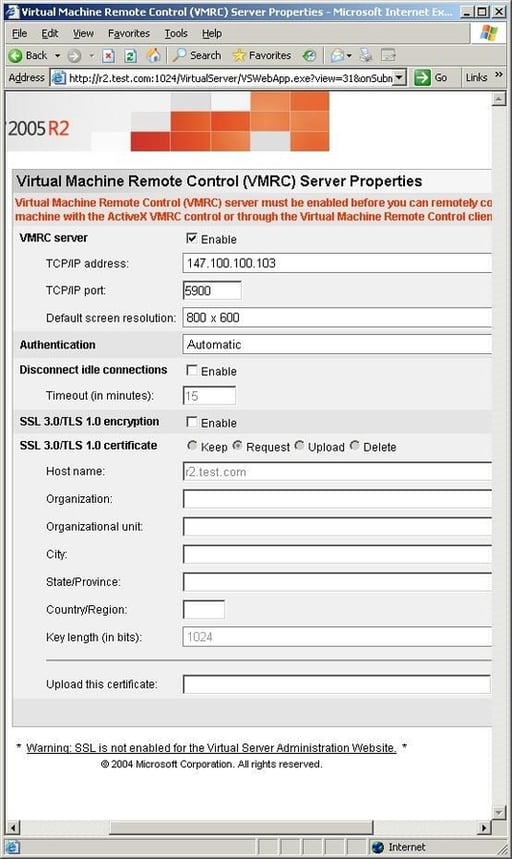
You must enable Virtual Machine remote control before you can install an operating system onto your virtual server.
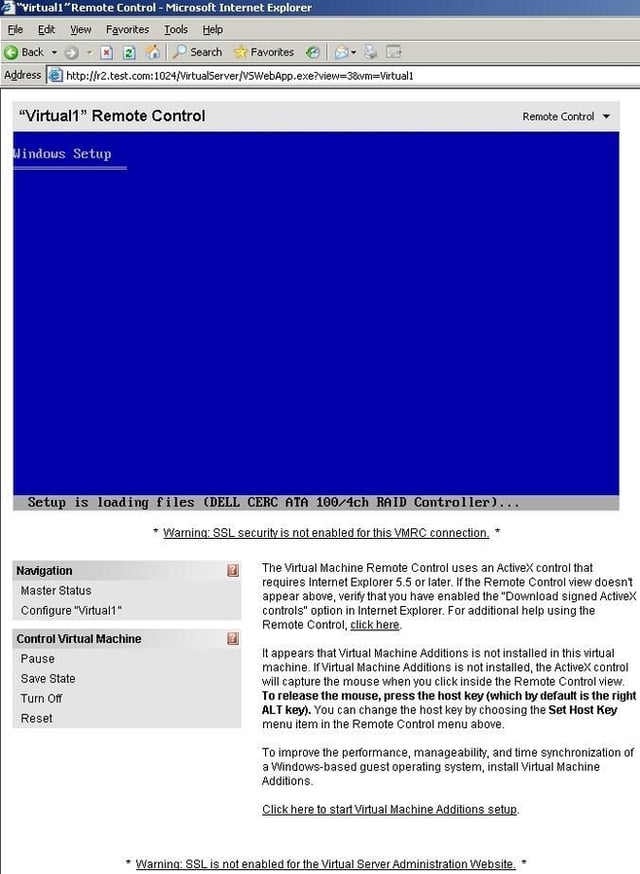
This is what a remote control session looks like.
When you click on the virtual server, it takes control of your mouse and keyboard. The only way to regain control outside of the virtual server is to use your right ALT key.
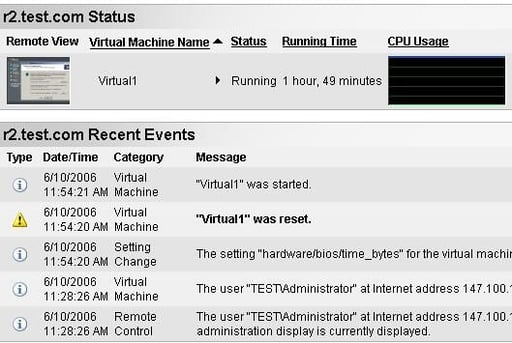
The Virtual Server interface contains a server wide status screen. This screen shows you which virtual servers are running, how long they have been running for, the current CPU consumption level, and events related to virtual servers.
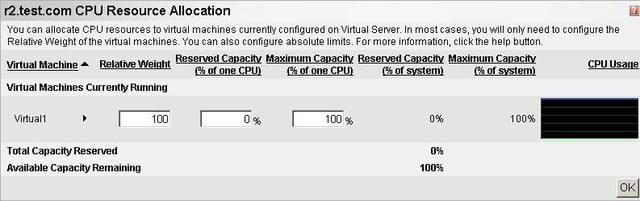
Virtual Server allows you to reserve CPU resources on a per virtual server basis. You can also set limits to prevent a virtual server from consuming an excessive amount of CPU time.
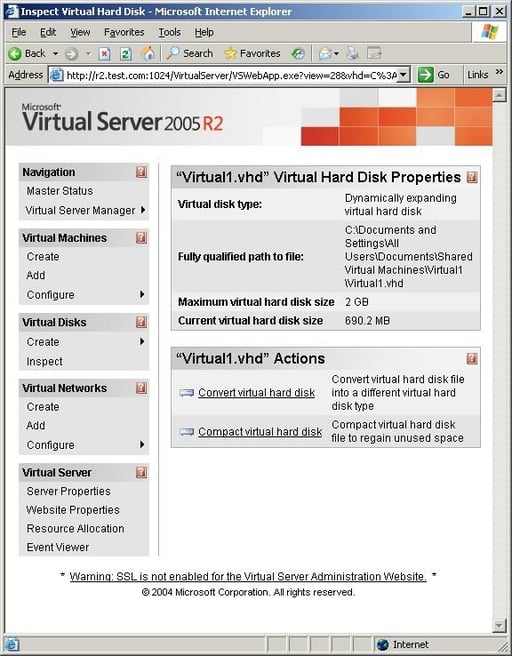
The management console allows you to view the status of virtual hard drives and compact the drives if necessary.
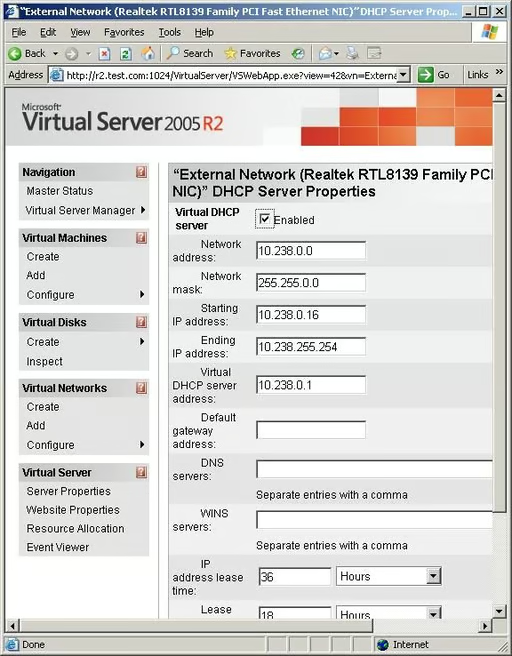
Virtual Server has a built in virtual DHCP server that can be used to automatically assign IP addresses to your virtual servers.
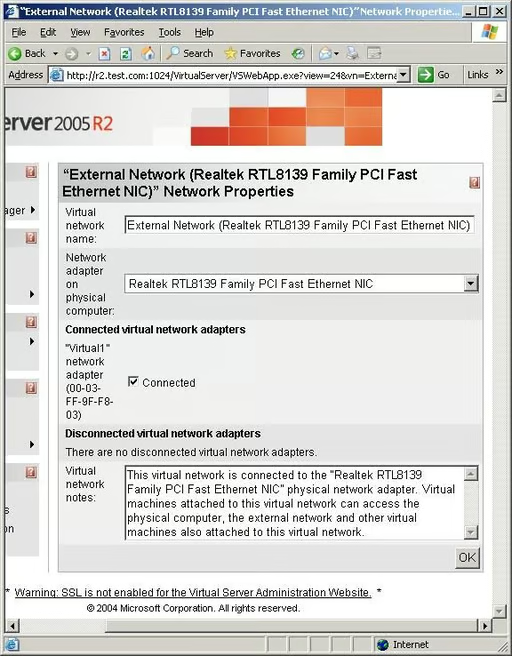
Virtual servers can be configured to use your server’s primary network interface to gain access to external resources.
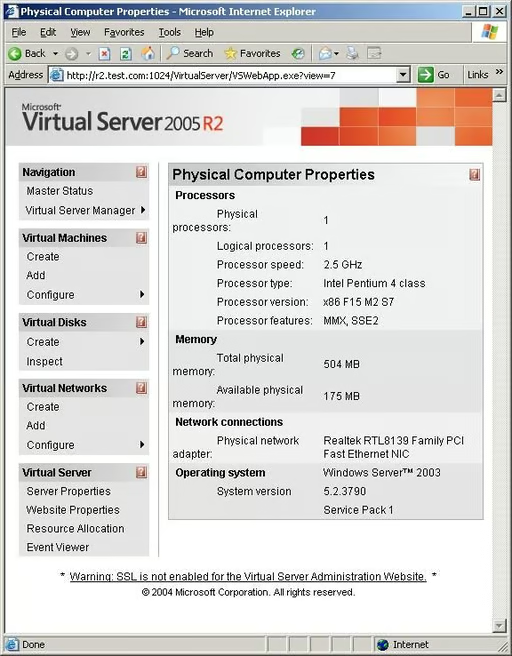
The management console can display the physical computer’s hardware specifications. These specs should be treated with caution though. In this screen capture, my server’s memory is being reported incorrectly.

* 1988 - Started teaching myself about computers \ * 1992 - Mainframe programmer for an insurance company \ * 1993 - Network Administrator for a different insurance company \ * 1996 - Author for The Cobb Group \ * 1998 - Network Administrator for Fort Knox \ * 1999 - CIO for chain of hospitals \ * 2000 - Gave up the corporate rat race to work out of my home. I have been a full time technical author ever since. Visit my Web sites at http://www.brienposey.com and http://www.relevanttechnologies.com \


