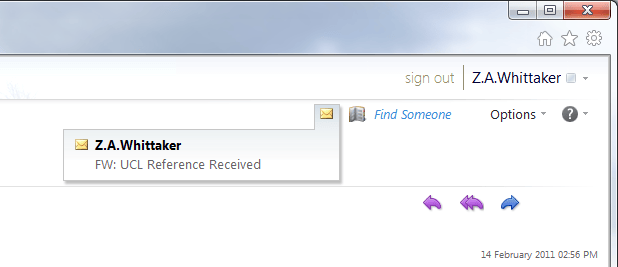
\n\tEmail notifications still come through but are more pronounced and clear at the top of the themed bar. All notifications are in this top right hand corner of the screen.
\n
\n\t—
\n\tTo read more about the new features available in Outlook Live (R5) released recently to all Live@edu students in waves, read the iGeneration blog where it explains all.
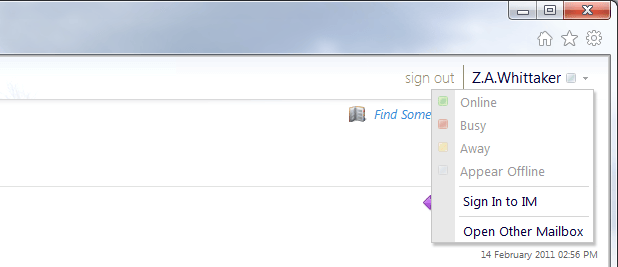
\n\tChat notifications have also been inproved. Chat now interacts seamlessly with other instant messaging providers just as Windows Live Messenger can do now.
\n
\n\t—
\n\tTo read more about the new features available in Outlook Live (R5) released recently to all Live@edu students in waves, read the iGeneration blog where it explains all.
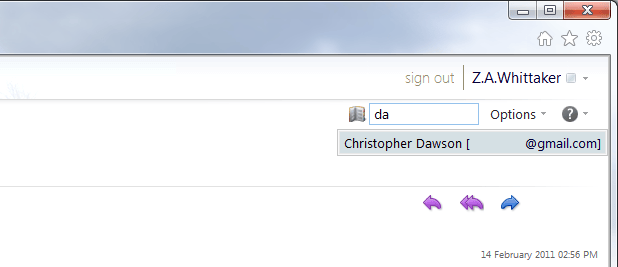
\n\tInstant search allows you to type in someones name and it instantly appears with their email address. From here you can view their contact card if they have one or send them email.
\n
\n\t—
\n\tTo read more about the new features available in Outlook Live (R5) released recently to all Live@edu students in waves, read the iGeneration blog where it explains all.
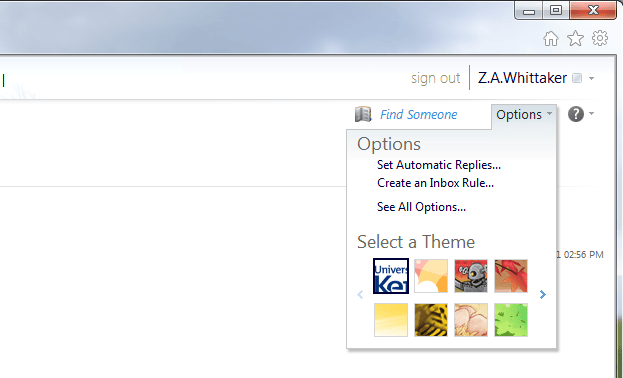
\n\tThemes will surely feature as a prominent new part of Outlook Web App, allowing users to ditch the pre-defined style that their school, college or university has set, and change it to something they prefer instead.
\n
\n\t—
\n\tTo read more about the new features available in Outlook Live (R5) released recently to all Live@edu students in waves, read the iGeneration blog where it explains all.
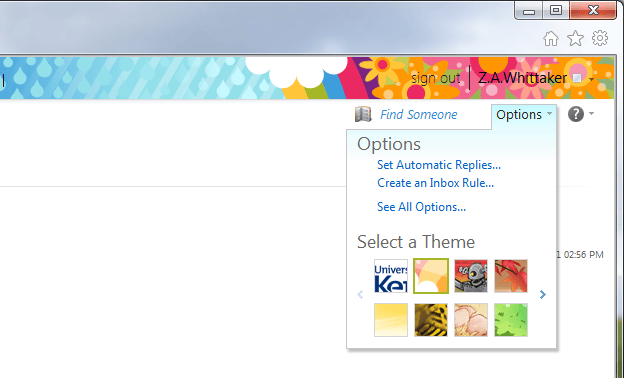
\n\tThe new themes alter the bar at the very top of the page (the “breadcrumb bar”) but also the highlighting text around Outlook Live. The settings page theme remains the same, though you can easily set the new R5 theme with orange waves as the new theme in email view.
\n
\n\t—
\n\tTo read more about the new features available in Outlook Live (R5) released recently to all Live@edu students in waves, read the iGeneration blog where it explains all.
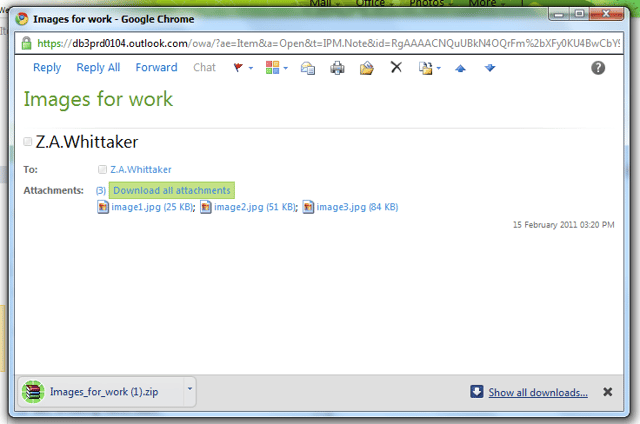
\n\tIf you have multiple attachments, whether documents or images, it is possible now to download all of them in one single download as a .zip file. Once Outlook Web App detects more than one attachment, you can download in bulk or in singular.
\n
\n\t—
\n\tTo read more about the new features available in Outlook Live (R5) released recently to all Live@edu students in waves, read the iGeneration blog where it explains all.
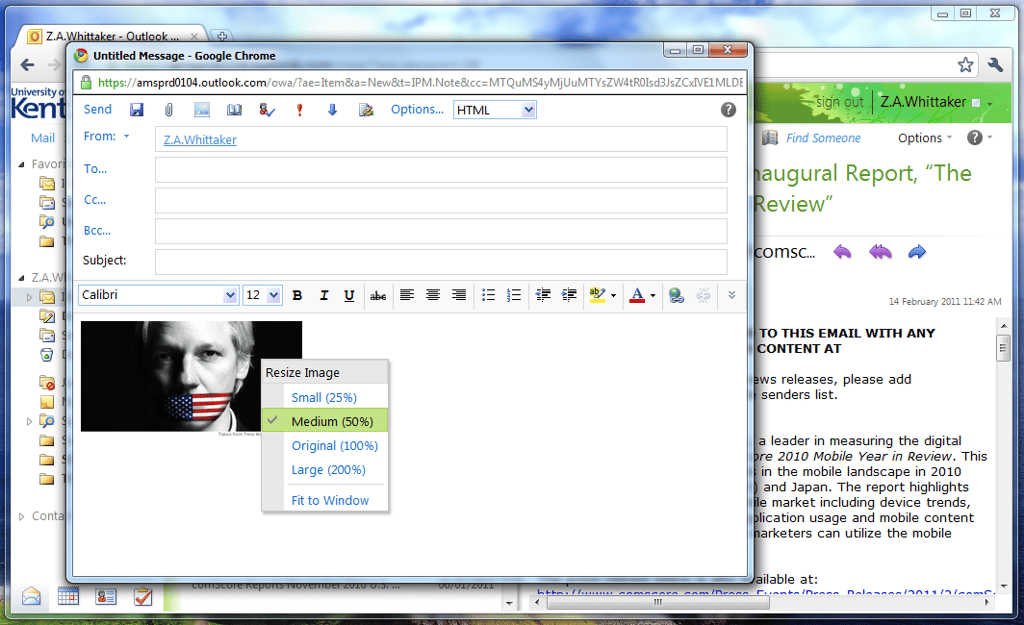
\n\tWhen attaching images – similar to what you can do in Hotmail and Windows Live Mail, you can now resize images to make them easier to read in emails.
\n
\n\t—
\n\tTo read more about the new features available in Outlook Live (R5) released recently to all Live@edu students in waves, read the iGeneration blog where it explains all.
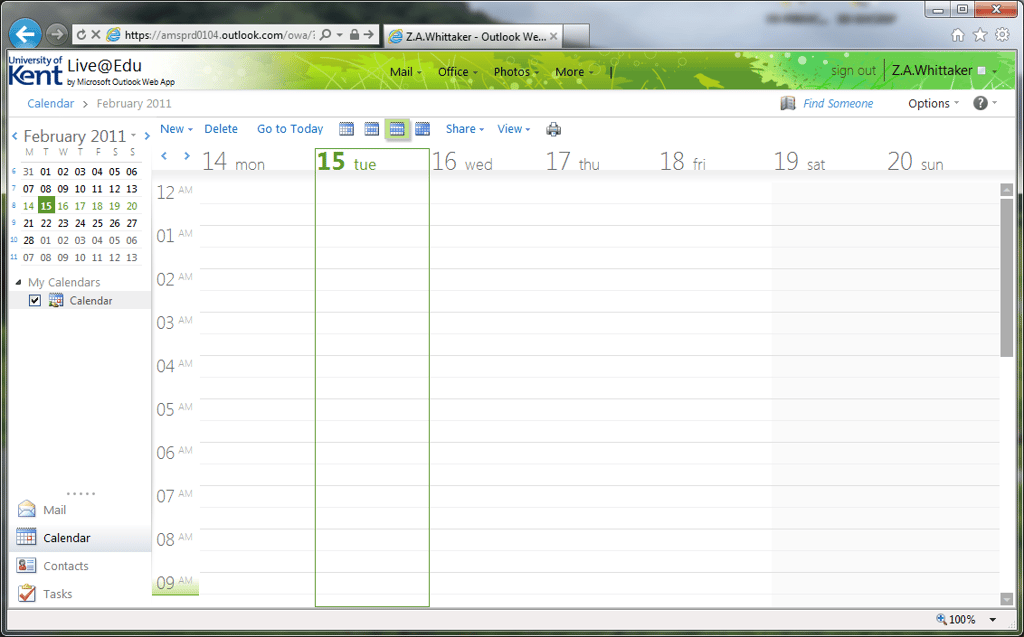
\n\tThe calendar hasn’t changed much, but now it has a more streamlined experience with Outlook 2010 and its user experience.
\n
\n\t—
\n\tTo read more about the new features available in Outlook Live (R5) released recently to all Live@edu students in waves, read the iGeneration blog where it explains all.
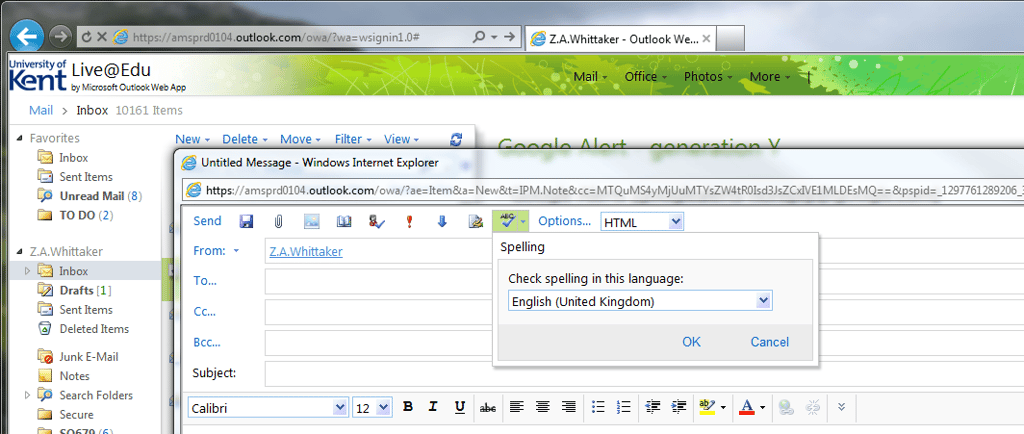
\n\tSpell checking, at long last, has arrived. Considering Live@edu serves a student audience, you would have thought this would have been a priority feature! Nevertheless, it is here now and here to stay.
\n
\n\t—
\n\tTo read more about the new features available in Outlook Live (R5) released recently to all Live@edu students in waves, read the iGeneration blog where it explains all.
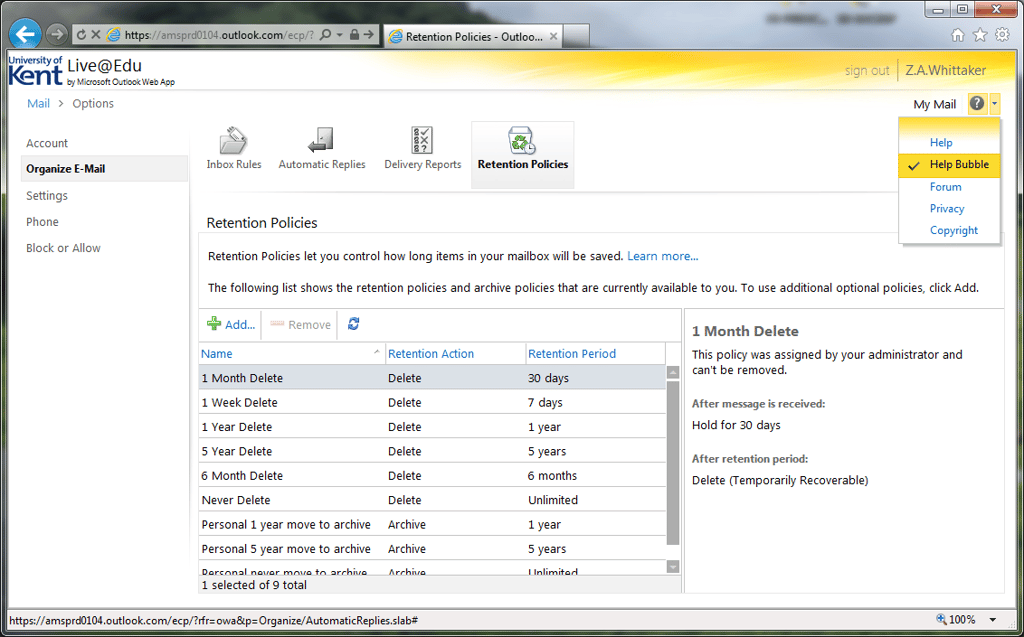
\n\tUsers now have the ability to manage and manipulate their own folder retention policies, such as how long before email becomes archived and the length of time before items get deleted – just to keep things trimmed down and speedy.
\n
\n\t—
\n\tTo read more about the new features available in Outlook Live (R5) released recently to all Live@edu students in waves, read the iGeneration blog where it explains all.
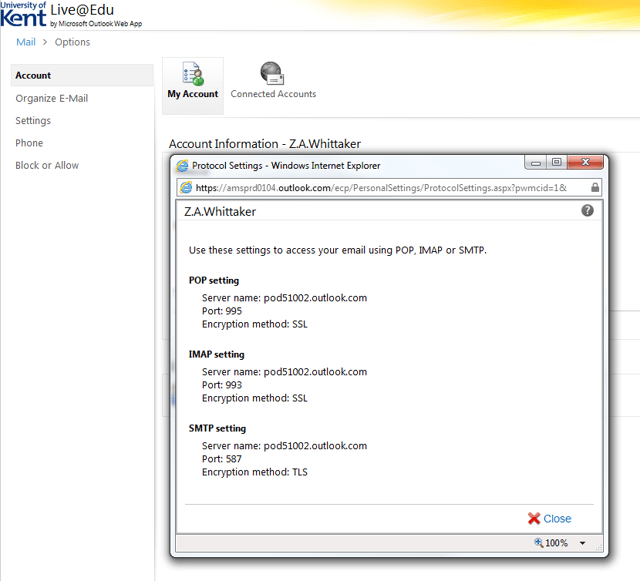
\n\tOne of the biggest complaints so far about Outlook Live is the lack of information, or simplified details, of the settings needed to take email to an external application or mobile device. Now, from a simple option, it is clear which settings are for which device or application.
\n
\n\t—
\n\tTo read more about the new features available in Outlook Live (R5) released recently to all Live@edu students in waves, read the iGeneration blog where it explains all.
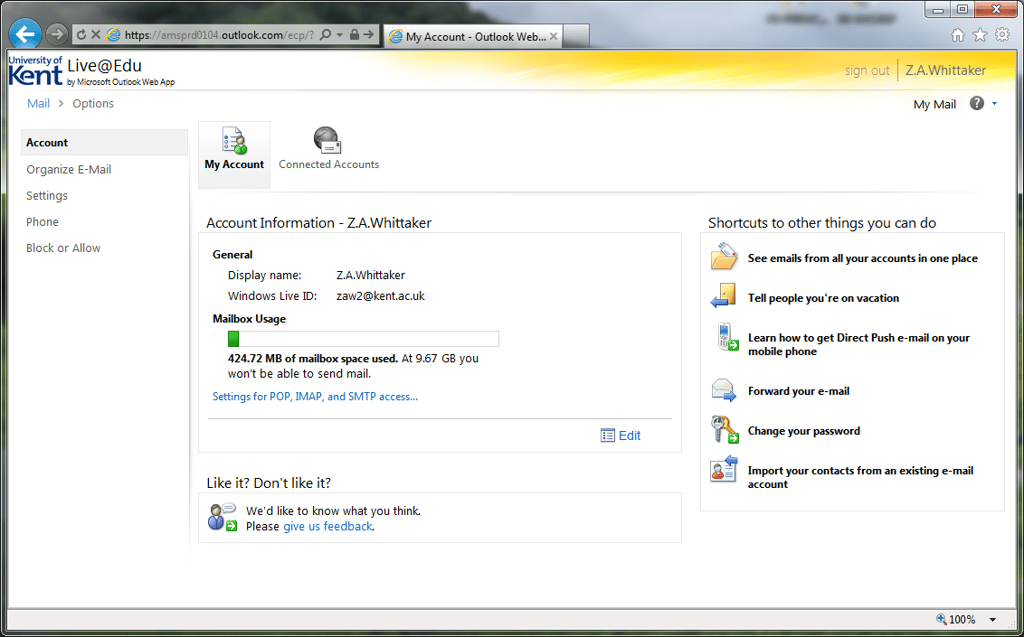
\n\tAlso, another bright new feature, is a simple progress bar not hidden away in the folder menu structure, showing you exactly how much data you have consumed and how much you have left.
\n
\n\t—
\n\tTo read more about the new features available in Outlook Live (R5) released recently to all Live@edu students in waves, read the iGeneration blog where it explains all.
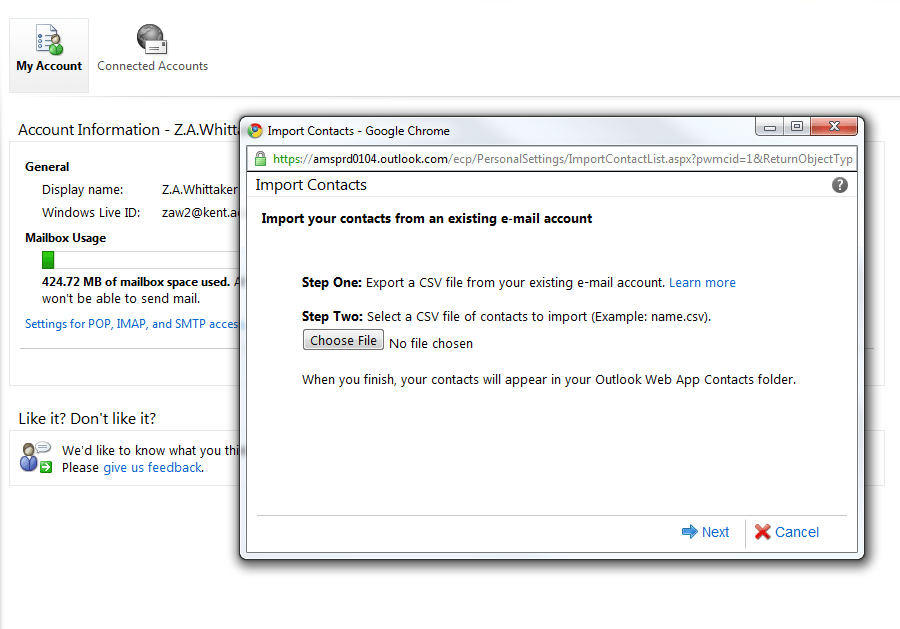
\n\tAnd finally, you can import your contacts from an external file (.csv – comma separated file) or even your mobile device if it supports the .csv format, to Outlook Web App.
\n
\n\t—
\n\tTo read more about the new features available in Outlook Live (R5) released recently to all Live@edu students in waves, read the iGeneration blog where it explains all.


